2020 Hyundai Elantra park assist
[x] Cancel search: park assistPage 330 of 535

5-94
Driving your vehicle
Limitations of the System
The Forward Collision Avoidance
Assist (FCA) system is designed to
monitor the vehicle ahead or a
pedestrian on the roadway through
radar signals and camera recogni-
tion to warn the driver that a collision
is imminent, and if necessary, apply
emergency braking.
In certain situations, the radar sen-
sor or the camera may not be able to
detect the vehicle or pedestrian
ahead. In these cases, the FCA sys-
tem may not operate normally. The
driver must pay careful attention in
the following situations where the
FCA operation may be limited.
Detecting vehicles
The sensor may be limited when:
The radar sensor or camera isblocked with a foreign object or
debris
Inclement weather such as heavy rain or snow obscures the field of
view of the radar sensor or camera
There is interference by electro- magnetic waves
In these cases, you must main-
tain a safe braking distance,
and if necessary, depress the
brake pedal to reduce the driv-
ing speed in order to maintain a
safe distance or to stop the
vehicle.
The FCA system operates
only to detect vehicles or
pedestrians in front of the
vehicle.
The FCA system does not
operate when the vehicle is in
reverse.
The FCA system is not
designed to detect other
objects on the road such as
animals.
The FCA system does not
detect vehicles in the oppo-
site lane.
The FCA system does not
detect cross traffic vehicles
that are approaching.
The FCA system cannot
detect the driver approaching
the side view of a parked vehi-
cle (for example on a dead
end street).
WARNING
Page 359 of 535
5-123
Driving your vehicle
5
The driver starts driving by pushingthe toggle switch up (RES+)/down
(SET-) or depressing the accelera-
tor pedal, after stopping the vehicle
with a vehicle stopped far away in
front.
The Forward Collision-Avoidance Assist (FCA) is activated.
The engine is stopped by ISG (Idle Stop and Go) system (if equipped).
Each of these actions will cancel the
Smart Cruise Control operation. The
Set Speed and Vehicle-to-Vehicle
Distance on the cluster LCD display
will go off.
In a condition the Smart Cruise
Control is cancelled automatically,
the Smart Cruise Control will not
resume even though the RES+ or
SET- toggle switch is pushed.
Also, if the Smart Cruise Control is
canceled automatically while the
vehicle is at a standstill, EPB
(Electronic Parking Brake) will be
applied.Information
If the Smart Cruise Control is can-
celed during a situation that is not
described, have the system checked by
an authorized HYUNDAI dealer.
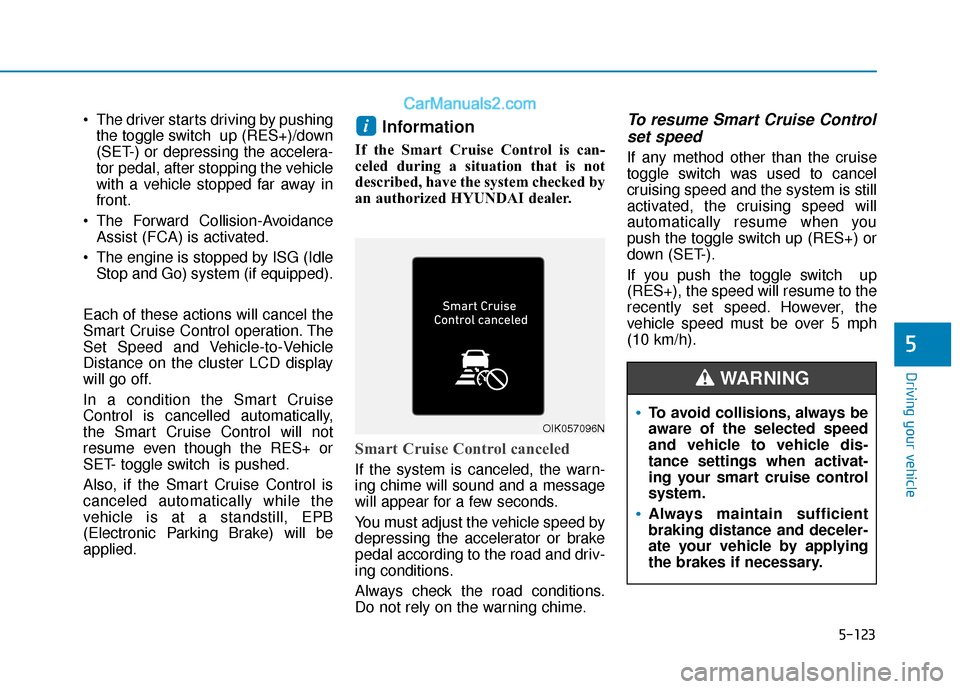
Smart Cruise Control canceled
If the system is canceled, the warn-
ing chime will sound and a message
will appear for a few seconds.
You must adjust the vehicle speed by
depressing the accelerator or brake
pedal according to the road and driv-
ing conditions.
Always check the road conditions.
Do not rely on the warning chime.
To resume Smart Cruise Control set speed
If any method other than the cruise
toggle switch was used to cancel
cruising speed and the system is still
activated, the cruising speed will
automatically resume when you
push the toggle switch up (RES+) or
down (SET-).
If you push the toggle switch up
(RES+), the speed will resume to the
recently set speed. However, the
vehicle speed must be over 5 mph
(10 km/h).
i
OIK057096NTo avoid collisions, always be
aware of the selected speed
and vehicle to vehicle dis-
tance settings when activat-
ing your smart cruise control
system.
Always maintain sufficient
braking distance and deceler-
ate your vehicle by applying
the brakes if necessary.
WARNING
Page 385 of 535
6-3
What to do in an emergency
If the Engine Stalls While
Driving
Reduce your speed gradually,keeping a straight line. Move cau-
tiously off the road to a safe place.
Turn on your hazard warning flash- er.
Try to start the engine again. If your vehicle will not start, contact an
authorized HYUNDAI dealer or
seek other qualified assistance.
If the Engine Stalls at a
Crossroad or Crossing
If the engine stalls at a crossroad or
crossing, if safe to do so, move the
shift lever to the N (Neutral) position
and then push the vehicle to a safe
location.
If You Have a Flat Tire While
Driving
If a tire goes flat while you are driv-
ing:
Take your foot off the acceleratorpedal and let the vehicle slow
down while driving straight ahead.
Do not apply the brakes immedi-
ately or attempt to pull off the road
as this may cause loss of vehicle
control resulting in an accident.
When the vehicle has slowed to
such a speed that it is safe to do
so, brake carefully and pull off the
road. Drive off the road as far as
possible and park on firm, level
ground. If you are on a divided
highway, do not park in the median
area between the two traffic lanes.
When the vehicle is stopped, press the hazard warning flasher button,
move the shift lever into P(Park),
and apply the parking brake, and
place the ignition switch in the
LOCK/OFF position.
Have all passengers get out of the vehicle. Be sure they all get out on
the side of the vehicle that is away
from traffic. When changing a flat tire, follow
the instructions provided later in
this chapter.
I IN
N
C
C A
A S
SE
E
O
O F
F
A
A N
N
E
E M
M E
ER
R G
G E
EN
N C
CY
Y
W
W H
HI
IL
L E
E
D
D R
RI
IV
V I
IN
N G
G
6
Page 389 of 535

6-7
What to do in an emergency
6
If your temperature gauge indicates
overheating, you experience a loss
of power, or hear loud pinging or
knocking, the engine may be over-
heating. If this happens, you should:
1. Pull off the road and stop as soonas it is safe to do so.
2. Place the shift lever in P (Park) and set the parking brake. If the air
conditioning is ON, turn it OFF.
3. If engine coolant is running out under the vehicle or steam is com-
ing out from the hood, stop the
engine. Do not open the hood until
the coolant has stopped running
or the steaming has stopped. If
there is no visible loss of engine
coolant and no steam, leave the
engine running and check to be
sure the engine cooling fan is
operating. If the fan is not running,
turn the engine off. 4. Check for coolant leaking from the
radiator, hoses or under the vehi-
cle. (If the air conditioning had
been in use, it is normal for cold
water to be draining from it when
you stop.)
5. If engine coolant is leaking out, stop the engine immediately and
call the nearest authorized
HYUNDAI dealer for assistance.
I IF
F
T
T H
H E
E
E
E N
N G
GI
IN
N E
E
O
O V
VE
ER
R H
H E
EA
A T
TS
S
While the engine is
running, keep hands,
clothing and tools
away from the mov-
ing parts such as the
cooling fan and drive
belt to prevent seri-
ous injury.
WARNING
Your vehicle is
equipped with a pres-
surized coolant
reserve tank. NEVER
remove the coolant
reserve tank cap or the radiator
drain plug while the engine and
radiator are HOT. Hot coolant
and steam may blow out under
pressure, causing serious
injury.
Turn the engine off and wait
until the engine cools down.
Use extreme care when remov-
ing the coolant reserve tank
cap. Wrap a towel or thick rag
around it, and turn it counter-
clockwise slowly to release
some of the pressure from the
system. Step back while the
pressure is released.
When you are sure all the pres-
sure has been released, contin-
ue turning the cap counter-
clockwise to remove it.
WARNING
Page 398 of 535

6-16
What to do in an emergency
If it is hard to loosen the tire hold-
down wing bolt by hand, you can
loosen it easily using the jack handle.
1. Put the jack handle (1) inside of the tire hold-down wing bolt.
2. Turn the tire hold-down wing bolt counterclockwise with the jack
handle.
Changing tires
Follow these steps to change your
vehicle's tire:
1. Park on a level, firm surface.
2. Move the shift lever into P (Park)or into R (Reverse) if equipped
with a manual transmission, apply
the parking brake, and place the
ignition switch in the LOCK/OFF
position.
3. Press the hazard warning flasher button.
4. Remove the wheel lug nut wrench, jack, jack handle, and spare tire
from the vehicle.
A vehicle can slip or roll off of a
jack causing serious injury or
death to you or those nearby.
Take the following safety pre-
cautions:
Never place any portion of
your body under a vehicle that
is supported by a jack.
NEVER attempt to change a
tire in the lane of traffic.
ALWAYS move the vehicle
completely off the road on
level, firm ground away from
traffic before trying to change
a tire. If you cannot find a level,
firm place off the road, call a
towing service for assistance.
Be sure to use the jack pro-
vided with the vehicle.
ALWAYS place the jack on the
designated jacking positions
on the vehicle and NEVER on
the bumpers or any other part
of the vehicle for jacking sup-
port.
Do not start or run the engine
while the vehicle is on the
jack.
Do not allow anyone to remain
in the vehicle while it is on the
jack.
Keep children away from the
road and the vehicle.
WARNING
OAD067033
Page 482 of 535

7-60
Maintenance
Fuse Name Fuse rating Protected Component
PDM 2 7.5A Smart Key Control Module, Immobilizer Module
START 7.5A W/O Smart Key : Transmission Range Switch, Ignition Lock Switch
With Smart Key :Transmission Range Switch, PCM
A/C7.5A Ionizer, A/C Control Module, E/R Junction Block (A/Con Relay, Blower Relay), Gasoline PTC Relay
AIR BAG 15A SRS Control Module, Passenger Occupant Detection Sensor
MODULE 3 10A Stop Lamp Switch, BCM, Sport Mode Switch, Driver/Passenger Door Module
IG1 25A PCB Block (Fuse : ABS3, ECU5, TCU2)
PDM 1 15A Smart Key Control Module
HEATED STEERING 15A BCM
MODULE 6 7.5A BCM, Smart Key Control Module
MODULE 5 10A Crash Pad Switch, Electro Chromic Mirror, A/T Shift Lever Indicator, A/V & Navigation Head Unit,
Audio, A/C Control Module, Console Switch LH/RH, Head Lamp Leveling Device LH/RH,
Front Seat Warmer Control Module, Rear Seat Warmer Control Module, Driver IMS Module
FCA10A FCA Module
A/CON 2 10A E/R Junction Block (Blower Relay), Blower Motor, Blower Resistor, A/C Control Module
WIPER 1 25A Wiper Motor, PCB Block (Front Wiper (Low) Relay)
WASHER 15A Multifunction Switch
MODULE 4 10A Lane keeping Assist System, Parking Assist Buzzer, BCM
SPARE 2 10A -
MODULE 2 10A E/R Junction Block (Power Outlet Relay), USB Charging Connector, Smart Key Control Module,
BCM, Audio, A/V & Navigation Head Unit, CD Player, Power Outside Mirror Switch, AMP,
Driver Door Module, Digital Clock, Console Switch
Page 525 of 535

I-3
Automatic climate control system ................................3-123Air conditioning .......................................................3-130
Air Conditioning refrigerant label............................3-134
Air intake control .....................................................3-129
Automatic heating and air conditioning ...................3-124
Fan speed control .....................................................3-130
Manual heating and air conditioning .......................3-125
Mode selection .........................................................3-126
OFF mode.................................................................3-131
System maintenance .................................................3-133
Temperature control .................................................3-128
Automatic transmission ..................................................5-19 Good driving practices ...............................................5-24
Manual shift mode......................................................5-22
Shift lock system ........................................................5-23
Shift-lock release ........................................................5-23
Automatic Ventilation ...................................................3-139
Aux, USB and iPod ..........................................................4-2
Battery ........................................................................\
.....7-35 Battery recharging ......................................................7-36
Battery saver function ...................................................3-105
Before driving ...................................................................5-4
Blade type fuse ...............................................................7-56
Blind-Spot Collision Warning (BCW) system ...............5-54
Blue Link
®center ...........................................................3-24
Bluetooth®Wireless Technology ......................................4-4 Brake system ...................................................................5-39
Anti-lock brake system (ABS) ...................................5-42
Disc brakes wear indicator .........................................5-40
Electronic stability control (ESC) ..............................5-44
Good braking practices ..............................................5-49
Hill-start assist control (HAC) ...................................5-49
Parking brake..............................................................5-40
Power brakes ..............................................................5-39
Rear drum brakes .......................................................5-40
Vehicle stability management (VSM) ........................5-48
Brake/clutch fluid ...........................................................7-27
Bulb replacement Front parking lamp .....................................................7-64
Front side marker lamp ..............................................7-64
Front turn signal lamp ................................................7-64
Headlamp....................................................................7-64\
High mounted stop light replacement ........................7-72
Interior light bulb .......................................................7-73
License plate light bulb ..............................................7-73
Rear combination light bulb .......................................7-69
Side repeater lamp ......................................................7-68
Bulb wattage .....................................................................8-3\
Button start/stop, see engine start/stop button ..................5-9
I
Index
B
Page 530 of 535

I-8
Jack and tools..................................................................6-15
Jump starting .....................................................................6-4\
LabelRegrigerent label ........................................................8-10
Tire loading information label..................................5-142
Tire sidewall labeling .................................................7-44
Tire specification and pressure label ..........................8-11
Vehicle certification label ...........................................8-10
Lane Keeping Assist (LKA) system .............................5-100
LCD display (for supervision cluster) LCD display control ...................................................3-79
LCD display modes ....................................................3-80
User settings mode .....................................................3-83
LCD display control .......................................................3-79
LCD display modes ........................................................3-80
Light ........................................................................\
........3-99 Auto light position......................................................3-99
Battery saver function ..............................................3-105
Daytime running light (DRL) ....................................3-99
Exterior lights .............................................................3-99
Front lamps...............................................................3-106
Headlamp delay function .........................................3-105
Headlamp position....................................................3-100 High Beam Assist (HBA) .........................................3-101
High beam operation ................................................3-101
Lighting control ..........................................................3-99
Map lamp..................................................................3-106
One-touch lane change function...............................3-104
Parking lamp position ..............................................3-100
Rear room lamp ........................................................3-107
Room lamp ...............................................................3-106
Trunk room lamp ......................................................3-107
Turn signals ..............................................................3-104
Vanity mirror lamp ...................................................3-108
Welcome system .......................................................3-108
Light bulbs ......................................................................7-\
64
Lubricants and capacities..................................................8-7
Main fuse ........................................................................\
7-57
Maintenance Explanation of scheduled maintenance items ............7-18
Maintenance services ...................................................7-4
Owner maintenance ......................................................7-5
Tire maintenance ........................................................7-44
Maintenance schedule 1.6 T-GDI ...................................................................7-13
2.0 MPI ........................................................................\
.7-8
Maintenance services ........................................................7-4
Index
J
L
M