Page 8 of 591
Visual Index
6
Quick Reference Guide❚Power Window Switches (P135)
❚Master Door Lock Switch (P125)
❚Memory Buttons* (P158)
❚SET Button* (P158)
❚Fuel Fill Door Release Button (P478)
❚Driver’s Front Airbag (P45)
❚Shift Button (P388)
❚Auxiliary Input Jack (P199)
❚Parking Brake (P462)
❚Interior Fuse Box Type A (P559)
❚Hood Release Handle (P490)
❚Door Mirror Controls (P161)
❚Accessory Power Socket (P178)
❚Accessory Power Socket (P178)
❚USB Port (P197)
❚Auto Idle Stop OFF Button (P400)
❚Mode Button* (P397)
❚Passenger’s Front Airbag (P45)
❚Glove Box (P173)
❚Trunk Main Switch (P130)
❚USB Port (P197)
❚USB Ports* (P197)
❚Interior Fuse Box Type B (P560)
❚Rearview Mirror (P160)
❚Snow Button* (P398)
❚Rear Outer Seat Heater buttons* (P182)
Page 27 of 591
25
Quick Reference Guide
What to Do If
The power mode does not
change from VEHICLE OFF
(LOCK) to ACCESSORY.
Why?
●The steering wheel may be locked.
●Move the steering wheel left and right
after pressing the ENGINE START/STOP
button.
Why does the brake pedal
pulsate slightly when
applying the brakes?This can occur when the ABS activates and does not indicate a
problem. Apply firm, steady pressure on the brake pedal. Never
pump the brake pedal.
2 Anti-lock Brake System (ABS) (P464)
The rear door cannot be
opened from inside the
vehicle. Why?Check if the childproof lock is in
the lock position. If so, open the
rear door with the outside door
handle.
To cancel this function, slide the
lever to the unlock position.
Canadian models
Page 28 of 591
26
Quick Reference Guide
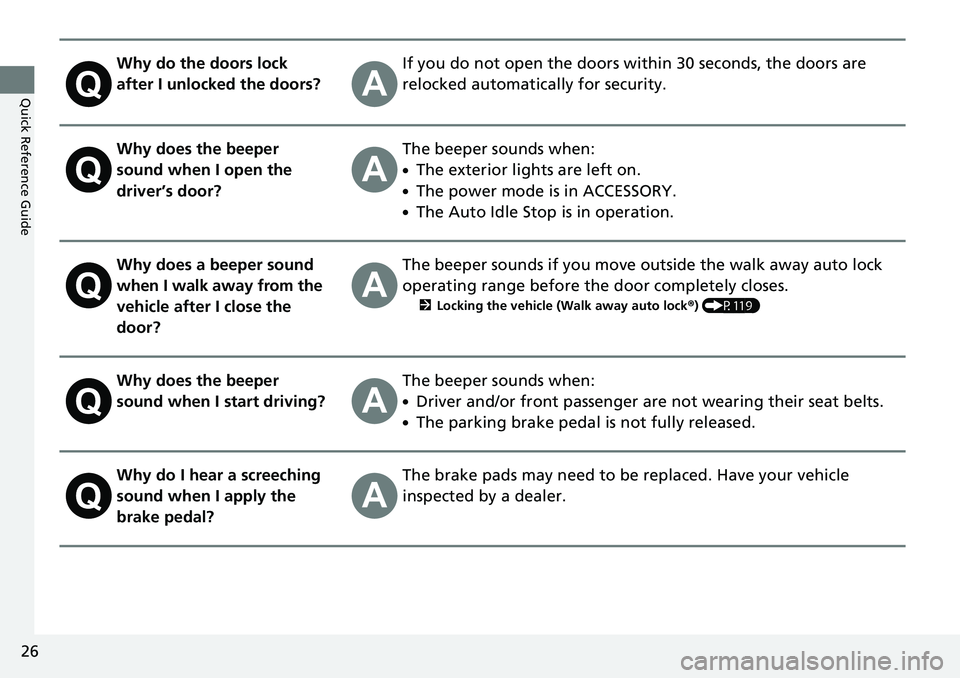
Why do the doors lock
after I unlocked the doors?If you do not open the doors within 30 seconds, the doors are
relocked automatically for security.
Why does the beeper
sound when I open the
driver’s door?The beeper sounds when:
●The exterior lights are left on.
●The power mode is in ACCESSORY.
●The Auto Idle Stop is in operation.
Why does a beeper sound
when I walk away from the
vehicle after I close the
door?The beeper sounds if you move outside the walk away auto lock
operating range before the door completely closes.
2Locking the vehicle (Walk away auto lock ®) (P119)
Why does the beeper
sound when I start driving?The beeper sounds when:
●Driver and/or front passenger are not wearing their seat belts.
●The parking brake pedal is not fully released.
Why do I hear a screeching
sound when I apply the
brake pedal?The brake pads may need to be replaced. Have your vehicle
inspected by a dealer.
Page 93 of 591
91
uuIndicators u
Instrument Panel
*1:AWD models only
IndicatorNameOn/BlinkingExplanationMessage
Bed Lights On
Indicator
●Comes on when the bed lights
are on.
●Comes on for 30 minutes when
you set power mode to
ACCESSORY or VEHICLE OFF
without turning off the bed
lights, then goes off.
2Bed Lights P. 185—
Intelligent
Traction
Management
Indicator
●Comes on when selecting the
Snow, Mud*1 or Sand*1 by
pressing the Intelligent Traction
Management button.
2 Intelligent Traction Management P. 397
*1
*1
2WD models
AWD models
Page 95 of 591
93
uuIndicators uMulti-Information Display Warning and Information Messages
Continued
Instrument Panel
MessageConditionExplanation
●Appears when the starter system has a problem.●As a temporary measure, press and hold the ENGINE
START/STOP button for up to 15 seconds while
pressing the brake pedal, ma nually start the engine.
●Have your vehicle checked by a dealer.
●Appears when the steering wheel is locked.●Move the steering wheel left and right while pressing
the ENGINE START/STOP button.
●Appears when the power mode is in ACCESSORY.
—
U.S.
Canada
Canadian models
Page 96 of 591

94
uuIndicators uMulti-Information Display Warn ing and Information Messages
Instrument Panel
MessageConditionExplanation
●Appears after the driver’s door is opened when the
power mode is in ACCESSORY.●Change the power mode to VEHICLE OFF.
2 ENGINE START/STOP Button P. 141
●Appears when you close the door with the power mode
in ON without the smart entry remote inside the vehicle.●Disappears when you bring the smart entry remote back
inside the vehicle and close the door.
2Smart Entry Remote Reminder P. 143
●Appears when the smart entry remote battery becomes
weak.
2Replacing the Button Battery P. 520
●Appears if the smart entry remote battery is too weak to
start the engine or the key is not within operating range
to start the engine.
The beeper sounds six times.●Bring the back of the smart entry remote into contact
with the ENGINE START/STOP button.
2If the Smart Entry Remote Battery is Weak P. 544
●Appears three seconds after the To Start, Hold
Remote Near Start Button , then To Start Engine:
Brake + Push messages appeared sequentially.●Unless you bring the back of the smart entry remote into
contact with the ENGINE START/STOP button, this
message does not appear.
2 If the Smart Entry Remote Battery is Weak P. 544
Page 97 of 591
95
uuIndicators uMulti-Information Display Warning and Information Messages
Continued
Instrument Panel
MessageConditionExplanation
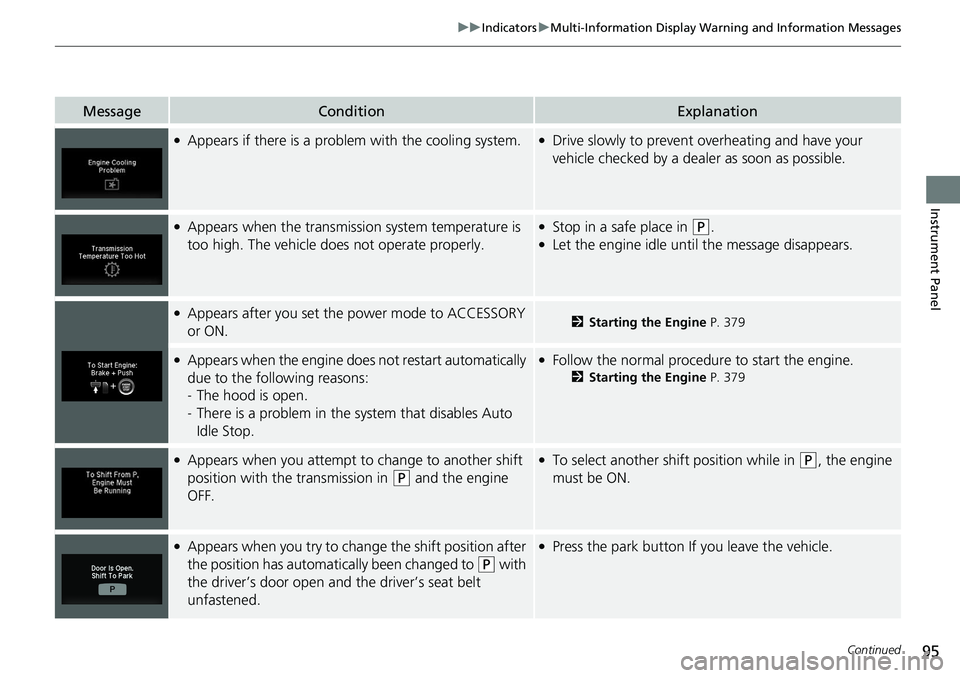
●Appears if there is a problem with the cooling system.●Drive slowly to prevent overheating and have your
vehicle checked by a dealer as soon as possible.
●Appears when the transmission system temperature is
too high. The vehicle does not operate properly.●Stop in a safe place in (P.●Let the engine idle until the message disappears.
●Appears after you set the power mode to ACCESSORY
or ON.2Starting the Engine P. 379
●Appears when the engine does not restart automatically
due to the following reasons:
- The hood is open.
- There is a problem in the sy stem that disables Auto
Idle Stop.●Follow the normal procedure to start the engine.
2 Starting the Engine P. 379
●Appears when you attempt to change to another shift
position with the transmission in
(P and the engine
OFF.
●To select another shift position while in (P, the engine
must be ON.
●Appears when you try to chan ge the shift position after
the position has automatically been changed to
( P with
the driver’s door open and the driver’s seat belt
unfastened.
●Press the park button If you leave the vehicle.
Page 143 of 591

141Continued
Controls
Operating the Switches Around the Steering Wheel
ENGINE START/STOP Button
*1:Canadian models
■Changing the Power Mode1ENGINE START/STOP Button
ENGINE START/STOP Button Operating Range
You can start the engine when the smart entry
remote is inside the vehicle.
If the battery of the smar t entry remote is getting
low, the engine may not start when you push the
ENGINE START/STOP button. If the engine does not
start, refer to the following link. 2 If the Smart Entry Remote Battery is Weak
P. 544
The engine may also run if the smart entry remote is
close to the door or window, ev en if it is outside the
vehicle.
ON mode:
The ENGINE START/STOP button is on (in red), if the
engine is running.
Operating Range
VEHICLE OFF (LOCK)
The button is off.
The steering wheel is locked
*1.
The power to all electrical components is turned
off.
ACCESSORY
The button blinks (in red).
Operate the audio system and other accessories
in this position.
ON
The button blinks (in red).
All electrical components can be used.
Press the button.
Without
pressing the
brake pedal