2020 HONDA PILOT Moonroof
[x] Cancel search: MoonroofPage 4 of 743
Contents
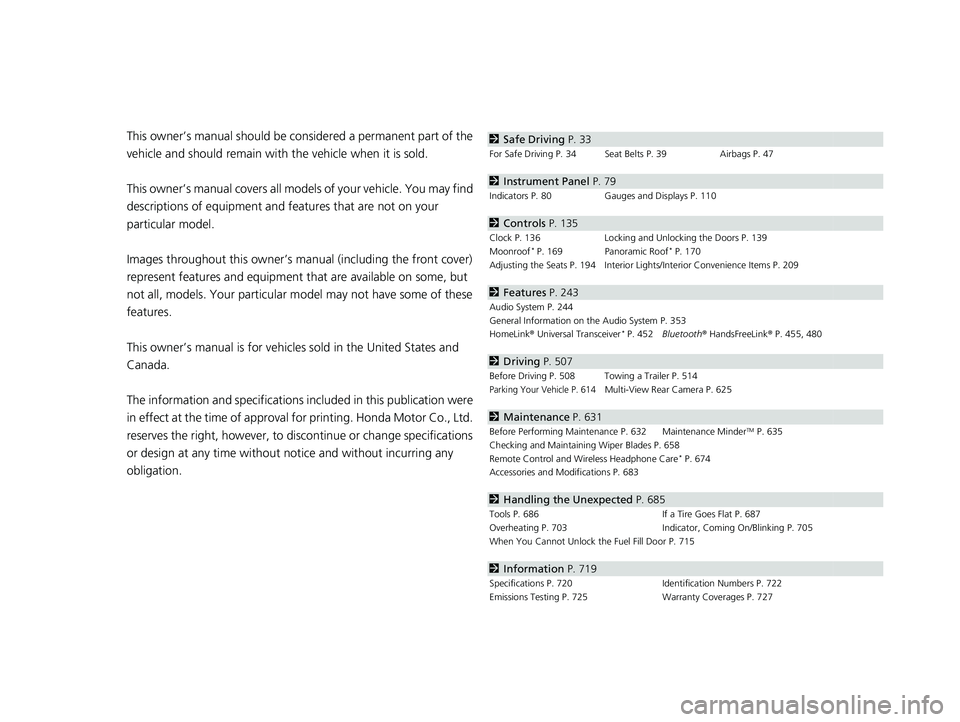
This owner’s manual should be considered a permanent part of the
vehicle and should remain with the vehicle when it is sold.
This owner’s manual covers all models of your vehicle. You may find
descriptions of equipment and features that are not on your
particular model.
Images throughout this owner’s manu al (including the front cover)
represent features and equipment that are available on some, but
not all, models. Your particular mo del may not have some of these
features.
This owner’s manual is for vehicles sold in the United States and
Canada.
The information and specifications in cluded in this publication were
in effect at the time of approval for printing. Honda Motor Co., Ltd.
reserves the right, however, to discontinue or change specifications
or design at any time without notice and without incurring any
obligation.2 Safe Driving P. 33
For Safe Driving P. 34 Seat Belts P. 39 Airbags P. 47
2Instrument Panel P. 79
Indicators P. 80 Gauges and Displays P. 110
2Controls P. 135
Clock P. 136 Locking and Unlocking the Doors P. 139
Moonroof* P. 169 Panoramic Roof* P. 170
Adjusting the Seats P. 194 Interior Ligh ts/Interior Convenience Items P. 209
2Features P. 243
Audio System P. 244
General Information on the Audio System P. 353
HomeLink ® Universal Transceiver
* P. 452 Bluetooth ® HandsFreeLink ® P. 455, 480
2 Driving P. 507
Before Driving P. 508 Towing a Trailer P. 514
Parking Your Vehicle P. 614Multi-View Rear Camera P. 625
2Maintenance P. 631
Before Performing Maintenance P. 632 Maintenance MinderTM P. 635
Checking and Maintaining Wiper Blades P. 658
Remote Control and Wireless Headphone Care
* P. 674
Accessories and Modifications P. 683
2 Handling the Unexpected P. 685
Tools P. 686 If a Tire Goes Flat P. 687
Overheating P. 703 Indicator, Coming On/Blinking P. 705
When You Cannot Unlock the Fuel Fill Door P. 715
2 Information P. 719
Specifications P. 720 Identification Numbers P. 722
Emissions Testing P. 725 Warranty Coverages P. 727
20 PILOT-31TG76401.book 2 ページ 2019年7月24日 水曜日 午後3時32分
Page 9 of 743

7
Quick Reference Guide
❙Accessory Power Socket* (P218)
❙LATCH to Secure a Child Seat (P65)
❙Seat Belt (Installing a Child Seat) (P69)
❙Third Row Seat (P199)
❙Second Row Seat (P198)
❙Seat Belt to Secure a Child Seat (P71)
❙Cargo Area Light (P212)
❙Side Curtain Airbags (P56)
❙Second Row Outer Seat Heater Buttons* (P226)
❙AC Power Outlet* (P218)
❙HDMITM Port* (P381)
❙USB Ports* (P246)
❙Sun Visors
❙Vanity Mirrors
❙Moonroof Switch* (P169)
❙Panoramic Roof Switch* (P170)
❙Map Lights (P210)
❙Sunglasses Holder (P222)
❙Seat Belt with Detachable Anchor (P44)
❙Side Airbags (P54)
❙Seat Belts (P39)
❙Blu-ray/DVD Rear Entertainment
System* (P378)
❙Grab Handle
❙Coat Hook (P221)
❙Front Seat (P194)
* Not available on all models
20 PILOT-31TG76401.book 7 ページ 2019年7月24日 水曜日 午後3時32分
Page 137 of 743
135
Controls
This chapter explains how to operate the various controls necessary for driving.
Clock.................................................. 136
Locking and Unlocking the Doors
Key Types and Functions .................. 139
Low Smart Entry Remote Signal Strength*.................................... 141Locking/Unlocking the Doors from the
Outside .......................................... 142
Locking/Unlocking the Doors from the Inside ............................................. 149
Childproof Door Locks ..................... 151
Auto Door Locking/Unlocking .......... 152
Opening and Closing the Tailgate ... 153
Security System Immobilizer System .......................... 163
Security System Alarm ...................... 163
Opening and Closing the Windows .... 166Moonroof*........................................ 169
Panoramic Roof*............................... 170
Operating the Switches Around the Steering Wheel
ENGINE START/STOP Button............. 171
Turn Signals ..................................... 174
Light Switches.................................. 175
Fog Lights
*...................................... 178
Auto High-Beam .............................. 179
Daytime Running Lights ................... 182
Wipers and Washers ........................ 183
Rear Defogger/Heat ed Door Mirror
*
Button ........................................... 186
Brightness Control ........................... 188 Driving Position Memory System
*.... 189
Adjusting the Steering Wheel .......... 191
Adjusting the Mirrors
Interior Rearview Mirror ................... 192
Power Door Mirrors ......................... 193
Adjusting the Seats
Front Seats ...................................... 194
Rear Seats........................................ 204
Armrest ........................................... 207
Interior Lights/Interior Convenience Items
Interior Lights .................................. 209
Interior Convenience Items .............. 213
Heating and Cooling
*....................... 230
Climate Control System*.................. 235
* Not available on all models
20 PILOT-31TG76401.book 135 ページ 2019年7月24日 水曜日 午後3時32分
Page 169 of 743

167
uuOpening and Closing the Windows uOpening/Closing the Power Windows
Continued
Controls
To open: Push the switch down.
To close: Pull the switch up.
Release the switch when the window reaches
the desired position.
To open: Press the unlock button, and then
within 10 seconds, press it again and hold it.
If the windows and moonroof
* stop midway,
repeat the procedure.
■Opening/Closing Windows without Auto-Open/Close
Function
Close
Open
■Opening Windows and the Moonroof* with the Remote
Unlock
Button
* Not available on all models
20 PILOT-31TG76401.book 167 ページ 2019年7月24日 水曜日 午後3時32分
Page 170 of 743

168
uuOpening and Closing the Windows uOpening/Closing th e Power Windows
Controls
To open: Unlock the driver’s door with the
key. Within 10 seconds of returning the key to
the central position, turn the key in the unlock
direction and hold it there.
To close: Lock the driver’s door with the key.
Within 10 seconds of re turning the key to the
central position, turn the key in the lock
direction and hold it there.
Release the key to stop the windows/
moonroof
* at the desired position. If you want
further adjustment, repeat the same
operation.
■Opening/Closing Windows and the Moonroof* with the Key
CloseOpen
* Not available on all models
20 PILOT-31TG76401.book 168 ページ 2019年7月24日 水曜日 午後3時32分
Page 171 of 743

169
Controls
Moonroof*
Opening and Closing the Moonroof
You can operate the moonroof when the power mode is in ON. Use the switch in
the front of the ceiling to open and close the moonroof.
■Automatic operation
To open: Pull the switch back firmly.
To close: Push the switch forward firmly.
The moonroof will automatically open or close
all the way. To stop the moonroof midway,
push the switch briefly.
■Manual operation
To open: Pull the switch back lightly, and
hold it until the desired position is reached.
To close: Push the switch forward lightly, and
hold it until the desired position is reached.
■Tilting the moonroof up
To tilt: Push on the center of the moonroof
switch.
To close: Push the switch forward firmly, then
release.
■Using the Moonroof Switch
1 Opening and Closing the Moonroof
NOTICE
Opening the moonroof in below freezing
temperature or when it is covered with snow or ice
can damage the moonr oof panel or motor.
The power moonroof can be operated for up to 10
minutes after you set the power mode to OFF.
Opening either front door cancels this function.
When resistance is detected, the auto reverse function
causes the moonroof to chan ge directions, then stop.
Auto reverse stops sensing when the moonroof is
almost closed to ensure that it fully closes.
You can use the remote transmitter or the key to
operate the moonroof. 2 Opening Windows and the Moonroof
*
with the Remote P. 167
2 Opening/Closing Windows and the
Moonroof
* with the Key P. 168
3WARNING
Opening or closing the moonroof on
someone’s hands or fingers can cause
serious injury.
Make sure all hands and fingers are clear of
the moonroof before opening or closing it.
Open
CloseTilt
Models without panoramic roof
Models with panoramic roof
Open
CloseTilt
* Not available on all models
20 PILOT-31TG76401.book 169 ページ 2019年7月24日 水曜日 午後3時32分
Page 301 of 743

299
uuAudio System Basic Operation uVoice Control Operation
Continued
Features
Voice Control Operation
Your vehicle has a voice control syst em that allows hands-free operation.
The voice control system uses the (tal k) and (back) buttons on the steering
wheel and a microphone near the map lights on the ceiling.
To achieve optimum voice recognition when using the voice control system:
• Make sure the correct screen is displa yed for the voice command that you are
using.
The system recognizes only certain commands.
Available voice commands.
2 Voice Portal Screen P. 300
•Close the windows and moonroof*.
• Adjust the dashboard and side vents so air does not blow onto the microphone
on the ceiling.
• Speak clearly in a clear, natural speaking voice without pausing between words.
• Reduce any background noise if possibl e. The system may misinterpret your
command if more than one person is speaking at the same time.
■Voice Recognition
1Voice Control Operation
When you press the button, a helpful prompt asks
what you would like to do. Press and release the
button again to bypass th is prompt and give a
command.
1 Voice Recognition
The voice control system can only be used from the
driver’s seat because the microphone unit removes
noises from the front passenger’s side.
* Not available on all models
20 PILOT-31TG76401.book 299 ページ 2019年7月24日 水曜日 午後3時32分
Page 739 of 743

737
Index
M
Maintenance.................................... 118, 631
Battery .................................................... 671
Brake Fluid .............................................. 652
Cleaning ................................................. 678
Coolant .................................................. 649
Maintenance Minder
TM............................ 635
Oil .......................................................... 645
Precautions ............................................. 632
Radiator .................................................. 650
Remote Control ...................................... 674
Remote Transmitter ................................ 673
Replacing Light Bulbs .............................. 653
Safety ..................................................... 633
Service Items ........................................... 638
Tires........................................................ 662
Transmission Fluid ................................... 651
Under the Hood ...................................... 641
Wireless Headphone ............................... 675
Malfunction Indicator Lamp ............. 81, 706
Map Lights ................................................ 210
Maximum Load Limit ............................... 511
Meters, Gauges ........................................ 110
Mirrors ...................................................... 192
Adjusting ................................................ 192
Door ....................................................... 193
Exterior ................................................... 193
Interior Rearview ..................................... 192
Modifications (and Accessories) .............. 683
Moonroof ................................................. 169
MP3 ................................... 263, 316, 322, 325 MP3/WMA/AAC
................ 263, 316, 322, 325
Multi-View Rear Camera .......................... 625
My Honda Music ....................................... 325
N
Navigation................................................ 117
Now Playing .............................................. 120
Numbers (Identification) .......................... 722
O
Odometer.................................................. 112
Off-Highway Driving Guidelines ............. 524
Oil (Engine) ............................................... 644
Adding .................................................... 646
Checking ................................................. 645
Displaying Maintenance Minder Information ........................................... 636
Low Oil Pressure Symbol .......................... 705
Oil Life ..................................................... 118
Recommended Engine Oil ........................ 644
Viscosity .................................................. 644
Open Source Licenses ............................... 372
Opening/Closing Hood ....................................................... 642
Moonroof................................................ 169
Power Windows ...................................... 166
Tailgate ................................................... 153
Operating the Switches Around the Steering Wheel ....................................... 171 Outside Temperature Display
.................. 112
Overheating .............................................. 703
P
Paddle Shifters (Sequential Mode) .... 23, 543
Panic Mode ............................................... 165
Panoramic Roof ........................................ 170
Parking ...................................................... 614
Parking Brake ........................................... 610
Parking Brake and Brake System Indicator .................................................. 707
Parking Brake and Brake System
Indicator (Amber) ..................................... 80
Parking Brake and Brake System Indicator (Red) .......................................... 80
Parking Sensor System ............................. 616
Passenger Airbag Off Indicator ................. 58
Passing Indicators ..................................... 175
Phone ........................................................ 119
Playing Bluetooth ® Audio ................ 266, 329
Power Tailgate ......................................... 155
Hands Free Access ................................... 155
Power Windows ....................................... 166
Precautions While Driving ....................... 532
Driving Guidelines for Your Utility Vehicle .................................................. 532
Rain ........................................................ 532
Pregnant Women ....................................... 45
Puncture (Tire) .......................................... 687
20 PILOT-31TG76401.book 737 ページ 2019年7月24日 水曜日 午後3時32分