Page 125 of 667

123
uuGauges and Displays uDriver Information Interface
Continued
Instrument Panel
Setup Group Customizable Features Description Selectable settings
Keyless
Access
Setup Door Unlock Mode
Changes which doors unlock when you grab the
driver’s door handle. Driver’s Door Only
*1/
All Doors
Keyless Access Light
Flash Causes some exterior lights to flash when you unlock/
lock the doors.
ON
*1/
OFF
Keyless Access Beep Causes the beeper to so
und when you unlock/lock
the doors. ON
*1/
OFF
Remote Start System
ON/OFF Turns the remote engine start feature on and off.
ON
*1/OFF
Driver Assist
System
Setup
Forward Collision
Warning DistanceChanges the distance at which CMBSTM alerts.Long /Normal*1/ Short
ACC Forward Vehicle
Detect BeepCauses the system to beep when the system detects a
vehicle, or when the vehicle goes out of ACC range.ON /OFF*1
Road Departure
Mitigation SettingChanges the setting for the road departure
mitigation system.Normal*1/Wide /Warning Only
Lane Keeping Assist
Suspend BeepCauses the system to b eep when the LKAS is
suspended.ON /OFF*1
20 PASSPORT-31TGS6100.book 123 ページ 2019年8月30日 金曜日 午後6時22分
Page 127 of 667

125
uuGauges and Displays uDriver Information Interface
Continued
Instrument Panel
*1:Default SettingSetup Group Customizable Features
Description Selectable settings
Door Setup
Auto Door LockChanges the setting for when the doors
automatically lock.With Vehicle Speed*1/Shift
From P /OFF
Auto Door UnlockChanges the setting for when the doors
automatically unlock.
All Doors When Driver’s Door
Opens*1/All Doors When
Shifted To Park/ All Doors When
Ignition Switched OFF /OFF
Key And Remote
Unlock ModeSets up either the driver’s door or all doors to unlock
on the first operation of the remote or built-in key.Driver Door*1/ All Doors
Keyless Lock Answer
BackLOCK/UNLOCK - The exterior lights flash.
LOCK (2nd push)- The beeper sounds.ON*1/OFF
Security Relock Timer
Changes the time it takes for the doors to relock and
the security system to set after you unlock the
vehicle without opening a door.
90sec /60sec /30sec*1
Default All —Cancels customized changes you have made or
restores them to their default setting.
Cancel
/Set
20 PASSPORT-31TGS6100.book 125 ページ 2019年8月30日 金曜日 午後6時22分
Page 131 of 667

129
Controls
This chapter explains how to operate the various controls necessary for driving.
Clock.................................................. 130
Locking and Unlocking the Doors Key Types and Functions .................. 133
Low Smart Entry Remote Signal Strength ..... 135Locking/Unlocking the Doors from the Outside .......................................... 136
Locking/Unlocking the Doors from the Inside ............................................. 144
Childproof Door Locks ..................... 146
Auto Door Locking/Unlocking .......... 147
Opening and Closing the Tailgate ... 148
Security System ................................ 158
Opening and Closing the Windows ..... 161
Moonroof*........................................ 164
Operating the Switches Around the Steering Wheel ENGINE START/STOP Button............. 165
Turn Signals ..................................... 168
Light Switches.................................. 169
Fog Lights
*...................................... 172
Daytime Running Lights ................... 173
Auto High-Beam .............................. 174
Wipers and Washers ........................ 177
Rear Defogger/Heat ed Door Mirror
*
Button ........................................... 180
Brightness Control ........................... 182
Driving Position Memory System
*.... 183 Adjusting the Steering Wheel .......... 185
Adjusting the Mirrors
Interior Rearview Mirror ................... 186
Power Door Mirrors ......................... 187
Adjusting the Seats
Front Seats ...................................... 188
Rear Seats........................................ 192
Armrest ........................................... 197
Interior Lights/Interior Convenience
ItemsInterior Lights .................................. 198
Interior Convenience Items .............. 201
Climate Control System ................... 219
* Not available on all models
20 PASSPORT-31TGS6100.book 129 ページ 2019年8月30日 金曜日 午後6時22分
Page 132 of 667

130
Controls
Clock
Adjusting the Clock
You can adjust the time manually in the audio/information screen, with the power
mode in ON.
■Using the MENU/CLOCK button
1. Press and hold the MENU/CLOCK button
for two seconds.
2. Select Adjust Clock , then press .
3. Rotate to adjust the hours.
4. Press to switch to minute adjustment.
5. Rotate to adjust the minutes.
6. Press to switch to Set.
7. Press to complete clock adjustment.
■Adjusting the Time
1Clock
The clock is automatica lly updated through the
navigation system, so the ti me does not need to be
adjusted.
Models with navigation system
Models without navigation system
1 Using the MENU/CLOCK button
These indications are used to show how to operate
the selector knob.
Rotate to select.
Press to enter.
You can customize the clock display to show the 12
hour clock or 24 hour clock. 2 Customized Features P. 354
Models with color audio system
Models with color audio system
20 PASSPORT-31TGS6100.book 130 ページ 2019年8月30日 金曜日 午後6時22分
Page 133 of 667

Continued131
uuClock uAdjusting the Clock
Controls
■Using the Setti ngs menu on the audio/
information screen
1. Select , then select Settings.
2. Select System.
3. Select Date & Time .
4. Select Set Date & Time .
5. Select Automatic Date & Time , then
select OFF.
To adjust time:
6. Select Set Time.
7. Selecting / .
u AM/PM icon can be switched to each
other either by selecting / , or by
directly touching the icon.
u When you customize the clock display to
24 hour clock, AM/PM icon is not
displayed.
2 Customized Features P. 361
8.Select Save to set the time.
1Using the Settings menu on the audio/information screen
You can also adjust the clock by touching the clock
displayed on the upper right corner of the display or
the Clock icon on the home screen.
1. Touch the clock on the display.
The clock screen of the select face-type appears.
2. Select Settings .
3. Select Date & Time Settings .
4. Select Set Date & Time .
5. Select Automatic Date & Time , then select OFF.
6. Select Set Date or Set Time.
7. Adjusting the dates, hours and minutes by selecting / .
8. Select Save to set the time.
You can customize the clock display to show the 12
hour clock or 24 hour clock. 2 Customized Features P. 361
Models with Display Audio
34
Models with Display Audio
34
34
20 PASSPORT-31TGS6100.book 131 ページ 2019年8月30日 金曜日 午後6時22分
Page 134 of 667
132
uuClock uAdjusting the Clock
Controls
To adjust date:
6. Select Set Date .
7. Selecting / .
8. Select Save to set the date.
34
20 PASSPORT-31TGS6100.book 132 ページ 2019年8月30日 金曜日 午後6時22分
Page 135 of 667

133Continued
Controls
Locking and Unlocking the Doors
Key Types and Functions
This vehicle comes with the following keys:
Use the keys to start and stop the engine, and
to lock and unlock all the doors and tailgate.
You can also use the remote transmitter to
lock and unlock all the doors and tailgate.
The built-in key can be used to lock/unlock the
doors when the smart entry remote battery
becomes weak and the power door lock/
unlock operation is disabled.
To remove the built-in key, slide the release
knob and then pull out the key. To reinstall
the built-in key, push the built-in key into the
smart entry remote until it clicks.1 Key Types and Functions
All the keys have an immobilizer system. The
immobilizer system helps to protect against vehicle
theft. 2 Immobilizer System P. 158
Follow the advice below to prevent damage to the
keys:
•Do not leave the keys in direct sunlight, or in
locations with high temperature or high humidity.
•Do not drop the keys or set heavy objects on them.•Keep the keys away from liquids, dust and sand.
•Do not take the keys apart except for replacing the
battery.
If the circuits in the keys are damaged, the engine
may not start, and the remote transmitter may not
work.
If the keys do not work properly, have them
inspected by a dealer.
You can remotely start th e engine using the smart
entry remote. 2 Remote Engine Start P. 456
Smart Entry Remote
■Built-in Key
Release KnobBuilt-in Key
20 PASSPORT-31TGS6100.book 133 ページ 2019年8月30日 金曜日 午後6時22分
Page 136 of 667
uuLocking and Unlocking the Doors uKey Types and Functions
134
Controls
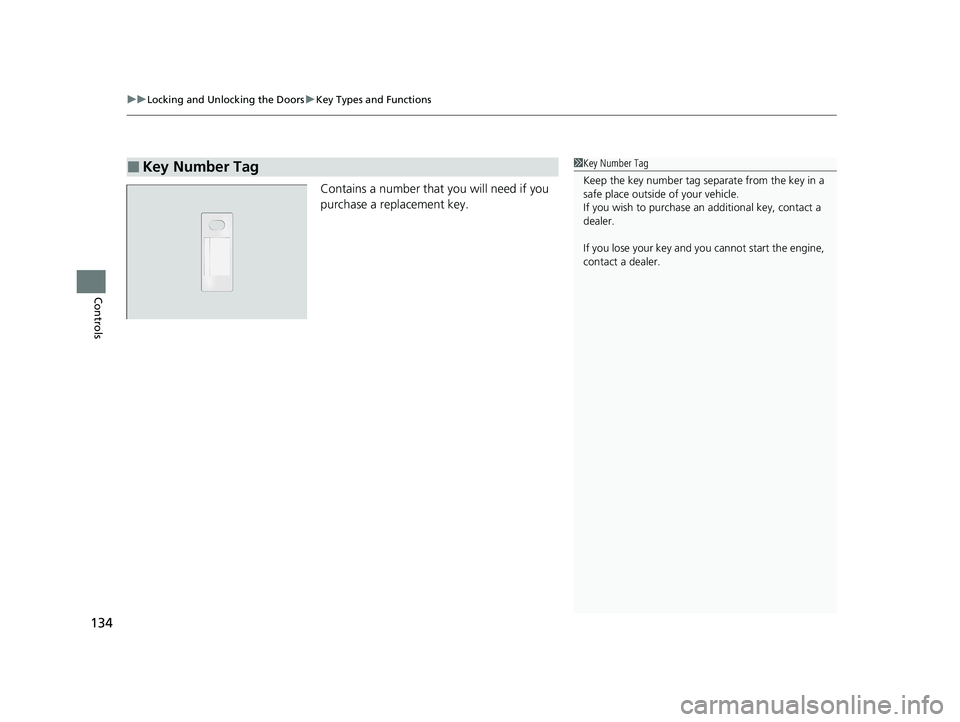
Contains a number that you will need if you
purchase a replacement key.
■Key Number Tag1Key Number Tag
Keep the key number tag separate from the key in a
safe place outside of your vehicle.
If you wish to purchase an additional key, contact a
dealer.
If you lose your key and you cannot start the engine,
contact a dealer.
20 PASSPORT-31TGS6100.book 134 ページ 2019年8月30日 金曜日 午後6時22分