Page 7 of 595
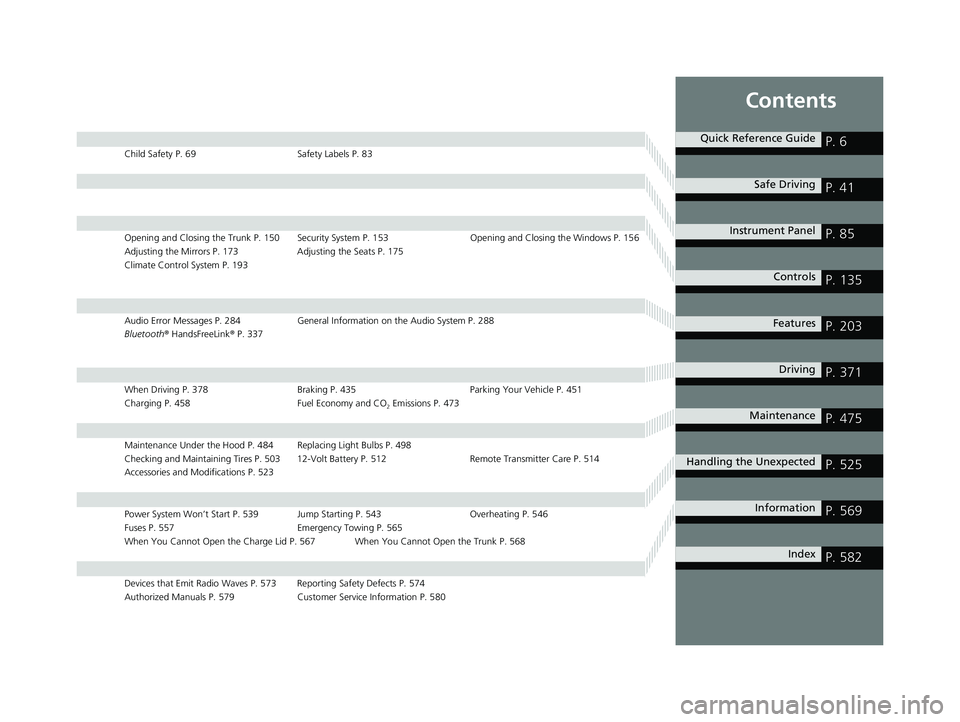
Contents
Child Safety P. 69Safety Labels P. 83
Opening and Closing the Trunk P. 150 Security System P. 153 Opening and Closing the Windows P. 156
Adjusting the Mirrors P. 173 Adjusting the Seats P. 175
Climate Control System P. 193
Audio Error Messages P. 284 General Information on the Audio System P. 288
Bluetooth ® HandsFreeLink ® P. 337
When Driving P. 378 Braking P. 435Parking Your Vehicle P. 451
Charging P. 458 Fuel Economy and CO
2 Emissions P. 473
Maintenance Under the Hood P. 484 Replacing Light Bulbs P. 498
Checking and Maintaining Tires P. 503 12-Volt Battery P. 512 Remote Transmitter Care P. 514
Accessories and Modifications P. 523
Power System Won’t Start P. 539 Jump Starting P. 543 Overheating P. 546
Fuses P. 557 Emergency Towing P. 565
When You Cannot Open the Charge Lid P. 567 When You Cannot Open the Trunk P. 568
Devices that Emit Radio Waves P. 573 Reporting Safety Defects P. 574
Authorized Manuals P. 579 Customer Service Information P. 580
Quick Reference GuideP. 6
Safe DrivingP. 41
Instrument PanelP. 85
ControlsP. 135
FeaturesP. 203
DrivingP. 371
MaintenanceP. 475
Handling the UnexpectedP. 525
InformationP. 569
IndexP. 582
20 CLARITY PHEV-31TRW6200.book 5 ページ 2019年9月24日 火曜日 午後12時9分
Page 525 of 595
523
Maintenance
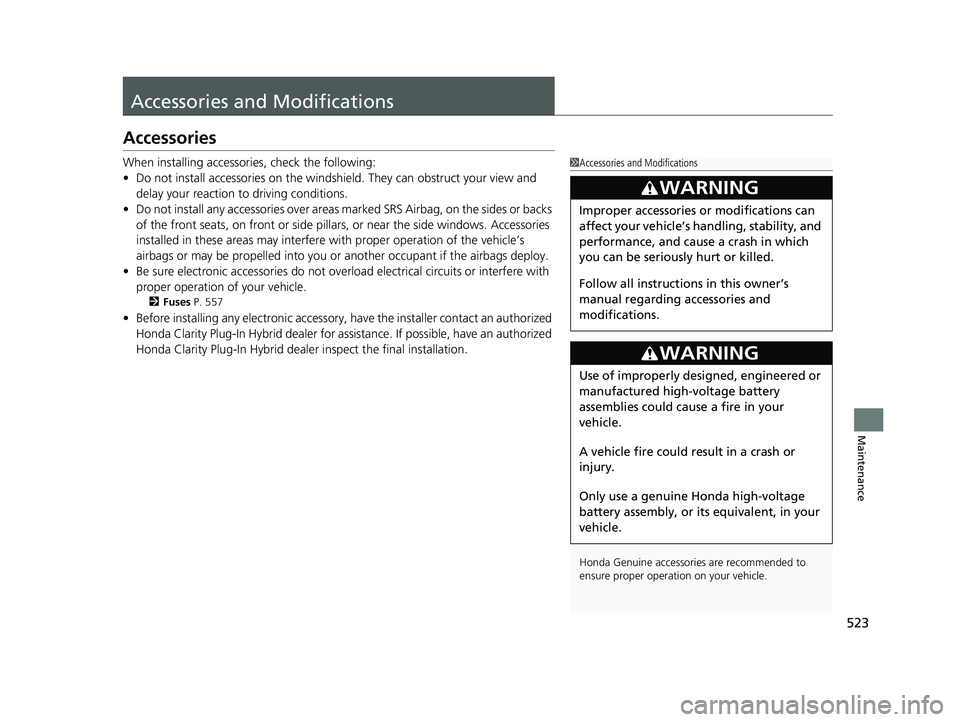
Accessories and Modifications
Accessories
When installing accessories, check the following:
• Do not install accessories on the windsh ield. They can obstruct your view and
delay your reaction to driving conditions.
• Do not install any accessories over areas marked SRS Airbag, on the sides or backs
of the front seats, on front or side pillars, or near the side windows. Accessories
installed in these areas may interfere wi th proper operation of the vehicle’s
airbags or may be propelled into you or another occupant if the airbags deploy.
• Be sure electronic accessories do not overload electrical circuits or interfere with
proper operation of your vehicle.
2 Fuses P. 557
•Before installing any electronic accessory, have the installer contact an authorized
Honda Clarity Plug-In Hybrid dealer for assi stance. If possible, have an authorized
Honda Clarity Plug-In Hybrid dealer inspect the final installation.
1 Accessories and Modifications
Honda Genuine accessor ies are recommended to
ensure proper operati on on your vehicle.
3WARNING
Improper accessories or modifications can
affect your vehicle’s handling, stability, and
performance, and cause a crash in which
you can be seriously hurt or killed.
Follow all instruction s in this owner’s
manual regarding accessories and
modifications.
3WARNING
Use of improperly designed, engineered or
manufactured high-voltage battery
assemblies could cause a fire in your
vehicle.
A vehicle fire could result in a crash or
injury.
Only use a genuine Honda high-voltage
battery assembly, or it s equivalent, in your
vehicle.
20 CLARITY PHEV-31TRW6200.book 523 ページ 2019年9月24日 火曜日 午後12時9分
Page 527 of 595
525
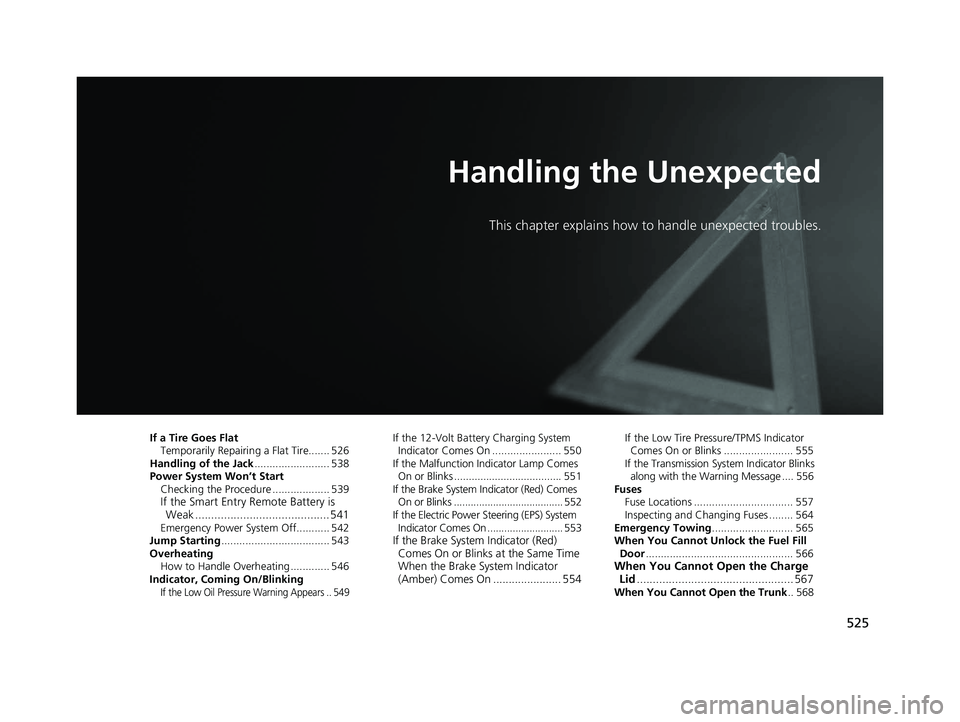
Handling the Unexpected
This chapter explains how to handle unexpected troubles.
If a Tire Goes FlatTemporarily Repairi ng a Flat Tire....... 526
Handling of the Jack ......................... 538
Power System Won’t Start Checking the Procedure ................... 539
If the Smart Entry Remote Battery is Weak .......................................... 541
Emergency Power System Off........... 542
Jump Starting .................................... 543
Overheating How to Handle Overheating ............. 546
Indicator, Coming On/Blinking
If the Low Oil Pressure Warning Appears .. 549
If the 12-Volt Battery Charging System Indicator Comes On ....................... 550
If the Malfunction Indicator Lamp Comes
On or Blinks ..................................... 551
If the Brake System Indicator (Red) Comes On or Blinks ....................................... 552
If the Electric Power Steering (EPS) System Indicator Comes On ........................... 553
If the Brake System Indicator (Red) Comes On or Blinks at the Same Time
When the Brake System Indicator
(Amber) Comes On ...................... 554
If the Low Tire Pressure/TPMS Indicator
Comes On or Blinks ....................... 555
If the Transmission System Indicator Blinks
along with the Warning Message .... 556
Fuses Fuse Locations ................................. 557
Inspecting and Changing Fuses ........ 564
Emergency Towing ........................... 565
When You Cannot Unlock the Fuel Fill
Door ................................................. 566
When You Cannot Open the Charge
Lid ................................................. 567
When You Cannot Open the Trunk .. 568
20 CLARITY PHEV-31TRW6200.book 525 ページ 2019年9月24日 火曜日 午後12時9分
Page 541 of 595
539Continued
Handling the Unexpected
Power System Won’t Start
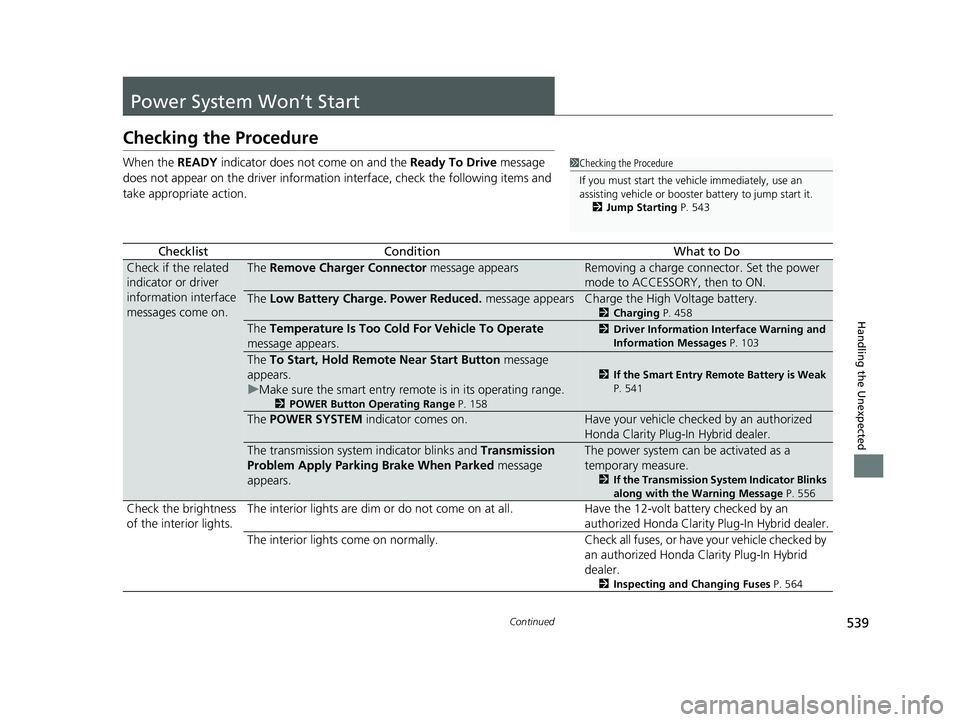
Checking the Procedure
When the READY indicator does not come on and the Ready To Drive message
does not appear on the driver informatio n interface, check the following items and
take appropriate action.
ChecklistConditionWhat to Do
Check if the related
indicator or driver
information interface
messages come on.The Remove Charger Connector message appearsRemoving a charge connector. Set the power
mode to ACCESSORY, then to ON.
The Low Battery Charge . Power Reduced. message appearsCharge the High Voltage battery.
2Charging P. 458
The Temperature Is Too Cold For Vehicle To Operate
message appears.2 Driver Information Interface Warning and
Information Messages P. 103
The To Start, Hold Remote Near Start Button message
appears.
u Make sure the smart entry remote is in its operating range.
2 POWER Button Operating Range P. 158
2If the Smart Entry Remote Battery is Weak
P. 541
The POWER SYSTEM indicator comes on.Have your vehicle checked by an authorized
Honda Clarity Plug-In Hybrid dealer.
The transmission system indicator blinks and Transmission
Problem Apply Parking Brake When Parked message
appears.The power system can be activated as a
temporary measure.
2 If the Transmission System Indicator Blinks
along with the Warning Message P. 556
Check the brightness
of the interior lights. The interior lights are dim or do not come on at
all. Have the 12-volt battery checked by an
authorized Honda Clarity Plug-In Hybrid dealer.
The interior lights come on normally. Check all fuses, or have your vehicle checked by
an authorized Honda Clarity Plug-In Hybrid
dealer.
2 Inspecting and Changing Fuses P. 564
1Checking the Procedure
If you must start the vehi cle immediately, use an
assisting vehicle or booster battery to jump start it.
2 Jump Starting P. 543
20 CLARITY PHEV-31TRW6200.book 539 ページ 2019年9月24日 火曜日 午後12時9分
Page 559 of 595

557Continued
Handling the Unexpected
Fuses
Fuse Locations
If any electrical devices are not working, set
the power mode to VEHICLE OFF (LOCK),
and check to see if any applicable fuse is
blown.
There are three fuse boxes in the engine
compartment.
Fuse locations are shown on the fuse box
cover. Locate the fuse in question by the
fuse number and box cover number.
■Fuse box A
Located near the windshield washer
reservoir. Push the tabs to open the box.
■Engine Compartment Fuse
Box
Tab
■Circuit protected and fuse rating
Circuit ProtectedAmps
1BATTERY175 A
2
EPS70 A
ESB40 A
IG MAIN (SMART)30 A
ABS/VSA MOTOR40 A
WIPER MOTOR 130 A
ABS/VSA FSR40 A
−30 A
3
ENG EWP30 A
SUB FUSE BOX 2-130 A
SUB FUSE BOX 3-230 A
IG MAIN 230 A
4 IG COIL 15 A
5H/L LO MAIN15 A
6EVTC 20 A
7DTWP10 A
8 DBW 15 A
9VBU10 A
10 STOP LIGHT 7.5 A
11IGP15 A
12 FUSE BOX MAIN 1 60 A
FUSE BOX MAIN 2 40 A
FUSE BOX MAIN 3 50 A
H/L HI MAIN 30 A
SMALL MAIN 20 A
SUB FUSE BOX 4 (30 A) −30 A
WIPER MOTOR 2 30 A −30 A
−30 A
13HEATER MOTOR40 A
14 REAR DEFROSTER 40 A
15−−
16 BATT SNSR 7.5 A
17ES EWP15 A
18 A/C MAIN/DRL 10 A
19ES VLV7.5 A
20 HORN 10 A
21BACK UP10 A
22 AUDIO 15 A
23IGPS (LAF)10 A
24 R H/L LO 7.5 A
25L H/L LO7.5 A
26 IGPS 10 A
Circuit ProtectedAmps
20 CLARITY PHEV-31TRW6200.book 557 ページ 2019年9月24日 火曜日 午後12時9分
Page 560 of 595
558
uuFuses uFuse Locations
Handling the Unexpected
■Fuse box B
Tab
Pull up the cover on the + terminal, then
remove it while pulling out the tab as
shown.
Replacement of engine compartment fuses
should be done by an authorized Honda
Clarity Plug-In Hybrid dealer.■Circuit protected and fuse rating
Circuit ProtectedAmps
aMAIN200 A
bRB MAIN 170 A
cRB MAIN 280 A
dGLOW 60 A
20 CLARITY PHEV-31TRW6200.book 558 ページ 2019年9月24日 火曜日 午後12時9分
Page 561 of 595
559
uuFuses uFuse Locations
Continued
Handling the Unexpected
■Fuse Box C
Located near the fuse box B.
Fuse locations are shown on the fuse box
cover. Locate the fuse in question by the
fuse number and box cover number.
Tab
■Circuit protected and fuse rating
Circuit ProtectedAmps
1RFC130 A
2RFC230 A
3P-ACT30 A
4IGB RFC17.5 A
5IGB RFC27.5 A
20 CLARITY PHEV-31TRW6200.book 559 ページ 2019年9月24日 火曜日 午後12時9分
Page 562 of 595

560
uuFuses uFuse Locations
Handling the Unexpected
There are four fuse boxes on the driver’s
side.
■Fuse Box A
Located under the dashboard.
Fuse locations are shown on the label on
the under panel.
Locate the fuse in question by the fuse
number and label number.
■Driver’s Side Interior Fuse Box
Fuse Label
Fuse Box A
■Circuit protected and fuse rating
Circuit ProtectedAmps
1ACC7.5 A
2−−
3VB SOL10 A
4SHIFTER7.5 A
5OPTION MAIN15 A
6SRS OPTION7.5 A
7METER10 A
8FUEL PUMP15 A
9OPTION7.5 A
10CTR ACC SOCKET20 A
11−−
12R SIDE DOOR LOCK10 A
13L SIDE DOOR UNLOCK10 A
14RR L P/W20 A
15AS P/W20 A
16DOOR LOCK20 A
17P-DRV7.5 A
18−−
19WASHER15 A
20−−
21ACG7.5 A
22DRL7.5 A
23−10 A
24FR SENSOR CAMERA5A
25DR DOOR LOCK10 A
26R SIDE DOOR UNLOCK10 A
27RR R P/W20 A
28DR P/W20 A
29FR ACC SOCKET20 A
30INTERIOR LIGHT7.5 A
31DR P/SEAT REC20 A
32FR SEAT HEATER20 A
33DR P/SEAT SLI20 A
34ABS/VSA7.5 A
35SRS10 A
36−−
37LID ACT10 A
38L SIDE DOOR LOCK10 A
39DR DOOR UNLOCK10 A
Circuit ProtectedAmps
20 CLARITY PHEV-31TRW6200.book 560 ページ 2019年9月24日 火曜日 午後12時9分

