Page 287 of 704
Continued285
uuAudio System Basic Operation uPlaying SiriusXM ® Radio*
Features
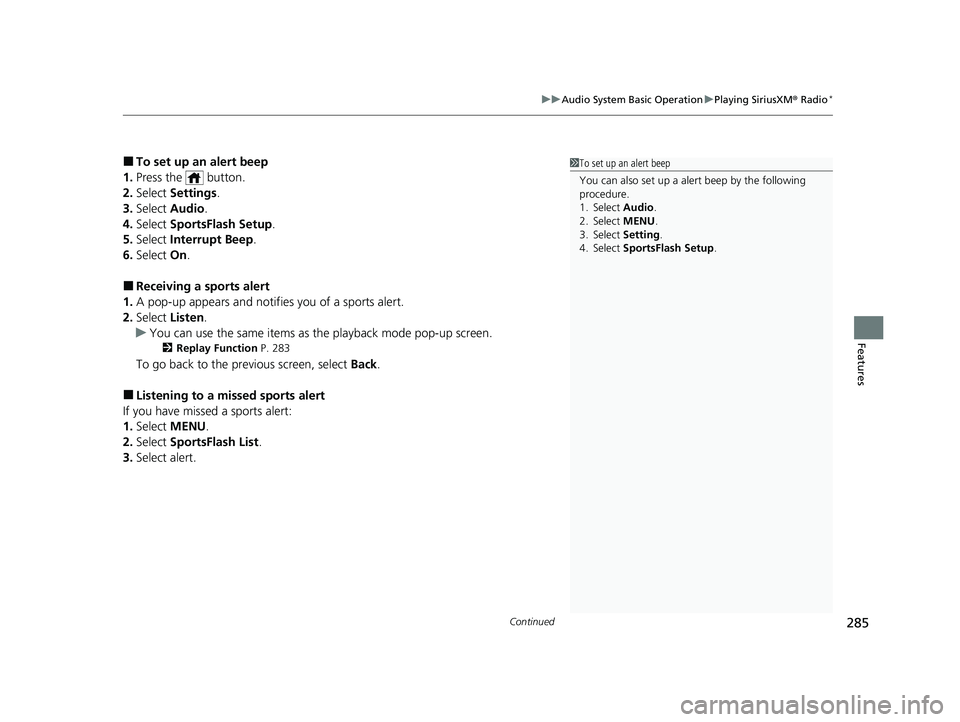
■To set up an alert beep
1. Press the button.
2. Select Settings .
3. Select Audio .
4. Select SportsFlash Setup .
5. Select Interrupt Beep .
6. Select On.
■Receiving a sports alert
1. A pop-up appears and notifies you of a sports alert.
2. Select Listen.
u You can use the same items as the playback mode pop-up screen.
2 Replay Function P. 283
To go back to the previous screen, select Back.
■Listening to a missed sports alert
If you have missed a sports alert:
1. Select MENU .
2. Select SportsFlash List .
3. Select alert.
1To set up an alert beep
You can also set up a alert beep by the following
procedure.
1. Select Audio .
2. Select MENU .
3. Select Setting .
4. Select SportsFlash Setup .
20 CIVIC 5D HUM (KA KC KL)-31TGG6310.book 285 ページ 2019年11月11日 月曜日 午後2時50分
Page 288 of 704

uuAudio System Basic Operation uPlaying SiriusXM ® Radio*
286
Features
You can receive traffic and weather information.
■To set up a traffic & weather information
1. Press the button.
2. Select Settings .
3. Select Audio .
4. Select Traffic & Weather Setup .
5. Select the region.
u When you do not want to rece ive the information, select Unregistered.
■Listening a traffic an d weather information
1. Select MENU .
2. Select Traffic & Weather .
u Play mode can also use the any items same as playback mode.
2 Replay Function P. 283
To go back to the previous screen, select OK.
Sample each channel on the sele cted mode for 10 seconds.
1. Select Scan.
2. Select Scan Channels .
u You can select the desired channel by songs using Scan Song in Preset.
To turn off scan, select Cancel Scan.
■Traffic and Weather Information
■Scan
1Traffic and Weather Information
The traffic and weather information function at
SiriusXM ® mode only.
You can also set up th e traffic and weather
information by the following procedure.
1. Select Audio.
2. Select MENU.
3. Select Setting .
4. Select Traffic & Weather Setup .
Traffic & Weather Now are registered trademarks of
SiriusXM ® Radio, Inc.
1 Scan
The “Scan Songs in Preset” function is based on
TuneScan
TM technology of SiriusXM ®.
The “Featured Channels ” function is based on
Featured Favorites
TM technology of SiriusXM ®.
TuneScan
TM and Featured FavoritesTM are registered
trademarks of SiriusXM ® Radio, Inc.
20 CIVIC 5D HUM (KA KC KL)-31TGG6310.book 286 ページ 2019年11月11日 月曜日 午後2時50分
Page 296 of 704

294
uuAudio System Basic Operation uPlaying Pandora ®*1
Features
Playing Pandora ®*1
Your audio system allows you to listen to music from the Pandora ® app on a
compatible smartphone.
This function is available when the phone is paired and connected to the vehicle’s
Bluetooth ® HandsFreeLink ® (HFL) system, or with an iPhone, you can connect using
your USB cable to the USB port.
2 Phone Setup P. 414
2 USB Port(s) P. 223
*1 : Available only on U.S. models.
1Playing Pandora ®*1
Pandora®, the Pandora logo, and the Pandora trade
dress are trademarks or registered trademarks of
Pandora Media, Inc., used with permission. Pandora
is only available in certai n countries. Visit the Pandora
website for more information.
To find out if your phone is compatible with this
feature, visit automobiles.honda.com /handsfreelink/,
or call 1-888-528-7876.
To use this service in your vehicle, the Pandora ® app
must first be installed on your phone. Visit
www.pandora.com . for more information.
Pandora ® is free, personalized radio that plays music
and comedy you’ll love. Just start with the name of
one of your favorite arti sts, tracks, comedians or
composers and Pandora ® will create a custom station
that plays similar tracks. Pandora ® also features
hundreds of genre stations ranging from Dubstep to
Smooth Jazz to Power Workout.
If you cannot operate Pandora ® through the audio
system, it may be streaming through Bluetooth®
Audio. Make sure Pandora ® mode on your audio
system is selected.
If your phone is connec ted to Android Auto,
Pandora ® is only available through the Android Auto
interface. Visit the Android Auto website to check
compatibility.
Audio/
Information
Screen
Cover Art
Station Up/Down Icons
Selec
t to change a station.Skip Icon
Select to skip a track. Like/Dislike Icons
Select to evaluate
a track.
Driver
Information
Interface
MENU
Select to
display
the menu items.
(Audio) Button
Press to display the
audio screen.
(Back) Button
Press to go back to
the previous display.
VOL/ AUDIO (Volume/Power
Audio) Knob
Press to turn the audio system
on and off. Turn to adjust the
volume.
Play/Pause Icon
Select to pause or
play a track.
20 CIVIC 5D HUM (KA KC KL)-31TGG6310.book 294 ページ 2019年11月11日 月曜日 午後2時50分
Page 322 of 704

320
Features
General Information on the Audio System
SiriusXM® Radio Service*
1. You need your radio ID ready before regist ering for subscription. To see the ID on
the screen, select Channel 0.
2. Have your radio ID ready, and either call SiriusXM ® or visit the SiriusXM ® website
to subscribe.
Switch to the SiriusXM ® mode by using the or button on the steering wheel,
or through the audio/information screen, and stay in this mode for about 30
minutes until the service is activated. Make sure your vehicle is in an open area with
good reception.
■Subscribing to SiriusXM ® Radio
■Receiving SiriusXM ® Radio
1 Subscribing to SiriusXM ® Radio
Contact Information for SiriusXM ® Radio:
•U.S.: SiriusXM ® Radio at www.siriusxm.com/
subscribenow , or 1-866-635-2349
•Canada: SiriusXM ® Canada at www.siriusxm.ca/
subscribe-now , or (877) 209-0079
1Receiving SiriusXM ® Radio
The SiriusXM ® satellites are in orbit over the equator;
therefore, objects south of the vehicle may cause
satellite rece ption interruptions. Sa tellite signals are
more likely to be blocked by tall buildings and
mountains the farther north you travel from the
equator.
You may experience rece ption problems under the
following circumstances:
•In a location with an obstruction to the south of
your vehicle.
•In tunnels•On the lower level of a multi-tiered road
•Large items carried on the roof rack
34
* Not available on all models
20 CIVIC 5D HUM (KA KC KL)-31TGG6310.book 320 ページ 2019年11月11日 月曜日 午後2時50分
Page 323 of 704
321
uuGeneral Information on the Audio System uSiriusXM ® Radio Service*
Features
Requested Channel Not Subscribed:
You are not subscribed to the channel selected.
Channel Off Air:
The channel is not currently broadcasting.
Channel unauthorized:
SiriusXM ® is loading the audio or program information.
Subscription Updated.:
SiriusXM ® radio is receiving informat ion update from the network.
Channel Not Available:
No such channel exists, or the artist or title information is unavailable.
No Signal:
The signal is too weak in the current location.
Check Antenna:
There is a problem with the SiriusXM ® antenna. Contact a dealer.
Check Tuner:
There is a problem with the SiriusXM ® tuner. Contact a dealer.
■SiriusXM® Radio Display Messages
20 CIVIC 5D HUM (KA KC KL)-31TGG6310.book 321 ページ 2019年11月11日 月曜日 午後2時50分
Page 342 of 704
340
uuCustomized Features u
Features
■Customization Flow
Press the MENU/CLOCK button.
Adjust Clock
SettingsRDS SettingsRDS Information
Radio Text
Display AdjustmentBrightness
Contrast
Black Level
Rear CameraCamera Guideline
BluetoothAdd New Device
Connect an Audio Device
20 CIVIC 5D HUM (KA KC KL)-31TGG6310.book 340 ページ 2019年11月11日 月曜日 午後2時50分
Page 345 of 704
343
uuCustomized Features u
Continued
Features
■List of customizable options
*1:Default Setting
Setup
GroupCustomizable FeaturesDescriptionSelectable Settings
Adjust ClockAdjust Clock.
2 Clock P. 140—
Settings RDS
Settings
RDS Information
Turns on and off the RDS information. On
*1/Off
Radio Text Displays the radio text information. —
Bluetooth Add New Device Pairs a new phone to HFL, edits and deletes a
paired phone, and creat
e a code for a paired
phone.
2 Phone Setup P. 386
—
Connect an Audio
Device Connects, disconnects or pairs a
Bluetooth®
Audio device to HFL. —
Display
Adjustment Brightness
Changes the brightness of the audio/
information screen.
—
Contrast Changes the contrast of the audio/
information screen. —
Black Level Changes the black level of the audio/
information screen. —
20 CIVIC 5D HUM (KA KC KL)-31TGG6310.book 343 ページ 2019年11月11日
月曜日 午後2時50分
Page 351 of 704
349
uuCustomized Features u
Continued
Features
Audio Source Pop-Up
Cover Art
Tune Start
SportsFlash Setup
Traffic & Weather Setup
Other
SXM*
Default
Bluetooth Device ListBluetooth
Multiple Channel Mix Preset
Text/Email
Bluetooth Device List
Edit Speed Dial
Ring Tone
Phone
Automatic Phone Sync
HondaLink Assist
Enable Text/Email
Select Account
New Message Notification
Phone
HD Radio Mode (FM)*
RDS INFO
AudioFM/AM
HD Radio Mode (AM)*
Default
Sound
* Not available on all models
20 CIVIC 5D HUM (KA KC KL)-31TGG6310.book 349 ページ 2019年11月11日 月曜日 午後2時50分