2020 FORD TRANSIT light
[x] Cancel search: lightPage 193 of 529

Side-Wind Stabilization
The system applies the brakes on one side
of your vehicle to reduce the effect of a
sudden side-wind gust on your vehicle's
path. When the system turns on, the
stability and traction control light flashes,
and a message may appear in the
information display. You may notice a
slight deceleration and may still need to
make a steering correction to maintain the
intended vehicle path. The system does
not turn on for a continuous side-wind or
during turns.
Traction Control
The system enhances your vehicle's ability
to maintain traction of the wheels by
detecting and controlling wheel spin. See
Using Traction Control (page 188). Vehicle without stability control
skidding off its intended route.
A
Vehicle with stability control
maintaining control on a slippery
surface.
B USING STABILITY CONTROL
The system automatically turns on each
time you switch the ignition on.
You cannot switch the stability control and
roll stability control systems off, but when
you shift into reverse (R), the systems
deactivate.
You can switch the traction control system
off or on. See
Using Traction Control
(page 188).
190
2020 Transit (TTH) Canada/United States of America, LK3J 19A321 HA enUSA, Edition date: 201911, First-Printing Stability ControlE72903A
AA
B
BB
B
Page 211 of 529
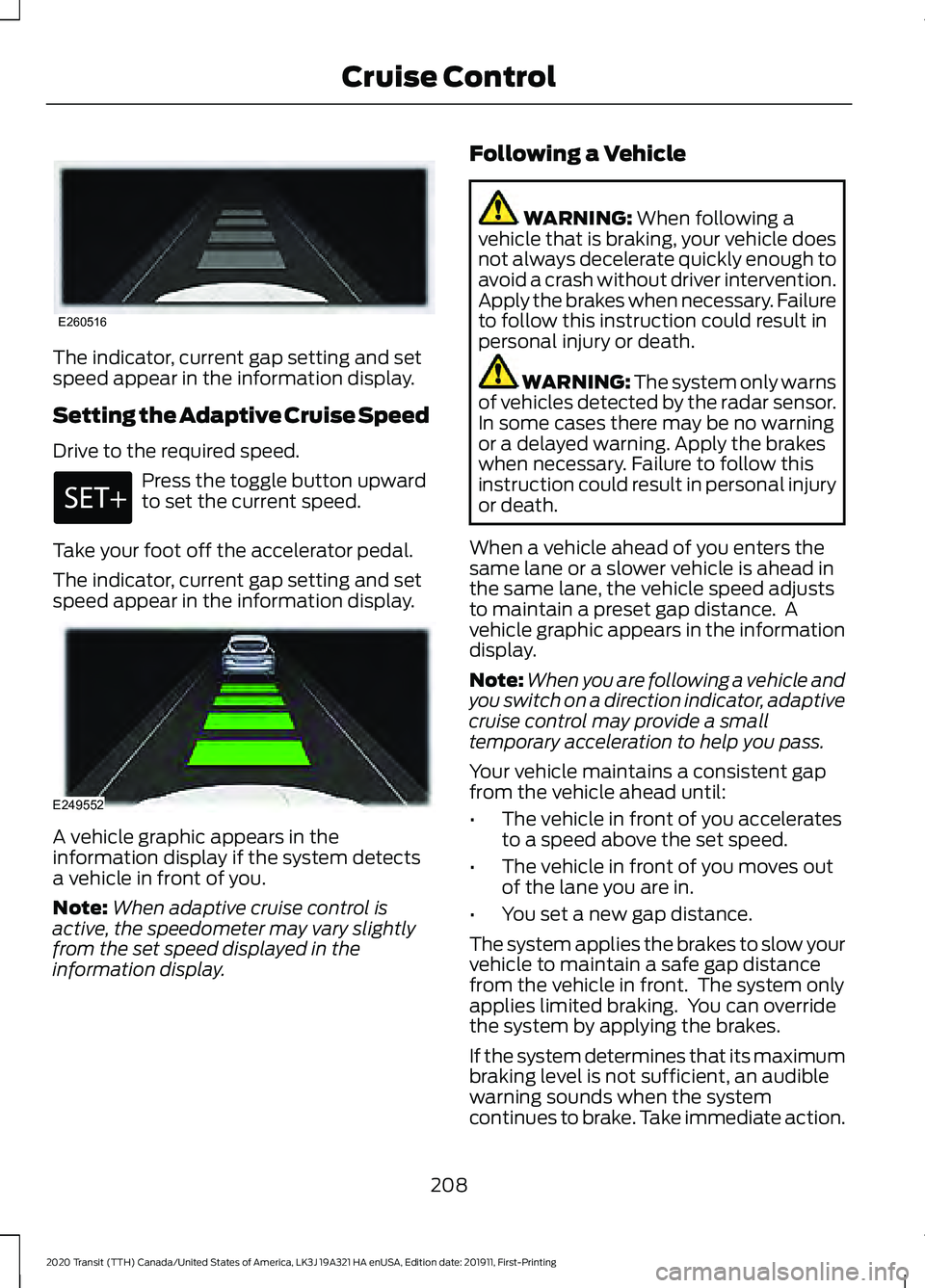
The indicator, current gap setting and set
speed appear in the information display.
Setting the Adaptive Cruise Speed
Drive to the required speed.
Press the toggle button upward
to set the current speed.
Take your foot off the accelerator pedal.
The indicator, current gap setting and set
speed appear in the information display. A vehicle graphic appears in the
information display if the system detects
a vehicle in front of you.
Note:
When adaptive cruise control is
active, the speedometer may vary slightly
from the set speed displayed in the
information display. Following a Vehicle WARNING: When following a
vehicle that is braking, your vehicle does
not always decelerate quickly enough to
avoid a crash without driver intervention.
Apply the brakes when necessary. Failure
to follow this instruction could result in
personal injury or death. WARNING:
The system only warns
of vehicles detected by the radar sensor.
In some cases there may be no warning
or a delayed warning. Apply the brakes
when necessary. Failure to follow this
instruction could result in personal injury
or death.
When a vehicle ahead of you enters the
same lane or a slower vehicle is ahead in
the same lane, the vehicle speed adjusts
to maintain a preset gap distance. A
vehicle graphic appears in the information
display.
Note: When you are following a vehicle and
you switch on a direction indicator, adaptive
cruise control may provide a small
temporary acceleration to help you pass.
Your vehicle maintains a consistent gap
from the vehicle ahead until:
• The vehicle in front of you accelerates
to a speed above the set speed.
• The vehicle in front of you moves out
of the lane you are in.
• You set a new gap distance.
The system applies the brakes to slow your
vehicle to maintain a safe gap distance
from the vehicle in front. The system only
applies limited braking. You can override
the system by applying the brakes.
If the system determines that its maximum
braking level is not sufficient, an audible
warning sounds when the system
continues to brake. Take immediate action.
208
2020 Transit (TTH) Canada/United States of America, LK3J 19A321 HA enUSA, Edition date: 201911, First-Printing Cruise ControlE260516 E249552
Page 215 of 529

The radar is behind the front grille below
the license plate.
A message displays if something obstructs
the radar signals from the sensor. The
system cannot detect a vehicle ahead and
does not function when something blocks
the sensor.
Note:
You cannot see the sensor, it is
behind a fascia panel.
Note: Keep the front of your vehicle free of
dirt, metal badges or objects. Vehicle front
protectors, aftermarket lights, additional
paint or plastic coatings could also degrade
sensor performance. Action
Cause
Clean the radiator grille in front of the radar
or remove any obstruction.
The surface of the radar in the radiator grille
is dirty or obstructed.
Wait a short period of time. It may take
several minutes for the radar to detect that
it is free from obstruction.
The surface of the radar is clean but the
message remains in the display.
Do not use the system in these conditions
because it may not detect any vehicles
ahead.
Heavy rain or snow interfere with the radar
signals.
Do not use the system in these conditions
because it may not detect any vehicles
ahead.
Swirling water, snow or ice on the surface
of the road interfere with the radar signals.
Wait a short period of time or switch to
normal cruise control.
You are in a desert or remote area with no
other vehicles and no roadside objects.
Due to the nature of radar technology, a
blocked sensor message could display
when the sensor is not blocked. This can
happen, for example, when driving in
sparse rural or desert environments. A false
blocked condition self clears or clears after
you switch the ignition off and on. Switching to Normal Cruise
Control WARNING: Normal cruise control
will not brake when your vehicle is
approaching slower vehicles. Always be
aware of which mode you have selected
and apply the brakes when necessary.
212
2020 Transit (TTH) Canada/United States of America, LK3J 19A321 HA enUSA, Edition date: 201911, First-Printing Cruise ControlE244279
Page 220 of 529

Driver Alert System Messages
Action
Message
Displays when we recommend that you take a break due to
low alertness levels.
Driver Alert Warning Rest
Suggested
Displays when you must take a break due to low alertness
levels.
Driver Alert Warning Rest
Now
LANE KEEPING SYSTEM WARNING: You are responsible for
controlling your vehicle at all times. The
system is designed to be an aid and does
not relieve you of your responsibility to
drive with due care and attention. Failure
to follow this instruction could result in
the loss of control of your vehicle,
personal injury or death. WARNING: The system may not
function if the sensor is blocked. WARNING:
The sensor may
incorrectly track lane markings as other
structures or objects. This can result in
a false or missed warning. WARNING:
In cold and severe
weather conditions the system may not
function. Rain, snow and spray can all
limit sensor performance. WARNING:
Large contrasts in
outside lighting can limit sensor
performance. WARNING:
The system will not
operate if the sensor cannot track the
road lane markings. WARNING:
If damage occurs in the
immediate area surrounding the sensor,
have your vehicle checked as soon as
possible. WARNING:
The system may not
correctly operate if your vehicle is fitted
with a suspension kit not approved by
us.
The system is designed to alert you by
providing temporary steering assistance
or steering wheel vibration when it detects
an unintended lane departure. The system
detects and tracks the road lane markings
using a camera mounted behind the
interior mirror. The system only operates
when the vehicle speed is greater than
approximately
37 mph (60 km/h). You
can view the system status in the
information display.
Note: The system works when the camera
can detect at least one lane marking or the
edge of the road.
The system may not correctly operate in
any of the following conditions:
• The system does not detect at least
one lane marking or the edge of the
road.
• You switch the direction indicator on.
• You apply direct steering, accelerate
fast or brake hard.
• The vehicle speed is less than
37 mph
(60 km/h).
217
2020 Transit (TTH) Canada/United States of America, LK3J 19A321 HA enUSA, Edition date: 201911, First-Printing Driving Aids
Page 221 of 529

•
The anti-lock brake, stability control or
traction control system activates.
• Narrow lane width.
The system may not correct lane
positioning in any of the following
conditions:
• High winds.
• Uneven road surfaces.
• Heavy or uneven loads.
• Incorrect tire pressure.
Switching Lane Keeping System
On or Off Press the button on the direction indicator
stalk.
Note:
A warning indicator may remain
illuminated in the information display when
you switch the system off.
Note: The system may turn on when you
start your vehicle.
Lane Keeping System Settings
The system has different settings that you
can view or adjust using the information
display.
Note: The system remembers the last
setting when you start your vehicle. If the
system detects a MyKey, the mode is set to
alert. Alert Mode
Provides steering wheel vibration when the
system detects an unintended lane
departure.
Adjusting the Steering Wheel Vibration
Intensity
1. Using the information display controls
on the steering wheel, select Driver
Assist..
2. Select
Lane Keeping System.
3. Select
Intensity.
4. Select a setting and press the
OK
button.
Note: This setting does not affect aid mode.
Note: The system remembers the last
setting when you start your vehicle.
Adjusting the Lane Keeping System
Sensitivity
1. Using the information display controls on the steering wheel, select
Driver
Assist..
2. Select
Lane Keeping System.
3. Select
Sensitivity.
4. Select a setting and press the
OK
button.
Aid Mode
Provides temporary steering assistance
toward the lane center when the system
detects an unintended lane departure.
Note: When aid mode is on and the system
does not detect any steering activity for a
short period of time, for example lightly
holding the steering wheel, the system alerts
you to put your hands on the steering wheel.
218
2020 Transit (TTH) Canada/United States of America, LK3J 19A321 HA enUSA, Edition date: 201911, First-Printing Driving AidsE132099
Page 226 of 529

6. Select the trailer length at the closest
available value.
Note: Proper measurement and
measurement entry are required for the
system to function as designed.
7. Press the OK button.
Note: If you attach load carriers such as
bike racks or cargo racks with electrical
lighting, enter a length of
3 ft (1 m). Cross
Traffic Alert remains on.
Selecting a Trailer
If you select a trailer in the information
display prior to connecting a trailer, the
system loads that configuration and an
information message appears in the
information display when you connect the
trailer.
1. Using the information display controls on the steering wheel, select Settings.
2. Select
Driver Assistance.
3. Select
Blind Spot.
4. Select
Trailer.
5. Select
Trailer A, Trailer B or Trailer C.
6. Press the
OK button.
Switching the Blind Spot Information
System with Trailer Tow Off
1. Using the information display controls on the steering wheel, select Settings.
2. Select
Driver Assistance.
3. Select
Blind Spot.
4. Select
Trailer.
5. Select
None.
6. Press the
OK button. When you switch the system off, a warning
lamp illuminates and the alert indicators
flash twice.
Note:
The system turns off and a message
appears when a trailer is connected, but not
set up or selected.
Blind Spot Information System
Limitations
Some trailers may cause a slight change
in system performance:
• Wide box trailers, especially those
wider than the towing vehicle, may
cause false alerts to occur when driving
next to infrastructure or near parked
cars. A false alert may also occur while
making a 90-degree turn or driving
through a roundabout.
• Wide trailers that have a total length
greater than
20 ft (6 m) may cause
delayed alerts when a vehicle is
passing at high speed.
• Box trailers that have a width greater
than
8.2 ft (2.5 m) may cause early
alerts when you pass a vehicle.
• Clam shell or V-Nose box trailers with
a width greater than 8.2 ft (2.5 m) may
cause delayed alerts when a vehicle
traveling the same speed as your
vehicle merges lanes.
Blind Spot Information System
Warning Lamp It illuminates in the instrument
cluster if you switch the system
off.
If it illuminates when the system is on this
indicates a malfunction. Have your vehicle
checked as soon as possible.
223
2020 Transit (TTH) Canada/United States of America, LK3J 19A321 HA enUSA, Edition date: 201911, First-Printing Driving AidsE249861E249861
Page 233 of 529

PRE-COLLISION ASSIST
WARNING: You are responsible for
controlling your vehicle at all times. The
system is designed to be an aid and does
not relieve you of your responsibility to
drive with due care and attention. Failure
to follow this instruction could result in
the loss of control of your vehicle,
personal injury or death. WARNING: The system does not
operate during hard acceleration or
steering. Failure to take care may lead
to a crash or personal injury. WARNING: The system may fail or
operate with reduced function during
cold and severe weather conditions.
Snow, ice, rain, spray and fog can
adversely affect the system. Keep the
front camera and radar free of snow and
ice. Failure to take care may result in the
loss of control of your vehicle, serious
personal injury or death. WARNING:
The system may not
operate properly if your vehicle has a
non-Ford windshield. Do not carry out
windshield repairs in the area around the
sensor. WARNING:
Some situations and
objects prevent hazard detection. For
example low or direct sunlight, inclement
weather, unconventional vehicle types,
and pedestrians. Apply the brakes when
necessary. Failure to follow this
instruction could result in the loss of
control of your vehicle, personal injury or
death. WARNING: The Pre-Collision Assist
system with brake support cannot help
prevent all collisions. Do not rely on this
system to replace your judgment and the
need to maintain correct distance and
speed.
The pre-collision assist system is active
when your vehicle reaches a speed greater
than approximately
6 mph (10 km/h).
Pedestrian detection is active at speeds
up to
50 mph (80 km/h).
Note: The system is not designed to detect
animals.
Note: The system is not designed to detect
vehicles or cyclists that are traveling in a
different direction. If your vehicle is rapidly approaching
another stationary vehicle, a vehicle or
cyclist traveling in the same direction as
yours, or a pedestrian within your driving
path, the system is designed to provide
three levels of functionality.
230
2020 Transit (TTH) Canada/United States of America, LK3J 19A321 HA enUSA, Edition date: 201911, First-Printing Driving AidsE156130
Page 234 of 529

Description
Level of Functionality
When activated, a warning lamp flashes and an audible
warning sounds.
Alert
The system is designed to help reduce the impact speed by
preparing the brakes for rapid braking. The system does not
automatically apply the brakes. If you press the brake pedal,
the system could apply additional braking up to maximum
braking force, even if you lightly press the brake pedal.
Brake support
The system is designed to apply the brakes if it detects a
crash is imminent. This may help reduce impact or avoid the
crash.
Active braking
Switching Active Braking On and
Off
1. Using the information display controls on the steering wheel, select Driver
Assist..
2. Select
Pre-Collision Assist.
3. Switch
Active Braking on or off.
Distance Alert
(If Equipped)
A warning lamp illuminates if the distance
to the vehicle ahead is small.
Note: The warning lamp does not
illuminate if cruise control or adaptive cruise
control is active. Adjusting the Sensitivity of Distance
Alert
1. Using the information display controls
on the steering wheel, select
Driver
Assist..
2. Select
Pre-Collision Assist.
3. Select
Alert Sensitivity.
4. Select a setting and press the
OK
button.
Distance Indication
(If Equipped)
A graphical indication displays the time
gap to vehicles ahead of you traveling in
the same direction.
Note: The graphic does not display if you
switch on cruise control or adaptive cruise
control. Time Gap
Distance Gap
Distance Indic-
ator Color
System Sensit-
ivity
Vehicle Speed
Greater than 0.9seconds.
Greater than
82.0 ft (25 m)
.
Gray.
Normal.
62 mph
(100 km/h)
0.6-0.9
seconds.
55.8–82.0 ft
(17 –25 m)
Yellow.
Less than 0.6seconds.
Less than
55.8 ft (17 m)
.
Red.
231
2020 Transit (TTH) Canada/United States of America, LK3J 19A321 HA enUSA, Edition date: 201911, First-Printing Driving Aids