2020 FORD TRANSIT CONNECT airbag
[x] Cancel search: airbagPage 272 of 509

Protected Component
Fuse Rating
Fuse Location
Restraints control module.
5 A
1
In-vehicle temperature and humidity sensor.
5 A
2
Rear blower motor.
Parking assist control module.
10 A
3
Ignition switch.
10 A
4
Push button ignition switch.
Central locking system.
20 A
5
Direct current inverter.
10 A
6
Driver door lock.
Power exterior mirror switch.
Driver door control.
30 A
7
Auto-dimming interior mirror.
5 A
9
Front parking aid camera.
Passenger airbag deactivation indicator.
Restraints control module.
10 A
10
Telematics control unit module.
5 A
11
Anti-theft alarm.
5 A
12
Unlock.
15 A
13
Passenger door control.
30 A
14
Battery energy control module.
10 A
15
Voice control.
15 A
17
Information and entertainment display.Compact disc player.
Wireless accessory charging module.
7.5 A
18
Battery back-up sounder.
7.5 A
19
Security horn.
10 A
20
Climate control.
7.5 A
21
Data link connector.
7.5 A
22
268
2020 Transit Connect (CHC) Canada/United States of America, CG3739en enUSA, Edition date: 201903, First-Printing Fuses
Page 303 of 509

CLEANING THE WINDOWS AND
WIPER BLADES
Car wash chemicals and environmental
fallout can result in windshield and wiper
blade contamination. Dirty windshield and
wipers will result in poor windshield wiper
operation. Keep the windshield and wiper
blades clean to maintain windshield wiper
performance.
To clean the windshield and wiper blades:
•
Clean the windshield with a
non-abrasive glass cleaner. When
cleaning the interior of the windshield,
avoid getting any glass cleaner on the
instrument panel or door panels. Wipe
any glass cleaner off these surfaces
immediately.
• For windshields contaminated with
tree sap, chemicals, wax or bugs, clean
the entire windshield using steel wool
(no greater than 0000 grade) in a
circular motion and rinse with water.
• Clean the wiper blades with isopropyl
rubbing alcohol or windshield washer
concentrate.
Note: Do not use razor blades or other
sharp objects to clean or remove decals
from the inside of the heated rear window.
The vehicle warranty does not cover
damage caused to the heated rear window
grid lines.
CLEANING THE INTERIOR
Note: Do not allow air fresheners and hand
sanitizers to spill on interior surfaces. If a
spill occurs, wipe off immediately. Damage
may not be covered by the vehicle Warranty.
Note: Do not use household cleaning
products or glass cleaners, which can stain
and discolor the fabric and affect the flame
retardant abilities of the seat materials. Note:
We recommend distilled water when
cleaning.
Fabric, Carpets, Cloth Seats,
Headliners and Floor Mats
Note: Avoid soaking any surface. Do not
use excessive amounts of water to clean
the vehicle interior.
Note: To avoid spots or discoloration, clean
the entire surface.
To clean:
• Remove dust and loose dirt with a
vacuum cleaner or brush.
• Wipe the surface with a soft, damp
cloth and a mild soap and water
solution. Dry the area with a clean, soft
cloth.
• If a ring forms on the fabric after spot
cleaning, clean the entire area
immediately, but do not soak or the
ring will set.
Seatbelts WARNING: Do not use cleaning
solvents, bleach or dye on the vehicle's
seatbelts, as these actions may weaken
the belt webbing. WARNING:
On vehicles equipped
with seat-mounted airbags, do not use
chemical solvents or strong detergents.
Such products could contaminate the
side airbag system and affect
performance of the side airbag in a crash.
Note: Do not use abrasives, or chemical
solvents to clean them.
Note: Do not allow moisture to penetrate
the seatbelt retractor mechanism.
Cleaning may safely be carried out using
mild soap and water. Let them dry
naturally, away from artificial heat.
299
2020 Transit Connect (CHC) Canada/United States of America, CG3739en enUSA, Edition date: 201903, First-Printing Vehicle Care
Page 305 of 509

Storage Compartments, Cup
Holders and Ashtrays
To clean:
•
Take out any removable inserts.
• Wipe the surface with a soft, damp
cloth and a mild soap and water
solution. Dry the area with a clean, soft
cloth.
CLEANING THE INSTRUMENT
PANEL AND INSTRUMENT
CLUSTER LENS WARNING: Do not use chemical
solvents or strong detergents when
cleaning the steering wheel or
instrument panel to avoid contamination
of the airbag system.
Note: Follow the same procedure as
cleaning leather seats for cleaning leather
instrument panels and leather interior trim
surfaces. See
Cleaning Leather Seats
(page 301).
Clean the instrument panel and cluster
lens with a clean, damp and soft cloth,
then use a clean, dry and soft cloth to dry
these areas.
• Avoid cleaners or polishes that increase
the gloss of the upper portion of the
instrument panel. The dull finish in this
area helps protect you from
undesirable windshield reflection.
• Do not use any household cleaning
products or glass cleaners as these
may damage the finish of the
instrument panel, interior trim and
cluster lens. •
Wash or wipe your hands clean if you
have been in contact with certain
products such as insect repellent and
suntan lotion to avoid possible damage
to the interior painted surfaces.
• Do not allow air fresheners and hand
sanitizers to spill onto interior surfaces.
If a spill occurs, wipe off immediately.
Your warranty may not cover these
damages.
If a staining liquid like coffee or juice has
been spilled on the instrument panel or on
interior trim surfaces:
1. Wipe up spilled liquid using a clean, soft cloth as quickly as possible.
2. Use Motorcraft Premium Leather and Vinyl Cleaner or a commercially
available leather cleaning product for
automotive interiors. Test any cleaner
or stain remover on an inconspicuous
area.
3. Alternatively, wipe the surface with a clean, soft cloth and a mild soap and
water solution. Dry the area with a
clean, soft cloth.
4. If necessary, apply more soap and water solution or cleaning product to
a clean, soft cloth and press it onto the
soiled area. Allow this to set at room
temperature for 30 minutes.
5. Remove the soaked cloth, then with a clean, damp cloth, use a rubbing
motion for 60 seconds on the soiled
area.
6. Dry the area with a clean, soft cloth.
CLEANING LEATHER SEATS
(IF
EQUIPPED)
Note: Follow the same procedure as
cleaning leather seats for cleaning leather
instrument panels and leather interior trim
surfaces.
301
2020 Transit Connect (CHC) Canada/United States of America, CG3739en enUSA, Edition date: 201903, First-Printing Vehicle Care
Page 434 of 509

Check Every Month
Windshield washer fluid level.
Fuel and water separator. Drain if necessary (or if indicated by the information display). Holes and slots in the tail pipe to make sure they are functional and clear of debris. Check Every Six Months
Battery connections. Clean if necessary.
Body and door drain holes for obstructions. Clean if necessary. Cooling system fluid level and coolant strength.
Door weatherstrips for wear. Lubricate if necessary.
Hinges, latches and outside locks for proper operation. Lubricate if necessary. Parking brake for proper operation.
Seatbelts and seat latches for wear and function.
Safety warning lamps (brake, ABS, airbag and seatbelt) for operation.
Washer spray and wiper operation. Clean or replace blades as necessary.
Multi-Point Inspection
In order to keep your vehicle running right,
it is important to have the systems on your
vehicle checked regularly. This can help
identify potential issues and prevent major
problems. We recommend having the
following multi-point inspection performed
at every scheduled maintenance interval
to help make sure your vehicle keeps
running great. Multi-Point Inspection
Hazard warning system operation
Accessory drive belt(s)
Horn operation
Battery performance
Radiator, cooler, heater and air conditioninghoses
Engine air filter
430
2020 Transit Connect (CHC) Canada/United States of America, CG3739en enUSA, Edition date: 201903, First-Printing Scheduled Maintenance
Page 450 of 509
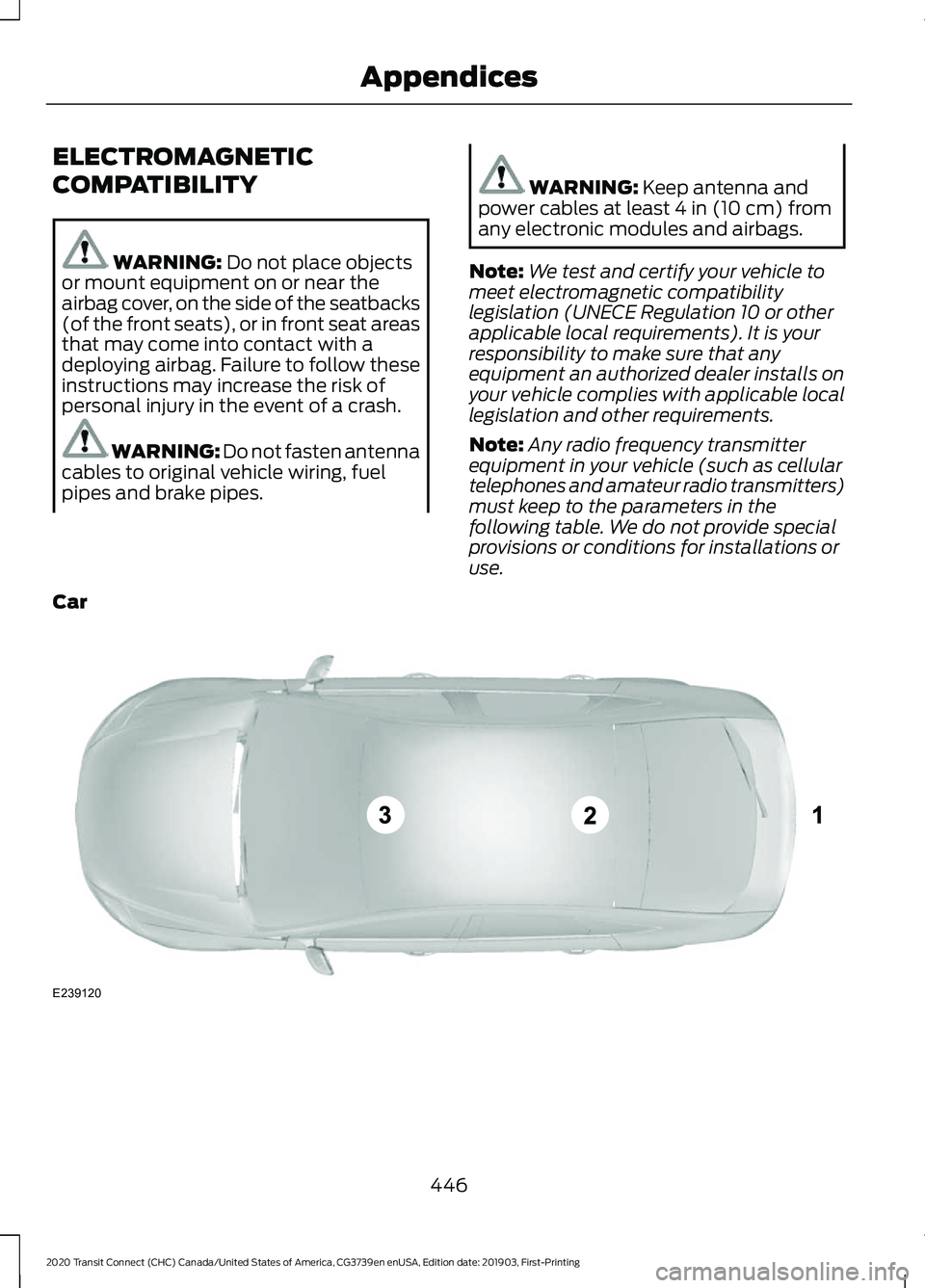
ELECTROMAGNETIC
COMPATIBILITY
WARNING: Do not place objects
or mount equipment on or near the
airbag cover, on the side of the seatbacks
(of the front seats), or in front seat areas
that may come into contact with a
deploying airbag. Failure to follow these
instructions may increase the risk of
personal injury in the event of a crash. WARNING:
Do not fasten antenna
cables to original vehicle wiring, fuel
pipes and brake pipes. WARNING:
Keep antenna and
power cables at least 4 in (10 cm) from
any electronic modules and airbags.
Note: We test and certify your vehicle to
meet electromagnetic compatibility
legislation (UNECE Regulation 10 or other
applicable local requirements). It is your
responsibility to make sure that any
equipment an authorized dealer installs on
your vehicle complies with applicable local
legislation and other requirements.
Note: Any radio frequency transmitter
equipment in your vehicle (such as cellular
telephones and amateur radio transmitters)
must keep to the parameters in the
following table. We do not provide special
provisions or conditions for installations or
use.
Car 446
2020 Transit Connect (CHC) Canada/United States of America, CG3739en enUSA, Edition date: 201903, First-Printing AppendicesE239120
Page 460 of 509

filing, AAA, and arbitrator
’s fees and
expenses. It will not seek its attorney ’s
fees or expenses from you in any
arbitration. Fees and expenses are not
counted in determining how much a
dispute involves.
(h) Claims or disputes must be filed
within one year. To the extent permitted
by law, any claim or dispute under this
EULA to which this Section applies must
be filed within one year in small claims
court (Section c) or in arbitration (Section
d). The one-year period begins when the
claim or dispute first could be filed. If such
a claim or dispute is not filed within one
year, it is permanently barred.
(I) Severability. If the class action waiver
(Section e) is found to be illegal or
unenforceable as to all or some parts of a
dispute, then that portion of Section e will
not apply to those parts. Instead, those
parts will be severed and proceed in a court
of law, with the remaining parts proceeding
in arbitration. If any other provision of that
portion Section e is found to be illegal or
unenforceable, that provision will be
severed with the remainder of Section e
remaining in full force and effect.
Telenav Software End User License
Agreement
Please read these terms and conditions
carefully before you use the TeleNav
Software. Your use of the TeleNav
Software indicates that you accept these
terms and conditions. If you do not accept
these terms and conditions, do not break
the seal of the package, launch, or
otherwise use the TeleNav Software.
TeleNav may revise this Agreement and
the privacy policy at any time, with or
without notice to you. You agree to visit
http://www.telenav.com from time to time
to review the then current version of this
Agreement and of the privacy policy. 1. Safe and Lawful Use
You acknowledge that devoting attention
to the TeleNav Software may pose a risk
of injury or death to you and others in
situations that otherwise require your
undivided attention, and you therefore
agree to comply with the following when
using the TeleNav Software:
(a) observe all traffic laws and otherwise
drive safely;
(b) use your own personal judgment while
driving. If you feel that a route suggested
by the TeleNav Software instructs you to
perform an unsafe or illegal maneuver,
places you in an unsafe situation, or directs
you into an area that you consider to be
unsafe, do not follow such instructions;
(c) do not input destinations, or otherwise
manipulate the TeleNav Software, unless
your vehicle is stationary and parked;
(d) do not use the TeleNav Software for
any illegal, unauthorized, unintended,
unsafe, hazardous, or unlawful purposes,
or in any manner inconsistent with this
Agreement;
(e) arrange all GPS and wireless devices
and cables necessary for use of the
TeleNav Software in a secure manner in
your vehicle so that they will not interfere
with your driving and will not prevent the
operation of any safety device (such as an
airbag).
You agree to indemnify and hold TeleNav
harmless against all claims resulting from
any dangerous or otherwise inappropriate
use of the TeleNav Software in any moving
vehicle, including as a result of your failure
to comply with the directions above.
456
2020 Transit Connect (CHC) Canada/United States of America, CG3739en enUSA, Edition date: 201903, First-Printing Appendices
Page 493 of 509

9
911 Assist............................................................52
A
A/C See: Climate Control.......................................... 114
About 911 Assist
..............................................52
About This Manual...........................................7
ABS See: Brakes............................................................ 181
ABS driving hints See: Hints on Driving With Anti-Lock
Brakes................................................................ 182
Accessories....................................................425
Accessories See: Replacement Parts
Recommendation............................................ 14
ACC See: Using Adaptive Cruise Control...........204
Active Park Assist.........................................193 Using Active Park Assist.................................. 194
Adjusting the Headlamps.........................287 Horizontal Aim Adjustment........................... 288
Vertical Aim Adjustment................................. 287
Adjusting the Steering Wheel....................78
Airbag Disposal................................................51
Air Conditioning See: Climate Control.......................................... 114
Air Filter See: Changing the Engine Air Filter - 2.0L
Duratec-HE (MI4)/2.0L Flex Fuel, 1.5L
EcoBlue............................................................. 293
See: Changing the Engine Air Filter - 2.5L.................................................................... 294
Alarm See: Anti-Theft Alarm........................................ 76
AM/FM Radio - Vehicles Without: SYNC 3
.......................................................................372
Selecting a Radio Source................................ 372
Anti-Theft Alarm
............................................76
Alarm System........................................................ 76
Arming the Alarm.................................................. 77
Disarming the Alarm............................................ 77
Full Guard and Reduced Guard....................... 76
Triggering the Alarm............................................ 76
Appendices...................................................446 Apps..................................................................397
Using Apps on an Android Device...............398
Using Apps on an iOS Device....................... 398
Using Mobile Navigation on an Android Device............................................................... 398
At a Glance........................................................18
Audible Warnings and Indicators.............96 Airbag Secondary Warning Audible
Warning.............................................................. 96
Automatic Transmission Audible Warning.............................................................. 96
Door Ajar Audible Warning............................... 96
Fasten Seatbelt Audible Warning.................. 97
Headlamps On Audible Warning.................... 97
Key in Ignition Audible Warning...................... 97
Parking Brake On Audible Warning................97
Audio System
................................................367
General Information.......................................... 367
Audio Unit Clock and Date Displays - Vehicles Without: SYNC 3......................373
Adjusting the Clock........................................... 373
Audio Unit - Vehicles With: SYNC 3.......371 Adjusting the Volume........................................ 371
Changing Radio Stations................................. 371
Pausing or Playing Media................................ 372
Seek Down and Previous Track Button................................................................ 372
Seek Up and Next Track Button.................... 371
Sound Settings.................................................... 372
Switching the Audio Unit On and Off..........371
Switching the Screen On and Off................372
Audio Unit - Vehicles Without: SYNC 3
......................................................................368
Adjusting the Volume...................................... 369
Changing Radio Stations................................ 369
Pausing or Playing Media................................. 371
Returning to the Previous Screen................370
Scrolling Through the Menu Options.........370
Seek Down and Previous Track Button............................................................... 370
Seek Up and Next Track Button................... 370
Selecting a Menu Option................................ 370
Selecting Media................................................. 369
Selecting the Radio.......................................... 369
Sound Settings.................................................... 371
Switching the Audio Unit On and Off........368
Switching the Screen On and Off.................371
System Settings.................................................. 371
489
2020 Transit Connect (CHC) Canada/United States of America, CG3739en enUSA, Edition date: 201903, First-Printing Index
Page 496 of 509

Clearing All MyKeys.......................................63
MyKey Information Messages......................... 63
Climate Control..............................................114
Cold Weather Precautions.......................248
Connecting a Bluetooth Device - Vehicles Without: SYNC 3......................373
Pairing a Device................................................... 373
Connecting the Vehicle to a Mobile Network........................................................362
About the Modem............................................. 362
Enabling the Modem Using FordPass.......................................................... 362
Enabling the Modem Using the Touchscreen................................................... 362
Connecting the Vehicle to a Wi-Fi Network - Vehicles With: SYNC
3.......................................................................362
Coolant Check See: Engine Coolant Check............................ 278
Cornering Lamps............................................87
Crash Sensors and Airbag Indicator
.......50
Creating a MyKey - Vehicles With: Push Button Start
..................................................60
MyKey Information Messages.......................... 61
Creating a MyKey - Vehicles Without: Push Button Start.......................................60
MyKey Information Messages......................... 60
Creating a Wi-Fi Hotspot - Vehicles With: SYNC 3
.........................................................365
Connecting a Device to the Wi-Fi
Hotspot............................................................ 366
Finding the Wi-Fi Hotspot Name and Password......................................................... 366
Creating a Wi-Fi Hotspot - Vehicles Without: SYNC 3.......................................365
Connecting a Device to the Wi-Fi Hotspot............................................................ 365
Finding the Wi-Fi Hotspot Name and Password......................................................... 365
Cross Traffic Alert.........................................218 Cross Traffic Alert Indicator........................... 220
Cross Traffic Alert Information Messages.......................................................... 221
Cross Traffic Alert System Limitations...................................................... 220
Cross Traffic Alert System Sensors............220
Switching Cross Traffic Alert On or Off...................................................................... 220Using Cross Traffic Alert...................................
218
Cruise Control
...............................................203
Principle of Operation...................................... 203
Cruise control See: Using Cruise Control............................... 203
Customer Assistance.................................256
D
Data Recording
..................................................9
911 Assist Privacy Notice..................................... 13
Comfort, Convenience and Entertainment Data........................................................................\
11
Event Data................................................................. 11
Service Data............................................................ 10
Services That Third Parties Provide...............12
Services That We Provide.................................. 12
Vehicles With a Modem...................................... 12
Vehicles With SYNC............................................. 12
Daytime Running Lamps............................84 Type 1 - Conventional
(Non-Configurable)....................................... 84
Type 2 - Configurable......................................... 84
Declaration of Conformity - Vehicles With: SYNC 3
..............................................474
Radio Frequency Statement......................... 474
Declaration of Conformity - Vehicles With: Wireless Accessory
Charging
.......................................................474
Declaration of Conformity - Vehicles Without: SYNC 3.......................................473
Radio Frequency Statement......................... 473
Diesel Particulate Filter..............................170 Diesel Particulate Filter Automatic
Regeneration..................................................... 171
Diesel Particulate Filter Manual Regeneration.................................................... 172
On-Board Diagnostics System...................... 170
Direction Indicators
........................................87
Doors and Locks.............................................66
Drive Belt Routing - 1.5L EcoBlue..........295
Drive Belt Routing - 2.0L Duratec-HE (MI4)/2.0L Flex Fuel...............................295
Drive Belt Routing - 2.5L...........................295
Driver Alert
......................................................210
Driver Alert System Display.............................. 211
Driver Alert System Messages....................... 212
Driver Alert System Warnings........................ 210
492
2020 Transit Connect (CHC) Canada/United States of America, CG3739en enUSA, Edition date: 201903, First-Printing Index