2020 FORD EXPEDITION sat nav
[x] Cancel search: sat navPage 67 of 542
PRINCIPLE OF OPERATION
MyKey allows you to program keys with
restricted driving modes to promote good
driving habits. You can program the
restrictions to all keys except one. Any keys
that you did not program are administrator
keys or admin keys.
You can use admin keys to:
•
Create a MyKey with certain vehicle
restrictions.
• Program certain MyKey settings.
• Clear all MyKey restrictions.
After you program a MyKey, you can view
the following information through the
information display:
• The total number of admin keys and
MyKeys for your vehicle.
• The total distance a MyKey driver
traveled with your vehicle.
Note: Every MyKey receives the same
restrictions and settings. You cannot
program them individually.
Note: For vehicles equipped with a
push-button start switch: When both a
MyKey and an admin key are present when
you start your vehicle, the system recognizes
the admin key only. Standard Settings
Not every vehicle includes the features
listed below. If your vehicle has this
equipment, then you cannot change the
following settings when using a MyKey:
•
Seatbelt reminder or Belt-Minder™.
MyKey mutes the audio system until
drivers, and in some instances,
passengers, fasten their seatbelts.
Note: If your vehicle includes an
AM/FM radio or a very basic audio
system, then the radio may not mute.
• Earlier low-fuel warning. The low-fuel
warning activates earlier for MyKey
drivers, giving them more time to refuel.
• Certain driver alerts, stability systems
or parking aids turn on automatically
when you use the MyKey system. For
example, Blind Spot Information
System (BLIS), cross traffic alert, lane
departure warning or forward collision
warning. Note:
MyKey drivers may be
able to turn the lane departure warning
feature off, but this feature turns back
on automatically with every new key
cycle.
• Restricted touchscreen operation in
some markets. For example, MyKey
may prevent manual navigation
destination input while the vehicle is in
any gear other than park (P) or when
the vehicle reaches a certain rate of
speed.
• Satellite radio adult content
restrictions, if this feature is available
in your market.
Optional Settings
You can configure certain vehicle feature
settings when you first create a MyKey. You
can also change the settings afterward
with an admin key.
64
Expedition (TB8) Canada/United States of America, enUSA, Edition date: 201907, Third-Printing- MyKey
™
Page 497 of 542
ELECTROMAGNETIC
COMPATIBILITY
WARNING: Do not place objects
or mount equipment on or near the
airbag cover, on the side of the front or
rear seatbacks, or in areas that may
come into contact with a deploying
airbag. Failure to follow these
instructions may increase the risk of
personal injury in the event of a crash. WARNING: Do not fasten antenna
cables to vehicle wiring, fuel pipes and
brake pipes. WARNING:
Keep antenna and
power cables at least 4 in (10 cm) from
any electronic modules and airbags. Note:
We test and certify your vehicle to
meet electromagnetic compatibility
legislation. It is your responsibility to make
sure that any equipment an authorized
dealer installs on your vehicle complies with
applicable local legislation and other
requirements. Installation of some
aftermarket electronic devices could
degrade the performance of vehicle
functions, which use radio frequency signals
such as broadcast radio receiver, tire
pressure monitoring system, push button
start, Bluetooth connectivity or satellite
navigation.
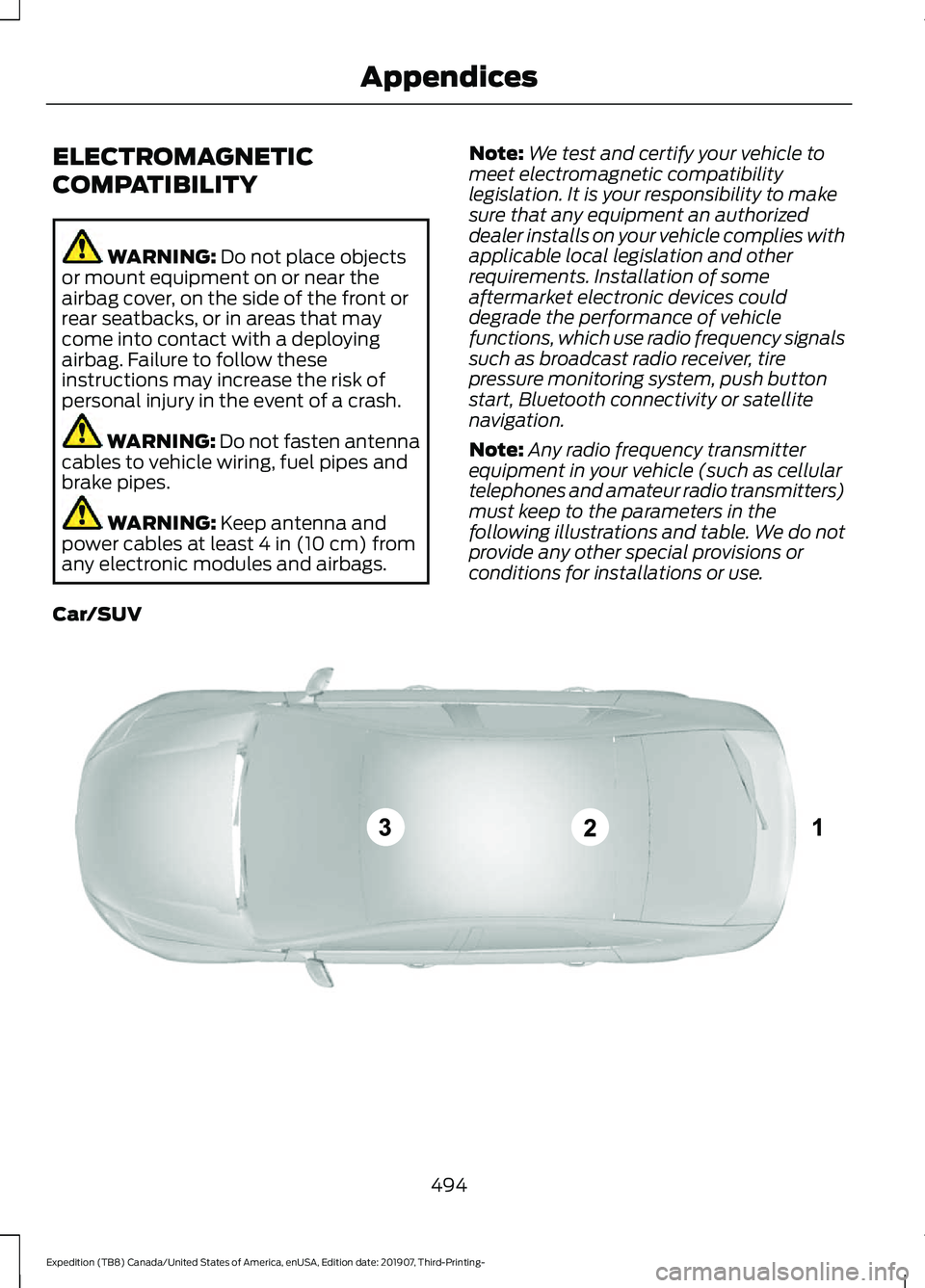
Note: Any radio frequency transmitter
equipment in your vehicle (such as cellular
telephones and amateur radio transmitters)
must keep to the parameters in the
following illustrations and table. We do not
provide any other special provisions or
conditions for installations or use.
Car/SUV 494
Expedition (TB8) Canada/United States of America, enUSA, Edition date: 201907, Third-Printing- AppendicesE239120
Page 507 of 542
may award the same damages to You
individually as a court could. The arbitrator
may award declaratory or injunctive relief
only to You individually, and only to the
extent required to satisfy Your individual
claim.
(g) Arbitration fees and incentives.
•
I. Disputes involving $75,000 or less.
FORD MOTOR COMPANY will
promptly reimburse your filing fees and
pay the AAA ’s and arbitrator ’s fees and
expenses. If you reject FORD MOTOR
COMPANY’ S last written settlement
offer made before the arbitrator was
appointed (“ last written offer ”), your
dispute goes all the way to an
arbitrator ’s decision (called an
“ award ”), and the arbitrator awards
you more than the last written offer,
FORD MOTOR COMPANY will give you
three incentives: (1) pay the greater of
the award or $1,000; (2) pay twice your
reasonable attorney ’s fees, if any; and
(3) reimburse any expenses (including
expert witness fees and costs) that
your attorney reasonably accrues for
investigating, preparing, and pursuing
your claim in arbitration. The arbitrator
will determine the amounts.
• ii. Disputes involving more than
$75,000. The AAA rules will govern
payment of filing fees and the AAA ’s
and arbitrator ’s fees and expenses.
• iii. Disputes involving any amount. In
any arbitration you commence, FORD
MOTOR COMPANY will seek its AAA
or arbitrator ’s fees and expenses, or
Your filing fees it reimbursed, only if the
arbitrator finds the arbitration frivolous
or brought for an improper purpose. In
any arbitration FORD MOTOR
COMPANY commences, it will pay all filing, AAA, and arbitrator
’s fees and
expenses. It will not seek its attorney ’s
fees or expenses from you in any
arbitration. Fees and expenses are not
counted in determining how much a
dispute involves.
(h) Claims or disputes must be filed
within one year. To the extent permitted
by law, any claim or dispute under this
EULA to which this Section applies must
be filed within one year in small claims
court (Section c) or in arbitration (Section
d). The one-year period begins when the
claim or dispute first could be filed. If such
a claim or dispute is not filed within one
year, it is permanently barred.
(I) Severability. If the class action waiver
(Section e) is found to be illegal or
unenforceable as to all or some parts of a
dispute, then that portion of Section e will
not apply to those parts. Instead, those
parts will be severed and proceed in a court
of law, with the remaining parts proceeding
in arbitration. If any other provision of that
portion Section e is found to be illegal or
unenforceable, that provision will be
severed with the remainder of Section e
remaining in full force and effect.
Telenav Software End User License
Agreement
Please read these terms and conditions
carefully before you use the TeleNav
Software. Your use of the TeleNav
Software indicates that you accept these
terms and conditions. If you do not accept
these terms and conditions, do not break
the seal of the package, launch, or
otherwise use the TeleNav Software.
TeleNav may revise this Agreement and
the privacy policy at any time, with or
without notice to you. You agree to visit
http://www.telenav.com from time to time
to review the then current version of this
Agreement and of the privacy policy.
504
Expedition (TB8) Canada/United States of America, enUSA, Edition date: 201907, Third-Printing- Appendices
Page 538 of 542

Rear Window Wiper Blade...............................
93
Recommended Towing Weights...........286
Reduced Engine Performance...............299
Refueling..........................................................185 Refueling System Overview........................... 185
Refueling System Warning.............................. 187
Refueling Your Vehicle...................................... 185
Remote Control
..............................................56
Car Finder................................................................. 61
Integrated Keyhead Transmitter.................... 56
Intelligent Access Key......................................... 57
Remote Start.......................................................... 61
Replacing the Battery......................................... 58
Sounding the Panic Alarm................................. 61
Using the Key Blade............................................ 58
Remote Start.................................................148 Automatic Settings............................................ 148
Heated and Cooled Features......................... 149
Last Settings........................................................ 149
Removing a Headlamp.............................340
Repairing Minor Paint Damage..............348
Replacement Parts Recommendation........................................14
Collision Repairs.................................................... 14
Scheduled Maintenance and Mechanical Repairs.................................................................. 14
Warranty on Replacement Parts..................... 14
Replacing a Lost Key or Remote Control............................................................63
Reporting Safety Defects (Canada Only)...............................................................313
Reporting Safety Defects (U.S. Only)...............................................................313
Resuming the Set Speed...........................237
Roadside Assistance
..................................302
Vehicles Sold in Canada: Getting Roadside
Assistance....................................................... 303
Vehicles Sold in the United States: Getting Roadside Assistance................................... 302
Vehicles Sold in the United States: Using Roadside Assistance................................... 302
Roadside Emergencies..............................302
Roof Racks and Load Carriers................268 Adjusting the Crossbar.................................... 269
Maximum Recommended Load Amounts.......................................................... 268
Running-In See: Breaking-In................................................ 300Running Out of Fuel....................................183
Adding Fuel From a Portable Fuel
Container.......................................................... 184
Filling a Portable Fuel Container.................. 183
S
Safety Canopy ™
.............................................53
Safety Precautions.......................................182
Satellite Radio..............................................405
Satellite Radio Electronic Serial Number
(ESN)................................................................ 406
Satellite Radio Reception Factors..............405
SiriusXM Satellite Radio Service.................405
Troubleshooting................................................ 406
Scheduled Maintenance Record
...........483
Scheduled Maintenance...........................475
Seatbelt Extensions
......................................45
Seatbelt Height Adjustment......................42
Seatbelt Reminder........................................43
Front Seats............................................................. 43
Seatbelt Monitor.................................................. 44
Seatbelt Status..................................................... 44
Seatbelts............................................................37 Principle of Operation......................................... 37
Seatbelt Warning Lamp and Indicator Chime..............................................................43
Conditions of operation..................................... 43
Seats.................................................................150
Security...............................................................81
Settings............................................................457 911 Assist............................................................... 457
Ambient Lighting............................................... 458
Audio....................................................................... 457
Automatic Updates........................................... 457
Bluetooth.............................................................. 457
Charge Settings................................................. 458
Clock....................................................................... 457
Display................................................................... 458
Driver Assist.......................................................... 457
FordPass................................................................ 457
General.................................................................. 457
Message Center................................................. 458
Mobile Apps......................................................... 457
Multi Contour Seats......................................... 458
Navigation............................................................ 458
Personal Profiles................................................ 458
Phone..................................................................... 457
535
Expedition (TB8) Canada/United States of America, enUSA, Edition date: 201907, Third-Printing- Index