2020 DODGE GRAND CARAVAN light
[x] Cancel search: lightPage 41 of 380

GETTING TO KNOW YOUR VEHICLE39
When exiting the vehicle the driver can choose
to have the headlights remain on for 30, 60 or
90 seconds or not remain on. To change the
timer setting, see an authorized dealer.
The headlight delay time is programmable on
vehicles equipped with an instrument cluster
display. Refer to “Instrument Cluster Display” in
“Getting To Know Your Instrument Panel” for
further information.
If the headlights are turned off before the
ignition, they will turn off in the normal manner.
NOTE:
The headlights must be turned off within 45
seconds of placing the ignition in the OFF
position to activate this feature.
Lights-On Reminder
If the headlights or the parking lights are left on,
or if the dimmer control is in the extreme top
position after the ignition has been placed in
the OFF position, a chime will sound when the
driver's door is opened.
Front Fog Lights — If Equipped
To activate the front fog lights, turn on the
parking lights or the low beam headlights and
push in the headlight switch control knob. Pushing the headlight switch control knob a
second time will turn the front fog lights off.
Turn Signals
Move the multifunction lever up or down and
the arrows on each side of the instrument
cluster display will flash to show proper
operation of the front and rear turn signal lights.
NOTE:
If either light remains on and does not flash, or
there is a very fast flash rate, check for a
defective outside light bulb. If an indicator fails
to light when the lever is moved, it would
suggest that the indicator bulb is defective.
Turn Signal Warning
If the vehicle electronics sense that the vehicle
has traveled at over 18 mph (29 km/h) for
about 1 mile (1.6 km) with the turn signals on, a
chime will sound to alert the driver.
Lane Change Assist
Tap the lever up or down once, without moving
beyond the detent, and the turn signal (right or
left) will flash three times then automatically
turn off.
Battery Protection
This feature provides battery protection to avoid
wearing down the battery if the headlights or
parking lights are left on for extended periods of
time when the ignition is in the OFF position.
After eight minutes of the ignition being placed
in the OFF position, and the headlight switch in
any position other than OFF or AUTO, the lights
will turn off automatically until the next cycle of
the ignition or headlight switch.
The battery protection feature will be disabled if
the ignition is placed in any position other than
OFF during the eight minute delay.
INTERIOR LIGHTS
Courtesy/Interior Lighting
At the forward end of the overhead console are
two courtesy lights (standard dome light has
two buttons). These interior lights are turned on
when a door or the liftgate is opened, the
remote keyless entry key fob is activated, or
when the dimmer control is moved to the
extreme top.
2
20_RT_OM_EN_USC_t.book Page 39
Page 42 of 380

40GETTING TO KNOW YOUR VEHICLE
The interior lights will automatically turn off in
approximately 10 minutes for the first
activation and 90 seconds every activation
thereafter until the engine is started, if one of
the following occur:
A door, sliding door or the liftgate is left open.
Any overhead reading light is left on.
NOTE:
The ignition must be placed in the OFF position
for this feature to operate.
The courtesy lights also function as reading
lights. Push in on each lens to turn these lights
on while inside the vehicle. Push a second time
to turn each light off. You may adjust the
direction of these lights by pushing the outside
ring, which is identified with four directional
arrows (LED lamps only).
Rear Courtesy/Reading Lights — If Equipped
The overhead console has two sets of courtesy
lights. The lights turn on when a front door, a
sliding door or the liftgate is opened. If your
vehicle is equipped with Remote Keyless Entry,
the lights will also turn on when the unlock
button on the key fob is pushed.
The courtesy lights also function as reading
lights. Push in on each lens to turn these lights
on while inside the vehicle. Push the lens a
second time to turn each light off. You may
adjust the direction of these lights by pushing
the outside ring, which is identified with four
directional arrows.
Reading Lights
Rear Console Halo Lighting
Halo lights are strategically placed soft lighting
that help to illuminate specific areas to aid the
occupants in locating specific features while
driving at night.
The rear overhead console has recessed halo
lighting around the perimeter of the console
base. This feature provides additional lighting
options while traveling and is controlled by the
ambient light dimmer control of the headlight
switch.
Ambient Light Dimmer Control
20_RT_OM_EN_USC_t.book Page 40
Page 43 of 380

GETTING TO KNOW YOUR VEHICLE41
Dimmer Controls
The dimmer switch is located next to the
headlight switch.
Instrument Panel Dimmer Control
With the parking lights or headlights on, rotating
the left dimmer control upward will increase the
brightness of the instrument panel lights.
Rotating the left dimmer control completely
upward to the second detent (extreme top
position) will turn on the interior lights. The
interior lights will remain on when the dimmer
control is in this position.
Rotating the left dimmer control to the off
position (extreme bottom) will turn the interior
lights off, and will remain off when the doors or
liftgate are opened.
Parade Mode (Daytime Brightness Feature)
Rotate the dimmer control upward to the first
detent. This feature brightens all text displays
such as the odometer, instrument cluster
display, and radio when the parking lights or
headlights are on.
WINDSHIELD WIPER AND WASHERS
The wipers and washers are operated by a
switch within the multifunction lever. Rotate the
end of the multifunction lever to select the
desired wiper speed.
Washer And Wiper Controls
NOTE:
Always remove any buildup of snow that
prevents the windshield wiper blades from
returning to the off position. If the windshield
wiper switch is turned off and the blades cannot
return to the off position, damage to the wiper
motor may occur.
Windshield Wiper Operation
Rotate the end of the lever upward, to the first
detent past the intermittent settings for
low-speed wiper operation. Rotate the end of
the lever upward to the second detent past the
intermittent settings for high-speed wiper
operation.
WARNING!
Sudden loss of visibility through the
windshield could lead to a collision. You might
not see other vehicles or other obstacles. To
avoid sudden icing of the windshield during
freezing weather, warm the windshield with
the defroster before and during windshield
washer use.
2
20_RT_OM_EN_USC_t.book Page 41
Page 46 of 380

44GETTING TO KNOW YOUR VEHICLE
Front Blower Control
There are seven blower speeds. Use this control to regulate the amount of air forced through the system in any mode you
select. The blower speed increases as you move the control clockwise from the off position.
Right Front Temperature Control
Provides right front seat occupant with independent temperature control. Turn left for cooler or right for warmer
temperature settings.
Panel Mode Panel Mode Button
Push button to select Panel Mode. The indicator illuminates when this mode is on. Air comes from the outlets in the
instrument panel. Each of these outlets can be individually adjusted to direct the flow of air. The air vanes of the center
outlets and outboard outlets can be moved up and down or side to side to regulate airflow direction.
Bi-Level Mode Bi-Level Mode Button
Push button to select Bi–Level Mode. The indicator illuminates when this mode is on. Air comes from the instrument panel
outlets and floor outlets. A slight amount of air is directed through the defrost and side window demister outlets.
NOTE:
Bi-Level mode is designed under comfort conditions to provide cooler air out of the panel outlets and warmer air from the
floor outlets.
Icon
Description
20_RT_OM_EN_USC_t.book Page 44
Page 47 of 380

GETTING TO KNOW YOUR VEHICLE45
Controlling The Rear Climate Controls From
The Front Panel Controls
The rear Manual Climate Control system has
floor air outlets at the rear right side of the third
row seats and overhead outlets at each
outboard rear seating position. The system
provides heated air through the floor outlets or
cool, dehumidified air through the headliner
outlets. The rear system temperature control buttons on
the faceplate are located below the radio
system, located on the instrument panel.
Floor Mode
Floor Mode Button
Push button to select Floor Mode. The indicator illuminates when this mode is on. Air comes from the floor outlets. A slight
amount of air is directed through the defrost and side window demister outlets.
Mix Mode Mix Mode Button
Push button to select Mix Mode. The indicator illuminates when this mode is on. Air is directed through the floor, defrost,
and side window demister outlets. This setting works best in cold or snowy conditions that require extra heat to the
windshield. This setting is good for maintaining comfort while reducing moisture on the windshield.
Icon Description
2
20_RT_OM_EN_USC_t.book Page 45
Page 52 of 380

50GETTING TO KNOW YOUR VEHICLE
Blower Control
There are seven blower speeds. Use this control to regulate the amount of air forced through the system in any mode you
select. The blower speed increases as you move the control clockwise from the off position.
NOTE:
Depending on the configuration, your vehicle may be equipped with four blower speeds.
Modes Control Button
Toggle the Modes Control Button to adjust airflow distribution. The airflow distribution mode can be adjusted so air comes
from the instrument panel outlets, floor outlets, defrost outlets and demist outlets. The Mode settings are as follows:
Panel Mode Panel Mode
Toggle the Modes Control Button until you see Panel Mode Icon on the display. Air comes from the outlets in the instrument
panel. Each of these outlets can be individually adjusted to direct the flow of air. The air vanes of the center outlets and
outboard outlets can be moved up and down or side to side to regulate airflow direction.
Bi-Level Mode Bi-Level Mode
Toggle the Modes Control Button until you see Bi-Level Mode Icon on the display. Air comes from the instrument panel
outlets and floor outlets. A slight amount of air is directed through the defrost and side window demister outlets.
NOTE:
Bi-Level mode is designed under comfort conditions to provide cooler air out of the panel outlets and warmer air from the
floor outlets.
Floor Mode Floor Mode
Toggle the Modes Control Button until you see Floor Mode Icon on the display. Air comes from the floor outlets. A slight
amount of air is directed through the defrost and side window demister outlets.
Icon Description
20_RT_OM_EN_USC_t.book Page 50
Page 62 of 380
60GETTING TO KNOW YOUR VEHICLE
To close the window part way, lift the window
control to the first detent and release when you
want the window to stop.
NOTE:
If the window runs into any obstacle during
auto-closure, it will reverse direction and
then go back down. Remove the obstacle and
use the window control again to close the
window.
Any impact due to rough road conditions may
trigger the auto reverse function unexpect -
edly during auto-closure. If this happens, pull
the control lightly to the first detent and hold
to close window manually. Auto Up Reset — If Equipped
To reactivate the Auto Up feature, perform the
following steps after vehicle power is restored:
1. Pull the window control up to close the
window completely and continue to hold
the control up for an additional two
seconds after the window is closed.
2. Push the window control down firmly to the second detent to open the window
completely and continue to hold the control
down for an additional two seconds after
the window is fully open.
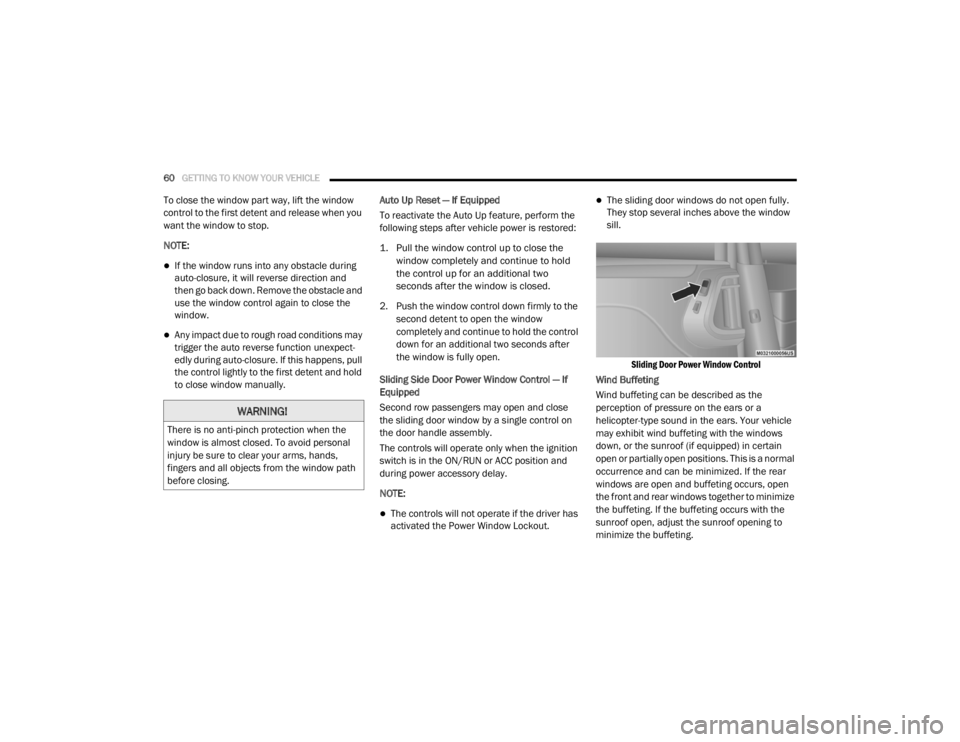
Sliding Side Door Power Window Control — If
Equipped
Second row passengers may open and close
the sliding door window by a single control on
the door handle assembly.
The controls will operate only when the ignition
switch is in the ON/RUN or ACC position and
during power accessory delay.
NOTE:
The controls will not operate if the driver has
activated the Power Window Lockout.
The sliding door windows do not open fully.
They stop several inches above the window
sill.
Sliding Door Power Window Control
Wind Buffeting
Wind buffeting can be described as the
perception of pressure on the ears or a
helicopter-type sound in the ears. Your vehicle
may exhibit wind buffeting with the windows
down, or the sunroof (if equipped) in certain
open or partially open positions. This is a normal
occurrence and can be minimized. If the rear
windows are open and buffeting occurs, open
the front and rear windows together to minimize
the buffeting. If the buffeting occurs with the
sunroof open, adjust the sunroof opening to
minimize the buffeting.
WARNING!
There is no anti-pinch protection when the
window is almost closed. To avoid personal
injury be sure to clear your arms, hands,
fingers and all objects from the window path
before closing.
20_RT_OM_EN_USC_t.book Page 60
Page 65 of 380

GETTING TO KNOW YOUR VEHICLE63
Using the above ways:
When the liftgate is fully closed, the liftgate
will open
When the liftgate is fully open, the liftgate will
close
When the liftgate is moving, the liftgate will
reverse
Push the Power Liftgate button on the overhead
console to open or close the liftgate.
Push the liftgate button on the key fob twice
within five seconds to open or close the liftgate.
Overhead Console Power Switches
Cargo Area Features
Cargo Area Storage
The liftgate sill plate has a raised line with the
statement “Load To This Line”. This line
indicates how far rearward cargo can be placed
without interfering with liftgate closing.
Rear Cargo Area Loading Limit
NOTE:
With all rear seats stowed or removed, 4 x 8 foot
sheets of building material will fit on the vehicle
floor with the liftgate closed. The front seats
must be moved slightly forward of the rearmost
position.
LOAD LEVELING SYSTEM — IF EQUIPPED
The automatic load leveling system will provide
a level-riding vehicle under most passenger and
cargo loading conditions.
A hydraulic pump contained within the shock
absorbers raises the rear of the vehicle to the
correct height. It takes approximately 1 mile
(1.6 km) of driving for the leveling to complete
depending on road surface conditions.
If the leveled vehicle is not moved for approxi-
mately 15 hours, the leveling system will bleed
itself down. The vehicle must be driven to reset
the system.
GARAGE DOOR OPENER — IF EQUIPPED
HomeLink® replaces up to three remote
controls (hand-held transmitters) that operate
devices such as garage door openers,
motorized gates, lighting or home security
systems. The HomeLink® unit operates off your
vehicle’s battery.
1 — Left Sliding Door
2 — Liftgate
3 — Right Sliding Door
4 — Sliding Door Power Off
2
20_RT_OM_EN_USC_t.book Page 63