2020 DODGE CHALLENGER rear view mirror
[x] Cancel search: rear view mirrorPage 204 of 396

202IN CASE OF EMERGENCY
SOS Call System Limitations
Vehicles sold in Mexico DO NOT have SOS Call
system capabilities.
SOS or other emergency line operators in
Mexico may not answer or respond to SOS
system calls.
If the SOS Call system detects a malfunction,
any of the following may occur at the time the
malfunction is detected, and at the beginning of
each ignition cycle:
The Rearview Mirror light located between
the ASSIST and SOS buttons will continuously
illuminate red.
The Device Screen will display the following
message “Vehicle device requires service.
Please contact an authorized dealer.”
An In-Vehicle Audio message will state
“Vehicle device requires service. Please
contact an authorized dealer.” Even if the SOS Call system is fully functional,
factors beyond FCA US LLC’s control may
prevent or stop the SOS Call system operation.
These include, but are not limited to, the
following factors:
The ignition is in the OFF position.
The vehicle’s electrical systems are not
intact.
The SOS Call system software and/or hard
-
ware are damaged during a crash.
The vehicle battery loses power or becomes
disconnected during a vehicle crash.
LTE (voice/data) or 4G (data) network and/or
Global Positioning Satellite signals are
unavailable or obstructed.
Equipment malfunction at the SOS operator
facility.
Operator error by the SOS operator.
LTE (voice/data) or 4G (data) network
congestion.
Weather.
Buildings, structures, geographic terrain, or
tunnels.
WARNING!
Ignoring the Rearview Mirror light could
mean you will not have SOS Call services. If
the Rearview Mirror light is illuminated,
have an authorized dealer service the SOS
Call system immediately.
The Occupant Restraint Control module
turns on the air bag Warning Light on the
instrument panel if a malfunction in any
part of the system is detected. If the Air Bag
Warning Light is illuminated, have an
authorized dealer service the Occupant
Restraint Control system immediately.
20_LA_OM_EN_USC_t.book Page 202
Page 216 of 396

214IN CASE OF EMERGENCY
F43 –20 Amp YellowRR Heated Seat / Heated Steering
Wheel – If Equipped
F44 –10 Amp RedPark Assist / Blind Spot / Rear
View Camera – If Equipped
F45 –15 Amp BlueCluster / Rearview Mirror /
Compass (Charger/300) / Lane Departure
F46 ––Fuse – Spare
F47 –10 Amp RedAdaptive Front Lighting / Day Time
Running Lamps – If Equipped
F48 –20 Amp YellowActive Suspension – (6.4L / 6.2L)
F49 ––Fuse – Spare
F50 ––Fuse – Spare
F51 –20 Amp YellowFront Heated / Vented Seats – If
Equipped
F52 –10 Amp RedHeated Cupholders/Rear Heated
Seat Switches – If Equipped
F53 –10 Amp RedHVAC Module/In Vehicle
Temperature Sensor
F54 ––Fuse – Spare
F55 ––Fuse – Spare
F56 ––Fuse – Spare
CavityCartridge Fuse Mini-FuseDescription
20_LA_OM_EN_USC_t.book Page 214
Page 217 of 396

IN CASE OF EMERGENCY215
F57 ––Fuse – Spare
F58 –10 Amp Red Airbag Module
F59 –20 Amp Yellow Adjustable Pedals – Police
F60 ––Fuse – Spare
F61 ––Fuse – Spare
F62 ––Fuse – Spare
F63 ––Fuse – Spare
F64 –25 Amp Breaker Rear Windows (Charger/300)
F65 –10 Amp Red Airbag Module
F66 ––Fuse – Spare
F67 –10 Amp RedRain and Light Sensor / Sunroof /
Inside RR View Mirror / Police Run Acc Relay
F68 –10 Amp RedRR USB Timer/ RR Sunshade – If
Equipped
F69 ––Fuse – Spare
F70 ––Fuse – Spare
CavityCartridge Fuse Mini-FuseDescription
6
20_LA_OM_EN_USC_t.book Page 215
Page 292 of 396
290SERVICING AND MAINTENANCE
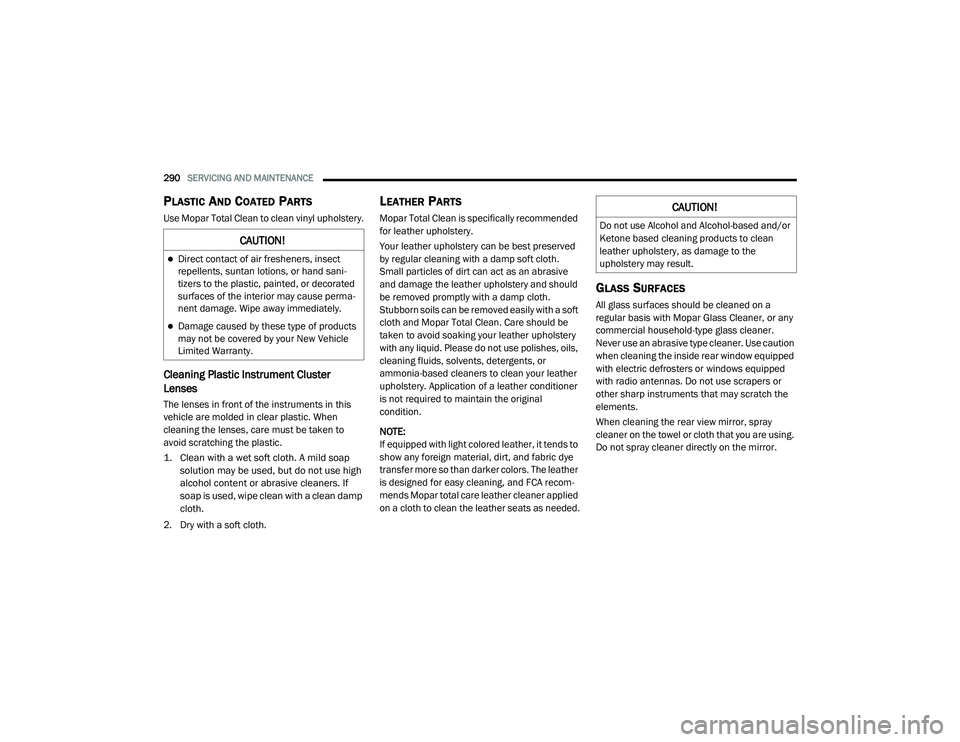
PLASTIC AND COATED PARTS
Use Mopar Total Clean to clean vinyl upholstery.
Cleaning Plastic Instrument Cluster
Lenses
The lenses in front of the instruments in this
vehicle are molded in clear plastic. When
cleaning the lenses, care must be taken to
avoid scratching the plastic.
1. Clean with a wet soft cloth. A mild soap
solution may be used, but do not use high
alcohol content or abrasive cleaners. If
soap is used, wipe clean with a clean damp
cloth.
2. Dry with a soft cloth.
LEATHER PARTS
Mopar Total Clean is specifically recommended
for leather upholstery.
Your leather upholstery can be best preserved
by regular cleaning with a damp soft cloth.
Small particles of dirt can act as an abrasive
and damage the leather upholstery and should
be removed promptly with a damp cloth.
Stubborn soils can be removed easily with a soft
cloth and Mopar Total Clean. Care should be
taken to avoid soaking your leather upholstery
with any liquid. Please do not use polishes, oils,
cleaning fluids, solvents, detergents, or
ammonia-based cleaners to clean your leather
upholstery. Application of a leather conditioner
is not required to maintain the original
condition.
NOTE:
If equipped with light colored leather, it tends to
show any foreign material, dirt, and fabric dye
transfer more so than darker colors. The leather
is designed for easy cleaning, and FCA recom -
mends Mopar total care leather cleaner applied
on a cloth to clean the leather seats as needed.
GLASS SURFACES
All glass surfaces should be cleaned on a
regular basis with Mopar Glass Cleaner, or any
commercial household-type glass cleaner.
Never use an abrasive type cleaner. Use caution
when cleaning the inside rear window equipped
with electric defrosters or windows equipped
with radio antennas. Do not use scrapers or
other sharp instruments that may scratch the
elements.
When cleaning the rear view mirror, spray
cleaner on the towel or cloth that you are using.
Do not spray cleaner directly on the mirror.
CAUTION!
Direct contact of air fresheners, insect
repellents, suntan lotions, or hand sani -
tizers to the plastic, painted, or decorated
surfaces of the interior may cause perma -
nent damage. Wipe away immediately.
Damage caused by these type of products
may not be covered by your New Vehicle
Limited Warranty.
CAUTION!
Do not use Alcohol and Alcohol-based and/or
Ketone based cleaning products to clean
leather upholstery, as damage to the
upholstery may result.
20_LA_OM_EN_USC_t.book Page 290
Page 316 of 396

314MULTIMEDIA
Blind Spot Alert — If Equipped OffLightsLights and Chime
NOTE:
When this feature is selected, the Blind Spot Alert feature provides alerts, visual and/or audible, to indicate objects in your blind spot. The Blind
Spot Alert feature can be activated in “Lights” mode. When this mode is selected, the Blind Spot Monitor (BSM) system is activated and will only
show a visual alert in the exterior mirrors. When “Lights & Chime” mode is activated, BSM will show a visual alert in the exterior mirrors as well as
sounds an audible alert when the turn signal is on. When “Off” is selected, the BSM system is deactivated.
If your vehicle has experienced any damage in the area where the sensor is located, even if the fascia is not damaged, the sensor may have become
misaligned. Take your vehicle to an authorized dealer to verify sensor alignment. Having a sensor that is misaligned will result in the BSM not oper -
ating to specification.
ParkView Backup Camera Active Guidelines On
Off
NOTE:
Your vehicle may be equipped with the “ParkView Backup Camera Active Guidelines” that allows you to see active guidelines over the ParkView
Backup camera display whenever the gear selector is put into REVERSE. The image will be displayed on the radio touchscreen display along with a
caution note to “check entire surroundings” across the top of the screen. After five seconds, this note will disappear. ParkView Backup Camera Delay On Off
NOTE:
When the vehicle is shifted out of REVERSE (with camera delay turned OFF), the rear camera mode is exited and the navigation or audio screen
appears again. When the vehicle is shifted out of REVERSE (with camera delay turned ON), the rear view image with dynamic grid lines will be
displayed for up to 10 seconds after shifting out of “REVERSE” unless the forward vehicle speed exceeds 8 mph (12 km/h), the transmission is shifted into “PARK” or the ignition is switched to the OFF position. To set the ParkView Backup Camera Delay, press the Controls button on the touchscreen,
the Settings button on the touchscreen, then the Safety & Driving Assistance button on the touchscreen.
Setting Name Selectable Options
20_LA_OM_EN_USC_t.book Page 314
Page 368 of 396

366MULTIMEDIA
Call Continuation
Call continuation is the progression of a phone
call on the Uconnect Phone after the vehicle
ignition has been switched to OFF.
NOTE:
The call will remain within the vehicle audio
system until the phone becomes out of range
for the Bluetooth® connection. It is recom -
mended to press the Transfer button on the
touchscreen when leaving the vehicle.
Browsing SMS
Using the steering wheel commands, you can
view and manage the last 10 SMS messages
received on the instrument panel. To use this
function, the mobile phone must support the
SMS exchange function through Bluetooth®.
Select the PHONE button on the instrument
panel menu, and then select “SMS Reader”
using the arrow keys on the steering wheel
controls.
The “SMS Reader” submenu allows the last
10 SMS messages to be displayed.Advanced Phone Connectivity
Transfer Call To And From Mobile Phone
The Uconnect Phone allows ongoing calls to be
transferred from your mobile phone to the
Uconnect Phone without terminating the call. To
transfer an ongoing call from your connected
mobile phone to the Uconnect Phone or vice
versa, press the Transfer button on the Phone
main screen.
Connect Or Disconnect Link Between The
Uconnect Phone And Mobile Phone
If you would like to connect or disconnect the
Bluetooth® connection between a Uconnect
Phone paired mobile phone and the Uconnect
Phone, follow the instructions described in your
mobile phone User's Manual.
Things You Should Know About Your
Uconnect Phone
Voice Command
For the best performance:
Adjust the rearview mirror to provide at least
½-inch (1 cm) gap between the overhead
console (if equipped) and the mirror.
Always wait for the beep before speaking.
Speak normally, without pausing, just as you
would speak to a person sitting a few feet/
meters away from you.
Ensure that no one other than you is
speaking during a voice command period.
Performance is maximized under:
Low-To-Medium Blower Setting
Low-To-Medium Vehicle Speed
Low Road Noise
Smooth Road Surface
Fully Closed Windows
Dry Weather Conditions
WARNING!
ALWAYS drive safely with your hands on the
wheel. You have full responsibility and
assume all risks related to the use of the
Uconnect features and applications in this
vehicle. Only use Uconnect when it is safe to
do so. Failure to do so may result in an
accident involving serious injury or death.
20_LA_OM_EN_USC_t.book Page 366
Page 386 of 396

384 I
Ignition
............................................................ 17Switch......................................................... 17In Vehicle Help Vehicle User Guide...................................... 11Information Center, Vehicle............................. 74Inside Rearview Mirror............................ 38, 199Instrument ClusterDescriptions.................................. 68, 71, 89Display................................................. 73, 76Instrument Panel Lens Cleaning.................... 290Interior Appearance Care............................... 289Interior Lights.................................................. 43Intermittent Wipers (Delay Wipers).................. 45Introduction....................................................... 8iPod/USB/MP3 Control....................... 349, 368Bluetooth Streaming Audio....................... 368
J
Jack Location................................................. 216Jack Operation..................................... 217, 269Jacking Instructions....................................... 217Jump Starting...................................... 226, 227
K
Key FobArm The System
.......................................... 23Panic Alarm................................................. 14Programming Additional Key Fobs....... 16, 22Unlatch The Trunk....................................... 14
Key Fob Battery Service
(Remote Keyless Entry).................................... 14Key Fob Programming
(Remote Keyless Entry).................................... 16Key-In Reminder.............................................. 18Keyless Enter-N-Go.......................................... 25Enter The Trunk........................................... 14Keys................................................................. 12Replacement........................................ 16, 22
L
Lane Change And Turn Signals........................ 43Lane Change Assist......................................... 43Lap/Shoulder Belts....................................... 115Latches......................................................... 147Hood............................................................ 57Lead Free Gasoline....................................... 293Leaks, Fluid.................................................. 147Life Of Tires................................................... 279Light Bulbs........................................... 147, 204Lights............................................................ 147Air Bag...................................... 83, 121, 146Automatic Headlights.................................. 42Brake Assist Warning.................................. 98Brake Warning....................................83, 291Bulb Replacement.................................... 204Courtesy/Reading....................................... 43Cruise................................................... 89, 90Daytime Running......................................... 41Dimmer Switch, Headlight........................... 41
Electronic Stability Program(ESP)Indicator..................................................84Exterior.............................................. 40, 147Fog...............................................................43Headlight Switch..........................................40Headlights............................................ 40, 42Headlights On With Wipers..........................42High Beam...................................................41High Beam/Low Beam Select......................41Instrument Cluster.......................................40Intensity Control..........................................44Interior.........................................................43License..................................................... 207Lights On Reminder.....................................42Malfunction Indicator (Check Engine)..........86Map.............................................................43Park......................................................42, 89Passing........................................................42Reading.......................................................43Seat Belt Reminder.....................................83Security Alarm.............................................84Service...................................................... 204Traction Control...........................................98Turn Signals......................... 41, 43, 89, 147Vanity Mirror................................................40Warning Instrument Cluster Descriptions................................... 84, 89Load Shed Battery Saver On............................81Load Shed Electrical Load Reduction..............81Load Shed Intelligent Battery Sensor...............81
20_LA_OM_EN_USC_t.book Page 384
Page 387 of 396
385
Loading Vehicle
................................... 189, 190Capacities................................................. 190Tires.......................................................... 273Locks Auto Unlock................................................. 28Automatic Door........................................... 28Power Door.................................................. 25Low Tire Pressure System............................. 107Lubrication, Body........................................... 259Lug Nuts/Bolts.............................................. 291
M
Maintenance................................................... 57Maintenance Free Battery............................. 251Maintenance Schedule............... 234, 239, 240Malfunction Indicator Light
(Check Engine)......................................... 86, 92ManualBackward............................................. 29, 30Forward................................................ 29, 30Park Release............................................. 229Rearward..................................................... 29Service...................................................... 379Tilt............................................................... 30Manual Transmission................. 155, 267, 268Fluid Level Check............................ 267, 268Map/Reading Lights........................................ 43Methanol....................................................... 295
Mirrors............................................................. 38Electric Powered.......................................... 39Electric Remote........................................... 39Heated......................................................... 39Outside........................................................ 39Rearview.............................................38, 199Vanity.......................................................... 40Modifications/AlterationsVehicle......................................................... 10Monitor, Tire Pressure System...................... 107Mopar Parts.................................................. 378Multi-Function Control Lever............................ 41
N
New Vehicle Break-In Period......................... 152
O
Occupant Restraints..................................... 111Octane Rating, Gasoline (Fuel)... 293, 299, 302Oil Change Indicator........................................ 75Reset........................................................... 75Oil Filter, Change.......................................... 255Oil Filter, Selection........................................ 255Oil Pressure Light............................................. 84Oil, Engine................................... 252, 299, 302Capacity........................................... 297, 298Change Interval........................................ 252Checking................................................... 250Dipstick.................................................... 250Disposal................................................... 255
Filter....................................... 255, 299, 302Filter Disposal........................................... 255Identification Logo.................................... 253Materials Added To................................... 255Pressure Warning Light................................84Recommendation................... 252, 297, 298Synthetic................................................... 254Viscosity........................ 253, 254, 297, 298Onboard Diagnostic System.............................91Operating Precautions.....................................91Operator ManualOwner's Manual....................................9, 379Outside Rearview Mirrors.................................39Overheating, Engine...................................... 229Owner’s Manual (Operator Manual)................... 9
P
Paddle Shift Mode........................................ 164Paddle Shifters............................................. 164Paint Care..................................................... 287Panic Alarm......................................................14Parking Brake............................................... 154ParkSense System, Rear............................... 181Passenger SeatEasy Entry....................................................34Passing Light....................................................42Performance....................................................77Pets............................................................... 145Pinch Protection...............................................56Placard, Tire And Loading Information.......... 273
11
20_LA_OM_EN_USC_t.book Page 385