2020 CITROEN C4 CACTUS steering wheel
[x] Cancel search: steering wheelPage 82 of 256

80
Advice
For the airbags to be fully effective,
observe the safety recommendations
below.
Adopt a normal and upright sitting position.
Fasten your seat belt, ensuring it is
positioned correctly.
Do not leave anything between the
occupants and the airbags (a child, pet,
object, etc.), nor fix or attach anything close
to the inflation trajectory of the airbags;
this could cause injuries during their
deployment.
Never modify the original definition of your
vehicle, particularly in the area directly
around the airbags.
After an accident or if the vehicle has been
stolen or broken into, have the airbag
systems checked.
All work on the airbag systems must be
carried out by a CITROËN dealer or a
qualified workshop.
Even if all of the precautions mentioned
are obser ved, a risk of injury or of minor
burns to the head, chest or arms when an
airbag is deployed cannot be ruled out. The
airbag inflates almost instantly (within a few
milliseconds) then deflates within the same
time discharging the hot gas via openings
provided for this purpose.Front airbags
Do not drive holding the steering wheel by its
spokes or resting your hands on the centre
part of the wheel.
Passengers must not place their feet on the
dashboard.
Do not smoke as deployment of the airbags
can cause burns or the risk of injury from a
cigarette or pipe.
Never remove or pierce the steering wheel or
hit it violently.
Do not fit or attach anything to the steering
wheel or dashboard, this could cause injuries
with deployment of the airbags.
A damaged door or any unauthorised or
incorrectly executed work (modification or
repair) on the front doors or their interior trim
could compromise the operation of these
sensors – risk of malfunction of the lateral
airbags!
Such work must only be done by a CITROËN
dealer or a qualified workshop.
Lateral airbags
Use only approved covers on the seats,
compatible with the deployment of the lateral
airbags. For information on the range of seat
covers suitable for your vehicle, contact a
CITROËN dealer.
Do not attach anything to or hang anything
from the seat backrests (clothes, etc.) as this
could cause injuries to the thorax or arm if the
lateral airbag is deployed.
Do not sit with the upper part of the body any
nearer to the door than necessary.
The vehicle's front door panels include side
impact sensors. Curtain airbags
Do not attach anything or hang anything to
the roof, as this could cause head injuries
when the curtain airbag is deployed.
If fitted to your vehicle, do not remove the
grab handles installed on the roof, they play a
part in securing the curtain airbags.
Safety
Page 98 of 256

96
Starting/Switching off the
engine with the key
Ignition switch
Ignition on position (2)
It allows the use of the vehicle's electric
equipment or portable devices to be charged.
Once the state of charge of the battery drops
to the reser ve level, the system switches to
energy economy mode: the power supply is
cut off automatically to preser ve the remaining
battery charge.Avoid attaching heavy objects to the key
or the remote control, which would weigh
down on its blade in the ignition switch
and could cause a malfunction.
Switching off the engine leads to a loss of
braking assistance.
Starting the engine
Parking brake applied:
F
W ith a manual gearbox , place the gear
lever in neutral then depress the clutch
pedal fully.
F
W
ith an automatic gearbox , place the gear
selector in mode N or P then depress the
brake pedal fully.
F
W
ith an electronic gearbox , place the gear
selector in mode N then depress the brake
pedal fully.
F
I
nsert the key into the ignition switch; the
system recognises the code.
F
U
nlock the steering column by
simultaneously turning the steering wheel
and the key.
In certain cases, you may have to apply
more force to the steering wheel (wheels
on full lock, for example). F
W
ith a petrol engine
, operate the starter
motor by turning the key to position 3
without pressing the accelerator pedal,
until the engine starts. Once the engine is
running, release the key.
F
W
ith a Diesel engine
, turn the key to
position 2 , ignition on, to operate the engine
pre-heating system.
It has 3 positions:
-
position 1 (Stop): inserting and removing
the key, steering column locked,
-
position 2 (Ignition on) : steering column
unlocked, ignition on, Diesel pre-heating,
engine running,
-
position 3 (Starting) . Wait until this warning lamp goes off
in the instrument panel, then operate
the starter motor by turning the key
to position 3 without pressing the
accelerator pedal, until the engine
starts. Once the engine is running,
release the key.
In wintry conditions, the warning lamp
can stay on for a longer period. When the
engine is hot, the warning lamp does not
come on.
If the engine does not start straight away,
switch off the ignition. Wait a few moments
before operating the starter motor again.
If the engine does not start after several
attempts, do not keep trying: you risk
damaging the starter motor or the engine.
Contact a CITROËN dealer or a qualified
workshop.
Driving
Page 99 of 256

97
In temperate conditions, do not let the
engine idle to warm up but move off
straight away and drive at moderate
speed.
Never leave the engine running in
an enclosed area without adequate
ventilation: internal combustion engines
emit toxic exhaust gases, such as carbon
monoxide. Danger of poisoning and death!
In very extreme wintry conditions
(temperature below -23°C), to guarantee
correct operation and the longevity of
the mechanical elements of your vehicle,
engine and gearbox, the engine must
be left running for four minutes before
starting the vehicle.
Switching off the engine
F Stop the vehicle.
F W ith the engine running in idle, turn the key
to position 1 .
F
R
emove the key from the ignition switch.
F
T
o lock the steering column, turn the
steering wheel until it locks. To facilitate unlocking of the steering
column, it is recommended that the
wheels be returned to the straight ahead
position before switching off the engine.
F
C
heck that the parking brake is correctly
applied, particularly on sloping ground.
Never switch off the ignition before the
vehicle is at a complete stop. With the
engine off, the braking and steering
assistance systems are also cut off: risk of
loss of control of the vehicle.
When you leave the vehicle, keep the key
with you and lock the vehicle.
Energy economy mode
After switching off the engine (position 1 –
Stop ), for a maximum of 30 minutes you
can still use functions such as the audio and
telematics system, the wipers, dipped beam
headlamps, courtesy lamps, etc.
For more information on Energy
economy mode , refer to the
corresponding section. Key left in
If the key has been left in the ignition
switch at position 2 (Ignition on)
, the
ignition will be switched off automatically
after one hour.
To switch the ignition back on, turn the key
to position 1 (Stop) , then back to position
2 (Ignition on) .
Starting/Switching off the
engine with
K
eyless Entry
and Starting
Starting the engine
F Place the electronic key inside the vehicle,
in the recognition zone.
F
W
ith a manual gearbox , place the gear
lever in neutral then depress the clutch
pedal fully.
6
Driving
Page 100 of 256
98
F With an automatic gearbox, place the gear
selector in mode P or N then depress the
brake pedal fully.
F
W
ith an electronic gearbox , place the gear
selector in mode N then depress the brake
pedal fully.
F
B
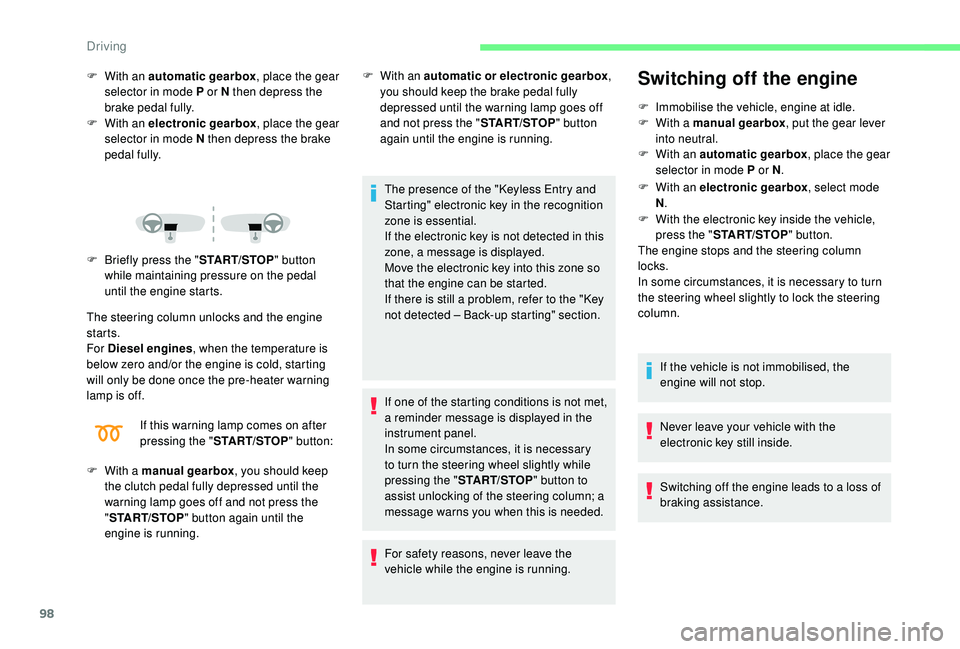
riefly press the " START/STOP" button
while maintaining pressure on the pedal
until the engine starts.
The steering column unlocks and the engine
starts.
For Diesel engines , when the temperature is
below zero and/or the engine is cold, starting
will only be done once the pre-heater warning
lamp is off.
If this warning lamp comes on after
pressing the " START/STOP " button:
F
W
ith a manual gearbox , you should keep
the clutch pedal fully depressed until the
warning lamp goes off and not press the
" START/STOP " button again until the
engine is running. F
W ith an automatic or electronic gearbox
,
you should keep the brake pedal fully
depressed until the warning lamp goes off
and not press the " START/STOP" button
again until the engine is running.
The presence of the "
K
eyless Entry and
Starting" electronic key in the recognition
zone is essential.
If the electronic key is not detected in this
zone, a message is displayed.
Move the electronic key into this zone so
that the engine can be started.
If there is still a problem, refer to the "Key
not detected – Back-up starting" section.
If one of the starting conditions is not met,
a reminder message is displayed in the
instrument panel.
In some circumstances, it is necessary
to turn the steering wheel slightly while
pressing the " START/STOP " button to
assist unlocking of the steering column; a
message warns you when this is needed.
For safety reasons, never leave the
vehicle while the engine is running.Switching off the engine
F Immobilise the vehicle, engine at idle.
F W ith a manual gearbox , put the gear lever
into neutral.
F
W
ith an automatic gearbox , place the gear
selector in mode P or N.
F
W
ith an electronic gearbox , select mode
N .
F
W
ith the electronic key inside the vehicle,
press the " START/STOP " button.
The engine stops and the steering column
locks.
In some circumstances, it is necessary to turn
the steering wheel slightly to lock the steering
column.
If the vehicle is not immobilised, the
engine will not stop.
Never leave your vehicle with the
electronic key still inside.
Switching off the engine leads to a loss of
braking assistance.
Driving
Page 106 of 256
104
Control panel
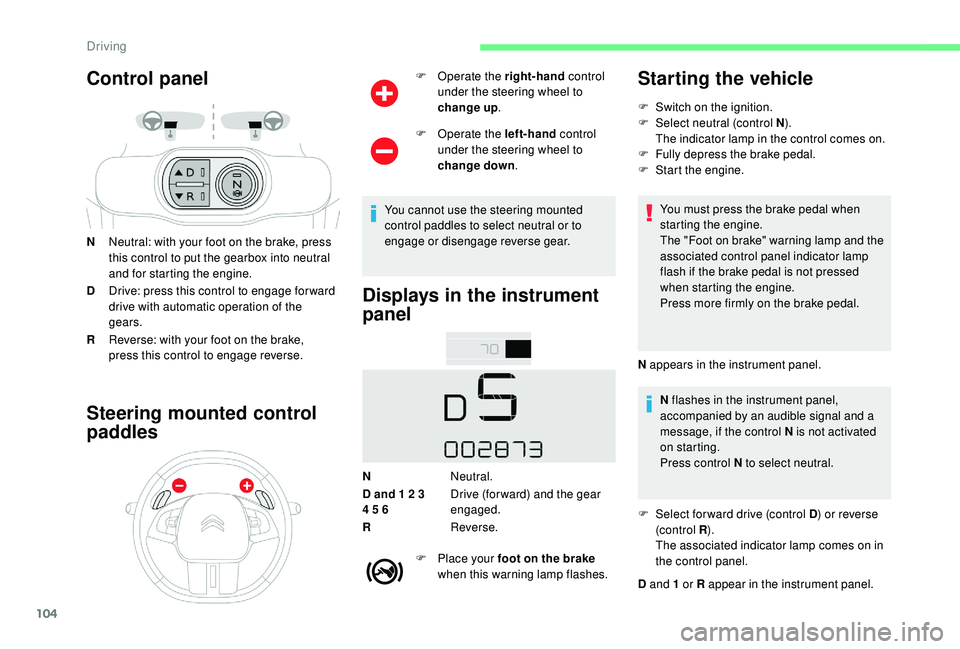
NNeutral: with your foot on the brake, press
this control to put the gearbox into neutral
and for starting the engine.
D Drive: press this control to engage for ward
drive with automatic operation of the
gears.
R Reverse: with your foot on the brake,
press this control to engage reverse.
Steering mounted control
paddles
F Operate the right-hand control
under the steering wheel to
change up .
F
O
perate the left-hand control
under the steering wheel to
change down .
You cannot use the steering mounted
control paddles to select neutral or to
engage or disengage reverse gear.
Displays in the instrument
panel
N Neutral.
D and 1 2 3
4 5 6 Drive (for ward) and the gear
engaged.
R Reverse.
F
P
lace your foot on the brake
when this warning lamp flashes.
Starting the vehicle
F Switch on the ignition.
F Sel ect neutral (control N ).
The indicator lamp in the control comes on.
F
F
ully depress the brake pedal.
F
S
tart the engine.
You must press the brake pedal when
starting the engine.
The "Foot on brake" warning lamp and the
associated control panel indicator lamp
flash if the brake pedal is not pressed
when starting the engine.
Press more firmly on the brake pedal.
N appears in the instrument panel. N flashes in the instrument panel,
accompanied by an audible signal and a
message, if the control N is not activated
on starting.
Press control N to select neutral.
F
S
elect for ward drive (control D ) or reverse
(c ontrol R ).
The associated indicator lamp comes on in
the control panel.
D and 1 or R appear in the instrument panel.
Driving
Page 115 of 256
113
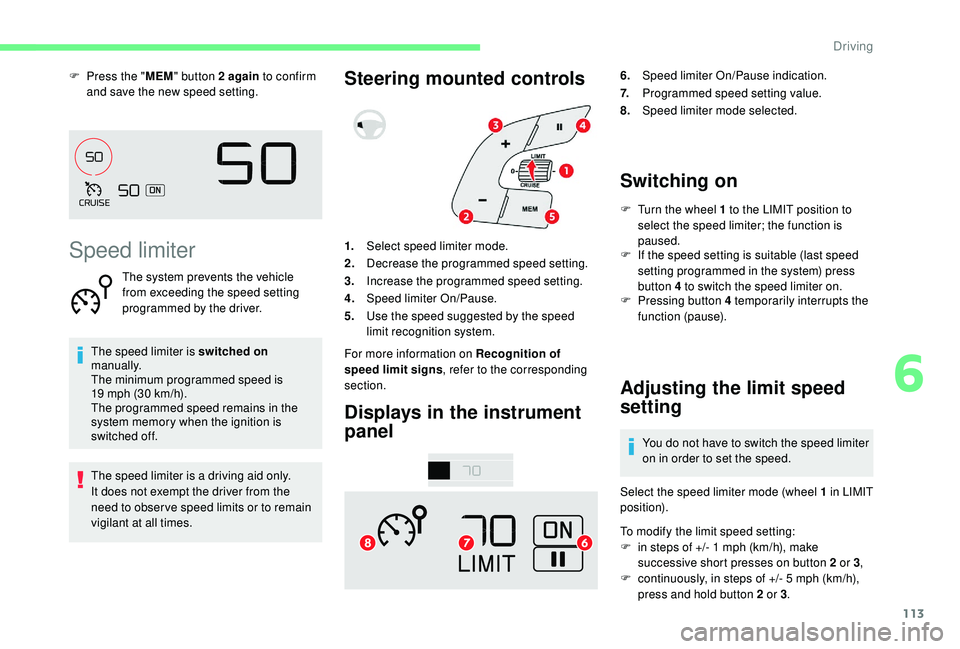
F Press the "MEM" button 2 again to confirm
and save the new speed setting.
Speed limiter
The system prevents the vehicle
from exceeding the speed setting
programmed by the driver.
The speed limiter is switched on
manually.
The minimum programmed speed is
19
mph (30 km/h).
The programmed speed remains in the
system memory when the ignition is
switched off.
The speed limiter is a driving aid only.
It does not exempt the driver from the
need to obser ve speed limits or to remain
vigilant at all times.
Steering mounted controls
Displays in the instrument
panel6. Speed limiter On/Pause indication.
7. Programmed speed setting value.
8. Speed limiter mode selected.
Switching on
F Turn the wheel 1 to the LIMIT position to
select the speed limiter; the function is
paused.
1. Select speed limiter mode.
2. Decrease the programmed speed setting.
3. Increase the programmed speed setting.
4. Speed limiter On/Pause.
5. Use the speed suggested by the speed
limit recognition system.
For more information on Recognition of
speed limit signs , refer to the corresponding
section. F
I
f the speed setting is suitable (last speed
setting programmed in the system) press
button 4 to switch the speed limiter on.
F
P
ressing button 4 temporarily interrupts the
function (pause).
Adjusting the limit speed
setting
You do not have to switch the speed limiter
on in order to set the speed.
Select the speed limiter mode (wheel 1 in LIMIT
position).
To modify the limit speed setting:
F
i
n steps of +/- 1 mph (km/h), make
successive short presses on button 2 or 3 ,
F
c
ontinuously, in steps of +/- 5 mph (km/h),
press and hold button 2 or 3 .
6
Driving
Page 117 of 256

115
The cruise control system is a driving aid
that cannot, in any circumstances, replace
the need to obser ve speed limits, nor the
need for vigilance on the part of the driver.
As a safety measure, you are advised to
keep your feet near the pedals at all times.
Steering mounted controlsDisplays in the instrument
panel
6.
Cruise control pause/resume indication.
7. Programmed speed setting value.
8. Cruise control selection indication.
Switching on
F Turn the wheel 1 to the CRUISE position to
select cruise control mode; the function is
paused.
F
T
o start the cruise control and set a cruise
speed, once the vehicle has reached the
desired speed, press button 2 or 3 : the
current speed of your vehicle becomes the
cruise speed setting.
You can release the accelerator pedal.
F
P
ressing button 4 interrupts operation of the
system (pause). F
P
ressing button 4 again restores operation
of the cruise control (ON).
Modifying the cruise speed
setting
The cruise control must be active.
As a precaution, it is recommended
that the cruise speed chosen be close
to the current speed of your vehicle, so
as to avoid any sudden acceleration or
deceleration of the vehicle.
1. Select cruise control mode.
2. Set the current speed of the vehicle as the
cruise setting or lower the cruise setting.
3. Set the current speed of the vehicle as the
cruise setting or raise the cruise setting.
4. Cruise control Pause/Resume.
5. Use the speed suggested by the speed
limit recognition system.
For more information on Recognition of
speed limit signs , refer to the corresponding
section. To modify the cruise speed setting from the
current speed of the vehicle:
F
i
n steps of +/- 1 mph (km/h), make repeated
short presses on button 2 or 3 ,
F
c
ontinuously, in increments of +/- 5 mph
(km/h), press and hold button 2 or 3 .
Take care: pressing and holding button 2
or 3
results in a rapid change in the speed
of your vehicle.
To modify the cruise speed setting using
the speed suggested by the speed limit sign
recognition system:
F
t
he speed suggested is displayed in the
instrument panel,
6
Driving
Page 121 of 256

119
If the camera has confirmed
the presence of a vehicle or a
pedestrian, this warning lamp
flashes once the function is acting
on the vehicle's brakes.
Important: if operation of the
automatic emergency braking is
triggered, you should take back
control of your vehicle and brake
with the pedal to add to or finish the
automatic braking action.
The driver can take back control of the vehicle
at any time by sharply turning the steering
wheel and/or pressing the accelerator pedal.
The point at which braking is triggered
may be adjusted depending on the driving
actions of the driver, such as movement
of the steering wheel or actions on the
accelerator pedal.
Operation of the function may be felt by
slight vibration in the brake pedal.
If the vehicle comes to a complete stop,
the automatic braking is maintained for 1
to 2 seconds. With a manual gearbox, in the event of
automatic emergency braking until the
vehicle comes to a complete stop, the
engine may stall.
With an automatic or electronic gearbox,
in the event of automatic emergency
braking until the vehicle comes to a
complete stop, keep the brake pedal
pressed down to prevent the vehicle from
starting off again.
Specific conditions for operation
The vehicle's speed must be between 3 mph
and 53 mph (5 km/h and 85 km/h) when a
moving vehicle is detected.
The vehicle's speed must not exceed 50 mph
(80 km/h) when a stopped vehicle is detected.
The vehicle's speed must not exceed 37 mph
(60 km/h) when a pedestrian is detected.
The ESC system must not be faulty.
The ASR system must not be deactivated.
All passenger seat belts must be fastened.
Sporty driving or driving on winding roads may
impede the function.
After an impact, the function automatically
stops operating. Consult a CITROËN
dealer or a qualified workshop to have the
system checked.
Deactivation/Activation
By default, the system is automatically
activated at every engine start-up. Deactivation of the system is
signalled by the illumination of this
indicator lamp, accompanied by the
display of a message.
F
I
n the Driving/Vehicle menu
of the touch screen, select the
" Vehicle settings " tab then
" Safety " and activate/deactivate
" Collision risk and auto
braking ".
The camera may be disrupted or not work
in the following situations:
-
p
oor visibility (inadequate street
lighting, falling snow, heavy rain, dense
f o g , e t c .),
-
d
azzle (headlamps of an oncoming
vehicle, low sun, reflections on a damp
road, leaving a tunnel, alternating
shade and light, etc.),
-
c
amera obstructed (mud, frost, snow,
condensation, etc.).
On versions with camera alone, this
message indicates to you that the camera
is obstructed: " Driving aids camera:
visibility limited, see user guide ".
In these situations, detection performance
may be reduced.
Using the camera, this function acts on the
vehicle's braking system.
6
Driving