2020 CHEVROLET EQUINOX Fuel level display
[x] Cancel search: Fuel level displayPage 94 of 415

Chevrolet Equinox Owner Manual (GMNA-Localizing-U.S./Canada/Mexico-
13555863) - 2020 - CRC - 8/2/19
Instruments and Controls 93
Instruments and
Controls
Controls
Steering Wheel Adjustment . . . . 94
Steering Wheel Controls . . . . . . . 94
Heated Steering Wheel . . . . . . . . 94
Horn . . . . . . . . . . . . . . . . . . . . . . . . . . . 94
Windshield Wiper/Washer . . . . . . 94
Rear Window Wiper/Washer . . . 96
Compass . . . . . . . . . . . . . . . . . . . . . . 96
Clock . . . . . . . . . . . . . . . . . . . . . . . . . . 97
Power Outlets . . . . . . . . . . . . . . . . . 97
Wireless Charging . . . . . . . . . . . . . 98
Warning Lights, Gauges, and
Indicators
Warning Lights, Gauges, andIndicators . . . . . . . . . . . . . . . . . . . 101
Instrument Cluster (Base and Midlevel) . . . . . . . . . . . . . . . . . . . . 102
Instrument Cluster (Uplevel) . . . . . . . . . . . . . . . . . . . . 106
Speedometer . . . . . . . . . . . . . . . . . 109
Odometer . . . . . . . . . . . . . . . . . . . . . 109
Trip Odometer . . . . . . . . . . . . . . . . 109
Tachometer . . . . . . . . . . . . . . . . . . . 109
Fuel Gauge . . . . . . . . . . . . . . . . . . . 110 Engine Coolant Temperature
Gauge . . . . . . . . . . . . . . . . . . . . . . . 111
Seat Belt Reminders . . . . . . . . . . 112
Airbag Readiness Light . . . . . . . 112
Passenger Airbag Status Indicator . . . . . . . . . . . . . . . . . . . . . 113
Charging System Light . . . . . . . 114
Malfunction Indicator Lamp (Check Engine Light) . . . . . . . . 114
Brake System Warning Light . . . . . . . . . . . . . . . . . . . . . . . . 116
Electric Parking Brake Light . . . . . . . . . . . . . . . . . . . . . . . . 117
Service Electric Parking Brake Light . . . . . . . . . . . . . . . . . . . . . . . . 117
Antilock Brake System (ABS) Warning Light . . . . . . . . . . . . . . . 117
Tow/Haul Mode Light . . . . . . . . . 118
Lane Keep Assist (LKA) Light . . . . . . . . . . . . . . . . . . . . . . . . 118
Vehicle Ahead Indicator . . . . . . . 118
Pedestrian Ahead Indicator . . . 119
Traction Off Light . . . . . . . . . . . . . 119
StabiliTrak OFF Light . . . . . . . . . 119
Traction Control System (TCS)/ StabiliTrak Light . . . . . . . . . . . . . 120
Wait-to-Start Light . . . . . . . . . . . . 120
Tire Pressure Light . . . . . . . . . . . 120
Engine Oil Pressure Light . . . . 121
Low Fuel Warning Light . . . . . . 121 Diesel Exhaust Fluid (DEF)
Warning Light . . . . . . . . . . . . . . . 122
Security Light . . . . . . . . . . . . . . . . . 122
High-Beam On Light . . . . . . . . . . 122
Front Fog Lamp Light . . . . . . . . . 123
Lamps On Reminder . . . . . . . . . 123
Cruise Control Light . . . . . . . . . . 123
Information Displays
Driver Information Center (DIC) (Base Level and Midlevel) . . . 123
Driver Information Center (DIC) (Uplevel) . . . . . . . . . . . . . . . . . . . . 129
Vehicle Messages
Vehicle Messages . . . . . . . . . . . . 133
Engine Power Messages . . . . . 134
Vehicle Speed Messages . . . . . 134
Vehicle Personalization
Vehicle Personalization . . . . . . . 134
Universal Remote System
Universal Remote System . . . . 140
Universal Remote SystemProgramming . . . . . . . . . . . . . . . 140
Universal Remote System Operation . . . . . . . . . . . . . . . . . . . 142
Page 109 of 415
Chevrolet Equinox Owner Manual (GMNA-Localizing-U.S./Canada/Mexico-
13555863) - 2020 - CRC - 8/2/19
108 Instruments and Controls
Uplevel Cluster Menu
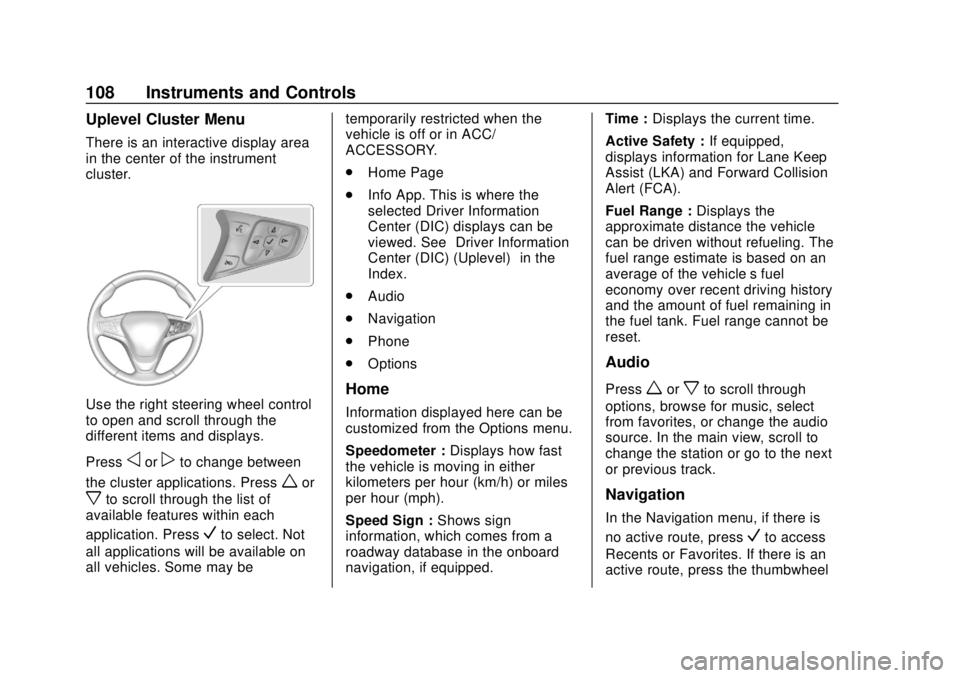
There is an interactive display area
in the center of the instrument
cluster.
Use the right steering wheel control
to open and scroll through the
different items and displays.
Press
oorpto change between
the cluster applications. Press
wor
xto scroll through the list of
available features within each
application. Press
Vto select. Not
all applications will be available on
all vehicles. Some may be temporarily restricted when the
vehicle is off or in ACC/
ACCESSORY.
.
Home Page
. Info App. This is where the
selected Driver Information
Center (DIC) displays can be
viewed. See “Driver Information
Center (DIC) (Uplevel)” in the
Index.
. Audio
. Navigation
. Phone
. Options
Home
Information displayed here can be
customized from the Options menu.
Speedometer : Displays how fast
the vehicle is moving in either
kilometers per hour (km/h) or miles
per hour (mph).
Speed Sign : Shows sign
information, which comes from a
roadway database in the onboard
navigation, if equipped. Time :
Displays the current time.
Active Safety : If equipped,
displays information for Lane Keep
Assist (LKA) and Forward Collision
Alert (FCA).
Fuel Range : Displays the
approximate distance the vehicle
can be driven without refueling. The
fuel range estimate is based on an
average of the vehicle’s fuel
economy over recent driving history
and the amount of fuel remaining in
the fuel tank. Fuel range cannot be
reset.
Audio
Pressworxto scroll through
options, browse for music, select
from favorites, or change the audio
source. In the main view, scroll to
change the station or go to the next
or previous track.
Navigation
In the Navigation menu, if there is
no active route, press
Vto access
Recents or Favorites. If there is an
active route, press the thumbwheel
Page 110 of 415

Chevrolet Equinox Owner Manual (GMNA-Localizing-U.S./Canada/Mexico-
13555863) - 2020 - CRC - 8/2/19
Instruments and Controls 109
to cancel or resume route guidance,
mute or unmute voice guidance,
or access Recents or Favorites.
Phone
In the Phone menu, if there is no
active phone call, view recent calls,
scroll through contacts, select from
the favorites, or change the phone
source. If there is an active call,
mute the phone or switch to handset
operation.
Options
Pressworxto scroll through
items in the Options menu. Press
V
to select the item. Pressoto exit
the item.
Traction and Stability : To turn the
Traction Control System (TCS) on
or off, choose Traction. To turn
StabiliTrak/Electronic Stability
Control (ESC) on or off, choose
Stability. See Traction Control/
Electronic Stability Control 0208.
Units : Choose US or Metric units.
A selected mark will be displayed
next to the selected item. Info Page Options :
Select the
items to be displayed in the Info
app. A selected mark will be
displayed next to the selected item.
Home Page Options : Select the
available elements to display. Not all
elements will be available on all
vehicles: Speedometer, Active
Safety, Speed Sign, Time, and Fuel
Range.
Speed Warning : Allows the driver
to set a speed that they do not want
to exceed. To set the Speed
Warning, press
Vwhen Speed
Warning is displayed. Use
worx
to adjust the value. PressVto set
the speed. Once the speed is set,
this feature can be turned off by
pressing the thumbwheel while
viewing this page. If the selected
speed limit is exceeded, a pop-up
warning is displayed with a chime.
Software Information : Displays
open source software information.
Speedometer
The speedometer shows the
vehicle's speed in either kilometers
per hour (km/h) or miles per
hour (mph).
Odometer
The odometer shows how far the
vehicle has been driven, in either
kilometers or miles.
Trip Odometer
The trip odometer shows how far
the vehicle has been driven since
the trip odometer was last reset.
The trip odometer is accessed and
reset through the Driver Information
Center (DIC). See Driver
Information Center (DIC) (Base
Level and Midlevel) 0123 or
Driver Information Center (DIC)
(Uplevel) 0129.
Tachometer
The tachometer displays the engine
speed in revolutions per
minute (rpm).
Page 125 of 415

Chevrolet Equinox Owner Manual (GMNA-Localizing-U.S./Canada/Mexico-
13555863) - 2020 - CRC - 8/2/19
124 Instruments and Controls
oorp:Press to move between
the interactive display zones in the
cluster.
V: Press to open a menu or select
a menu item. Press and hold to
reset values on certain screens.
Base Level DIC
Useoorpto choose the Trip,
Vehicle, or Eco menus. Use
wor
xto scroll through items in
each menu.
Trip/Fuel Menu (TRIP) Items
Speed : Displays how fast the
vehicle is moving in either
kilometers per hour (km/h) or miles
per hour (mph). The speedometer
cannot be reset.
Trip 1 or Trip 2, Average Fuel
Economy : Displays the current
distance traveled, in either
kilometers (km) or miles (mi), from
the last reset for the trip odometer.
The trip odometer can be reset to
zero by pressing and holding the
V
button while the trip odometer
display is showing. Also displays the approximate
average liters per 100 kilometers (L/
100 km) or miles per gallon (mpg).
This number is based on the
number of L/100 km (mpg) recorded
since the last time this menu item
was reset. This number reflects only
the approximate average fuel
economy that the vehicle has right
now, and will change as driving
conditions change. Reset the
average consumption by pressing
V
when it is displayed.
Fuel Range :
Displays the
approximate distance the vehicle
can be driven without refueling. The
fuel range estimate is based on an
average of the vehicle's fuel
economy over recent driving history
and the amount of fuel remaining in
the fuel tank. Fuel range cannot be
reset.
Average Vehicle Speed : Displays
the average vehicle speed of the
vehicle in kilometers per hour (km/h)
or miles per hour (mph). This
average is based on the various vehicle speeds recorded since the
last reset. Reset the average speed
by pressing
Vwhen it is displayed.
Timer : To start the timer, press
V
while Timer is displayed. The
display will show the amount of time
that has passed since the timer was
last reset, not including time the
ignition is off. Time will continue to
be counted as long as the ignition is
on, even if another display is being
shown on the DIC. The timer will
record up to 99 hours, 59 minutes,
and 59 seconds (99:59:59) after
which the display will return to zero.
To stop the timer, press
Vbriefly
while Timer is displayed. To reset
the timer to zero, press and hold
V.
Navigation : Used for the OnStar
Turn-by-Turn guidance.
Blank Display : Displays no
information.
Page 126 of 415

Chevrolet Equinox Owner Manual (GMNA-Localizing-U.S./Canada/Mexico-
13555863) - 2020 - CRC - 8/2/19
Instruments and Controls 125
Vehicle Information Menu
(VEHICLE) Items
Units :Choose between Metric or
US when Units is active. Press
Vto
confirm the setting. This will change
the displays on the DIC to the type
of measurements you select.
Speed Warning : This display is
used to set the vehicle speed at
which the speed warning chime
sounds and the alert is displayed.
The speed can be set by pressing
Vwhile the speed warning display
is showing.
Remaining Oil Life : Displays an
estimate of the oil's remaining useful
life. If REMAINING OIL LIFE 99% is
displayed, that means 99% of the
current oil life remains.
When the remaining oil life is low,
the CHANGE ENGINE OIL SOON
message will appear on the display.
The oil should be changed as soon
as possible. See Engine Oil0275.
In addition to the engine oil life
system monitoring the oil life,
additional maintenance is recommended in the Maintenance
Schedule in this manual. See
Maintenance Schedule
0360.
The Oil Life display must be reset
after each oil change. Do not reset
the Oil Life display accidentally at
any time other than when the oil has
just been changed. It cannot be
reset accurately until the next oil
change. To reset the engine oil life
system, see Engine Oil Life System
0 279.
Oil Pressure : Oil pressure is
displayed in either kilopascal (kPa)
or in pounds per square inch (psi).
Fuel Filter Life (Diesel Engine
Only) : This display shows an
estimate of the fuel filter's remaining
useful life. If 90% Fuel Filter Life
Remaining is displayed, it means
90% of the current fuel filter life
remains. The fuel filter life system
will alert when to change the fuel
filter on a schedule consistent with
your driving conditions. When the
remaining fuel filter life is low, the
CHANGE FUEL FILTER message
will appear on the display. Change
the fuel filter as soon as possible. Diesel Exhaust Fluid (DEF) Level
(Diesel Engine Only) :
The DEF
level will be displayed as either OK,
XX%, or LOW. When LOW appears
on the display, add DEF as soon as
possible. See Diesel Exhaust Fluid
0 195.
Tire Pressure : Displays a vehicle
with the approximate pressures of
all four tires. Tire pressure is
displayed in either kilopascal (kPa)
or in pounds per square inch (psi).
See Tire Pressure Monitor System
0 315 and
Tire Pressure Monitor Operation
0 316.
Battery Voltage : Displays the
current battery voltage, if equipped.
Battery voltage changes are normal
while driving. See Charging System
Light 0114. If there is a problem
with the battery charging system,
the DIC will display a message.
Coolant Temperature : Displays
the coolant temperature in degrees
Celsius (°C) or degrees Fahrenheit
(°F).
Page 127 of 415

Chevrolet Equinox Owner Manual (GMNA-Localizing-U.S./Canada/Mexico-
13555863) - 2020 - CRC - 8/2/19
126 Instruments and Controls
TC/Stabilitrak :If equipped, press
Vto turn on or off Traction Control
or Stabilitrak/Electronic Stability
Control (ESC).
ECO Drive Assist Menu (ECO)
Items
Fuel Economy : The center
displays the approximate
instantaneous fuel economy as a
number and bar graph. Displayed
above the bar graph is a running
average of fuel economy for the
most recently traveled selected
distance. Displayed below the bar
graph is the best average fuel
economy that has been achieved for
the selected distance. The selected
distance is displayed at the top of
the page as “last xxx mi/km.” Press
Vto select the distance or reset
best value.
The display provides information on
how current driving behavior affects
the running average and how well
recent driving compares to the best
that has been achieved for the
selected distance. Economy Trend :
Shows history of
the Average Fuel Economy from the
last 50 km (30 mi). Each bar
represents about 5 km (3 mi) of
driving. During driving the bars will
shift to always reflect the most
recent distance on the right side.
Press and hold
Vto clear the graph
or press
Vto reset through
the menu.
Midlevel DIC
Info Page Options
The info pages on the DIC can be
turned on or off through the
Options menu.
1. Press
oto access the cluster
applications.
2. Press
worxto scroll to the
Options application.
3. Press
Vto enter the
Options menu.
4. Scroll to Info Pages and press
p. 5. Press
worxto move
through the list of possible
information displays.
6. Press
Vwhile an item is
highlighted to select or
deselect that item. When an
item is selected, a checkmark
will appear next to it.
Info Pages
The following is the list of all
possible DIC info page displays.
Some may not be available for your
particular vehicle. Some items may
not be turned on by default but can
be turned on through the Options
app. See “Info Page Options”
earlier in this section.
Speed : Shows the vehicle speed in
either kilometers per hour (km/h) or
miles per hour (mph).
Trip A or Trip B : Shows the
current distance traveled, in either
kilometers (km) or miles (mi), since
the trip odometer was last reset.
This also shows the approximate
average liters per 100 kilometers (L/
100 km) or miles per gallon (mpg).
Page 195 of 415
Chevrolet Equinox Owner Manual (GMNA-Localizing-U.S./Canada/Mexico-
13555863) - 2020 - CRC - 8/2/19
194 Driving and Operating
.The shift lever is in P (Park).
. The fuel tank is at least
one-eighth full.
. All fluids are at the proper level.
. No diagnostic trouble codes
have been set, and the
malfunction indicator lamp is
not on.
. The engine coolant temperature
is above 71 °C (160 °F).
After making sure all safety
conditions have been met, press the
trip odometer reset stem or
thumbwheel on the steering wheel
for at least one second to select
Start on the infotainment display.
Follow the instructions in the DIC
messages. Touch ACCEPT to
acknowledge that all of these safety
conditions have been met and to
activate regeneration.
If the infotainment display returns to
the previous screen, then one or
more of the necessary safety
conditions has not been met. If you
cannot determine which condition has not been met, see
www.gmupfitter.com to contact the
GM Upfitter Integration Group.
Continue to follow the instructions in
the DIC messages. Hold the
exhaust brake switch on the center
stack below the climate controls for
more than three seconds, and then
release it, to begin the regeneration
process.
If the EXHAUST BRAKE ON
message displays, then the switch
was released too soon. Press it
again to turn off the exhaust brake,
then try again when the DIC
message prompts.
When manual regeneration begins,
the engine speed increases, the
engine cooling fan sound increases,
and a DIC message indicates that
cleaning is in progress.
A DIC message will display when
cleaning is complete. Cleaning
could take up to 30 minutes. Upon
completion, the engine will return to
normal idle, but exhaust
components will remain hot for
several minutes. Do not move thevehicle until the exhaust has had
time to cool. Manual regeneration
can be canceled at any time by
pressing the brake pedal or by
turning the engine off. Unusual
noises may be heard if regeneration
is interrupted.
Page 197 of 415
Chevrolet Equinox Owner Manual (GMNA-Localizing-U.S./Canada/Mexico-
13555863) - 2020 - CRC - 8/2/19
196 Driving and Operating
Caution
Do not mix fuel with DEF, and do
not put DEF in the fuel tank. This
could lead to costly repairs that
might not be covered by the
vehicle warranty.
It is recommended to fill the DEF
tank on level ground and when the
vehicle is not running. When adding
fluid, it is recommended to fill the
DEF tank.
Caution
Do not overfill the DEF tank and
do not allow DEF to contact the
finished surfaces of the vehicle,
as it could damage the vehicle
finish. If DEF is spilled during
filling, wipe any affected surface
with a damp cloth.
Do not top off the DEF tank. If using
a bottle or jug to refill DEF, follow
the instructions on the container
label and use a dedicated fill aid. In certain cold conditions, it is
possible to find some frozen DEF in
the DEF fill pipe opening. If this
condition prevents the filling of a
DEF tank, place the vehicle in a
warm garage overnight.
For information on how to fill the
DEF tank, see
Filling the Tank
(Gasoline) 0250 or
Filling the Tank (Diesel) 0251.
Exhaust Fluid Low
A full DEF tank will last for several
thousand kilometers (miles),
depending on vehicle usage. As the
exhaust fluid level drops, warnings
will automatically be displayed in the
DIC. Exhaust fluid level status is
available in the DIC. See “Diesel
Exhaust Fluid (DEF) Level (Diesel
Engine Only)” inDriver Information
Center (DIC) (Base Level and
Midlevel) 0123 or
Driver Information Center (DIC)
(Uplevel) 0129.
To avoid vehicle speed limitations,
the DEF tank should be refilled at
the first opportunity after a low
warning indication. If DEF is added before the EXHAUST FLUID
EMPTY REFILL NOW message
appears, it may take several km/mi
for the DIC message to update.
If the vehicle speed has been
limited and DEF has been added, it
may take up to 30 seconds after
engine start with the vehicle
stopped for the EXHAUST FLUID
EMPTY REFILL NOW message to
clear. If the vehicle is driven prior to
the DIC message clearing, the
vehicle speed will still be limited.
If the DIC message clears while
driving, the speed limitation will be
removed gradually.
If DEF is added under freezing
conditions, additional time may be
required to remove speed limitations
and it may require less fluid to fill
the DEF tank.
The DIC message EXHAUST
FLUID RANGE: XXXX km (mi)
displays at approximately 1 600 km
(1,000 mi) of fluid range remaining.
This message appears again at
approximately 500 km (300 mi) of
remaining range before the exhaust
fluid tank becomes empty.