2020 AUDI E-TRON night vision
[x] Cancel search: night visionPage 5 of 316
4KE012721BE
Table of contents
High-voltage system............. 107
Generalinformation................. 107
Charging the high-voltage battery...... 108
Charging equipment................. 115
Trailer ROwilne is «i wows «seas gs eeees 124
Driving witha trailer................. 124
Assist systems................... 127:
ASSIST SYSTCINIS§ 65 6 i onws 5 can so oe iZ7
General information................. 127
Surrounding area detection............ 128
Switching the systems on and off....... 130
Driving information.............. 132
Speed warning system..............-- 132
Camera-based traffic sign recognition... 132
Traffic light information.............. 134
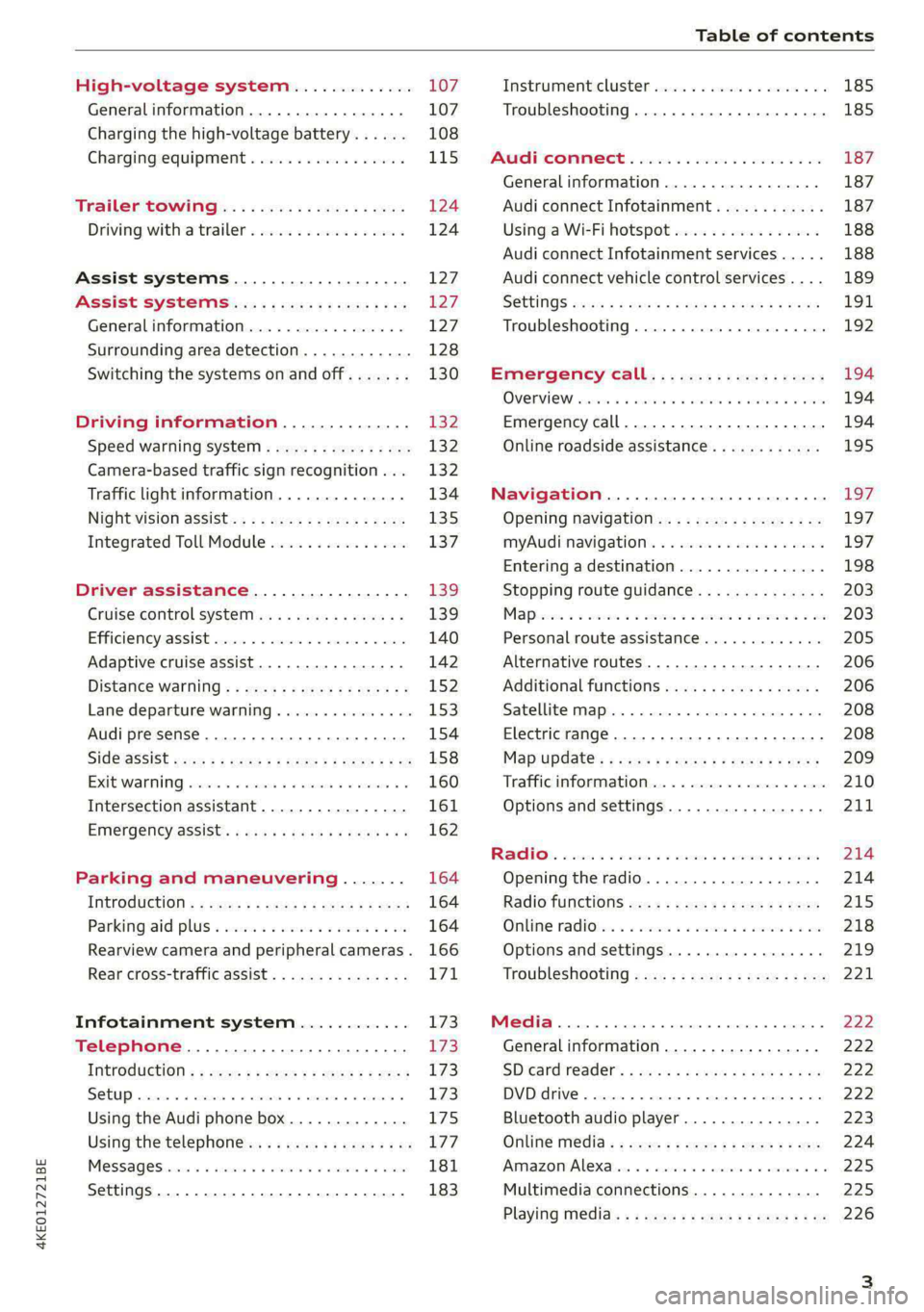
Nightivision aSSiSti=x = «wm : » ase y s eon 135
Integrated Toll Module............... 137
Driver assistance................. 139
Cruise control system............00-5 139
Efficiency assist.............02.-000. 140
Adaptive cruise assist................ 142
Distance warning ..............00005. 152,
Lane departure warning............... 153
Audi presense...........0 cece eee 154
Sid@vassist sews: = s sexs = 2 sews & e Ae & ne 158
EXIE Warning sire x 6 cera oo were @ @ eee os 160
Intersection assistant................ 161
Emergency assist... ....:seeceeeevees 162
Parking and maneuvering....... 164
ThitrOdUCtiON « s sees ¢ = sees 5 ¢ sere ge ees 164
Parking‘aid plus « sissies avis oe aretes so aoe 164
Rearview camera and peripheral cameras. 166
Rear cross-traffic assist............... 171
Infotainment system............ L73
Telephone....................005- 173
INtROGUCtION « 2 sees » y sees 9 2 gees s 5 aes 173
SOLUP scsvine a 6 sssnase 2 0 soeaam + 6 oewoan © 6 coesern < 173
Using the Audi phone box............. 175
Using the telephone..............0005 177
MOSSAQCSiecies «i ssnsis 6 v suite + 0 oxime + 8 aie 181
Settings............0 0.0 ..0..00000. 183
Instrument cluster..............2.--- 185
Troubleshooting.................00 ee 185
AUP CONNECE « 6:65. 6 ev ee ews se os 187
General information................. 187
Audi connect Infotainment............ 187
Using a Wi-Fi hotspot................ 188
Audi connect Infotainment services..... 188
Audi connect vehicle control services.... 189
SGttiNGS mows ¢ » news © eww ¢ wor a 6 ateneg 191
Troubleshooting............... eee eee 192
Emergency call................... 194
OVERVIEW sscor xe creer wu eueiane & x cman © & ares 194
Emergency call..............-.000005 194
Online roadside assistance............ 195
Navigation....................000. Lg?
Opening navigation.................. 197
myAudi navigation...............0005 197
Entering a destination................ 198
Stopping route guidance.............. 203
Mapes 2 o socases 2 3 omer o 3 omrnom wo eau @ 3 vee 203
Personal route assistance............. 205
Alternative routes.............2.-04. 206
Additional functions...............-. 206
Satellite map........... 0.0.0.2 eee 208
Electric range... . 6... cece eee eee 208
Map‘update: « sees ys agus ye ees vo ees 209
Traffic information.................00- 210
Options and settings................- 211
RaACHON. seve. = soso we wien 4 weanene oe weaves 214
Opening the radio................... 214
Radio functions wc s 2 ees © s seen os reese 215
Onllime tadiOven « 2 senses av sewsece ov somes a im 218
Options and settings...............0. 219
TROUDIESHOOtING san ¢ x xoam « + some & 2 eo 221
Media............... 0. cece eee 222
General information................. 222
SDicard reader's + wees + 2 wows se wees s Gos 222
DVD drive...... 0... eee eee eee 222
Bluetooth audio player............... 223
Online Média « ¢ ese. ye cee ge eee ee eae 224
Amazon Alexa... ..... cee eee eee ee eee 225
Multimedia connections.............. 225
Playing media..............00--0000- 226
Page 10 of 316

Quick access
Air suspension
=> page 102
Electrical system
=> page 244
Cooling system
=> page 242
Hood
=> page 241
Charging system
=>page 115
Loose wheel warning
=> page 263
Night vision assist
=> page 136
Night vision assist
=>page 136
Distance warning
=> page 152
Steering intervention request
=> page 146
Safe start monitor
=> page 150,
Driver intervention request
=> page 150
Lane departure warning
=> page 153
Lane departure warning
= page 153
Audi pre sense
=> page 155,
Intersection assist
=> page 162
Yellow indicator lights
Central indicator light
=> page 7
Safety systems
=> page 65
Transmission
=> page 92
Drive system
=> page 94
Cooling system
=> page 242
Drive system
=> page 94
Vehicle sound
=> page 94
Motor start system
=> page 89
Keys
=> page 89
Electromechanical parking brake
=> page 98
Brake system
=> page 96
Electronic Stabilization Control
(ESC)
=> page 104
Electronic Stabilization Control
(ESC)
=> page 104
Electronic Stabilization Control
(ESC)
=>page 105
Anti-lock braking system (ABS)
=> page 106
Anti-lock braking system (ABS)
=> page 106
Steering
=> page 103
Steering lock
=> page 103
All wheel drive
=> page 104
Suspension control
= page 102
Air suspension
=> page 102
Electrical system
=> page 244
Washer fluid level
=> page 246
Windshield wipers
=> page 53
High-voltage battery range
>page 115
Page 11 of 316
4KE012721BE
Quick access
Parking aid
=> page 166
Tire pressure
=> page 265
Tire pressure
=>page 265
Loose wheel warning
=> page 263
Bulb failure indicator
=>page 47
Adaptive light
> page 47
Light/rain sensor
=> page 47, > page 53
Door lock
=> page 31
Battery in vehicle key
> page 35
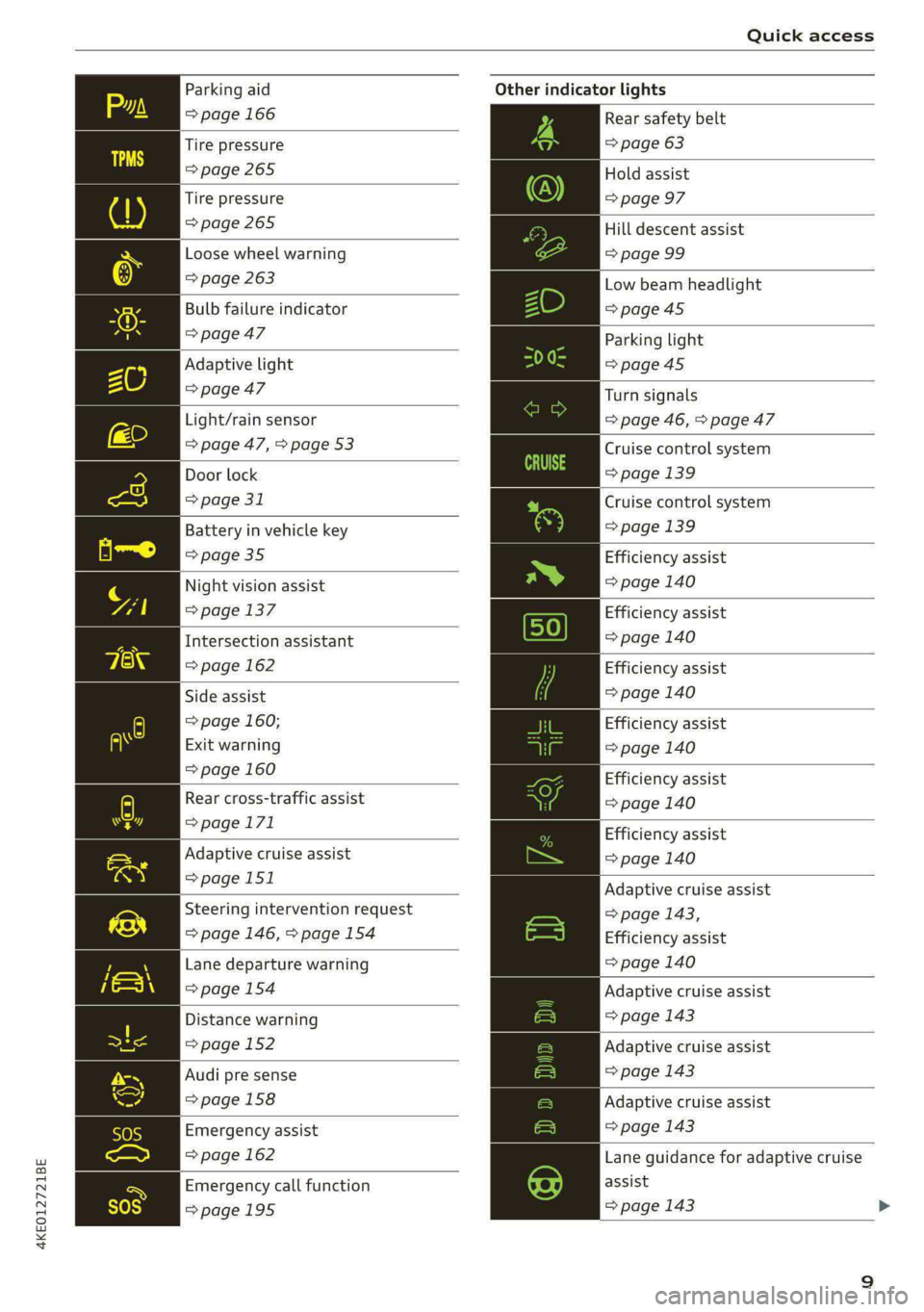
Night vision assist
=> page 137
Intersection assistant
=> page 162
Side assist
=> page 160;
Exit warning
=> page 160
Rear cross-traffic assist
=>page 171
Adaptive cruise assist
=>page 151
Steering intervention request
=> page 146, >page 154
Lane departure warning
=>page 154
Distance warning
=> page 152
Audi pre sense
=>page 158
Emergency assist
=> page 162
Emergency call function
=>page 195
Other indicator lights
Rear safety belt
=> page 63
Hold assist
=> page 97
Hill descent assist
=> page 99
Low beam headlight
=>page 45
Parking light
=>page 45
Turn signals
=> page 46, > page 47
Cruise control system
=> page 139
Cruise control system
=>page
139
Efficiency assist
=> page 140
Efficiency assist
=> page 140
Efficiency assist
=> page 140
Efficiency assist
=> page 140
Efficiency assist
= page 140
Efficiency assist
=> page 140
Adaptive cruise assist
=> page 143,
Efficiency assist
=> page 140
Adaptive cruise assist
=> page 143
Adaptive cruise assist
=> page 143
Adaptive cruise assist
=> page 143
Lane guidance for adaptive cruise
assist
=> page 143
Page 12 of 316

Quick access
Lane departure warning
=> page 153
High beams
=> page 46
High beam assistant
=> page 46
Rear safety belt
=> page 63
Convenience key
=> page 89
Electromechanical parking brake
=> page 98
Electromechanical parking brake
=> page 98
Hold assist
=> page 98
Hill descent assist
=> page 99
Air suspension
=> page 102
Charging system
=>page 115
High-voltage battery range
>page 115
Parking aid
=> page 166
High beam assistant
=> page 46
Door lock
> page 31
Child safety lock
=> page 39
Speed warning system
=> page 132
Speed warning system
> page 132
Camera-based traffic sign recog-
nition
=> page 133
10
Night vision assist
=> page 137
Cruise control system
=>page 139
Cruise control system
=> page 139
Intersection assistant
=> page 162
Side assist
=> page 160
Distance warning
=> page 152
Rear cross-traffic assist
=>page 171
Adaptive cruise assist
=page 151,
Efficiency assist
=> page 147
Adaptive cruise assist
=> page 148
Lane guidance for adaptive cruise
assist
= page 143
Lane departure warning
=> page 153
Lane departure warning
=>page 154
Audi pre sense
=>page 158
Emergency assist
=> page 162
Page 14 of 316

Instrument cluster
Requirement: the driver's door must have been Returning to functions at higher levels
opened and the ignition must not be switched > Press the + button ©).
on.
Opening and closing the men
> Confirm the displayed profile @), or pening ing 4
> To load another profile, select and confirm > Press the [I button ©).
Switch profile 2).
Selecti d firmi functi
> Select and confirm the desired profile. The ehecting ane’ confirming a function
user-specific settings will load. Requirement: a menu or list must be displayed.
PTo.canceL the seat,.mirtor,.and steeting-colllmin > To select a function, turn the left thumbwheel
adjustment, select Cancel. @ to the desired function.
> To confirm a selection, press the left thumb-
@ Tips wheel @.
For more information and usage options for
personal profiles, see > page 27. Switching the view
> Press the VIEW button @).
Operating The following tabs may be available, depending
on vehicle equipment:
First tab Vehicle functions > page 14
Second tab | Driver messages (this is only dis-
3:50 played if at least one indicator
light/message is being displayed)
2/17/2019
Third tab Night vision assist (this is only dis-
played if the night vision assist
Fig. 4 Instrument cluster: driver information system has been activated) > page 135
Fourth tab | Radio > page 214
Media > page 226
Fifth tab Telephone > page 185
Sixth tab Navigation > page 197
RAH-9206|
Adjusting the display
rm] S| 3|
I?) IN| Iz fac
Fig. 5 Left side of multifunction steering wheel
Information is organized within various tabs (@)
in the instrument cluster. The tab contents are
displayed in the central area (2).
Requirement: the ignition must be switched on. Fig. 6 Upper display: adjusting the display
Selecting a tab Switching the view
> Press the button @) repeatedly until the > Press the VIEW button to switch between the
desired tab is selected. default view @ and the enhanced view (2).
12
Page 53 of 316

4KE012721BE
Lights and Vision
Vanity mirror
The mirror light switches on when the cover over
the vanity mirror @) opens.
Applies to: vehicles with sunshade
Fig. 42 Rear door: sunshade
Rear door sunshade
> Pull the sunshade out and attach it to the re-
tainer on the upper door frame.
Windshield wipers
Switching the windshield wipers on
RAZ-0252,
RAZ-0253,
Fig. 44 Lever: rear window wiper
> Move the windshield wiper lever \7 to the co
responding position:
© Windshield wipers off
@ Rain sensor/intermittent mode. The wind-
shield wipers switch on once the vehicle speed
exceeds approximately 2 mph (4 km/h) and it i
r-
iS
raining. The higher the sensitivity of the rain sen-
sor that is set (switch © to the right), the earlier
the windshield wipers react to moisture on the
windshield. You can deactivate the rain sensor
mode, which switches the interval mode on. In
intermittent mode, you can adjust the interval
time using the switch ©.
> Applies to: MMI: Select on the home screen:
VEHICLE > Light & Visibility > Rain sensor.
@ Slow wiping
@ Fast wiping
@ Single wipe. If you hold the lever in this posi-
tion longer, the wipers switch from slow wiping
to fast wiping.
© Clean the windshield §. The number of wipes
and afterwipes depends on how long the lever
held in position ©).
is
The wipers wipe one time after several seconds of
driving to remove water droplets. You can swit
this function off by moving the lever to positio
ch
n
© within ten seconds of the afterwipe. The after-
wipe function is reactivated the next time you
switch the ignition on.
If you hold the lever in position ©) for longer
than half a second, the edge wiping feature wi ul
be activated. This moves the windshield wipers
closer to the edge of the windshield and per-
forms an afterwipe to clean the residue that re-
sults from the wiping process from the edge of
the windshield. The function is available when
driving at speeds up to 75 mph (120 km/h).
Clean the headlights*. The headlight washer sys-
tem* operates only when the low beam head-
lights are on. If you move the lever to position
©, the headlights and the night vision assist
camera* are cleaned at intervals.
51
Page 131 of 316

4KE012721BE
Assist systems
surroundings directly and do not become dis-
tracted.
() Note
— Obstacles may disappear from the measure-
ment range when approaching them, even if
they were already detected.
—Insome situations, the ability of the sen-
sors and cameras to detect and display cer-
tain objects may be limited.
— Objects located above the coverage area,
such as bumpers on parked cars, garage
doors that are partially open, or objects
that are hanging
— Low obstacles
— Narrow objects, such as barrier chains, fo-
liage, poles, or fences
— Projecting objects, such as trailer draw
bars
— Objects with certain surfaces and struc-
tures,
such as fabric
G@) Tips
— The sensors and cameras and the areas
around them must not be obstructed be-
cause this can impair the function of the
systems that depend on them. Make sure
that the sensors and cameras are free of
snow, ice, and other deposits. Do not use
any accessories, stickers, or other objects
that extend into the range of the sensors
and cameras.
— On vehicles that have factory-installed li-
cense plate brackets on the front of the ve-
hicle, the brackets may only be replaced
with ones that are the same size and made
of the same material. Do not install any li-
cense plate brackets on the front of vehicles
that do not have factory-installed brackets.
Otherwise, the function of the system could
be impaired.
— The function of the sensors and cameras
may be limited when light and visibility con-
ditions are poor, for example when driving
into
a tunnel, when there is glare, or when
there are reflective objects.
— External ultrasonic sensors, such as those in
other vehicles, can interfere with the sen-
sors.
— The coverage areas of the sensors > fig. 94
and cameras > fig. 95 are diagrams and do
not represent a true-to-scale image of the
sensor ranges.
— For an explanation on conformity with the
FCC regulations in the United States and the
Industry Canada regulations, see
=> page 295.
RAZ-0932
[RAZ-0933
Fig. 97 Rear area: sensors and cameras
Front area
Depending on the vehicle equipment, the follow-
ing sensors and cameras may be installed:
— Laser scanner in the front of the bumper. > AV
— Camera behind the windshield
— Peripheral cameras on the exterior mirrors
— Front peripheral camera in the radiator grille
— Night vision camera in the radiator grille
— Front and side ultrasonic sensors
— Radar sensors at the front corners of the vehi-
cle
— Radar sensor in the front in the radiator grille
12 9
>
Page 137 of 316

4KE012721BE
Driving information
— The traffic signs on the road always take pri-
ority over the display. The driver is always
responsible for adhering to the regulations
applicable in the country where the vehicle
is being operated.
— Units of measurement and language set-
tings are displayed based on how they were
set in the MMI system settings > page 236.
Applies to: vehicles with traffic light information
Switching traffic light information on and
off
The system can be switched on and off in the
MMI 2 page 130.
Accessing traffic light information
> Select in the instrument cluster: vehicle func-
tions tab > Traffic signs.
G@) Tips
If another tab or another function is selected
in the instrument cluster, the traffic light in-
formation will appear in the status bar on the
instrument cluster.
Messages
Applies to: vehicles with traffic light information
Malfunction! See owner's manual
The system could not be configured, for example
due to a network malfunction. Switch the igni-
tion off and shut down the vehicle to restart the
system. Wait several minutes until the vehicle
has shut down completely and then switch the
ignition back on.
Function currently unavailable. See owner's
manual
There is a temporary system malfunction. Check
if one or more of the following situations applies
and correct the issue if necessary:
— Traffic light information is switched off
— Data transmission is deactivated
— The vehicle is not equipped with traffic sign rec-
ognition.
— There is no valid license
— Traffic light information is not available in that
area
Night vision assist
Applies to: vehicles with night vision assist
Night vision assist helps you when it is dark by
using an infrared camera to monitor the area in
front of your vehicle, within the limits of the sys-
tem. It can display objects up to a distance of ap-
proximately 1000 feet (300 m).
Pedestrian and wild animals are detected by
measuring the temperature difference between
the object and the background. Pedestrians and
wild animals will not be detected if the tempera-
ture difference is too small. The pedestrian and
wild animal marking feature is deactivated at
temperatures above approximately 77 °F (25 °C)
and when it is light outside.
The thermal image detected by the camera is dis-
played in the instrument cluster. Warm areas
generally appear lighter and cold areas appear
darker.
The camera for the night vision assist is located
in the vehicle's radiator grille > page 129. Make
sure the night vision camera is not covered by
stickers, deposits, or any other obstructions be-
cause this can impair the night vision assist func-
tion. Follow the information about cleaning
=> page 268.
ZA WARNING
— Observe the safety precautions and note the
limits of the assist systems, sensors, and
cameras > page 127.
— Night vision assist can only detect pedes-
trians and wild animals located within the
range of the infrared camera.
— Night vision assist cannot detect pedes-
trians or wild animals and mark them if:
— They are not in an upright position, for ex-
ample if they are sitting or lying down
and/or >
135