Page 493 of 657

492
Driving
Braking
Brake System
Use the parking brake to keep the vehicle stationary when parked. When the
parking brake is applied, you can ma nually or automatically release it.
■To apply
The electric parking brake can be applied any
time the vehicle has battery, no matter which
position the power mode is in.
Press the electric parking brake switch gently
and securely. u The indicator in the switch comes on.
u The Parking Brake and Brake System
indicator (red) comes on.
■Parking Brake1Brake System
When you depress the brak e pedal, you may hear a
whirring sound coming from the engine
compartment while the brake system activates. This is
normal.
1 Parking Brake
You may hear the electric parking brake system
motor operating from the re ar wheel area when you
apply or release the parking brake. This is normal.
The brake pedal may slightly move due to the electric
parking brake system opera tion when you apply or
release the parking br ake. This is normal.
You cannot apply or release the parking brake if the
battery goes dead.
2 Jump Starting P. 610
If you press and hold the electric parking brake
switch while driving, the brakes on all four
wheels are applied by the VSA ® system until the
vehicle comes to a stop. The electric parking
brake then applies, and the switch should be
released.Electric Parking
Brake Switch
20 ACURA RDX-31TJB6111.book 492 ページ 2020年2月11日 火曜日 午後2時6分
Page 494 of 657

Continued493
uuBraking uBrake System
Driving
■Automatic parking br ake feature operation
If the automatic parking brake feature has been activated:
• The parking brake is applied automatically when you set the power mode to
VEHICLE OFF.
• To confirm that the parking brake is applied, check if the Parking Brake and Brake
System indicator (red) is on.
2 Activating and deactivating the automatic parking brake feature P. 495
■To release
The power mode must be in ON in order to
release the electric parking brake.
1. Depress the brake pedal.
2. Pull the electric parking brake switch up
gently and securely.
u The indicator in the switch goes off.
u The Parking Brake and Brake System
indicator (red) goes off.
Manually releasing the parking brake using
the switch helps your vehicle start slowly and
smoothly when facing down hill on steep hills.
1 Parking Brake
In the following situations, the parking brake
automatically operates.
•When the vehicle stops more than 10 minutes
while ACC with Low Speed Follow is activated.
•When the driver’s seat belt is unfastened while
your vehicle is stopped au tomatically by ACC with
Low Speed Follow.
•When the engine is turned off, except by Auto Idle
Stop system, while ACC with Low Speed Follow is
activated.
•When the vehicle stops with the automatic brake
hold system activated for more than 10 minutes.
•When the driver’s seat belt is unfastened while
your vehicle is stopped a nd automatic brake hold is
applied.
•When the engine is turned off, except by Auto Idle
Stop system, while automatic brake hold system is
applied.
•When there is a problem with the automatic brake
hold system while Automatic Brake Hold is applied.
Electric Parking
Brake Switch
20 ACURA RDX-31TJB6111.book 493 ページ 2020年2月11日 火曜日 午後2時6分
Page 496 of 657

Continued495
uuBraking uBrake System
Driving
■Activating and deactivating the automatic parking brake feature
With the power mode is in ON, carry out th e following steps to either activate or
deactivate the automatic parking brake feature.
1. Put the transmission into
(P.
2. Without depressing the brake pedal, pres s and release the parking brake switch.
u Check that the Parking Brake and Brake System indicator (red) has come on.
3. Press and hold the parking brake switch. Wh en you hear a beeping sound, release
the switch and within 3 seconds pull up and hold the switch again.
4. When you hear a sound indicating that the procedure is completed, release the
switch.
u Two beeps indicates that the feature has been activated.
u One beep indicates that the feature has been deactivated.
u When you have completed activating the feature, the parking brake will
remain applied after you turn off the engine.
u To confirm that the park ing brake is applied, check if the Parking Brake and
Brake System indicator (red) is on.
If you need to temporarily deactivate th e feature for when putting your vehicle
through a conveyor type car wash, you can follow the procedure explained below.
1. Depress the brake pedal and bring the vehicle to a stop.
2. Set the power mode to VEHICLE OFF and then within 2 seconds pull up the
parking brake switch.
u Activation and deactivation settings for the feature will not be affected.
u Before temporarily deactivating the feat ure, make sure to first turn off both
ACC with Low Speed Follow and the automatic brake hold system.
u To confirm that the park ing brake is applied, check if the Parking Brake and
Brake System indicator (red) is on.
1 Parking Brake
In cold climates, the parking brake may freeze in
place if applied.
When parking the vehicle, chock the wheels and
make sure the automatic parking brake feature is
deactivated.
Also, when putting your vehicle through a conveyor-
type car wash or when ha ving your vehicle towed,
deactivate the automatic parking brake feature and
leave the parking brake released.
20 ACURA RDX-31TJB6111.book 495 ページ 2020年2月11日 火曜日 午後2時6分
Page 504 of 657

503
uuParking Your Vehicle uParking Sensor System*
Continued
Driving
Parking Sensor System*
The corner and center sensors monitor obstacles around your vehicle, and the
beeper and audio/information screen le t you know the approximate distance
between your vehicle and the obstacle.
■The sensor location and range
1 Parking Sensor System*
Even when the system is on, always confirm if there is
no obstacle near your ve hicle before parking.
The system may not work properly when:
•The sensors are covered with snow, ice, mud or
dirt.
•The vehicle is on uneven su rface, such as grass,
bumps, or a hill.
•The vehicle has been out in hot or cold weather.•The system is affected by devices that emit
ultrasonic waves.
•Driving in bad weather.
The system may not sense:
•Thin or low objects.•Sonic-absorptive materials, such as snow, cotton,
or sponge.
•Objects directly under the bumper.
Do not put any accessories on or around the sensors.Forward
Front: 24 in (60 cm) or less
Rear: 28 in (70 cm) or less
Front Corner Sensors
Rear Corner Sensors
Rear Center Sensors
Forward
Front: 30 in (75 cm) or less
Rear: 43 in (110 cm) or lessFront Center Sensors
Backward
Front: 26 in (65 cm) or less
Rear: 30 in (75 cm) or less Backward
Front: 32 in (80 cm) or less
Rear: 45 in (115 cm) or less
* Not available on all models
20 ACURA RDX-31TJB6111.book 503 ページ 2020年2月11日 火曜日 午後2時6分
Page 505 of 657
504
uuParking Your Vehicle uParking Sensor System*
Driving
■Parking sensor system on and off
With the power mode in ON, press the
parking sensor system button to turn on or off
the system. The indicator in the button comes
on when the system is on.
The front center and front corner sensors start
to detect an obstacle when the transmission is
in any position other than
(Por (R, and the
vehicle speed is less than 5 mph (8 km/h).
The front corner, rear center and rear corner
sensors start to detect an obstacle when the
transmission is in
(R, and the vehicle speed is
less than 5 mph (8 km/h).
20 ACURA RDX-31TJB6111.book 504 ページ 2020年2月11日 火曜日 午後2時6分
Page 506 of 657

505
uuParking Your Vehicle uParking Sensor System*
Continued
Driving
■When the distance between your ve hicle and obstacles becomes shorter
*1: At this stage, only the center sensors detect obstacles.
Direction
Length of the intermittent beepDistance between the Bumper and Obstacle
IndicatorAudio/information
screen
Corner SensorsCenter Sensors
Forward
Moderate—Front: About 30-24 in (75-60 cm)
Rear: About 43-28 in (110-70 cm)Blinks in
Yellow*1
ShortFront: About 24-18 in (60-45 cm) Rear: About 28-18 in (70-45 cm)Front: About 24-18 in (60-45 cm)Rear: About 28-18 in (70-45 cm)Blinks in Amber
Very shortAbout 18-14 in (45-35 cm)About 18-14 in (45-35 cm)
ContinuousAbout 14 in (35 cm) or lessAbout 14 in (35 cm) or lessBlinks in Red
Backward
Moderate—Front: About 32-26 in (80-65 cm)
Rear: About 45-30 in (115-75 cm)Blinks in
Yellow*1
ShortFront: About 26-20 in (65-50 cm) Rear: About 30-20 in (75-50 cm)Front: About 26-20 in (65-50 cm)Rear: About 30-20 in (75-50 cm)Blinks in Amber
Very shortAbout 20-16 in (50-40 cm)About 20-16 in (50-40 cm)
ContinuousAbout 16 in (40 cm) or lessAbout 16 in (40 cm) or lessBlinks in Red
Indicators light where
the sensor detects an
obstacle
20 ACURA RDX-31TJB6111.book 505 ページ 2020年2月11日 火曜日 午後2時6分
Page 507 of 657
uuParking Your Vehicle uParking Sensor System*
506
Driving
1. Make sure that the parking sensor system is not activated. Set the power mode to
VEHICLE OFF (LOCK).
2. Press and hold the parking sensor system button, and set the power mode to ON.
3. Keep pressing the button for 10 seconds. Release the button when the indicator
in the button flashes.
4. Press the button again. The indi cator in the button goes off.
u The beeper sounds twice. The re ar sensors are now turned off.
To turn the rear sensors on again, follow the above procedure. The beeper sounds
three times when the rear sensors come back on.
■Turning off All Rear Sensors1 Turning off All Rear Sensors
When you shift to
(R, the indicator in the parking
sensor system button blinks as a reminder that the
rear sensors have been turned off.
20 ACURA RDX-31TJB6111.book 506 ページ 2020年2月11日 火曜日 午後2時6分
Page 508 of 657
507
uuParking Your Vehicle uCross Traffic Monitor*
Continued
Driving
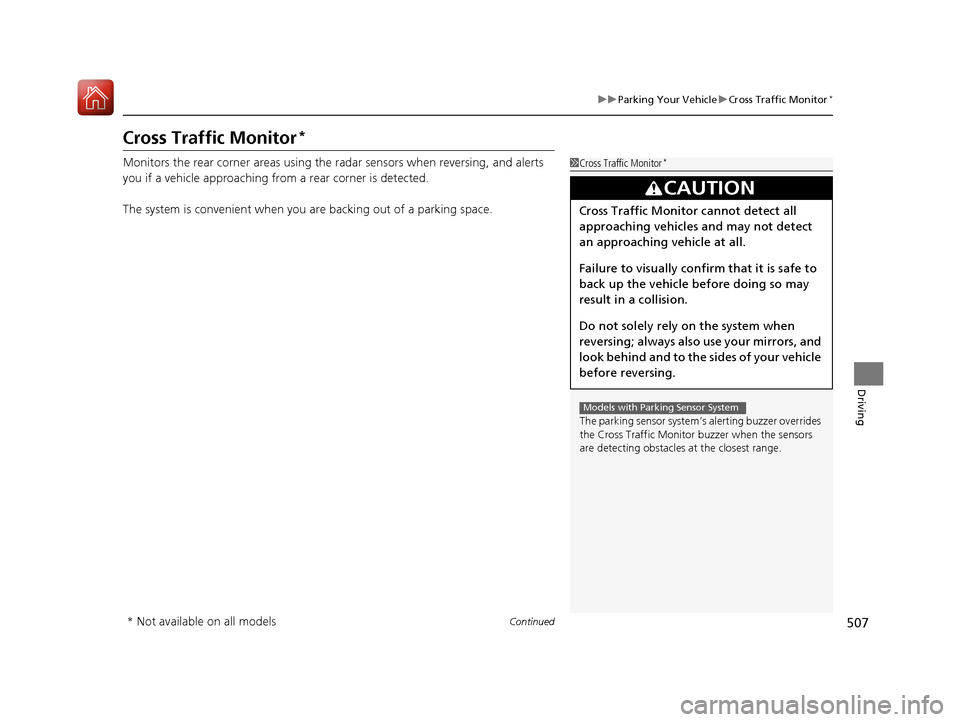
Cross Traffic Monitor*
Monitors the rear corner areas using the radar sensors when reversing, and alerts
you if a vehicle approaching from a rear corner is detected.
The system is convenient when you are backing out of a parking space.1Cross Traffic Monitor*
The parking sensor system’s alerting buzzer overrides
the Cross Traffic Monitor buzzer when the sensors
are detecting obstacles at the closest range.
3CAUTION
Cross Traffic Monitor cannot detect all
approaching vehicles and may not detect
an approaching vehicle at all.
Failure to visually confirm that it is safe to
back up the vehicle before doing so may
result in a collision.
Do not solely rely on the system when
reversing; always also use your mirrors, and
look behind and to the sides of your vehicle
before reversing.
Models with Parking Sensor System
* Not available on all models
20 ACURA RDX-31TJB6111.book 507 ページ 2020年2月11日 火曜日 午後2時6分