Page 4 of 700

TABLE OF CONTENTS4
YARIS_F_OM_Europe_OM52K19E
4-5. Toyota Safety Sense
Toyota Safety Sense .........285
PCS
(Pre-Crash Safety
system) ............................293
LDA
(Lane Departure Alert) .....310
Automatic High Beam ........317
RSA (Road Sign Assist).....322
4-6. Using the driving support
systems
Cruise control.....................328
Speed limiter ......................332
Stop & start system............337
Driving assist systems .......348
4-7. Driving tips
Winter driving tips ..............355
5-1. Basic Operations
Audio system types ........... 360
Steering wheel audio
switches .......................... 362
AUX port/USB port ............ 363
5-2. Using the audio system
Optimal use of the audio
system............................. 364
5-3. Using the radio
Radio operation ................. 366
5-4. Playing audio CDs and
MP3/WMA discs
CD player operation .......... 370
5-5. Using an external device
Listening to an iPod........... 379
Listening to a USB
memory device ................ 387
Using the AUX port ........... 394
5Audio system
Page 5 of 700

5
1
7
8
6
5
4
3
2
9
YARIS_F_OM_Europe_OM52K19E
5-6. Using Bluetooth®
devices
Bluetooth® audio/phone .....395
Using the steering
wheel switches ................401
Registering a Bluetooth®
device ..............................402
5-7. “SETUP” menu
Using the “SETUP” menu
(“Bluetooth*” menu) .........403
Using the “SETUP” menu
(“Phone” menu) ...............408
5-8. Bluetooth® Audio
Operating a Bluetooth®
enabled portable
player ...............................412
5-9. Bluetooth® Phone
Making a phone call ...........415
Receiving a phone call.......417
Speaking on the phone ......418
5-10. Bluetooth®
Bluetooth®.........................420
6-1. Using the air conditioning
system and defogger
Manual air conditioning
system............................. 432
Automatic air conditioning
system............................. 440
Seat heaters ...................... 450
6-2. Using the interior lights
Interior lights list ................ 452
• Interior light ................... 452
• Personal lights .............. 453
6-3. Using the storage features
List of storage features...... 454
• Glove box ...................... 455
• Cup holders .................. 456
• Bottle holders ................ 457
• Auxiliary box ................. 458
Luggage compartment
features ........................... 459
6Interior features
*: Bluetooth is a registered trademark of Bluetooth SIG, Inc.
Page 359 of 700

359
5Audio system
YARIS_F_OM_Europe_OM52K19E
5-1. Basic Operations
Audio system types ........... 360
Steering wheel audio
switches ........................... 362
AUX port/USB port ............ 363
5-2. Using the audio system
Optimal use of the audio
system ............................. 364
5-3. Using the radio
Radio operation ................. 366
5-4. Playing audio CDs and
MP3/WMA discs
CD player operation........... 370
5-5. Using an external device
Listening to an iPod ........... 379
Listening to a USB
memory device ................ 387
Using the AUX port ............ 394
5-6. Using Bluetooth®
devices
Bluetooth® audio/phone..... 395
Using the steering
wheel switches ................ 401
Registering a Bluetooth®
device .............................. 402
5-7. “SETUP” menu
Using the “SETUP” menu
(“Bluetooth*” menu)......... 403
Using the “SETUP” menu
(“Phone” menu) ............... 408
5-8. Bluetooth® Audio
Operating a Bluetooth®
enabled portable
player ............................... 412
5-9. Bluetooth® Phone
Making a phone call ........... 415
Receiving a phone call....... 417
Speaking on the phone ...... 418
5-10. Bluetooth®
Bluetooth®......................... 420
*: Bluetooth is a registered trademark of Bluetooth SIG, Inc.
Page 363 of 700
363
5
5-1. Basic Operations
Audio system
YARIS_F_OM_Europe_OM52K19E
AUX port/USB port
●iPod
Open the cover and connect an iPod using an iPod cable.
Turn on the power of the iPod if it is not turned on.
● USB memory
Open the cover and connect the USB memory device.
Turn on the power of the USB memory device if it is not turned on.
● Portable audio player
Open the cover and connect the portable audio player.
Turn on the power of the portable audio player if it is not turned on.
■ AUX port
The AUX port only supports audio input.
: If equipped
Connect an iPod, USB memory device or portable audio player
to the AUX port/USB port as indicated below. Press the “MODE”
button to select “iPod”, “USB” or “AUX”.
Connecting using the AUX port/USB port
Ty pe AType B
WARNING
■ While driving
Do not connect a device or operate the device controls.
Page 394 of 700
3945-5. Using an external device
YARIS_F_OM_Europe_OM52K19E
Using the AUX port
P. 3 6 3
■Operating portable audio devices connected to the audio system
The volume can be adjusted using the vehicle’s audio controls. All other
adjustments must be made on the portable audio device itself.
■ When using a portable audio device connected to the power outlet
Noise may occur during playback. Use the power source of the portable
audio device.
: If equipped
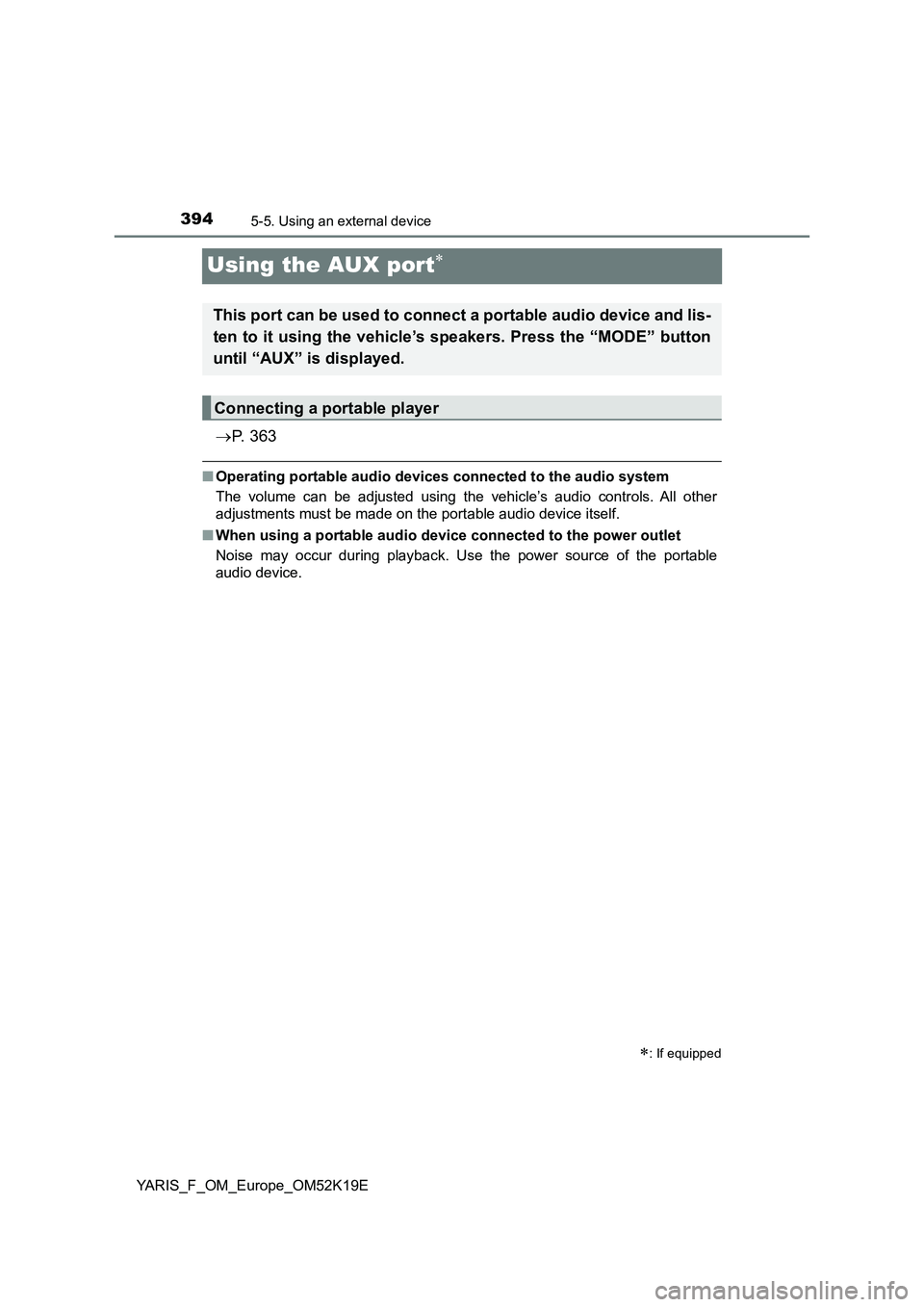
This port can be used to connect a portable audio device and lis-
ten to it using the vehicle’s speakers. Press the “MODE” button
until “AUX” is displayed.
Connecting a portable player
Page 431 of 700
431
6Interior features
YARIS_F_OM_Europe_OM52K19E
6-1. Using the air conditioning
system and defogger
Manual air conditioning
system ............................. 432
Automatic air conditioning
system ............................. 440
Seat heaters ...................... 450
6-2. Using the interior lights
Interior lights list................. 452
• Interior light.................... 452
• Personal lights ............... 453
6-3. Using the storage features
List of storage features ...... 454
• Glove box ...................... 455
• Cup holders ................... 456
• Bottle holders ................ 457
• Auxiliary box .................. 458
Luggage compartment
features............................ 459
6-4. Using the other interior
features
Other interior features ........ 462
• Sun visors...................... 462
• Vanity mirrors ................ 462
• Portable ashtray ............ 464
• Cigarette lighter ............. 465
• Power outlet .................. 466
• Armrest .......................... 467
• Panoramic roof shade ... 467
• Assist grips .................... 468
Page 454 of 700
4546-3. Using the storage features
YARIS_F_OM_Europe_OM52K19E
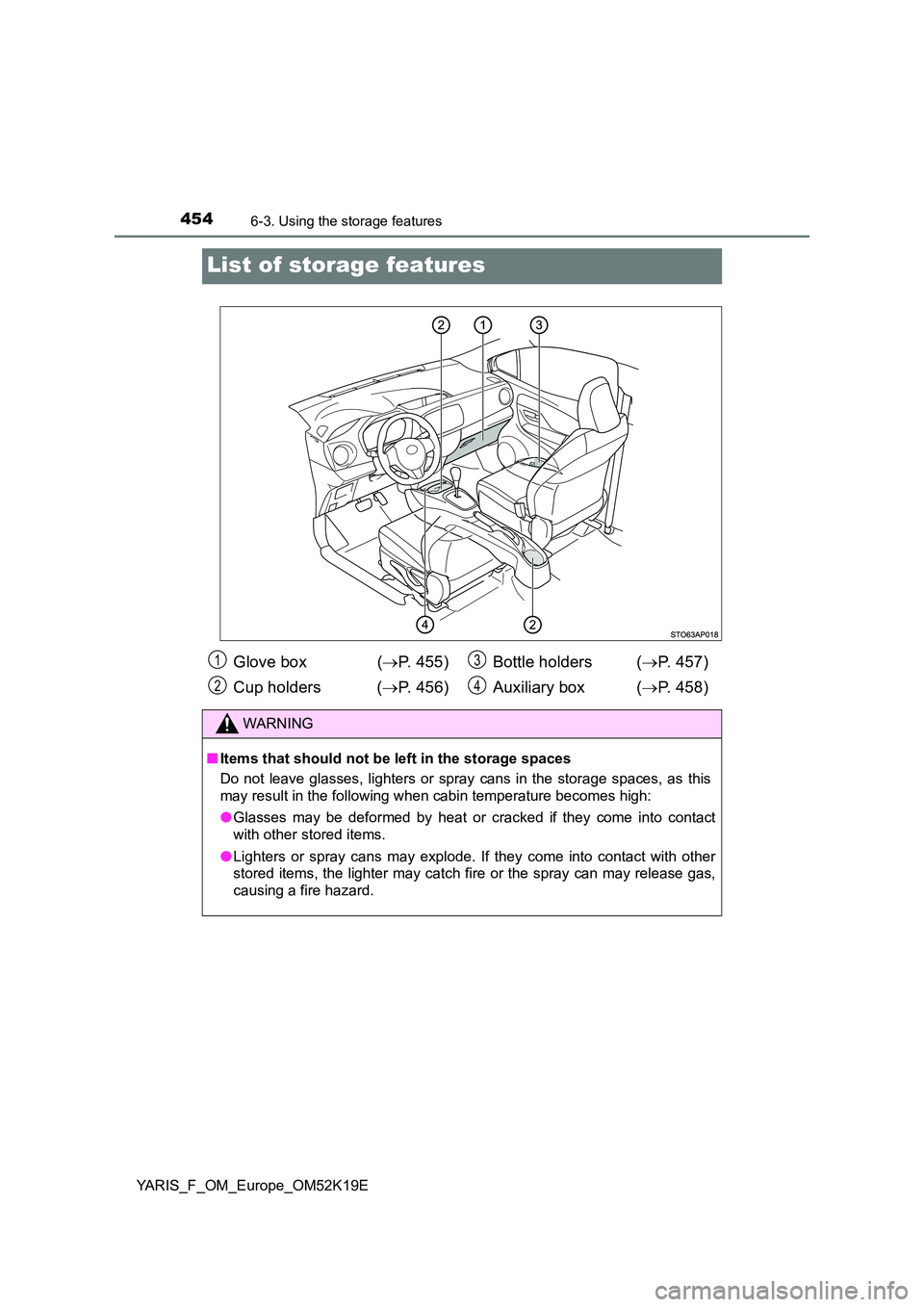
List of storage features
Glove box (P. 455)
Cup holders ( P. 456)
Bottle holders ( P. 457)
Auxiliary box ( P. 458)
WARNING
■Items that should not be left in the storage spaces
Do not leave glasses, lighters or spray cans in the storage spaces, as this
may result in the following when cabin temperature becomes high:
● Glasses may be deformed by heat or cracked if they come into contact
with other stored items.
● Lighters or spray cans may explode. If they come into contact with other
stored items, the lighter may catch fire or the spray can may release gas,
causing a fire hazard.
1
2
3
4
Page 458 of 700
4586-3. Using the storage features
YARIS_F_OM_Europe_OM52K19E
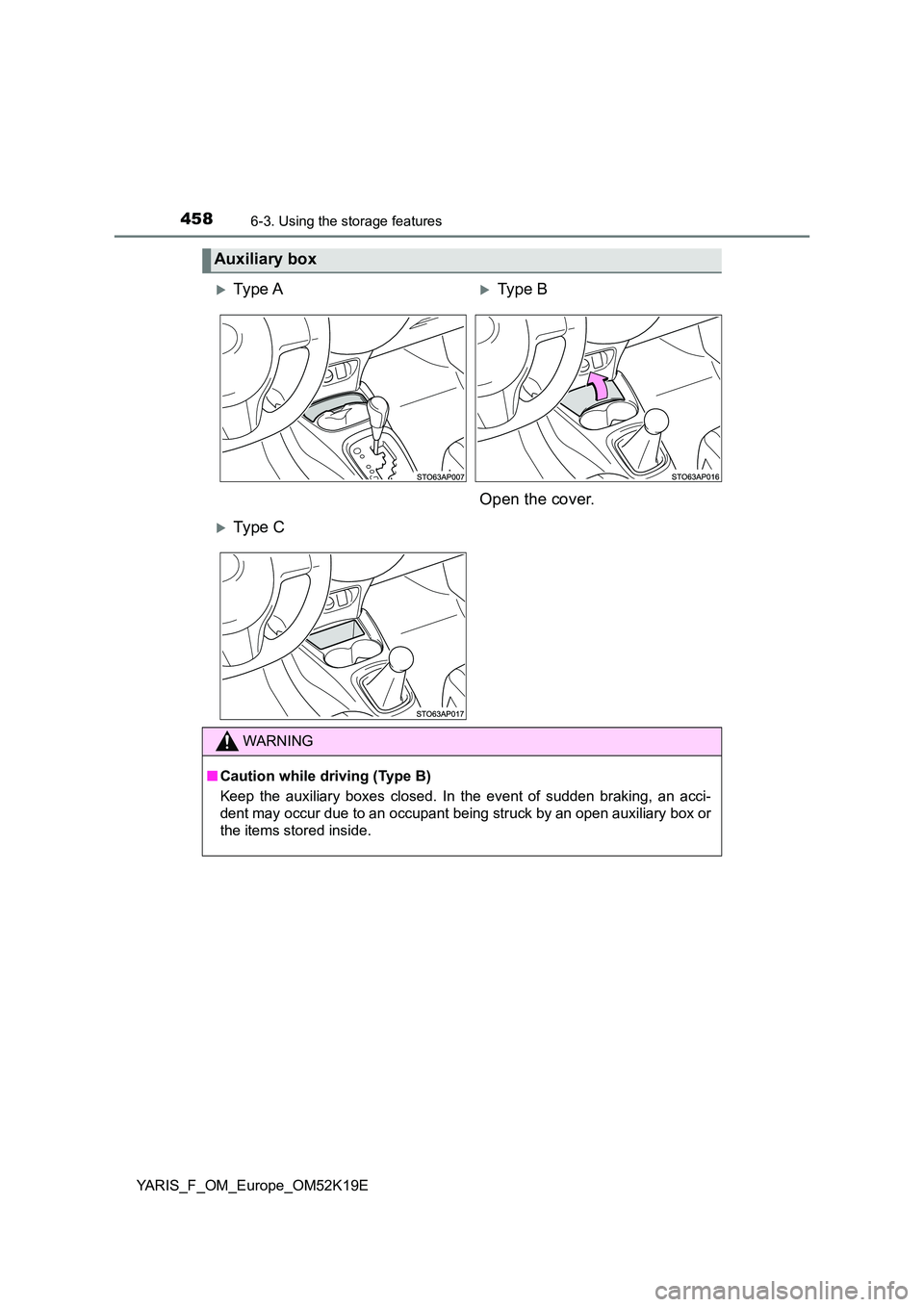
Auxiliary box
Ty pe AType B
Open the cover.
Ty pe C
WARNING
■ Caution while driving (Type B)
Keep the auxiliary boxes closed. In the event of sudden braking, an acci-
dent may occur due to an occupant being struck by an open auxiliary box or
the items stored inside.