Page 275 of 532
2753-1. Using the air conditioning system and defogger
3
Interior features
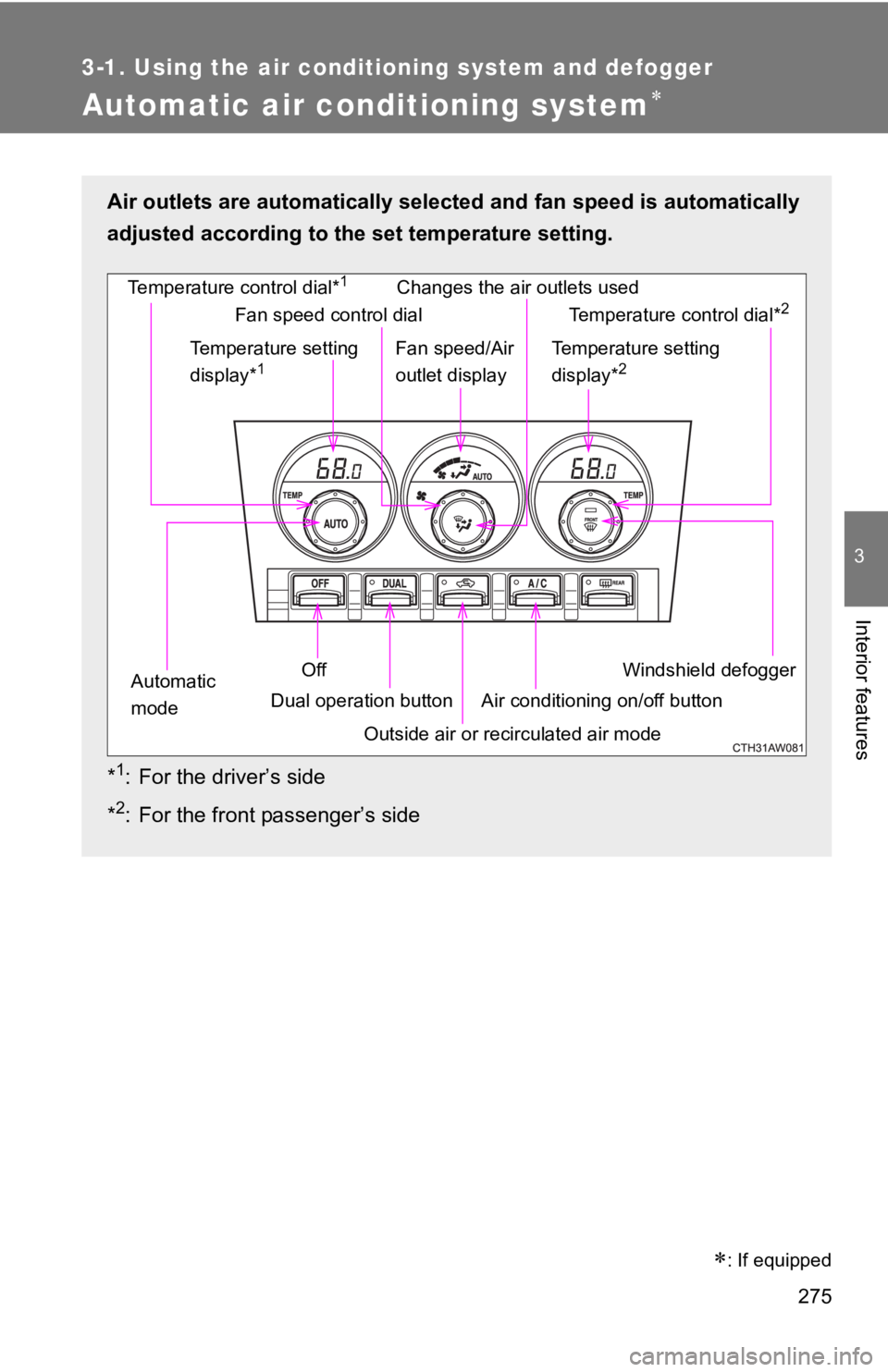
Automatic air conditioning system
: If equippedAir outlets are automatically sel ected and fan speed is automat ically
adjusted according to the set temperature setting.
* 1
: For the driver’s side
* 2
: For the front passenger’s side Windshield defoggerTemperature control dial* 1
Outside air or recirculated air modeTemperature setting
display* 1
Off
Automatic
mode Dual operation button Changes the air outlets used
Air conditioning on/off button Temperature control dial* 2
Temperature setting
display* 2
Fan speed control dial
Fan speed/Air
outlet display
Page 276 of 532
2763-1. Using the air condit ioning system and defogger
Using the automatic air conditioning system
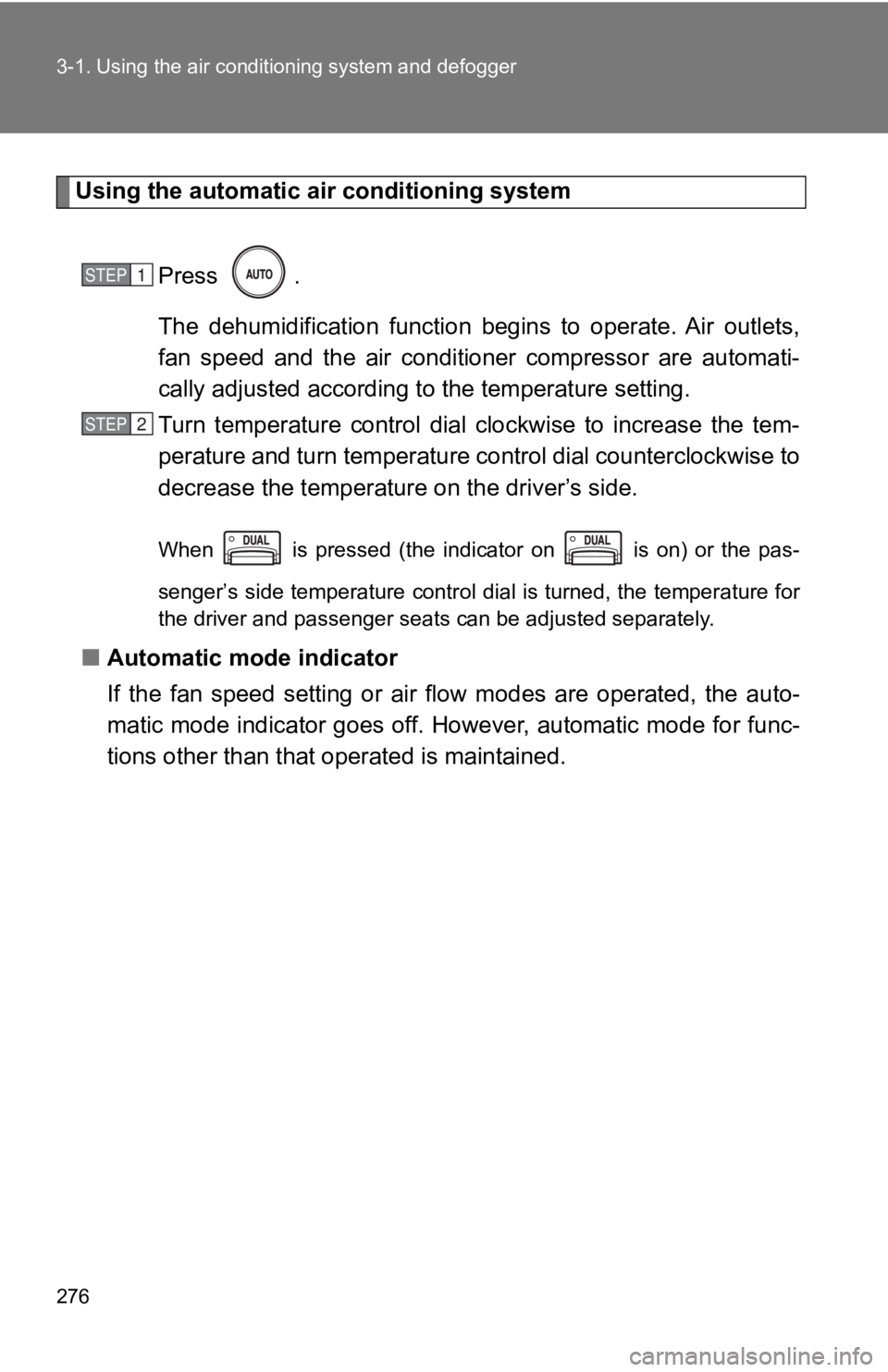
Press .
The dehumidification function begins to operate. Air outlets,
fan speed and the air conditioner compressor are automati-
cally adjusted according t o the temperature setting.
Turn temperature control dial clockwise to increase the tem-
perature and turn temperature cont rol dial counterclockwise to
decrease the temperatur e on the driv er’s side.When is pressed (the indicator on is on) or the pas-
senger’s side temperature control dial is turned, the temperatu re for
the driver and passenger seats can be adjusted separately.
■ Automatic mode indicator
If the fan speed setting or air flow modes are operated, the au to-
matic mode indicator goes off. However, automatic mode for func -
tions other than that operated is maintained. STEP 1
STEP 2
Page 277 of 532
2773-1. Using the air condit ioning system and defogger
3
Interior features Adjusting the settings manually
To adjust the fan speed, turn th e fan speed control dial clock-
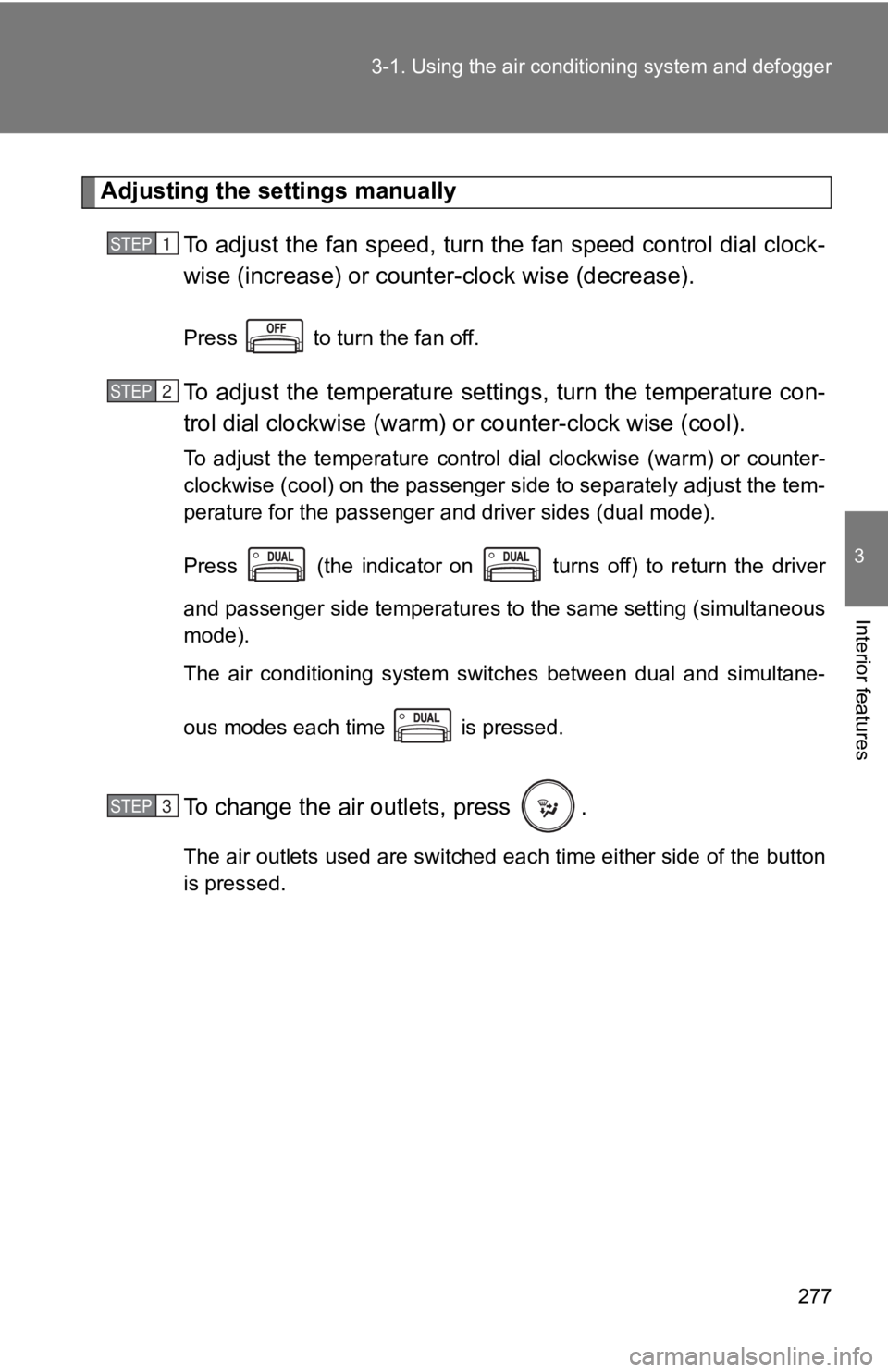
wise (increase) or counter -clock wise (decrease).Press to turn the fan off.
To adjust the temperature sett ings, turn the temperature con-
trol dial clockwise (warm) o r counter-clock wise (cool).To adjust the temperature control dial clockwise (warm) or coun ter-
clockwise (cool) on the passenger side to separately adjust the tem-
perature for the passenger and driver sides (dual mode).
Press (the indicator on turns off) to return the driver
and passenger side temperatures to the same setting (simultaneo us
mode).
The air conditioning system switches between dual and simultane -
ous modes each time is pressed.
To change the air outlets, press . The air outlets used are switched each time either side of the button
is pressed.STEP 1
STEP 2
STEP 3
Page 283 of 532
2833-1. Using the air condit ioning system and defogger
3
Interior features ■ Ventilation and air conditioning odors
● To let fresh air in, set the air conditioning system to the out side air mode.
● During use, various odors from inside and outside the vehicle may enter
into and accumulate in the air conditioning system. This may then cause
odor to be emitted from the vents.
● To reduce potential odors from occurring:
• It is recommended that the air conditioning system be set to outside air
mode prior to turning the vehicle off.
• The start timing of the blower may be delayed for a short peri od of time
immediately after the air conditioning system is started in automatic
mode.
■ Air conditioning filter
P. 360
WARNING■ To prevent the windshield from fogging up
Do not use during cool air operation in extremely humid weathe r. T h e
difference between the temperature of the outside air and that of the wind-
shield can cause the outer surface of the windshield to fog up, blocking your
vision.
NOTICE
■ To prevent battery discharge
Do not leave the air conditioning system on longer than necessa ry when the
engine is stopped.
Page 284 of 532
2843-1. Using the air conditioning system and defogger
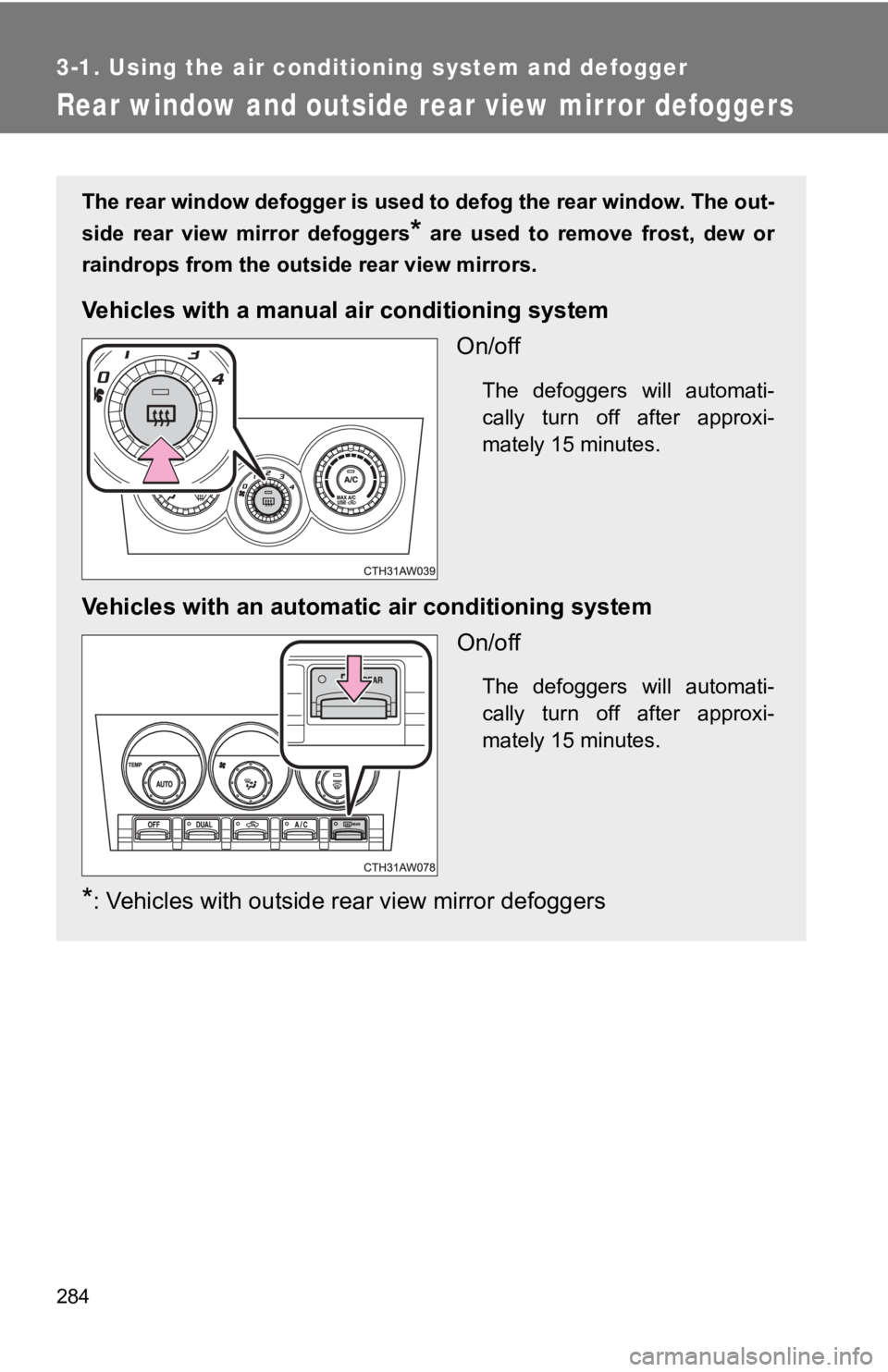
Rear window and outside rear view mirror defoggers The rear window defogger is used to defog the rear window. The out-
side rear view mirror defoggers
* are used to remove frost, dew or
raindrops from the outside rear view mirrors.
Vehicles with a manua l air conditioning system
On/off The defoggers will automati-
cally turn off after approxi-
mately 15 minutes.
Vehicles with an automati c air conditioning system
On/off The defoggers will automati-
cally turn off after approxi-
mately 15 minutes.
* : Vehicles with outside rear view mirror defoggers
Page 285 of 532

2853-1. Using the air condit ioning system and defogger
3
Interior features ■ The defoggers can b e operated when
Vehicles without a smart key system
The engine switch is in the “ON” position.
Vehicles with a smart key system
The “ENGINE START STOP” switch is in IGNITION ON mode.
■ The outside rear view mirror def oggers (vehicles with outside r ear view
mirror defoggers)
Turning the rear window defogger on will turn the outside rear view mirror
defoggers on.
■ When continuous operation is set (vehicles with an automatic ai r con-
ditioning system)
During continuous operation, the defogger stops operating for 2 minutes
after every 15 minutes of continual operation. Even during the 2 minutes that
operation stops, the operating light remains illuminated. The r ear window
defogger will continue to operate in this cycle until it is tur ned off.
■ Customization that can be config ured at Toyota dealer (vehicles with
an automatic air conditioning system)
The rear window defogger can be set to 15-minute operation or c ontinuous
operation. (Customizable features P. 487)
WARNING■ When the outside rear view mirror defoggers are on (vehicles wi th out-
side rear view mirror defoggers)
Do not touch the outside surface of the rear view mirrors, as they can
become very hot and burn you.
NOTICE
■ To prevent battery discharge
Do not leave the rear window defogger on longer than necessary when the
engine is stopped.
Page 307 of 532
Maintenance and care
4
3074-1. Maintenance and care
Cleaning and protecting
the vehicle exterior......... 308
Cleaning and protecting
the vehicle interior.......... 312
Cleaning and protecting
the Alcantara ®
area ....... 316
4-2. Maintenance
Maintenance
requirements .................. 318
General maintenance....... 320
Emission inspection and
maintenance (I/M)
programs........................ 323 4-3. Do-it-yourself
maintenance
Do-it-yourself service
precautions .................... 324
Hood ................................ 327
Positioning a floor jack ..... 329
Engine compartment ........ 331
Tires ................................. 345
Tire inflation pressure ...... 353
Wheels ............................. 357
Air conditioning filter......... 360
Wireless remote control/
electronic key battery ..... 363
Checking and replacing
fuses .............................. 367
Light bulbs........................ 375
Page 314 of 532

3144-1. Maintenance and care
NOTICE■ Cleaning detergents
● Do not use organic substances such as benzene or gasoline, acid ic or
alkaline solutions, dye, bleach or other detergent. Doing so may discolor
the vehicle interior or cause streaks or damage to painted surfaces.
● Do not use polish wax or polish cleaner. The instrument panel's or other
interior part’s painted surface may be damaged.
● Do not use a chemical agent containing silicone (highly-polymerized sili-
con compound) when cleaning any of the electrical appliances su ch as the
air conditioning, all switches and their surrounding areas.
If silicon (highly-polymerized silicon compound) contacts these compo-
nents, it may cause the electrical appliances to malfunction.
■ Preventing damage to leather surfaces
Observe the following precautions to avoid damage to and deteri oration of
leather surfaces.
● Remove any dust, dirt, sand, oil spots etc. on leather surfaces immedi-
ately.
● Do not expose the vehicle to direct sunlight for extended perio ds of time.
Park the vehicle in the shade, especially during summer.
● Do not place items made of vinyl, plastic, or that contain wax on the uphol-
stery, as they may stick to the leather surface if the vehicle interior heats
up significantly.
■ Water on the floor
Do not wash the vehicle floor with water.
Vehicle systems such as the audio system may be damaged if wate r comes
into contact with electrical components under the floor of the vehicle, and
may also cause the body to rust.