2019 SUZUKI IGNIS Stop light
[x] Cancel search: Stop lightPage 196 of 505

3-43OPERATING YOUR VEHICLE
75RM4-01E
Conditions to restart the engine automatically
If any of the following vehicle conditions occur or operations are performed while the engine is stopped automatically, the en gine is
restarted automatically and the ENG A-STOP i ndicator light (green) goes off.
Common • The ENG A-STOP system is deactivated (OFF).
• The battery continues to be discharged. (#1)
• A malfunction was detect
ed in this system. (#2)
• Brake booster vacuum pressure is low. (#1)
• The temperature of the air from the outlets changes greatly, o r the cooling and heat-
ing performance is insufficient. (#1)
• The temperature selector was greatly set toward COOL while coo ling or greatly set
toward HOT while heating. (#1)
• The defroster is turned on. (#1)
Manual transaxle • The cl utch pedal is depressed.
CVT • The foot is removed from the brake pedal. (#3)
• The steering wheel is operated. (#4)
• The accelerator pedal is depressed.
• The gearshift lever is placed
in the “P”, “R” or “M” position.
When decelerating
(approximately 15 km/h (9 mph)
or less for manual transaxle
vehicles,
approximately 13 km/h (8 mph)
or less for CVT vehicles) Common • The engine hood was opened.
Manual
transaxle
• The vehicle speed exceeds 15km/
h (9 mph) when going down a slope. (#1)
CVT • The gearshift lever is placed in the “N” position.
• The slope of the road
suddenly changes. (#1)
When the vehicle is stopped Common• The driver’s seat
belt is unfastened. (#1)
• The driver’s door is opened. (#1)
• The vehicle is movi ng along a slope. (#1)
• Some time (about 3 minutes) has passed since the engine was st opped automati-
cally. (#1)
CVT • After the gearshift lever is placed in the “N” position, it is returned to the “D” position.
Page 197 of 505

3-44
OPERATING YOUR VEHICLE
75RM4-01E
#1: After the ENG A-STOP indicator light (green) blinks, it goes off. Also, the interior buzzer may sound at the same time.
#2: Depending on the sit uations of malfunction, it is a normal restart or the restart as #1.
#3: The engine may be restarted automatically when the brake ped al is depressed lightly. In this case, when the brake pedal is
depressed again, the engine is sto pped automatically and the ENG A-STOP indicator light (green) comes on again.
#4: The steering force, not the steering amount, is a condition to restart the engine automatically when the steering wheel is operated.
Therefore, the amoun t that the steering whee l is operated when the engine is automatically res tarted may change depending on t he
road conditions or t he number of passengers.
Page 198 of 505

3-45OPERATING YOUR VEHICLE
75RM4-01E
ENG A-STOP OFF switchThis switch can deactivate (OFF) the ENG
A-STOP system.
• To deactivate the system, push the ENGA-STOP OFF switch (1). The ENG A-
STOP OFF indicator light (2) in the
instrument cluster comes on.
• To activate the system again, push the switch again until the indicator light goes
off.
• Each time the engine is stopped manu- ally, the system is activated, and the
ENG A-STOP OFF indicator light goes
off.
75RM307
NOTE:
If the ENG A-STOP OFF switch (1) is
pushed while the engine has been stopped
automatically, the engine is restarted auto-
matically and the ENG A-STOP OFF indi-
cator light (2) comes on.
• The ENG A-STOP OFF indicator light (orange) in the instrument cluster comes
on or blinks in the following cases, not
only to warn you that the ENG A-STOP
system is deactivated. If it blinks, have
the vehicle serviced by an authorized
SUZUKI dealer.
– If the system is operating normally
when the ignition switch is turned to
the “ON” position or the engine switch
is pressed to change the ignition mode
to ON, the indicator light comes on for
approximately 2 seconds, then goes
off.
– If there is something wrong with the system, or if it is time to replace the
battery, the indicator light will blink
when the ignition switch is turned to
the “ON” position or the engine switch
is pressed to change the ignition mode
to ON. (The ENG A-STOP system will
not work properly.)
75RM237
NOTE:
If the indicator light blinks when the engine
has been stopped automatically by the
ENG A-STOP system, the engine may
stall.
(2)
(1)
Page 203 of 505
3-50
OPERATING YOUR VEHICLE
75RM4-01E
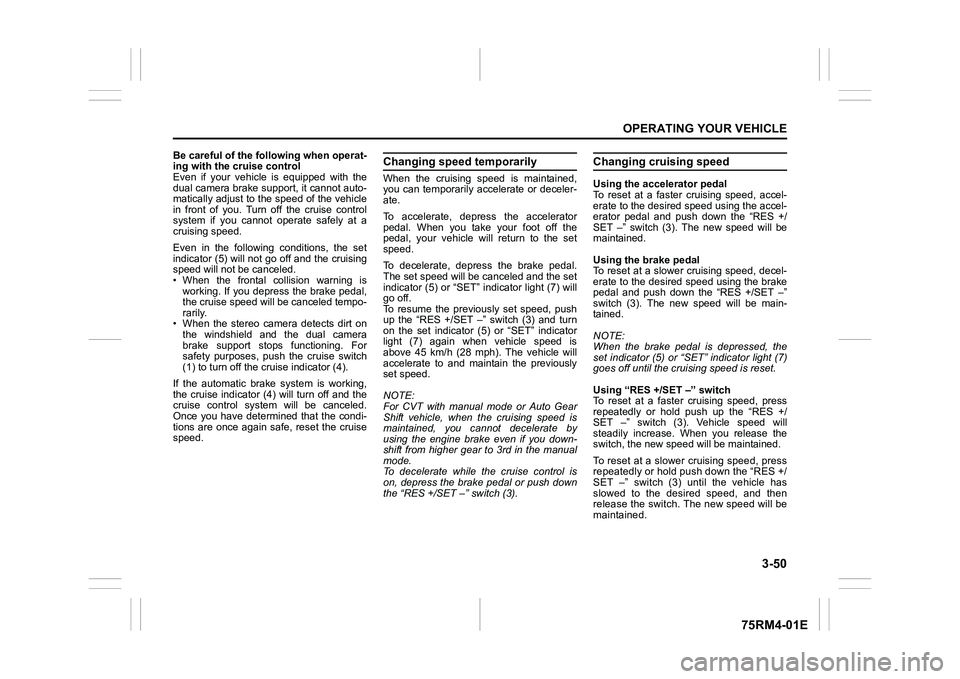
Be careful of the following when operat-
ing with the cruise control
Even if your vehicle is equipped with the
dual camera brake support, it cannot auto-
matically adjust to the speed of the vehicle
in front of you. Turn off the cruise control
system if you cannot operate safely at a
cruising speed.
Even in the following conditions, the set
indicator (5) will not go off and the cruising
speed will not be canceled.
• When the frontal collision warning isworking. If you depress the brake pedal,
the cruise speed will be canceled tempo-
rarily.
• When the stereo camera detects dirt on
the windshield and the dual camera
brake support stops functioning. For
safety purposes, push the cruise switch
(1) to turn off the cru ise indicator (4).
If the automatic brake system is working,
the cruise indicator (4) will turn off and the
cruise control system will be canceled.
Once you have determined that the condi-
tions are once again safe, reset the cruise
speed.
Changing speed temporarilyWhen the cruising speed is maintained,
you can temporarily accelerate or deceler-
ate.
To accelerate, depre ss the accelerator
pedal. When you take your foot off the
pedal, your vehicle will return to the set
speed.
To decelerate, depress the brake pedal.
The set speed will be canceled and the set
indicator (5) or “SET” indicator light (7) will
go off.
To resume the previously set speed, push
up the “RES +/SET –” switch (3) and turn
on the set indicator (5) or “SET” indicator
light (7) again when vehicle speed is
above 45 km/h (28 mph). The vehicle will
accelerate to and maintain the previously
set speed.
NOTE:
For CVT with manual mode or Auto Gear
Shift vehicle, when the cruising speed is
maintained, you cannot decelerate by
using the engine brake even if you down-
shift from higher gear to 3rd in the manual
mode.
To decelerate while the cruise control is
on, depress the brake pedal or push down
the “RES +/SET –” switch (3).
Changing cruising speedUsing the accelerator pedal
To reset at a faster cruising speed, accel-
erate to the desired speed using the accel-
erator pedal and push down the “RES +/
SET –” switch (3). The new speed will be
maintained.
Using the brake pedal
To reset at a slower cruising speed, decel-
erate to the desired speed using the brake
pedal and push down the “RES +/SET –”
switch (3). The new speed will be main-
tained.
NOTE:
When the brake pedal is depressed, the
set indicator (5) or “ SET” indicator light (7)
goes off until the cruising speed is reset.
Using “RES +/ SET –” switch
To reset at a faster cruising speed, press
repeatedly or hold push up the “RES +/
SET –” switch (3). Vehicle speed will
steadily increase. When you release the
switch, the new speed will be maintained.
To reset at a slower cruising speed, press
repeatedly or hold push down the “RES +/
SET –” switch (3) until the vehicle has
slowed to the desired speed, and then
release the switch. The new speed will be
maintained.
Page 208 of 505

3-55OPERATING YOUR VEHICLE
75RM4-01E
Brake assist system
When there is high probability of a frontal crash, the brake assist system provides more
powerful braking when you slam down on the brake pedal. Brake a ssist system might
work at the same tim e as the warning brak e system or automatic brake system.
75RM284
Automatic brake system
When a frontal crash is unavoidable, the brakes will powerfully operate automatically. (#1)
75RM285
EXAMPLE
buzzer
with tachometerwithout
tachometerInformation display
EXAMPLE
buzzer
with tachometer without
tachometer
Information display
Indicator
light
(#1) After the vehicl e has been stopped by
the automatic brake system, the inte-
rior buzzer will continue to beep until
the automatic brake system is
released. Also, the indication on the
information display and the dual cam-
era brake support indicator light will
go off after 3 seconds from being
released the automatic brake system.
NOTE:
If you do not depress the clutch pedal
when the vehicle has been stopped by the
automatic brake system, the engine will
stall.
Page 212 of 505

3-59OPERATING YOUR VEHICLE
75RM4-01E
Lane departure warningWhen you are operating at a speed of
approximately 60 km/h (37 mph) or over
and the stereo camera judges that your
vehicle is to deviate from the running lane,
the following warnings will work.
• The lane departure warning indicatorlight will blink
• A message will appear on the informa-
tion display (for the instrument cluster
with tachometer)
• The steering wheel will vibrate
75RM330
Situations where the system does not
activate
Under the following situations, the system
does not activate.
• After several seconds from starting the engine
• When the following switches are pushed and the system is turned off:
– Lane departure warning OFF switch
– ESP
® OFF switch
• When the stereo camera is temporarily stopped or malfunctioning
• When the system judges that the inten- tional lane change, such as during or
after flashing the turn signal lights Situations where the system may not
activate properly
Under the following situations, the system
may not activate.
• When turning the steering wheel sharply
or quickly
• When driving on sharp curves
• When depressing the brake pedal
• When depressing the accelerator pedal to accelerate
• During or right after using the hazard warning switch
• When you do not return to inside of the lane after the lane departure warning is
activated
• When the electric power steering light comes on
If the stereo camera cannot detect partition
lines except for above situations, the sys-
tem may also not activ ate. Refer to “Situa-
tions where the stereo camera may not
activate properly” in this section for details.
EXAMPLEIndicator light Information display
(with tachometer)
WA R N I N G
• The lane departure warning may not be suitable for every situation.
Also, the system is not designed to
avoid the lane deviations automati-
cally. Do not rely excessively on
the system and always drive in a
safe manner.
• Depending on road surface condi-
tions, you may not feel the vibra-
tion of the steering wheel even
when the lane departure warning
works.
• For safety reasons, do not check
the operation of the system by
yourself.
Page 213 of 505

3-60
OPERATING YOUR VEHICLE
75RM4-01E
Situations where the system may acti-
vate by chance
Under the following situations, the system
may activate.
• When there is a shadow of guard rail
• When partition lines are drawn doubly
• When there is a liner paint on the road of a construction zone because the previ-
ous line has not been erased completely
• When there is repair marks on the road or a boundary between asphalt and
snow
• When there is tire marks on snow-cov- ered or wet road
Vehicle swaying warningWhen you are operating at a speed of
approximately 60 km/h (37 mph) or over
and the vehicle swaying warning judges
that your vehicle is unsteadiness by
detecting the meandering patterns, the fol-
lowing warnings will work.
• The lane departure warning indicatorlight will blink
• A message will appear on the informa- tion display (for the instrument cluster
with tachometer)
• The interior buzzer will intermittently beep
75RM331
NOTE:
The unsteadiness of the vehicle is judged
based on the driving data over the past few
minutes, so the system does not activate
when right after swaying.
Situations where the system does not
activate
Under the following situations, the system
does not activate.
• After several seconds from starting the
engine
• When the following switches are pushed and the system is turned off:
– Lane departure warning OFF switch
– ESP
® OFF switch
• When the stereo camera is temporarily
stopped or malfunctioning
EXAMPLE
Indicator light Information display
(with tachometer)
WA R N I N G
• The vehicle swaying warning may not be suitable for every situation.
Also, the system is not designed to
avoid the unsteadiness of the vehi-
cle automatically. Do not rely
excessively on the system and
always drive in a safe manner.
• For safety reasons, do not check
the operation of the system by
yourself.
Page 218 of 505

3-65OPERATING YOUR VEHICLE
75RM4-01E
Temporary stop or failure of the stereo camera
The following chart shows the temporary stop or failure of the stereo camera.
Stereo camera
Temporary Stop Failure
(1) On
(2) On
(3) (#1) On Off
Off On
(4) Blinking
(5) On Off
(1) Dual camera brake support indicator light
(2) Lane departure warning indicator light
(3) Indication of information display (with tachometer)
(4) Master warning indicator light
(if equipped)/
Dual camera brake support warning
light (if equipped)
(5) Indication of information display (without tachometer)
#1: Depending on the cause of the tem- porary stop or failure, the following
message may appear simultaneously.
75RM350
NOTE:
When the function of the stereo camera is
temporarily stopped or malfunctioning, all
of following functions will be turned off.
• Dual camera brake support
• Lane departure warning
• Vehicle swaying warningEXAMPLE