2019 Peugeot 508 tow
[x] Cancel search: towPage 132 of 320

130
Special cases
In some situations, you may need to operate
the parking brake manually.
Immobilisation of the vehicle
with the engine running
To immobilise the vehicle with the engine
running, briefly pull the control lever.
Application of the parking brake is confirmed
by illumination of the braking indicator lamp
and the P indicator lamp in the control lever,
accompanied by the display of the message
"Parking brake applied".
Parking the vehicle with the
brake released
In very cold conditions (ice), it is
recommended that the parking brake not
be applied.
To immobilise your vehicle, engage a gear
or fit the chocks against one of the wheels.F
R
elease the parking brake manually by
pushing the control lever while keeping your
foot on the brake pedal.
The complete release of the parking brake is
confirmed by the braking indicator lamp and the
P indicator lamp in the control lever going off,
accompanied by the display of the message
"Parking brake released".
F
S
witch off the ignition.
With an automatic gearbox, mode P is
automatically selected when the ignition is
switched off. The wheels are blocked.
For further information on the Automatic
gearbox , particularly in relation to leaving
the vehicle in free-wheeling mode, refer to
the corresponding section.
With an automatic gearbox, when mode
N is engaged, the opening of the driver's
door will cause an audible signal to sound.
It will stop when you close the driver's
door again.
Immobilisation of the vehicle with the
parking brake released.
F
S
witch off the engine.
Illumination of the indicator lamps in the
instrument panel and control lever confirm
the application of the parking brake.
F
S
witch on the ignition again, without starting
the engine.
Deactivating automatic
operation
In some situations, for example when it is
extremely cold or during towing (caravan,
recovery), it may be necessary to deactivate
automatic operation of the system.
F
S
tart the engine.
F
A
pply the parking brake with the control
lever, if it is released.
F
T
ake your foot fully off the brake pedal.
F
P
ush and hold the control lever in the
release direction for at least 10 seconds and
no more than 15 seconds.
F
R
elease the control lever.
F
P
ress and hold the brake pedal.
F
P
ull the control lever in the application
direction for 2 seconds.
Deactivation of the automatic functions
is confirmed by illumination of this
indicator lamp in the instrument panel.
Driving
Page 134 of 320

132
Gearbox selector positions
P.Park.
For parking the vehicle: the front wheels
are blocked.
R. Reverse.
N. Neutral.
For moving the vehicle with the ignition off:
for some car wash machines, when towing
the vehicle, etc.
D. Automatic mode.
The gearbox manages gear changes
according to the style of driving, the road
profile and the vehicle load.
M. Manual mode.
The driver changes gear using the steering
mounted control paddles.
Push selector
A.P button.
To put the gearbox into Parking mode.
B. Unlock button.
To unlock the gearbox and come out of P
or change to R , with the foot on the brake
pedal.
This button should be pressed and held
before moving the selector.
C. M button. (Depending on the version: with
Full Park Assist, this mode is accessed via
the DRIVE MODE control).
To change from automatic mode D to
permanent manual mode.
D. Gearbox state indicators (P, R, N, D) .Move the selector by pressing it once or
twice for ward (
N or R ) or rear ward ( N or D ), if
necessary going beyond the point of resistance.
The selector returns to its initial position when
released.
For example, to change from P to R , you can
optionally push forward twice without passing
the point of resistance or push once beyond the
point of resistance:
-
I
n the first case, the gearbox goes from P to
N , then from N to R .
-
I
n the second case, the gearbox goes
directly from P to R .
Driving
Page 135 of 320

133
Steering mounted controls
In mode M or D, the steering mounted control
paddles allow the driver to change gear
manually.
These paddles cannot be used to engage
neutral, nor to select or leave reverse
g e a r.
Displays in the instrument
panel
If the driver's door is opened with the
ignition on, a message is displayed asking
you to put the gearbox into mode P .
The state of the gearbox is displayed in
the instrument panel for a few moments
after switching off the ignition.
Operation
With the engine running, if it is necessary to
press the brake pedal or the Unlock button
in order to change mode, an alert message is
displayed in the instrument panel.
Only appropriate attempted changes of mode
are accepted. With the engine running and the brakes
released, if R
, D or M is selected, the
vehicle moves off, even without pressing
the accelerator pedal.
Never press the accelerator and brake
pedals at the same time – risk of damage
to the gearbox!
In the event of a battery failure, you
must place the chock supplied with the
vehicle tools against one of the wheels to
immobilise the vehicle.
-
F
rom mode P
:
F
f
ully depress the brake pedal,
F press the
Unlock button,
F
w
hile continuing to press the brake pedal
and the Unlock button, select another
mode.
-
F
rom neutral N
, at a speed below 3 mph
(5
km/h):
F
f
ully depress the brake pedal,
F
w
hile continuing to press the brake pedal,
select another mode.
F
P
ull the right-hand "
+" paddle towards you
and release to change up a gear.
F
P
ull the left-hand "
-"
paddle towards
you
and release to change down a gear. When the ignition is switched on, the status
of the gearbox is displayed in the instrument
panel:
P
: park.
R : reverse.
N : neutral.
D1...D6 or D8 : automatic mode.
S : Sport mode.
M1...M6 or M8 : manual mode.
- : instruction not accepted in manual mode.
Unlocking the gearbox
6
Driving
Page 145 of 320

143
- Certain road sign qualifier plates detected by the camera (e.g. the speed limit if towing).Qualifier plate detected Display of the speed associated with
the qualifier plate
Speed limit in rain
Examples: If the wiper control stalk is in the "intermittent
wiping" or "automatic wiping" position (so
that the rain sensor is activated):
68 mph (110
km/h) (for example)
Speed limit if towing If an approved towing device is fixed to the
vehicle:
56 mph (90
km/h) (for example)
Speed limit applicable over a cer tain distance
Example: 43 mph (70
km/h) (for example)
Speed limit for vehicles whose gross vehicle
weight or gross train weight is less than
3.5
tonnes 56 mph (90
km/h) (for example)
Speed limit in snow
Example: If the exterior temperature is below 3°C:
19 mph (30
km/h) (for example)
with a "snowflake" symbol
Speed limit at cer tain times
Example: 19 mph (30
km/h) (for example)
with a "clock" symbol The units for the speed limits (mph or
km/h) depend on the country you are
driving in.
It should be taken into account so that you
obser ve the speed limit.
For the system to operate correctly when
you change country, the units for speed in
the instrument panel must be those for the
country you are driving in.
The automatic reading of road signs is a
driving aid system and does not always
display speed limits correctly.
The speed limit signs present on the road
always take priority over the display by the
system.
The system cannot, in any circumstances,
replace the need for vigilance on the part
of the driver.
The driver must observe the driving
regulations and must adapt the speed of
the vehicle to suit the weather and traffic
conditions.
It is possible for the system to not display
the speed limit if it does not detect a
speed limit sign within a preset period.
The system is designed to detect signs
that conform to the Vienna Convention on
road signs.
6
Driving
Page 146 of 320

144
To maintain correct operation of the
system: regularly clean the area in front of
the camera.
The internal sur face of the windscreen can
also become misted around the camera.
In humid and cold weather, demist the
windscreen regularly.
Specific speed limits, such as those for
heavy goods vehicles, are not displayed.
The display of the speed limit in the
instrument panel is updated as you pass
a speed limit sign intended for cars (light
vehicles).
Activation/Deactivation
By default, the system is automatically
activated at every engine start.The function is activated and
deactivated in the Driving /Vehicle
menu of the touch screen.
Displays in the instrument
panel
1. Detected speed limit indication.
or
2. Indication of the end of the speed limit.
The system is active but is not detecting speed
limit information. On detection of speed limit information, the
system displays the value.
Operating limits
The legislation on speed limits is specific to
each country.
The system does not take account of reduced
speed limits in the following cases:
-
a
tmospheric pollution,
-
w
hen towing,
-
d
riving with a space-saver type spare wheel
or snow chains fitted,
-
p
uncture repair using the temporary repair kit,
-
y
oung drivers, etc.
The following situations may interfere with
the operation of the system or prevent it from
working:
-
p
oor visibility (inadequate street lighting,
falling snow, rain, fog),
-
w
indscreen area located in front of the
camera: dirty, misted, frost-covered, snow-
covered, damaged or covered by a sticker,
-
f
ault with the camera,
-
o
bsolete or incorrect mapping,
-
h
idden road signs (other vehicles,
vegetation, snow),
-
s
peed limit signs that do not conform to the
standard, are damaged or distorted.
(95
km/h)), the speed flashes for 10 seconds.
For a suggested maximum speed, the first
time that the vehicle’s speed exceeds it by
more than 3 mph (5
km/h) (example: 59 mph
Driving
Page 152 of 320
150
Temporarily exceeding the
programmed speed
If needed (for overtaking, etc.) it is possible to
exceed the programmed speed by pressing the
accelerator pedal.When descending a steep hill, the cruise
control system cannot prevent the vehicle
from exceeding the programmed speed.
You may have to brake to control the
speed of your vehicle. In this case, the
cruise control is automatically paused.
To activate the system again, with the
speed of the vehicle above 25 mph
(40
km/h), press button 4.
Switching off
F Turn the thumbwheel 1 to the " OFF”
position: the cruise control information
disappears from the screen.
Malfunction
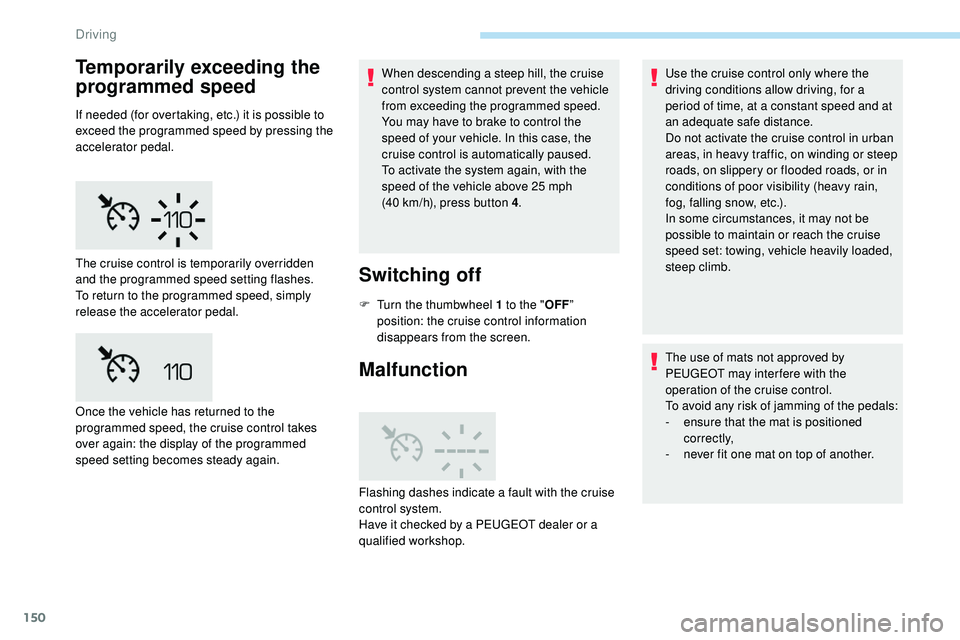
The cruise control is temporarily overridden
and the programmed speed setting flashes.
To return to the programmed speed, simply
release the accelerator pedal.
Once the vehicle has returned to the
programmed speed, the cruise control takes
over again: the display of the programmed
speed setting becomes steady again.
Flashing dashes indicate a fault with the cruise
control system.
Have it checked by a PEUGEOT dealer or a
qualified workshop. Use the cruise control only where the
driving conditions allow driving, for a
period of time, at a constant speed and at
an adequate safe distance.
Do not activate the cruise control in urban
areas, in heavy traffic, on winding or steep
roads, on slippery or flooded roads, or in
conditions of poor visibility (heavy rain,
fog, falling snow, etc.).
In some circumstances, it may not be
possible to maintain or reach the cruise
speed set: towing, vehicle heavily loaded,
steep climb.
The use of mats not approved by
PEUGEOT may inter fere with the
operation of the cruise control.
To avoid any risk of jamming of the pedals:
-
e
nsure that the mat is positioned
c o r r e c t l y,
-
n
ever fit one mat on top of another.
Driving
Page 167 of 320

165
Operating limits
The Lane Positioning Assist system may
emit an alert when the vehicle is travelling
in a long straight lane on a smooth road
sur face even if the driver is holding the
steering wheel properly.
The following situations may interfere with
the operation of the system or prevent it from
working:
-
P
oor visibility (inadequate street lighting,
snowfall, rain, fog).
-
D
azzle (headlamps of an oncoming vehicle,
low sun, reflections on a wet road sur face,
leaving a tunnel, alternating light and
shade).
-
W
indscreen area in front of the camera
being dirty, misted up, frost-covered, snow-
covered, damaged or masked by a sticker.
-
L
ane markings damaged, partially hidden
(snow, mud) or multiple (roadworks,
pavement seams).
-
T
ravelling in a tight bend.
-
W
inding roads.
Active Safety Brake
with Distance Alert and
Intelligent emergency
braking assistance
This system allows:
- t he driver to be warned that their vehicle is
at risk of collision with the vehicle in front, a
pedestrian or, depending on the version, a
cyclist,
-
a c
ollision to be prevented, or its severity to
be limited, by reducing the vehicle’s speed.
The system also takes motorcyclists and
animals into account; however, animals
below 0.5
m and objects on the road are
not necessarily detected.
The system must not be activated in the
following situations:
-
W
hen driving on a small-diameter
spare wheel.
-
W
hen towing, especially with an
unconnected or unapproved trailer.
-
Un
favourable climatic conditions.
-
D
riving on slippery road sur faces (risk
of aquaplaning, snow, ice).
-
D
riving on racing circuits.
-
D
riving on a rolling road.
Recommendations on care
- Regularly check that the front bumper and
the area of the windscreen located in front
of the camera are clean.
-
R
egularly check that the windscreen wipers
are in good condition.
-
I
n bad weather, or during the winter, ensure
that the front bumper and windscreen are
not covered with mud, ice or snow.
Operating faults
(orange
colour) A system malfunction is indicated
by the Ser vice warning lamp
coming on and this (orange) symbol,
accompanied by an alert message
and an audible signal.
6
Driving
Page 177 of 320

175
This driving aid system is designed to
improve safety when driving and is in no
circumstances a substitute for the use
of the interior rear view mirror and door
mirrors. It is the driver's responsibility to
constantly check the traffic, to assess the
relative distances and speeds of other
vehicles and to anticipate their movements
before deciding whether to change lane.
This system is a driving aid which cannot,
in any circumstances, replace the need for
vigilance on the part of the driver.
Activation/Deactivation
The function is activated and
deactivated in the Driving/Vehicle
menu of the touch screen.
The state of the system is memorised when
switching off the ignition. The system is automatically deactivated
when towing with a towing device
approved by PEUGEOT.
Operation
Sensors fitted in the front and rear bumpers
monitor the blind spots.
The alert is given by an orange warning lamp
coming on in the relevant door mirror, as soon
as a vehicle – car, lorry, bicycle – is detected.
The following conditions must be met for this:
-
a
ll vehicles are moving in the same direction
and in adjacent lanes,
-
t
he speed of the vehicle must be between
7 and 87 mph (12 and 140
km/h) (versions
without Park Assist or Full Park Assist),
-
t
he speed of the vehicle must be between
19 and 87 mph (30 and 140
km/h) (versions
with Park Assist or Full Park Assist),
-
y
ou overtake a vehicle with a speed
difference of less than 6 mph (10
km/h),
-
a v
ehicle overtakes you with a speed
difference of less than 16 mph (25
km/h),
-
t
he traffic is flowing normally,
-
ov
ertaking a vehicle over a certain period
of time and the vehicle being overtaken
remains in the blind spot,
-
y
ou are driving on a straight or slightly
curved road,
-
y
our vehicle is not pulling a trailer, a
caravan, etc.
No alert will be given in the following situations:
-
i
n the presence of non-moving objects
(parked vehicles, barriers, street lamps,
road signs, etc.),
6
Driving