2019 OPEL ASTRA K brake light
[x] Cancel search: brake lightPage 197 of 317
Driving and operating195Fault
If the adaptive cruise control does not work due to temporary conditions
(e.g. blockage by ice, overheated
brakes or low speed manoeuvres) or
if there is a permanent system error,
then a message is displayed in the
Driver Information Centre.
Vehicle messages 3 123.
Forward collision alert The forward collision alert may help toavoid or reduce the harm caused by
front-end crashes.
If the vehicle is equipped with
conventional cruise control, the
forward collision alert uses the front
camera in the windscreen to detect a
vehicle directly ahead, in your path.
If the vehicle is equipped with
adaptive cruise control, the forward
collision alert uses the radar sensor to detect a vehicle directly ahead, in
your path.
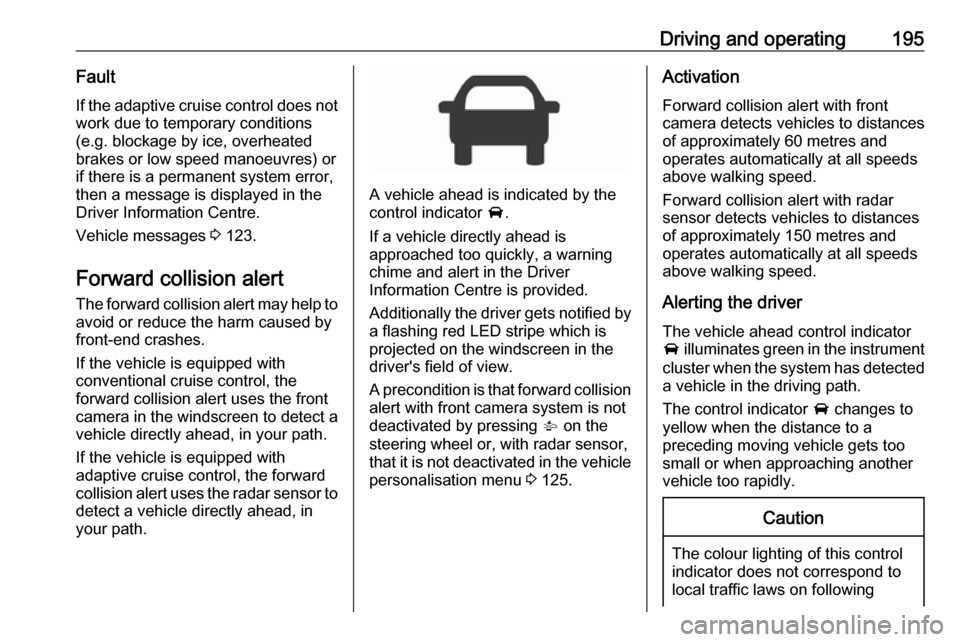
A vehicle ahead is indicated by the
control indicator A.
If a vehicle directly ahead is
approached too quickly, a warning
chime and alert in the Driver
Information Centre is provided.
Additionally the driver gets notified by
a flashing red LED stripe which is
projected on the windscreen in the driver's field of view.
A precondition is that forward collision
alert with front camera system is not
deactivated by pressing V on the
steering wheel or, with radar sensor,
that it is not deactivated in the vehicle
personalisation menu 3 125.
Activation
Forward collision alert with front
camera detects vehicles to distances
of approximately 60 metres and
operates automatically at all speeds
above walking speed.
Forward collision alert with radar
sensor detects vehicles to distances
of approximately 150 metres and
operates automatically at all speeds
above walking speed.
Alerting the driver
The vehicle ahead control indicator
A illuminates green in the instrument
cluster when the system has detected
a vehicle in the driving path.
The control indicator A changes to
yellow when the distance to a
preceding moving vehicle gets too
small or when approaching another
vehicle too rapidly.Caution
The colour lighting of this control
indicator does not correspond to
local traffic laws on following
Page 201 of 317

Driving and operating199● forward looking brake assist
● intelligent brake assist (only with radar sensor)
Brake preparation system
When approaching a vehicle ahead
so quickly that a collision is likely, the brake preparation system slightly
pressurizes the brakes. This reduces
the response time, when a manual or automatic braking is requested.
The brake system is prepared so that braking can occur more rapidly.
If equipped only with front camera the
system operates up to a speed of 80
km/h.
Emergency automatic braking After activation of brake preparation
system and just before the imminent
collision, this function automatically
applies limited braking to reduce the
impact speed of the collision or
prohibit a crash. Depending on the
situation, the vehicle may
automatically brake moderately or
hard. This front automatic braking canonly occur if a vehicle ahead is
detected, indicated by the vehicle
ahead indicator A 3 195.
If equipped only with front camera the
system operates up to a speed of 60
km/h.
Below a speed of 40 km/h the system can apply full braking.
Emergency automatic braking may slow the vehicle to a complete stop to
try to avoid a potential crash. If this
happens, emergency automatic
braking may engage the electric
parking brake to hold the vehicle at a
stop. To release press the electric
parking brake button or firmly press
the accelerator pedal.9 Warning
Emergency automatic braking is
an emergency crash preparation
feature and is not designed to
avoid crashes. Do not rely on the
system to brake the vehicle.
Emergency automatic braking will
not brake outside of its operating speed range and only responds to
detected vehicles.
Forward looking brake assist
In addition to the brake preparation
system and emergency automatic
braking, the forward looking brake
assist function makes the brake assist more sensitive. Therefore, pressing
the brake pedal less strongly results
in immediate hard braking. This
function helps the driver brake
quicker and harder before the
imminent collision.
If equipped only with front camera the
system operates up to a speed of 85
km/h.9 Warning
Active emergency braking is not
designed to apply hard
autonomous braking or to
automatically avoid a collision. It is designed to reduce the vehicle
speed before a collision. It may not
react for pedestrians or animals.
Page 226 of 317

224Driving and operatingTrailer hitch
General information
Only use towing equipment that has
been approved for your vehicle.
Entrust retrofitting of towing
equipment to a workshop. It may be
necessary to make changes that
affect the cooling system, heat
shields or other equipment.
The bulb outage detection function for trailer brake light cannot detect a
partial bulb outage, e.g. in case of four
times five watt bulbs, the function only detects lamp outage when only a
single five Watt lamp remains or none
remain.
Fitting of towing equipment could
cover the opening of the towing eye.
If this is the case use the coupling ball bar for towing. Always keep the
coupling ball bar in the vehicle when
not in use.Driving characteristics and
towing tips
Before attaching a trailer, lubricatethe coupling ball. However, do not do
so if a stabiliser, which acts on the
coupling ball, is being used to reduce snaking movements.
During trailer towing do not exceed a
speed of 80 km/h. A maximum speed
of 100 km/h is only appropriate if an
oscillation damper is used and the
permissible gross trailer weight does
not exceed the vehicle’s curb weight.
For trailers with low driving stability
and caravan trailers, the use of an
oscillation damper is strongly
recommended.
If the trailer starts snaking, drive more
slowly, do not attempt to correct the
steering and brake sharply if
necessary.
When driving downhill, drive in the
same gear as if driving uphill and
drive at a similar speed.
Adjust tyre pressure to the value
specified for full load 3 295.Trailer towing
Trailer loadsThe permissible trailer loads are
vehicle and engine-dependent
maximum values which must not be
exceeded. The actual trailer load is the difference between the actual
gross weight of the trailer and the
actual coupling socket load with the
trailer coupled.
The permissible trailer loads are
specified in the vehicle documents. In
general, they are valid for gradients
up to 12%.
The permissible trailer load applies
up to the specified incline and at sea
level. Since engine power decreases
as altitude increases due to the air
becoming thinner, therefore reducing
climbing ability, the permissible gross train weight also decreases by 10%for every 1000 metres of altitude. The gross train weight does not have to be
reduced when driving on roads with
slight inclines (less than 8%, e.g.
motorways).
Page 231 of 317

Vehicle care229Vehicle careGeneral Information...................229
Accessories and vehicle modifications .......................... 229
Vehicle storage ........................230
End-of-life vehicle recovery .....230
Vehicle checks ........................... 231
Performing work ......................231
Bonnet ..................................... 231
Engine oil ................................. 232
Engine coolant ......................... 233
Washer fluid ............................ 234
Brakes ..................................... 234
Brake fluid ............................... 234
Vehicle battery ......................... 235
Diesel fuel system bleeding .....236
Wiper blade replacement ........236
Bulb replacement .......................237
Halogen headlights ..................237
Front fog lights ......................... 239
Tail lights ................................. 240
Side turn lights ......................... 246
Number plate light ...................246
Interior lights ............................ 247
Instrument panel illumination ...247Electrical system ........................247
Fuses ....................................... 247
Engine compartment fuse box . 248
Instrument panel fuse box .......250
Load compartment fuse box ....252
Vehicle tools .............................. 254
Tools ........................................ 254
Wheels and tyres .......................255
Winter tyres ............................. 255
Tyre designations ....................256
Tyre pressure .......................... 256
Tyre pressure monitoring system .................................... 257
Tread depth ............................. 261
Changing tyre and wheel size . 262 Wheel covers ........................... 262
Tyre chains .............................. 262
Tyre repair kit .......................... 262
Wheel changing .......................266
Spare wheel ............................ 266
Jump starting ............................. 271
Towing ....................................... 273
Towing the vehicle ...................273
Towing another vehicle ...........274
Appearance care .......................275
Exterior care ............................ 275
Interior care ............................. 276General Information
Accessories and vehiclemodifications
We recommend the use of genuine
parts and accessories and factory
approved parts specific for your
vehicle type. We cannot assess or guarantee reliability of other products
- even if they have a regulatory or
otherwise granted approval.
Any modification, conversion or other
changes made to standard vehicle
specifications (including, without
limitation, software modifications,
modifications of the electronic control units) may invalidate the warranty
offered by Opel. Furthermore, such
changes may affect driver assistance
systems, may impact fuel
consumption, CO 2 emissions and
other emissions of the vehicle and
cause the vehicle to no longer
conform to the operating permit,
impacting the validity of your vehicle
registration.
Page 243 of 317

Vehicle care2416.Press the three retaining lugs and
remove the bulb carrier from the
light assembly.
7. Remove and replace the bulbs:
Turn signal light ( 1)
Tail light/brake light ( 2)
On version with LED tail lights and
LED brake lights, only turn signal
light bulb ( 1) can be removed and
replaced.
8. Attach the bulb carrier to the light assembly.
9. Attach the cable to the retainer.
10. Attach the light assembly to the vehicle body and tighten the
securing nut from the inside of the load compartment. Attach cover.
Depending on the version, tail lights
and brake lights are designed as
LEDs. In case of failure, have LEDs replaced by a workshop.
Light assembly in the tailgate
1. Release the cover in the tailgate and remove it.
2. Unscrew the plastic securing nutby hand.
Page 246 of 317

244Vehicle care5. Standard tail lights:
Release the retaining lugs and
remove the bulb carrier from the
light assembly.
6. Remove and replace the bulbs:
Tail light/brake light ( 1)
Turn signal light ( 2)
7. Insert the bulb carrier into the light
assembly.
8. LED tail lights:
On version with LED tail lights and
LED brake lights, only turn signal
light bulb can be replaced:
remove bulb holder in the light
assembly by turning. Replace
bulb in the bulb holder.
9. Attach the cable to the retainer.
10. Attach the light assembly to the vehicle body and tighten the
securing nuts from the inside of
the load compartment. Attach
cover.
Depending on the version, tail lights
and brake lights are designed as
LEDs. In case of failure, have LEDs
replaced by a workshop.
Light assembly in the tailgate
1. Release the cover in the tailgate and remove it.
Page 261 of 317

Vehicle care259Vehicle loading statusAdjust tyre pressure to load condition
according to the tyre information label or tyre pressure chart 3 295, and
select the appropriate setting in the menu Tyre Load in the Driver
Information Centre, Vehicle
Information Menu 3 115. This setting
is the reference for the tyre pressure
warnings.
The Tyre load menu only appears
when the vehicle is at a standstill and the parking brake is applied. On
vehicles with automatic transmission
the selector lever must be in P.
Midlevel display:Select the Tyre load page under the
Vehicle Information Menu ? in the
Driver Information Centre 3 115.
Select ● Light for comfort pressure up to
three people.
● Eco for Eco pressure up to three
people.
● Max for full loading.
Uplevel display:
Select the Tyre load page under the
Options Menu in the Driver
Information Centre 3 115.
Select
● Light for comfort pressure up to
three people.
● Eco for Eco pressure up to
three people.
● Max for full loading.
Tyre pressure sensor matching
process
Each tyre pressure sensor has a
unique identification code. The
identification code must be matched
to a new wheel position after rotating the wheels or exchanging the
complete wheel set and if one or more tyre pressure sensors were replaced.
The tyre pressure sensor matching
process should also be performed
after replacing a spare wheel with a
road wheel containing the tyre
pressure sensor.
The malfunction light w and the
warning message or code should go
off at the next ignition cycle. The
sensors are matched to the wheel
positions, using a relearn tool, in the following order: left side front wheel,
right side front wheel, right side rear
Page 262 of 317

260Vehicle carewheel and left side rear wheel. Theturn signal light at the current active
position is illuminated until sensor is
matched.
Consult a workshop for service. There are two minutes to match the first
wheel position, and five minutes
overall to match all four wheel
positions. If it takes longer, the
matching process stops and must be
restarted.
The tyre pressure sensor matching
process is:
1. Apply the parking brake.
2. Turn the ignition on.
3. On vehicles with automatic transmission: set the selector
lever to P.
On vehicles with manual
transmission: select neutral.
4. Midlevel display: Use MENU on the turn signal
lever to select the Vehicle
Information Menu ? in the
Driver Information Centre.
Uplevel display:Press p on the steering wheel to
open main menu page.
Select the Info page with Q or P.
Confirm with 9.
5. Select the tyre pressure menu. Midlevel display:
Uplevel display:
6. Midlevel display:Press SET/CLR to begin the
sensor matching process. A
message requesting acceptance
of the process should be
displayed.
Press SET/CLR again to confirm
the selection. The horn sounds
twice to indicate that the receiver
is in relearn mode.
Uplevel display:
Press 9 to begin the sensor
matching process. The horn
sounds twice to indicate that the receiver is in relearn mode.
7. Start with the left side front wheel.