Page 198 of 388
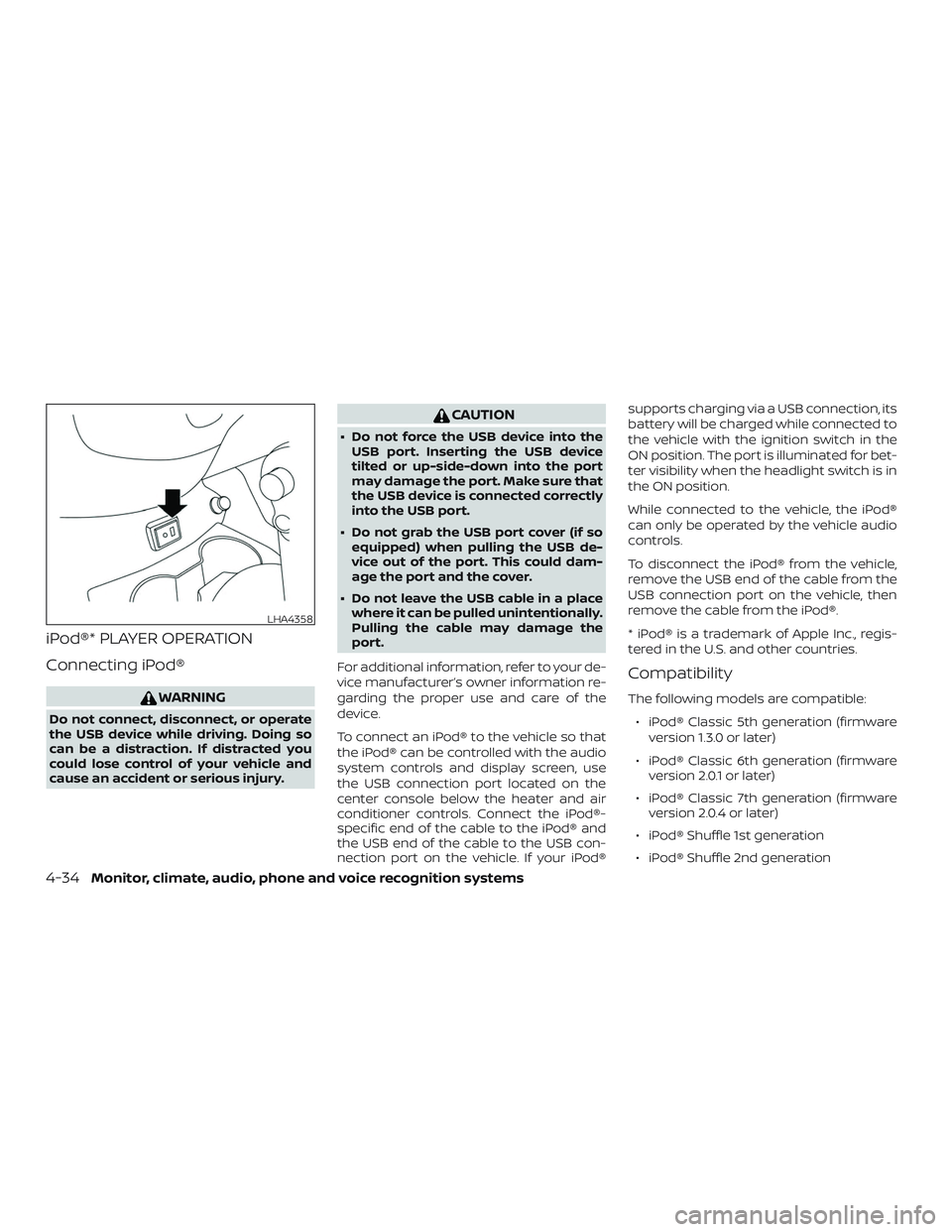
iPod®* PLAYER OPERATION
Connecting iPod®
WARNING
Do not connect, disconnect, or operate
the USB device while driving. Doing so
can be a distraction. If distracted you
could lose control of your vehicle and
cause an accident or serious injury.
CAUTION
∙ Do not force the USB device into theUSB port. Inserting the USB device
tilted or up-side-down into the port
may damage the port. Make sure that
the USB device is connected correctly
into the USB port.
∙ Do not grab the USB port cover (if so equipped) when pulling the USB de-
vice out of the port. This could dam-
age the port and the cover.
∙ Do not leave the USB cable in a place where it can be pulled unintentionally.
Pulling the cable may damage the
port.
For additional information, refer to your de-
vice manufacturer’s owner information re-
garding the proper use and care of the
device.
To connect an iPod® to the vehicle so that
the iPod® can be controlled with the audio
system controls and display screen, use
the USB connection port located on the
center console below the heater and air
conditioner controls. Connect the iPod®-
specific end of the cable to the iPod® and
the USB end of the cable to the USB con-
nection port on the vehicle. If your iPod® supports charging via a USB connection, its
battery will be charged while connected to
the vehicle with the ignition switch in the
ON position. The port is illuminated for bet-
ter visibility when the headlight switch is in
the ON position.
While connected to the vehicle, the iPod®
can only be operated by the vehicle audio
controls.
To disconnect the iPod® from the vehicle,
remove the USB end of the cable from the
USB connection port on the vehicle, then
remove the cable from the iPod®.
* iPod® is a trademark of Apple Inc., regis-
tered in the U.S. and other countries.
Compatibility
The following models are compatible:
∙ iPod® Classic 5th generation (firmware version 1.3.0 or later)
∙ iPod® Classic 6th generation (firmware version 2.0.1 or later)
∙ iPod® Classic 7th generation (firmware version 2.0.4 or later)
∙ iPod® Shuffle 1st generation
∙ iPod® Shuffle 2nd generation
LHA4358
4-34Monitor, climate, audio, phone and voice recognition systems
Page 207 of 388

REQUIREMENTS
Siri® is only available on the iPhone® 4S or
later. Devices released before iPhone® 4S
are not supported by the Siri® Eyes Free
system. Visit www.apple.com/ios/siri for
details about device compatibility.
Siri must be enabled on the phone. Please
check phone settings.
If the device has a lock screen, Siri must be
accessible from the lock screen. Please
check phone settings.
For best results, always update your device
to the latest sof tware version.
OPERATING SIRI® EYES FREE
1. Pushbutton for more than
1.5 seconds.
2. Speak your command and then listen to the Siri® Eyes Free reply.
Af ter starting Siri Eyes Free, push the
button again within 5 seconds of the end of
the Siri Eyes Free announcement to extend
the session.
Example 1 – Playing music
1. Push
button for more than
1.5 seconds. 2. Say “Play (artist name, song name,
etc.)”.
3. Your vehicle will automatically change to Bluetooth® Audio or iPod® mode*
when the music starts playing. Mode
selection is determined by the phone.
* If the iPhone® is also connected with the
USB cable.
If the audio track does not start playing
automatically af ter Siri Eyes Free ends, try
changing the track or audio source to re-
sume playback.
Type A (if so equipped)
LHA4747
Type B (if so equipped)
LHA4810
Monitor, climate, audio, phone and voice recognition systems4-43
Page 375 of 388

11 Index
A
Air bag (See supplemental restraint
system) .................... .1-44
Air bag system Front (See supplemental front impact air
bagsystem)............... .1-55
Air bag warning labels ............1-63
Airbagwarninglight .........1-63, 2-20
Air bag warning light, supplemental . . .1-63, 2-20
Air cleaner housing filter ..........8-16
Air conditioner Air conditioner operation ........4-18
Air conditioner service ..........4-23
Air conditioner specification label . .10-12
Air conditioner system refrigerant and oil
recommendations ............10-7
Air conditioner system refrigerant
recommendations ............10-7
Heater and air conditioner controls. .4-15
Servicing air conditioner ........4-23
Air flow charts .................4-19
Alarm system
(See vehicle security system) .......2-24
Anchor point locations ............1-27
Antenna ....................4-42
Antifreeze ...................5-36
Anti-lock brake warning light ........2-15
Anti-lock Braking System (ABS) ......5-31
Armrests.....................1-5
Audible reminders ..............2-23 Audiosystem.................4-23
AM/FMradio................4-28
AMradioreception............4-24
Auxliliary (AUX) devices operation . . .4-30
Bluetooth® audio .............4-37
FM/AM/SAT radio with compact disc (CD)
player....................4-26
FMradioreception............4-23
iPod®Player................4-34
iPod® player operation .........4-34
Radio ....................4-23
Steering wheel audio control
switch....................4-41
USBinterface ...............4-31
USB (Universal Serial Bus) Connection
Port.....................4-31
Automatic Automatic power window switch . . .2-43
Automatic door locks .............3-7
B
Battery..................5-36,8-12 Charge warning light ...........2-16
Battery replacement ............8-22
Keyfob................8-22,8-22
NISSAN Intelligent Key® .........8-24
Before starting the engine .........5-15
Belt(Seedrivebelt)..............8-14
Bluetooth® audio ...............4-37
Bluetooth® hands-free phone system . .4-46 Bluetooth® connections .........4-61Connecting procedure
.........4-52
Text messaging .............4-58
Voice commands ............4-53
Booster seats .................1-41
Brake Anti-lock Braking System (ABS) ....5-31
Brakefluid..................8-9
Brakelight(Seestoplight).......8-27
Brakesystem...............5-31
Brakewarninglight............2-15
Brakewearindicators.......2-23,8-18
Parking brake operation ........5-23
Self-adjustingbrakes ..........8-18
Brakeassist..................5-32
Brakefluid....................8-9
Brakes......................8-18
Brakesystem.................5-31
Break-in schedule ..............5-26
Brightness/contrast button .........4-7
Brightness control Instrument panel .............2-30
Bulb check/instrument panel .......2-15
Bulb replacement ..............
8-27
C
Capacities and recommended fuel/
lubricants....................10-2
Cargocover..................2-40
Cargo
(See vehicle loading information) .....10-13
Car phone or CB radio ...........4-46