Page 148 of 476
indicator light will flash. For additional infor-
mation, refer to “Blind Spot Warning (BSW)”
in the “Starting and driving” section of this
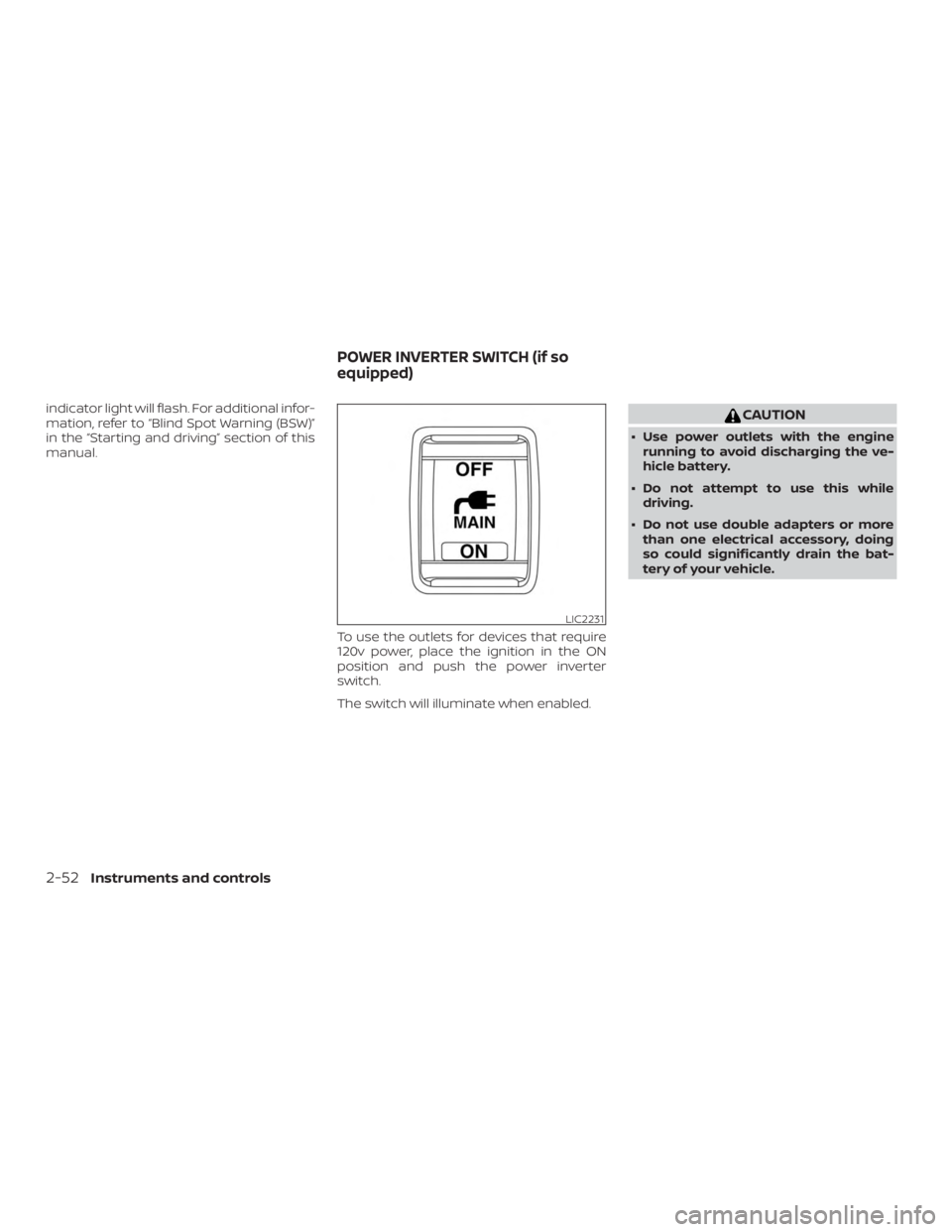
manual.To use the outlets for devices that require
120v power, place the ignition in the ON
position and push the power inverter
switch.
The switch will illuminate when enabled.
Page 150 of 476
12V OUTLETS
The power outlets are for powering electri-
cal accessories such as cellular tele-
phones. They are rated at 12 volt, 120W (10A)
maximum.
The instrument panel and center console
power outlets are powered only when the
ignition switch is in the ACC or ON position.
Page 164 of 476

POWER MOONROOF
The moonroof will only operate when the
ignition switch is in the ON position. The
power moonroof is operational for a period
of time, even if the ignition switch is placed
in the ACC or OFF position. If the driver’s
door or the front passenger’s door is
opened during this period of time, the
power to the moonroof is canceled.
Sliding the moonroof
To fully open or close the moonroof, push
the switch to the open
�1or close�2posi-
tion and release it; it need not be held. The
roof will automatically open or close all the way. To stop the roof, push the switch once
more while it is opening or closing.
Tilting the moonroof
To tilt up, first close the moonroof, then
push the switch to the tilt up position
�1
and release it; it need not be held. To tilt
down the moonroof, push the switch to the
tilt down position
�2.
Resetting the moonroof switch
If the moonroof does not operate properly,
perform the following procedure to initial-
ize the moonroof operation system.
1. Place the ignition switch in the ON po- sition.
2. Press and hold the moonroof tilt switch forward until the moonroof stops.
3. Release the moonroof switch.
4. Press and hold the tilt up switch within 6 seconds.
5. The roof glass will tilt-down, slide-close, slide-open, slide-close, tilt-up, tilt-
down.
6. Release the switch; initialization is complete if the moonroof operates
normally. If the moonroof does not operate properly
af ter performing the procedure above,
have your vehicle checked. It is recom-
mended that you visit a NISSAN dealer for
this service.
Auto-reverse function (when
closing or tilting down the
moonroof )
The auto-reverse function can be acti-
vated when the moonroof is closed or
tilted down by automatic operation when
the ignition switch is placed in the ON po-
sition or for a period of time af ter the igni-
tion switch is placed in the OFF position.
Depending on the environment or driv-
ing conditions, the auto-reverse func-
tion may be activated if an impact or
load similar to something being caught
in the moonroof occurs.
Page 167 of 476
WARNING
There are some small distances imme-
diately before the closed position which
cannot be detected. Make sure that all
of the passengers have their hands,
etc., inside the vehicle before closing
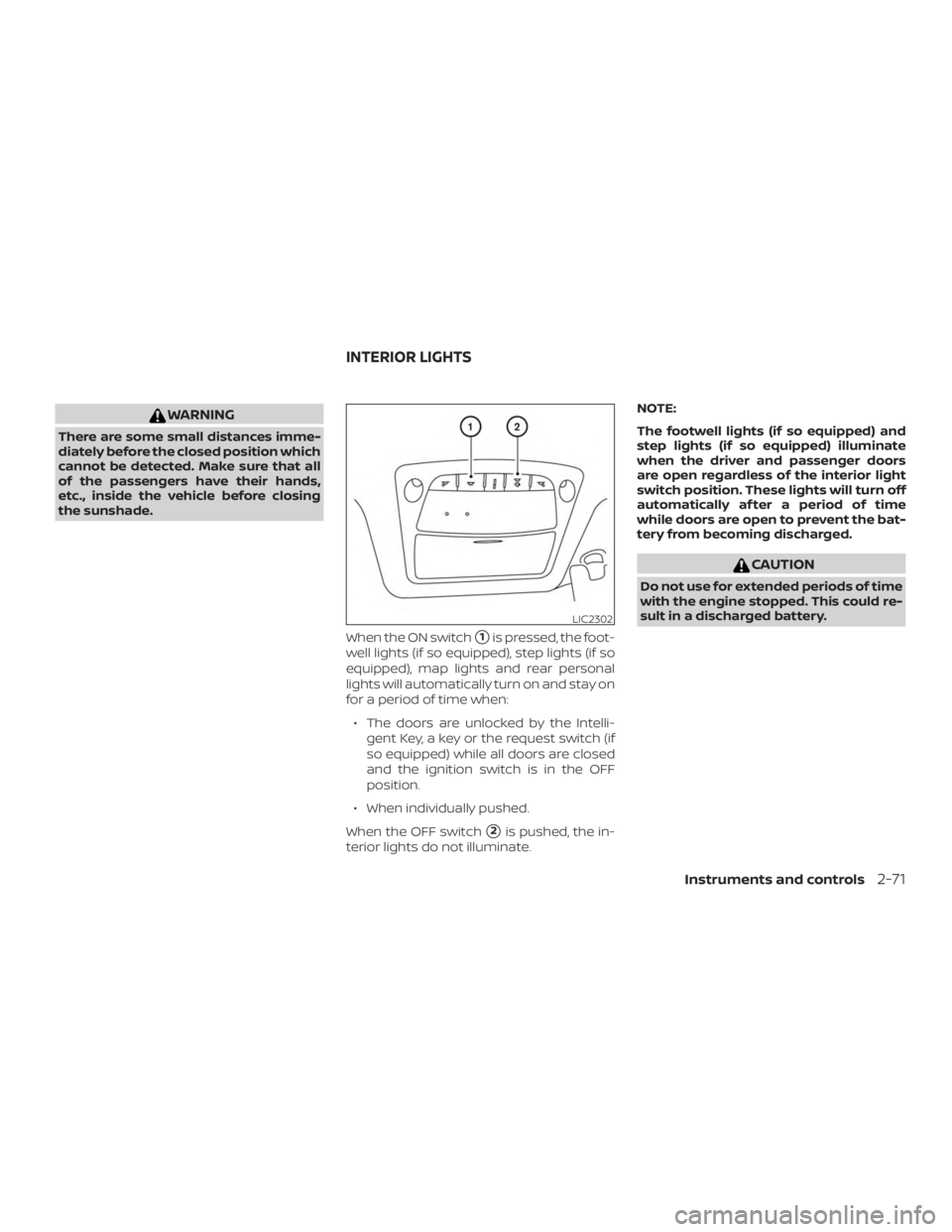
the sunshade.When the ON switch
�1is pressed, the foot-
well lights (if so equipped), step lights (if so
equipped), map lights and rear personal
lights will automatically turn on and stay on
for a period of time when:
∙ The doors are unlocked by the Intelli- gent Key, a key or the request switch (if
so equipped) while all doors are closed
and the ignition switch is in the OFF
position.
∙ When individually pushed.
When the OFF switch
�2is pushed, the in-
terior lights do not illuminate. NOTE:
The footwell lights (if so equipped) and
step lights (if so equipped) illuminate
when the driver and passenger doors
are open regardless of the interior light
switch position. These lights will turn off
automatically af ter a period of time
while doors are open to prevent the bat-
tery from becoming discharged.
Page 170 of 476
WARNING
∙ Do not use the HomeLink® UniversalTransceiver with any garage door
opener that lacks safety stop and re-
verse features as required by federal
safety standards. (These standards
became effective for opener models
manufactured af ter April 1, 1982). A
garage door opener which cannot de-
tect an object in the path of a closing
garage door and then automatically
stop and reverse, does not meet cur-
rent federal safety standards. Using a
garage door opener without these
features increases the risk of serious
injury or death.
∙ During the programming procedure your garage door or security gate will
open and close (if the transmitter is
within range). Make sure that people
or objects are clear of the garage door,
gate, etc. that you are programming. ∙ Your vehicle’s engine should be
turned off while programming the
HomeLink® Universal Transceiver. Do
not breathe exhaust gases; they con-
tain colorless and odorless carbon
monoxide. Carbon monoxide is dan-
gerous. It can cause unconsciousness
or death.
PROGRAMMING HOMELINK®
If you have any questions or are having
difficulty programming your HomeLink®
buttons, refer to the HomeLink® web site at:
www.homelink.com or call 1-800-355-3515.
NOTE:
Place the ignition switch in the ACC posi-
tion when programming HomeLink®. It is
also recommended that a new battery
be placed in the hand-held transmitter
of the device being programmed to
HomeLink® for quicker programming
and accurate transmission of the radio
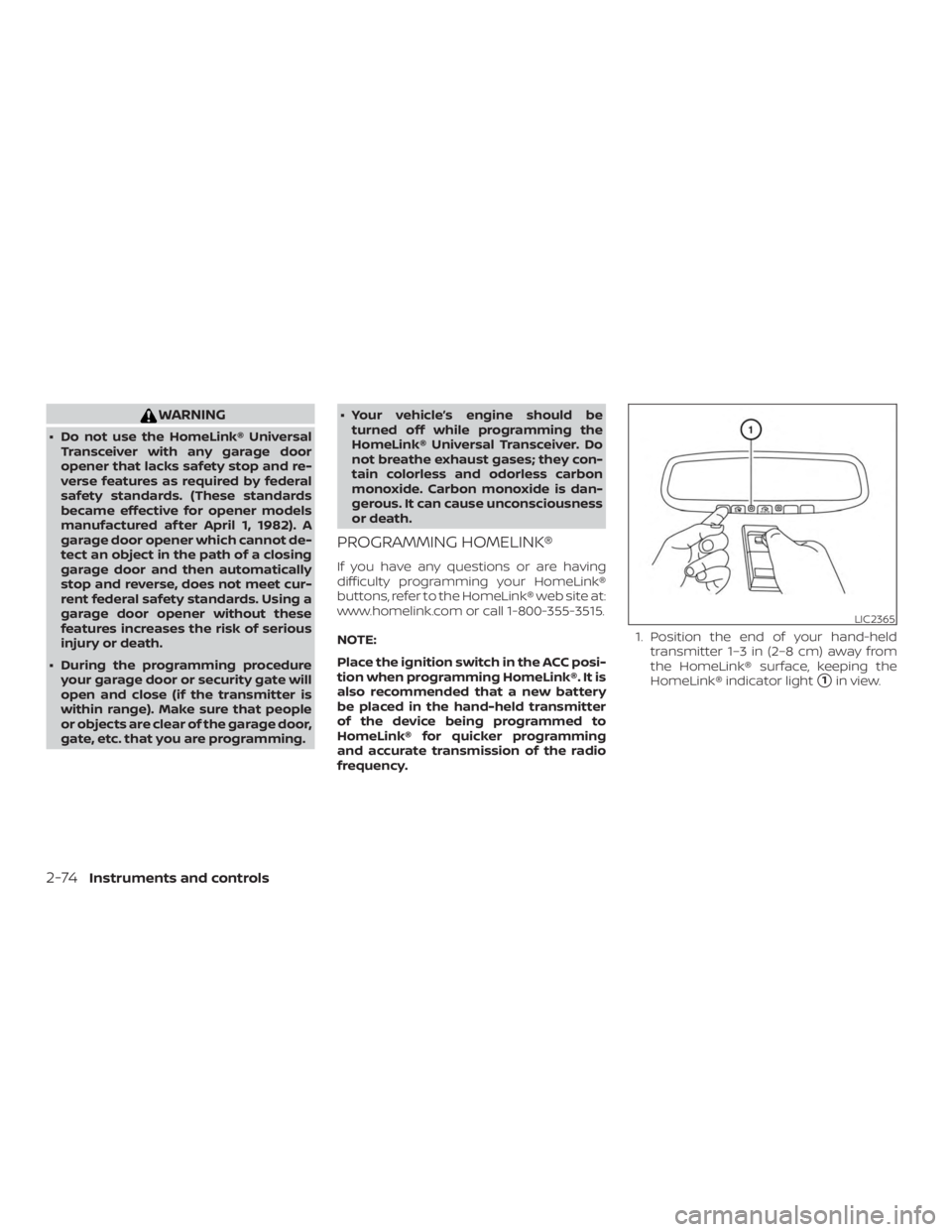
frequency. 1. Position the end of your hand-held
transmitter 1–3 in (2–8 cm) away from
the HomeLink® surface, keeping the
HomeLink® indicator light
�1in view.
Page 197 of 476
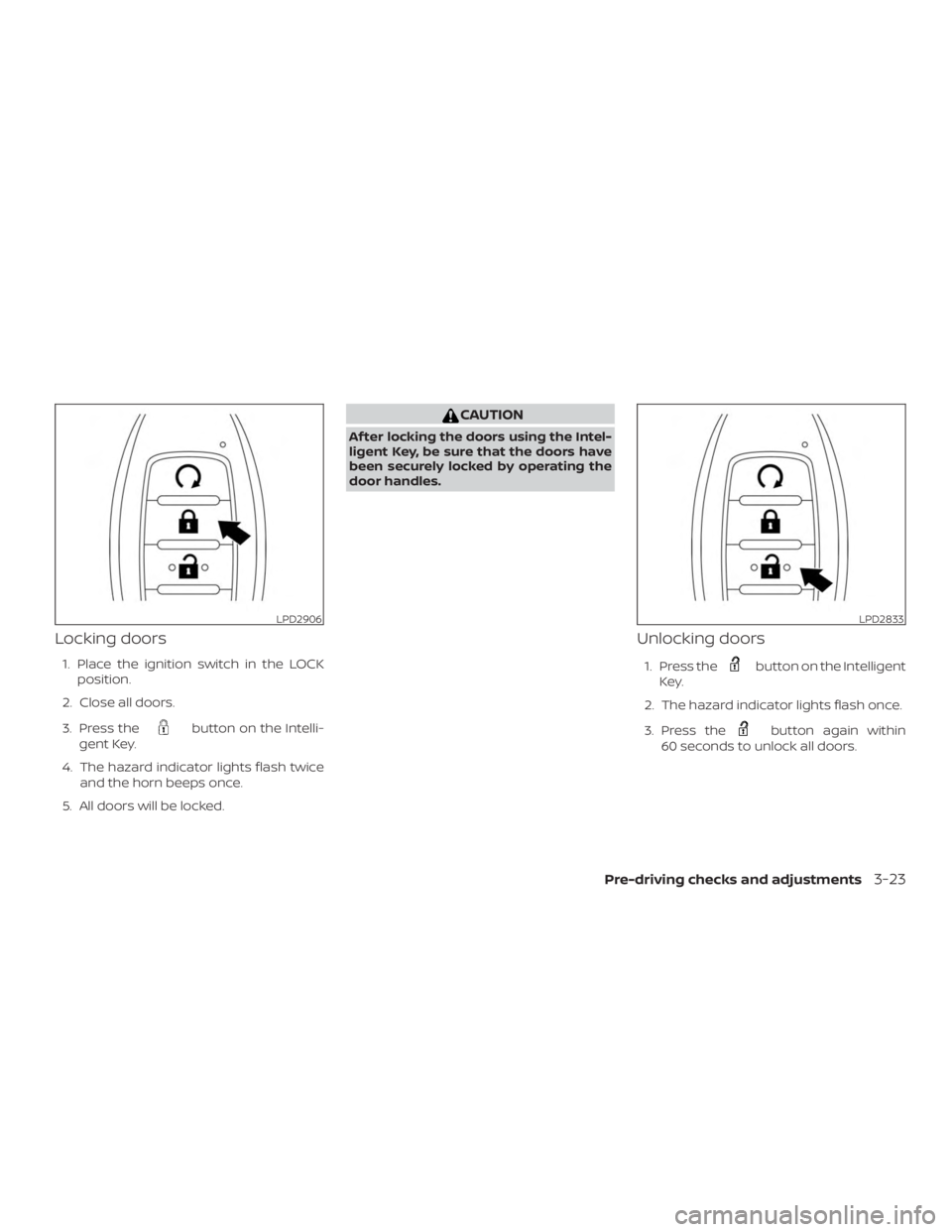
Locking doors
1. Place the ignition switch in the LOCKposition.
2. Close all doors.
3. Press the
Page 217 of 476
CAUTION
For vehicles with automatic drive posi-
tioner: Failure to reset the tilt and tele-
scoping functions of the steering
wheel, af ter the vehicle’s battery has
been discharged, may prevent the
steering wheel position from being
adjusted.
For vehicles with automatic drive posi-
tioner: Both the tilt and telescopic steering
operation must be reset af ter the vehicle’s
battery has been discharged in order to
prevent the tilt and telescopic operation
from locking in one position. When the bat-
tery has been recharged or replaced, per-
form the following: ∙ For tilt operation, adjust the switch
�1
so the steering wheel moves to the
highest position
�2that can be
reached.
∙ For telescopic operation, adjust the switch
�1so the steering wheel moves
to the most forward and backward po-
sition
�3that can be reached.
Performing these operations resets the
range of the steering wheel’s tilt and tele-
scopic function.
Entry/Exit function (if so
equipped)
The automatic drive positioner system (if
so equipped) will make the steering wheel
move up automatically when the driver’s
door is opened and the ignition switch is in
the LOCK position. This lets the driver get
into and out of the seat more easily. The
steering wheel moves back into position
when the driver’s door is closed and the
ignition switch is pushed.
For additional information, refer to “Auto-
matic drive positioner” in this section.
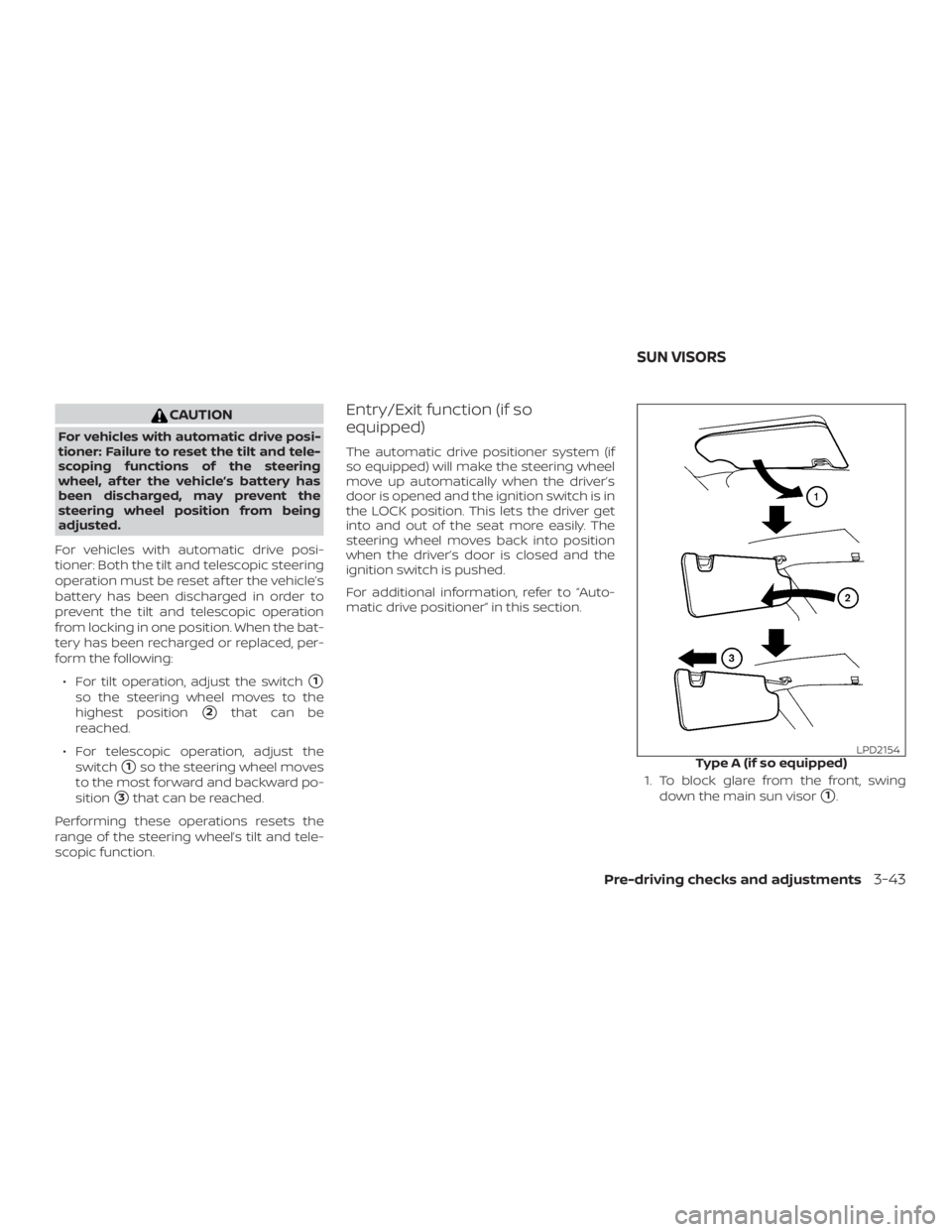
1. To block glare from the front, swingdown the main sun visor
�1.
Page 221 of 476
For additional information on the compass
display
�3(if so equipped), refer to “Com-
pass display” in the “Instruments and con-
trols” section of this manual.
OUTSIDE MIRRORS
The outside mirror remote control will op-
erate only when the ignition switch is in the
ACC or ON position.
Move the small switch
�1to select the lef t
or right mirror. Adjust each mirror to the
desired position using the large switch
�2.
Move the small switch
�1to the center
(neutral) position to prevent accidentally
moving the mirror.