2019 NISSAN PATHFINDER lock
[x] Cancel search: lockPage 188 of 476
∙ Switching the Auto Room Lamp to theOFF position in “Vehicle Settings” of the
vehicle information display. For addi-
tional information, refer to “Vehicle in-
formation display” in the “Instruments
and controls” section of this manual.
HOW TO USE THE REMOTE
KEYLESS ENTRY FUNCTION
The remote keyless entry function can op-
erate all door locks using the remote key-
less function of the Intelligent Key. The re-
mote keyless function can operate at a
distance of 33 f t (10 m) away from the ve-
hicle. The operating distance depends
upon the conditions around the vehicle.
The remote keyless entry function will not
function under the following conditions:
∙ When the Intelligent Key is not within the operational range.
∙ When the doors or the rear lif tgate are open or not closed securely.
∙ When the Intelligent Key battery is dis- charged.
CAUTION
When locking the doors using the Intel-
ligent Key, be sure not to leave the key in
the vehicle.
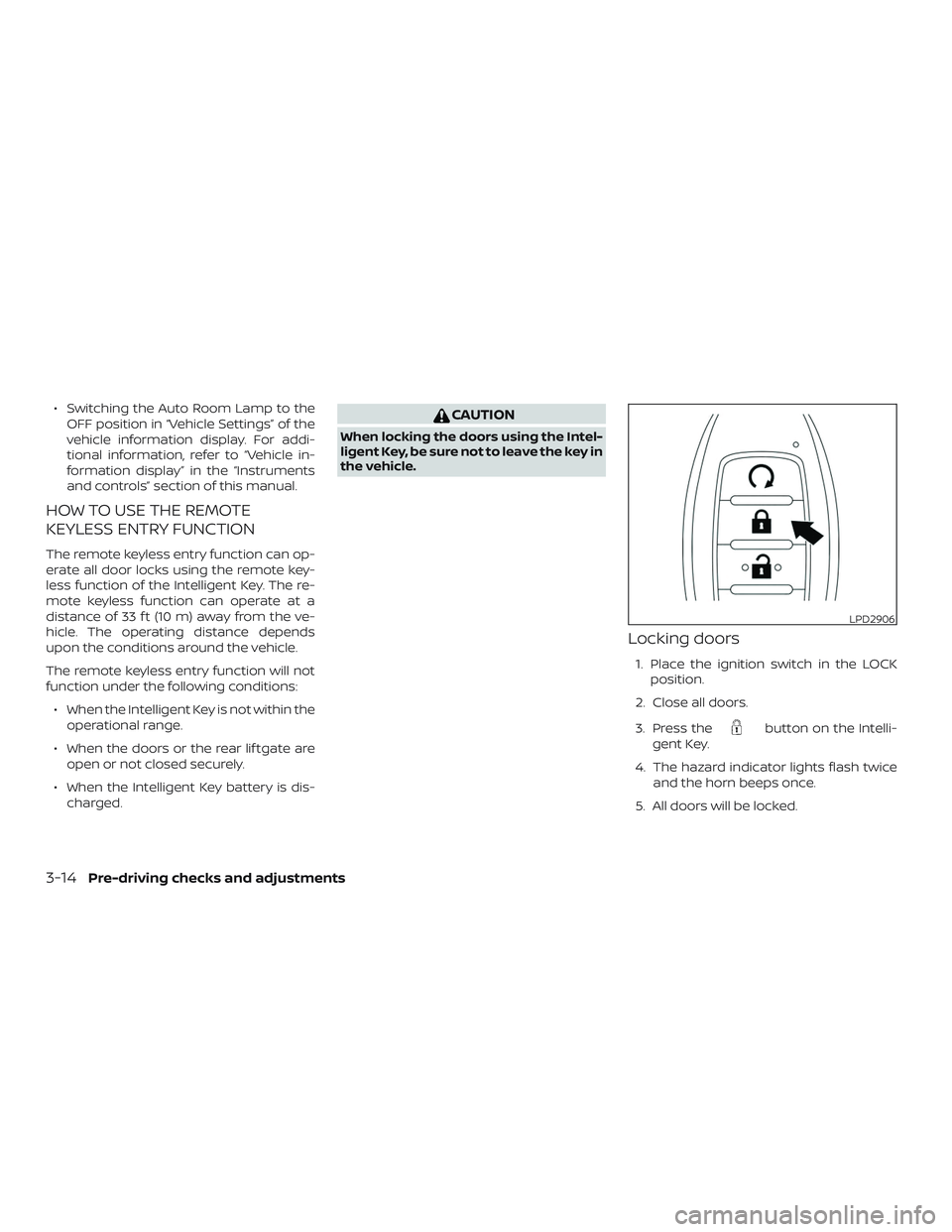
Locking doors
1. Place the ignition switch in the LOCK position.
2. Close all doors.
3. Press the
button on the Intelli-
gent Key.
4. The hazard indicator lights flash twice and the horn beeps once.
5. All doors will be locked.
LPD2906
3-14Pre-driving checks and adjustments
Page 189 of 476
CAUTION
Af ter locking the doors using the Intel-
ligent Key, be sure that the doors have
been securely locked by operating the
door handles.
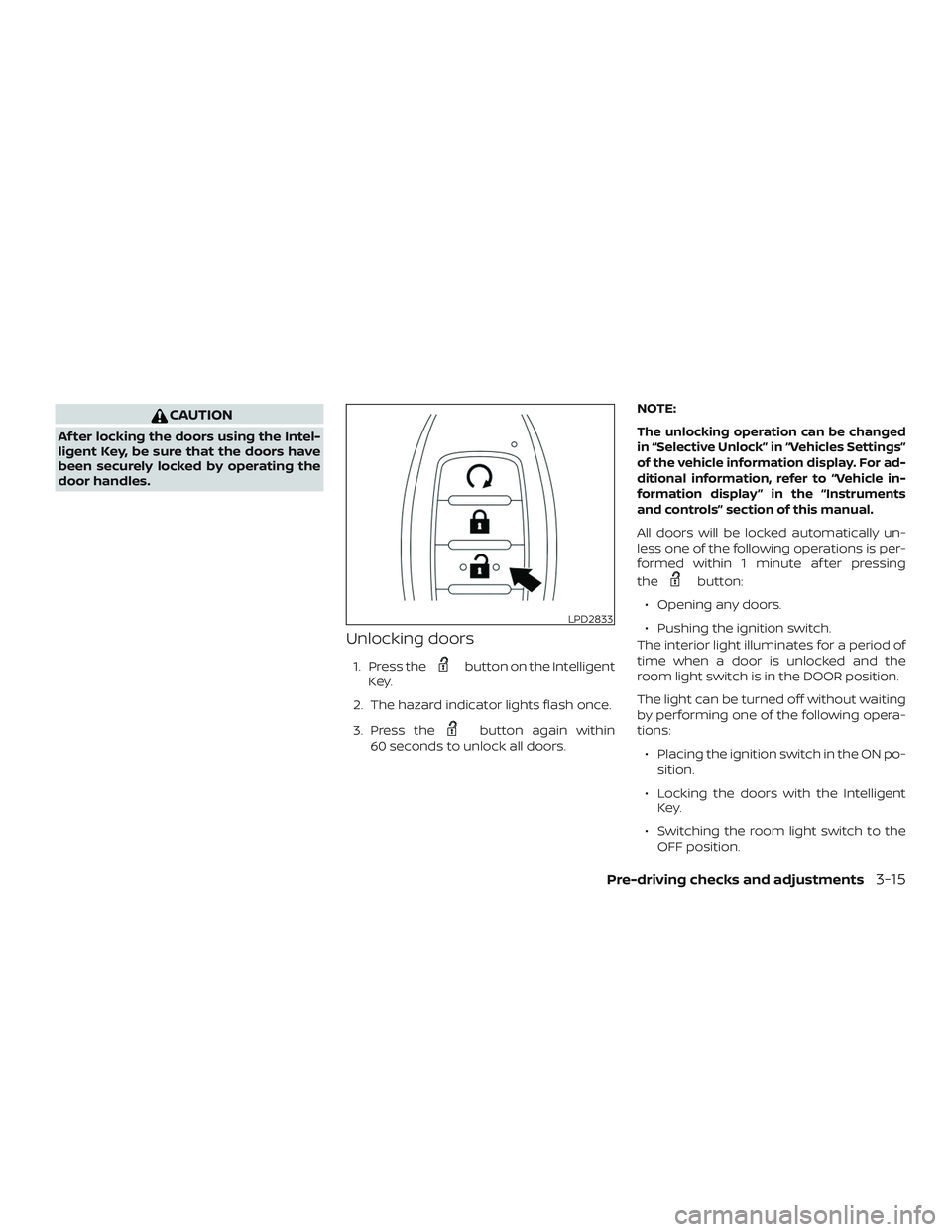
Unlocking doors
1. Press thebutton on the Intelligent
Key.
2. The hazard indicator lights flash once.
3. Press the
button again within
60 seconds to unlock all doors. NOTE:
The unlocking operation can be changed
in “Selective Unlock” in “Vehicles Settings”
of the vehicle information display. For ad-
ditional information, refer to “Vehicle in-
formation display ” in the “Instruments
and controls” section of this manual.
All doors will be locked automatically un-
less one of the following operations is per-
formed within 1 minute af ter pressing
the
button:
∙ Opening any doors.
∙ Pushing the ignition switch.
The interior light illuminates for a period of
time when a door is unlocked and the
room light switch is in the DOOR position.
The light can be turned off without waiting
by performing one of the following opera-
tions:
∙ Placing the ignition switch in the ON po- sition.
∙ Locking the doors with the Intelligent Key.
∙ Switching the room light switch to the OFF position.
LPD2833
Pre-driving checks and adjustments3-15
Page 190 of 476
∙ Switching the Auto Room Lamp to theOFF position in “Vehicle Settings” of the
vehicle information display. For addi-
tional information, refer to “Vehicle in-
formation display” in the “Instruments
and controls” section of this manual.
Opening windows (if so equipped)
The Intelligent Key allows you to simultane-
ously open windows equipped with auto-
matic operation.
∙ To open the windows, press the
button on the Intelligent Key for longer
than 3 seconds af ter all doors are un-
locked.
The door windows will open while pressing
the
button on the Intelligent Key.
The door windows cannot be closed by
using the Intelligent Key.
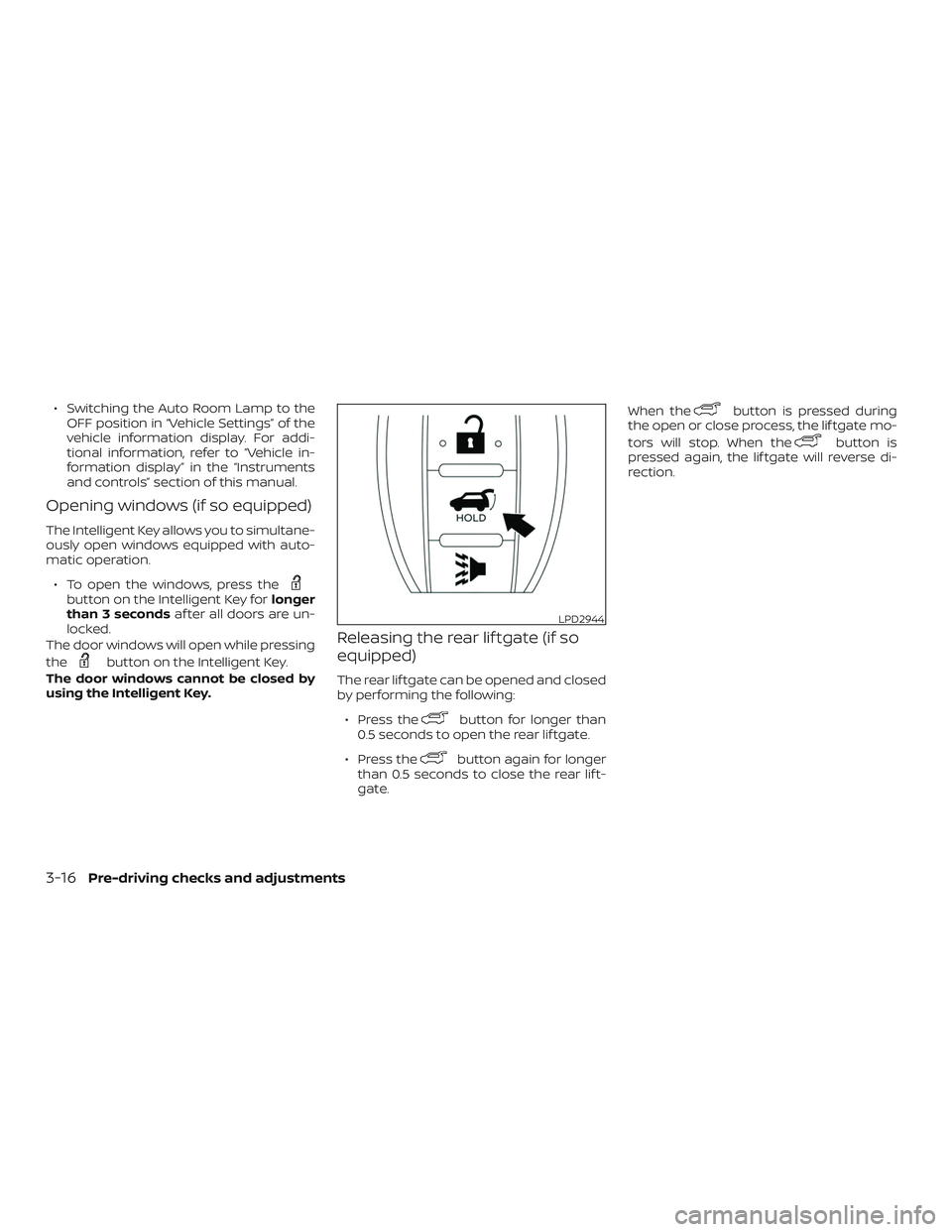
Releasing the rear lif tgate (if so
equipped)
The rear lif tgate can be opened and closed
by performing the following:
∙ Press the
button for longer than
0.5 seconds to open the rear lif tgate.
∙ Press the
button again for longer
than 0.5 seconds to close the rear lif t-
gate. When the
button is pressed during
the open or close process, the lif tgate mo-
tors will stop. When the
button is
pressed again, the lif tgate will reverse di-
rection.
LPD2944
3-16Pre-driving checks and adjustments
Page 193 of 476

SymptomPossible CauseRemedy
When stopping the engine The Shif t to Park warning appears on
the display and the inside warning
chime sounds continuously. The shif t lever is not in the P (Park)
position.Move the shif t lever to the P (Park)
position.
When shif ting the shif t lever to the P
(Park) position The Push ignition to OFF warning ap-
pears in the display. The ignition switch is in the ACC or ON
position.Place the ignition switch in the OFF
position.
When opening the driver’s door to get
out of the vehicle The Door Open warning appears on
the display and the inside warning
chime sounds continuously. The ignition switch is in the ACC or ON
position.
Place the ignition switch in the OFF
position.
When closing the door af ter getting
out of the vehicle The No Key Detected warning appears
on the display, the outside chime
sounds three times and the inside
warning chime sounds for approxi-
mately 3 seconds.
The ignition switch is in the ACC or ON
position.
Place the ignition switch in the OFF
position.
The Rear Door Alert warning message
appears on the display, the horn
sounds three times twice, or a “Check
Back Seat For All Articles” warning ap-
pears on the display. The Rear Door Alert is activated.
Check the back seat for all articles,
press the ENTER button to clear the
Rear Door Alert warning message.
The Shif t to Park warning appears on
the display and the outside chime
sounds continuously. The ignition switch is in the ACC posi-
tion and the shif t lever is not in the P
(Park) position.Move the shif t lever to the P (Park) po-
sition and place the ignition switch in
the OFF position.
When closing the door with the inside
lock knob in the lock position The outside chime sounds for approxi-
mately 3 seconds and all the doors
unlock.
The Intelligent Key is inside the vehicle. Carry the Intelligent Key with you.
When pushing the door handle re-
quest switch or the
button on
the Intelligent Key to lock the door The outside chime sounds for approxi-
mately 2 seconds.
The Intelligent Key is inside the vehicle. Carry the Intelligent Key with you.
Pre-driving checks and adjustments3-19
Page 195 of 476
WARNING
∙Radio waves could adversely affect elec-
tric medical equipment. Those who use a
pacemaker should contact the electric
medical equipment manufacturer for
the possible influences before use.
∙ The Intelligent Key transmits radio waves when the buttons are pressed.
The FAA advises the radio waves may
affect aircraf t navigation and com-
munication systems. Do not operate
the Intelligent Key while on an air-
plane. Make sure the buttons are not
operated unintentionally when the
unit is stored for a flight.
The Intelligent Key can operate all the door
locks using the remote control function. The
operating environment and/or conditions
may affect the Intelligent Key operation.
Be sure to read the following before using
the Intelligent Key.
CAUTION
∙ Be sure to carry the Intelligent Keywith you when operating the vehicle.
∙ Never leave the Intelligent Key in the vehicle when you leave the vehicle. The Intelligent Key is always communicat-
ing with the vehicle as it receives radio
waves. The Intelligent Key transmits weak
radio waves. Environmental conditions
may interfere with the operation of the In-
telligent Key under the following operating
conditions:
∙ When operating near a location where strong radio waves are transmitted,
such as a TV tower, power station and
broadcasting station.
∙ When in possession of wireless equip- ment, such as a cellular telephone,
transceiver or a CB radio.
∙ When the Intelligent Key is in contact with or covered by metallic materials.
∙ When any type of radio wave remote control is used nearby.
∙ When the Intelligent Key is placed near an electric appliance such as a personal
computer.
∙ When the vehicle is parked near a park- ing meter.
In such cases, correct the operating condi-
tions before using the Intelligent Key func-
tion or use the mechanical key. Although the life of the battery varies de-
pending on the operating conditions, the
battery’s life is approximately two years. If
the battery is discharged, replace it with a
new one.
When the Intelligent Key battery is low, an
indicator illuminates in the vehicle informa-
tion display. For additional information, re-
fer to “Vehicle information display” in the
“Instruments and controls” section of this
manual.
Since the Intelligent Key is continuously re-
ceiving radio waves, if the key is lef t near
equipment which transmits strong radio
waves, such as signals from a TV and per-
sonal computer, the battery life may be-
come shorter.
For additional information, refer to “Battery
replacement” in the “Do-it-yourself ” section
of this manual.
As many as four Intelligent Keys can be
registered and used with one vehicle. For
information about the purchase and use of
additional Intelligent Keys, it is recom-
mended that you visit a NISSAN dealer.
NISSAN INTELLIGENT KEY® WITHOUT
DOOR AND LIFTGATE REQUEST
SWITCHES
Pre-driving checks and adjustments3-21
Page 196 of 476
CAUTION
Listed below are conditions or occur-
rences which will damage the Intelli-
gent Key:
∙ Do not allow the Intelligent Key, whichcontains electrical components, to
come into contact with water or salt
water. This could affect the system
function.
∙ Do not drop the Intelligent Key.
∙ Do not strike the Intelligent Key sharply against another object.
∙ Do not change or modif y the Intelli- gent Key.
∙ Wetting may damage the Intelligent Key. If the Intelligent Key gets wet, im-
mediately wipe until it is completely
dry.
∙ Do not place the Intelligent Key for an extended period in an area where
temperatures exceed 140°F (60°C).
∙ Do not attach the Intelligent Key with a key holder that contains a magnet.
∙ Do not place the Intelligent Key near equipment that produces a magnetic
field, such as a TV, audio equipment
and personal computers. If an Intelligent Key is lost or stolen, NISSAN
recommends erasing the ID code of that
Intelligent Key from the vehicle. This may
prevent the unauthorized use of the Intelli-
gent Key to operate the vehicle. For infor-
mation regarding the erasing procedure, it
is recommended that you visit a NISSAN
dealer.
OPERATING RANGE
The Intelligent Key functions can only be
used when the Intelligent Key is within the
specified operating range.
When the Intelligent Key battery is dis-
charged or strong radio waves are present
near the operating location, the Intelligent
Key system’s operating range becomes
narrower, and the Intelligent Key may not
function properly.
The operating range is within 33 f t (10 m) of
the vehicle.
HOW TO USE THE REMOTE
KEYLESS ENTRY FUNCTION
The remote keyless entry function can op-
erate all door locks using the remote key-
less function of the Intelligent Key. The re-
mote keyless function can operate at a
distance of 33 f t (10 m) away from the ve-
hicle. The operating distance depends
upon the conditions around the vehicle.
The remote keyless entry function will not
function under the following conditions:
∙ When the Intelligent Key is not within the operational range.
∙ When the doors or the rear lif tgate are open or not closed securely.
∙ When the Intelligent Key battery is dis- charged.
CAUTION
When locking the doors using the Intel-
ligent Key, be sure not to leave the key in
the vehicle.
3-22Pre-driving checks and adjustments
Page 197 of 476
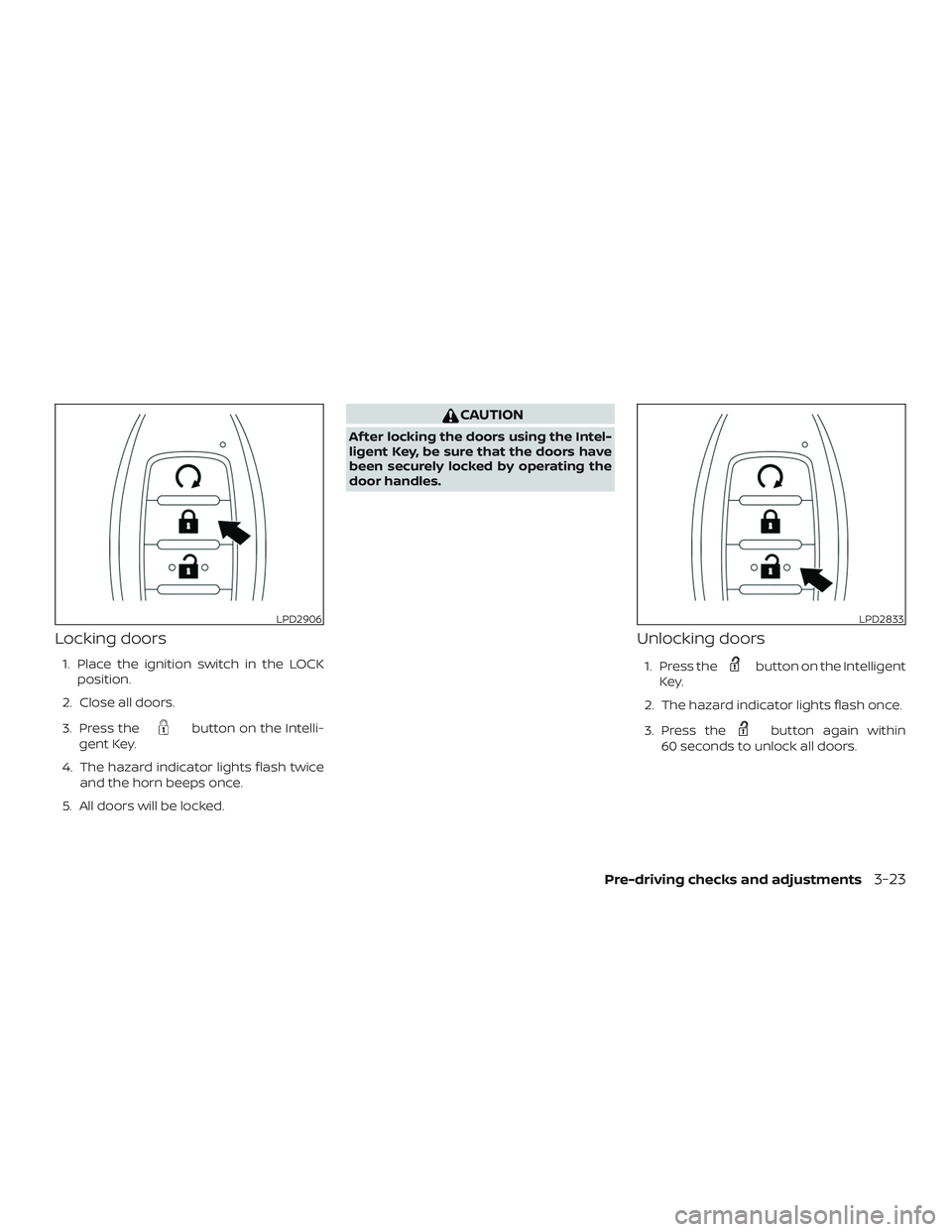
Locking doors
1. Place the ignition switch in the LOCKposition.
2. Close all doors.
3. Press the
button on the Intelli-
gent Key.
4. The hazard indicator lights flash twice and the horn beeps once.
5. All doors will be locked.
CAUTION
Af ter locking the doors using the Intel-
ligent Key, be sure that the doors have
been securely locked by operating the
door handles.
Unlocking doors
1. Press thebutton on the Intelligent
Key.
2. The hazard indicator lights flash once.
3. Press the
button again within
60 seconds to unlock all doors.
LPD2906LPD2833
Pre-driving checks and adjustments3-23
Page 198 of 476
NOTE:
The unlocking operation can be changed
in “Selective Unlock” in “Vehicles Set-
tings” of the vehicle information display.
For additional information, refer to “Ve-
hicle information display ” in the “Instru-
ments and controls” section of this
manual.
All doors will be locked automatically un-
less one of the following operations is per-
formed within 1 minute af ter pressing
the
button:
∙ Opening any doors.
∙ Pushing the ignition switch.
The interior light illuminates for a period of
time when a door is unlocked and the
room light switch is in the DOOR position.
The light can be turned off without waiting
by performing one of the following opera-
tions:
∙ Placing the ignition switch in the ON po- sition.
∙ Locking the doors with the Intelligent Key.
∙ Switching the room light switch to the OFF position. ∙ Switching the Auto Room Lamp to the
OFF position in “Vehicle Settings” of the
vehicle information display. For addi-
tional information, refer to “Vehicle in-
formation display” in the “Instruments
and controls” section of this manual.
Opening windows (if so equipped)
The Intelligent Key allows you to simultane-
ously open windows equipped with auto-
matic operation.
∙ To open the windows, press the
button on the Intelligent Key longer
than 3 seconds af ter all doors are un-
locked.
The door windows will open while pressing
the
button on the Intelligent Key.
The door windows cannot be closed by
using the Intelligent Key.
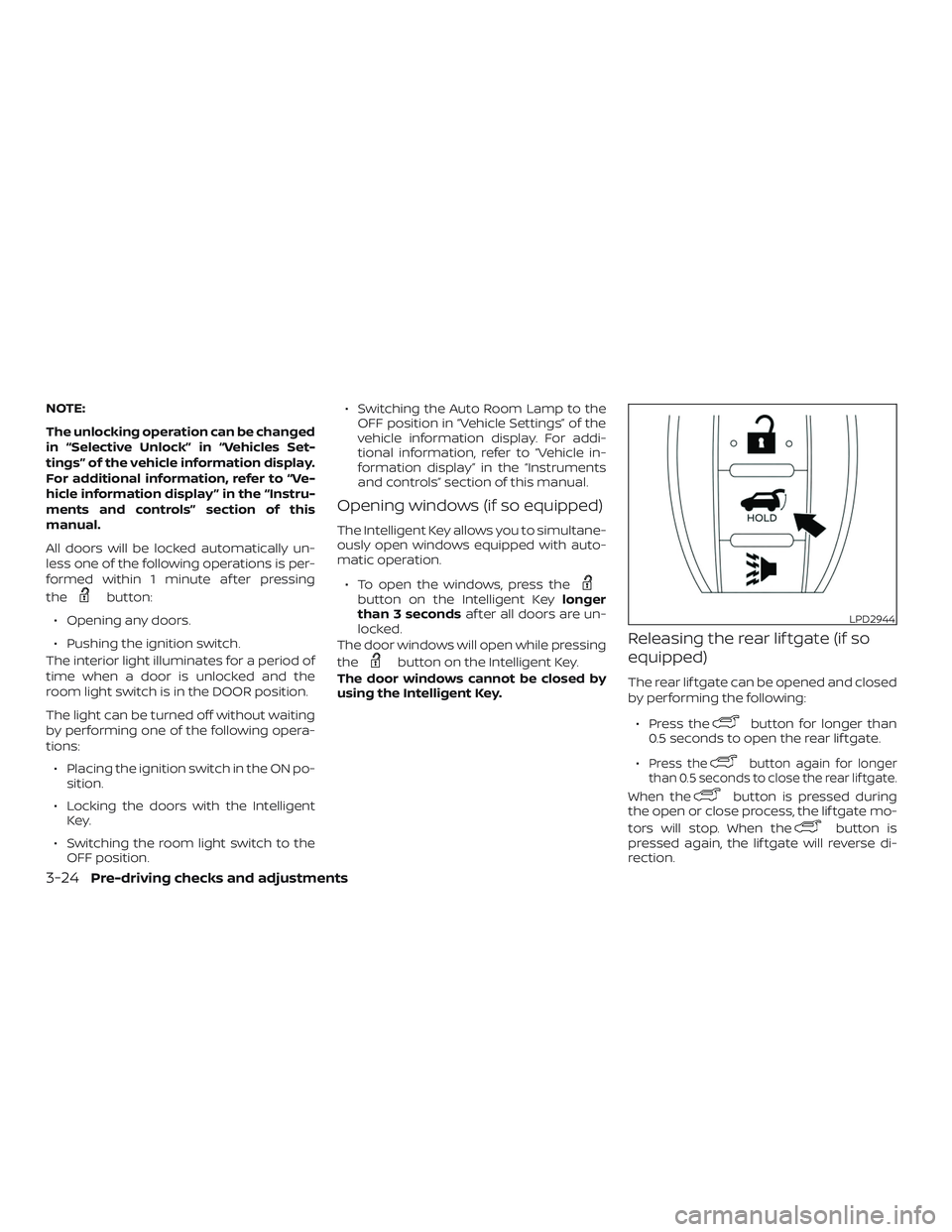
Releasing the rear lif tgate (if so
equipped)
The rear lif tgate can be opened and closed
by performing the following:
∙ Press the
button for longer than
0.5 seconds to open the rear lif tgate.
∙
Press thebutton again for longer
than 0.5 seconds to close the rear lif tgate.
When thebutton is pressed during
the open or close process, the lif tgate mo-
tors will stop. When the
button is
pressed again, the lif tgate will reverse di-
rection.
LPD2944
3-24Pre-driving checks and adjustments