Page 153 of 476
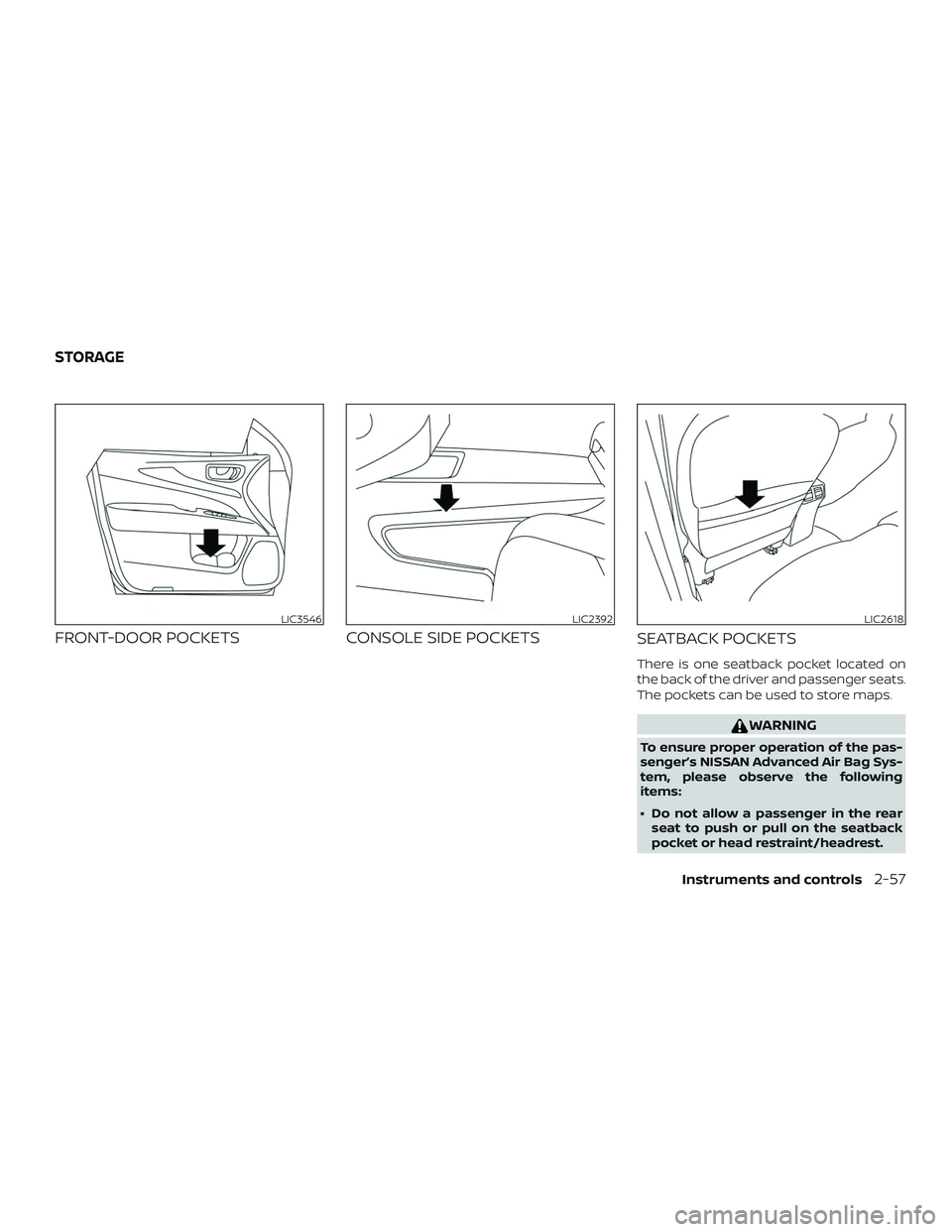
FRONT-DOOR POCKETSCONSOLE SIDE POCKETS
SEATBACK POCKETS
There is one seatback pocket located on
the back of the driver and passenger seats.
The pockets can be used to store maps.
WARNING
To ensure proper operation of the pas-
senger’s NISSAN Advanced Air Bag Sys-
tem, please observe the following
items:
∙ Do not allow a passenger in the rear
seat to push or pull on the seatback
pocket or head restraint/headrest.
LIC3546LIC2392LIC2618
STORAGE
Instruments and controls2-57
Page 155 of 476
GLOVE BOX
Open the glove box by pulling the handle.
Use the master key when locking or un-
locking the glove box.
WARNING
Keep the glove box lid closed while driv-
ing to help prevent injury in an accident
or a sudden stop.
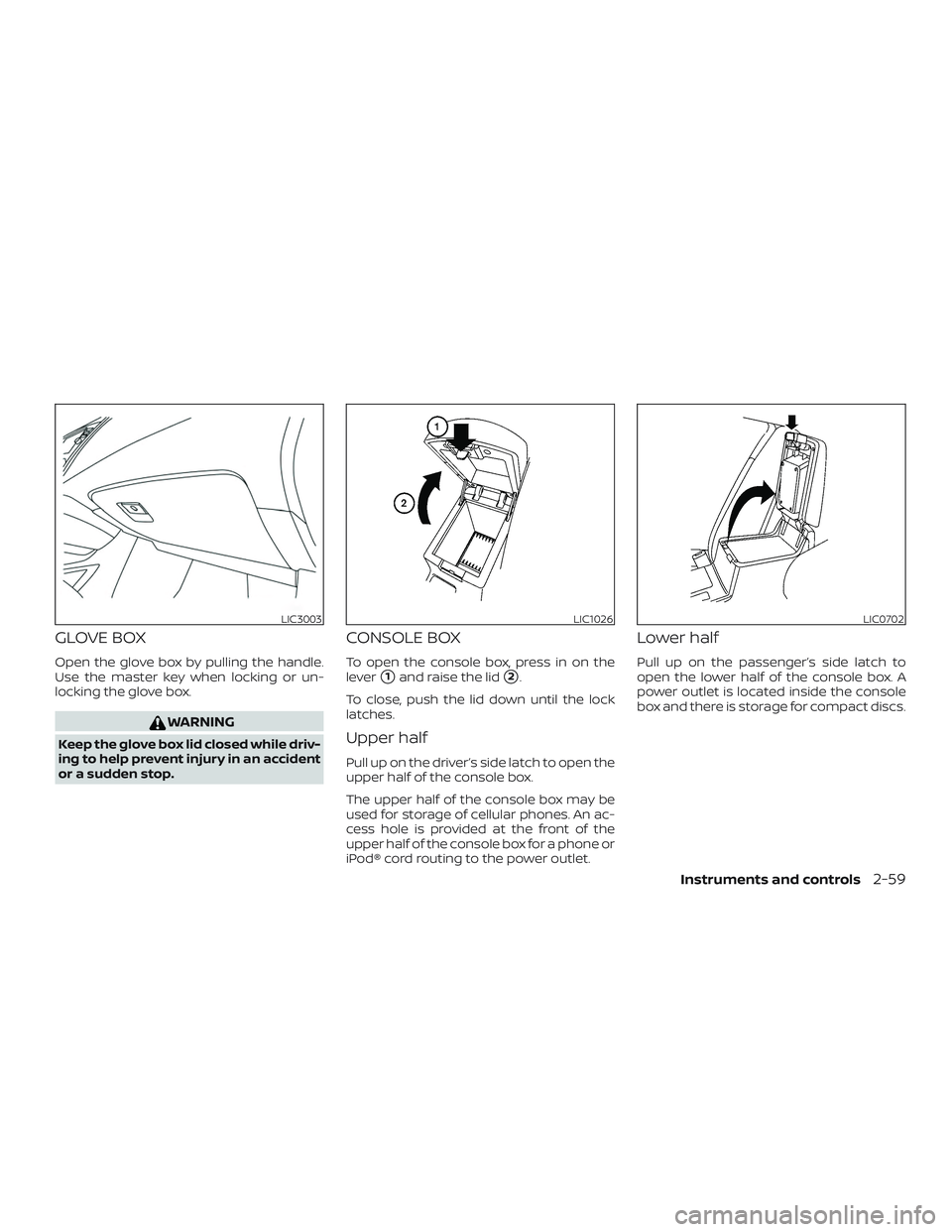
CONSOLE BOX
To open the console box, press in on the
lever
�1and raise the lid�2.
To close, push the lid down until the lock
latches.
Upper half
Pull up on the driver’s side latch to open the
upper half of the console box.
The upper half of the console box may be
used for storage of cellular phones. An ac-
cess hole is provided at the front of the
upper half of the console box for a phone or
iPod® cord routing to the power outlet.
Lower half
Pull up on the passenger’s side latch to
open the lower half of the console box. A
power outlet is located inside the console
box and there is storage for compact discs.
LIC3003LIC1026LIC0702
Instruments and controls2-59
Page 156 of 476
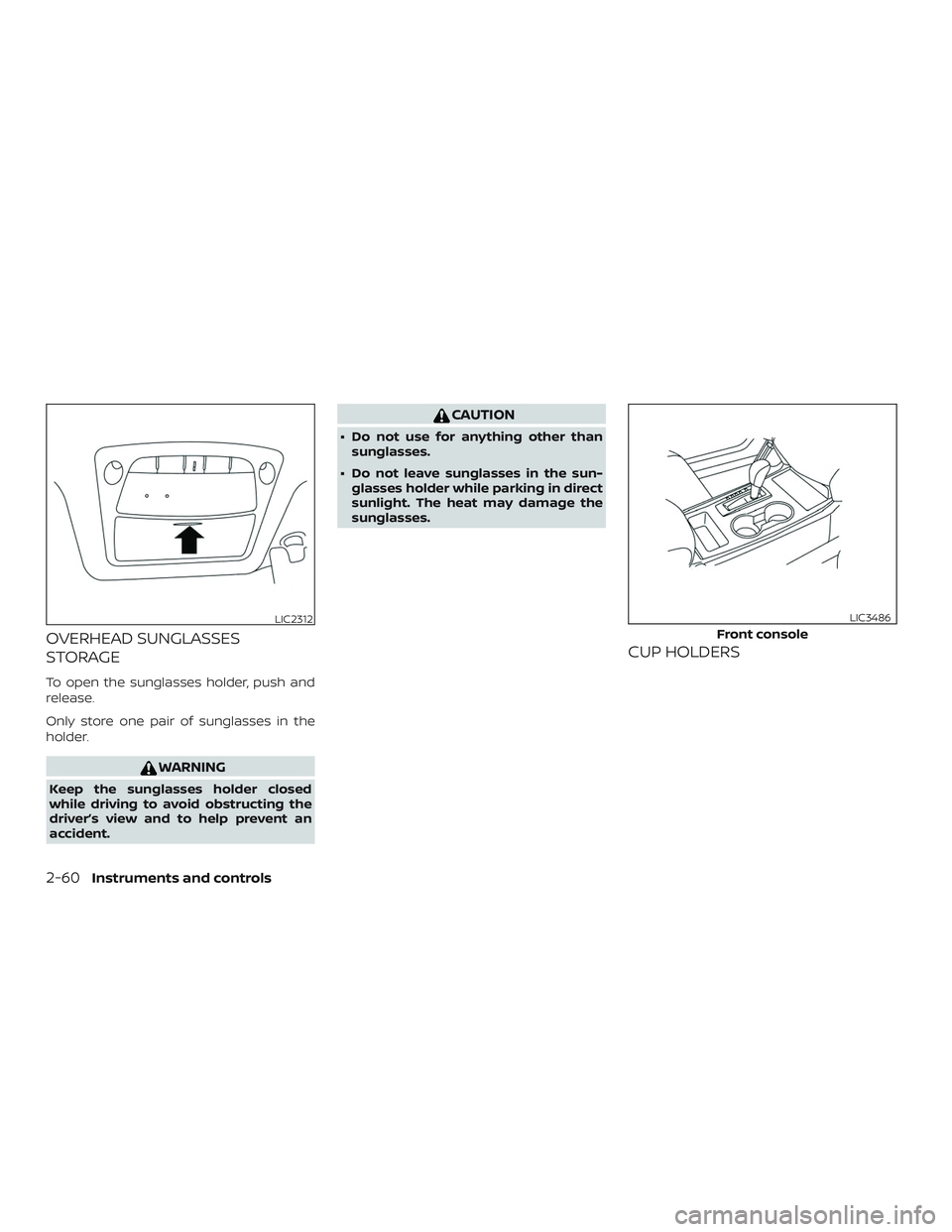
OVERHEAD SUNGLASSES
STORAGE
To open the sunglasses holder, push and
release.
Only store one pair of sunglasses in the
holder.
WARNING
Keep the sunglasses holder closed
while driving to avoid obstructing the
driver’s view and to help prevent an
accident.
CAUTION
∙ Do not use for anything other thansunglasses.
∙ Do not leave sunglasses in the sun- glasses holder while parking in direct
sunlight. The heat may damage the
sunglasses.
CUP HOLDERS
LIC2312
Front console
LIC3486
2-60Instruments and controls
Page 160 of 476

ROOF RACK (if so equipped)
Do not apply any load directly to the roof
side rails. Cross bars must be installed be-
fore applying load/cargo/luggage to the
roof of the vehicle. Genuine NISSAN acces-
sory cross bars are available through a
NISSAN dealer. It is recommended that you
visit a NISSAN dealer for additional informa-
tion.
The service load capacity for the roof side
rails is 165 lbs. (74 kg.), however do not ex-
ceed the cross bars load capacity.Be careful that your vehicle does not ex-
ceed the Gross Vehicle Weight Rating
(GVWR) or its Gross Axle Weight Rating
(GAWR front and rear).
For additional information regarding GVWR
and GAWR, refer to:
∙ “Vehicle loading information” or the “Di- mensions and weights” table in the
“Technical and consumer information”
section of this manual.
∙ F.M.V.S.S. or C.M.V.S.S. certification label (located on the driver’s door pillar) (if so
equipped)WARNING
∙ Always install the cross bars onto theroof side rails before loading cargo of
any kind. Loading cargo directly onto
the roof side rails or the vehicle’s roof
may cause vehicle damage.
∙ Drive extra carefully when the vehicle is loaded at or near the cargo carrying
capacity, especially if the significant
portion of that load is carried on the
cross bars. ∙ Heavy loading of the cross bars has
the potential to affect the vehicle sta-
bility and handling during sudden or
unusual handling maneuvers.
∙ Roof rack cross bars should be evenly distributed.
∙ Do not exceed maximum roof rack cross bars load capacity.
∙ Properly secure all cargo with ropes or straps to help prevent it from sliding
or shif ting. In a sudden stop or colli-
sion, unsecured cargo could cause
personal injury.
LIC2386
2-64Instruments and controls
Page 161 of 476
POWER WINDOWS
WARNING
∙ Make sure that all passengers havetheir hands, etc., inside the vehicle
while it is in motion and before closing
the windows. Use the window lock
switch to prevent unexpected use of
the power windows.
∙ To help avoid risk of injury or death through unintended operation of the
vehicle and/or its systems, including
entrapment in windows or inadver-
tent door lock activation, do not leave
children, people who require the as-
sistance of others or pets unattended
in your vehicle. Additionally, the tem-
perature inside a closed vehicle on a
warm day can quickly become high
enough to cause a significant risk of
injury or death to people and pets.
The power windows operate when the ig-
nition switch is placed in the ON position or
for a period of time af ter the ignition switch
is placed in the OFF position. If the driver’s
or passenger’s door is opened during this
period of time, the power to the windows is
canceled.
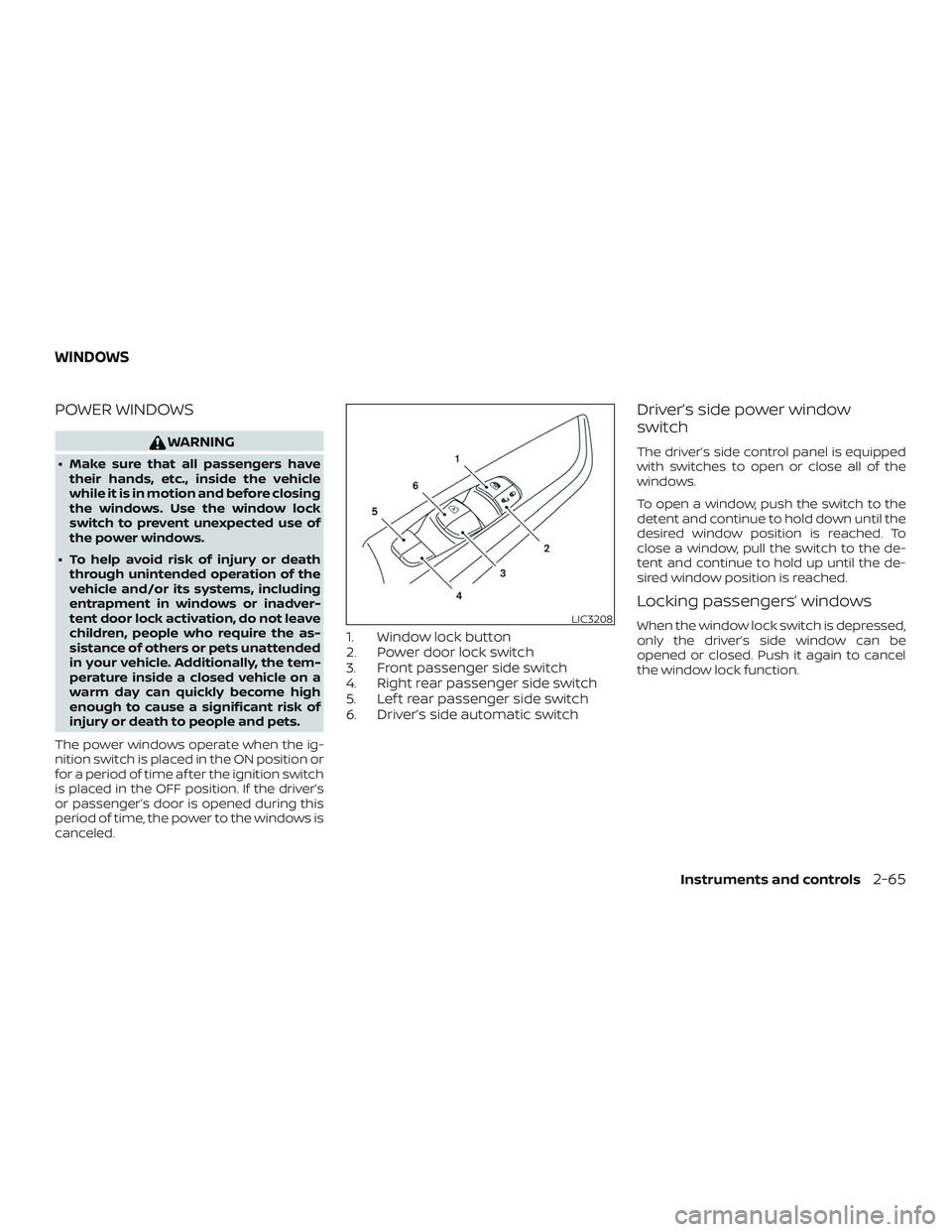
1. Window lock button
2. Power door lock switch
3. Front passenger side switch
4. Right rear passenger side switch
5. Lef t rear passenger side switch
6. Driver’s side automatic switch
Driver’s side power window
switch
The driver’s side control panel is equipped
with switches to open or close all of the
windows.
To open a window, push the switch to the
detent and continue to hold down until the
desired window position is reached. To
close a window, pull the switch to the de-
tent and continue to hold up until the de-
sired window position is reached.
Locking passengers’ windows
When the window lock switch is depressed,
only the driver’s side window can be
opened or closed. Push it again to cancel
the window lock function.LIC3208
WINDOWS
Instruments and controls2-65
Page 164 of 476
POWER MOONROOF
The moonroof will only operate when the
ignition switch is in the ON position. The
power moonroof is operational for a period
of time, even if the ignition switch is placed
in the ACC or OFF position. If the driver’s
door or the front passenger’s door is
opened during this period of time, the
power to the moonroof is canceled.
Sliding the moonroof
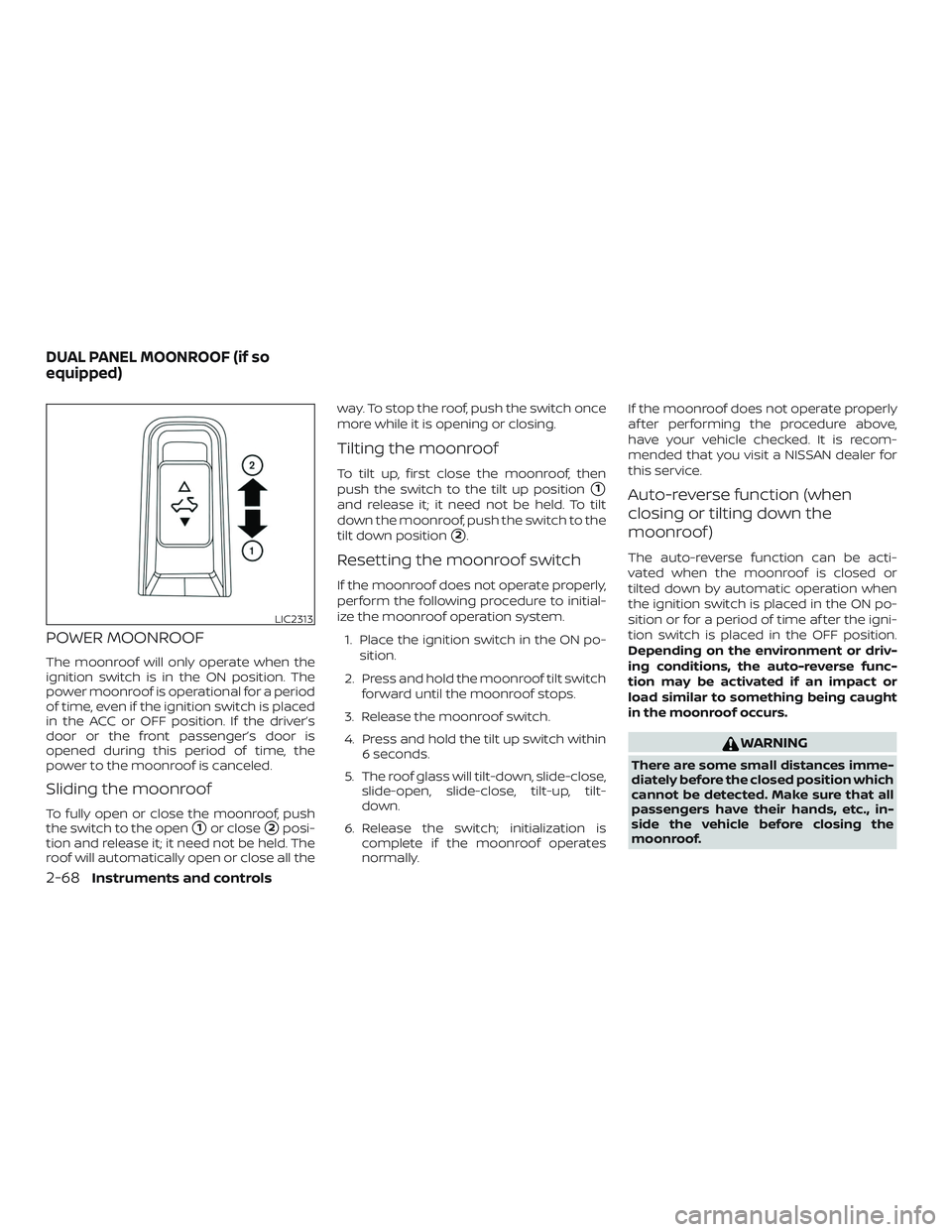
To fully open or close the moonroof, push
the switch to the open
�1or close�2posi-
tion and release it; it need not be held. The
roof will automatically open or close all the way. To stop the roof, push the switch once
more while it is opening or closing.
Tilting the moonroof
To tilt up, first close the moonroof, then
push the switch to the tilt up position
�1
and release it; it need not be held. To tilt
down the moonroof, push the switch to the
tilt down position
�2.
Resetting the moonroof switch
If the moonroof does not operate properly,
perform the following procedure to initial-
ize the moonroof operation system.
1. Place the ignition switch in the ON po- sition.
2. Press and hold the moonroof tilt switch forward until the moonroof stops.
3. Release the moonroof switch.
4. Press and hold the tilt up switch within 6 seconds.
5. The roof glass will tilt-down, slide-close, slide-open, slide-close, tilt-up, tilt-
down.
6. Release the switch; initialization is complete if the moonroof operates
normally. If the moonroof does not operate properly
af ter performing the procedure above,
have your vehicle checked. It is recom-
mended that you visit a NISSAN dealer for
this service.
Auto-reverse function (when
closing or tilting down the
moonroof )
The auto-reverse function can be acti-
vated when the moonroof is closed or
tilted down by automatic operation when
the ignition switch is placed in the ON po-
sition or for a period of time af ter the igni-
tion switch is placed in the OFF position.
Depending on the environment or driv-
ing conditions, the auto-reverse func-
tion may be activated if an impact or
load similar to something being caught
in the moonroof occurs.
WARNING
There are some small distances imme-
diately before the closed position which
cannot be detected. Make sure that all
passengers have their hands, etc., in-
side the vehicle before closing the
moonroof.
LIC2313
DUAL PANEL MOONROOF (if so
equipped)
2-68Instruments and controls
Page 167 of 476
WARNING
There are some small distances imme-
diately before the closed position which
cannot be detected. Make sure that all
of the passengers have their hands,
etc., inside the vehicle before closing
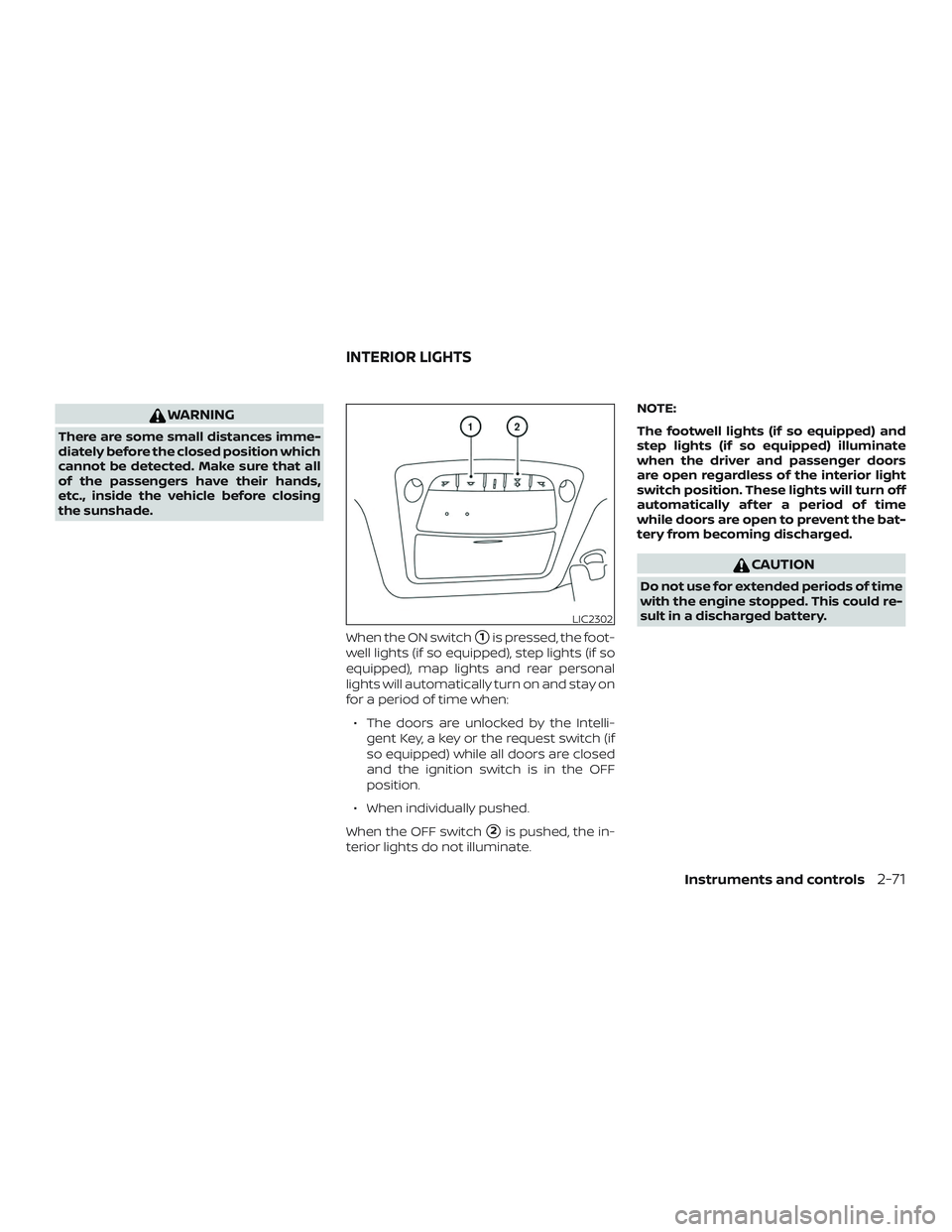
the sunshade.When the ON switch
�1is pressed, the foot-
well lights (if so equipped), step lights (if so
equipped), map lights and rear personal
lights will automatically turn on and stay on
for a period of time when:
∙ The doors are unlocked by the Intelli- gent Key, a key or the request switch (if
so equipped) while all doors are closed
and the ignition switch is in the OFF
position.
∙ When individually pushed.
When the OFF switch
�2is pushed, the in-
terior lights do not illuminate. NOTE:
The footwell lights (if so equipped) and
step lights (if so equipped) illuminate
when the driver and passenger doors
are open regardless of the interior light
switch position. These lights will turn off
automatically af ter a period of time
while doors are open to prevent the bat-
tery from becoming discharged.
CAUTION
Do not use for extended periods of time
with the engine stopped. This could re-
sult in a discharged battery.
LIC2302
INTERIOR LIGHTS
Instruments and controls2-71
Page 177 of 476
CAUTION
Listed below are conditions or occur-
rences which will damage the Intelli-
gent Key:
∙ Do not allow the Intelligent Key, whichcontains electrical components, to
come into contact with water or salt
water. This could affect the system
function.
∙ Do not drop the Intelligent Key.
∙ Do not strike the Intelligent Key sharply against another object.
∙ Do not change or modif y the Intelli- gent Key.
∙ Wetting may damage the Intelligent Key. If the Intelligent Key gets wet, im-
mediately wipe until it is completely
dry.
∙ Do not place the Intelligent Key for an extended period in an area where
temperatures exceed 140°F (60°C).
∙ Do not attach the Intelligent Key with a key holder that contains a magnet. ∙ Do not place the Intelligent Key near
equipment that produces a magnetic
field, such as a TV, audio equipment
and personal computers.
If an Intelligent Key is lost or stolen, NISSAN
recommends erasing the ID code of that
Intelligent Key from the vehicle. This may
prevent the unauthorized use of the Intelli-
gent Key to operate the vehicle. For infor-
mation regarding the erasing procedure, it
is recommended that you visit a NISSAN
dealer.
Mechanical key
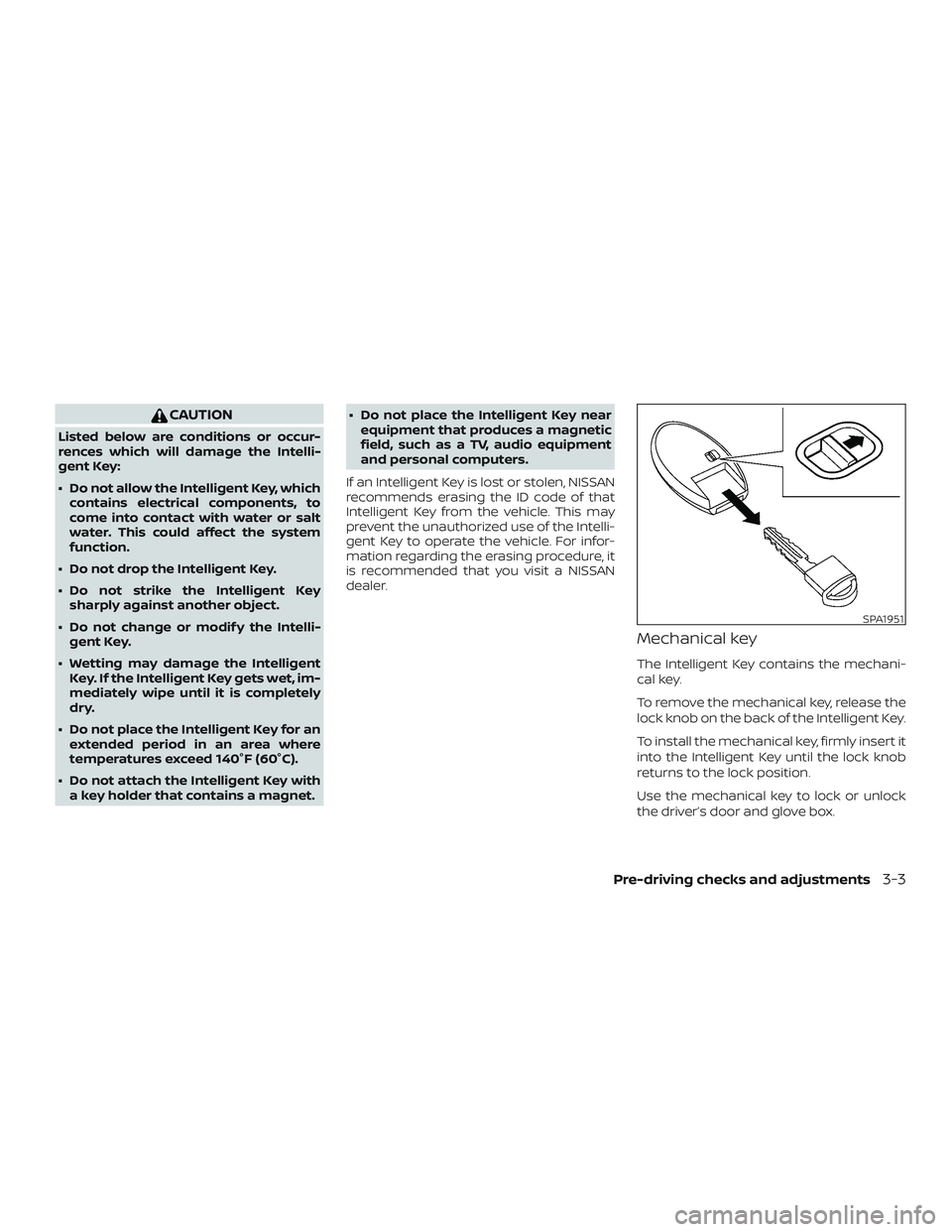
The Intelligent Key contains the mechani-
cal key.
To remove the mechanical key, release the
lock knob on the back of the Intelligent Key.
To install the mechanical key, firmly insert it
into the Intelligent Key until the lock knob
returns to the lock position.
Use the mechanical key to lock or unlock
the driver’s door and glove box.
SPA1951
Pre-driving checks and adjustments3-3