2019 NISSAN LEAF traction control
[x] Cancel search: traction controlPage 340 of 610

USB (UNIVERSAL SERIAL BUS)
CONNECTION PORT
Connecting a device to the USB
(Universal Serial Bus) connection
port
WARNING
Do not connect, disconnect or operate
the USB device while driving. Doing so
can be a distraction. If distracted you
could lose control of your vehicle and
cause an accident or serious injury.
CAUTION
• Do not force the USB device into the USB port. Inserting the USB device
tilted or up-side-down into the port
may damage the port. Make sure
that the USB device is connected
correctly into the USB port.
• Do not grab the USB port cover (if so equipped) when pulling the USB de-
vice out of the port. This could dam-
age the port and the cover.
• Do not leave the USB cable in a place where it can be pulled unintention-
ally. Pulling the cable my damage
the port.
For additional information, refer to your de-
vice manufacturer’s owner information re-
garding the proper use and care of the
device.
The USB connection port is located be-
neath the heater and air conditioner con-
trols. Insert the USB device into the port.
When a compatible storage device is
plugged into the port, compatible audio
files on the storage device can be played
through the vehicle’s audio system.
Audio file operation
MEDIA button
Place the power switch in the ON or ACC
position and press the MEDIA button to
switch to the USB input mode. If a CD is
playing or another audio source is plugged
in through the AUX input jack, the MEDIA
button toggles among four sources.
SEEK/CAT buttons
When the
orbutton is pressed
for more than 1.5 seconds while a USB
memory is being played, the USB memory
will play while fast forwarding or rewinding.
When the button is released, the USB
memory will return to normal play speed.
When the
orbutton is pressed
for less than 1.5 seconds while the USB
memory is being played, the next track or
the beginning of the current track on the
USB memory will be played.
Monitor, climate, audio, phone and voice recognition systems4-61
Page 341 of 610

REPEAT (RPT)
When the RPT button is pressed while the
USB memory is being played, the play pat-
tern can be changed as follows:
To change the play mode, press the RPT
button repeatedly and the mode will
change as follows:
Normal→1 Folder Repeat→1 Track Repeat-
→Normal
RANDOM (RDM)
When the RDM button is pressed while a
USB memory device is being playing, the
play pattern can be changed as follows:
To change the play mode, press the RDM
button repeatedly and the mode will
change as follows:
Normal→All Random→1 Folder Random-
→NormalTUNE/SCROLL knob
If there are multiple folders with audio files
on the USB device, turn the TUNE/SCROLL
knob to change folders. Turn the knob to
the lef t to skip back a folder. Turn the knob
to the right to skip ahead a folder. If there is
only one folder of audio files on the USB
device, turning the TUNE/SCROLL knob in
either direction will return to the first track
on the USB device.
BACK button
When the
BACK button is pressed, it
returns to the previous display.
IPOD® PLAYER OPERATION
Connecting iPod®
WARNING
Do not connect, disconnect or operate
the USB device while driving. Doing so
can be a distraction. If distracted you
could lose control of your vehicle and
cause an accident or serious injury.
4-62Monitor, climate, audio, phone and voice recognition systems
Page 376 of 610

WARNING
• The shif t lever is always in the center position when released. When the
power switch is placed in the READY
to drive position, the driver needs to
confirm that the vehicle is in the P
(Park) position. The indicator next to
the “P” by the shif t lever is illumi-
nated and the “P” is displayed on the
meter. If the vehicle is in the D (Drive)
position or R (Reverse) position
when the power switch is placed in
the READY to drive position, this may
cause a sudden start which could re-
sult in an accident.
• On a hilly road, do not allow the ve- hicle to roll backwards while in the D
(Drive) position or B mode or allow
the vehicle to roll forward while in
the R (Reverse) position. This may
cause an accident.CAUTION
• Do not slide the shif t lever while pushing the P (Park) position switch.
This may damage the electric motor.
• When switching to the preferred po- sition by operating the shif t lever,
check that the shif t lever returns to
the central position by releasing
your hand from the lever. Holding
the shif t lever in a mid-way position
may also damage the shif t control
system.
• Do not operate the shif t lever while the accelerator pedal is depressed,
except when switching to the B
mode. This may cause a sudden
start which could result in an acci-
dent. • The following operations are not al-
lowed because excessive force
would be applied to the traction mo-
tor and this may result in damage to
the vehicle:
– Moving the shif t lever to the R (Re-verse) position when driving for-
ward
– Moving the shif t lever to the D (Drive) position when reversing
If these operations are attempted, a
chime sounds and the vehicle shif ts
to the N (Neutral) position.
Starting and driving5-17
Page 394 of 610
–When the headlights are not bright
due to dirt on the lens or if the aim-
ing is not adjusted properly.
– When strong light enters the lanecamera unit (for example, the light
directly shines on the front of the
vehicle at sunrise or sunset).
– When a sudden change in bright- ness occurs (for example, when
the vehicle enters or exits a tunnel
or under a bridge).
While the I-LI system is operating, you may
hear a sound of brake operation. This is
normal and indicates that the I-LI system is
operating properly.
SYSTEM TEMPORARILY UNAVAILABLE
Condition A:
The warning and assist functions of the I-LI
system are not designed to work under the
following conditions:
•
When you operate the lane change signal
and change the traveling lanes in the direc-
tion of the signal. (The I-LI system will be
deactivated for approximately 2 seconds
af ter the lane change signal is turned off.)
• When the vehicle speed lowers to less than approximately 37 mph (60 km/h). Af ter the above conditions have finished
and the necessary operating conditions
are satisfied, the warning and assist func-
tions will resume.
Condition B:
The assist function of the I-LI system is not
designed to work under the following con-
ditions (warning is still functional):
• When the brake pedal is depressed.
• When the steering wheel is turned as far
as necessary for the vehicle to change
lanes.
• When the vehicle is accelerated during I-LI system operation.
• When the Intelligent Cruise Control (ICC) approach warning occurs.
• When the hazard warning flashers are operated.
• When driving on a curve at high speed.
Af ter the above conditions have finished
and the necessary operating conditions
are satisfied, the I-LI system application of
the brakes will resume. Condition C:
If the following messages appear in the
vehicle information display, a chime will
sound and the I-LI system will be turned off
automatically.
• “Not Available - Poor Road Conditions”:
When the Vehicle Dynamic Control (VDC)
system (except Traction Control System
[TCS] function) or ABS operates.
• “Currently not available”: When the VDC system is turned off.
Action to take:
When the above conditions no longer exist,
turn off the I-LI system. Push the ProPILOT
Assist switch to turn the I-LI system back on.
Temporary disabled status at high tem-
perature:
If the vehicle is parked in direct sunlight
under high temperature conditions (over
approximately 104°F [40°C]) and then the
I-LI system is turned on, the I-LI system
may be deactivated automatically and the
following message will appear on the ve-
hicle information display: “Unavailable: High
Cabin Temperature.” When the interior
temperature is reduced, the system will re-
sume operating automatically.
Starting and driving5-35
Page 439 of 610
• When the shif t lever is not in the D (Drive)or B mode
• When the parking brake is applied
• When the VDC operates (including the traction control system)
• When a wheel slips
When the system is not operating properly,
the chime sounds and the color of the
cruise indicator will change to orange.
Action to take
If the color of the cruise indicator changes
to orange, stop the vehicle in a safe place
and place the shif t lever in the P (Park) po-
sition. Turn the EV system off, restart the EV
system, resume driving, and then perform
the setting again.
If it is not possible to set or the indicator
stays on, it may indicate that the system
is malfunctioning. Although the vehicle
is still drivable under normal conditions,
have the vehicle checked. It is recom-
mended that you visit a NISSAN certified
LEAF dealer for this service.
WARNING
Failure to follow the warnings and in-
structions for proper use of the Pro-
PILOT Assist system could result in
serious injury or death.
• ProPILOT Assist is not a self-driving system. Within the limits of its capa-
bilities, as described in this manual,
it helps the driver with certain driv-
ing activities.
• The ProPILOT Assist system is not a replacement for proper driving pro-
cedures and is not designed to cor-
rect careless, inattentive or absent-
minded driving. ProPILOT Assist will
not always steer the vehicle to keep
it in the lane. The ProPILOT Assist
system is not designed to prevent
loss of control. It is the driver’s re-
sponsibility to stay alert, drive
safely, keep the vehicle in the travel-
ing lane, and be in control of the
vehicle at all times. • There are limitations to the ProPILOT
Assist system capability. The Pro-
PILOT Assist system does not func-
tion in all driving, traffic, weather,
and road conditions. It is the driver’s
responsibility to stay alert, drive
safely, keep the vehicle in the travel-
ing lane, and be in control of the
vehicle at all times.
• The ProPILOT Assist system is only an aid to assist the driver and is not a
collision warning or avoidance de-
vice.
• The ProPILOT Assist system is for highway use only and is not in-
tended for city driving. Failure to ap-
ply the brake or steer the vehicle
when necessary may result in a seri-
ous accident.
• Always observe posted speed limits and do not set the speed over them.
• Never take your hands off the steer- ing wheel when driving. Always keep
your hands on the steering wheel
and drive your vehicle safely.
• Never unfasten your safety belt when using ProPILOT Assist. Doing
so automatically cancels the Pro-
PILOT Assist system.
PROPILOT ASSIST (IF SO EQUIPPED)
5-80Starting and driving
Page 459 of 610

Condition A
Under the following conditions, the ICC sys-
tem is automatically canceled. A chime will
sound and the system will not be able to be
set:
• Any door is open.
• The driver’s seat belt is not fastened.
• The vehicle ahead is not detected andyour vehicle is traveling below the speed
of 15 mph (24 km/h).
• Your vehicle has been stopped by the ICC system for approximately 3 minutes or
longer.
• The shif t lever is not in the D (Drive) posi- tion or B mode.
• The electronic parking brake is applied.
• The Vehicle Dynamic Control (VDC) sys- tem is turned off.
• The Automatic Emergency Braking ap- plies harder braking.
• VDC (including the traction control sys- tem) operates.
• A wheel slips.
• When distance measurement becomes impaired due to adhesion of dirt or ob-
struction to the sensor. • When the radar signal is temporarily
interrupted.
Action to take:
When the conditions listed above are no lon-
ger present, turn the system off using the
ProPILOT Assist switch. Turn the ProPILOT
Assist system back on to use the system.
NOTE:
When the ICC system is canceled un-
der the following conditions at a
standstill, the electronic parking brake
is automatically activated:
• Any door is open.
• The driver’s seat belt is not fastened.
• Your vehicle has been stopped by the
ICC system for approximately 3 minutes
or longer.
• The shif t lever is not in the D (Drive) po-
sition or B mode.
• The VDC system is turned off.
• When distance measurement becomes
impaired due to adhesion of dirt or ob-
struction to the sensor.
• When the radar signal is temporarily in-
terrupted. Condition B
When the radar sensor of the front bumper
is covered with dirt or is obstructed, the ICC
system will automatically be canceled.
The chime will sound and the “Not Avail-
able: Front Radar Blocked” warning mes-
sage will appear in the vehicle information
display.
Action to take:
If the warning message appears, stop the
vehicle in a safe place, place the shif t lever
in the P (Park) position, and turn the EV
system off. When the radar signal is tempo-
rarily interrupted, clean the sensor area of
the front bumper and restart the EV sys-
tem. If the “Not Available: Front Radar
Blocked” warning message continues to
be displayed, have the system checked. It is
recommended that you visit a NISSAN cer-
tified LEAF dealer for this service.
5-100Starting and driving
Page 498 of 610
WARNING
Failure to follow the warnings and in-
structions for proper use of the I-DA
system could result in serious injury or
death.
• The I–DA system is only a warning to inform the driver of a potential lack
of driver attention or drowsiness. It
will not steer the vehicle or prevent
loss of control.
• The I–DA system does not detect and provide an alert of the driver’s
lack of attention or fatigue in every
situation.
• It its the driver’s responsibility to: – stay alert,
– drive safely,
– keep the vehicle in the travelinglane,
– be in control of the vehicle at all times,
– avoid driving when tired,
– avoid distractions (texting, etc.). The I–DA system helps alert the driver if the
system detects a lack of attention or driv-
ing fatigue.
The system monitors driving style and
steering behavior over a period of time,
and it detects changes from the normal
pattern. If the system detects that driver
attention is decreasing over a period of
time, the system uses audible and visual
warnings to suggest that the driver take a
break.
I-DA SYSTEM OPERATION
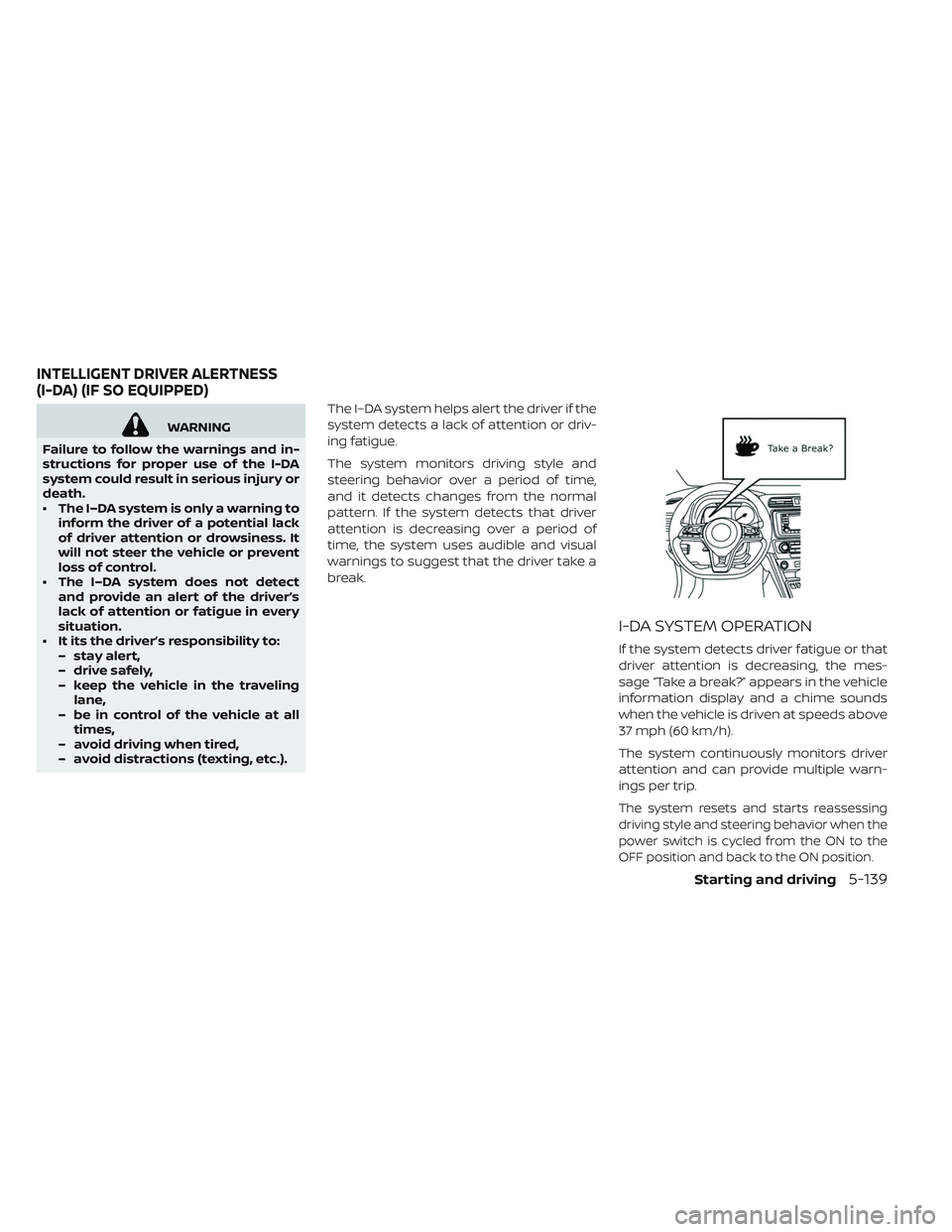
If the system detects driver fatigue or that
driver attention is decreasing, the mes-
sage “Take a break?” appears in the vehicle
information display and a chime sounds
when the vehicle is driven at speeds above
37 mph (60 km/h).
The system continuously monitors driver
attention and can provide multiple warn-
ings per trip.
The system resets and starts reassessing
driving style and steering behavior when the
power switch is cycled from the ON to the
OFF position and back to the ON position.
INTELLIGENT DRIVER ALERTNESS
(I-DA) (IF SO EQUIPPED)
Starting and driving5-139
Page 509 of 610

The VDC system uses various sensors to
monitor driver inputs and vehicle motion.
Under certain driving conditions, the VDC
system helps to perform the following
functions.
• Controls brake pressure to reduce wheelslip on one slipping drive wheel so power
is transferred to a drive wheel on the same
axle that is not slipping.
• Controls brake pressure and traction mo- tor output to reduce drive wheel slip
based on vehicle speed (traction control
function).
• Controls brake pressure at individual wheels and traction motor output to help
the driver maintain control of the vehicle
in the following conditions:
• Understeer (vehicle tends to not follow the steered path despite increased steering
input).
• Oversteer (vehicle tends to spin due to certain road or driving conditions).
The VDC system can help the driver main-
tain control of the vehicle, but it cannot
prevent loss of vehicle control in all driving
situations. When the VDC system operates, the
indicator light in the instrument panel
flashes. When the indicator light flashes,
note the following items:
• The road may be slippery or the system
may determine some action is required to
help keep the vehicle on the steered path.
• You may feel a pulsation in the brake pedal and hear a noise or vibration from under
the hood. This is normal and indicates
that the VDC system is working properly.
• Adjust your speed and driving according to the road conditions.
For additional information, refer to “Slip in-
dicator light” and “Vehicle Dynamic Control
(VDC) OFF indicator light” in the “Instru-
ments and controls” section of this manual.
If a malfunction occurs in the system, the
indicator light illuminates in the ve-
hicle information display. The VDC system
automatically turns off when this indicator
light is lit. The vehicle information display is used to
turn off the VDC system. The VDC OFF indi-
cator light
illuminates to indicate that
the VDC system is off. When the vehicle
information display is used to turn off the
system, the VDC system still operates to
prevent one drive wheel from slipping by
transferring power to a non-slipping wheel.
The
indicator light flashes if this oc-
curs. All other VDC functions are off and the
indicator light will not flash. The VDC
system is automatically reset to on when
the power switch is placed in the OFF posi-
tion then back to the ON position. For addi-
tional information, refer to “Vehicle infor-
mation display” in the “Instruments and
controls” section of this manual.
The computer has a built-in diagnostic fea-
ture that tests the system each time you
start the EV and move the vehicle forward
or in reverse at a slow speed. When the
self-test occurs, you may hear a “clunk”
noise and/or feel a pulsation in the brake
pedal. This is normal and is not an indica-
tion of a malfunction.
VEHICLE DYNAMIC CONTROL (VDC)
SYSTEM
5-150Starting and driving