2019 MERCEDES-BENZ GLE COUPE language
[x] Cancel search: languagePage 467 of 697
Fo
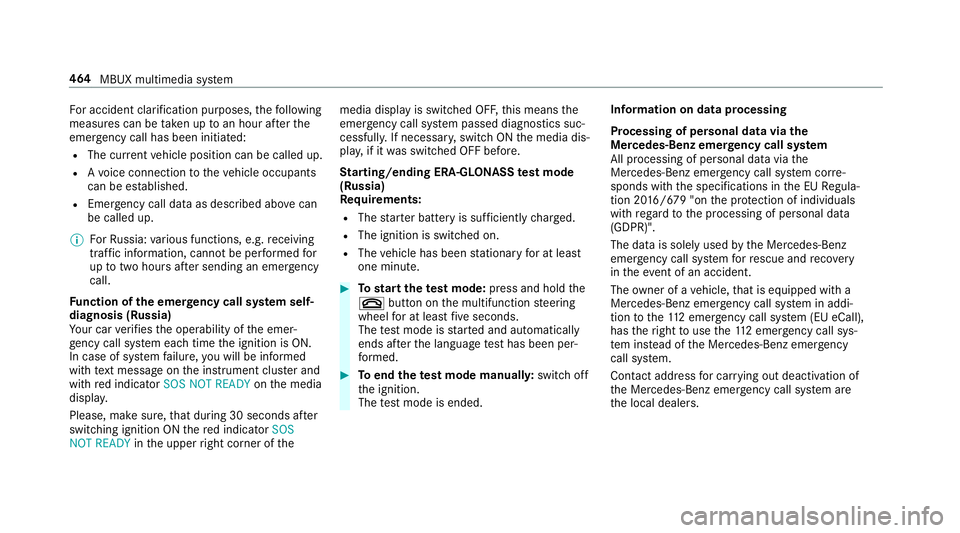
r accident clarification purposes, thefo llowing
measures can be take n up toan hour af terthe
emer gency call has been initia ted:
R The cur rent vehicle position can be called up.
R Avo ice connection totheve hicle occupants
can be es tablished.
R Emer gency call da taas desc ribed abo vecan
be called up.
% ForRu ssia: various functions, e.g. receiving
traf fic information, cannot be per form ed for
up totwo hou rsafte r sending an emer gency
call.
Fu nction of the emer gency call sy stem self-
diagnosis (Russia)
Yo ur car verifies the operability of the emer‐
ge ncy call sy stem each time the ignition is ON.
In case of sy stem failure, you will be informed
with text messa geon the instrument clus ter and
with red indicator SOS NOT READY onthe media
displa y.
Please, make sure, that during 30 seconds af ter
switching ignition ON there d indicator SOS
NOT READY inthe upper right corner of themedia display is switched OFF,
this means the
emer gency call sy stem passed diagnostics suc‐
cessfully. If necessar y,switch ON the media dis‐
pla y,if it was switched OFF before.
St arting/ending ERA-GLONASS test mode
(Russia)
Re quirements:
R The star ter battery is suf ficiently charge d.
R The ignition is switched on.
R The vehicle has been stationary for at least
one minute. #
Tostart thete st mode: press and hold the
~ button on the multifunction steering
wheel for at least five seconds.
The test mode is star ted and automatically
ends af terth e language test has been per‐
fo rm ed. #
Toend thete st mode manuall y:switch off
th e ignition.
The test mode is ended. Information on data processing
Processing of personal data via
the
Mercedes-Benz emer gency call sy stem
All processing of personal data via the
Mercedes-Benz emer gency call sy stem cor re‐
sponds with the specifications in the EU Regula‐
tion 20 16/679 "on the pr otection of individuals
with rega rd tothe processing of personal data
(GDPR)".
The data is solely used bythe Mercedes-Benz
emer gency call sy stem forre scue and reco very
in theeve nt of an accident.
The owner of a vehicle, that is equipped with a
Mercedes-Benz emer gency call sy stem in addi‐
tion tothe11 2 emer gency call sy stem (EU eCall),
has theright touse the11 2 emer gency call sys‐
te m ins tead of the Mercedes-Benz emer gency
call sy stem.
Contact address for car rying out deactivation of
th e Mercedes-Benz emer gency call sy stem are
th e local dealers. 464
MBUX multimedia sy stem
Page 496 of 697
Ac
tivating multi-coloured animation #
Activate Multi-colour animat..
The chosen colour programme will change at
predefined inter vals.
Ad justing the brightness #
Select Brightness . #
Toactivate brightness for zones: switch
Brightness zones on or off.
If Brightness zones is switched on,the zones
can be set individually. #
Set the zones.
Setting the colour ef fects #
Select Effects. #
Swit chWelcome orClimate on or off.
% Further information on theto pic of setting
ambiance light (/ page155). Se
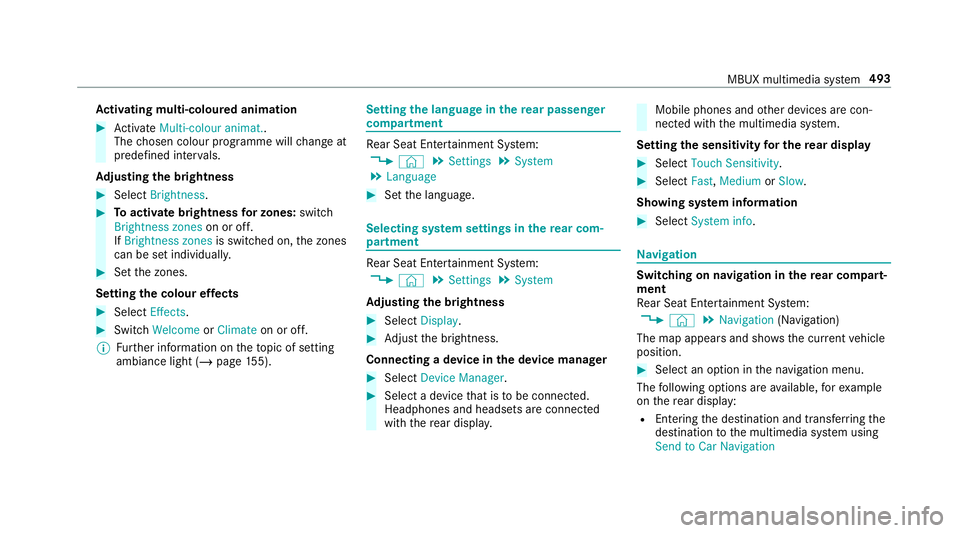
tting the language in the rear passenger
comp artment Re
ar Seat En tertainment Sy stem:
4 © 5
Settings 5
System
5 Language #
Set the language. Selecting sy
stem settings in there ar com‐
partment Re
ar Seat En tertainment Sy stem:
4 © 5
Settings 5
System
Ad justing the brightness #
Select Display. #
Adjust the brightness.
Connecting a device in the device manager #
Select Device Manager. #
Select a device that is tobe connec ted.
Headphones and headsets are connec ted
with there ar displa y. Mobile phones and
other devices are con‐
nected with the multimedia sy stem.
Setting the sensitivity for the rear display #
Select Touch Sensitivity. #
Select Fast,Medium orSlow.
Showing sy stem information #
Select System info. Na
vigation Switching on navigation in
there ar comp art‐
ment
Re ar Seat En tertainment Sy stem:
4 © 5
Navigation (Navigation)
The map appears and sho ws the current vehicle
position. #
Select an option in the navigation menu.
The following options are available, forex ample
on there ar display:
R Entering the destination and transfer ring the
destination tothe multimedia sy stem using
Send to Car Navigation MBUX multimedia sy
stem 493
Page 672 of 697
Ke
yring attachment .............................. 80
Overview ............................................... 78
Problem .................................................82
Un locking setting .................................. 79
Ke y functions
Deactivating .......................................... 79
KEYLESS-GO Locking theve hicle ................................ 85
Problem .................................................86
Un locking setting .................................. 79
Un locking theve hicle ............................85
Kickd own.................................................2 00
Using ................................................... 200
Knee airbag ................................................ 42 L
Lamp see Interior lighting
Lamps (in stru ment display)
see Warning/indicator lamps
Lane de tection (au tomatic)
see Active Lane Keeping Assist Lane
Keeping Assist
see Active Lane Keeping Assist
Language .................................................3 80
No tes .................................................. 380
Setting .................................................3 80
LED light see Intelligent Light Sy stem
Le vel control sy stem
see AIRMATIC
see E- ACTIVE BODY CONTROL
Light switch Overview .............................................1 46
Lighting see Interior lighting
see Lights
Lights ........................................................ 14 6
Ac tive headla mps ................................ 14 9
Ad aptive Highbeam Assist .................. .151
Ad justing the instrument lighting ......... 310
Au tomatic driving lights ....................... 147
Combination swit ch............................. 14 8
Corne ring light ..................................... 15 0
Driving ab road (symm etrical low
beam) .................................................. 14 6Fo
g light (extended range) ................... 15 0
Haza rdwa rning lights .......................... 14 9
Headla mpflasher ................................ 14 8
High beam ........................................... 14 8
Intellige nt Light Sy stem ....................... 14 9
Light switch ......................................... 14 6
Low beam ............................................ 14 6
Mo torw ay mode ................................... 15 0
Off-road light ........................................1 51
Pa rking lights ...................................... .146
Re ar fog light ....................................... 14 6
Re sponsibility for lighting sy stems ...... 14 6
Setting the dipped beam ..................... 154
Setting theex terior lighting switch-
off delay time ...................................... 154
St anding lights .................................... .146
Switching the sur round lighting
on/off ................................................ .154
Tu rn signal lights ................................. 14 8
Limiter ...................................................... 231
Ac tivating ............................................ 232
Buttons ................................................ 232
Calling up a speed ............................... 232
Deactivating ........................................ 232
Fu nction .............................................. 231 Index
669
Page 673 of 697
Pa
ssive mode ...................................... 231
Pe rm anent setting .............................. .234
Re quirements ...................................... 232
Selecting ............................................ .232
Setting a speed ................................... 232
St oring a speed ................................... 232
Sy stem limitations ...............................2 31
Limiting speed see Limiter
Limiting the opening angle (tailgate) ...... 93
LINGU ATRO NIC ........................................ 320
Au dible help functions .........................3 22
Impr oving speech quality .................... 323
Language setting ................................ .321
Media pla yervo ice commands ............ 331
Message voice commands .................. 334
Multifunction steering wheel (operat‐
ing) ...................................................... 320
Na vigation voice commands ................ 325
No tes on thevo ice commands ............ 323
Online voice control ............................ 323
Operable functions .............................. 321
Operating saf ety .................................. 319
Ra dio voice commands ...................... .330
Setting (multimedia sy stem) ................3 22Switch
voice commands ...................... 324
Te lephone voice controls .................... .329
Te xt messa gevoice commands .......... .334
Ve hicle voice commands .................... .335
Vo ice prom pting .................................. 320
Live Traf fic Information
Displaying the tra ffic map .................... 411
Displ aying traf fic incidents ................... 412
Extending a subscription ...................... 411
Pr ov ider information ............................ 41 0
Re gis tering on Mercedes me ................ 411
Showing local area messa ges .............. 413
Switching the tra ffic information dis‐
play on ................................................ .413
Load compa rtment floor
Locking/unlocking .............................. 13 6
Opening/closing ..................................1 34
Load pr otection net
At tach ing ............................................ .130
Loading ..................................................... 131
Bag hook ............................................. 13 2
Coat hook ............................................ 13 3
No tes ................................................... 12 2
Ro ofrack ............................................. 13 6St
ow age space unde rneath the load
compartment floor .............................. 13 4
Ti e-down eyes ...................................... 131
Loading see EA SY-PAC K load-securing kit
Loading guidelines .................................. 12 2
Loads Securing .............................................. 12 2
Locking/unlocking Activating/deactivating the auto‐
matic locking feature ............................ .86
Ad ditional door lock .............................. 82
Digital Vehicle Keyst icke r .................... .84
Emergency key ...................................... 87
KEYLESS-GO .......................................... 85
Mobile phone ........................................ 84
Opening theta ilgate .............................. 88
Smartphone .......................................... 84
Un locking/opening the doors from
th e inside ..............................................83
Low beam Swit ching on/off ................................ .146
Symmetrical low beam ........................ 14 667 0
Index
Page 682 of 697
Re
ar Seat Entertainment Sy stem
Ad justing the brightness ..................... 493
Ad justing there ar seats ...................... .491
Calling up services, apps and web
br ows er ............................................... 494
Calling up the device manager ............ 493
Climate control .................................... 492
Headphones overview ........................ .490
Operating saf ety .................................. 488
Overview ............................................ .488
Overview of services, apps and web
br ows er ............................................... 494
Overview of there ar displa ys.............. 489
Overview of the sound settings ........... 494
Re setting there ar seat ........................ 492
Selecting a massage program .............. 491
Selecting sound settings .................... .494
Setting the language ........................... 493
Setting the sensitivity forth ere ar
display ................................................ .493
Showing sy stem information ............... 493
Switching navigation on ......................4 93
Switching off the display ..................... 489
Re ar window heater ................................ 16 5Re
ar-view mir ror
see Outside mir rors
Re cycling
see Take -ba ckof end-of-life vehicles
Re ducing agent
see AdBlue ®
Re fuelling
Re fuelling theve hicle .......................... 202
To pping up AdBlue ®
............................ 206
Re gistration
Ve hicle ................................................... 31
Re mo tecont rol (stationa ryheater/
ve ntilation)
Displa ys............................................... 174
Problems ..............................................1 76
Re placing the battery ........................... 174
Setting ................................................. 173
Re mo teOnline
Charging the battery ............................1 83
Cooling or heating theve hicle inte‐
ri or .......................................................1 82
St arting theve hicle ............................. 183
Re scue card ............................................... 32 Re
ser ve
Fu el ..................................................... 566
Re set function (multimedia sy stem) .....3 84
Re sidual heat ...........................................1 69
Re ar compartment .............................. 16 9
Re storing (factory settings)
see Reset function (multimedia sy stem)
Re stra int sy stem ...................................... .36
Basic instructions forch ildren .............. .51
Fu nction in an accident ........................ .37
Fu nctionality .......................................... 37
Malfunction ...........................................37
Pr otection ..............................................36
Re duced pr otection ...............................36
Self-test ................................................. 37
Wa rning lamp ........................................ 37
Re versege ar
Inserting .............................................. 19 8
Re versing camera .................................... 271
Care .................................................... 509
Fu nction .............................................. 271
Opening the camera co ver (360°
Camera) ............................................... 278
Setting favo urites (360° Camera) ........ 278 Index
67 9
Page 687 of 697
Suggestions
............................................. 359
Calling up ............................................ 359
Configuring .......................................... 359
Deleting ............................................... 360
Overview ............................................. 359
Re naming ............................................ 360
Sulphur content ...................................... 564
Sun visor Ope rating ............................................ 16 3
Sur round lighting
Switching on/off ................................. 154
Sur round View
see 360° Camera
Suspension Individual wheel contro l (E-ACTIVE
BO DY CONTROL) .................................2 61
Ro cking free mode (E- ACTIVE BODY
CO NTROL) ........................................... 261
Setting the suspension le vel (AIR‐
MATIC) ................................................ 254
Setting the suspension le vel (E-
AC TIVE BODY CONTROL) .....................2 62
Suspension see AIRMATIC see E-
ACTIVE BODY CONTROL
Suspension le vel (AIRMATIC)
Setting ................................................ .254
Suspension le vel (E- ACTIVE BODY
CONT ROL)
Setting ................................................ .262
SV HC (substances of very high con‐
cern ).......................................................... .32
Switch-off delay time Exterior ................................................ 154
Interior ................................................ 15 6
Synchronisation function Activating/deactivating (multimedia
sy stem) ................................................ 16 9
Switching on/off (control panel) ......... 16 8
Sy stem settings
Ac tivating/deactivating PIN pr otec‐
tion ...................................................... 381
Ac tivating/deactivating voice ampli‐
fi cation torear .................................... .376
Re set function (multimedia sy stem) ....3 84
Setting the dis tance unit ..................... 380
Setting the time and date automati‐
cally ..................................................... 375Setting
the time zone .......................... 375
Setting the time/date form at .............. 375
Switching transmission of theve hicle
position on/off .................................... 376
Sy stem settings
see Blue tooth®
see Data import/export
see Language
see Software update
see Wi-Fi T
Ta ilgate ...................................................... .88
Closing .................................................. 89
HANDS-FREE ACCESS .......................... .91
Limiting the opening angle .................... 93
Opening .................................................88
Opening dimensions ............................5 71
Un locking (emer gency key) .................. .93
Ta ilpipes (Care) ........................................ 509
Ta ke -back of end-of-life vehicles .............. 22
Pr otection of the environment ............... 22
Ta nk content
Ad Blue ®
............................................... 567 684
Index
Page 688 of 697
Fu
el ..................................................... 566
Re ser ve(fuel) ...................................... 566
Te ch nical data
Axle load (trailer operation) ................. 576
Fa stening points (trailer hitch) .............5 75
Information .......................................... 558
Mounting dimensions (trailer hitch) .....5 75
No tes (trailer hitch) .............................. 574
Overhang dimension (trailer hitch) ...... 575
To ngue weight .................................... .575
To wing capacity (trailer operation) ...... .575
Ve hicle identification plate .................. 560
Te lephone ................................ .315, 428, 433
Ac tivating functions du ring a call ........ 438
Calls wi thseveral participants ............ .438
Car telephony settings ........................ 436
Changing a function ............................ 430
Connecting a mobile phone (car tel‐
ephony) .............................................. .434
Connecting a mobile phone (Near
Field Communication (NFC)) .............. .432
Connecting a mobile phone (Pass‐
ke y) .................................................... .429
Connecting a mobile phone (Secu re
Simple Pairing) .................................... 429 Connecting
the SIM card (car teleph‐
ony) .................................................... .435
Con veying thete lephone number
(car telephony) .................................... 436
Data use language (car telephony) ...... 437
Disconnecting a mobile phone ............ 431
Fo rw arding a call (car telephony) ........ 437
Importing con tacts .............................. 440
Importing contacts (o verview) ............ .440
Incoming call during an existing call .... 438
Information .......................................... 429
Inter changing mobile phones .............. 430
Locking theve hicle (mobile phone) .......84
Menu (on-board computer) .................. 315
Mobile phone voice recognition .......... 433
Network pr ovider (car telephony) ........ 437
No tes .................................................. 426
Operating modes ................................. 429
Overview of car telephony .................. .433
Re ception and transmission volume .... 432
Re placing mobile phones .....................4 31
Setting theringtone ............................ 433
Setting the SIM card (car telephony) .. .436
St arting theve hicle (mobile phone) ..... 181
St atus of the SIM PIN .......................... 435 Switching mobile phones (Near Field
Communication (NFC)) ........................ 432
Symbols of car
telephony .................... 434
Te lephone menu overview ...................4 28
Te lephone operation ............................ 437
Un locking theve hicle (mobile phone) ....84
Using Near Field Communication
(NFC) ................................................... 432
Vo ice commands (LINGU ATRO NIC) .....3 29
Wi reless charging (mobile phone) ........ 14 4
Te lephone number
Dialling (on-board computer) .............. .315
Te lephone operation
see Calls
Te lephony operating modes
Blue tooth ®
Te lephony .......................... 429
Making calls in theve hicle .................. 429
Te lephony operating modes
see Second telephone
Te mp erature ............................................ 16 5
Te xt messages
Vo ice commands (LINGU ATRO NIC) .....3 34 Index
685