2019 MERCEDES-BENZ GLC wheel
[x] Cancel search: wheelPage 67 of 370
Driving safety systems
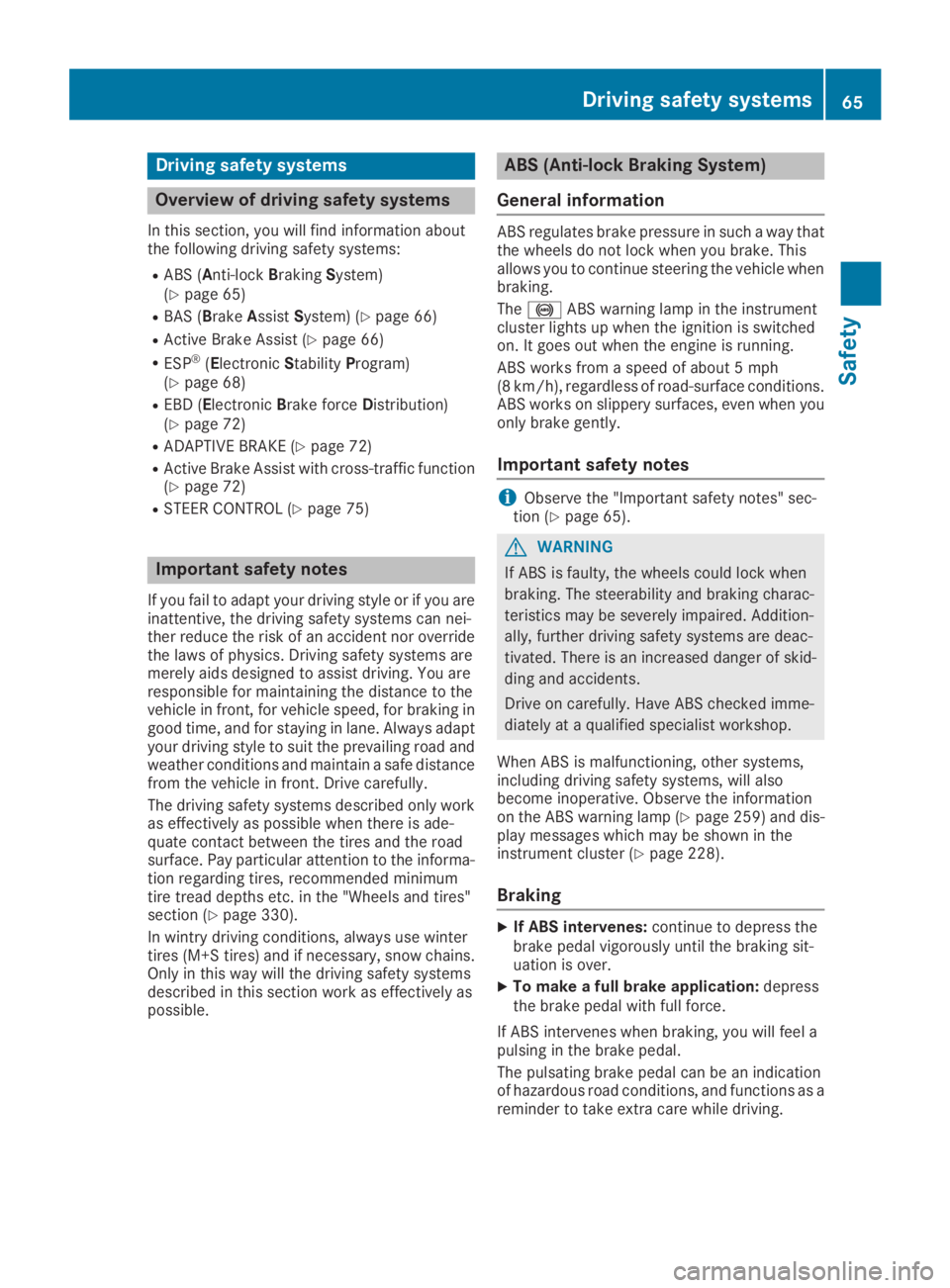
Overview of driving safety systems
In this section, you will find information aboutthe following driving safety systems:
RABS (Anti-lockBrakingSystem)(Ypage 65)
RBAS (BrakeAssistSystem) (Ypage 66)
RActive Brake Assist (Ypage 66)
RESP®(ElectronicStabilityProgram)(Ypage 68)
REBD (ElectronicBrake forceDistribution)(Ypage 72)
RADAPTIVE BRAKE (Ypage 72)
RActive Brake Assist with cross-traffic function(Ypage 72)
RSTEER CONTROL (Ypage 75)
Important safety notes
If you fail to adapt your driving style or if you areinattentive, the driving safety systems can nei-ther reduce the risk of an accident nor overridethe laws of physics. Driving safety systems aremerely aids designed to assist driving. You areresponsible for maintaining the distance to thevehicle in front, for vehicle speed, for braking ingood time, and for staying in lane. Always adaptyour driving style to suit the prevailing road andweather conditions and maintain a safe distancefrom the vehicle in front. Drive carefully.
The driving safety systems described only workas effectively as possible when there is ade-quate contact between the tires and the roadsurface. Pay particular attention to the informa-tion regarding tires, recommended minimumtire tread depths etc. in the "Wheels and tires"section (Ypage 330).
In wintry driving conditions, always use wintertires (M+S tires)and if necessary, snow chains.Only in this way will the driving safety systemsdescribed in this section work as effectively aspossible.
ABS (Anti-lock Braking System)
General information
ABS regulates brake pressure in such a way thatthe wheels do not lock when you brake. Thisallows you to continue steering the vehicle whenbraking.
The%ABS warning lamp in the instrumentcluster lights up when the ignition is switchedon. It goes out when the engine is running.
ABS works from a speed of about 5 mph(8 km/h), regardless of road-surface conditions.ABS works on slippery surfaces, even when youonly brake gently.
Important safety notes
iObserve the "Important safety notes" sec-tion (Ypage 65).
GWARNING
If ABS is faulty, the wheels could lock when
braking. The steerability and braking charac-
teristics may be severely impaired. Addition-
ally, further driving safety systems are deac-
tivated. There is an increased danger of skid-
ding and accidents.
Drive on carefully. Have ABS checked imme-
diately at a qualified specialist workshop.
When ABS is malfunctioning, other systems,including driving safety systems, will alsobecome inoperative. Observe the informationon the ABS warning lamp (Ypage 259) and dis-play messages which may be shown in theinstrument cluster (Ypage 228).
Braking
XIf ABS intervenes:continue to depress thebrake pedal vigorously until the braking sit-uation is over.
XTo make a full brake application:depressthe brake pedal with full force.
If ABS intervenes when braking, you will feel apulsing in the brake pedal.
The pulsating brake pedal can be an indicationof hazardous road conditions, and functions as areminder to take extra care while driving.
Driving safety systems65
Safety
Z
Page 68 of 370
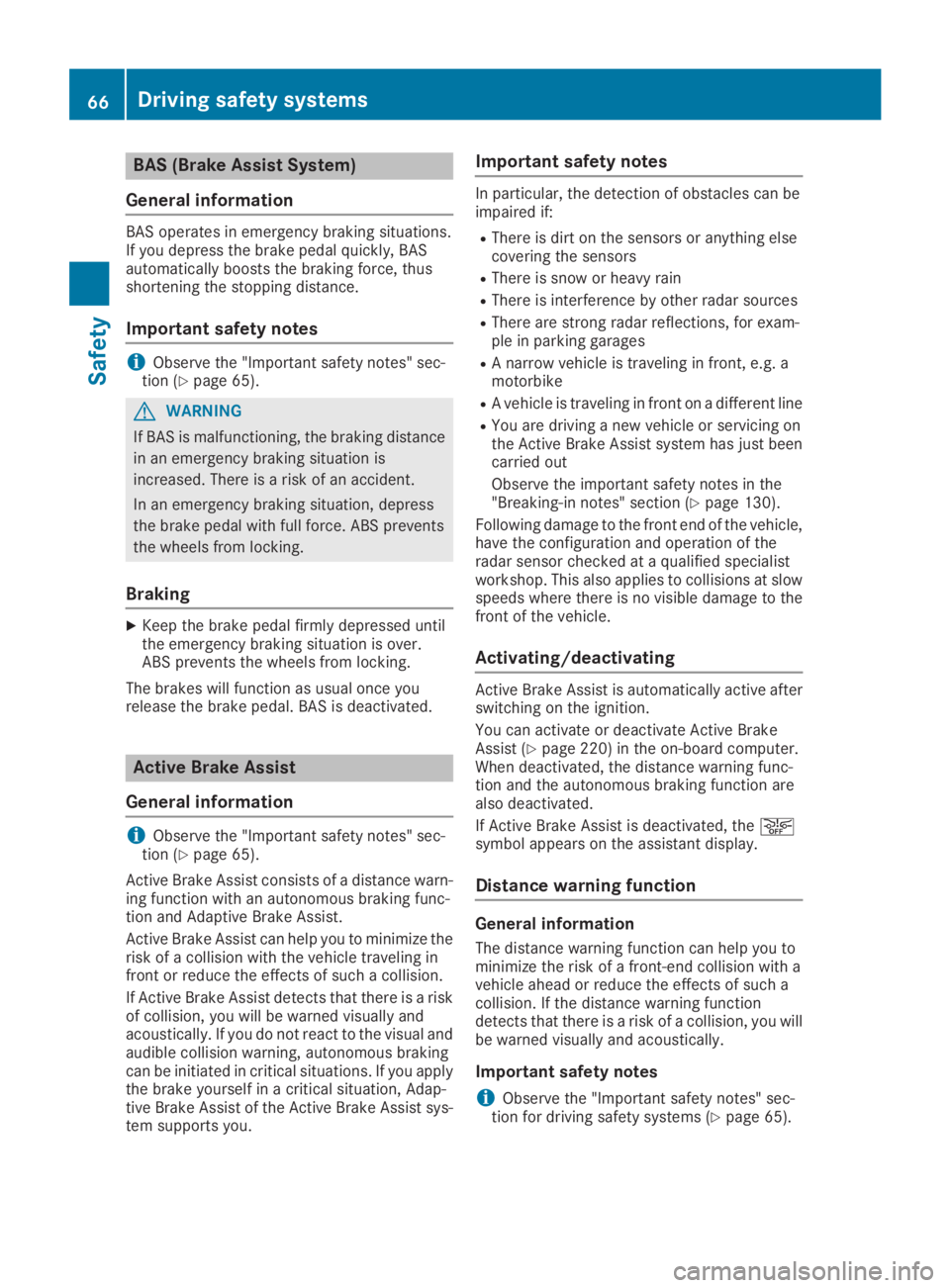
BAS (Brake Assist System)
General information
BAS operates in emergency braking situations.If you depress the brake pedal quickly, BASautomatically boosts the braking force, thusshortening the stopping distance.
Important safety notes
iObserve the "Important safety notes" sec-tion (Ypage 65).
GWARNING
If BAS is malfunctioning, the braking distance
in an emergency braking situation is
increased. There is a risk of an accident.
In an emergency braking situation, depress
the brake pedal with full force. ABS prevents
the wheels from locking.
Braking
XKeep the brake pedal firmly depressed untilthe emergency braking situation is over.ABS prevents the wheels from locking.
The brakes will function as usual once yourelease the brake pedal. BAS is deactivated.
Active Brake Assist
General information
iObserve the "Important safety notes" sec-tion (Ypage 65).
Active Brake Assist consists of a distance warn-ing function with an autonomous braking func-tion and Adaptive Brake Assist.
Active Brake Assist can help you to minimize therisk of a collision with the vehicle traveling infront or reduce the effects of such a collision.
If Active Brake Assist detects that there is a riskof collision, you will be warned visually andacoustically. If you do not react to the visual andaudible collision warning, autonomous brakingcan be initiated in critical situations. If you applythe brake yourself in a critical situation, Adap-tive Brake Assist of the Active Brake Assist sys-tem supports you.
Important safety notes
In particular, the detection of obstacles can beimpaired if:
RThere is dirt on the sensors or anything elsecovering the sensors
RThere is snow or heavy rain
RThere is interference by other radar sources
RThere are strong radar reflections, for exam-ple in parking garages
RA narrow vehicle is traveling in front, e.g. amotorbike
RA vehicle is traveling in front on a different line
RYou are driving a new vehicle or servicing onthe Active Brake Assist system has just beencarried out
Observe the important safety notes in the"Breaking-in notes" section (Ypage 130).
Following damage to the front end of the vehicle,have the configuration and operation of theradar sensor checked at a qualified specialistworkshop. This also applies to collisions at slowspeeds where there is no visible damage to thefront of the vehicle.
Activating/deactivating
Active Brake Assist is automatically active afterswitching on the ignition.
You can activate or deactivate Active BrakeAssist (Ypage 220) in the on-board computer.When deactivated, the distance warning func-tion and the autonomous braking function arealso deactivated.
If Active Brake Assist is deactivated, the
Page 70 of 370
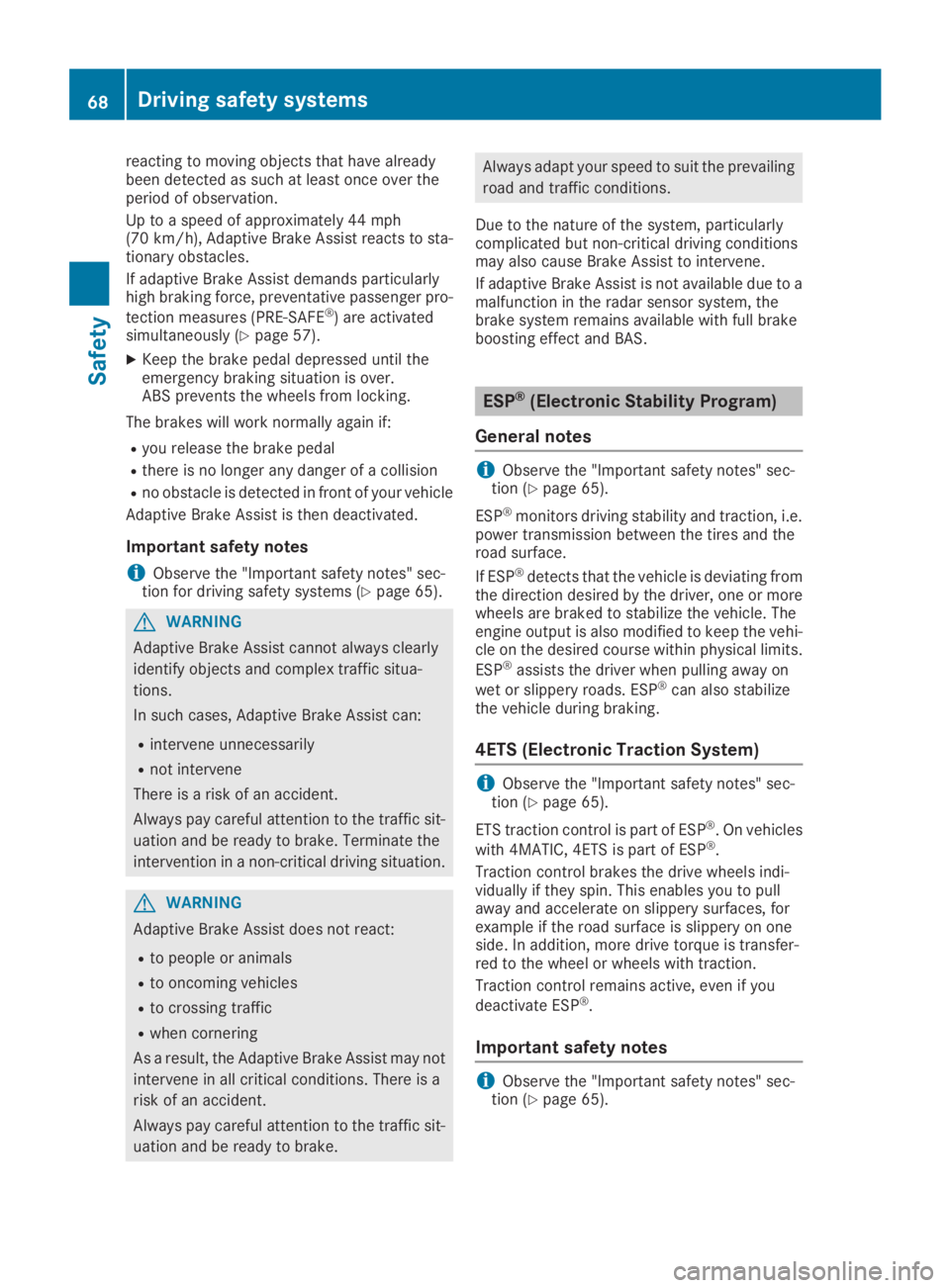
reacting to moving objects that have alreadybeen detected as such at least once over theperiod of observation.
Up to a speed of approximately 44 mph(70 km/h), Adaptive Brake Assist reacts to sta-tionary obstacles.
If adaptive Brake Assist demands particularlyhigh braking force, preventative passenger pro-
tection measures (PRE-SAFE®) are activatedsimultaneously (Ypage 57).
XKeep the brake pedal depressed until theemergency braking situation is over.ABS prevents the wheels from locking.
The brakes will work normally again if:
Ryou release the brake pedal
Rthere is no longer any danger of a collision
Rno obstacle is detected in front of your vehicle
Adaptive Brake Assist is then deactivated.
Important safety notes
iObserve the "Important safety notes" sec-tion for driving safety systems (Ypage 65).
GWARNING
Adaptive Brake Assist cannot always clearly
identify objects and complex traffic situa-
tions.
In such cases, Adaptive Brake Assist can:
Rintervene unnecessarily
Rnot intervene
There is a risk of an accident.
Always pay careful attention to the traffic sit-
uation and be ready to brake. Terminate the
intervention in a non-critical driving situation.
GWARNING
Adaptive Brake Assist does not react:
Rto people or animals
Rto oncoming vehicles
Rto crossing traffic
Rwhen cornering
As a result, the Adaptive Brake Assist may not
intervene in all critical conditions. There is a
risk of an accident.
Always pay careful attention to the traffic sit-
uation and be ready to brake.
Always adapt your speed to suit the prevailing
road and traffic conditions.
Due to the nature of the system, particularlycomplicated but non-critical driving conditionsmay also cause Brake Assist to intervene.
If adaptive Brake Assist is not available due to amalfunction in the radar sensor system, thebrake system remains available with full brakeboosting effect and BAS.
ESP®(Electronic Stability Program)
General notes
iObserve the "Important safety notes" sec-tion (Ypage 65).
ESP®monitors driving stability and traction, i.e.power transmission between the tires and theroad surface.
If ESP®detects that the vehicle is deviating fromthe direction desired by the driver, one or morewheels are braked to stabilize the vehicle. Theengine output is also modified to keep the vehi-cle on the desired course within physical limits.
ESP®assists the driver when pulling away on
wet or slippery roads. ESP®can also stabilizethe vehicle during braking.
4ETS (Electronic Traction System)
iObserve the "Important safety notes" sec-tion (Ypage 65).
ETS traction control is part of ESP®. On vehicles
with 4MATIC, 4ETS is part of ESP®.
Traction control brakes the drive wheels indi-vidually if they spin. This enables you to pullaway and accelerate on slippery surfaces, forexample if the road surface is slippery on oneside. In addition, more drive torque is transfer-red to the wheel or wheels with traction.
Traction control remains active, even if you
deactivate ESP®.
Important safety notes
iObserve the "Important safety notes" sec-tion (Ypage 65).
68Driving safety systems
Safety
Page 74 of 370
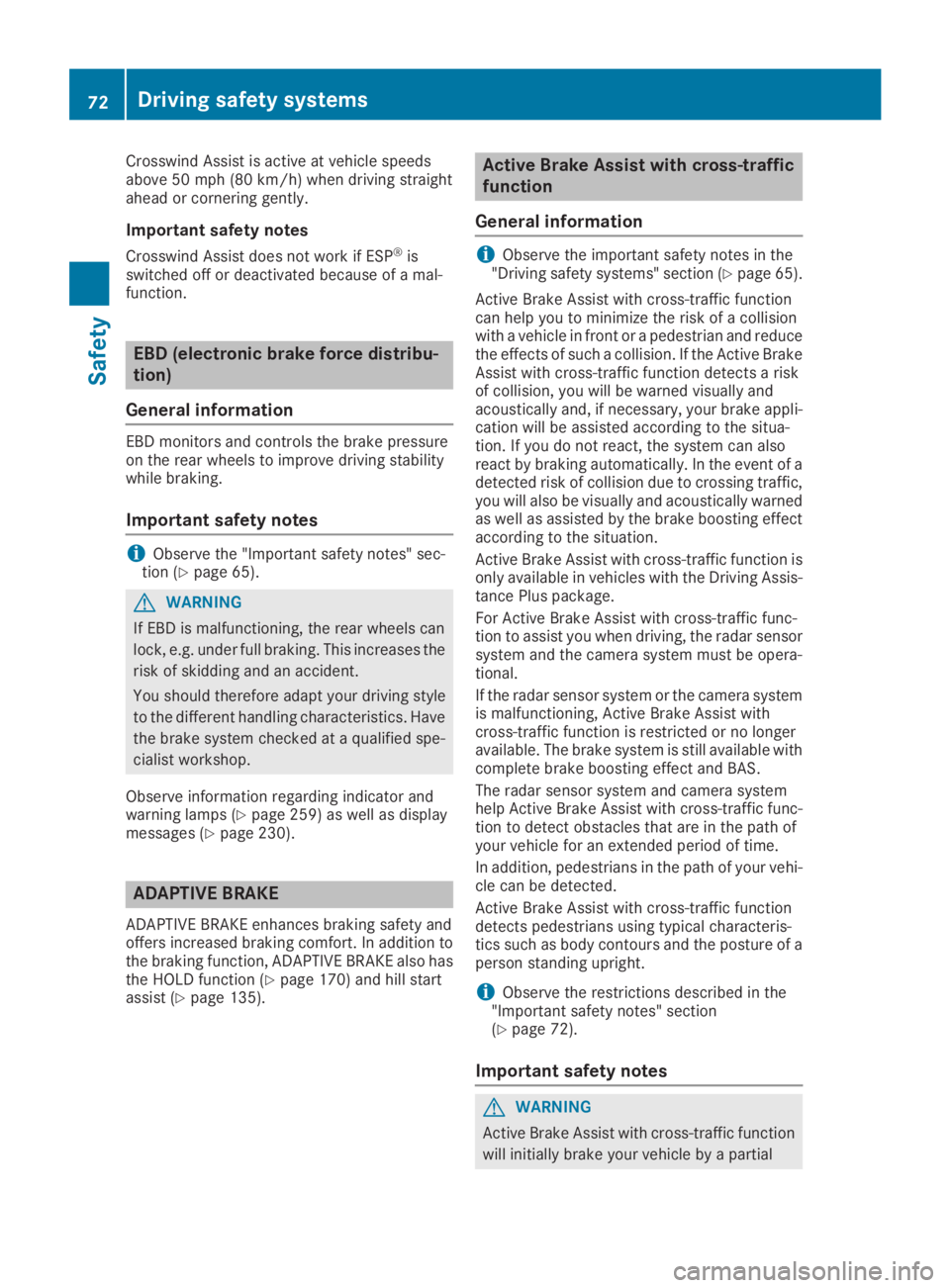
Crosswind Assist is active at vehicle speedsabove 50 mph(80 km/h)when driving straightahead or cornering gently.
Important safety notes
Crosswind Assist does not work if ESP®isswitched off or deactivated because of a mal-function.
EBD (electronic brake force distribu-
tion)
General information
EBD monitors and controls the brake pressureon the rear wheels to improve driving stabilitywhile braking.
Important safety notes
iObserve the "Important safety notes" sec-tion (Ypage 65).
GWARNING
If EBD is malfunctioning, the rear wheels can
lock, e.g. under full braking. This increases the
risk of skidding and an accident.
You should therefore adapt your driving style
to the different handling characteristics. Have
the brake system checked at a qualified spe-
cialist workshop.
Observe information regarding indicator andwarning lamps (Ypage 259) as well as displaymessages (Ypage 230).
ADAPTIVE BRAKE
ADAPTIVE BRAKE enhances braking safety andoffers increased braking comfort. In addition tothe braking function, ADAPTIVE BRAKE also hasthe HOLD function (Ypage 170) and hill startassist (Ypage 135).
Active Brake Assist with cross-traffic
function
General information
iObserve the important safety notes in the"Driving safety systems" section (Ypage 65).
Active Brake Assist with cross-traffic functioncan help you to minimize the risk of a collisionwith a vehicle in front or a pedestrian and reducethe effects of such a collision. If the Active BrakeAssist with cross-traffic function detects a riskof collision, you will be warned visually andacoustically and, if necessary, your brake appli-cation will be assisted according to the situa-tion. If you do not react, the system can alsoreact by braking automatically. In the event of adetected risk of collision due to crossing traffic,you will also be visually and acoustically warnedas well as assisted by the brake boosting effectaccording to the situation.
Active Brake Assist with cross-traffic function isonly available in vehicles with the Driving Assis-tance Plus package.
For Active Brake Assist with cross-traffic func-tion to assist you when driving, the radar sensorsystem and the camera system must be opera-tional.
If the radar sensor system or the camera systemis malfunctioning, Active Brake Assist withcross-traffic function is restricted or no longeravailable. The brake system is still available withcomplete brake boosting effect and BAS.
The radar sensor system and camera systemhelp Active Brake Assist with cross-traffic func-tion to detect obstacles that are in the path ofyour vehicle for an extended period of time.
In addition, pedestrians in the path of your vehi-cle can be detected.
Active Brake Assist with cross-traffic functiondetects pedestrians using typical characteris-tics such as body contours and the posture of aperson standing upright.
iObserve the restrictions described in the"Important safety notes" section(Ypage 72).
Important safety notes
GWARNING
Active Brake Assist with cross-traffic function
will initially brake your vehicle by a partial
72Driving safety systems
Safety
Page 77 of 370
STEER CONTROL
General information
STEER CONTROL helps you by transmitting anoticeable steering force to the steering wheelin the direction required for vehicle stabilization.
This steering assistance is provided in particularif:
Rboth right wheels or both left wheels are on awet or slippery road surface when you brake
Rthe vehicle begins to skid
Important safety notes
iObserve the "Important safety notes" sec-tion (Ypage 65).
No steering support is provided from STEERCONTROL, if:
RESP®is deactivated
RESP®is malfunctioning
Rthe steering is malfunctioning
If ESP®is malfunctioning, you will be assistedfurther by the electrical power steering.
Protection against theft
Immobilizer
The immobilizer prevents your vehicle frombeing started without the correct SmartKey.
XTo activate with the SmartKey:remove theSmartKey from the ignition lock.
XTo activate with KEYLESS-GO start-func-tion or KEYLESS-GO:switch the ignition offand open the driver's door.
XTo deactivate:switch on the ignition.
When leaving the vehicle, always take theSmartKey with you and lock the vehicle. Anyonecan start the engine if a valid SmartKey has beenleft inside the vehicle.
iThe immobilizer is always deactivated whenyou start the engine.
In the event that the engine cannot be started(yet the vehicle's battery is charged), the sys-tem is not operational. Contact an authorizedMercedes-Benz Center or call1-800-FOR-MERCedes (in the USA) or1-800-387-0100 (in Canada).
ATA (anti-theft alarm system)
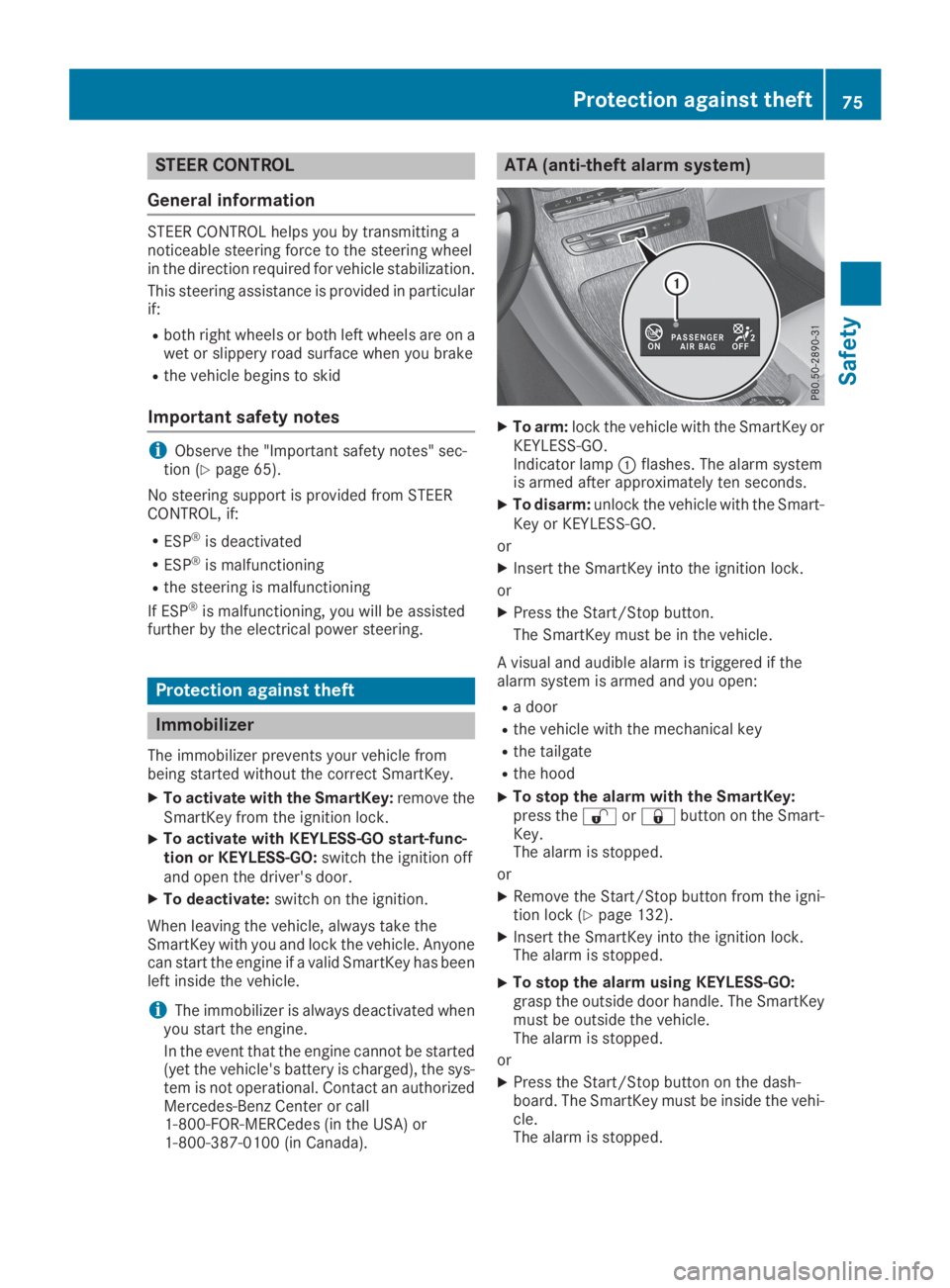
XTo arm:lock the vehicle with the SmartKey orKEYLESS-GO.Indicator lampCflashes. The alarm systemis armed after approximately ten seconds.
XTo disarm:unlock the vehicle with the Smart-Key or KEYLESS-GO.
or
XInsert the SmartKey into the ignition lock.
or
XPress the Start/Stop button.
The SmartKey must be in the vehicle.
A visual and audible alarm is triggered if thealarm system is armed and you open:
Ra door
Rthe vehicle with the mechanical key
Rthe tailgate
Rthe hood
XTo stop the alarm with the SmartKey:press the6or7button on the Smart-Key.The alarm is stopped.
or
XRemove the Start/Stop button from the igni-tion lock (Ypage 132).
XInsert the SmartKey into the ignition lock.The alarm is stopped.
XTo stop the alarm using KEYLESS-GO:grasp the outside door handle. The SmartKeymust be outside the vehicle.The alarm is stopped.
or
XPress the Start/Stop button on the dash-board. The SmartKey must be inside the vehi-cle.The alarm is stopped.
Protection against theft75
Safety
Z
Page 86 of 370
The vehicle will be fully unlocked if it had previ-ously been fully unlocked. If only the driver'sdoor had been previously unlocked, only thedoor which has been opened from the inside isunlocked.
Automatic locking feature
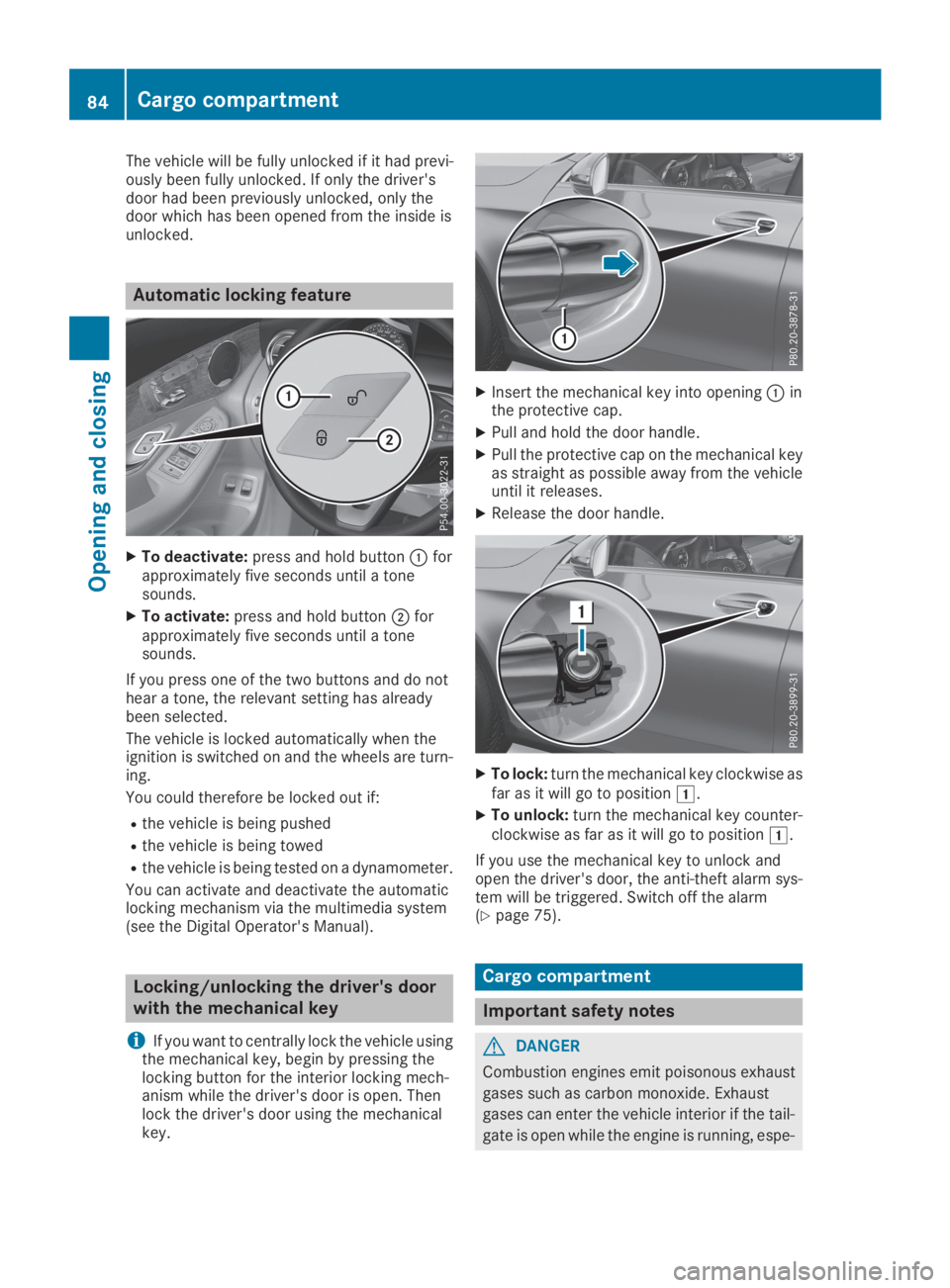
XTo deactivate:press and hold buttonCforapproximately five seconds until a tonesounds.
XTo activate:press and hold buttonDforapproximately five seconds until a tonesounds.
If you press one of the two buttons and do nothear a tone, the relevant setting has alreadybeen selected.
The vehicle is locked automatically when theignition is switched on and the wheels are turn-ing.
You could therefore be locked out if:
Rthe vehicle is being pushed
Rthe vehicle is being towed
Rthe vehicle is being tested on a dynamometer.
You can activate and deactivate the automaticlocking mechanism via the multimedia system(see the Digital Operator's Manual).
Locking/unlocking the driver's door
with the mechanical key
iIf you want to centrally lock the vehicle usingthe mechanical key, begin by pressing thelocking button for the interior locking mech-anism while the driver's door is open. Thenlock the driver's door using the mechanicalkey.
XInsert the mechanical key into openingCinthe protective cap.
XPull and hold the door handle.
XPull the protective cap on the mechanical keyas straight as possible away from the vehicleuntil it releases.
XRelease the door handle.
XTo lock:turn the mechanical key clockwise asfar as it will go to positionG.
XTo unlock:turn the mechanical key counter-clockwise as far as it will go to positionG.
If you use the mechanical key to unlock andopen the driver's door, the anti-theft alarm sys-tem will be triggered. Switch off the alarm(Ypage 75).
Cargo compartment
Important safety notes
GDANGER
Combustion engines emit poisonous exhaust
gases such as carbon monoxide. Exhaust
gases can enter the vehicle interior if the tail-
gate is open while the engine is running, espe-
84Cargo compartment
Opening and closing
Page 98 of 370
Correct driver's seat position
GWARNING
You could lose control of your vehicle if you do
the following while driving:
Radjust the driver's seat, head restraint,
steering wheel or mirrors
Rfasten the seat belt
There is a risk of an accident.
Adjust the driver's seat, head restraint, steer-
ing wheel and mirror and fasten your seat belt
before starting the engine.
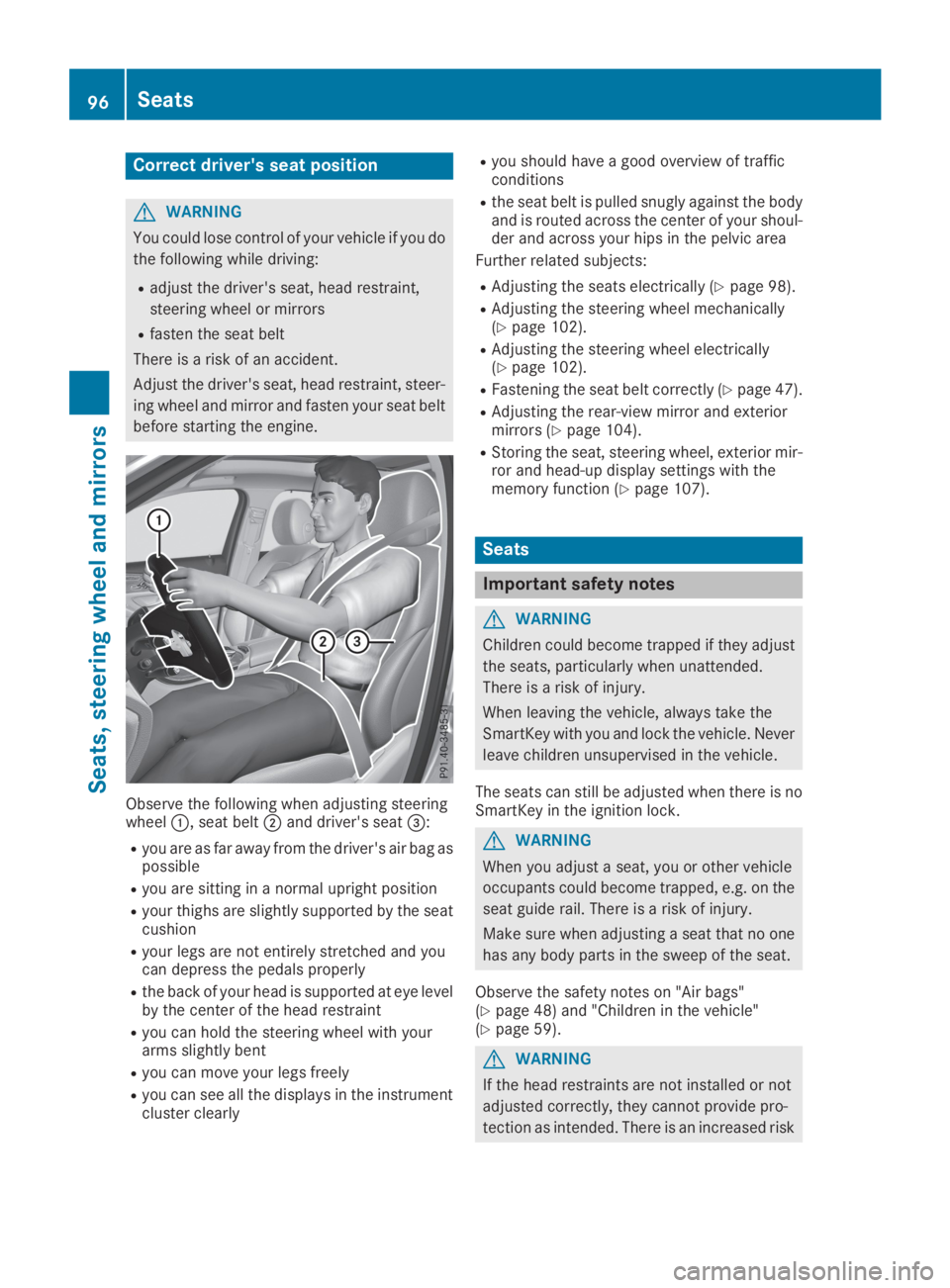
Observe the following when adjusting steeringwheelC, seat beltDand driver's seat
Page 99 of 370
of injury in the head and neck area, e.g. in the
event of an accident or when braking.
Always drive with the head restraints instal-
led. Before driving off, make sure for every
vehicle occupant that the center of the head
restraint supports the back of the head at
about eye level.
Using the fore-and-aft adjustment, adjust thehead restraint so that it is as close as possible toyour head.
GWARNING
If the driver's seat is not engaged, it could
move unexpectedly while the vehicle is in
motion. This could cause you to lose control of
the vehicle. There is a risk of an accident.
Always make sure that the driver's seat is
engaged before starting the vehicle.
GWARNING
You could lose control of your vehicle if you do
the following while driving:
Radjust the driver's seat, head restraint,
steering wheel or mirrors
Rfasten the seat belt
There is a risk of an accident.
Adjust the driver's seat, head restraint, steer-
ing wheel and mirror and fasten your seat belt
before starting the engine.
GWARNING
If you adjust the seat height carelessly, you or
other vehicle occupants could be trapped and
thereby injured. Children in particular could
accidentally press the electrical seat adjust-
ment buttons and become trapped. There is a
risk of injury.
While moving the seats, make sure that your
hands or other body parts do not get under the
lever assembly of the seat adjustment sys-
tem.
GWARNING
The seat belt does not offer the intended level
of protection if you have not moved the back-
rest to an almost vertical position. When brak-
ing or in the event of an accident, you could
slide underneath the seat belt and sustain
abdomen or neck injuries, for example. This
poses an increased risk of injury or even fatal
injury.
Adjust the seat properly before beginning
your journey. Always ensure that the backrest
is in an almost vertical position and that the
shoulder section of your seat belt is routed
across the center of your shoulder.
!To prevent damage to the seats and the seatheating, observe the following notes:
RDo not spill liquids onto the seats. Dry theseats as soon as possible if liquid does getspilled on the seats.
RIf the seat covers are damp or wet, do notswitch on the seat heating. Also, do not usethe seat heating to dry the seats.
RClean the seat covers as recommended;see keyword "Care".
RDo not transport heavy loads on the seats.Do not place pointed objects on the seatcushions such as knives, nails or tools.Where possible, use the seats only for car-rying passengers.
RWhen operating the seat heating, do notcover the seats with insulating materials,e.g. blankets, coats, bags, protective cov-ers, child seats or booster seats.
!Make sure that there are no objects in thefootwell under or behind the seats when mov-ing the seats back. There is a risk that theseats and/or the objects could be damaged.
iFor more information, contact a qualifiedspecialist workshop.
iRelated topic:
REASY-PACK Quickfold rear bench seat(Ypage 281)
Seats97
Seats, steering wheel and mirrors
Z