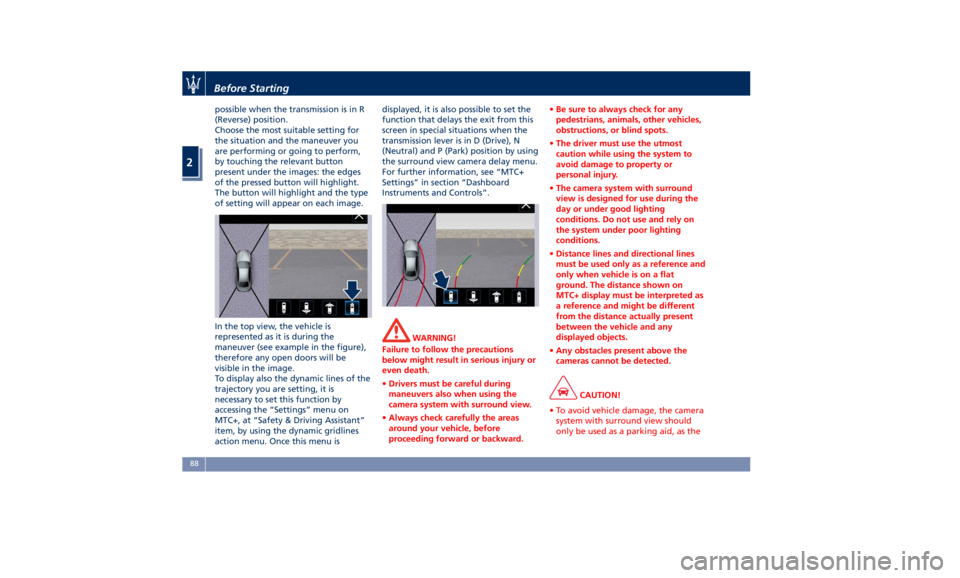
possible when the transmission is in R
(Reverse) position.
Choose the most suitable setting for
the situation and the maneuver you
are performing or going to perform,
by touching the relevant button
present under the images: the edges
of the pressed button will highlight.
The button will highlight and the type
of setting will appear on each image.
In the top view, the vehicle is
represented as it is during the
maneuver (see example in the figure),
therefore any open doors will be
visible in the image.
To display also the dynamic lines of the
trajectory you are setting, it is
necessary to set this function by
accessing the “Settings” menu on
MTC+, at “Safety & Driving Assistant”
item, by using the dynamic gridlines
action menu. Once this menu is displayed, it is also possible to set the
function that delays the exit from this
screen in special situations when the
transmission lever is in D (Drive), N
(Neutral) and P (Park) position by using
the surround view camera delay menu.
For further information, see “MTC+
Settings” in section “Dashboard
Instruments and Controls”.
WARNING!
Failure to follow the precautions
below might result in serious injury or
even death.
• Drivers must be careful during
maneuvers also when using the
camera system with surround view.
• Always check carefully the areas
around your vehicle, before
proceeding forward or backward. • Be sure to always check for any
pedestrians, animals, other vehicles,
obstructions, or blind spots.
• The driver must use the utmost
caution while using the system to
avoid damage to property or
personal injury.
• The camera system with surround
view is designed for use during the
day or under good lighting
conditions. Do not use and rely on
the system under poor lighting
conditions.
• Distance lines and directional lines
must be used only as a reference and
only when vehicle is on a flat
ground. The distance shown on
MTC+ display must be interpreted as
a reference and might be different
from the distance actually present
between the vehicle and any
displayed objects.
• Any obstacles present above the
cameras cannot be detected.
CAUTION!
• To avoid vehicle damage, the camera
system with surround view should
only be used as a parking aid, as theBefore Starting
2
88