2019 LINCOLN NAVIGATOR Running boards
[x] Cancel search: Running boardsPage 5 of 645
Liftgate
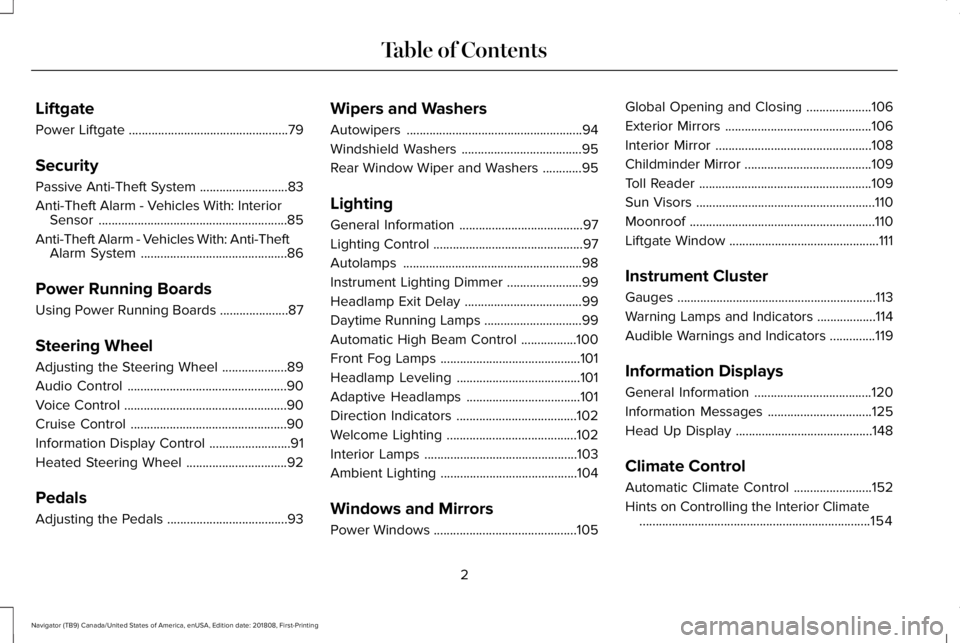
Power Liftgate.................................................79
Security
Passive Anti-Theft System...........................83
Anti-Theft Alarm - Vehicles With: InteriorSensor..........................................................85
Anti-Theft Alarm - Vehicles With: Anti-TheftAlarm System.............................................86
Power Running Boards
Using Power Running Boards .....................87
Steering Wheel
Adjusting the Steering Wheel....................89
Audio Control.................................................90
Voice Control..................................................90
Cruise Control................................................90
Information Display Control.........................91
Heated Steering Wheel...............................92
Pedals
Adjusting the Pedals.....................................93
Wipers and Washers
Autowipers......................................................94
Windshield Washers.....................................95
Rear Window Wiper and Washers............95
Lighting
General Information......................................97
Lighting Control..............................................97
Autolamps.......................................................98
Instrument Lighting Dimmer.......................99
Headlamp Exit Delay....................................99
Daytime Running Lamps..............................99
Automatic High Beam Control.................100
Front Fog Lamps...........................................101
Headlamp Leveling......................................101
Adaptive Headlamps...................................101
Direction Indicators.....................................102
Welcome Lighting........................................102
Interior Lamps...............................................103
Ambient Lighting..........................................104
Windows and Mirrors
Power Windows............................................105
Global Opening and Closing....................106
Exterior Mirrors.............................................106
Interior Mirror................................................108
Childminder Mirror.......................................109
Toll Reader.....................................................109
Sun Visors.......................................................110
Moonroof.........................................................110
Liftgate Window..............................................111
Instrument Cluster
Gauges.............................................................113
Warning Lamps and Indicators..................114
Audible Warnings and Indicators..............119
Information Displays
General Information....................................120
Information Messages................................125
Head Up Display..........................................148
Climate Control
Automatic Climate Control........................152
Hints on Controlling the Interior Climate.......................................................................154
2
Navigator (TB9) Canada/United States of America, enUSA, Edition date: 201808, First-Printing
Table of Contents
Page 90 of 645

USING POWER RUNNING BOARDS
WARNING: In extreme climates,excessive ice buildup may occur, causingthe running boards not to deploy. Makesure that the running boards havedeployed, and have finished moving beforeattempting to step on them. The runningboards will resume normal function oncethe blockage is cleared.
WARNING: Switch off the runningboards before jacking or placing any objectunder your vehicle. Never place your handbetween the extended running board andyour vehicle. A moving running board maycause injury.
Note:Do not use the running boards, frontand rear hinge assemblies, running boardmotors, or the running board underbodymounts to lift your vehicle when jacking.Always use proper jacking points.
Note:The running boards may operate moreslowly in cool temperatures.
Note:The running board mechanism maytrap debris such as mud, dirt, snow, ice andsalt. This may cause unwanted noise. If thishappens, manually set the running boardsto the deployed position. Then, wash thesystem, in particular the front and rear hingearms, with a high-pressure car wash wand.
Automatic Power Deploy
The running boards automatically extenddown and out when you open the door. Thiscan help you enter and exit your vehicle.
For vehicles with intelligent access, theremote control determines your proximity tothe vehicle. As the remote control entersapproximately 8.9 ft (2.7 m) of the vehicle,some exterior lights illuminate and the powerrunning boards deploy automatically. Inaddition to deploying on both sides of thevehicle, there is illumination around thepower running boards. The deployment isconfigurable in the advanced settings of theinformation display. If the configuration isturned off, the power running boards do notautomatically deploy.
Note:Automatic power deploy approachdetection does not unlock or lock the vehicle.It also does not interfere with the alarmsystem.
Automatic Power Stow
When you close the doors, the runningboards return to the stowed position after atwo-second delay.
87
Navigator (TB9) Canada/United States of America, enUSA, Edition date: 201808, First-Printing
Power Running Boards (If Equipped)E166682
Page 91 of 645

Manual Power Deploy
You can manually operate the runningboards in the advanced settings of theinformation display. See GeneralInformation (page 120).
Set the running boards in the deployedposition to access the roof.
The running boards return to the stowedposition and enter automatic mode when thevehicle speed exceeds 5 mph (8 km/h).
Enabling and Disabling
You can enable and disable the powerrunning board feature in the advancedsettings of the information display. SeeGeneral Information (page 120).
•When disabled (OFF), the running boardsmove to the stowed position regardlessof the door position.
•When enabled (AUTO), the runningboards move back to the correctpositions based on the door position.
Bounce-back
The running board will reverse direction andmove to the end of travel if it encounters anobject while moving.
88
Navigator (TB9) Canada/United States of America, enUSA, Edition date: 201808, First-Printing
Power Running Boards (If Equipped)
Page 208 of 645

9. Fully close the fuel filler door.
Note:The message may not immediatelyreset. If the message continues to appearand a warning lamp illuminates, have yourvehicle checked as soon as possible.
FUEL CONSUMPTION
Advertised Capacity
The advertised capacity is the maximumamount of fuel that you can add to the fueltank after running out of fuel. Included in theadvertised capacity is an empty reserve. Theempty reserve is an unspecified amount offuel that remains in the fuel tank when thefuel gauge indicates empty.
Note:The amount of fuel in the emptyreserve varies and should not be relied uponto increase driving range.
Fuel Economy
Your vehicle calculates fuel economy figuresthrough the trip computer average fuelfunction.
The first 1,000 mi (1,500 km) of driving is thebreak-in period of the engine. A moreaccurate measurement is obtained after2,000 mi (3,000 km).
Impacting Fuel Economy
•Incorrect tire inflation pressures.
•Fully loading your vehicle.
•Carrying unnecessary weight.
•Adding certain accessories to yourvehicle such as bug deflectors, rollbarsor light bars, running boards and skiracks.
•Using fuel blended with alcohol. SeeFuel Quality (page 200).
•Fuel economy may decrease with lowertemperatures.
•Fuel economy may decrease whendriving short distances.
•You may get better fuel economy whendriving on flat terrain than when drivingon hilly terrain.
205
Navigator (TB9) Canada/United States of America, enUSA, Edition date: 201808, First-Printing
Fuel and Refueling
Page 327 of 645

There are also some things you may want toavoid doing because they reduce your fueleconomy:
•Avoid sudden or hard accelerations.
•Avoid revving the engine before turningoff the car.
•Avoid long idle periods.
•Do not warm up your vehicle on coldmornings.
•Reduce the use of air conditioning andheat.
•Avoid using speed control in hilly terrain.
•Do not rest your foot on the brake pedalwhile driving.
•Avoid carrying unnecessary weight.
•Avoid adding particular accessories toyour vehicle (e.g. bug deflectors,rollbars/light bars, running boards, skiracks).
•Avoid driving with the wheels out ofalignment.
DRIVING THROUGH WATER
WARNING: Do not drive throughflowing or deep water as you may losecontrol of your vehicle.
Note:Driving through standing water cancause vehicle damage.
Note:Engine damage can occur if waterenters the air filter.
Before driving through standing water, checkthe depth. Never drive through water that ishigher than the bottom of the wheel hubs.
When driving through standing water, drivevery slowly and do not stop your vehicle.Your brake performance and traction maybe limited. After driving through water andas soon as it is safe to do so:
•Lightly press the brake pedal to dry thebrakes and to check that they work.
•Check that the horn works.
•Check that the exterior lights work.
•Turn the steering wheel to check that thesteering power assist works.
FLOOR MATS
WARNING: Use a floor mat designedto fit the footwell of your vehicle that doesnot obstruct the pedal area. Failure tofollow this instruction could result in theloss of control of your vehicle, personalinjury or death.
WARNING: Pedals that cannot movefreely can cause loss of vehicle control andincrease the risk of serious personal injury.
324
Navigator (TB9) Canada/United States of America, enUSA, Edition date: 201808, First-Printing
Driving HintsE176913
Page 352 of 645

Protected ComponentFuse RatingFuse Number
Not used.—85
USB smart charger #5.5A186
USB smart charger #3.5A187
Multi contour seats relay.10A188
Power running boards.40A289
Power liftgate module.30A291
Heated mirrors.15A193
USB smart charger #1.5A194
USB smart charger #2.10A195
Rear wiper motor relay30A296
Intercooler puller fan relay.40A297
Transmission oil pump.15A298
349
Navigator (TB9) Canada/United States of America, enUSA, Edition date: 201808, First-Printing
Fuses
Page 416 of 645

WARNING: Always use the jackprovided as original equipment with yourvehicle. If using a jack other than the oneprovided, make sure the jack capacity isadequate for the vehicle weight, includingany vehicle cargo or modifications. If youare unsure if the jack capacity is adequate,contact the authorized dealer.
WARNING: Switch off the runningboards before jacking or placing any objectunder your vehicle. Never place your handbetween the extended running board andyour vehicle. A moving running board maycause injury.
WARNING: Only use the spare wheelcarrier to stow the wheel provided withyour vehicle. Other wheel sizes couldcause the spare wheel carrier to fail if itdoes not fit securely or is too heavy.
1.Park the vehicle on firm, level ground andactivate the hazard flashers.
2. Apply the parking brake, place thetransmission in park (P) and switch theignition off.
3.Block the wheels diagonally opposite theflat tire, for example, if the left front tireis flat, block the right rear wheel.
Removing the Jack and Tools
Note:Pay close attention to the orientationof the jack and tool kit bag, because it needsto be reinstalled after changing the tire.
1. Open the liftgate and lift the load floorbehind the third row seat. If your vehiclehas an access panel, you need to thenunlatch and remove this panel.
2. Remove the wing nut by turning itcounterclockwise.
3. Remove the jack and tool kit bag fromthe bracket, loosen the straps andremove the tool bag from the jack.
Removing the Spare Tire
1.Remove the swivel wrench from the toolkit bag, open the spare tire winch accessplug at the bottom of the compartmentfor the jack and tools tray.
413
Navigator (TB9) Canada/United States of America, enUSA, Edition date: 201808, First-Printing
Wheels and TiresE175447 E252435
Page 640 of 645

Post-Crash Alert System.............................330Power Door LocksSee: Locking and Unlocking..............................72
Power Liftgate..................................................79Obstacle Detection...............................................81Opening and Closing the Liftgate....................79Setting the Liftgate Open Height......................81Stopping the Liftgate Movement......................80Using the Hands-Free Liftgate...........................81
Power Running Boards..................................87Power Seats....................................................163Adjusting the Lumbar Support.........................165Adjusting the Multi-Contour Front Seats WithActive Motion ..................................................165
Power Windows.............................................105Accessory Delay..................................................106Bounce-Back........................................................105One-Touch Down................................................105One-Touch Up......................................................105Window Lock........................................................106
Pre-Collision Assist......................................280Adjusting the Pre-Collision AssistSettings.............................................................283Blocked Sensors.................................................283Distance Indication and Alert...........................281Using the Pre-Collision Assist System...........281
Protecting the Environment..........................15
PunctureSee: Changing a Road Wheel..........................410
R
Rear Axle........................................................224Rear Parking Aid...........................................237Obstacle Distance Indicator............................237
Rear Passenger Climate Controls.............155Directing Air to the Overhead Air Vents.......155Directing Air to the Rear Footwell AirVents..................................................................155Rear Climate Control Lock Indicator..............155Setting the Rear Blower Motor Speed...........155Setting the Rear Temperature..........................155Switching Rear Auto Mode On and Off.........155Switching the Rear Climate Control On andOff.......................................................................156Switching the Rear Heated Seats On andOff.......................................................................156
Rear Seats........................................................171Adjusting the Second Row Center 20%Seat.....................................................................175Adjusting the Second Row Outermost 40%Seat for Easy Entry...........................................171Folding the Second Row 40% Seat ................171Folding the Second Row Center 20% Seat.............................................................................174
Power Easy Entry.................................................173Power Folding Rear Seats.................................175Reclining the Second Row Outermost 40%Seat Backrest...................................................174
Rear Under Floor Storage..........................287Advanced System: Forward Divider, CargoShelf and Rear Barrier (BulkheadPosition)............................................................288Cargo Management System............................287
Rear View Camera.......................................249Camera Guidelines............................................250Manual Zoom.......................................................251Obstacle Distance Indicator.............................251Rear Camera Delay.............................................251Using the Rear View Camera System...........249
Rear View CameraSee: Rear View Camera....................................249
Rear Window Wiper and Washers..............95Rear Camera Washer...........................................96Rear Window Washer..........................................96Rear Window Wiper.............................................95
Recommended Towing Weights..............309Reduced Engine Performance..................323Refueling........................................................202Refueling System Overview............................202Refueling System Warning...............................204Refueling Your Vehicle......................................203
637
Navigator (TB9) Canada/United States of America, enUSA, Edition date: 201808, First-Printing
Index