2019 LINCOLN MKZ HYBRID center console
[x] Cancel search: center consolePage 234 of 575

Switching to Normal Cruise Control
WARNING: Normal cruise control willnot brake when your vehicle is approachingslower vehicles. Always be aware of whichmode you have selected and apply thebrakes when necessary.
The cruise control indicator lightreplaces the adaptive cruisecontrol indicator light if you selectnormal cruise control. The gap setting doesnot display, and the system does not respondto lead vehicles. Automatic braking remainsactive to maintain set speed.
You can change from adaptive cruise controlto normal cruise control through theinformation display.
Switching to ECO Cruise
Using cruise control with ECO Cruiseswitched on may change the operation ofthe system. This feature saves vehicleenergy by relaxing acceleration comparedto standard cruise control. For example, yourvehicle may temporarily lose speed whengoing uphill.
For Energi vehicles, you can switch on ECOCruise using the information display.
For Hybrid vehicles, press ECO on the centerconsole.
For additional information, refer to ECOCruise and EcoSelect. See EcoSelect (page173).
231
MKZ Hybrid (CC9) Hybrid Electric Vehicle (HEV), Canada/United States of America, enUSA, Edition date: 201805, First-Printing
Cruise ControlE71340
Page 373 of 575

use of any hand-held device while drivingand encourage the use of voice-operatedsystems when possible. Make sure you areaware of all applicable local laws that mayaffect the use of electronic devices whiledriving.
The media hub may be on the instrumentpanel or center console.
The media hub may contain one or more ofthe following inputs:
•USB ports. See USB Port (page 369).
•Audio input jack.
370
MKZ Hybrid (CC9) Hybrid Electric Vehicle (HEV), Canada/United States of America, enUSA, Edition date: 201805, First-Printing
Audio System
Page 415 of 575

USB Ports
The USB ports are in the center console orbehind a small access door in the instrumentpanel.
This feature allows you to plug in USB mediadevices, memory sticks, flash drives or thumbdrives, and charge devices if they supportthis feature.
Select this option to play audio from yourUSB device.
Apps
The system supports the use of certain audioapps such as iHeartRadio through a USB orBluetooth enabled device.
Each app gives you different on-screenoptions depending on the app's content.See Apps (page 441).
Supported Media Players, Formats andMetadata Information
The system is capable of hosting nearly anydigital media player, including iPod, iPhone,and most USB drives.
Supported audio formats include MP3, WMA,WAV, AAC, and FLAC.
Supported audio file extensions include MP3,WMA, WAV, M4A, M4B, AAC, and FLAC.
Supported USB file systems include: FAT,exFAT, and NTFS.
SYNC 3 is also able to organize the mediafrom your USB device by metadata tags.Metadata tags, which are descriptivesoftware identifiers embedded in the mediafiles, provide information about the file.
If your indexed media files contain noinformation embedded in these metadatatags, SYNC 3 may classify the emptymetadata tags as unknown.
SYNC 3 is capable of indexing up to 50,000songs per USB device, for up to 10 devices.
CLIMATE
Touch the climate button on the touchscreento access your climate control features.Depending on your vehicle line and optionpackage, your climate screen may lookdifferent from one of the screens shownbelow. Your screen may not contain all ofthe features shown.
Note:You can switch temperature unitsbetween Fahrenheit and Celsius. SeeSettings (page 444).
412
MKZ Hybrid (CC9) Hybrid Electric Vehicle (HEV), Canada/United States of America, enUSA, Edition date: 201805, First-Printing
SYNC™ 3E211463
Page 565 of 575
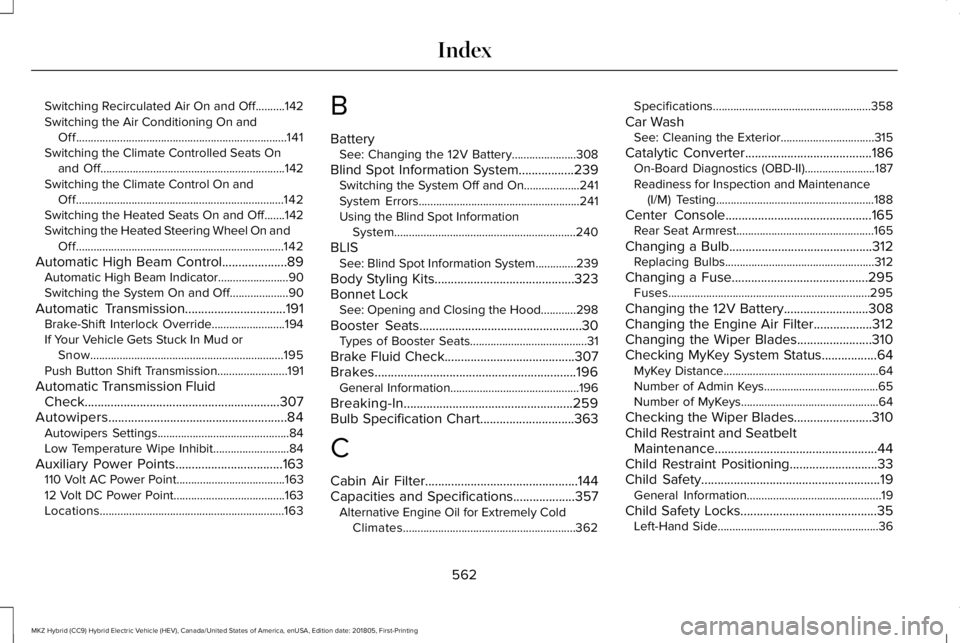
Switching Recirculated Air On and Off..........142Switching the Air Conditioning On andOff........................................................................141Switching the Climate Controlled Seats Onand Off...............................................................142Switching the Climate Control On andOff.......................................................................142Switching the Heated Seats On and Off.......142Switching the Heated Steering Wheel On andOff.......................................................................142
Automatic High Beam Control....................89Automatic High Beam Indicator........................90Switching the System On and Off....................90
Automatic Transmission...............................191Brake-Shift Interlock Override.........................194If Your Vehicle Gets Stuck In Mud orSnow..................................................................195Push Button Shift Transmission........................191
Automatic Transmission FluidCheck............................................................307Autowipers.......................................................84Autowipers Settings.............................................84Low Temperature Wipe Inhibit..........................84
Auxiliary Power Points.................................163110 Volt AC Power Point.....................................16312 Volt DC Power Point......................................163Locations...............................................................163
B
BatterySee: Changing the 12V Battery......................308
Blind Spot Information System.................239Switching the System Off and On...................241System Errors.......................................................241Using the Blind Spot InformationSystem..............................................................240
BLISSee: Blind Spot Information System..............239
Body Styling Kits...........................................323Bonnet LockSee: Opening and Closing the Hood............298
Booster Seats..................................................30Types of Booster Seats........................................31
Brake Fluid Check........................................307Brakes..............................................................196General Information............................................196
Breaking-In....................................................259Bulb Specification Chart.............................363
C
Cabin Air Filter...............................................144Capacities and Specifications...................357Alternative Engine Oil for Extremely ColdClimates...........................................................362
Specifications......................................................358
Car WashSee: Cleaning the Exterior................................315
Catalytic Converter.......................................186On-Board Diagnostics (OBD-II)........................187Readiness for Inspection and Maintenance(I/M) Testing......................................................188
Center Console.............................................165Rear Seat Armrest...............................................165
Changing a Bulb............................................312Replacing Bulbs...................................................312
Changing a Fuse..........................................295Fuses.....................................................................295
Changing the 12V Battery..........................308Changing the Engine Air Filter..................312Changing the Wiper Blades.......................310Checking MyKey System Status.................64MyKey Distance.....................................................64Number of Admin Keys.......................................65Number of MyKeys...............................................64
Checking the Wiper Blades........................310Child Restraint and SeatbeltMaintenance..................................................44Child Restraint Positioning...........................33Child Safety.......................................................19General Information..............................................19
Child Safety Locks..........................................35Left-Hand Side.......................................................36
562
MKZ Hybrid (CC9) Hybrid Electric Vehicle (HEV), Canada/United States of America, enUSA, Edition date: 201805, First-Printing
Index
Page 570 of 575

Lighting Control..............................................86Flashing the Headlamp High Beam.................87Headlamp High Beam.........................................87
Lighting..............................................................86General Information.............................................86
Lincoln Automotive Financial Services......12Lincoln Protect..............................................483Lincoln Protect (CANADA ONLY)....................484Lincoln Protect Extended Service Plans (U.S.Only)..................................................................483
Load Carrying................................................253Load Limit.......................................................253Special Loading Instructions for Owners ofPick-up Trucks and Utility-typeVehicles............................................................257Vehicle Loading - with and without aTrailer................................................................253
Locking and Unlocking..................................67Activating Intelligent Access.............................68Autolock..................................................................70Battery Saver...........................................................71Illuminated Entry...................................................70Illuminated Exit......................................................70Locking and Unlocking the Doors with theKey Blade...........................................................69Luggage Compartment........................................71Power Door Locks................................................67Remote Control.....................................................67
Smart Unlocks for Intelligent AccessKeys.....................................................................69
M
Maintenance..................................................298General Information...........................................298
Media Hub......................................................369Memory Function..........................................152Easy Entry and Exit Feature..............................153Linking a PreSet Position to your RemoteControl or Intelligent Access Key Fob.......153Saving a PreSet Position...................................152
Message CenterSee: Information Displays..................................110
MirrorsSee: Windows and Mirrors.................................94
Mobile Communications Equipment...........14Moonroof..........................................................99Opening and Closing..........................................101Type 1.....................................................................100Type 2....................................................................100
Motorcraft Parts............................................354MyKey Troubleshooting................................65MyKey™..............................................................62Principle of Operation.........................................62
N
Navigation......................................................424cityseeker.............................................................433Destination Mode...............................................425Map Mode............................................................424Navigation Map Updates..................................434Navigation Menu................................................430SiriusXM Traffic and Travel Link......................434SYNC AppLink.....................................................433Waypoints.............................................................432
Normal Scheduled Maintenance.............490
O
Oil Change Indicator Reset.......................302Oil CheckSee: Engine Oil Check.......................................301
Opening and Closing the Hood...............298Closing the Hood...............................................299Opening the Hood.............................................298
Ordering Additional Owner'sLiterature......................................................277Obtaining a French Owner’s Manual.............277
Overhead Console.......................................165
567
MKZ Hybrid (CC9) Hybrid Electric Vehicle (HEV), Canada/United States of America, enUSA, Edition date: 201805, First-Printing
Index