2019 LEXUS UX250H charging
[x] Cancel search: chargingPage 63 of 476

631-4. Hybrid system
1
For safety and security
charged.
*: When the hybrid battery (traction bat-tery) requires charging or the engine is
warming up, etc., the gasoline engine will
not automatically stop. ( P.63)
■During normal driving
The gasoline engine is predominantly
used. The electric motor (traction
motor) charges the hybrid battery
(traction battery) as necessary.
■When accelerating sharply
When the accelerator pedal is
depressed heavily, the power of the
hybrid battery (traction battery) is
added to that of the gasoline engine via
the electric motor (traction motor).
■When braking (regenerative brak-
ing)
The wheels operate the electric motor
(traction motor) as a power generator,
and the hybrid battery (traction bat-
tery) is charged.
■Regenerative braking
In the following situations, kinetic energy is
converted to electric energy and decelera-
tion force can be obta ined in conjunction
with the recharging of the hybrid battery
(traction battery).
●The accelerator pedal is released while
driving with the shift lever in D or S.
●The brake pedal is depressed while driv-
ing with the shift lever in D or S.
■EV indicator
The EV indicator comes on when the vehi-
cle is driven using only the electric motor
(traction motor) or th e gasoline engine is
stopped.
■Conditions in which the gasoline engine
may not stop
The gasoline engine starts and stops auto-
matically. However, it may not stop auto-
matically in the following conditions
*:
●During gasoline engine warm-up
●During hybrid battery (traction battery)
charging
●When the temperature of the hybrid bat-
tery (traction battery) is high or low
●When the heater is switched on
*: Depending on the circumstances, the gasoline engine may also not stop auto-
matically in other situations.
■Charging the hybrid battery (traction
battery)
As the gasoline engine charges the hybrid
battery (traction battery), the battery does
not need to be charged from an outside
source. However, if the vehicle is left parked
for a long time the hybrid battery (traction
battery) will slowly discharge. For this rea-
son, be sure to drive the vehicle at least
once every few months for at least 30 min-
utes or 10 miles (16 km ). If the hybrid bat-
tery (traction battery) becomes fully
discharged and you are unable to start the
hybrid system, contact your Lexus dealer.
■Charging the 12-volt battery
P.408
■After the 12-volt battery has discharged
or when the terminal has been removed
and installed during exchange, etc.
The gasoline engine may not stop even if
the vehicle is being driven by the hybrid bat-
tery (traction battery). If this continues for a
few days, contact your Lexus dealer.
Page 72 of 476
721-5. Theft deterrent system
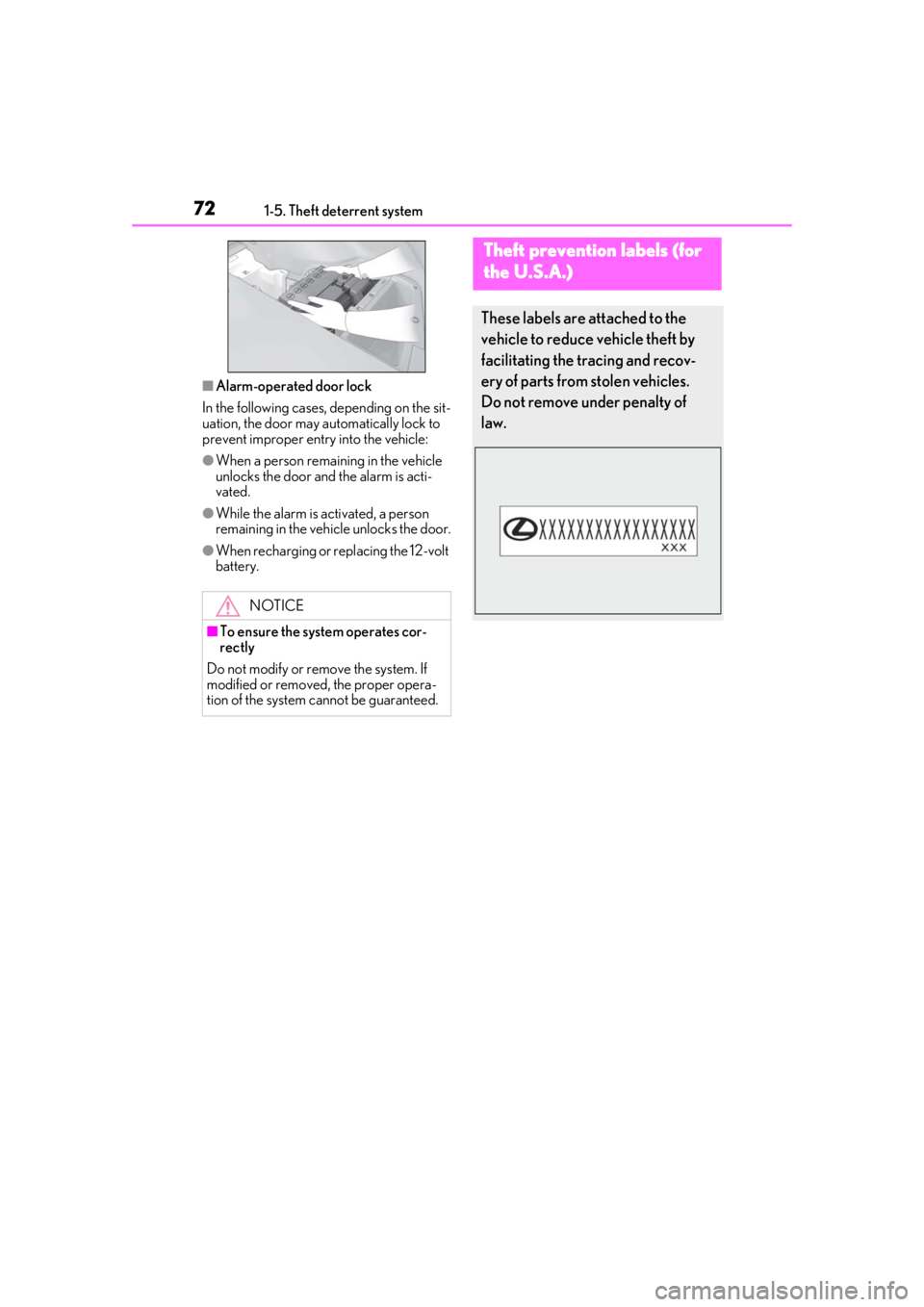
■Alarm-operated door lock
In the following cases, depending on the sit-
uation, the door may automatically lock to
prevent improper entry into the vehicle:
●When a person remaining in the vehicle
unlocks the door and the alarm is acti-
vated.
●While the alarm is activated, a person
remaining in the vehicle unlocks the door.
●When recharging or replacing the 12-volt
battery.
NOTICE
■To ensure the system operates cor-
rectly
Do not modify or remove the system. If
modified or removed, the proper opera-
tion of the system cannot be guaranteed.
Theft prevention labels (for
t
he U.S.A.)
These labels are attached to the
vehicle to reduce vehicle theft by
facilitating the tracing and recov-
ery of parts from stolen vehicles.
Do not remove under penalty of
law.
Page 75 of 476

752-1. Instrument cluster
2
Vehicle status information and indicators
Warning lights inform the driver of mal-
functions in the indicated vehicle’s sys-
tems.
Warning lights
(U.S.A.)
Brake system warning light*1
( P.386)
(red)
(Canada)
Brake system warning light*1
( P.386)
Charging system warning
light
*2 ( P.386)
Low engine oil pressure warn-
ing light
*2 ( P.386)
(U.S.A.) Malfunction indicator lamp
*1
( P.387)
(Canada) Malfunction indicator lamp
*1
( P.387)
High coolant temperature
warning light
*2 ( P.387)
Tire pressure warning light
*1
( P.387)
(yellow)
Brake system warning light*1
( P.387)
SRS warning light
*1 ( P.388)
(U.S.A.) ABS warning light
*1 (
P.388)
(Canada) ABS warning light
*1 (
P.388)
(red)
Electric power st eering system
warning light
*1 ( P.388)
(yellow)
Electric power steering system
warning light
*1 ( P.388)
Slip indicator
*1 ( P.388)
(Flashes)
(U.S.A.)
Parking brake indicator
( P.389)
(Flashes)
(Canada)
Parking brake indicator
( P.389)
(Flashes)
Brake hold operated indicator*1
( P.389)
(Flashes)
Intuitive parking assist OFF indi-
cator (if equipped) ( P.389)
(Flashes)
RCTA OFF indicator (if
equipped) ( P.389)
PKSB OFF indicator
*1 (if
equipped) ( P.390)
Low fuel level warning light
( P.390)
Driver’s and front passenger’s
seat belt re minder light
( P.390)
Rear passengers’ seat belt
reminder lights
*2 ( P.391)
Brake Override System warn-
ing light/Drive-Start Control
warning light/PKSB warning
light
*2 ( P.391)
(orange)
LTA indicator*2 ( P.391)
(Flashes or
illuminates)PCS warning light*1 ( P.392)
Page 99 of 476
992-1. Instrument cluster
2
Vehicle status information and indicators
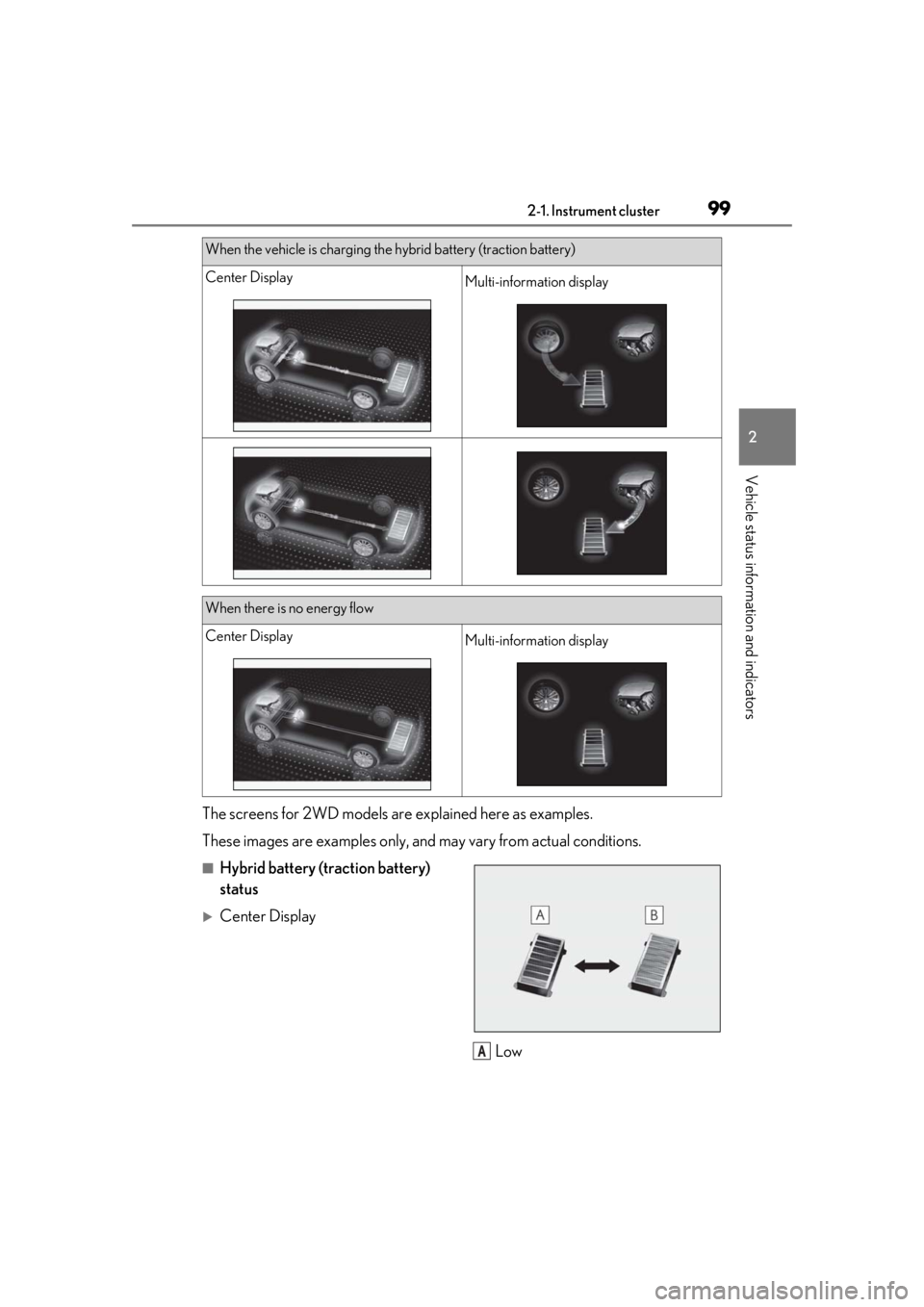
The screens for 2WD models are explained here as examples.
These images are examples only, an d may vary from actual conditions.
■Hybrid battery (traction battery)
status
Center Display
Low
When the vehicle is charging the hybrid battery (traction battery)
Center DisplayMulti-information display
When there is no energy flow
Center DisplayMulti-information display
A
Page 105 of 476

1053-1. Key information
3
Before driving
You can replace the battery by yourself
( P.368). However, as there is a danger
that the electronic key may be damaged, it
is recommended that replacement be car-
ried out by your Lexus dealer.
●To avoid serious deterioration, do not
leave the electronic key within 3 ft. (1 m)
of the following electr ical appliances that
produce a magnetic field:
• TVs
• Personal computers
• Cellular phones, cordless phones and battery chargers
• Recharging cellular phones or cordless phones
• Table lamps
• Induction cookers
■Replacing the battery
P.368
■Confirmation of the registered key
number
The number of keys already registered to
the vehicle can be confirmed. Ask your
Lexus dealer for details.
■If “A New Key has been Registered
Contact Your Dealer for Details” is
shown on the multi-information display
This message will be displayed each time
the driver’s door is opened when the doors
are unlocked from the outside for approxi-
mately 10 days after a new electronic key
has been registered. If this message is dis-
played but you have not had a new elec-
tronic key registered, ask your Lexus dealer
to check if an unknown electronic key
(other than those in your possession) has
been registered.
NOTICE
■To prevent key damage
●Do not drop the keys, subject them to
strong shocks or bend them.
●Do not expose the keys to high tem-
peratures for long periods of time.
●Do not get the keys wet or wash them
in an ultrasonic washer, etc.
●Do not attach metallic or magnetic
materials to the keys or place the keys
close to such materials.
●Do not disassemble the keys.
●Do not attach a sticker or anything else
to the surface of the electronic key.
●Do not place the keys near objects that
produce magnetic fields, such as TVs,
audio systems and induction cookers,
or medical electrical equipment, such
as low-frequency therapy equipment.
■Carrying the electronic key on your
person
Carry the electronic key 3.9 in. (10 cm)
or more away from electric appliances
that are turned on. Radio waves emitted
from electric applianc es within 3.9 in. (10
cm) of the electronic key may interfere
with the key, causing the key to not func-
tion properly.
■In case of a smart access system with
push-button start malfunction or
other key-related problems
P.403
■When an electronic key is lost
P.402
■Handling the card key
●If the battery or card key terminals get
wet, the battery may corrode and the
card key may stop working.
If the key is dropped into water, or if
drinking water, etc., is spilled on the
key, immediately remove the battery
cover and wipe the battery and termi-
nals. (To remove the battery cover,
lightly grasp and pull it.) If the battery is
corroded, have your Lexus dealer
replace the battery.
●Do not crush the battery cover or use
a screwdriver to remove the battery
cover.
Forcibly removing the battery cover
may bend or damage the key.
Page 178 of 476

1784-3. Operating the lights and wipers
■Automatic light off system
●When the headlights come on: The head-
lights and tail lights turn off 30 seconds
after a driver’s door is opened and closed
if the power switch is turned to ACC or
OFF. (The lights turn off immediately if on the key is pressed after all the
doors are locked.)
●When only the tail lights come on: The tail
lights turn off automatically if the power
switch is turned to ACC or OFF. and the
driver’s door is opened.
To turn the lights on again, turn the power
switch to ON, or turn the light switch off
once and then back to or .
■Automatic headlight leveling system (if
equipped)
The level of the headlights is automatically
adjusted according to the number of pas-
sengers and the loading condition of the
vehicle to ensure that the headlights do not
interfere with other road users.
■Windshield wiper linked headlight illu-
mination
When driving during daytime with the
headlight switch turned to position, if
the windshield wipers are used, the head-
lights will turn on auto matically after several
seconds to help enha nce the visibility of
your vehicle.
■12-volt battery-saving function
In order to prevent the 12-volt battery of the
vehicle from discharging, if the headlights
and/or tail lights are on when the power
switch is turned off the 12-volt battery sav-
ing function will operate and automatically
turn off all the lights after approximately 20 minutes. When the power switch is turned
to ON, the 12-volt battery-saving function
will be disabled.
When any of the following are performed,
the 12-volt battery-saving function is can-
celed once and then reactivated. All the
lights will turn off automatically 20 minutes
after the 12-volt battery-saving function has
been reactivated:
●When the headlight switch is operated
●When a door is opened or closed
■Welcome light illumination control
The parking and tail lights automatically
turn on at night when the doors are
unlocked using the entry function or wire-
less remote control if the light switch is in
the position.
■Customization
Settings (e.g. light sensor sensitivity) can be
changed. (Customizable features:
P.440)
1With the headlights on, push the
lever away from you to turn on the
high beams.
NOTICE
■To prevent 12-volt battery discharge
Do not leave the lights on longer than
necessary when the hybrid system is not
operating.
Turning on the high beam head-
lights
Page 302 of 476

3025-6. Using the other interior features
Please use a power supply for elec-
tronic goods that use less than 12
VDC/10 A (power consumption of
120 W).
When using electronic goods, make
sure that the power consumption of all
the connected power outlets is less
than 120 W.
Front
Press down the lid to open it.
Rear
Open the lid.
■The power outlet can be used when
The power switch is in ACC or ON.
The USB charging ports are used to
supply 2.1 A of electricity at 5 V to
external devices.
The USB charging ports are for
Power outlet
NOTICE
■When power outlet is not in use
To avoid damaging the power outlet,
close the power outlet lid when the
power outlet is not in use.
Foreign objects or li quids that enter the
power outlet may cause a short circuit.
■To prevent 12-volt battery discharge
Do not use the power outlet longer than
necessary when the hy brid system is off.
■To prevent incorrect operation of the
vehicle
When turning the powe r switch off, make
sure to disconnect accessories designed
for charging, such as portable chargers,
power banks, etc. from the power outlets.
If such an accessory is left connected, the
following may occur:
●The doors will not be able to be locked.
●The opening screen will be displayed
on the multi-information display.
●The interior lights, instrument panel
lights, etc. will illuminate.
USB charging ports
Page 303 of 476

3035-6. Using the other interior features
5
Interior features
charging only. They are not designed
for data transfer or other purposes.
Depending on the external device, it
may not charge properly. Refer to the
manual included with the device
before using a USB charging port.
■Using the USB charging ports
Open the lid.
■The USB charging ports can be used
when
The power switch is in ACC or ON.
■Situations in which the USB charging
ports may not operate correctly
●If a device which consumes more than 2.1
A at 5 V is connected
●If a device designed to communicate with
a personal computer, such as a USB
memory device, is connected
●If the connected extern al device is turned
off (depending on device)
●If the temperature inside the vehicle is
high, such as after the vehicle has been
parked in the sun
■About connected external devices
Depending on the connected external
device, charging may occasionally be sus-
pended and then start again. This is not a
malfunction.
A portable device, such as a smart-
phone or mobile battery, can be
charged by just placing it on the
charging area, provided the device is
compatible with the Qi wireless
charging standard created by the
Wireless Power Consortium.
The wireless charger cannot be used
with a portable device that is larger
NOTICE
■To prevent damage to the USB
charging ports
●Do not insert foreign objects into the
ports.
●Do not spill water or other liquids into
the ports.
●When the USB charging ports are not
in use, close the lids. If a foreign object
or liquid enters a port may cause a
short circuit.
●Do not apply excessive force to or
impact the USB charging ports.
●Do not disassemble or modify the USB
charging ports.
■To prevent damage to external
devices
●Do not leave external devices in the
vehicle. The temperature inside the
vehicle may become high, resulting in
damage to an external device.
●Do not push down on or apply unnec-
essary force to an external device or
the cable of an external device while it
is connected.
■To prevent 12-volt battery discharge
Do not use the USB charging ports for a
long period of time with the hybrid sys-
tem stopped.
Wireless charger (if equipped)