2019 LEXUS UX250H traction
[x] Cancel search: tractionPage 325 of 476
3256-1. Maintenance and care
6
Maintenance and care
Remove dirt and dust using a vac-
uum cleaner. Wipe dirty surfaces
with a cloth dampened with luke-
warm water.
If dirt cannot be removed, wipe it off
with a soft cloth dampened with
neutral detergent diluted to approx-
imately 1%.
Wring out any excess water from
the cloth and thoroughly wipe off
remaining traces of detergent and
water.
■Shampooing the carpets
There are several commercial foaming-type
cleaners available. Use a sponge or brush
to apply the foam. Rub in overlapping cir-
cles. Do not use water. Wipe dirty surfaces
and let them dry. Excellent results are
obtained by keeping the carpet as dry as
possible.
■Handling the seat belts
Clean with mild soap and lukewarm water
using a cloth or spon ge. Also check the
belts periodically for excessive wear, fraying
or cuts.
■Front side windows with UV protective
coating (vehicles with UV protective
coating)
The front side windows have UV protective
coating. To prevent any damage to the UV
protective coating, observe the following:
●If the windows are dirty, gently wipe them with a cloth soaked in water or lukewarm
water as soon as possible.
●If the windows are very dirty, do not open
and close them repeatedly.
Cleaning and protecting the
v
ehicle interior
Perform cleaning in a manner
appropriate to each component
and its material.
Protecting the vehicle interior
WARNING
■Water in the vehicle
●Do not splash or spill liquid in the vehi-
cle, such as on the floor, in the hybrid
battery (traction battery) air intake
vent, and in the luggage compartment.
( P.67)
Doing so may cause the hybrid battery,
electrical components, etc. to mal-
function or catch fire.
●Do not get any of the SRS components
or wiring in the vehicle interior wet.
( P.31)
An electrical malfunction may cause
the airbags to deploy or not function
properly, resulting in death or serious
injury.
●Vehicles with wireless charger: Do not
let the wireless charger ( P.303) get
wet. Failure to do so may cause the
charger to become hot and cause
burns or could cause electric shock
resulting in death or serious injury.
■Cleaning the interior (especially
instrument panel)
Do not use polish wax or polish cleaner.
The instrument panel may reflect off the
windshield, obstructing the driver’s view
and leading to an accident, resulting in
death or serious injury.
Page 333 of 476

3336-3. Do-it-yourself maintenance
6
Maintenance and care
6-3.Do-it-yourself maintenance
Do-it-yourself service pre-
cautions
If you perform maintenance by
yourself, be sure to follow the cor-
rect procedure as given in these
sections.
Maintenance
ItemsParts and tools
12-volt bat-
tery condition
( P.342)•Grease
•Conventional wrench
(for terminal clamp
bolts)
Brake fluid
level
( P.341)
• FMVSS No.116 DOT 3
or SAE J1703 brake
fluid
FMVSS No.116 DOT 4
or SAE J1704 brake
fluid
• Rag or paper towel
• Funnel (used only for adding brake fluid)
Engine/power
control unit
coolant level
( P.339)
•“Toyota Super Long Life
Coolant” or a similar
high quality ethylene gly-
col-based non-silicate,
non-amine, non-nitrite
and non-borate coolant
with long-life hybrid
organic acid technology
For the U.S.A.:
“Toyota Super Long Life
Coolant” is pre-mixed
with 50% coolant and
50% deionized water.
For Canada:
“Toyota Super Long Life
Coolant” is pre-mixed
with 55% coolant and
45% deionized water.
• Funnel (used only for adding coolant)
Hybrid battery
(traction bat-
tery) air intake
vent
( P.365)
• Vacuum cleaner, etc.
• Phillips screwdriver
Engine oil
level
( P.337)
•“Toyota Genuine Motor
Oil” or equivalent
• Rag or paper towel
• Funnel (used only for adding engine oil)
Fuses
( P.370)• Fuse with same amper-
age rating as original
Light bulbs
( P.374)•Bulb with same number
and wattage rating as
original
Headlight aim• Phillips-head screw-driver
Radiator and
condenser
( P.340)
ItemsParts and tools
Page 346 of 476

3466-3. Do-it-yourself maintenance
■When to replace your vehicle’s tires
Tires should be replaced if:
●The treadwear indicators are showing on
a tire.
●You have tire damage such as cuts, splits,
cracks deep enough to expose the fabric,
and bulges indicating internal damage.
●A tire goes flat repeatedly or cannot be
properly repaired due to the size or loca-
tion of a cut or other damage.
If you are not sure, consult with your Lexus
dealer.
■Tire life
Any tire over 6 years old must be checked
by a qualified technician even if it has sel-
dom or never been used or damage is not
obvious.
■Maximum load of tire
Check that the maximum load of the
replacement tire is greater than 1/2 of the
Gross Axle Weight Ratings (GAWR) of
either the front axle or the rear axle, which-
ever is greater.
For the GAWR, see the Certification Label.
For the maximum load of the tire, see the
load limit at maximum cold tire inflation
pressure mentioned on the sidewall of the
tire. ( P.425)
■Tire types
●Summer tires
Summer tires are high-speed perfor-
mance tires best suited to highway driv-
ing under dry conditions. Since summer
tires do not have the same traction per-
formance as snow tires, summer tires are
inadequate for drivin g on snow-covered
or icy roads. For driving on snow-covered
roads or icy roads, the use of snow tires is
recommended. When installing snow tires, be sure to replace all four tires.
●All season tires
All season tires are designed to provide
better traction in
snow and to be ade-
quate for driving in most winter condi-
tions as well as for use year-round. All
season tires, howeve r, do not have ade-
quate traction performance compared
with snow tires in heavy or loose snow.
Also, all season tires fall short in accelera-
tion and handling performance com-
pared with summer tires in highway
driving.
●Snow tires
For driving on snow-covered roads or icy
roads, we recommend us ing snow tires. If
you need snow tires, select tires of the
same size, construction and load capacity
as the originally installed tires. Since your
vehicle has radial tires as original equip-
ment, make sure your snow tires also
have radial construction. Do not install
studded tires without first checking local
regulations for possible restrictions.
Snow tires should be installed on all
wheels. ( P.263)
■If the tread on snow tires wears down
below 0.16 in. (4 mm)
The effectiveness of the tires as snow tires is
lost.
■Replacing tires
Your vehicle may not be equipped with the
following tools and jack for replacing a tire.
In this case, when replacing tires with tires
that are not run-flat tires, purchase tools
and jack. Tools and jack can be purchased
at your Lexus dealer.
●Wheel nut wrench
●Jack
●Jack handle
Page 365 of 476

3656-3. Do-it-yourself maintenance
6
Maintenance and care
filter.
Remove the dust from the air intake
vent with a vacuum cleaner etc.
Make sure to only use a vacuum to suck
out dust and clogs. Attempting to blow out
dust and clogs using an airgun etc. may
push it into the air intake vent.
If dust and clogs cannot be completely
removed with the air intake vent cover
installed, remove the cover and clean
NOTICE
■When using the air conditioning sys-
tem
Make sure that a filter is always installed.
Using the air conditioning system without
a filter may cause damage to the system.
■To prevent damage to the filter cover
When moving the filter cover in the
direction of arrow to release the fitting,
pay attention not to apply excessive force
to the claws. Otherwise, the claws may
be damaged.
Cleaning the hybrid battery
(
traction battery) air intake
v
ent and filter
To prevent the fuel economy from
being affected, visually inspect the
hybrid battery (traction battery) air
intake vent periodically for dust and
clogs. If it is dusty or clogged or if
“Maintenance required for Traction
battery cooling parts See owner’s
manual” is shown on the multi-infor-
mation display, clean the air intake
vent using the following proce-
dures:
Cleaning the air intake vent
If dust and clogs cannot be com-
pletely removed
Page 367 of 476

3676-3. Do-it-yourself maintenance
6
Maintenance and care
7Install the air intake vent cover.
1
Insert the tab of the cover as shown
in the illustration.
2
Push the cover to engage the 5
claws.
8
Using a Phillips screwdriver, install
the clip.
■Scheduled maintenance of the air
intake vent is necessary when
In some situations such as when the vehicle
is used frequently or in heavy traffic or dusty
areas, the air intake vent may need to be
cleaned more regularly. For details, refer to
the “Warranty and Service Guide”,
“Owner’s Manual Supplement” or “Sched-
uled Maintenance”.
■Cleaning the air intake vent
●Dust in the air intake vent may interfere
with the cooling of the hybrid battery
(traction battery). If charging/discharging
of the hybrid battery (traction battery)
becomes limited, the distance that the
vehicle can be driven using the electric
motor (traction motor) may be reduced
and the fuel economy may be reduced. Inspect and clean the air intake vent peri-
odically.
●Improper handling of the air intake vent
cover and filter may result in damage to
them. If you have any concerns about
cleaning the filter, contact your Lexus
dealer.
■If “Maintenance required for Traction
battery cooling parts See owner’s man-
ual” is shown on the multi-information
display
●If this warning message is shown on the
multi-information display, remove the air
intake vent cover and clean the filter.
(
P.365)
●After cleaning the air intake vent, start
the hybrid system and check that the
warning message is no longer shown. It
may take approximately 20 minutes after
the hybrid system is started until the
warning message disappears. If the warn-
ing message does not disappear, have the
vehicle inspected by your Lexus dealer.
WARNING
■When cleaning the air intake vent
●Do not use water or other liquids to
clean the air intake vent. If water is
applied to the hybrid battery (traction
battery) or other components, a mal-
function or fire may occur.
●Before cleaning the air intake vent,
make sure to turn the power switch off
to stop the hybrid system.
■When removing the air intake vent
cover
Do not touch the service plug located
near the air intake vent. ( P.66)
Page 368 of 476
3686-3. Do-it-yourself maintenance
■If the electronic key battery is depleted
The following symptoms may occur:
●The smart access system with push-but-
ton start and wireless remote control will
not function properly.
●The operational range will be reduced.
■When the card key battery needs to be
replaced (if equipped)
The battery for the card key is available only
at Lexus dealers. Your Lexus dealer can
replace the battery for you.
Prepare the following before replacing
the battery:
Flathead screwdriver
Small flathead screwdriver
Lithium battery CR2032
■Use a CR2032 lithium battery
●Batteries can be purchased at your Lexus
dealer, local electrical appliance shops or
camera stores.
●Replace only with the same or equivalent
type recommended by the manufacturer.
●Dispose of used batteries according to
the local laws.
NOTICE
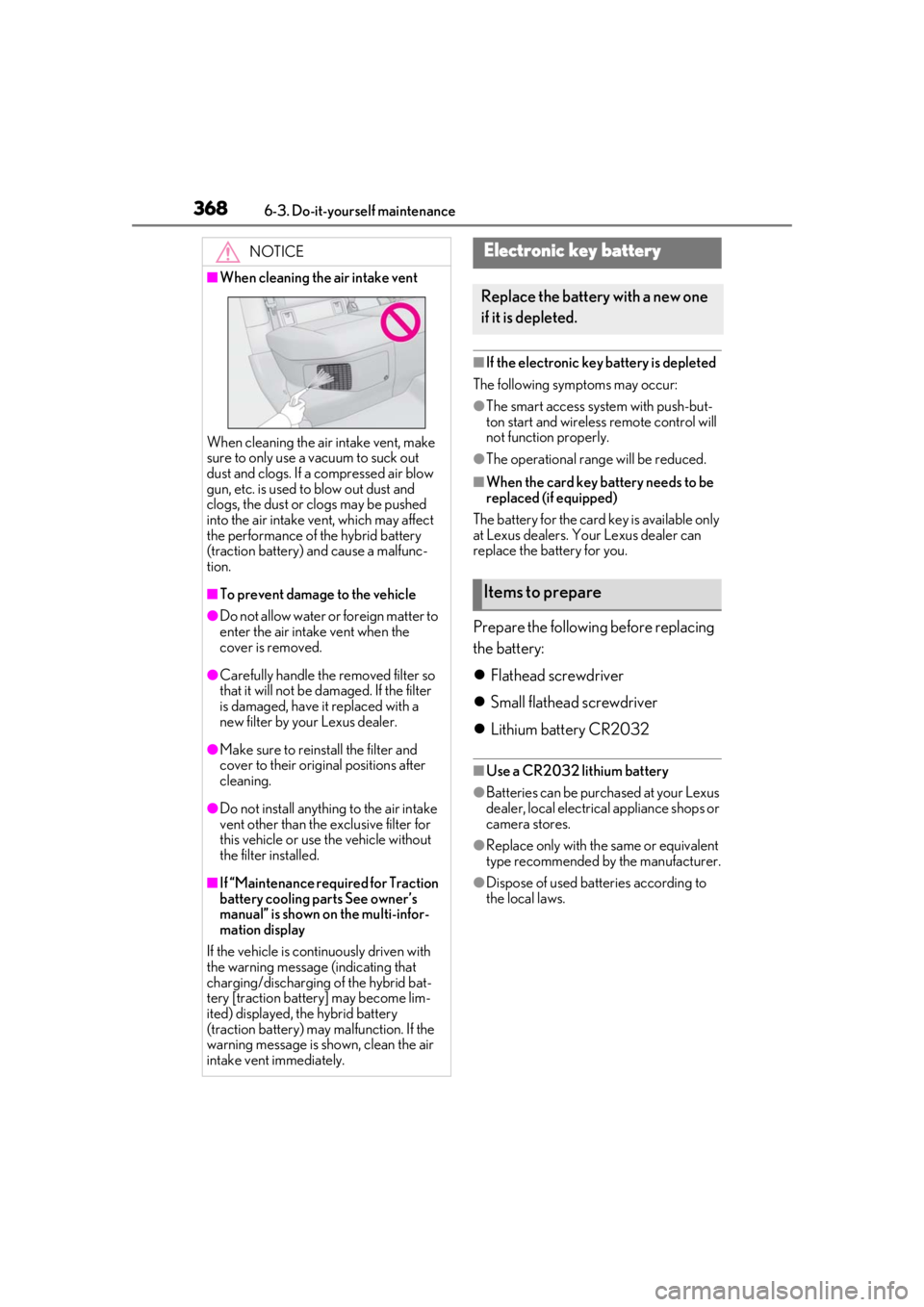
■When cleaning the air intake vent
When cleaning the air intake vent, make
sure to only use a vacuum to suck out
dust and clogs. If a compressed air blow
gun, etc. is used to blow out dust and
clogs, the dust or clogs may be pushed
into the air intake ve nt, which may affect
the performance of the hybrid battery
(traction battery) and cause a malfunc-
tion.
■To prevent damage to the vehicle
●Do not allow water or foreign matter to
enter the air intake vent when the
cover is removed.
●Carefully handle the removed filter so
that it will not be damaged. If the filter
is damaged, have it replaced with a
new filter by your Lexus dealer.
●Make sure to reinstall the filter and
cover to their original positions after
cleaning.
●Do not install anything to the air intake
vent other than the exclusive filter for
this vehicle or use the vehicle without
the filter installed.
■If “Maintenance required for Traction
battery cooling parts See owner’s
manual” is shown on the multi-infor-
mation display
If the vehicle is continuously driven with
the warning message (indicating that
charging/discharging of the hybrid bat-
tery [traction battery] may become lim-
ited) displayed, the hybrid battery
(traction battery) may malfunction. If the
warning message is shown, clean the air
intake vent immediately.
Electronic key battery
Replace the battery with a new one
if it is depleted.
Items to prepare
Page 392 of 476

3927-2. Steps to take in an emergency
■PCS warning light (warning buzzer)
■Hybrid system overheat warning light* (warning buzzer)
*: This light illuminates on the multi-information display.
■Low traction battery charge warning light* (warning buzzer)
*: This light illuminates on the multi-information display.
■Warning buzzer
In some cases, the bu zzer may not be heard
due to being in a noisy location or audio
sound.
■Front passenger detection sensor, seat
belt reminder and warning buzzer
●If luggage is placed on the front passen-
ger seat, the front passenger detection sensor may cause the warning light to
flash and the warning buzzer to sound
even if a passenger is not sitting in the
seat.
●If a cushion is placed on the seat, the sen-
sor may not detect a passenger, and the
warning light may not operate properly.
■SRS warning light
This warning light system monitors the air-
Warning lightDetails/Actions
(flashes or illumi- nates)
When a buzzer sounds simultaneously:
Indicates a malfunction has occurred in the PCS (Pre-Collision System)
Have the vehicle inspected by your Lexus dealer immediately.
If a buzzer does not sound:
The PCS (Pre-Collision System) has become temporarily unavailable,
corrective action may be necessary.
Follow the instructions displayed on the multi-information display.
( P.196, 395)
If the PCS (Pre-Collision System) or VSC (Vehicle Stability Control)
system is disabled, the PCS warning light will illuminate.
P.204
Warning lightDetails/Actions
Indicates the hybrid system has overheated
This light may be displayed when dr iving under severe operating condi-
tions. (For example, when driving up a long steep hill.)
Stop the vehicle in a safe place.
Handling method ( P.410)
Warning lightDetails/Actions
(orange)
Indicates that the hybrid battery (traction battery) is low
Restart the hybrid system when starting the vehicle.
Page 396 of 476

3967-2. Steps to take in an emergency
The warning lights and warning buzzers operate as follows depending on the con-
tent of the message. If a message indicates the need for inspection by a dealer, have
the vehicle inspected by your Lexus dealer immediately.
*: A buzzer sounds the first time a message is shown on the multi-information display.
■Warning messages
The warning messages explained below
may differ from the actual messages
according to operation conditions and vehi-
cle specifications.
■Warning buzzer
In some cases, the bu zzer may not be heard
due to being in a noisy location or audio
sound.
■If “Engine Oil Level Low Add or
Replace” is displayed
The engine oil level is low. Check the level
of the engine oil, and add if necessary.
This message may appear if the vehicle is
stopped on a slope. Move the vehicle to a
level surface and check to see if the mes-
sage disappears.
■If “Hybrid System Stopped Steering
Power Low” is displayed
This message is displayed if the hybrid sys-
tem is stopped while driving.
When steering wheel operations are
heavier than usual, gr ip the steering wheel
firmly and operate it using more force than
usual.
■If “Hybrid system overheated Output
power reduced” is displayed
This message may be displayed when driv-
ing under severe operat ing conditions. (For
example, when driving up a long steep hill.)
Handling method: P.410
■If “Traction Battery Needs to be Pro-
tected Refrain From the Use of N Posi-
tion” is displayed
This message may be displayed when the
shift lever is in N.
As the hybrid battery (traction battery) can-
Messages and warnings
Warning lightWarning buzzer*Warning
Sounds
• Indicates an important situation, such as when a system related to drivin g is malfunctioning or
that danger may result if the correction proce-
dure is not performed
• Indicates a situation, such as when damage to the vehicle or danger may result
Comes onor flashesSounds
Indicates an important situation, such as when the
systems shown on the multi-information display
may be malfunctioning
Does not sound
• Indicates a condition, such as malfunction of electrical components, th eir condition, or indi-
cates the need for maintenance
• Indicates a situation, such as when an operation has been performed incorrectly, or indicates
how to perform an operation correctly