2019 LEXUS UX200 tire
[x] Cancel search: tirePage 106 of 452

1063-2. Opening, closing and locking the doors
locked.
If the switch is pressed while the power
back door is closing, the operation will
stop.
Pressing the switch again will close the
power back door automatically.
■Closing the back door using the
back door handle
Lower the back door using the back
door handle, then a buzzer sounds and
the back door automatically closes.
■Hands Free Power Back Door
1 While carrying an electronic key,
stand within the smart access sys-
tem with push-button start opera-
tion range, approximately 19.7 to 27.6 in. (50 to 70 cm) from the rear
bumper.
Hands Free Power Back Door sen-
sor
Hands Free Power Back Door
operation detection area
Smart access system with push-
button start operation detection
area (
P.114)
2 Perform a kick operation by mov-
ing your foot to within approxi-
mately 3.9 in. (10 cm) of the rear
bumper and then pulling it back.
• Perform the entire kick operation within 1 second.
• The Hands Free Power Back Door will not start operating while a foot is
detected under the rear bumper.
• Operate the Hands Free Power Back Door without contacting the
rear bumper with your foot.
• If another electronic key is in the cabin or luggage compartment, it
may take slightly longer than normal
A
B
C
Page 142 of 452

1424-1. Before driving
4-1.Before driving
■Starting the engine
P.152
■Driving
1 With the brake pedal depressed,
shift the shift lever to D. ( P.155)
2 If the parking brake is in manual
mode, release the parking brake.
(P.160)
3 Gradually release the brake pedal
and gently depress the accelerator
pedal to accelerate the vehicle.
■Stopping
1 With the shift lever in D, depress the
brake pedal.
2 If necessary, set the parking brake.
(P.160)
If the vehicle is to be stopped for an
extended period of time, shift the shift lever
to P. ( P.155)
■Parking the vehicle
1 With the shift lever in D, depress the
brake pedal.
2 If the parking brake is in manual
mode, set the parking brake
(P.160), and shift the shift lever to
P ( P.155).
3 Press the engine switch to stop the
engine. 4
Lock the door, making sure that you
have the electronic key on your
person.
If parking on a hill, block the wheels as
needed.
■Starting off on a steep uphill
1 Make sure that the parking brake is
set with the brake pedal depressed,
and then shift the shift lever to D.
2 Release the brake pedal and gently
depress the accelerator pedal.
3 Release the parking brake.
■When starting off on a uphill
The hill-start assist control will be activated.
( P.245)
■Driving in the rain
●Drive carefully when it is raining, because
visibility will be reduced, the windows
may become fogged-up, and the road
will be slippery.
●Drive carefully when it starts to rain,
because the road surface will be espe-
cially slippery.
●Refrain from high speeds when driving on
an expressway in the rain, because there
may be a layer of wa ter between the tires
and the road surface, preventing the
steering and brakes from operating prop-
erly.
■Engine speed while driving
In the following conditions, the engine
speed may become high while driving. This
is due to automatic up-shifting control or
down-shifting implementation to meet driv-
ing conditions. It does not indicate sudden
acceleration.
●The vehicle is judged to be driving uphill
or downhill
●When the accelerato r pedal is released
●When the brake pedal is depressed while
Sport mode is selected
Driving the vehicle
The specified procedures should be
observed to ensure safe driving:
Driving procedure
Page 144 of 452

1444-1. Before driving
WARNING
●During normal driving, do not turn off
the engine. Turning the engine off
while driving will not cause loss of
steering or braking control, but the
power assist to these systems will be
lost. This will make it more difficult to
steer and brake, so you should pull
over and stop the vehicle as soon as it
is safe to do so.
However, in the event of an emer-
gency, such as if it becomes impossible
to stop the vehicle in the normal way:
P.350
●Use engine braking (downshift) to
maintain a safe speed when driving
down a steep hill.
Using the brakes continuously may
cause the brakes to overheat and lose
effectiveness. ( P.155)
●Do not adjust the positions of the
steering wheel, the seat, or the inside
or outside rear view mirrors while driv-
ing.
Doing so may result in a loss of vehicle
control.
●Always check that all passengers’
arms, heads or other parts of their
body are not outside the vehicle.
●Do not drive in excess of the speed
limit. Even if the legal speed limit per-
mits it, do not drive over 85 mph (140
km/h) unless your vehicle has high-
speed capability tires.
Driving over 85 mph (140 km/h) may
result in tire failure, loss of control and
possible injury. Be sure to consult a tire
dealer to determine whether the tires
on your vehicle are high-speed capa-
bility tires or not before driving at such
speeds.
■When driving on slippery road sur-
faces
●Sudden braking, acceleration and
steering may cause tire slippage and
reduce your ability to control the vehi-
cle.
●Sudden acceleration, engine braking
due to shifting, or changes in engine
speed could cause the vehicle to skid,
resulting in an accident.
●After driving through a puddle, lightly
depress the brake pedal to make sure
that the brakes are functioning prop-
erly. Wet brake pads may prevent the
brakes from functioning properly. If the
brakes on only one side are wet and
not functioning properly, steering con-
trol may be affected.
■When shifting the shift lever
●Do not let the vehicle roll backward
while the shift lever is in a driving posi-
tion, or roll forward while the shift lever
is in R.
Doing so may cause the engine to stall
or lead to poor brake and steering
performance, resulting in an accident
or damage to the vehicle.
●Do not shift the shif t lever to P while
the vehicle is moving.
Doing so can damage the transmission
and may result in a loss of vehicle con-
trol.
●Do not shift the shift lever to R while
the vehicle is moving forward.
Doing so can damage the transmission
and may result in a loss of vehicle con-
trol.
●Do not shift the shift lever to a driving
position while the vehicle is moving
backward.
Doing so can damage the transmission
and may result in a loss of vehicle con-
trol.
●Shifting the shift lever to N while the
vehicle is moving will disengage the
engine. Engine braking is not available
when N is selected.
Page 146 of 452
1464-1. Before driving
WARNING
■When taking a nap in the vehicle
Always turn the engine off. Otherwise, if
you accidentally move the shift lever or
depress the accelerator pedal, this could
cause an accident or fire due to engine
overheating. Additionally, if the vehicle is
parked in a poorly ventilated area,
exhaust gases may collect and enter the
vehicle, leading to death or a serious
health hazard.
■When braking
●When the brakes are wet, drive more
cautiously.
Braking distance increases when the
brakes are wet, and this may cause one
side of the vehicle to brake differently
than the other side. Also, the parking
brake may not securely hold the vehi-
cle.
●If the brake booster device does not
operate, do not follow other vehicles
closely and avoid hills or sharp turns
that require braking.
In this case, braking is still possible, but
the brake pedal should be depressed
more firmly than usual. Also, the brak-
ing distance will increase. Have your
brakes fixed immediately.
●Do not pump the brake pedal if the
engine stalls.
Each push on the brake pedal uses up
the reserve for the power-assisted
brakes.
●The brake system consists of 2 individ-
ual hydraulic systems; if one of the sys-
tems fails, the other will still operate. In
this case, the brake pedal should be
depressed more firmly than usual and
the braking distance will increase.
Have your brakes fixed immediately.
NOTICE
■When driving the vehicle
●Do not depress the accelerator and
brake pedals at the same time during
driving, as this may restrain the engine
output.
●Do not use the accelerator pedal or
depress the accelerator and brake
pedals at the same time to hold the
vehicle on a hill.
■Avoiding damage to vehicle parts
●Do not turn the steering wheel fully in
either direction and hold it there for an
extended period of time.
Doing so may damage the power
steering motor.
●When driving over bumps in the road,
drive as slowly as possible to avoid
damaging the wheels, underside of the
vehicle, etc.
■If you get a flat tire while driving
A flat or damaged tire may cause the fol-
lowing situations. Hold the steering
wheel firmly and gradually depress the
brake pedal to slow down the vehicle.
●It may be difficult to control your vehi-
cle.
●The vehicle will make abnormal
sounds or vibrations.
●The vehicle will lean abnormally.
Information on what to do in case of a flat
tire ( P.370, 377)
■When encountering flooded roads
Do not drive on a road that has flooded
after heavy rain, etc. Doing so may cause
the following serious damage to the vehi-
cle:
●Engine stalling
●Short in electrical components
●Engine damage caused by water
immersion
Page 150 of 452
1504-1. Before driving
■Total load capacity and seating capacity
These details are also described on the tire
and loading information label. ( P.337)
Vehicle load limits
Vehicle load limits include total
load capacity, seating capacity,
towing capacity and cargo capac-
ity.
Total load capacity (vehicle
capacity weight):
P.390
Total load capacity means the com-
bined weight of occupants, cargo
and luggage.
Seating capacity: 5 occupants
(Front 2, Rear 3)
Seating capacity means the maxi-
mum number of occupants whose
estimated average weight is 150 lb.
(68 kg) per person.
Towing capacity
Lexus does not recommend towing
a trailer with your vehicle.
Cargo capacity
Cargo capacity may increase or
decrease depending on the weight
and the number of occupants.
WARNING
■Overloading the vehicle
Do not overload the vehicle.
It may not only cause damage to the tires,
but also degrade steering and braking
ability, resulting in an accident.
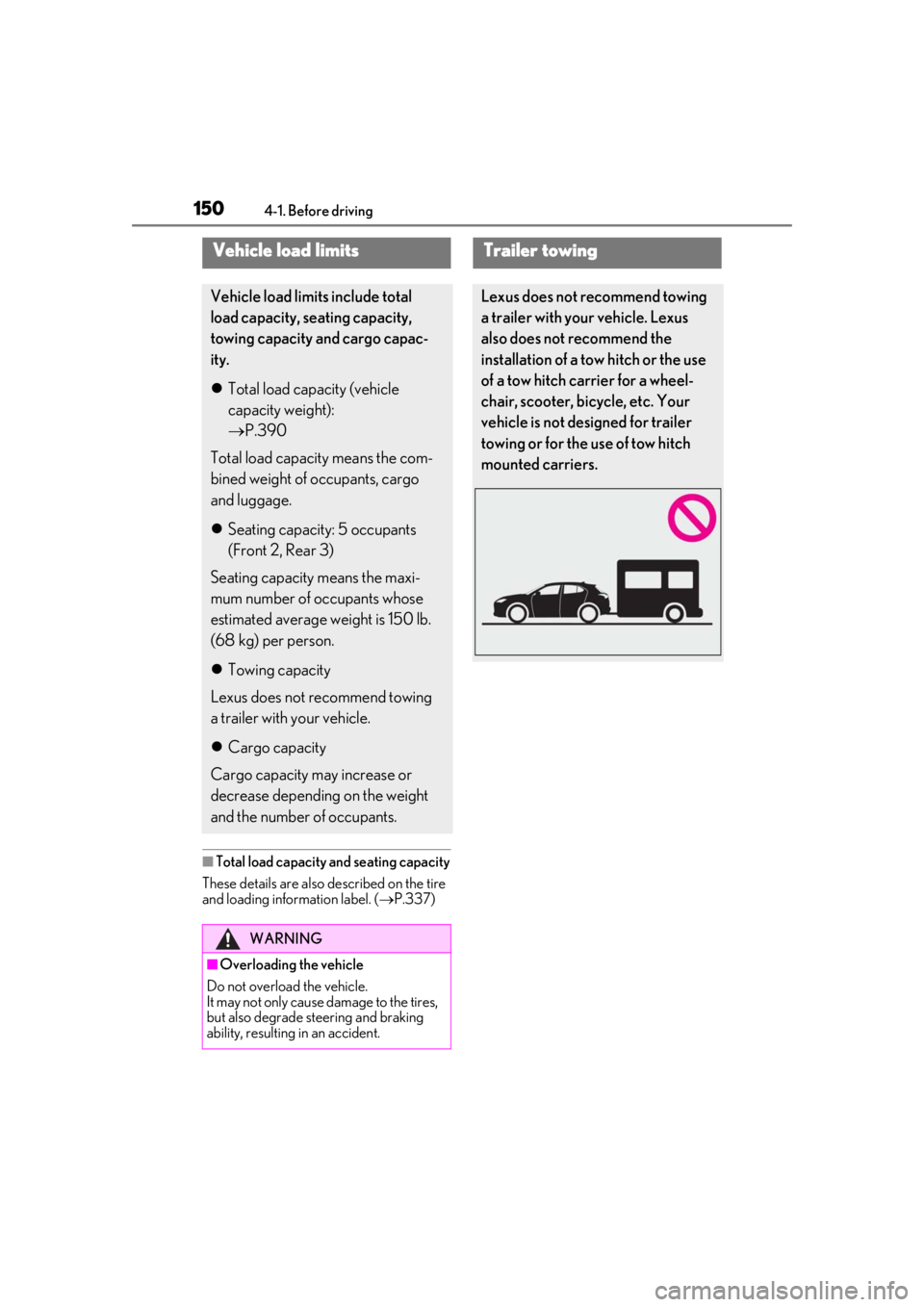
Trailer towing
Lexus does not recommend towing
a trailer with your vehicle. Lexus
also does not recommend the
installation of a tow hitch or the use
of a tow hitch carrier for a wheel-
chair, scooter, bicycle, etc. Your
vehicle is not designed for trailer
towing or for the use of tow hitch
mounted carriers.
Page 154 of 452

1544-2. Driving procedures
Modes can be changed by pressing
the engine switch with the brake pedal
released. (The mode changes each
time the switch is pressed.)1
OFF*
The emergency flashers can be used.
2ACC
Some electrical components such as the
audio system can be used.
“ACCESSORY” will be displayed on the
meter.
3ON
All electrical components can be used.
“IGNITION ON” will be displayed on the
meter.
*: If the shift lever is in a position other than
P when turning off the engine, the
engine switch will be turned to ACC, not
to OFF.
■Auto power off function
If the vehicle is left in ACC for more than
20 minutes or ON (the engine is not run-
ning) for more than an hour with the shift
lever in P, the engine switch will automati-
cally turn off. However, this function cannot
entirely prevent battery discharge. Do not
leave the vehicle with the engine switch in
ACC or ON for long periods of time when
the engine is not running.
WARNING
■Stopping the engine in an emergency
●If you want to stop the engine in an
emergency while driving the vehicle,
press and hold the engine switch for
more than 2 seconds, or press it briefly
3 times or more in succession.
( P.350)
However, do not touch the engine
switch while driving except in an emer-
gency. Turning the engine off while
driving will not cause loss of steering
or braking control, but the power assist
to these systems will be lost. This will
make it more difficult to steer and
brake, so you should pull over and stop
the vehicle as soon as it is safe to do so.
●If the engine switch is operated while
the vehicle is running, a warning mes-
sage will be shown on the multi-infor-
mation display and a buzzer sounds.
●When restarting the engine after an
emergency shutdown, shift the shift
lever to N and press the engine switch
shortly and firmly.
Changing engine switch modes
Page 164 of 452

1644-2. Driving procedures
■If “Brake Hold Fault Depress Brake to
Deactivate Visit Your Dealer” or “Brake
Hold Malfunction Visit Your Dealer” is
displayed on the multi-information dis-
play
The system may be malfunctioning. Have
the vehicle inspected by your Lexus dealer.
■Warning messages and buzzers
Warning messages and buzzers are used to
indicate a system malfunction or to inform
the driver of the need for caution. If a warn-
ing message is shown on the multi-informa-
tion display, read the message and follow
the instructions.
■If the brake hold operated indicator
flashes
P.361
*: If equipped
Press the ASC switch.
The indicator on the switch will turn on.
Press the ASC switch again to turn the
ASC system off.
Even if the indicator is illuminated, when
the driving mode ( P.243) is set to Eco
drive mode, ASC system does not operate.
■Operating conditions
The ASC system operates when the driving
mode ( P.243) is set to other than Eco
drive mode.
WARNING
■When the vehicle is on a steep incline
When using the brake hold system on a
steep incline, exercise caution. The brake
hold function may not hold the vehicle in
such a situation.
■When stopped on a slippery road
The system cannot stop the vehicle when
the gripping ability of the tires has been
exceeded. Do not use the system when
stopped on a slippery road.
NOTICE
■When parking the vehicle
The brake hold system is not designed
for use when parking the vehicle for a
long period of time. Turning the engine
switch off while the system is holding the
brake may release the brake, which
would cause the vehicle to move. When
operating the engine switch, depress the
brake pedal, shift the shift lever to P and
set the parking brake.
ASC (Active Sound Con-
trol)*
The ASC system directs certain
sounds from the front of the cabin
to the vehicle interior, and harmo-
nizes these sounds with the actual
sound of the engine and exhaust in
order to allow the driver to feel
acceleration and the state of the
engine more strongly.
Turning ASC system on
Page 167 of 452
1674-3. Operating the lights and wipers
4
Driving
position to turn the high beams off.
2Pull the lever toward you and
release it to flash the high beams
once.
You can flash the high beams with the
headlights on or off.
AFS (Adaptive Front-lighting System)
secures excellent visibility at intersec-
tions and on curves by automatically
adjusting the direction of the light axis
of the headlights according to vehicle
speed and the degree of the tire’s angle
as controlled by steering input.
AFS operates at speed s of approximately
6 mph (10 km/h) or higher.
■Customization
Some functions can be customized.
( P.408)
When any of the following conditions is
met, while the headlights (low beam)
are on, the cornering lights will addi-
tionally turn on and light up the direc-
tion of movement for the vehicle. This is
to ensure excellent visibility when
either driving at intersections or park-
ing at night.
The steering wheel is operated
The turn signal lever is operated
The shift lever is in R (both left and
right side cornering lights)
■Cornering light control
●The lights illuminate when the vehicle
speed is approximately 19 mph (30
km/h) or less. However, the lights turn off
when the vehicle speed increases to
approximately 22 mph (35 km/h) or
more.
●After the lights remain illuminated for 30
minutes, they automatically turn off.
AFS (Adaptive Front-lighting
System) (if equipped)
Cornering lights (if equipped)