Page 617 of 792

6177-3. Do-it-yourself maintenance
7
Maintenance and care
RX450h_RX450hL_U
■Warning performance of the tire pressure warning system
The warning of the tire pressure warning system will change in accordance with the con-
ditions under which it was init ialized. For this reason, the system may give a warning even
if the tire pressure does not reach a low enough level, or if the pressure is higher than the
pressure that was adjusted to when the system was initialized.
■When initialization of the tire pressure warning system has failed
Initialization may take longer to complete if the vehicle is driven on an unpaved road.
When performing initialization, drive on a pa ved road if possible. Depending on the driv-
ing environment and condition of the tires, initialization will be completed in approxi-
mately 10 to 30 minutes. If initialization is not complete after driving approximately 10 to
30 minutes, continue driving for a while.
If the inflation pressure of each tire is not displayed after driving for approximately 1 hour,
perform the following procedure.
●Park the vehicle in a safe place for approxim ately 20 minutes. Then drive straight (with
occasional left and right turns) at appr oximately 25 mph (40 km/h) or more for
approximately 10 to 30 minutes.
However, in the following situations, the tire inflation pressure will not be recorded and
the system will not operate proper ly. Perform initialization again.
●When operating the tire pressure warning reset switch, the tire pressure warning light
does not blink 3 times.
●After performing initia lization, the tire pressure warning light blinks for 1 minute then
stays on while driving.
If the inflation pressure of each tire is still not displayed, have the vehicle inspected by
your Lexus dealer.
Page 694 of 792

6948-2. Steps to take in an emergency
RX450h_RX450hL_U
■Stopping the hybrid system
Shift the shift lever to P, set the parking brake, and press the power switch as you normally
do when stopping the hybrid system.
■Replacing the key battery
As the above procedure is a temporary measure, it is recommended that the electronic
key battery be replaced immediately when the battery is depleted. (P. 630)
■Changing power switch modes
Release the brake pedal and press the power switch in step above.
The hybrid system does not start and modes will be changed each time the switch is
pressed. ( P. 240)
■When the electronic key does not work properly
●Make sure that the smart access system wi th push-button start has not been deacti-
vated in the customization setting. If it is off, turn the function on.
(Customizable features P. 740)
●Check if battery-saving mode is set. If it is set, cancel the function. (P. 160)
WARNING
■When using the mechanical key and operating the power windows or the moon roof
or panoramic moon roof
Operate the power window or the moon roof or panoramic moon roof after checking
to make sure that there is no possibility of any passenger having any of their body parts
caught in the window or the moon roof or panoramic moon roof.
Also, do not allow children to op erate the mechanical key. It is possible for children and
other passengers to get caught in the powe r window or the moon roof or panoramic
moon roof.
3
Page 744 of 792

7449-2. Customization
RX450h_RX450hL_U
■Turn signal lever ( P. 252)
■Automatic light control system ( P. 258)
■Lights (P. 258)
*1:Except for Canada
*2: If equipped
■Rain-sensing windshield wipers (P. 267)
FunctionDefault settingCustomized setting
The number of times the turn sig-
nal lights flash automatically
when the turn signal lever is
moved to the first position during
a lane change
3
5
—O7
Off
12
FunctionDefault settingCustomized setting
Light sensor sensitivityStandard-2 to 2OO
Time elapsed before headlights
automatically turn off after doors
are closed 30 seconds
Off
OO
60 seconds
90 seconds
12
FunctionDefault settingCustomized setting
Daytime running lightsOnOff*1OO
Welcome lightingOnOff—O
AFS (Adaptive Front-lighting
System)
*2OnOff—O
Windshield wiper linked head-
light illuminationOnOff—O
12
FunctionDefault settingCustomized setting
Wiper operation when the wiper
switch is in the “AUTO” positionRain-sensing oper-ationIntermittent opera-tion linked to vehi-
cle speed (with
interval adjuster)
—O
12
Page 748 of 792
7489-2. Customization
RX450h_RX450hL_U
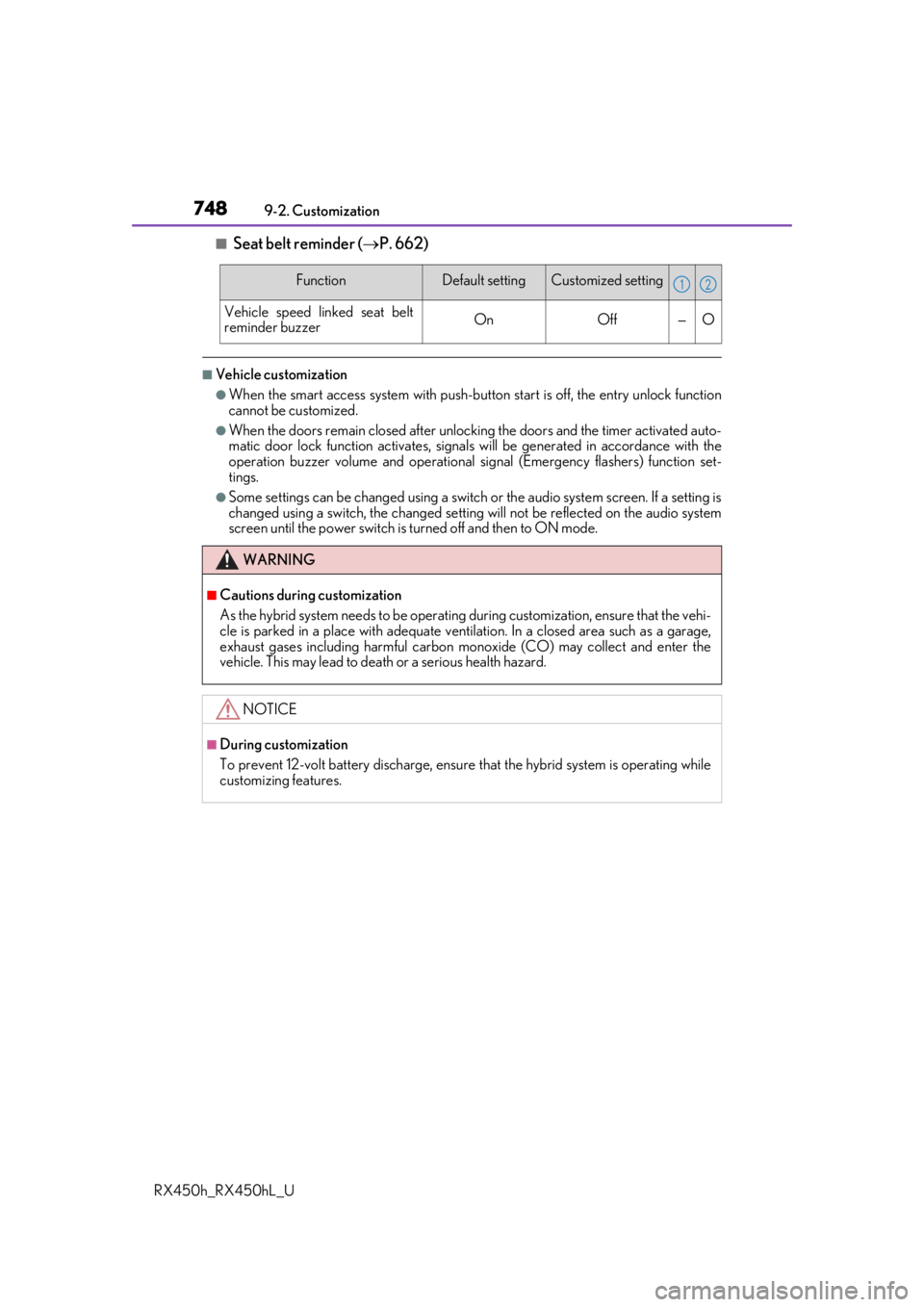
■Seat belt reminder ( P. 662)
■Vehicle customization
●When the smart access system with push-button start is off, the entry unlock function
cannot be customized.
●When the doors remain closed after unlocking the doors and the timer activated auto-
matic door lock function activates, signals will be generated in accordance with the
operation buzzer volume and operational si gnal (Emergency flashers) function set-
tings.
●Some settings can be changed using a switch or the audio system screen. If a setting is
changed using a switch , the changed setting will not be reflected on the audio system
screen until the power switch is turned off and then to ON mode.
FunctionDefault settingCustomized setting
Vehicle speed linked seat belt
reminder buzzerOnOff—O
WARNING
■Cautions during customization
As the hybrid system needs to be operating during customization, ensure that the vehi-
cle is parked in a place with adequate ventil ation. In a closed area such as a garage,
exhaust gases including harmful carbon mo noxide (CO) may collect and enter the
vehicle. This may lead to death or a serious health hazard.
NOTICE
■During customization
To prevent 12-volt battery discharge, ensure that the hybrid system is operating while
customizing features.
12