Page 69 of 523

691-4. Hybrid system
LS500h_OM_(U)_1809
1
For safety and security
There are air intake vents on each side
of the rear seatback with the purpose
of cooling the hybrid battery (traction
battery). If the vents become blocked,
hybrid battery output may be reduced. When a certain level of impact is
detected by the impact sensor, the
emergency shut off system blocks the
high voltage current and stops the fuel
pump to minimize the risk of electrocu-
tion and fuel leakage. If the emergency
shut off system activates, your vehicle
will not restart. To restart the hybrid
system, contact your Lexus dealer.
A message is automatically displayed
when a malfunction occurs in the
hybrid system or an improper opera-
tion is attempted.
If a warning message is shown on the
multi-information display, read the
message and follow the instructions.
■If a warning light comes on, a warning
message is displayed, or the 12-volt bat-
tery is disconnected
The hybrid system may not start. In this
case, try to start the system again. If the
“READY” indicator does not come on, con-
Hybrid battery (traction bat-
tery) air intake vents
NOTICE
■Hybrid battery (traction battery) air
intake vents
●Make sure not to block the air intake
vent with anything, such as a seat
cover, plastic cover, or luggage. If the
vents become blocked, the hybrid bat-
tery (traction battery) input and output
may be restricted, leading to a reduc-
tion in hybrid battery (traction battery)
output and a malfunction.
●When dust etc. has accumulated in the
air intake vent, periodically clean it
with a vacuum cleaner to prevent the
vent from clogging.
●A filter is installed to the air intake vent.
When the filter remains noticeably
dirty even after cleaning the air intake
vent, filter cleaning or replacement is
recommended. When cleaning or
replacing the filter, contact your Lexus
dealer.
Refer to P.372 for details on how to
clean the filters.
●Do not get water or foreign materials
in the air intake vent s as this may cause
a short circuit and damage the hybrid
battery (traction battery).
Emergency shut off system
Hybrid warning message
Page 73 of 523
731-5. Theft deterrent system
LS500h_OM_(U)_1809
1
For safety and security
■Items to check before locking the
vehicle
To prevent unexpected triggering of
the alarm and vehicle theft, make sure
of the following:
Nobody is in the vehicle.
The windows and moon roof are
closed before the alarm is set.
No valuables or other personal
items are left in the vehicle.
■Setting
Close the doors, trunk and hood, and
lock all the doors. The system will be
set automatically after 30 seconds.
The indicator light changes from being on
to flashing when the system is set.
■Canceling or stopping
Do one of the following to deactivate
or stop the alarms:
Unlock the doors.
Turn the power switch to ACCES-
SORY or ON mode, or start the
hybrid system. (The alarm will be
deactivated or stopped after a few
seconds.)
■System maintenance
The vehicle has a maintenance-free type
alarm system.
■Triggering of the alarm
The alarm may be triggered in the following
situations:
(Stopping the alarm deactivates the alarm
system.)
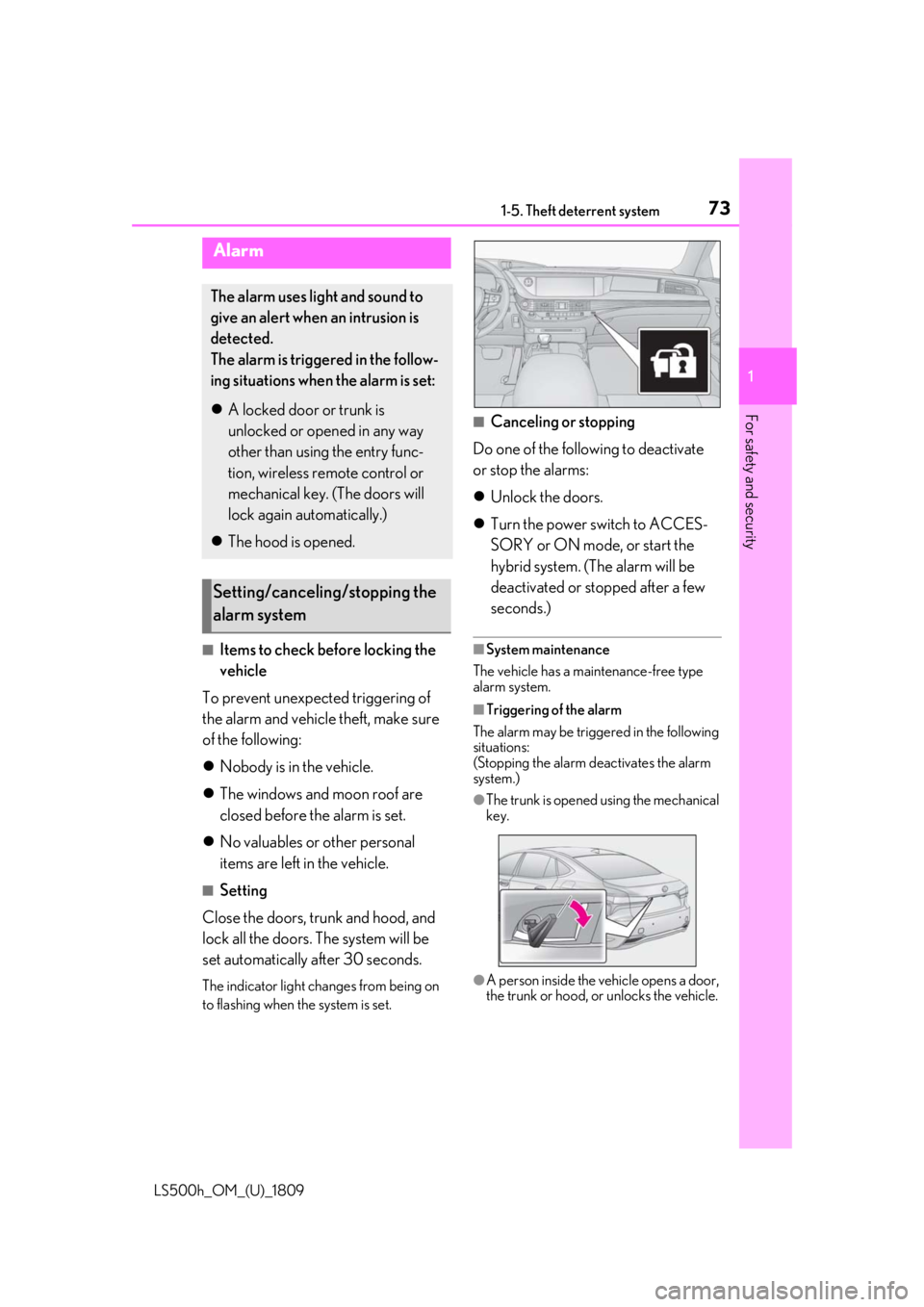
●The trunk is opened using the mechanical
key.
●A person inside the vehicle opens a door,
the trunk or hood, or unlocks the vehicle.
Alarm
The alarm uses light and sound to
give an alert when an intrusion is
detected.
The alarm is triggered in the follow-
ing situations when the alarm is set:
A locked door or trunk is
unlocked or opened in any way
other than using the entry func-
tion, wireless remote control or
mechanical key. (The doors will
lock again automatically.)
The hood is opened.
Setting/canceling/stopping the
alarm system
Page 74 of 523
741-5. Theft deterrent system
LS500h_OM_(U)_1809
●The 12-volt battery is recharged or
replaced when the vehicle is locked.
( P.448)
■Alarm-operated door lock
In the following cases, depending on the sit-
uation, the door may automatically lock to
prevent improper entry into the vehicle:
●When a person remaining in the vehicle
unlocks the door and the alarm is acti-
vated.
●While the alarm is activated, a person
remaining in the vehicle unlocks the door.
NOTICE
■To ensure the system operates cor-
rectly
Do not modify or remove the system. If
modified or removed, the proper opera-
tion of the system cannot be guaranteed.
Page 81 of 523

812-1. Instrument cluster
LS500h_OM_(U)_1809
2
Vehicle status information and indicators
■Locations of gauges and meters
The units of measure may differ depending on the intended destination of the vehicle.
Engine coolant temperature gauge
Displays the engine coolant temperature
Odometer and trip meter display (P.83)
Outside temperature
Displays the outside temperature within the range of -40°F (-40°C) to 122°F (50°C)
Hybrid System Indicator
Displays hybrid system outp ut or regeneration level (P.82)
This display changes to a tachometer depending on the driving mode, and can be set to
show the tachometer in any driving mode on the settings display. ( P.94, 297)
Speedometer
Clock
Time displayed is linked to the analog clock on the center panel. (P.355)
Shift position indicator ( P.178)
Shift range/gear position ( P.176)
Fuel gauge
Displays the quantity of fuel remaining in the tank
Multi-information display
Presents the driver with a variety of vehicle data ( P.90)
Gauges and meters (except F SPORT models)
Meter display
A
B
C
D
E
F
G
H
I
J
Page 85 of 523

852-1. Instrument cluster
LS500h_OM_(U)_1809
2
Vehicle status information and indicators
■Locations of gauges and meters
When the main meter is moved to the righ t, some of the meter displays and the
gauge layout will change. ( P.89)
Main meter in center position
The units of measure may differ depending on the intended destination of the vehicle.
Odometer and trip meter display (P.88)
Engine coolant temperature gauge
Displays the engine coolant temperature
Outside temperature
Displays the outside temperature within the range of -40°F (-40°C) to 122°F (50°C)
Hybrid System Indicator
Displays hybrid system outp ut or regeneration level (P.87)
This display changes to a tachometer depending on the driving mode, and can be set to
show the tachometer in any driving mode on the settings display. ( P.94, 297)
• Rev indicator (
P.87)
•Rev peak (
P.87)
Shift position/shift range/gear position ( P.176)
Speedometer
Clock
Time displayed is linked to the analog clock on the center panel. (P.355)
Gauges and meters (F SPORT models)
Meter display
A
B
C
D
E
F
G
Page 86 of 523
862-1. Instrument cluster
LS500h_OM_(U)_1809
Fuel gauge
Displays the quantity of fuel remaining in the tank
Shift position indicator (P.178)
Multi-information display
Presents the driver with a variety of vehicle data ( P.90)
Displays warning messages if a malfunction occurs ( P.434)
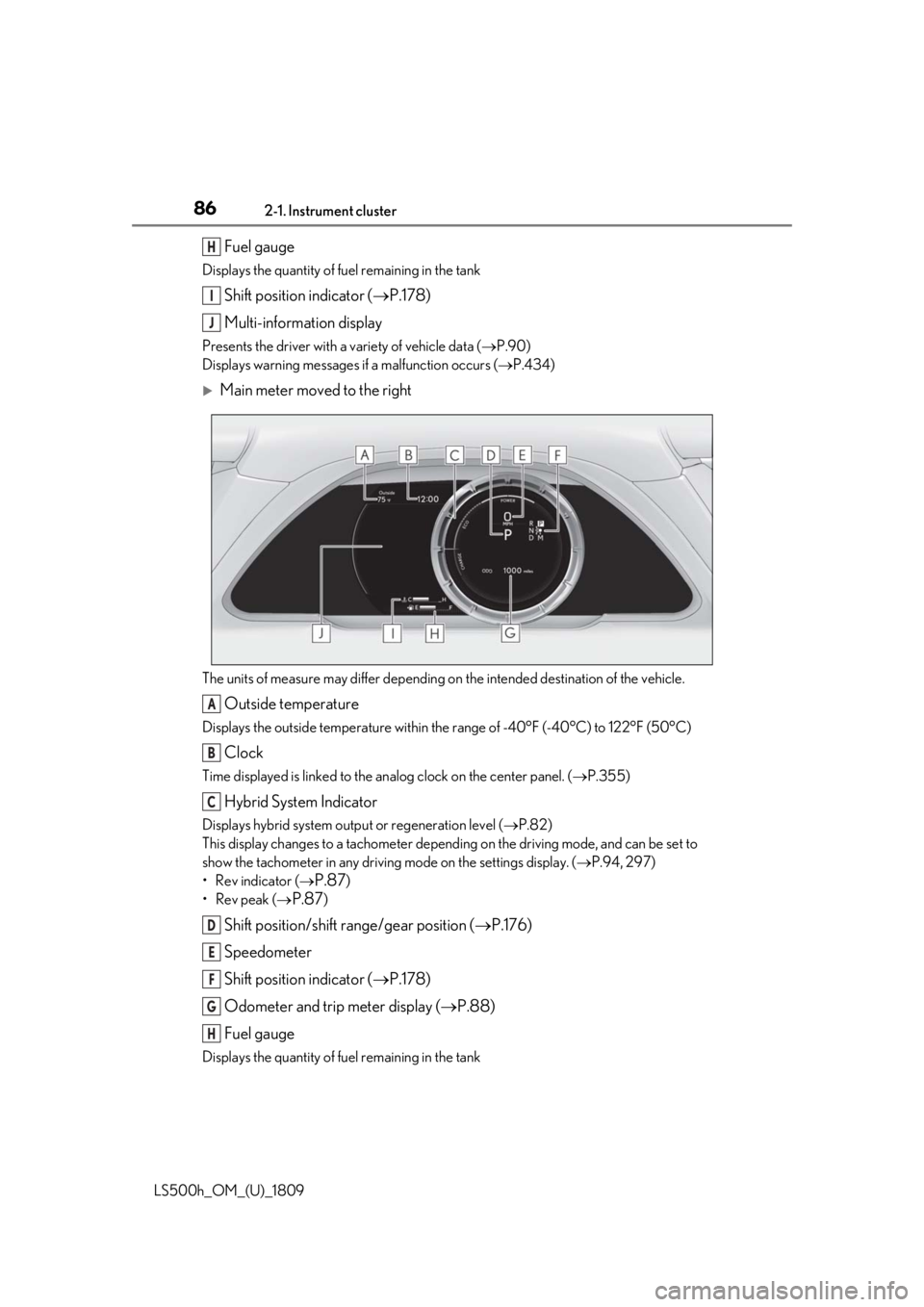
Main meter moved to the right
The units of measure may differ depending on the intended destination of the vehicle.
Outside temperature
Displays the outside temperature within the range of -40°F (-40°C) to 122°F (50°C)
Clock
Time displayed is linked to the analog clock on the center panel. (P.355)
Hybrid System Indicator
Displays hybrid system outp ut or regeneration level (P.82)
This display changes to a tachometer depending on the driving mode, and can be set to
show the tachometer in any driving mode on the settings display. ( P.94, 297)
• Rev indicator (
P.87)
•Rev peak (
P.87)
Shift position/shift range/gear position ( P.176)
Speedometer
Shift position indicator ( P.178)
Odometer and trip meter display ( P.88)
Fuel gauge
Displays the quantity of fuel remaining in the tank
H
I
J
A
B
C
D
E
F
G
H
Page 94 of 523

942-1. Instrument cluster
LS500h_OM_(U)_1809
LTA (Lane Tracing Assist) ( P.233)
Dynamic radar cruise control with
full-speed range ( P.245)
RSA (Road Sign Assist) (if
equipped) ( P.255)
■Meter display settings that can be
changed
Language
Select to change th e language displayed.
Units
Select to change the units of measure dis-
played.
Speedometer display (except F
SPORT models)
Select to set the display of the speedome-
ter to digital/analog/both digital and ana-
log.
Drive information 1/Drive informa-
tion 2
Select to select up to 2 items ( P.92) that
will be displayed on ea ch Drive information
screen (Drive information 1 screen and
Drive information 2 sc reen) respectively.
Clock
Select to switch be tween 12-hour display
and 24-hour display.
Pop-up display
Select to enable/disable pop-up displays
for each relevant system.
Accent color
Select to change the accent color on the
screen, such as the cursor color.
Tachometer setting
Select to set the display of the Hybrid Sys- tem Indicator or tachometer for each driv-
ing mode.
Rev indicator (F SPORT models)
• Select to enable/disable the rev indica-
tor.
• Select to set the engine speed at which the rev indicator (amber) will begin to be
displayed.
Rev peak (F SPORT models)
Select to enable/disable the rev peak.
EV indicator
Select to enable/disable the EV indicator.
Default setting
Select to reset the meter display settings to
the default setting.
■Vehicle functions and settings that
can be changed
P.479
■Suspension of the settings display
●Some settings cannot be changed while
driving. When changing settings, park
the vehicle in a safe place.
●If a warning message is displayed, opera-
tion of the settings display will be sus-
pended.
Settings display
WARNING
■Cautions during setting up the dis-
play
As the hybrid system needs to be operat-
ing during setting up the display, ensure
that the vehicle is parked in a place with
adequate ventilation. In a closed area
such as a garage, ex haust gases includ-
ing harmful carbon monoxide (CO) may
collect and enter the vehicle. This may
lead to death or a serious health hazard.
Page 107 of 523
107
LS500h_OM_(U)_1809
3
3
Before driving
Before driving
.3-1. Key informationKeys ................................................. 108
3-2. Opening, closing and locking the doors and trunk
Doors................................................ 112
Trunk................................................. 116
Smart access system with push-button start ..................... 123
3-3. Adjusting the seats Front seats ...................................... 131
Power rear seat........................... 138
Driving position memory ........ 142
Rear seat position memory .... 146
Head restraints............................ 147
3-4. Adjusting the steering wheel and mirrors
Steering wheel............................. 150
Inside rear view mirror.............. 151
Outside rear view mirrors ...... 152
3-5. Opening, closing the windows and moon roof
Power windows........................... 154
Moon roof ..................................... 156

