2019 LEXUS LS500 USB
[x] Cancel search: USBPage 310 of 512

310 5-1. Remote Touch/Display
LS500_OM_(U)_1810 it may not operate correctly. In this case,
remove anything touc hing the Rear Multi
Operation Panel and wait for approxi-
mately 30 seconds be fore operating it
again.
If the Rear Multi Op eration Panel still
cannot be operated normally, press and
hold the button to turn the Rear
Multi Operation Panel off, and then press
the button again to turn it back
on and operate it.●
In the following situat ions, the Rear Multi
Operation Panel may not operate prop-
erly:
• If wearing gloves during operation, non
response may occur.
• If a wet hand is used to operate the Rear
Multi Operation Panel.
• If a screen cover or coating is applied to
on the Rear Multi Operation Panel.
• If the Rear Multi Operation Panel is dirty
or has liquid attach ed to it, incorrect
operation or non-response may occur.
• If the Rear Multi Operation Panel
receives electro magnetic waves, incor-
rect operation or non-response may
occur.
• If a mobile phone or other wireless com-
munication device brought near the Rear
Multi Operation Panel.●
If the a metal object, such as the follow-
ing, is touching or covering the Rear
Multi Operation Panel:
•Coins
•Keys
• Metallic wallets or bags
• Magnetic isolation cards
• Metallic foil, such as the inner packaging
of a cigarette box
• Disposable heat packs
• Discs, such as a CD or DVD, Cables,
such as a USB cable
• Mobile devices, such as smartphones,
mobile phones, tablets, etc.
●
Make sure to keep the Rear Multi Oper-
ation Panel clean. If the Rear Multi Oper-
ation Panel is dirty, it may not operate
correctly. (When cleaning the Rear Multi
Operation Panel, turn the screen off to avoid unexpected operation.)
NOTICE■
To prevent damage to the Rear Multi
Operation Panel
Observe the following precautions. Fail-
ure to do so may cause damage to the
Rear Multi Operation Panel. ●
Keep the Rear Multi Operation Panel
free of liquids, such as drinks or rain, as
they may cause a short circuit. ●
Do not sit on or set heavy objects on
the Rear Multi Operation Panel. ●
Do not push the Rear Multi Operation
Panel with a strong force or use a
sharp pointed object to operate the
panel.
Page 343 of 512
3435-6. Using the other interior features
LS500_OM_(U)_1810 5
Interior features 5-6.Using the other interior features
The USB charging ports are used to
supply 2.1 A of electricity at 5 V to
external devices.
The USB charging ports are for
charging only. They are not designed
for data transfer or other purposes.
Depending on the external device, it
may not charge properly. Refer to the
manual included with the device
before using a USB charging port. ■
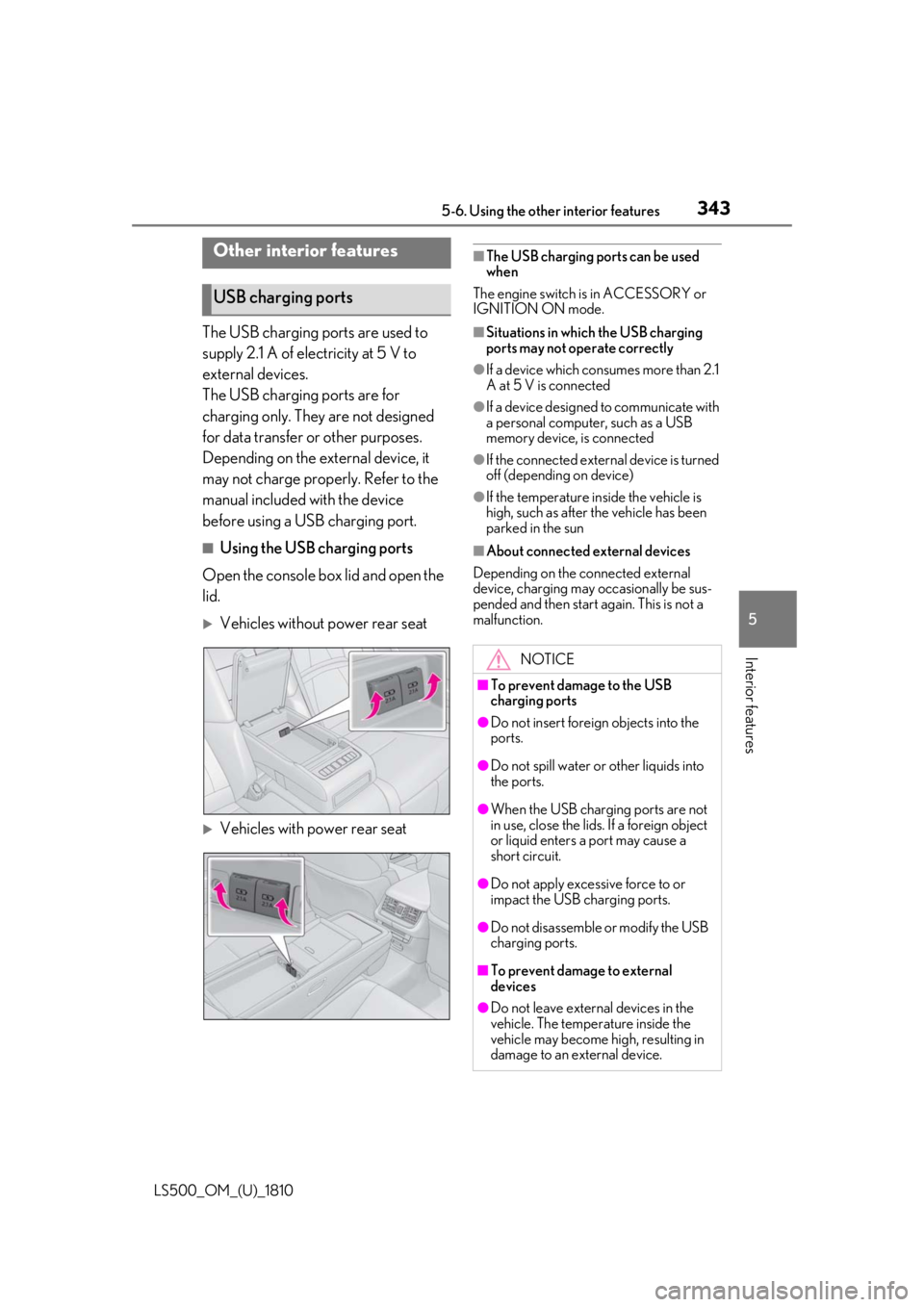
Using the USB charging ports
Open the console box lid and open the
lid.
Vehicles without power rear seat
Vehicles with power rear seat ■
The USB charging ports can be used
when
The engine switch is in ACCESSORY or
IGNITION ON mode. ■
Situations in whic h the USB charging
ports may not operate correctly ●
If a device which consumes more than 2.1
A at 5 V is connected ●
If a device designed to communicate with
a personal computer, such as a USB
memory device, is connected ●
If the connected external device is turned
off (depending on device) ●
If the temperature inside the vehicle is
high, such as after the vehicle has been
parked in the sun ■
About connected external devices
Depending on the connected external
device, charging may occasionally be sus-
pended and then start again. This is not a
malfunction.Other interior features
USB charging ports
NOTICE■
To prevent damage to the USB
charging ports ●
Do not insert foreign objects into the
ports.
●
Do not spill water or other liquids into
the ports.
●
When the USB charging ports are not
in use, close the lids. If a foreign object
or liquid enters a port may cause a
short circuit.
●
Do not apply excessive force to or
impact the USB charging ports.
●
Do not disassemble or modify the USB
charging ports.
■
To prevent damage to external
devices
●
Do not leave external devices in the
vehicle. The temperature inside the
vehicle may become high, resulting in
damage to an external device.
Page 344 of 512
344 5-6. Using the other interior features
LS500_OM_(U)_1810
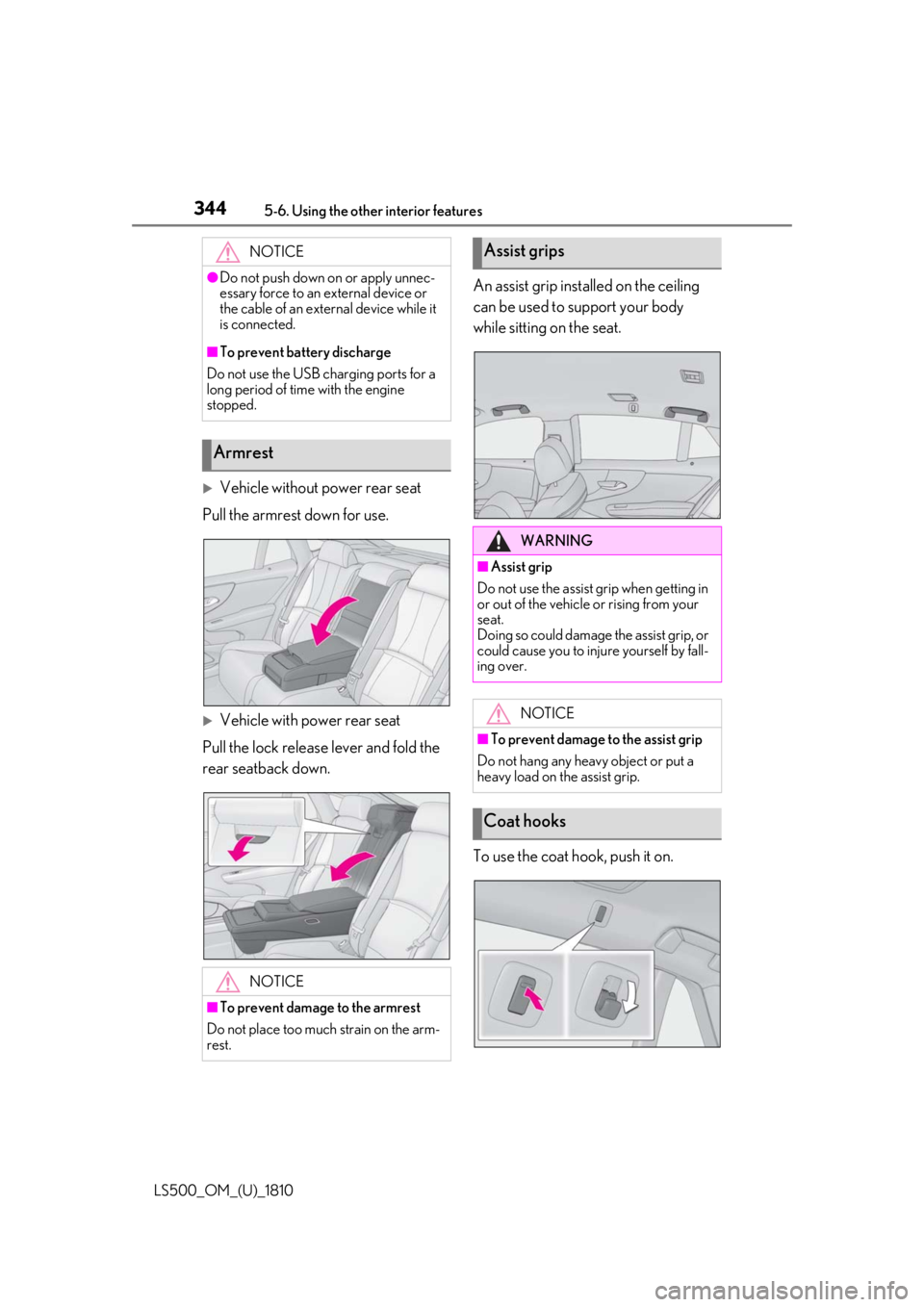
Vehicle without power rear seat
Pull the armrest down for use.
Vehicle with power rear seat
Pull the lock release lever and fold the
rear seatback down. An assist grip installed on the ceiling
can be used to support your body
while sitting on the seat.
To use the coat hook, push it on.NOTICE●
Do not push down on or apply unnec-
essary force to an external device or
the cable of an external device while it
is connected.■
To prevent battery discharge
Do not use the USB charging ports for a
long period of time with the engine
stopped.
Armrest
NOTICE
■
To prevent damage to the armrest
Do not place too much strain on the arm-
rest. Assist grips
WARNING■
Assist grip
Do not use the assist grip when getting in
or out of the vehicle or rising from your
seat.
Doing so could damage the assist grip, or
could cause you to injure yourself by fall-
ing over.
NOTICE■
To prevent damage to the assist grip
Do not hang any heavy object or put a
heavy load on the assist grip.
Coat hooks
Page 508 of 512

508 Alphabetical Index
LS500_OM_(U)_1810 Tires
Chains .............................................................. 301
Checking ....................................................... 382
If you have a flat tire .................................. 429
Inflation pressure........................................395
Information .................................................... 457
Replacing .........................................................391
Rotating tires ................................................384
Run-flat tires .....................................384, 429
Size.................................................................... 452
Snow tires ..................................................... 300
Tire inflation pressu re display function
.........................................................................384
Tire pressure warning system .............384
Warning light .................................................419
Top tether strap............................................... 55
Total load capacity ....... ............................... 446
Towing
Dinghy towing ...............................................163
Emergency towing ...................................409
Towing eyelet ................................................ 412
Trailer towing .................................................163
TRAC (Traction Control) ........................ 295
Traction Control (TRAC) ........................ 295
Trailer towing ..................................................163
Transmission
Automatic transmission ............................ 167
Driving mode select switch ..................289
M mode ............................................................ 172
Paddle shift switches ...... .................... 171, 172
Snow mode ......................................................171
Trip meters .................................................74, 79
Trunk .................................................................. 104
Hands Free Power Trunk Lid ...............107
Internal trunk release lever .................... 109
Power trunk opener and closer .......... 106
Smart access system with push-button
start ..................................................................107
Trunk closer switch.................................... 108
Trunk easy closer........................................ 108
Trunk features..............................................340
Trunk grip ....................................................... 108 Trunk lid light.................................................108
Trunk light .......................................................108
Trunk opener main switch........................ 110
Trunk opener switch ................................. 106
Wireless remote control ......................... 107
Trunk lid light .................................................. 108
Trunk light ........................................................ 108
Turn signal lights
Replacing light bulbs ............................... 404
Turn signal lever ...........................................173 U
USB charging ports.................................... 343 V
Vanity lights.................................................... 347
Vanity mirrors ............................................... 347
Variable Gear Ratio Steering (VGRS)295
VDIM (Vehicle Dynamics Integrated Man-
agement)...................................................... 295
Vehicle data recordings ..................................6
Vehicle Dynamics Integrated Manage-
ment (VDIM).............................................. 295
Vehicle identification number ................ 446
Vehicle Stability Control (VSC) ........... 294
Ventilators (seat ventilators)................... 326
VGRS (Variable Gear Ratio Steering)295
VSC (Vehicle Stability Control) ........... 294
W
Warning buzzer
Hands off steering wheel alert (LTA)236
LTA (Lane-Tracing Assist) ...................228
Warning buzzers
ABS .....................................................................417
Airbags............................................................. 416
Approach warning.................................... 243
Brake hold ..................................................... 422
Brake Override System ...........................417
Brake system................................................. 415