2019 LEXUS LS500 remote control
[x] Cancel search: remote controlPage 324 of 512

324 5-3. Using the air conditioning system and defogger
LS500_OM_(U)_1810 ■
Center Display
Using the touchpad of the Remote
Touch, select the button on the screen.
to can be adjusted by perform-
ing the following operations.
Flick operation: Move the pointer to
the desired item and flick the touchpad
up or down. The item can be adjusted by one level.
Trace operation: After selecting the
desired item, trace the pad surface. The item can be adjusted by the amount
that you trace.
Trace operation cannot be used while driv-
ing.
Adjust the left side rear seat tem-
perature setting
Select the left side rear seat air flow
mode : Air flows to the upper body
: Air flows to the upper body and feet
: Air flows to the feet
Adjust the rear seats fan speed set- ting
Select the right side rear seat air
flow mode
Adjust the right side rear seat tem-
perature setting
Function on/off indicators When the function is on, the indicator illu-
minates on the control screen.
Sub function menu When the sub function button on the
Remote Touch is pressed, the following
functions can be switched on and off.
“Rear off”: Turn the rear seats fan off
“Rear AUTO”: Set the rear seats automatic
mode on/off ( P.325)
: Disables operation of the rear air
conditioning system using the Rear Multi
Operation Panel ■
Rear Multi Operation Panel *
Various functions can be operated by
touching the displayed buttons on the
Rear Multi Operation Panel. *
: The Rear Multi Op eration Panel cannot
be used to operate the rear air condi-
tioning system if the function is disabled.
( P.324)
Rear air conditioning control screen
Adjust the left side rear seat tem-
perature setting Rear air conditioning control
screen A E
A
B
C D
E
F
G
A
Page 327 of 512

3275-3. Using the air conditio ning system and defogger
LS500_OM_(U)_1810 5
Interior features ■
Center Display
Main screen
Using the touchpad of the Remote
Touch, select the button on the screen.
to can be adjusted by perform-
ing the following operations.
Flick operation: Move the pointer to
the desired item and flick the touchpad
up or down. The item can be adjusted by one level.
Trace operation: After selecting the
desired item, trace the touchpad sur-
face. The item can be adjusted by the amount
that you trace.
Trace operation cannot be used while driv-
ing. Center Display
Press the “MENU” button on the
Remote Touch to display the main
menu and move the cursor to to
display the shortcut buttons. Then,
select to display the heated
steering wheel/front seat
heater/front seat ventilator control
screen.
To display the rear seat heater/rear
seat ventilator control screen, select
. (if equipped)
Rear Multi Operation Panel
Touch “Climate” on the home screen
to display the air conditioning con-
trol screen.( P.308)
Touching the shortcut button on the
home screen will display operation
buttons for the rear seat heaters and
rear seat ventilators.
Rear control panel
The rear seat heaters can be oper-
ated. WARNING
■
To prevent minor burn injuries
Care should be taken if anyone in the fol-
lowing categories comes in contact with
the steering wheel or seats when the
heater is on:
●
Babies, small children, the elderly, the
sick and the phys ically challenged
●
Persons with sensitive skin
●
Persons who are fatigued ●
Persons who have taken alcohol or
drugs that induce sleep (sleeping
drugs, cold remedies, etc.)
NOTICE■
To prevent damage to the seat heat-
ers and seat ventilators
Do not put heavy objects that have an
uneven surface on the seat and do not
stick sharp objects (n eedles, nails, etc.)
into the seat. ■
To prevent battery discharge
Do not use the functions when the
engine is off.
Control screen
A C
Page 328 of 512

328 5-3. Using the air conditioning system and defogger
LS500_OM_(U)_1810 Adjust the seat ventilator fan speed
levelThe seat ventilator can be adjusted in 3 lev-
els. (Low, Mid or Hi)
Adjust the seat heater temperature
levelThe seat heater can be adjusted in 3 levels.
(Low, Mid or Hi)
Adjust the heated steering wheel
temperature level *
The heated steering wheel can be adjusted
in 2 levels. (Low or Hi)
Automatic mode on/off indicatorsWhen the automatic mode is on, the indi-
cator illuminates on the screen.
Sub function menu When the sub function button on the
Remote Touch is pressed, the following
functions can be set to automatic mode.
: Left-hand side seat heater/seat
ventilator
: Heated steering wheel *
: Right-hand side seat heater/seat
ventilator *
: Available on the front seat control
screen only
Side screen
Display the air conditioning control
screen: P.319
Adjust the front seat heater tem-
perature level Each time the switch is selected, the tem-
perature level and level indicator (orange)
change as follows:
AUTO Hi Mid Lo OFF
Adjust the front seat ventilator fan
speed level Each time the switch is selected, the fan
speed level and level indicator (blue)
change as follows:
AUTO Hi Mid Lo OFF
Adjust the heated steering wheel
temperature level Each time the switch is selected, the tem-
perature level and le vel indicator change
as follows:
AUTO Hi Lo OFFA
B
C
D
E A
B
C
D
Page 346 of 512

346 5-6. Using the other interior features
LS500_OM_(U)_1810 ■
The power outlet can be used when●
12 V
The engine switch is in ACCESSORY or
IGNITION ON mode. ●
120 VAC
The engine switch is in IGNITION ON
mode.
NOTICE■
To avoid damaging the power outlet
Close the power outlet lid when the
power outlet is not in use.
Foreign objects or liquids that enter the
power outlet may cause a short circuit. ■
To prevent the fuse from being blown●
12 V
Do not use an accessory that uses more
than 12 V 10 A.
●
120 VAC
Do not use a 120 VAC appliance that
requires more than 100 W. If a 120 VAC
appliance that consumes more than 100
W is used, the protection circuit will cut
the power supply. ■
To prevent incorrect operation of the
vehicle
When turning the engine switch off,
make sure to disc onnect accessories
designed for charging , such as portable
chargers, power banks, etc. from the
power outlets.
If such an accessory is left connected, the
following may occur: ●
The doors cannot be locked using the
smart access system with push-button
start or wireless remote control. ●
The opening screen will be displayed
on the multi-information display. ●
The interior lights, instrument panel
lights, etc. will illuminate. ■
To prevent the battery from being dis-
charged
Do not use the power outlet longer than
necessary when the engine is not run-
ning. ■
Appliances that may not operate
properly (120 VAC)
The following 120 VAC appliances may
not operate properly even if their power
consumption is under 100 W. ●
Appliances with high initial peak watt-
age
●
Measuring devices that process pre-
cise data
●
Other appliances that require an
extremely stable power supply
Sun visors
Page 351 of 512
3515-6. Using the other interior features
LS500_OM_(U)_1810 5
Interior features ferent code to a HomeLink ®
button that
already has a code registered to it, the already registered code will not be
erased.■
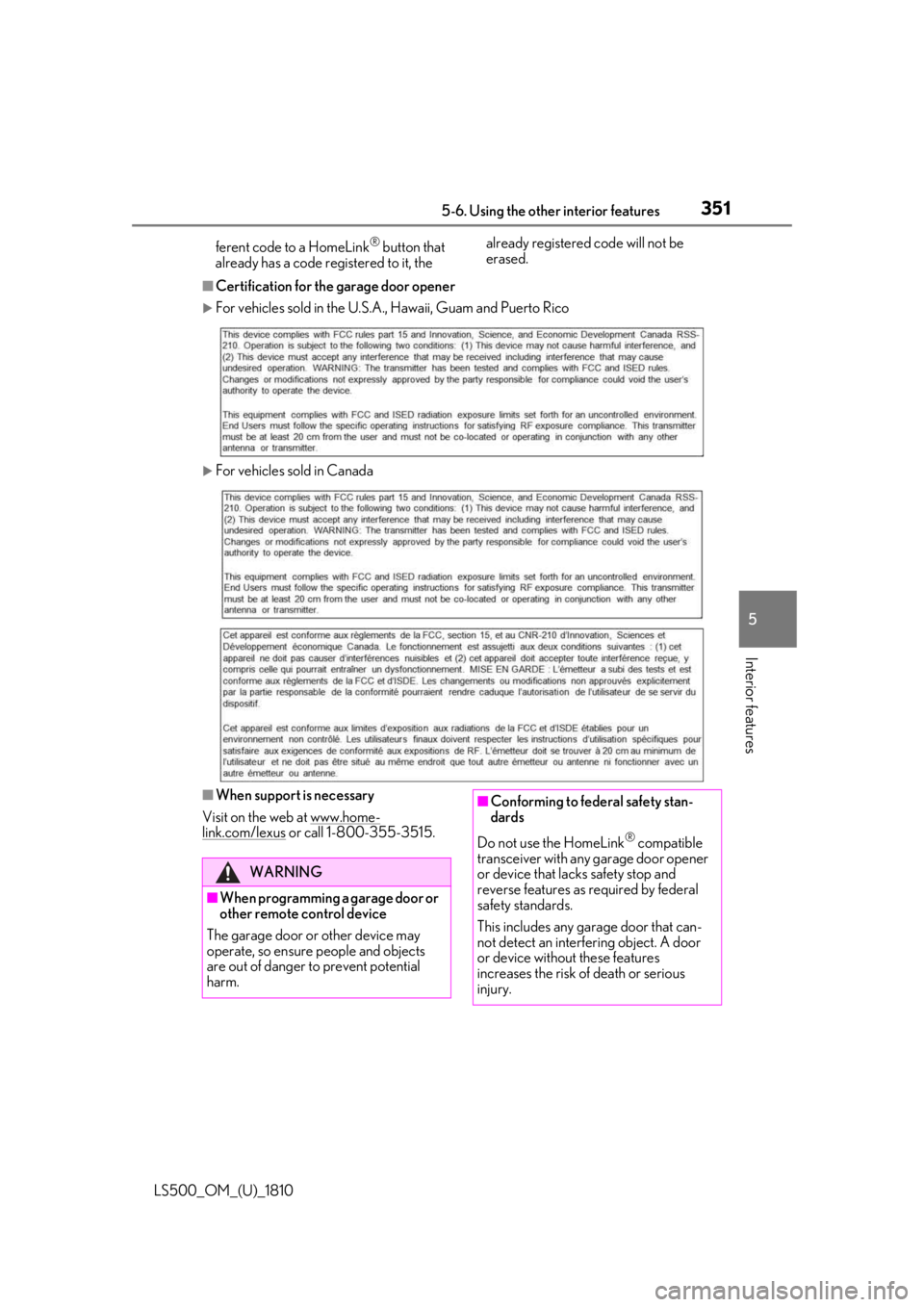
Certification for the garage door opener
For vehicles sold in the U.S.A. , Hawaii, Guam and Puerto Rico
For vehicles sold in Canada
■
When support is necessary
Visit on the web at www.home-
link.com/lexus or call 1-800-355-3515.
WARNING
■
When programming a garage door or
other remote control device
The garage door or other device may
operate, so ensure people and objects
are out of danger to prevent potential
harm. ■
Conforming to federal safety stan-
dards
Do not use the HomeLink ®
compatible
transceiver with any garage door opener
or device that lack s safety stop and
reverse features as required by federal
safety standards.
This includes any garage door that can-
not detect an interf ering object. A door
or device without these features
increases the risk of death or serious
injury.
Page 352 of 512
352 5-6. Using the other interior features
LS500_OM_(U)_1810 ■
Before programming HomeLink ®
During programming, it is possible
that garage doors, gates, or other
devices may operate. For this rea-
son, make sure that people and
objects are clear of the garage door
or other devices to prevent injury or
other potential harm.
It is recommended that a new bat-
tery be placed in the remote control
transmitter for more accurate pro-
gramming.
Garage door opener motors manu-
factured after 1995 may be
equipped with rolling code protec-
tion. If this is the case, you may need
a stepladder or other sturdy, safe
device to reach the “Learn” or
“Smart” button on the garage door
opener motor. ■
Programming HomeLink ®
Steps 1 through 3 must be performed
within 60 seconds, otherwise the indi-
cator light will stop flashing and pro-
gramming will not be able to be
completed.
1 Press and release the HomeLink ®
button you want to program and check that the HomeLink ®
indica-
tor light flashes (orange).
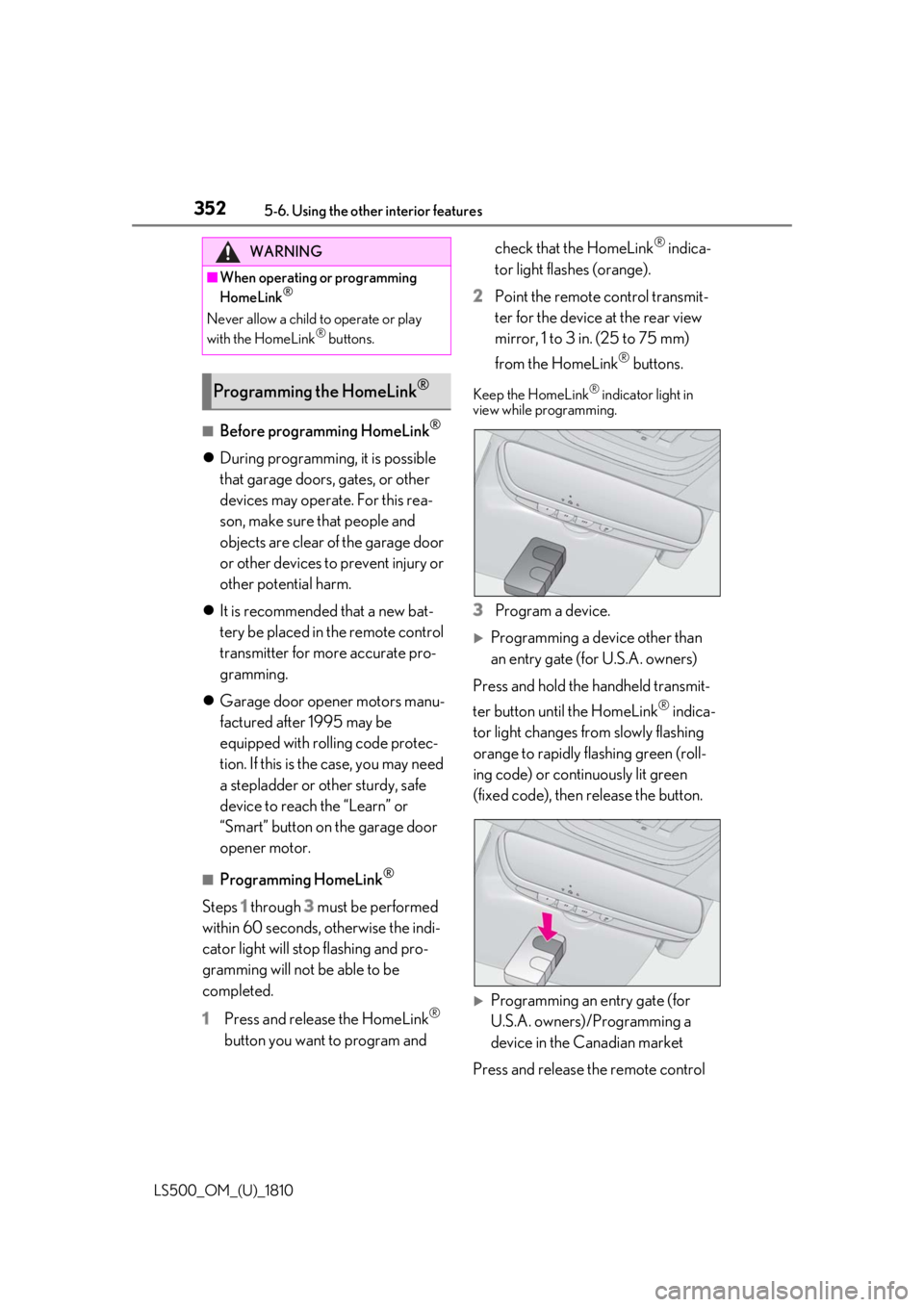
2 Point the remote control transmit-
ter for the device at the rear view
mirror, 1 to 3 in. (25 to 75 mm)
from the HomeLink ®
buttons.Keep the HomeLink ®
indicator light in
view while programming.
3 Program a device.
Programming a device other than
an entry gate (for U.S.A. owners)
Press and hold the handheld transmit-
ter button until the HomeLink ®
indica-
tor light changes from slowly flashing
orange to rapidly flashing green (roll-
ing code) or continuously lit green
(fixed code), then release the button.
Programming an entry gate (for
U.S.A. owners)/Programming a
device in the Canadian market
Press and release the remote control WARNING■
When operating or programming
HomeLink ®
Never allow a child to operate or play
with the HomeLink ®
buttons.
Programming the HomeLink ®
Page 380 of 512

380 6-3. Do-it-yourself maintenance
LS500_OM_(U)_1810 The battery is located in the trunk
under the luggage mat.
Removing the luggage mat: P.340
■
Before recharging
When recharging, the battery produces
hydrogen gas which is flammable and
explosive. Therefore, observe the following
precautions before recharging: ●
If recharging with the battery installed on
the vehicle, be sure to disconnect the
ground cable. ●
Make sure the engine switch on the char-
ger is off when connecting and discon-
necting the charger cables to the battery. ■
After recharging/reconnecting the bat-
tery ●
Unlocking the doors using the smart
access system with pu sh-button start may
not be possible immediately after recon-
necting the battery. If this happens, use
the wireless remote control or the
mechanical key to lo ck/unlock the doors.
●
Start the engine with the engine switch in
ACCESSORY mode. The engine may
not start with the engine switch turned off.
However, the engine will operate nor-
mally from the second attempt.
●
The engine switch mode is recorded by
the vehicle. If the battery is reconnected,
the vehicle will return the engine switch
mode to the status it was in before the NOTICE■
Do not use any fluid other than
washer fluid
Do not use soapy water or engine anti-
freeze instead of washer fluid.
Doing so may cause streaking on the
vehicle’s painted surfaces, as well as
damaging the pump leading to problems
of the washer fluid not spraying. ■
Diluting washer fluid
Dilute washer fluid with water as neces-
sary.
Refer to the freezing temperatures listed
on the label of the washer fluid bottle. Battery
Location
Page 399 of 512

3996-3. Do-it-yourself maintenance
LS500_OM_(U)_1810 6
Maintenance and care filter.
■
If the electronic key battery is depleted
The following symptoms may occur: ●
The smart access system with push-but-
ton start and wireless remote control will
not function properly. ●
The operationa l range will be reduced.■
When the card key battery needs to be
replaced (if equipped)
The battery for the card key is available only
at Lexus dealers. Your Lexus dealer can
replace the battery for you.
Flathead screwdriver
Small flathead screwdriver
Lithium battery CR2032 ■
Use a CR2032 lithium battery ●
Batteries can be purchased at your Lexus
dealer, local electrical appliance shops or
camera stores.
●
Replace only with the same or equivalent
type recommended by the manufacturer.
●
Dispose of used batteries according to
local laws.NOTICE■
When using the air conditioning sys-
tem
Make sure that a filter is always installed.
Using the air conditioning system without
a filter may cause damage to the system. ■
To prevent damage to the filter cover
When moving the filter cover in the
direction of arrow to release the fitting,
pay attention not to apply excessive force
to the claws. Otherwise, the claws may
be damaged. Electronic key battery Replace the battery with a new one
if it is depleted.
As the key may be damaged if the
following procedure is not per-
formed properly, it is recom-
mended that key battery
replacement be performed by your
Lexus dealer.
Items to prepare