Page 6 of 114

6
LC500_LC500h_QG_OM11489U_(U)
Parking brake switch ............................................................................................... P.33
Applying/releasing..............................................................................................................P.33
Precautions against winter season
*
Warning buzzer/message*
Turn signal lever ........................................................................................................ P.32
Headlight switch ........................................................................................................ P.41
Headlights/parking lights/tai l lights/daytime running lights .............................. P.41
Windshield wiper and washer switch ................................................................. P.44
Usage .......................................................................................................................... .............. P.44
Adding washer fluid
*
Warning messages*
Emergency flasher switch*
Hood lock release lever*
Tilt and telescopic steering control switch*
Adjustment*
Driving position memory .................................................................................................. P.22
Air conditioning system .......................................................................................... P.82
Usage .......................................................................................................................... ............. P.83
Rear window defogger ......................................................................................................P.82
Audio system.............................................................................................................. P.74
Trunk opener main switch
*
*
: Refer to the “OWNER’S MANUAL”.
E
F
G
H
I
J
K
L
M
Page 25 of 114
25
LC500_LC500h_QG_OM11489U_(U)
1Stop the vehicle completely.
2If the parking brake is in manual mode, set the parking brake. (P.33)
3Shift the shift position to P.
4Press the engine switch .
5Check that “ACCESSORY” or “IGNITION ON” is not shown on the meter.
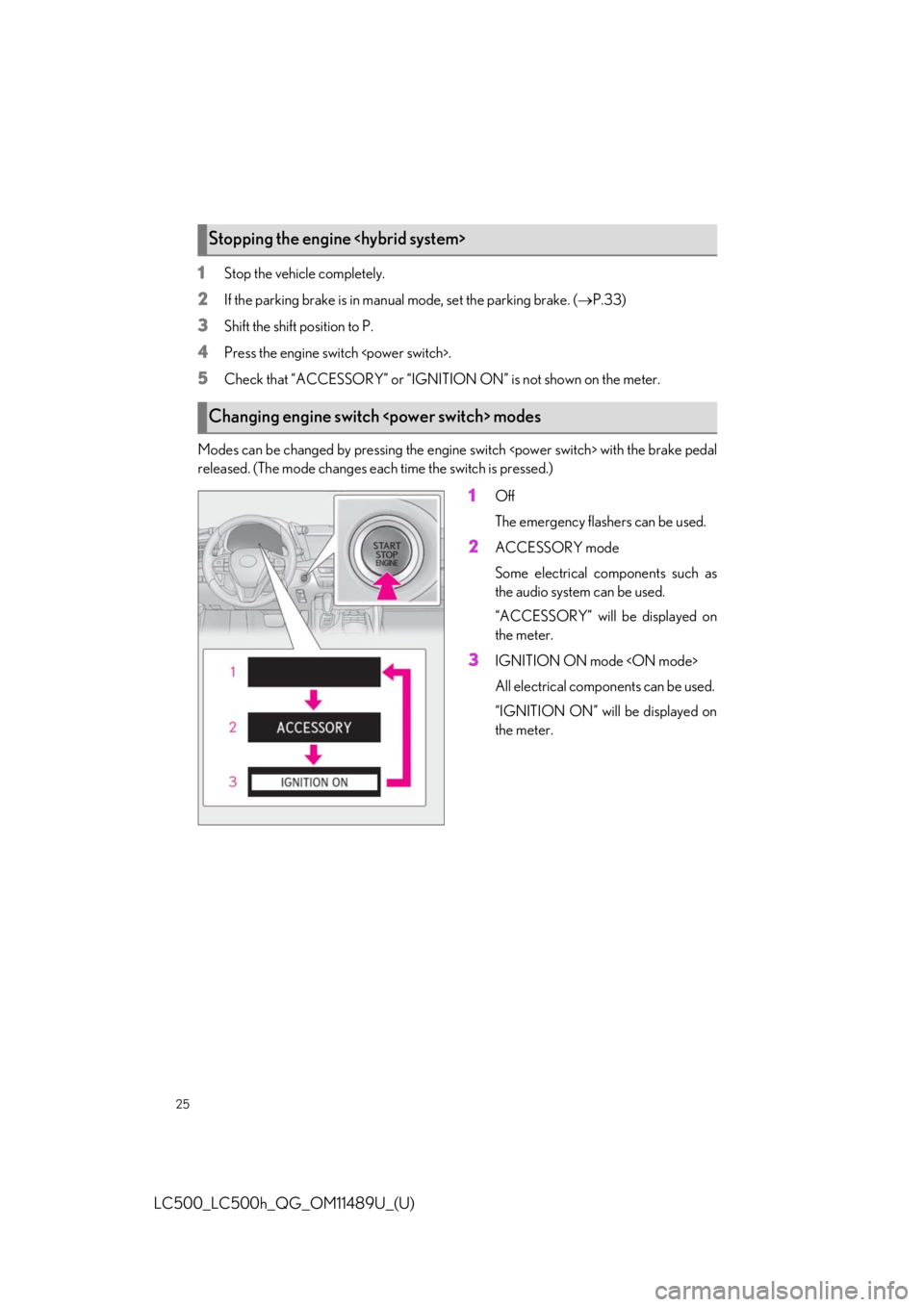
Modes can be changed by pressing the engine switch with the brake pedal
released. (The mode changes each time the switch is pressed.)
1Off
The emergency flashers can be used.
2ACCESSORY mode
Some electrical components such as
the audio system can be used.
“ACCESSORY” will be displayed on
the meter.
3IGNITION ON mode
All electrical components can be used.
“IGNITION ON” will be displayed on
the meter.
Stopping the engine
Changing engine switch modes
Page 33 of 114
33
LC500_LC500h_QG_OM11489U_(U)
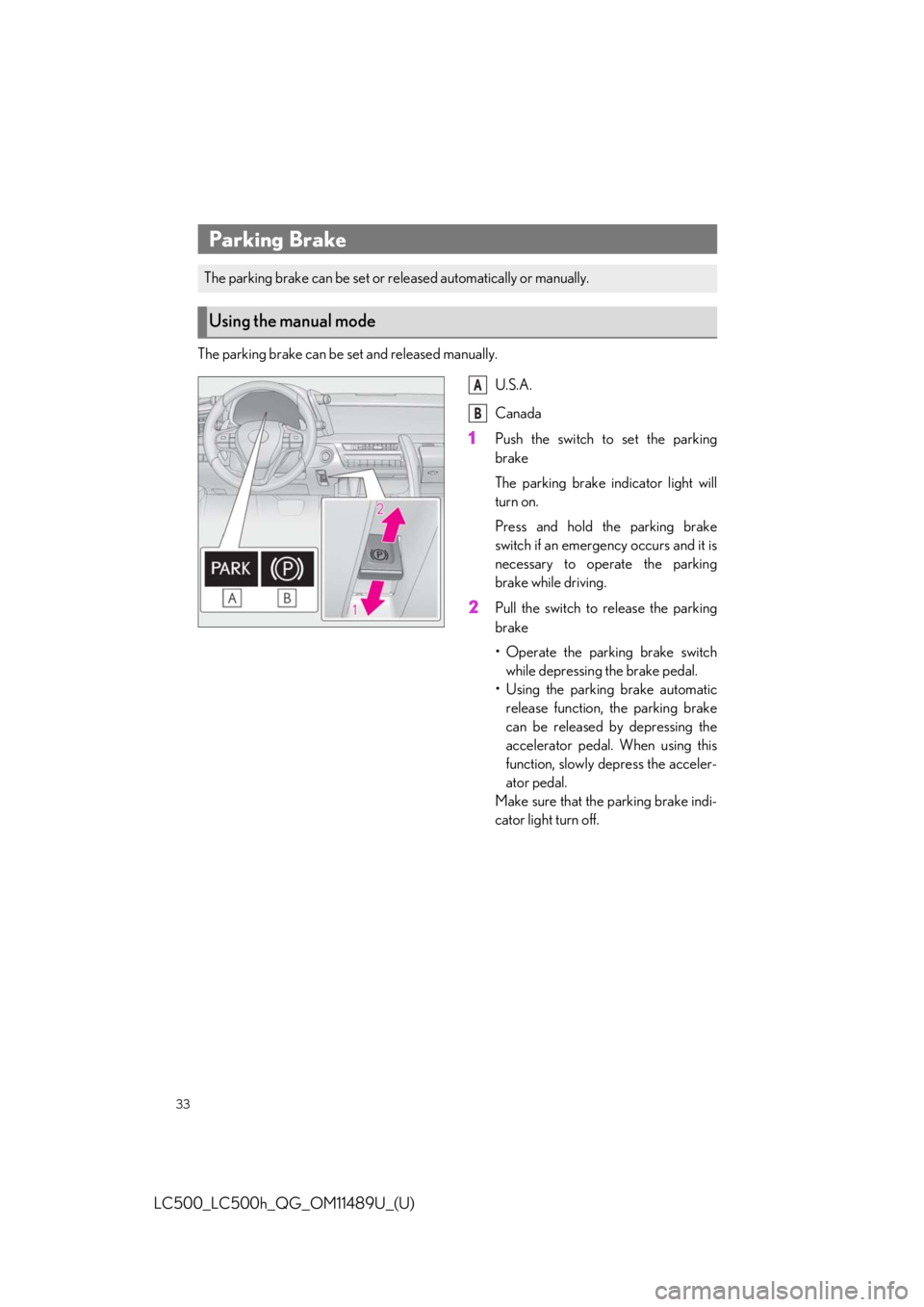
The parking brake can be set and released manually.
U.S.A.
Canada
1Push the switch to set the parking
brake
The parking brake indicator light will
turn on.
Press and hold the parking brake
switch if an emergency occurs and it is
necessary to operate the parking
brake while driving.
2Pull the switch to release the parking
brake
• Operate the parking brake switchwhile depressing the brake pedal.
• Using the parking brake automatic release function, the parking brake
can be released by depressing the
accelerator pedal. When using this
function, slowly depress the acceler-
ator pedal.
Make sure that the parking brake indi-
cator light turn off.
Parking Brake
The parking brake can be set or re leased automatically or manually.
Using the manual mode
A
B