Page 140 of 564
Features of your vehicle
54
4
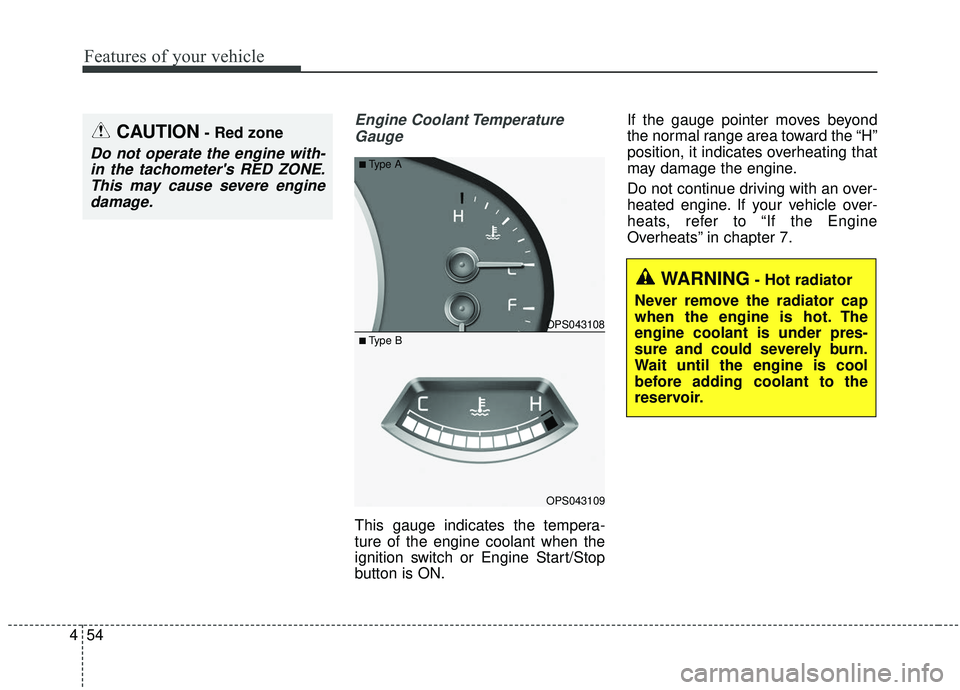
Engine Coolant Temperature
Gauge
This gauge indicates the tempera-
ture of the engine coolant when the
ignition switch or Engine Start/Stop
button is ON. If the gauge pointer moves beyond
the normal range area toward the “H”
position, it indicates overheating that
may damage the engine.
Do not continue driving with an over-
heated engine. If your vehicle over-
heats, refer to “If the Engine
Overheats” in chapter 7.
CAUTION- Red zone
Do not operate the engine with-
in the tachometer's RED ZONE.This may cause severe enginedamage.
OPS043108
OPS043109
■Type A
■ Type B
WARNING- Hot radiator
Never remove the radiator cap
when the engine is hot. The
engine coolant is under pres-
sure and could severely burn.
Wait until the engine is cool
before adding coolant to the
reservoir.
Page 141 of 564
455
Features of your vehicle
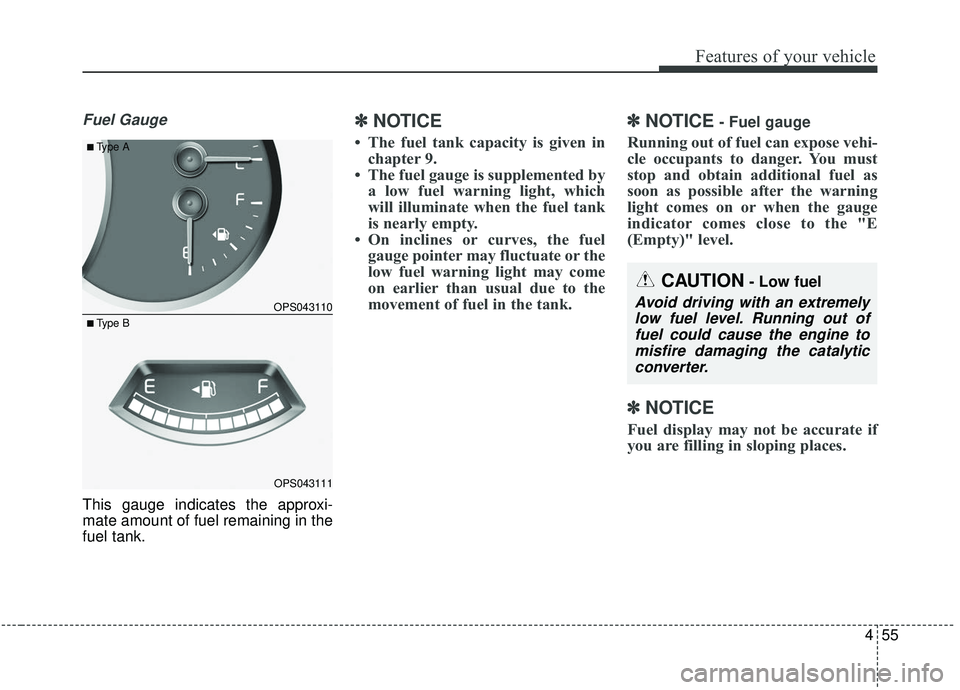
Fuel Gauge
This gauge indicates the approxi-
mate amount of fuel remaining in the
fuel tank.
✽ ✽NOTICE
• The fuel tank capacity is given in
chapter 9.
• The fuel gauge is supplemented by a low fuel warning light, which
will illuminate when the fuel tank
is nearly empty.
• On inclines or curves, the fuel gauge pointer may fluctuate or the
low fuel warning light may come
on earlier than usual due to the
movement of fuel in the tank.
✽ ✽ NOTICE- Fuel gauge
Running out of fuel can expose vehi-
cle occupants to danger. You must
stop and obtain additional fuel as
soon as possible after the warning
light comes on or when the gauge
indicator comes close to the "E
(Empty)" level.
✽ ✽NOTICE
Fuel display may not be accurate if
you are filling in sloping places.
OPS043110
OPS043111
■Type A
■ Type B
CAUTION- Low fuel
Avoid driving with an extremely
low fuel level. Running out offuel could cause the engine tomisfire damaging the catalyticconverter.
Page 145 of 564
459
Features of your vehicle
LCD DISPLAY (IF EQUIPPED)
❈For controlling the LCD modes, refer to “LCD Display Control” in this chapter.
LCD Modes (for Type B cluster)
Modes SymbolExplanation
Trip Computer This mode displays driving information like the tripmeter, fuel economy, and so on.
For more details, refer to “Trip Computer” in this chapter.
Tu r n B y Tu r n
(if equipped)This mode displays the state of the navigation.
LDWS
(if equipped)This mode displays the state of the Lane Departure Warning System (LDWS).
For more details, refer to “Lane Departure Warning System (LDWS)” in chapter 6.
User SettingsOn this mode, you can change settings of the doors, lamps, and so on.
Master warningThis mode informs of warning messages related to BSD fail and so on.
Page 147 of 564
461
Features of your vehicle
Master Warning Mode
This warning light informs the driv-er the following situations
- BSD fail (if equipped)
The Master Warning Light illumi-
nates when more than one of the
above warning situations occur.
If the warning situation is solved, the
master warning light will be turned
off.
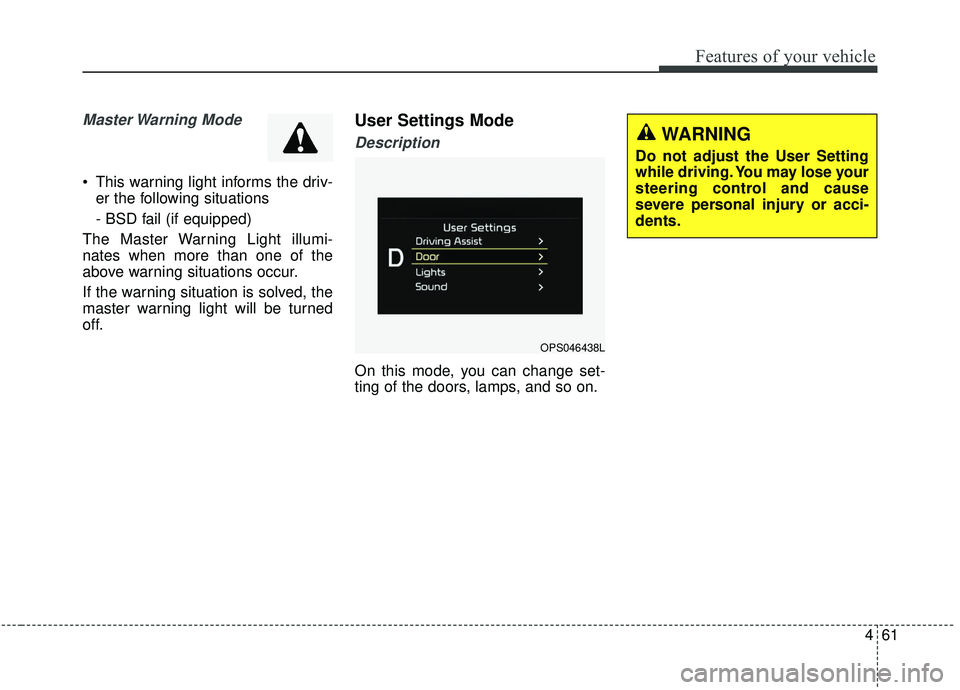
User Settings Mode
Description
On this mode, you can change set-
ting of the doors, lamps, and so on.
OPS046438L
WARNING
Do not adjust the User Setting
while driving. You may lose your
steering control and cause
severe personal injury or acci-
dents.
Page 148 of 564
Features of your vehicle
62
4
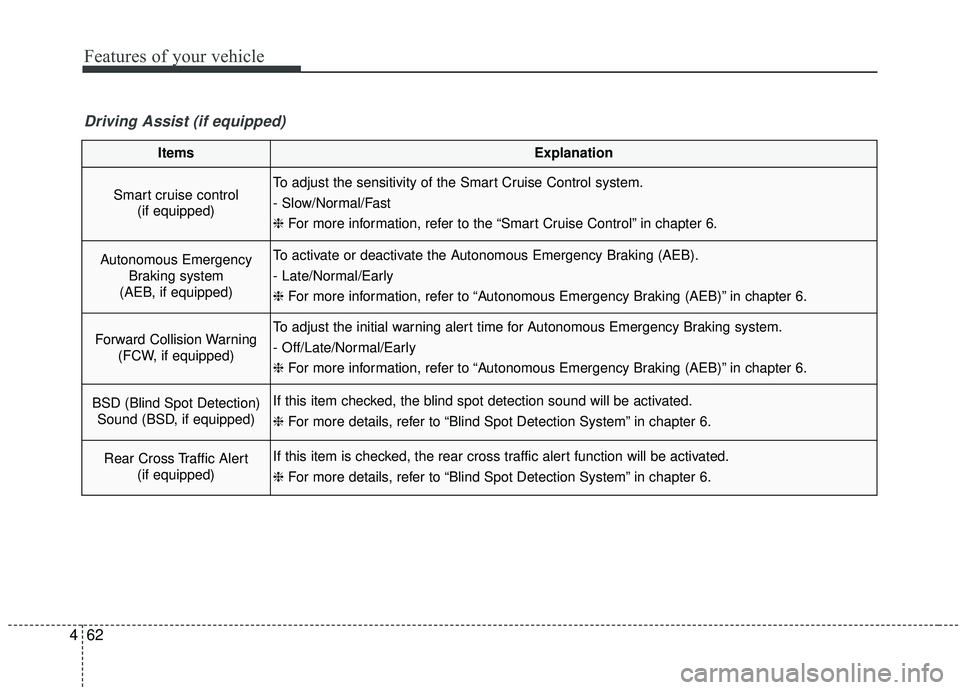
Driving Assist (if equipped)
ItemsExplanation
Smart cruise control
(if equipped) To adjust the sensitivity of the Smart Cruise Control system.
- Slow/Normal/Fast
❈ For more information, refer to the “Smart Cruise Control” in chapter 6.
Autonomous Emergency
Braking system
(AEB, if equipped) To activate or deactivate the Autonomous Emergency Braking (AEB).
- Late/Normal/Early
❈ For more information, refer to “Autonomous Emergency Braking (AEB)” in chapter 6.
Forward Collision Warning
(FCW, if equipped) To adjust the initial warning alert time for Autonomous Emergency Braking system.
- Off/Late/Normal/Early
❈ For more information, refer to “Autonomous Emergency Braking (AEB)” in chapter 6.
BSD (Blind Spot Detection)
Sound (BSD, if equipped)If this item checked, the blind spot detection sound will be activated.
❈ For more details, refer to “Blind Spot Detection System” in chapter 6.
Rear Cross Traffic Alert
(if equipped) If this item is checked, the rear cross traffic alert function will be activated.
❈ For more details, refer to “Blind Spot Detection System” in chapter 6.
Page 153 of 564
467
Features of your vehicle
Service Interval
On this mode, you can activate the
service interval function with mileage
(km or mi.) and period (months).
Turn By Turn Mode (if equipped)
This mode displays the state of the
navigation.
Warning Messages
Shift to “P” position (for smart keysystem and automatic transaxle)
This warning message illuminates if you try to turn off the engine with-
out the shift lever in P (Park) posi-
tion.
At this time, the Engine Start/Stop Button turns to the ACC position (If
you press the Engine Start/Stop
Button once more, it will turn to the
ON position).
Low Key Battery
(for smart key system)
This warning message illuminates if the battery of the smart key is
discharged when the Engine
Start/Stop Button changes to the
OFF position.
OPS046436LOPS046440L
Page 154 of 564
Features of your vehicle
68
4
Press brake pedal to start engine
(for smart key system and auto-matic transaxle)
This warning message illuminates if the Engine Start/Stop Button
changes to the ACC position twice
by pressing the button repeatedly
without depressing the brake
pedal.
It means that you should depress the brake pedal to start the engine.
Press clutch pedal to start engine
(for smart key system and manualtransaxle)
This warning message illuminates if the Engine Start/Stop Button
changes to the ACC position twice
by pressing the button repeatedly
without depressing the clutch
pedal.
It means that you should depress the clutch pedal to start the engine.
Key not in vehicle
(for smart key system)
This warning message illuminates if the smart key is not in the vehicle
while the door is opened or closed
with the ignition switch in the ACC
position or engine is running.
It means that you should always have the smart key with you.
Key not detected
(for smart key system)
This warning message illuminates if the smart key is not detected
when you press the Engine
Start/Stop Button.
Press start button again
(for smart key system)
This warning message illuminates if you can not operate the Engine
Start/Stop Button when there is a
problem with the Engine Start/Stop
Button system.
It means that you could start the engine by pressing the Engine
Start/ Stop Button once more.
If the warning illuminates each time you press the Engine
Start/Stop Button, have your vehi-
cle inspected by an authorized Kia
dealer.
Page 155 of 564
469
Features of your vehicle
Press start button with smart key (for smart key system)
This warning message illuminates if you press the Engine Start/Stop
Button while the warning message
“Key not detected” is illuminating.
At this time, the immobilizer indica- tor light blinks.
Check fuse “BRAKE SWITCH”
(for smart key system and auto-matic transaxle)
This warning message illuminates if the brake switch fuse is discon-
nected.
It means that you should replace the fuse with a new one. If that is
not possible, you can start the
engine by pressing the Engine
Start/Stop Button for 10 seconds in
the ACC position.
Shift to “P” or “N” to start engine
(for smart key system and auto-matic transaxle)
This warning message illuminates if you try to start the engine with
the shift lever not in the P (Park) or
N (Neutral) position.
✽ ✽ NOTICE
You can start the engine with the
shift lever in the N (Neutral) posi-
tion. But, for your safety, we recom-
mend that you start the engine with
the shift lever in the P (Park) posi-
tion.
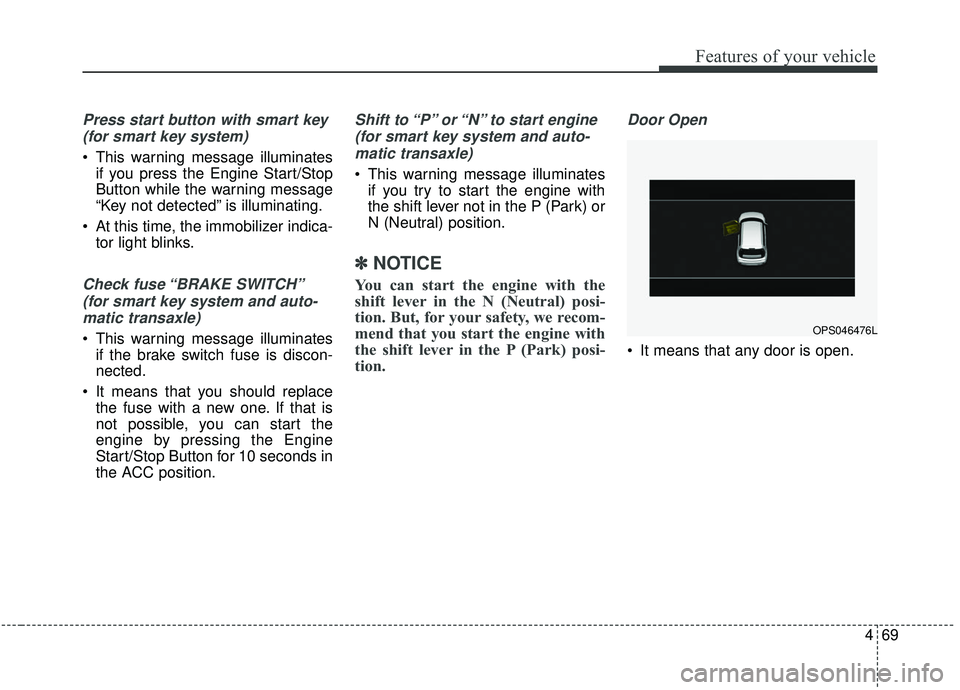
Door Open
It means that any door is open.
OPS046476L