2019 KIA SOUL EV change time
[x] Cancel search: change timePage 259 of 455
Features of your vehicle
122
4
If you want to cool your seat cush-
ion, press the switch (blue color).
Each time you press the button, the airflow will change as follows:
When pressing the switch for more than 1.5 seconds with the seat air
ventilation operating, the seat air
ventilation will turn OFF.
The seat air ventilation defaults to the OFF position whenever the
POWER button is in the ON posi-
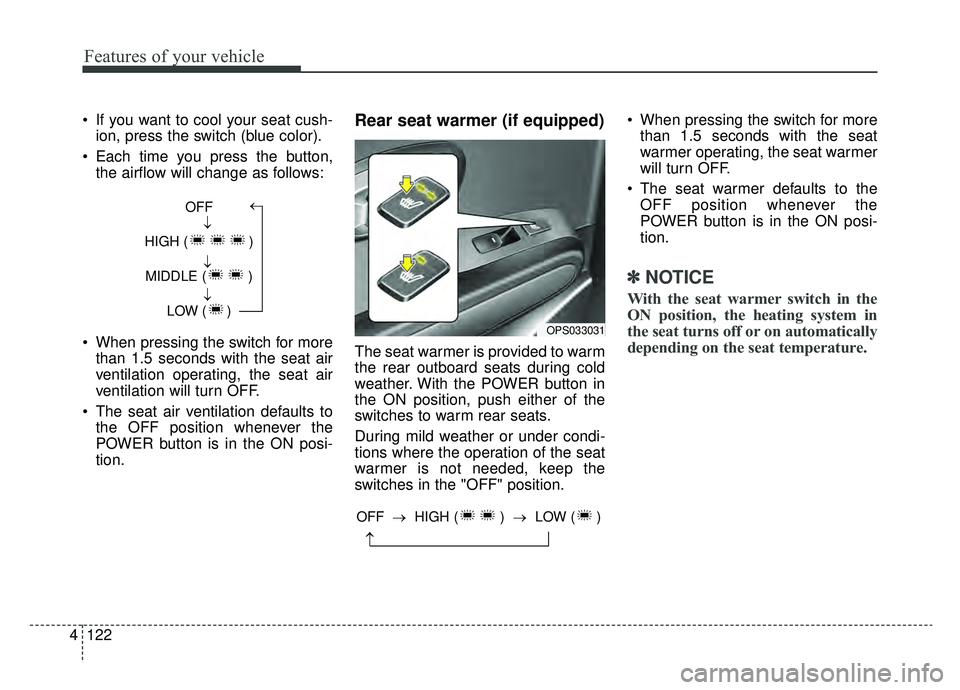
tion.Rear seat warmer (if equipped)
The seat warmer is provided to warm
the rear outboard seats during cold
weather. With the POWER button in
the ON position, push either of the
switches to warm rear seats.
During mild weather or under condi-
tions where the operation of the seat
warmer is not needed, keep the
switches in the "OFF" position. When pressing the switch for more
than 1.5 seconds with the seat
warmer operating, the seat warmer
will turn OFF.
The seat warmer defaults to the OFF position whenever the
POWER button is in the ON posi-
tion.
✽ ✽ NOTICE
With the seat warmer switch in the
ON position, the heating system in
the seat turns off or on automatically
depending on the seat temperature.
OFF
HIGH ( ) MIDDLE ( ) LOW ( )→→→→
OPS033031
→
OFF → HIGH ( ) →LOW ( )
Page 284 of 455
55
Driving your vehicle
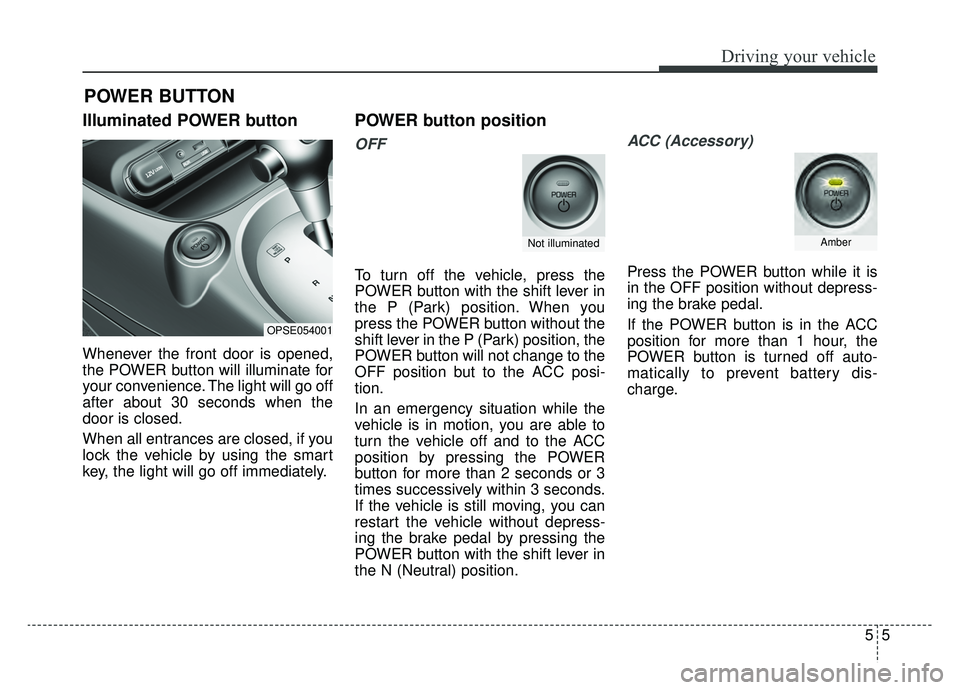
Illuminated POWER button
Whenever the front door is opened,
the POWER button will illuminate for
your convenience. The light will go off
after about 30 seconds when the
door is closed.
When all entrances are closed, if you
lock the vehicle by using the smart
key, the light will go off immediately.
POWER button position
OFF
To turn off the vehicle, press the
POWER button with the shift lever in
the P (Park) position. When you
press the POWER button without the
shift lever in the P (Park) position, the
POWER button will not change to the
OFF position but to the ACC posi-
tion.
In an emergency situation while the
vehicle is in motion, you are able to
turn the vehicle off and to the ACC
position by pressing the POWER
button for more than 2 seconds or 3
times successively within 3 seconds.
If the vehicle is still moving, you can
restart the vehicle without depress-
ing the brake pedal by pressing the
POWER button with the shift lever in
the N (Neutral) position.
ACC (Accessory)
Press the POWER button while it is
in the OFF position without depress-
ing the brake pedal.
If the POWER button is in the ACC
position for more than 1 hour, the
POWER button is turned off auto-
matically to prevent battery dis-
charge.
POWER BUTTON
OPSE054001
Not illuminatedAmber
Page 285 of 455
Driving your vehicle
65
ON
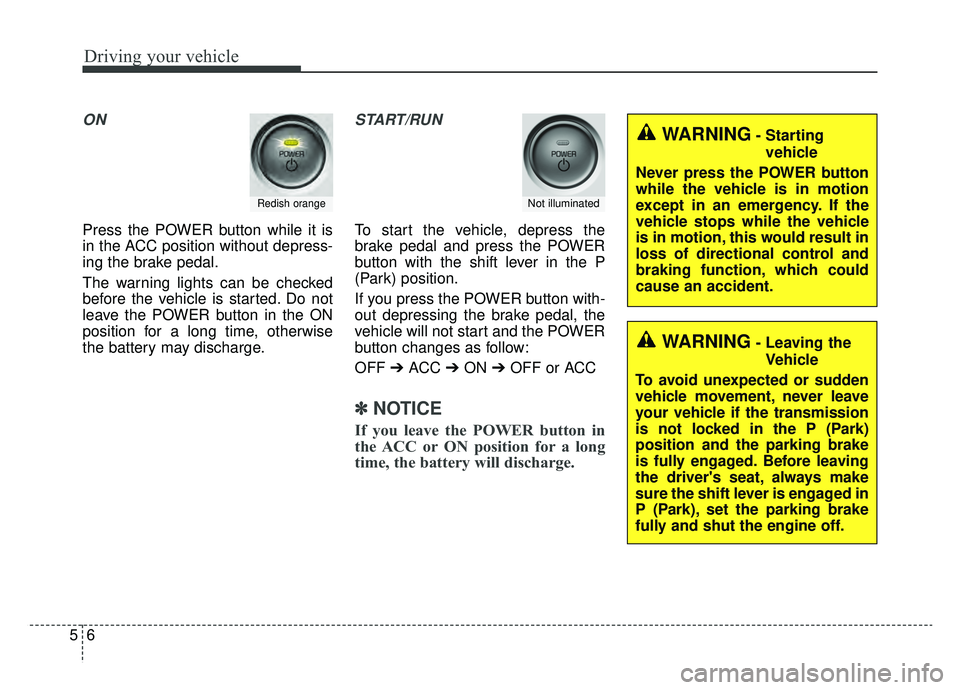
Press the POWER button while it is
in the ACC position without depress-
ing the brake pedal.
The warning lights can be checked
before the vehicle is started. Do not
leave the POWER button in the ON
position for a long time, otherwise
the battery may discharge.
START/RUN
To start the vehicle, depress the
brake pedal and press the POWER
button with the shift lever in the P
(Park) position.
If you press the POWER button with-
out depressing the brake pedal, the
vehicle will not start and the POWER
button changes as follow:
OFF ➔ACC ➔ON ➔OFF or ACC
✽ ✽
NOTICE
If you leave the POWER button in
the ACC or ON position for a long
time, the battery will discharge.
Redish orangeNot illuminated
WARNING- Starting
vehicle
Never press the POWER button
while the vehicle is in motion
except in an emergency. If the
vehicle stops while the vehicle
is in motion, this would result in
loss of directional control and
braking function, which could
cause an accident.
WARNING- Leaving the Vehicle
To avoid unexpected or sudden
vehicle movement, never leave
your vehicle if the transmission
is not locked in the P (Park)
position and the parking brake
is fully engaged. Before leaving
the driver's seat, always make
sure the shift lever is engaged in
P (Park), set the parking brake
fully and shut the engine off.
Page 314 of 455
535
Driving your vehicle
To increase cruise control set
speed:
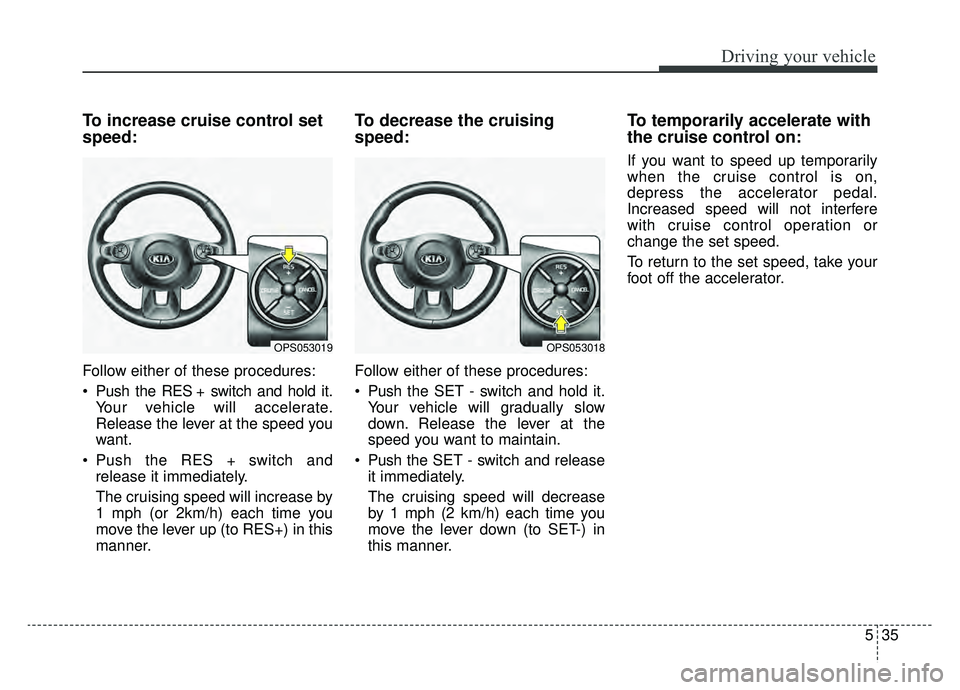
Follow either of these procedures:
Push the RES + switch and hold it.Your vehicle will accelerate.
Release the lever at the speed you
want.
Push the RES + switch and release it immediately.
The cruising speed will increase by
1 mph (or 2km/h) each time you
move the lever up (to RES+) in this
manner.
To decrease the cruising
speed:
Follow either of these procedures:
Push the SET - switch and hold it.Your vehicle will gradually slow
down. Release the lever at the
speed you want to maintain.
Push the SET - switch and release it immediately.
The cruising speed will decrease
by 1 mph (2 km/h) each time you
move the lever down (to SET-) in
this manner.
To temporarily accelerate with
the cruise control on:
If you want to speed up temporarily
when the cruise control is on,
depress the accelerator pedal.
Increased speed will not interfere
with cruise control operation or
change the set speed.
To return to the set speed, take your
foot off the accelerator.
OPS053019OPS053018
Page 427 of 455
769
Maintenance
Finish damage repair
Deep scratches or stone chips in the
painted surface must be repaired
promptly. Exposed metal will quickly
rust and may develop into a major
repair expense.
✽ ✽NOTICE
If your vehicle is damaged and
requires any metal repair or
replacement, be sure the body shop
applies anti-corrosion materials to
the parts repaired or replaced.
Bright-metal maintenance
To remove road tar and insects,
use a tar remover, not a scraper or
other sharp object.
To protect the surfaces of bright- metal parts from corrosion, apply a
coating of wax or chrome preser-
vative and rub to a high luster.
During winter weather or in coastal areas, cover the bright metal parts
with a heavier coating of wax or
preservative. If necessary, coat the
parts with non-corrosive petroleum
jelly or other protective compound.
Underbody maintenance
Road salt and other corrosive chemi-
cals are used in cold weather states to
melt snow and prevent ice accumula-
tion. If these chemicals are not regu-
larly removed, they will corrode the
vehicle underbody and over time dam-
age fuel lines, the fuel tank retention
system, the vehicle suspension, the
exhaust system, and even the body
frame. The National Highway Traffic
Safety Administration has warned all
vehicle owners of all brands of the
need to take the following steps: Wash the undercarriage of your
vehicle regularly during the winter
and whenever your vehicle has
been exposed to such salts or
chemicals.
Do a thorough washing of the undercarriage at the end of the
winter.
Use professional service techni- cians or governmental inspection
stations to annually inspect for cor-
rosion.
Immediately seek an inspection of your vehicle if you become visually
aware of corrosion flaking or scal-
ing or if you become aware of a
change in vehicle performance,
such as soft or spongy brakes, flu-
ids leaking, impairment of direc-
tional control, suspension noises
or rattling metal straps.
CAUTION- Drying vehicle
Wiping dust or dirt off the body with a dry cloth willscratch the finish.
Do not use steel wool, abra- sive cleaners, acid detergentsor strong detergents contain-ing high alkaline or causticagents on chrome-plated oranodized aluminum parts.This may result in damage tothe protective coating andcause discoloration or paintdeterioration.
Page 442 of 455
Specifications, Consumer information and Reporting safety defects
10
8
Roadside Assistance is provided on all new current
model year Kia Vehicles from the date the vehicle is deliv-
ered to the first retail buyer or otherwise put into use (in-
service date), whichever is earlier, for a period of 60
months or 60,000 miles, whichever is earlier, subject to
the terms, conditions and exclusions set forth in the Kia
Warranty and Consumer Information Manual applicable
to your model year vehicle.
KMA reserves the right to limit or deny services or other
benefits to any owner or driver when, in KMA's judgment,
the claims and/or service requests are excessive in fre-
quency or type of occurrence.
Toll free consumer assistance
Kia's toll-free Consumer Assistance hot line is staffed
from 5:00 AM to 6:00 PM PST, Monday through Friday
and is accessible by dialing 1-800-333-4Kia (4542).
For more information regarding assistance available,
please refer to your Kia Warranty & Consumer
Information Manual.
Emergency roadside assistance
Kia's toll free Roadside Assistance hot line is staffed 24
hours a day, 365 days a year and is accessible by dialing
1-800-333-4Kia (4542).
Please note that you must provide your Vehicle
Identification Number (VIN) to verify coverage at the time
of your call. The VIN can be found on the dash of your
vehicle on the driver’s side, on the door jamb of the dri-
ver’s door, your vehicle’s registration or proof of insur-
ance card.
Kia utilizes a network of over 30,000 roadside assistance
providers. Should you accidentally, require a battery
jump, or need help changing a tire, a Kia Roadside
Assistance Representative will dispatch someone to,
change a flat tire with your inflated spare, or arrange a
battery jump to allow you to proceed to your destination.
We have access to a network of over 10,000 locksmiths
to help you should you become locked out of your Kia.
In the event that mechanical difficulty renders your vehi-
cle undriveable due to a warranty-related concern, Kia’s
Roadside Assistance Representative will arrange to
transport your vehicle to the nearest Kia dealer or to an
alternative service location.
CONSUMER ASSISTANCE (U.S. ONLY)
Page 451 of 455
I5
Index
Map lamp . . . . . . . . . . . . . . . . . . . . . . . . . . . . . . . . 4-90
Room lamp . . . . . . . . . . . . . . . . . . . . . . . . . . . . . . . . 4-91
Vanity mirror lamp . . . . . . . . . . . . . . . . . . . . . . . . . . 4-92
Interior overview. . . . . . . . . . . . . . . . . . . . . . . . . . . . . . . 2-4
LCD display . . . . . . . . . . . . . . . . . . . . . . . . . . . . . . . . . 4-46 A/V mode . . . . . . . . . . . . . . . . . . . . . . . . . . . . . . . . . 4-48
EV information mode. . . . . . . . . . . . . . . . . . . . . . . . 4-47
LCD modes . . . . . . . . . . . . . . . . . . . . . . . . . . . . . . . 4-46
Service mode . . . . . . . . . . . . . . . . . . . . . . . . . . . . . . 4-48
User settings mode . . . . . . . . . . . . . . . . . . . . . . . . . . 4-49
Warning messages . . . . . . . . . . . . . . . . . . . . . . . . . . 4-52
Light bulbs . . . . . . . . . . . . . . . . . . . . . . . . . . . . . . . . . . 7-57\
Front light replacement . . . . . . . . . . . . . . . . . . . . . . 7-58
High mounted stop light bulb replacement . . . . . . . 7-64
Interior light bulb replacement. . . . . . . . . . . . . . . . . 7-66
License plate light bulb replacement . . . . . . . . . . . . 7-65
Rear combination light bulb replacement . . . . . . . . 7-62
Side repeater light bulb replacement . . . . . . . . . . . . 7-62
Lighting. . . . . . . . . . . . . . . . . . . . . . . . . . . . . . . . . . . . \
. 4-81 Abnormal lamp operation . . . . . . . . . . . . . . . . . . . . 4-82
Abnormal lamp operation due to stabilization of electric control system . . . . . . . . . . . . . . . . . . . . . . 4-82
Battery saver function . . . . . . . . . . . . . . . . . . . . . . . 4-81
Daytime running light . . . . . . . . . . . . . . . . . . . . . . . 4-81
Front fog light . . . . . . . . . . . . . . . . . . . . . . . . . . . . . 4-86 Headlamp escort . . . . . . . . . . . . . . . . . . . . . . . . . . . . 4-81
High beam operation . . . . . . . . . . . . . . . . . . . . . . . . 4-84
Lighting control . . . . . . . . . . . . . . . . . . . . . . . . . . . . 4-82
Turn signals and lane change signals . . . . . . . . . . . . 4-85
Luggage volume . . . . . . . . . . . . . . . . . . . . . . . . . . . . . . . 8-3
Maintenance services . . . . . . . . . . . . . . . . . . . . . . . . . . . 7-3 Owner maintenance precautions . . . . . . . . . . . . . . . . 7-4
Owner’s responsibility . . . . . . . . . . . . . . . . . . . . . . . . 7-3
Mirrors . . . . . . . . . . . . . . . . . . . . . . . . . . . . . . . . . . . . \
. 4-35 Inside rearview mirror . . . . . . . . . . . . . . . . . . . . . . . 4-35
Outside rearview mirror . . . . . . . . . . . . . . . . . . . . . . 4-37
Motor number . . . . . . . . . . . . . . . . . . . . . . . . . . . . . . . . . 8-8
Motor room compartment . . . . . . . . . . . . . . . . . . . . 2-6, 7-3
Owner maintenance . . . . . . . . . . . . . . . . . . . . . . . . . . . . 7-5 Owner maintenance schedule. . . . . . . . . . . . . . . . . . . 7-5
Panoramic sunroof . . . . . . . . . . . . . . . . . . . . . . . . . . . . 4-24 Closing the sunroof . . . . . . . . . . . . . . . . . . . . . . . . . 4-28
Resetting the sunroof . . . . . . . . . . . . . . . . . . . . . . . . 4-29
Sliding the sunroof . . . . . . . . . . . . . . . . . . . . . . . . . . 4-25
L
M
O
P