2019 KIA SOUL EV reset
[x] Cancel search: resetPage 200 of 455
463
Features of your vehicle
Average Vehicle Speed (2)
The average vehicle speed is cal-culated by the total driving dis-
tance and driving time since the
last average vehicle speed reset.
- Speed range: 160 MPH or 200km/h
To reset the average vehicle speed, press the RESET ( ) button on
the steering wheel for more than 1
second when the average vehicle
speed is displayed.
✽ ✽ NOTICE
• The average vehicle speed is not dis-
played if the driving distance is less
than 0.03 miles (50 meters) or the
driving time is less than 10 seconds
since the POWER button is turned
to ON.
• Even if the vehicle is not in motion, the average vehicle speed
keeps going while the vehicle is in
the ready ( ) mode.
Elapsed Time (3)
The elapsed time is the total driv-
ing time since the last elapsed time
reset.
- Time range (hh:mm): 00:00 ~ 99:59
To reset the elapsed time, press the RESET ( ) button on the
steering wheel for more than 1
second when the elapsed time is
displayed.
✽ ✽ NOTICE
Even if the vehicle is not in motion,
the elapsed time keeps going while
the vehicle is in the ready ( )
mode.
One time driving information mode
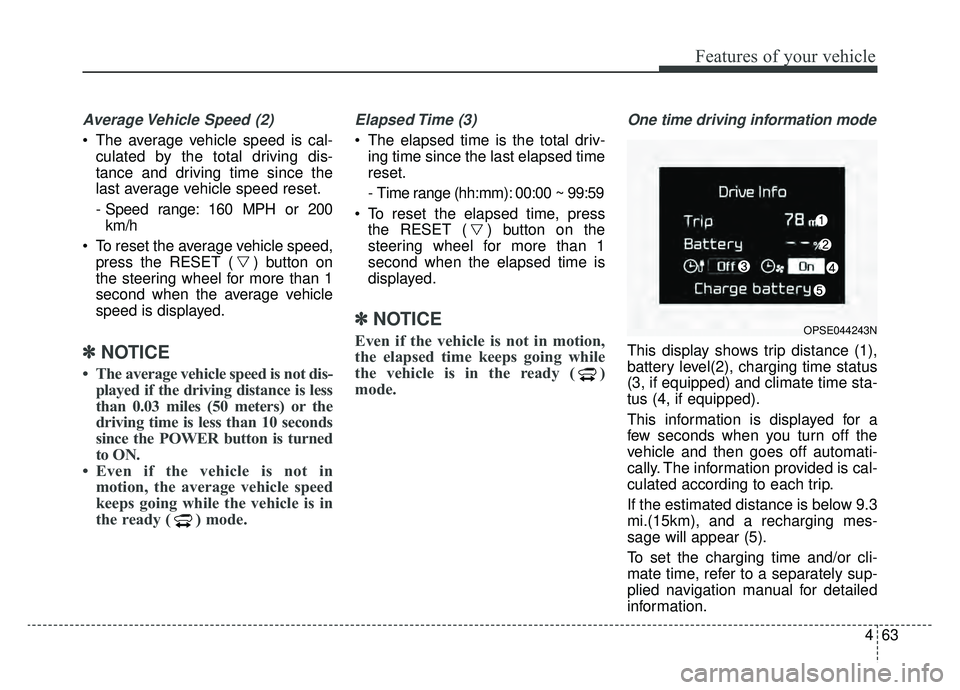
This display shows trip distance (1),
battery level(2), charging time status
(3, if equipped) and climate time sta-
tus (4, if equipped).
This information is displayed for a
few seconds when you turn off the
vehicle and then goes off automati-
cally. The information provided is cal-
culated according to each trip.
If the estimated distance is below 9.3
mi.(15km), and a recharging mes-
sage will appear (5).
To set the charging time and/or cli-
mate time, refer to a separately sup-
plied navigation manual for detailed
information.
OPSE044243N
Page 237 of 455
Features of your vehicle
100
4
The temperature will decrease to the
minimum (62°F(17°C)) by pushing
the button ( ).
When pushing the button, the tem-
perature will increase or decrease by
0.5°C/1°F. When set to the lowest
temperature setting, the air condi-
tioning will operate continuously.
B
The temperature will increase to the
maximum (90°F(32°C)) by turning
the knob to the right extreme.
The temperature will decrease to the
minimum (62°F(17°C)) by turning the
knob to the left extreme.
When turning the knob, the tempera-
ture will increase or decrease by
0.5°C/1°F. When set to the lowest
temperature setting, the air condi-
tioning will operate continuously. Temperature scale conversion
If the battery has been discharged or
disconnected, the temperature mode
display will reset to Centigrade.
This is normal condition. You can
switch the temperature scale as fol-
lows;
While pressing the AUTO button,
press the OFF button for 3 seconds
or more. The temperature scale will
change from Centigrade to
Fahrenheit, or from Fahrenheit to
Centigrade.
The temperature unit (from °C to °F
or from °F to °C) can be changed by
using the “User Settings” mode of the
LCD display.
❈
If you change the temperature
unit, the temperature unit on the
instrument cluster is changed as
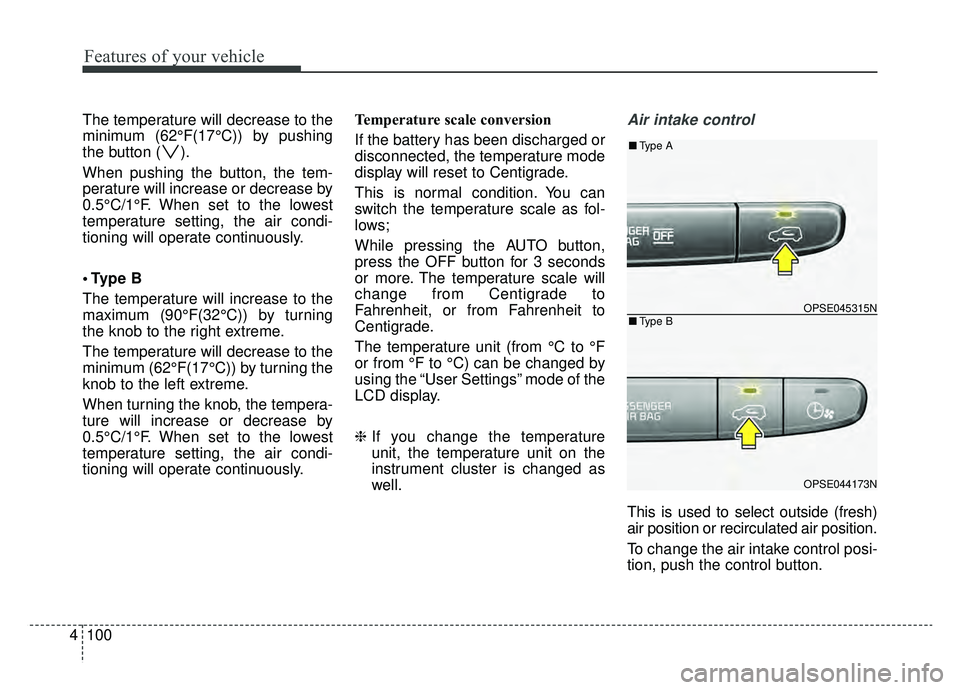
well.Air intake control
This is used to select outside (fresh)
air position or recirculated air position.
To change the air intake control posi-
tion, push the control button.
OPSE045315N
OPSE044173N
■Type B
■Type A
Page 243 of 455
Features of your vehicle
106
4
Climate information screen
selection (if equipped)
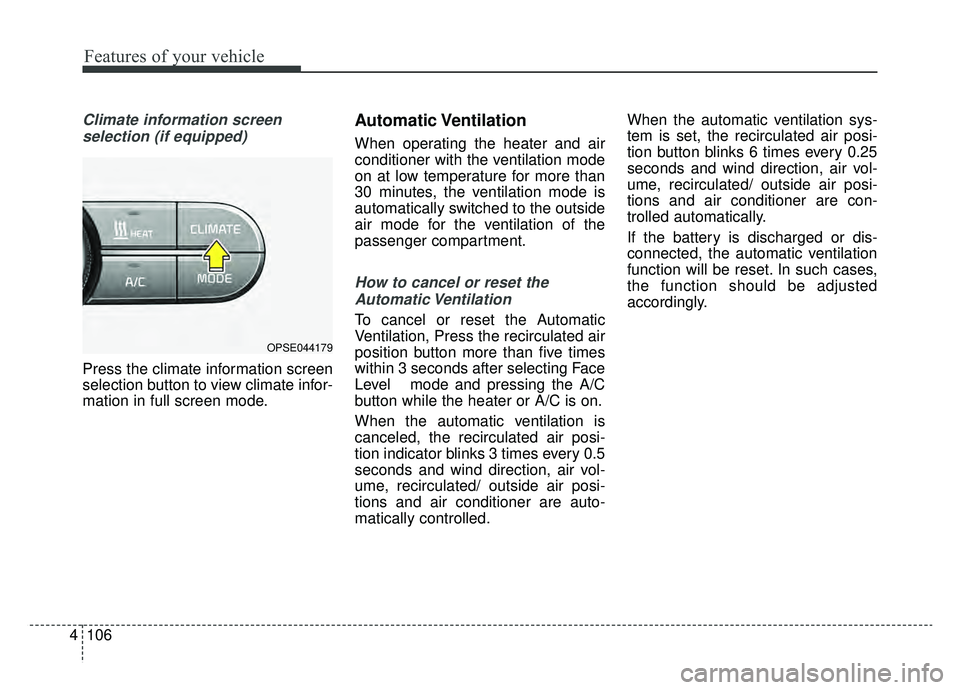
Press the climate information screen
selection button to view climate infor-
mation in full screen mode.
Automatic Ventilation
When operating the heater and air
conditioner with the ventilation mode
on at low temperature for more than
30 minutes, the ventilation mode is
automatically switched to the outside
air mode for the ventilation of the
passenger compartment.
How to cancel or reset theAutomatic Ventilation
To cancel or reset the Automatic
Ventilation, Press the recirculated air
position button more than five times
within 3 seconds after selecting Face
Level mode and pressing the A/C
button while the heater or A/C is on.
When the automatic ventilation is
canceled, the recirculated air posi-
tion indicator blinks 3 times every 0.5
seconds and wind direction, air vol-
ume, recirculated/ outside air posi-
tions and air conditioner are auto-
matically controlled. When the automatic ventilation sys-
tem is set, the recirculated air posi-
tion button blinks 6 times every 0.25
seconds and wind direction, air vol-
ume, recirculated/ outside air posi-
tions and air conditioner are con-
trolled automatically.
If the battery is discharged or dis-
connected, the automatic ventilation
function will be reset. In such cases,
the function should be adjusted
accordingly.
OPSE044179
Page 250 of 455
4113
Features of your vehicle
Defogging logic
To reduce the possibility of fogging up
the inside of the windshield, the air
intake or air-conditioning and heater
are controlled automatically accord-
ing to certain conditions such as
or position. To cancel or return to
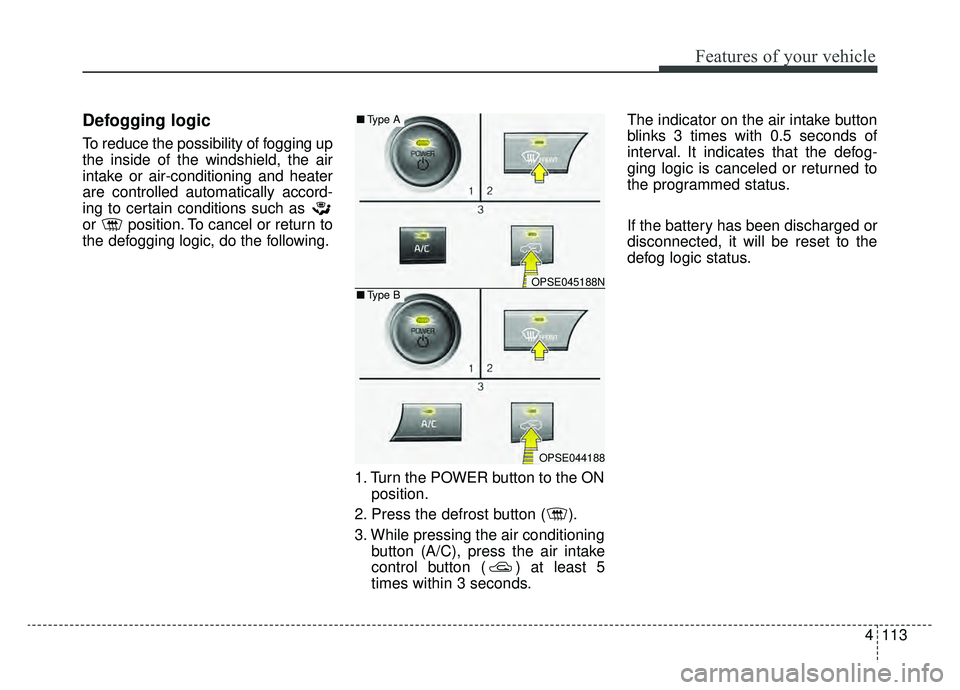
the defogging logic, do the following.1. Turn the POWER button to the ONposition.
2. Press the defrost button ( ).
3. While pressing the air conditioning button (A/C), press the air intake
control button ( ) at least 5
times within 3 seconds. The indicator on the air intake button
blinks 3 times with 0.5 seconds of
interval. It indicates that the defog-
ging logic is canceled or returned to
the programmed status.
If the battery has been discharged or
disconnected, it will be reset to the
defog logic status.
OPSE045188N
OPSE044188
■
Type B
■Type A
Page 252 of 455
4115
Features of your vehicle
AUTO DEFOGGING SYSTEM
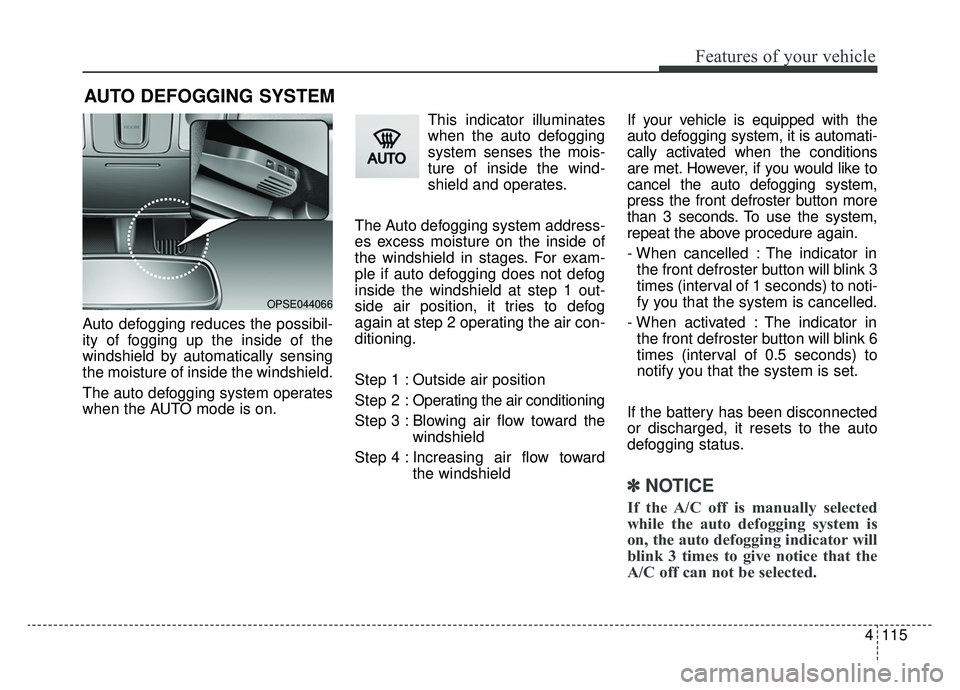
Auto defogging reduces the possibil-
ity of fogging up the inside of the
windshield by automatically sensing
the moisture of inside the windshield.
The auto defogging system operates
when the AUTO mode is on.This indicator illuminates
when the auto defogging
system senses the mois-
ture of inside the wind-
shield and operates.
The Auto defogging system address-
es excess moisture on the inside of
the windshield in stages. For exam-
ple if auto defogging does not defog
inside the windshield at step 1 out-
side air position, it tries to defog
again at step 2 operating the air con-
ditioning.
Step 1 : Outside air position
Step 2 : Operating the air conditioning
Step 3 : Blowing air flow toward the windshield
Step 4 : Increasing air flow toward the windshield If your vehicle is equipped with the
auto defogging system, it is automati-
cally activated when the conditions
are met. However, if you would like to
cancel the auto defogging system,
press the front defroster button more
than 3 seconds. To use the system,
repeat the above procedure again.
- When cancelled : The indicator in
the front defroster button will blink 3
times (interval of 1 seconds) to noti-
fy you that the system is cancelled.
- When activated : The indicator in the front defroster button will blink 6
times (interval of 0.5 seconds) to
notify you that the system is set.
If the battery has been disconnected
or discharged, it resets to the auto
defogging status.
✽ ✽ NOTICE
If the A/C off is manually selected
while the auto defogging system is
on, the auto defogging indicator will
blink 3 times to give notice that the
A/C off can not be selected.
OPSE044066
Page 273 of 455
Features of your vehicle
136
4
USING iPod®DEVICE
iPhone®is a registered grademark of
Apple inc.
Some iPod
®models may not sup-
port communication protocol and
files may not properly play.
Supported iPod
®models:
- iPhone
®3GS/4
- iPod
®touch 1st~4th generation
- iPod
®nano 1st~6th generation
- iPod
®classic
The order of search or playback of songs in the iPod
®can be different
from the order searched in the
audio system.
If the iPod
®is disabled due to its
own malfunction, reset the iPod®.
(Reset: Refer to iPod®manual)
An iPod
®may not operate normally
on low battery.
(Continued)
(Continued)
Some USB flash memory read-
ers (such as CF, SD, micro SD,
etc.) or external-HDD type
devices can be unrecognizable.
Music files protected by DRM (DIGITAL RIGHTS MANAGE-
MENT) are not recognizable.
The data in the USB memory may be lost while using this
audio. Always back up important
data on a personal storage
device.
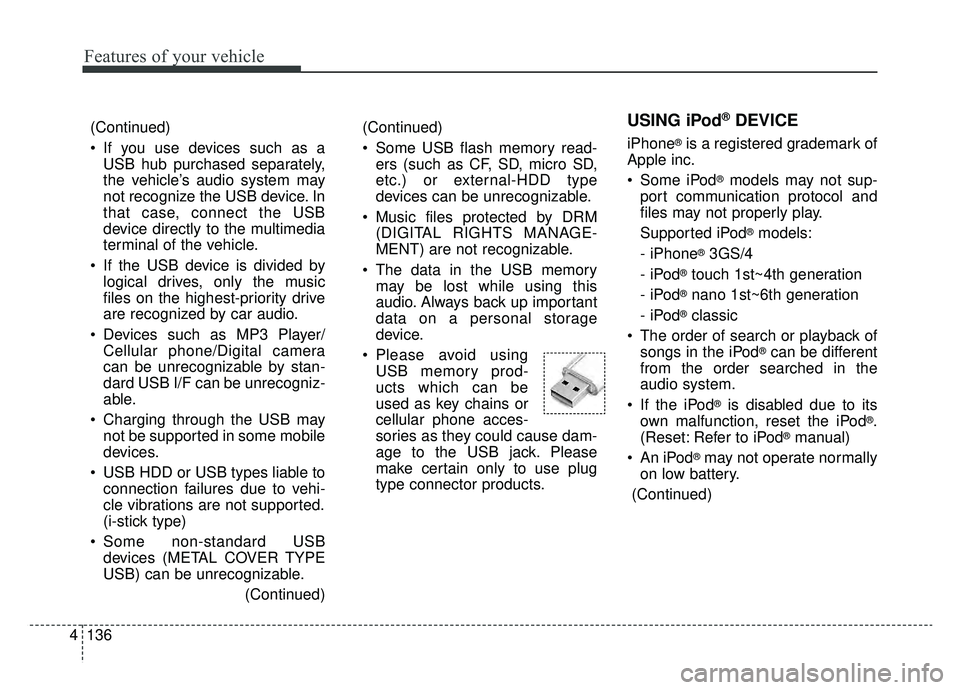
Please avoid using USB memory prod-
ucts which can be
used as key chains or
cellular phone acces-
sories as they could cause dam-
age to the USB jack. Please
make certain only to use plug
type connector products.
(Continued)
If you use devices such as aUSB hub purchased separately,
the vehicle’s audio system may
not recognize the USB device. In
that case, connect the USB
device directly to the multimedia
terminal of the vehicle.
If the USB device is divided by logical drives, only the music
files on the highest-priority drive
are recognized by car audio.
Devices such as MP3 Player/ Cellular phone/Digital camera
can be unrecognizable by stan-
dard USB I/F can be unrecogniz-
able.
Charging through the USB may not be supported in some mobile
devices.
USB HDD or USB types liable to connection failures due to vehi-
cle vibrations are not supported.
(i-stick type)
Some non-standard USB devices (METAL COVER TYPE
USB) can be unrecognizable.
(Continued)
Page 315 of 455
Driving your vehicle
36
5
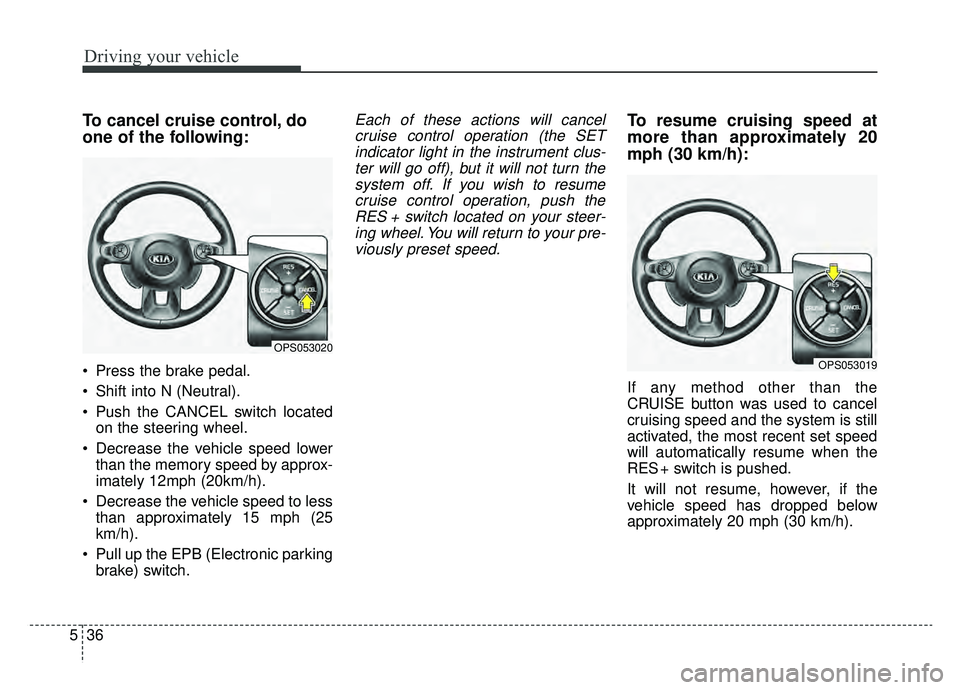
To cancel cruise control, do
one of the following:
Press the brake pedal.
Shift into N (Neutral).
Push the CANCEL switch located
on the steering wheel.
Decrease the vehicle speed lower than the memory speed by approx-
imately 12mph (20km/h).
Decrease the vehicle speed to less than approximately 15 mph (25
km/h).
Pull up the EPB (Electronic parking brake) switch.
Each of these actions will cancelcruise control operation (the SETindicator light in the instrument clus-ter will go off), but it will not turn thesystem off. If you wish to resumecruise control operation, push theRES + switch located on your steer-ing wheel. You will return to your pre-viously preset speed.To resume cruising speed at
more than approximately 20
mph (30 km/h):
If any method other than the
CRUISE button was used to cancel
cruising speed and the system is still
activated, the most recent set speed
will automatically resume when the
RES + switch is pushed.
It will not resume, however, if the
vehicle speed has dropped below
approximately 20 mph (30 km/h).
OPS053020
OPS053019
Page 387 of 455
729
Maintenance
When recharging the battery,
observe the following precautions:
The battery must be removed fromthe vehicle and placed in an area
with good ventilation.
Do not allow cigarettes, sparks, or flame near the battery.
Watch the battery during charging, and stop or reduce the charging
rate if the battery cells begin
gassing (boiling) violently or if the
temperature of the electrolyte of
any cell exceeds 120°F (49°C).
Wear eye protection when check- ing the battery during charging.
Disconnect the battery charger in the following order. 1.Turn off the battery charger main
switch.
2.Unhook the negative clamp from the negative battery terminal.
3.Unhook the positive clamp from the positive battery terminal.
Before performing maintenance or recharging the battery, turn off all
accessories and stop the vehicle.
The negative battery cable must be removed first and installed last
when the battery is disconnected.Reset items
Items should be reset after the bat-
tery has been discharged or the bat-
tery has been disconnected.
Auto up/down window (See chapter 4)
Trip computer (See chapter 4)
Climate control system (See chapter 4)
Audio (See chapter 4)