2019 KIA SORENTO stop
[x] Cancel search: stopPage 9 of 573
Introduction
61
As with other vehicles of this type,
failure to operate this vehicle correct-
ly may result in loss of control, an
accident or vehicle rollover.
Specific design characteristics (high-
er ground clearance, track, etc.) give
this vehicle a higher center of gravity
than other types of vehicles. In other
words they are not designed for cor-
nering at the same speeds as con-
ventional 2-wheel drive vehicles.
Avoid sharp turns or abrupt maneu-
vers. Again, failure to operate this
vehicle correctly may result in loss of
control, an accident or vehicle
rollover.Be sure to read the
“Reducing the risk of a rollover”
driving guidelines, in section 5 of
this manual. No special break-in period is need-
ed. By following a few simple precau-
tions for the first 1,000 km (600
miles) you may add to the perform-
ance, economy and life of your vehi-
cle.
Do not race the engine.
While driving, keep your engine
speed (rpm, or revolutions per
minute) between 2,000 rpm and
4,000 rpm.
Do not maintain a single speed for long periods of time, either fast or
slow. Varying engine speed is
needed to properly break-in the
engine.
Avoid hard stops, except in emer- gencies, to allow the brakes to seat
properly.
Don't tow a trailer during the first 2,000 km (1,200 miles) of opera-
tion.
VEHICLE BREAK-IN
PROCESS
VEHICLE HANDLING
INSTRUCTIONS
Page 13 of 573
23
Your vehicle at a glance
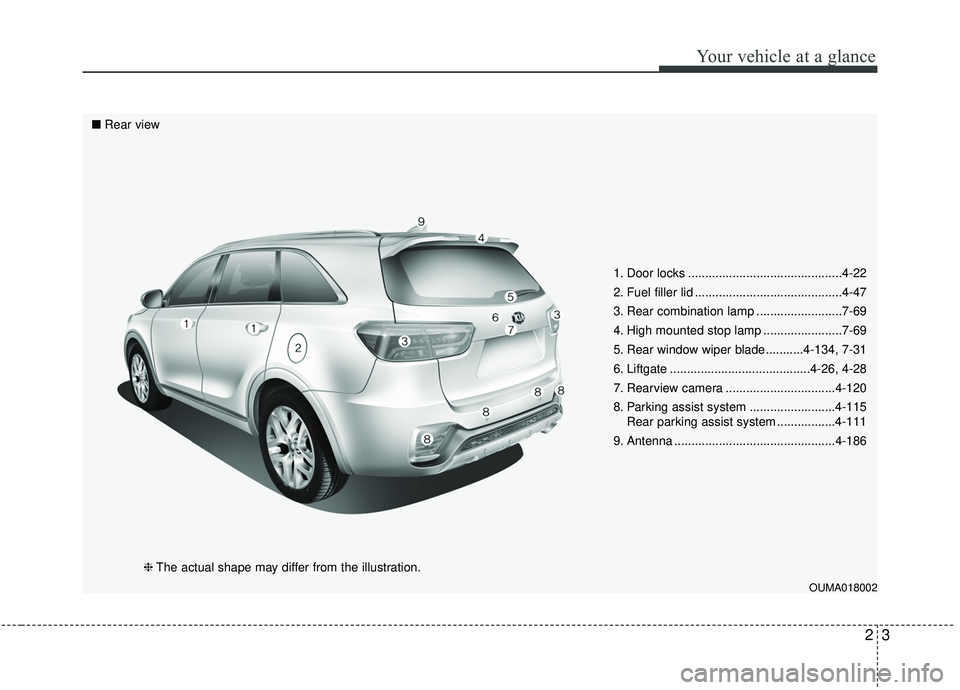
1. Door locks .............................................4-22
2. Fuel filler lid ...........................................4-47
3. Rear combination lamp .........................7-69
4. High mounted stop lamp .......................7-69
5. Rear window wiper blade ...........4-134, 7-31
6. Liftgate .........................................4-26, 4-28
7. Rearview camera ................................4-120
8. Parking assist system .........................4-115Rear parking assist system .................4-111
9. Antenna ...............................................4-186
OUMA018002
■ Rear view
❈The actual shape may differ from the illustration.
Page 15 of 573

25
Your vehicle at a glance
INSTRUMENT PANEL OVERVIEW
1. Driver’s front air bag ............................3-59
2. Horn.....................................................4-60
3. Instrument cluster ................................4-76
4. Wiper and washer control lever .........4-131
5. Ignition switch or Engine start/stop button ...............5-7, 5-10
6. Cruise control/ Smart cruise control ...................5-63, 5-67
7. Hazard warning flasher .........................6-2
8. Climate control system...........4-141, 4-152
9. Shift lever.............................................5-14
10. Front seat warmer/ Seat cooler ...........................4-173, 4-174
11. Heated steering wheel button ...........4-59
12. Drive mode button .............................5-86
13. AWD Lock button...............................5-21
14. 360° camera monitoring system On/Off button ...................................4-121
15. Parking assist system On/Off button ...................................4-115
16. Electronic parking brake (EPB) button ......................................5-30
17. AUTO HOLD button...........................5-36
18. USB charger ....................................4-178
19. Power outlet.....................................4-175
20. AC inverter ......................................4-176
21. Glove box ........................................4-169
22. Passenger’s front air bag ..................3-59
23. Center console storage box ............4-169
OUMA018004❈ The actual shape may differ from the illustration.
Page 20 of 573
33
Safety features of your vehicle
WARNING- Uprightingseat
Do not press the release lever
on a manual seatback without
holding and controlling the
seatback. The seatback will
spring upright possibly impact-
ing you or other passengers.
WARNING- Loose objects
Do not place anything in the dri-
ver's foot well or under the front
seats. Loose objects in the dri-
ver's foot area could interfere
with the operation of the foot
pedals.WARNING- Driver respon-
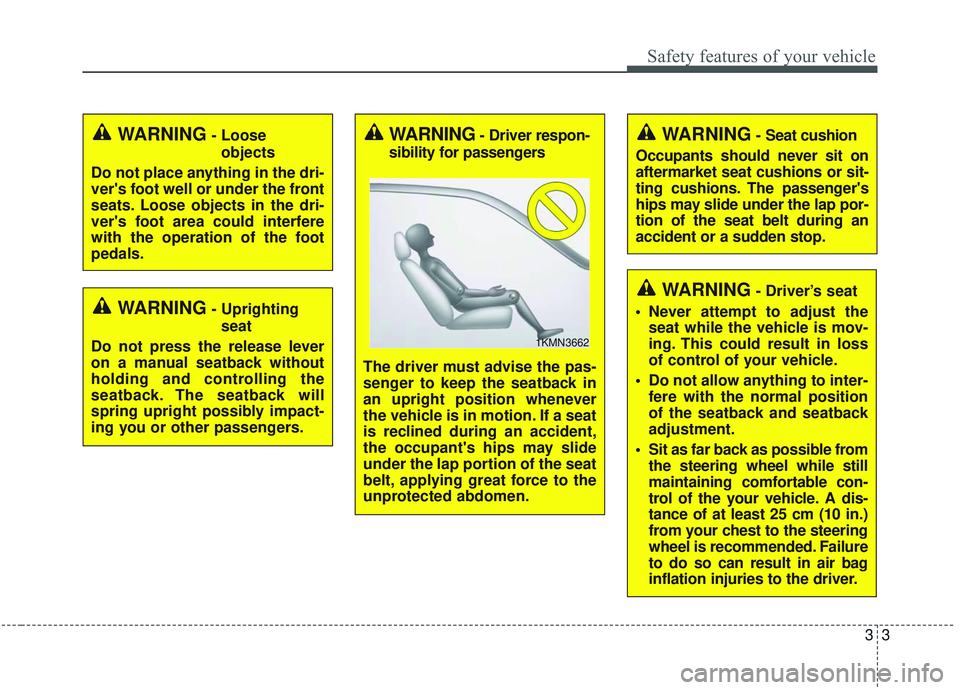
sibility for passengers
The driver must advise the pas-
senger to keep the seatback in
an upright position whenever
the vehicle is in motion. If a seat
is reclined during an accident,
the occupant's hips may slide
under the lap portion of the seat
belt, applying great force to the
unprotected abdomen.
1KMN3662
WARNING- Seat cushion
Occupants should never sit on
aftermarket seat cushions or sit-
ting cushions. The passenger's
hips may slide under the lap por-
tion of the seat belt during an
accident or a sudden stop.
WARNING- Driver’s seat
Never attempt to adjust the seat while the vehicle is mov-
ing. This could result in loss
of control of your vehicle.
Do not allow anything to inter- fere with the normal position
of the seatback and seatback
adjustment.
Sit as far back as possible from the steering wheel while still
maintaining comfortable con-
trol of the your vehicle. A dis-
tance of at least 25 cm (10 in.)
from your chest to the steering
wheel is recommended. Failure
to do so can result in air bag
inflation injuries to the driver.
Page 27 of 573
Safety features of your vehicle
10
3
Driver position memory system
(if equipped, for power seat)
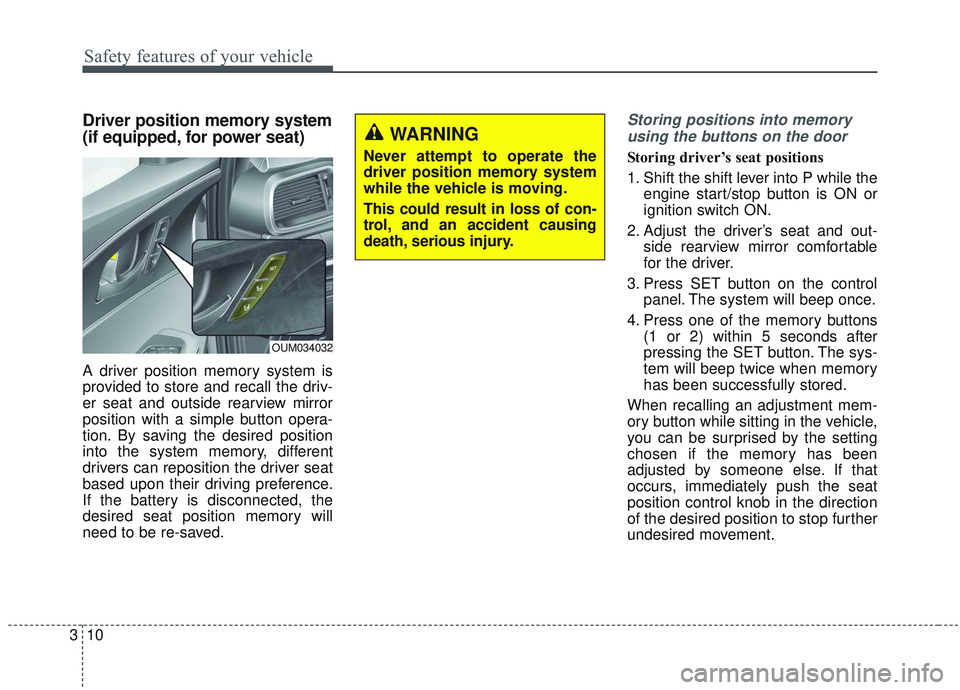
A driver position memory system is
provided to store and recall the driv-
er seat and outside rearview mirror
position with a simple button opera-
tion. By saving the desired position
into the system memory, different
drivers can reposition the driver seat
based upon their driving preference.
If the battery is disconnected, the
desired seat position memory will
need to be re-saved.
Storing positions into memory
using the buttons on the door
Storing driver’s seat positions
1. Shift the shift lever into P while the engine start/stop button is ON or
ignition switch ON.
2. Adjust the driver’s seat and out- side rearview mirror comfortable
for the driver.
3. Press SET button on the control panel. The system will beep once.
4. Press one of the memory buttons (1 or 2) within 5 seconds after
pressing the SET button. The sys-
tem will beep twice when memory
has been successfully stored.
When recalling an adjustment mem-
ory button while sitting in the vehicle,
you can be surprised by the setting
chosen if the memory has been
adjusted by someone else. If that
occurs, immediately push the seat
position control knob in the direction
of the desired position to stop further
undesired movement.
WARNING
Never attempt to operate the
driver position memory system
while the vehicle is moving.
This could result in loss of con-
trol, and an accident causing
death, serious injury.
OUM034032
Page 28 of 573
311
Safety features of your vehicle
Recalling positions from memory
1. Shift the shift lever into P while theengine start/stop button is ON or
ignition switch ON.
2. To recall the position in the memo- ry, press the desired memory but-
ton (1 or 2). The system will beep
once, then the driver’s seat will
automatically adjust to the stored
position.
Adjusting the control switch for the
driver’s seat while the system is
recalling the stored position will
cause the movement to stop and
move in the direction that the control
switch is moved.Easy access function (if equipped)
The system will move the driver's
seat automatically as follows:
Without smart key system
- It will move the driver’s seat rear-ward when the ignition key is
removed.
- It will move the driver’s seat for- ward when the ignition key is
inserted.
With smart key system - It will move the driver’s seat rear-ward when the engine start/stop
button is changed to the OFF
position.
- It will move the driver’s seat for- ward when the engine start/stop
button is changed to the ACC or
START position.
You can activate or deactivate this fea-
ture. Refer to "User settings" in chap-
ter 4.
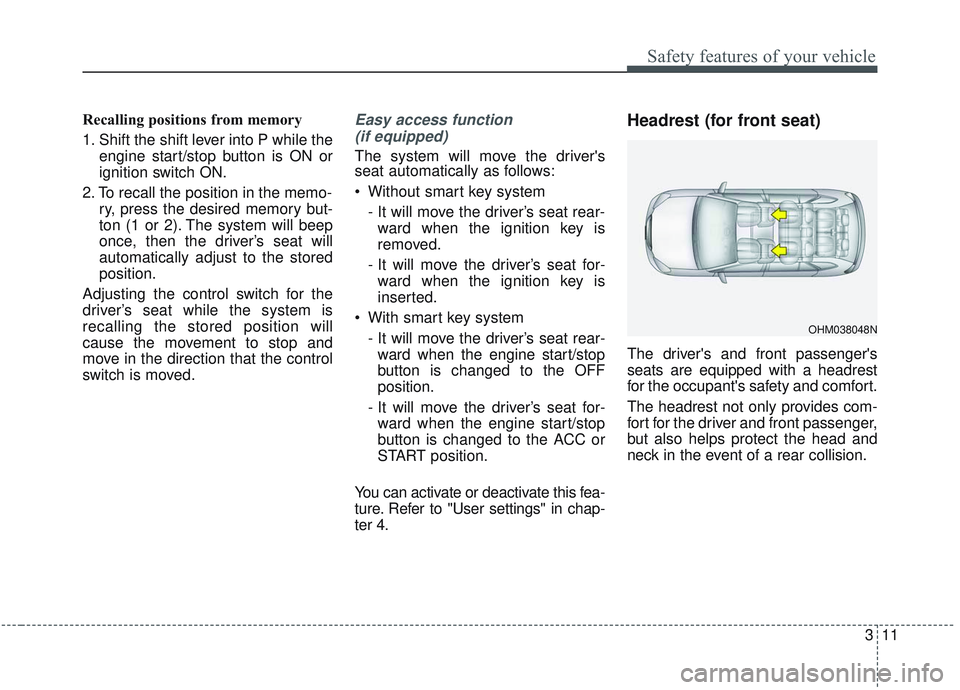
Headrest (for front seat)
The driver's and front passenger's
seats are equipped with a headrest
for the occupant's safety and comfort.
The headrest not only provides com-
fort for the driver and front passenger,
but also helps protect the head and
neck in the event of a rear collision.
OHM038048N
Page 34 of 573
317
Safety features of your vehicle
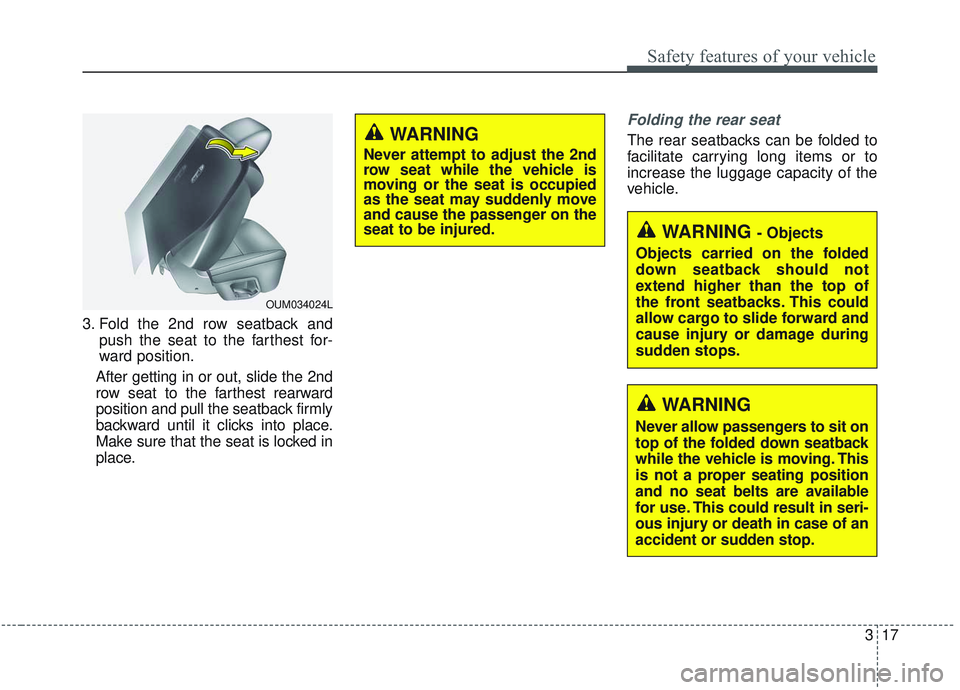
3. Fold the 2nd row seatback andpush the seat to the farthest for-
ward position.
After getting in or out, slide the 2nd
row seat to the farthest rearward
position and pull the seatback firmly
backward until it clicks into place.
Make sure that the seat is locked in
place.
Folding the rear seat
The rear seatbacks can be folded to
facilitate carrying long items or to
increase the luggage capacity of the
vehicle.
WARNING - Objects
Objects carried on the folded
down seatback should not
extend higher than the top of
the front seatbacks. This could
allow cargo to slide forward and
cause injury or damage during
sudden stops.
WARNING
Never allow passengers to sit on
top of the folded down seatback
while the vehicle is moving. This
is not a proper seating position
and no seat belts are available
for use. This could result in seri-
ous injury or death in case of an
accident or sudden stop.
WARNING
Never attempt to adjust the 2nd
row seat while the vehicle is
moving or the seat is occupied
as the seat may suddenly move
and cause the passenger on the
seat to be injured.
OUM034024L
Page 45 of 573
Safety features of your vehicle
28
3
*1Warning pattern repeats 11 times with
an interval of 24 seconds. If the driver's
seat belt is buckled, the light will stop
within 6 seconds and chime will stop
immediately.
*
2The light will stop within 6 seconds and
chime will stop immediately.
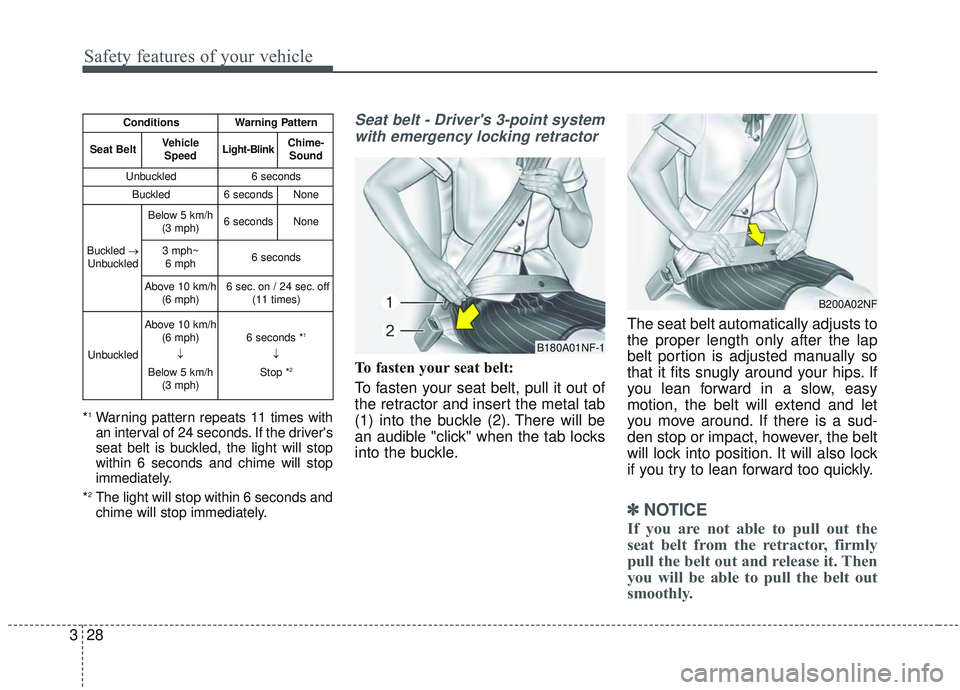
Seat belt - Driver's 3-point system with emergency locking retractor
To fasten your seat belt:
To fasten your seat belt, pull it out of
the retractor and insert the metal tab
(1) into the buckle (2). There will be
an audible "click" when the tab locks
into the buckle. The seat belt automatically adjusts to
the proper length only after the lap
belt portion is adjusted manually so
that it fits snugly around your hips. If
you lean forward in a slow, easy
motion, the belt will extend and let
you move around. If there is a sud-
den stop or impact, however, the belt
will lock into position. It will also lock
if you try to lean forward too quickly.
✽ ✽
NOTICE
If you are not able to pull out the
seat belt from the retractor, firmly
pull the belt out and release it. Then
you will be able to pull the belt out
smoothly.
ConditionsWarning Pattern
Seat BeltVehicle
SpeedLight-BlinkChime-Sound
Unbuckled6 seconds
Buckled6 secondsNone
Buckled →
Unbuckled
Below 5 km/h (3 mph)6 secondsNone
3 mph~6 mph6 seconds
Above 10 km/h (6 mph)6 sec. on / 24 sec. off (11 times)
Unbuckled
Above 10 km/h(6 mph)
↓
Below 5 km/h (3 mph)6 seconds *1
↓
Stop *2
B180A01NF-1
B200A02NF