Page 318 of 573

541
Driving your vehicle
When you drive on a road havingpoor traction, such as an icy road,
and have operated your brakes
continuously, the ABS will be active
continuously and the ABS warning
light may illuminate. Pull your vehi-
cle over to a safe place and stop
the engine.
Restart the engine. If the ABS warning light goes off, then your
ABS system is normal. Otherwise,
you may have a problem with the
ABS. Contact an authorized Kia
dealer as soon as possible.
✽ ✽ NOTICE
When you jump start your vehicle
because of a drained battery, the
engine may not run as smoothly and
the ABS warning light may turn on
at the same time. This happens
because of low battery voltage. It
does not mean your ABS has mal-
functioned.
• Do not pump your brakes!
• Have the battery recharged before
driving the vehicle.
Electronic stability control
(ESC)
The Electronic Stability control
(ESC) system is designed to stabi-
lize the vehicle during cornering
maneuvers. ESC checks where you
are steering and where the vehicle is
actually going. ESC applies the
brakes on individual wheels and
intervenes with the engine manage-
ment system to stabilize the vehicle. Electronic stability control (ESC) will
not prevent accidents. Excessive
speed in turns, abrupt maneuvers
and hydroplaning on wet surfaces
can still result in serious accidents.
Only a safe and attentive driver can
prevent accidents by avoiding
maneuvers that cause the vehicle to
lose traction. Even with ESC
installed, always follow all the normal
precautions for driving - including
driving at safe speeds for the condi-
tions.
OUMA058019
Page 320 of 573
543
Driving your vehicle
ESC operation off
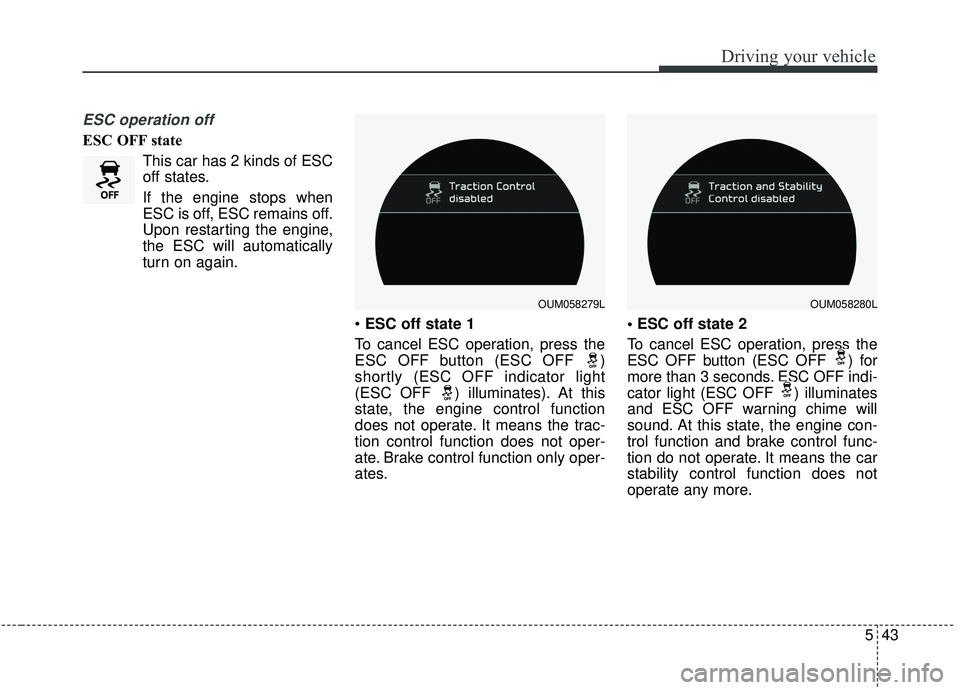
ESC OFF stateThis car has 2 kinds of ESC
off states.
If the engine stops when
ESC is off, ESC remains off.
Upon restarting the engine,
the ESC will automatically
turn on again.
ESC off state 1
To cancel ESC operation, press the
ESC OFF button (ESC OFF )
shortly (ESC OFF indicator light
(ESC OFF ) illuminates). At this
state, the engine control function
does not operate. It means the trac-
tion control function does not oper-
ate. Brake control function only oper-
ates.
To cancel ESC operation, press the
ESC OFF button (ESC OFF ) for
more than 3 seconds. ESC OFF indi-
cator light (ESC OFF ) illuminates
and ESC OFF warning chime will
sound. At this state, the engine con-
trol function and brake control func-
tion do not operate. It means the car
stability control function does not
operate any more.
OUM058279LOUM058280L
Page 324 of 573
547
Driving your vehicle
Hill-start assist control (HAC)
A vehicle has the tendency to roll
back on a steep hill when it starts to
go after stopping. The Hill-start
Assist Control (HAC) prevents the
vehicle from rolling back by applying
the brakes automatically for about 2
seconds. The brakes are released
when the accelerator pedal is
depressed or after about 2 seconds.
The HAC is activated only for about 2
seconds, so when the vehicle is
starting off always depress the accel-
erator pedal.
Good braking practices
Check to be sure the parking brakeis not engaged and the parking
brake indicator light is out before
driving away.
Driving through water may get the brakes wet. They can also get wet
when the vehicle is washed. Wet
brakes can be dangerous! Your
vehicle will not stop as quickly if the
brakes are wet. Wet brakes may
cause the vehicle to pull to one
side.
To dry the brakes, apply the brakes
lightly until the braking action
returns to normal, taking care to
keep the vehicle under control at
all times. If the braking action does
not return to normal, stop as soon
as it is safe to do so and call an
authorized Kia dealer for assis-
tance.WARNING- Maintaining
Brake Pressure on Incline
HAC does not replace the need
to apply brakes while stopped
on an incline. While stopped,
make sure you maintain brake
pressure sufficient to prevent
your vehicle from rolling back-
ward and causing an accident.
Don’t release the brake pedal
until you are ready to accelerate
forward.
Page 348 of 573

571
Driving your vehicle
To temporarily accelerate with thecruise control on:
If you want to speed up temporarily
when the cruise control is on,
depress the accelerator pedal.
Increased speed will not interfere
with cruise control operation or
change the set speed.
To return to the set speed, take your
foot off the accelerator.
If you move the lever down (to SET-)
at increased speed, the cruising
speed will be set again.
✽ ✽ NOTICE
Be careful when accelerating tem-
porarily, because the speed is not
regulated automatically at this time
even if there is a vehicle in front of
you.
Smart cruise control system will
be temporarily canceled when:
Cancelled manually
The smart cruise control system is
temporarily canceled when the brake
pedal is depressed or the CANCEL
button is pressed. The speed and
vehicle to vehicle distance indicator
on the cluster will disappear and the
CRUISE indicator is illuminated con-
tinuously. Cancelled automatically
The driver's door is opened.
The shift lever is shifted to N
(Neutral), R (Reverse) or P(Parking).
The EPB (electronic parking brake) is applied.
The vehicle speed is over 190 km/h (120 mph)
The ESC, ABS or TCS is operat- ing.
The ESC is turned off.
The sensor or the cover is dirty or blocked with foreign matter.
The driver starts driving by pushing the lever up (RES +) or down
(SET -) or depressing the acceler-
ator pedal approximately 3 sec-
onds after the vehicle is stopped by
the smart cruise control system
with no other vehicle ahead or a
vehicle stopped far away in front.
The engine speed is in dangerous range.
OUM058349CN
Page 349 of 573
Driving your vehicle
72
5
The smart cruise control system
has malfunctioned.
The accelerator pedal is continu- ously depressed for long time.
When the braking control is operat- ed for Forward Collision-Avoidance
Assist(FCA)
The vehicle is stopped for more than 5 minutes.
The driver starts driving by pushing the toggle switch up (RES+)/down
(SET-) or depressing the accelera-
tor pedal, after the vehicle is
stopped by the Smart Cruise
Control system with no other vehi-
cle ahead.
The vehicle stops and goes repeat- edly for a long period of time.
When the parking brake is locked. Engine has some problems.
Each of these actions will cancel the
smart cruise control system opera-
tion. (The set speed and vehicle-to-
vehicle distance on the LCD display
will go off.)
If the smart cruise control system is
cancelled automatically, the smart
cruise control system will not
resume even though the RES+ or
SET- lever is moved.
If the smart cruise control system is
cancelled by a reason not men-
tioned, have the system checked by
an authorized Kia dealer.
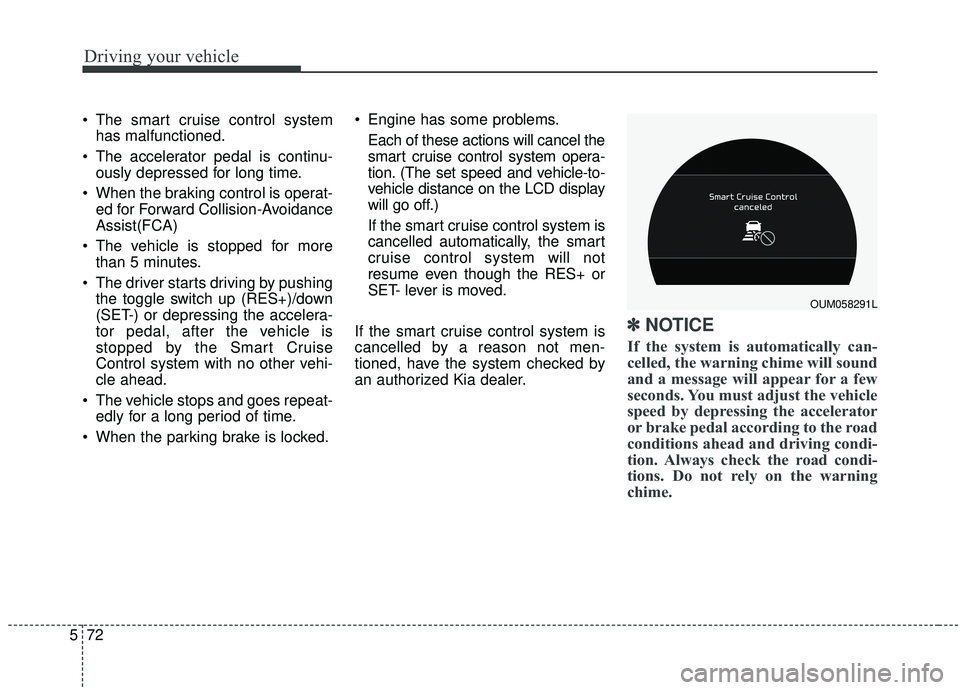
✽ ✽ NOTICE
If the system is automatically can-
celled, the warning chime will sound
and a message will appear for a few
seconds. You must adjust the vehicle
speed by depressing the accelerator
or brake pedal according to the road
conditions ahead and driving condi-
tion. Always check the road condi-
tions. Do not rely on the warning
chime.
OUM058291L
Page 353 of 573
Driving your vehicle
76
5
The vehicle will maintain the set
speed, when the lane ahead is
clear.
The vehicle will slow down or speed up within selected speed to
maintain the selected distance,
when there is a vehicle ahead of
you in the lane. (A vehicle will
appear in front of your vehicle in
the LCD display only when there is
an actual vehicle in front of you)
If the vehicle ahead speeds up, your vehicle will travel at a steady
cruising speed after accelerating to
the selected speed.
The warning chime sounds and LCD display blinks if it is hard to
maintain the selected distance to
the vehicle ahead.
If the warning chime sounds, actively adjust the vehicle speed by
depressing the brake pedal
according to the road condition
ahead and driving condition.
Even if the warning chime is not acti- vated, always pay attention to the
driving conditions to prevent danger-
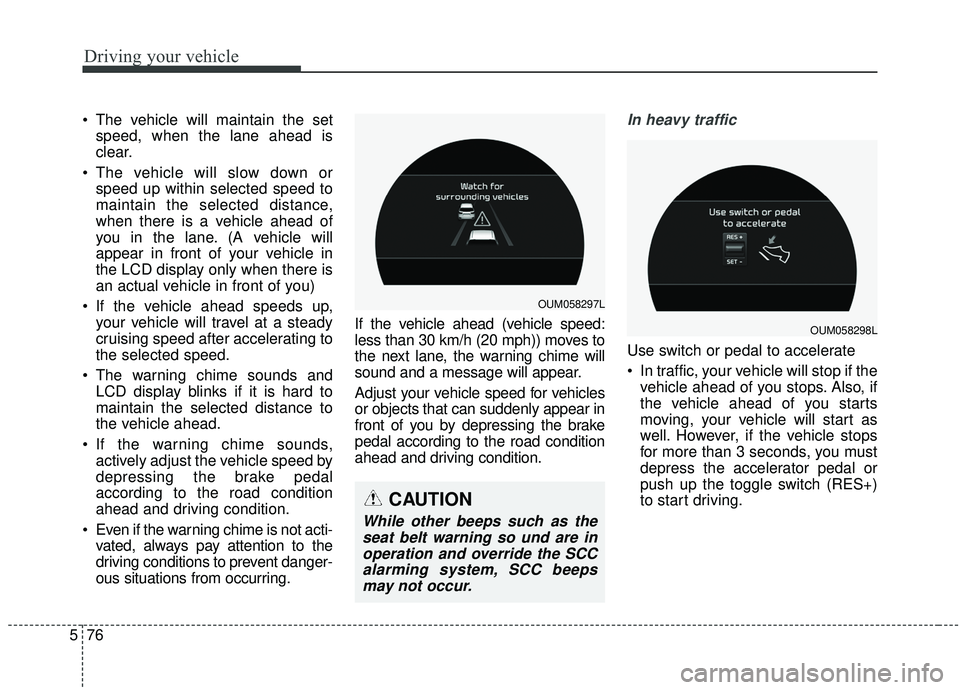
ous situations from occurring. If the vehicle ahead (vehicle speed:
less than 30 km/h (20 mph)) moves to
the next lane, the warning chime will
sound and a message will appear.
Adjust your vehicle speed for vehicles
or objects that can suddenly appear in
front of you by depressing the brake
pedal according to the road condition
ahead and driving condition.In heavy traffic
Use switch or pedal to accelerate
In traffic, your vehicle will stop if the
vehicle ahead of you stops. Also, if
the vehicle ahead of you starts
moving, your vehicle will start as
well. However, if the vehicle stops
for more than 3 seconds, you must
depress the accelerator pedal or
push up the toggle switch (RES+)
to start driving.
OUM058297L
OUM058298L
CAUTION
While other beeps such as theseat belt warning so und are inoperation and override the SCCalarming system, SCC beepsmay not occur.
Page 354 of 573
577
Driving your vehicle
If you push the smart cruise controltoggle switch (RES+ or SET-) while
Auto Hold and smart cruise control
is operating the Auto Hold will be
released regardless of accelerator
pedal operation and the vehicle will
start to move. The AUTO HOLD
indicator changes from green to
white. (if equipped with EPB
(Electronic Parking Brake))Radar to detect distance to the
vehicle ahead
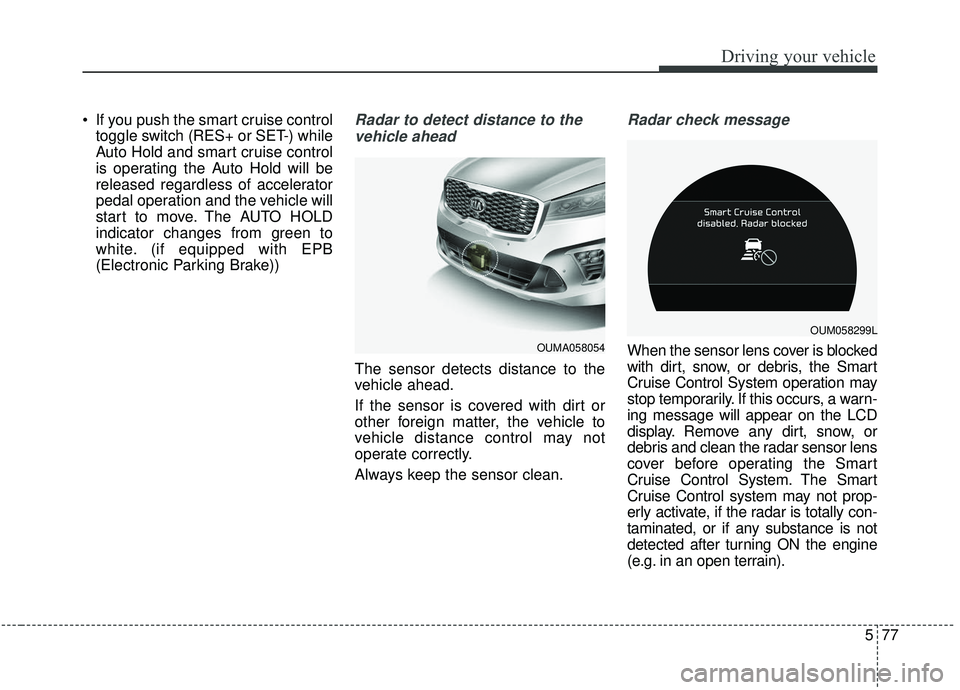
The sensor detects distance to the
vehicle ahead.
If the sensor is covered with dirt or
other foreign matter, the vehicle to
vehicle distance control may not
operate correctly.
Always keep the sensor clean.
Radar check message
When the sensor lens cover is blocked
with dirt, snow, or debris, the Smart
Cruise Control System operation may
stop temporarily. If this occurs, a warn-
ing message will appear on the LCD
display. Remove any dirt, snow, or
debris and clean the radar sensor lens
cover before operating the Smart
Cruise Control System. The Smart
Cruise Control system may not prop-
erly activate, if the radar is totally con-
taminated, or if any substance is not
detected after turning ON the engine
(e.g. in an open terrain).OUMA058054
OUM058299L
Page 360 of 573
583
Driving your vehicle
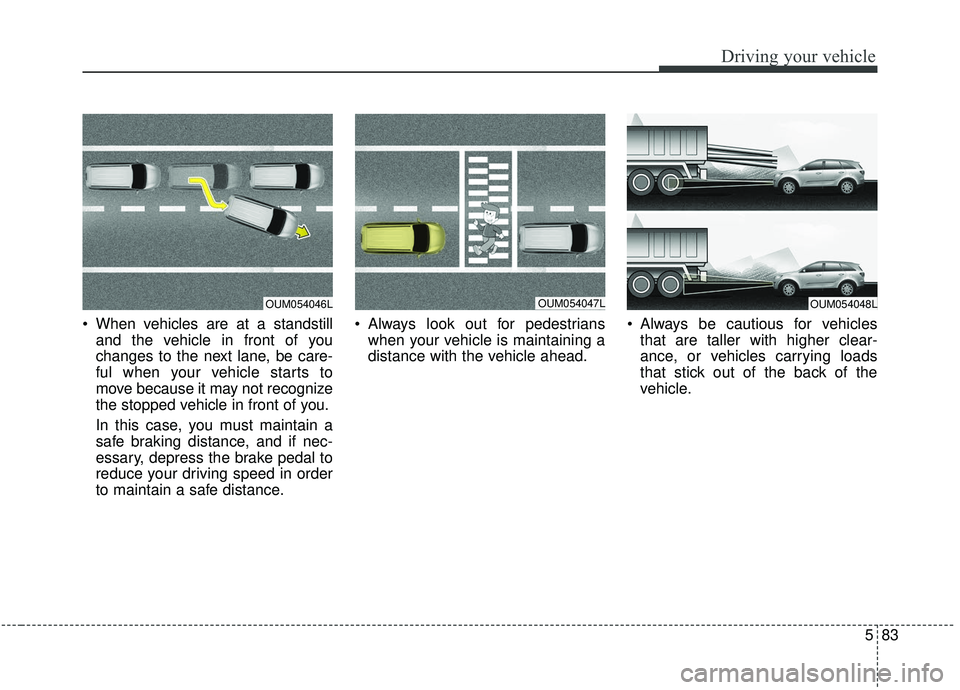
When vehicles are at a standstilland the vehicle in front of you
changes to the next lane, be care-
ful when your vehicle starts to
move because it may not recognize
the stopped vehicle in front of you.
In this case, you must maintain a
safe braking distance, and if nec-
essary, depress the brake pedal to
reduce your driving speed in order
to maintain a safe distance. Always look out for pedestrians
when your vehicle is maintaining a
distance with the vehicle ahead. Always be cautious for vehicles
that are taller with higher clear-
ance, or vehicles carrying loads
that stick out of the back of the
vehicle.
OUM054047LOUM054048LOUM054046L