2019 KIA SORENTO ignition
[x] Cancel search: ignitionPage 191 of 573

4103
Features of your vehicle
Charging SystemWarning Light
This warning light illuminates:
Once you set the ignition switch or Engine Start/Stop Button to the ON
position.
- It remains on until the engine isstarted.
When there is a malfunction with either the alternator or electrical
charging system.
If there is a malfunction with either
the alternator or electrical charging
system:
1. Drive carefully to the nearest safe location and stop your vehicle.
2. Turn the engine off and check the alternator drive belt for looseness
or breakage.
If the belt is adjusted properly,
there may be a problem in the
electrical charging system.
In this case, have your vehicle
inspected by an authorized Kia
dealer as soon as possible.
Engine Oil Pressure Warning Light
This warning light illuminates:
Once you set the ignition switch or Engine Start/Stop Button to the ON
position.
- It remains on until the engine isstarted.
When the engine oil pressure is low.
If the engine oil pressure is low:
1. Drive carefully to the nearest safe location and stop your vehicle.
2. Turn the engine off and check the engine oil level (For more details,
refer to “Engine Oil” in section 7). If
the level is low, add oil as required.
If the warning light remains on
after adding oil or if oil is not avail-
able, have your vehicle inspected
by an authorized Kia dealer as
soon as possible.
CAUTION - Catalytic
Converter Damage
If the Malfunction Indicator Lamp (MIL) illuminates, poten-tial catalytic converter damageis possible which could result inloss of engine power.
In this case, have your vehicleinspected by an authorized Kiadealer as soon as possible.
CAUTION - Malfunction
Indicator Lamp (MIL)
Driving with the Malfunction Indicator Lamp (MIL) on maycause damage to the emissioncontrol systems which couldaffect drivability and/or fueleconomy.
Page 193 of 573

4105
Features of your vehicle
Low Fuel Level WarningLight
This warning light illuminates:
When the fuel tank is nearly empty.
If the fuel tank is nearly empty:
Add fuel as soon as possible.
Electronic Parking Brake(EPB) Warning Light(if equipped)
This warning light illuminates:
Once you set the ignition switch or Engine Start/Stop Button to the ON
position.
- It illuminates for approximately 3seconds and then goes off.
When there is a malfunction with the EPB.
In this case, have your vehicle
inspected by an authorized Kia
dealer.
✽ ✽ NOTICE- Electronic Parking
Brake (EPB) Warning Light
The Electronic Parking Brake
(EPB) Warning Light may illumi-
nate when the Electronic Stability
control (ESC) Indicator Light comes
on to indicate that the ESC is not
working properly (This does not
indicate malfunction of the EPB).
Master Warning light (if equipped)
This warning light informs the driv- er of the following situations
- LED head lamp malfunction (ifequipped)
- Smart Cruise Control with Stop & Go malfunction (if equipped)
- Forward Collision-Avoidance
- Assist malfunction (if equipped)
- Blind-Spot Collision Warning radar blind (if equipped)
- Smart Cruise Control with Stop & Go radar blind (if equipped)
- Lamp malfunction
- High Beam Assist malfunction (if equipped)
The Master Warning Light illumi
nates when more than one of the
above warning situations occur.
If the warning situation is solved, the
master warning light will be turned
off.
CAUTION - Low Fuel
Level
Driving with the Low Fuel Level warning light on or with the fuellevel below “0 or E” can causethe engine to misfire and dam-age the catalytic converter (ifequipped).
EPB
Page 194 of 573
Features of your vehicle
106
4
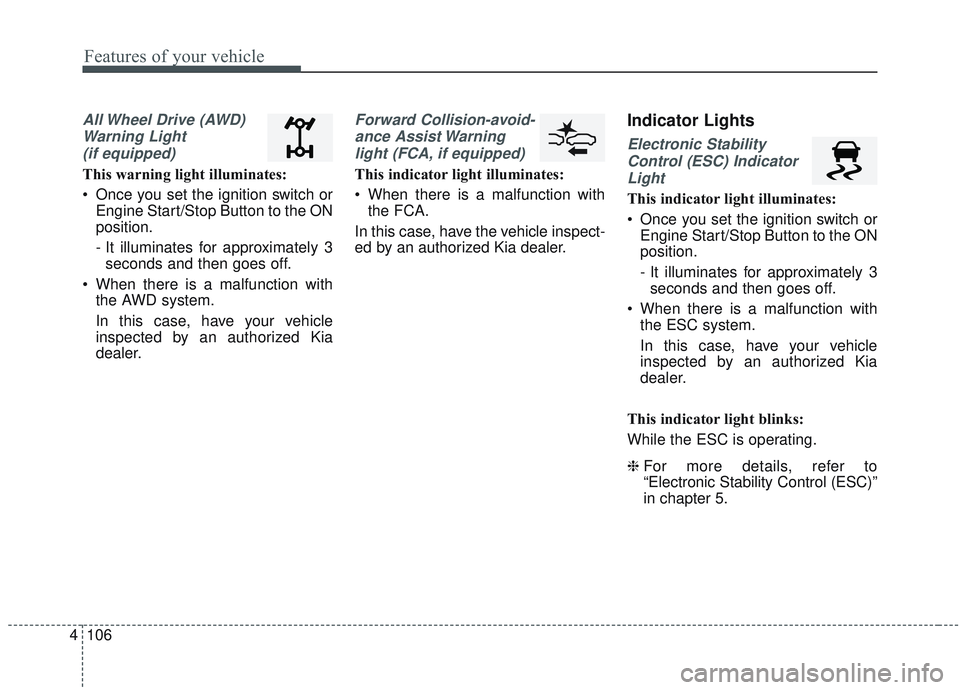
All Wheel Drive (AWD)
Warning Light (if equipped)
This warning light illuminates:
Once you set the ignition switch or Engine Start/Stop Button to the ON
position.
- It illuminates for approximately 3seconds and then goes off.
When there is a malfunction with the AWD system.
In this case, have your vehicle
inspected by an authorized Kia
dealer.
Forward Collision-avoid-
ance Assist Warninglight (FCA, if equipped)
This indicator light illuminates:
When there is a malfunction with the FCA.
In this case, have the vehicle inspect-
ed by an authorized Kia dealer.
Indicator Lights
Electronic Stability Control (ESC) IndicatorLight
This indicator light illuminates:
Once you set the ignition switch or Engine Start/Stop Button to the ON
position.
- It illuminates for approximately 3seconds and then goes off.
When there is a malfunction with the ESC system.
In this case, have your vehicle
inspected by an authorized Kia
dealer.
This indicator light blinks:
While the ESC is operating.
❈ For more details, refer to
“Electronic Stability Control (ESC)”
in chapter 5.
Page 195 of 573
4107
Features of your vehicle
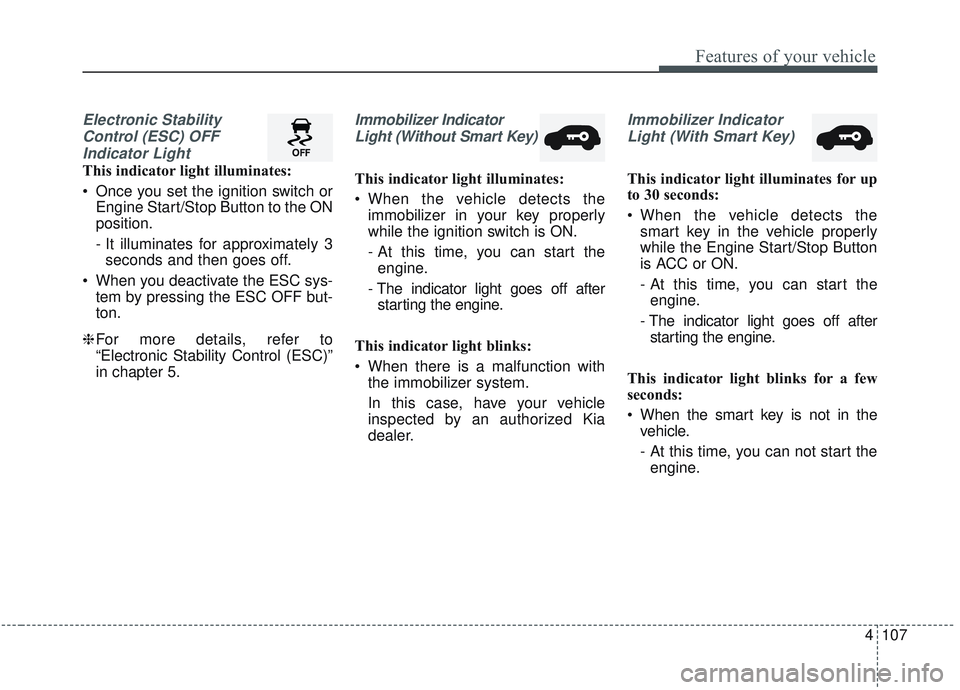
Electronic StabilityControl (ESC) OFFIndicator Light
This indicator light illuminates:
Once you set the ignition switch or Engine Start/Stop Button to the ON
position.
- It illuminates for approximately 3seconds and then goes off.
When you deactivate the ESC sys- tem by pressing the ESC OFF but-
ton.
❈ For more details, refer to
“Electronic Stability Control (ESC)”
in chapter 5.
Immobilizer Indicator
Light (Without Smart Key)
This indicator light illuminates:
When the vehicle detects the immobilizer in your key properly
while the ignition switch is ON.
- At this time, you can start theengine.
- The indicator light goes off after starting the engine.
This indicator light blinks:
When there is a malfunction with the immobilizer system.
In this case, have your vehicle
inspected by an authorized Kia
dealer.
Immobilizer Indicator
Light (With Smart Key)
This indicator light illuminates for up
to 30 seconds:
When the vehicle detects the smart key in the vehicle properly
while the Engine Start/Stop Button
is ACC or ON.
- At this time, you can start theengine.
- The indicator light goes off after starting the engine.
This indicator light blinks for a few
seconds:
When the smart key is not in the vehicle.
- At this time, you can not start theengine.
Page 197 of 573
4109
Features of your vehicle
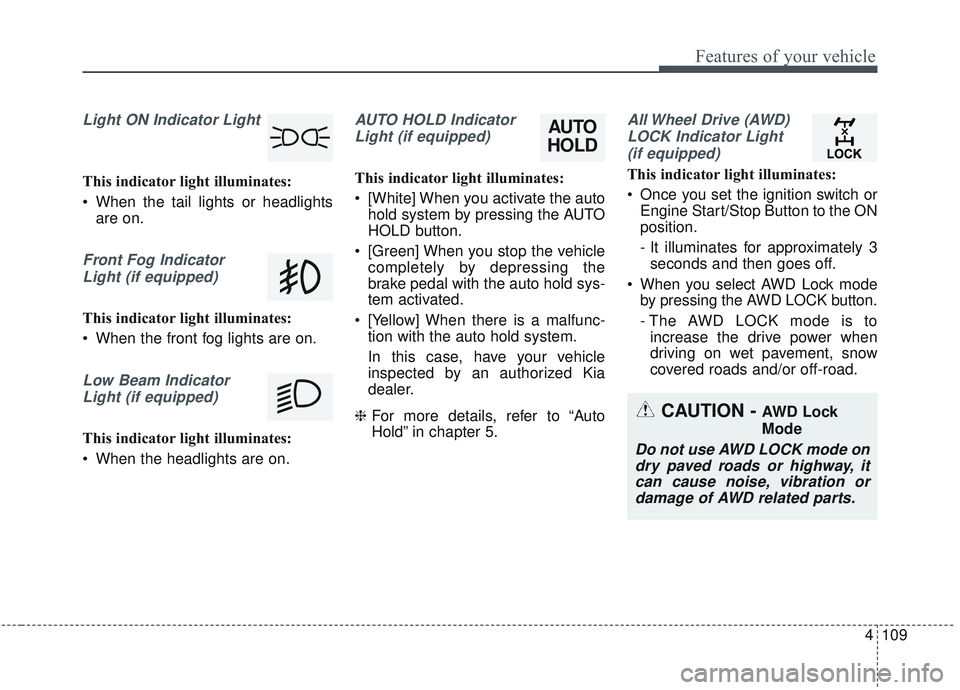
Light ON Indicator Light
This indicator light illuminates:
When the tail lights or headlightsare on.
Front Fog Indicator
Light (if equipped)
This indicator light illuminates:
When the front fog lights are on.
Low Beam IndicatorLight (if equipped)
This indicator light illuminates:
When the headlights are on.
AUTO HOLD IndicatorLight (if equipped)
This indicator light illuminates:
[White] When you activate the auto hold system by pressing the AUTO
HOLD button.
[Green] When you stop the vehicle completely by depressing the
brake pedal with the auto hold sys-
tem activated.
[Yellow] When there is a malfunc- tion with the auto hold system.
In this case, have your vehicle
inspected by an authorized Kia
dealer.
❈ For more details, refer to “Auto
Hold” in chapter 5.
All Wheel Drive (AWD)
LOCK Indicator Light (if equipped)
This indicator light illuminates:
Once you set the ignition switch or Engine Start/Stop Button to the ON
position.
- It illuminates for approximately 3seconds and then goes off.
When you select AWD Lock mode by pressing the AWD LOCK button.
- The AWD LOCK mode is toincrease the drive power when
driving on wet pavement, snow
covered roads and/or off-road.
CAUTION - AWD Lock
Mode
Do not use AWD LOCK mode ondry paved roads or highway, itcan cause noise, vibration ordamage of AWD related parts.
AUTO
HOLD
Page 200 of 573

Features of your vehicle
112
4
This system will activate when
backing up with the ignition switch
ON.
If the vehicle is moving at a speed
over 5 km/h (3 mph), the system
may not be activated correctly.
The sensing distance while the back-up warning system is in oper-
ation is approximately 120 cm (47
in.) at the rear bumper center area,
60 cm (23.5 in.) at the rear bumper
both side area.
When more than two objects are sensed at the same time, the clos-
est one will be recognized first.Types of warning sound
When an object is 120 cm to 61 cm(47 in. to 24 in.) from the rear
bumper: Buzzer beeps intermit-
tently.
When an object is 60 cm to 31 cm (24 in. to 12 in.) from the rear
bumper: Buzzer beeps more fre-
quently.
When an object is within 30 cm (12 in.) of the rear bumper:
Buzzer sounds continuously.
Non-operational conditions of
rear parking assist system
The rear parking assist system
may not operate properly when:
1. Moisture is frozen to the sensor. (It will operate normally when the
moisture has been cleared.)
2. The sensor is covered with foreign matter, such as snow or water, or
the sensor cover is blocked. (It will
operate normally when the materi-
al is removed or the sensor is no
longer blocked.)
3. Driving on uneven road surfaces (unpaved roads, gravel, bumps,
gradient).
4. Objects generating excessive noise (vehicle horns, loud motor-
cycle engines, or truck air brakes)
are within range of the sensor.
5. Heavy rain or water spray exists.
6. Wireless transmitters or mobile phones are within range of the
sensor.
7. The sensor is covered with snow.
8. Trailer towing
Page 203 of 573

4115
Features of your vehicle
The parking assist system assists
the driver during movement of the
vehicle by chiming if any object is
sensed within the distance of 100 cm
(39 in.) in front and 120 cm (47 in.)
behind the vehicle.This system is a supplemental sys-
tem and it is not intended to nor does
it replace the need for extreme care
and attention of the driver.
The sensing range and objects
detectable by the sensors (➀) are
limited. Whenever moving pay as
much attention to what is in front and
behind of you as you would in a vehi-
cle without a parking assist system.
Operation of the parking
assist system
Operating condition
This system activates when the
parking assist system button is
pressed with the ignition switch ON.
The indicator of the parking assist system button turns on automatical-
ly and activates the parking assist
system when you shift the gear to
the R (Reverse) position. It will turn
off automatically when you drive
above 20 km/h (12.4 mph).
PARKING ASSIST SYSTEM (IF EQUIPPED)
WARNING
The parking assist system is a
supplementary function only.
The operation of the parking
assist system can be affected
by several factors (including
environmental conditions).
It is the responsibility of the
driver to always check the front
and rear views before and while
parking.
OUMA048046
OUMA048047
■Rear
■Front
OUMA048048
Page 208 of 573
Features of your vehicle
120
4
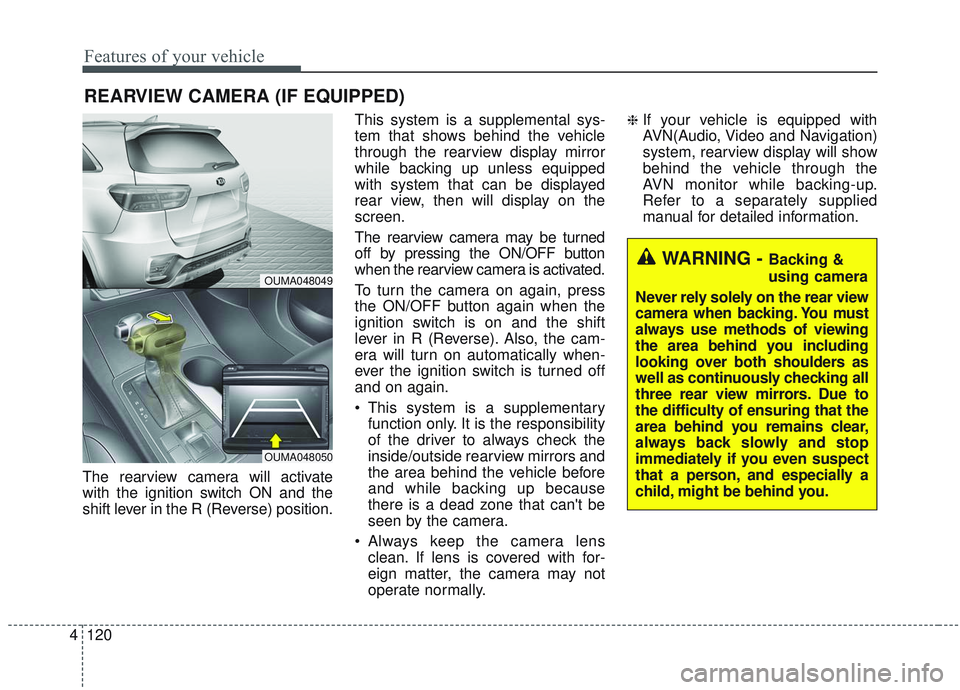
The rearview camera will activate
with the ignition switch ON and the
shift lever in the R (Reverse) position. This system is a supplemental sys-
tem that shows behind the vehicle
through the rearview display mirror
while backing up unless equipped
with system that can be displayed
rear view, then will display on the
screen.
The rearview camera may be turned
off by pressing the ON/OFF button
when the rearview camera is activated.
To turn the camera on again, press
the ON/OFF button again when the
ignition switch is on and the shift
lever in R (Reverse). Also, the cam-
era will turn on automatically when-
ever the ignition switch is turned off
and on again.
This system is a supplementary
function only. It is the responsibility
of the driver to always check the
inside/outside rearview mirrors and
the area behind the vehicle before
and while backing up because
there is a dead zone that can't be
seen by the camera.
Always keep the camera lens clean. If lens is covered with for-
eign matter, the camera may not
operate normally.
❈If your vehicle is equipped with
AVN(Audio, Video and Navigation)
system, rearview display will show
behind the vehicle through the
AVN monitor while backing-up.
Refer to a separately supplied
manual for detailed information.
REARVIEW CAMERA (IF EQUIPPED)
WARNING - Backing &
using camera
Never rely solely on the rear view
camera when backing. You must
always use methods of viewing
the area behind you including
looking over both shoulders as
well as continuously checking all
three rear view mirrors. Due to
the difficulty of ensuring that the
area behind you remains clear,
always back slowly and stop
immediately if you even suspect
that a person, and especially a
child, might be behind you.
OUMA048049
OUMA048050