Page 182 of 573

Features of your vehicle
94
4
Language
Choose the language
Reset
You can reset the menus in the User
Settings Mode. All menus in the User
Settings Mode are initialized, except
language and service interval.Warning Messages
Shift to P position
(for smart key system)
This warning message illuminates if you try to turn off the engine without
the shift lever in P (Park) position.
At this time, the Engine Start/Stop Button turns to the ACC position (If
you press the Engine Start/Stop
Button once more, it will turn to the
ON position).
Low Key Battery
(for smart key system)
This warning message illuminates if the battery of the smart key is
discharged when the Engine
Start/Stop Button changes to the
OFF position.
Press start button while turn
steering (for smart key system)
This warning message illuminates if the steering wheel does not
unlock normally when the Engine
Start/Stop Button is pressed.
It means that you should press the Engine Start/Stop Button while turn-
ing the steering wheel right and left.
Steering wheel unlocked
(for smart key system)
This warning message illuminates if the steering wheel does not lock
when the Engine Start/Stop Button
changes to the OFF position.
Page 183 of 573
495
Features of your vehicle
Press brake pedal to start engine (for smart key system)
This warning message illuminates if the Engine Start/Stop Button
changes to the ACC position twice
by pressing the button repeatedly
without depressing the brake pedal.
It means that you should depress the brake pedal to start the engine.
Check steering wheel lock sys-
tem (for smart key system)
This warning message illuminates if the steering wheel does not lock
normally when the Engine
Start/Stop Button changes to the
OFF position.
Key not in vehicle
(for smart key system)
This warning message illuminates if the smart key is not in the vehicle
when you press the Engine
Start/Stop Button.
It means that you should always have the smart key with you.
Key not detected
(for smart key system)
This warning message illuminates if the smart key is not detected
when you press the Engine
Start/Stop Button.
Press start button again
(for smart key system)
This warning message illuminates if you can not operate the Engine
Start/Stop Button when there is a
problem with the Engine Start/Stop
Button system.
It means that you could start the engine by pressing the Engine
Start/ Stop Button once more.
If the warning illuminates each time you press the Engine
Start/Stop Button, have your vehi-
cle inspected by an authorized Kia
dealer.
Page 185 of 573

497
Features of your vehicle
Sunroof Open (if equipped)
The warning message illuminatesif you turn off the engine and then
open the driver's door when the
sunroof is open.
Align steering wheel
This warning message illuminatesif you start the engine when the
steering wheel is turned to more
than 90 degrees to the left or right.
It means that you should turn the steering wheel and make the angle
of the steering wheel be less than
30 degrees.
Low Washer Fluid
This warning message illuminateson the service reminder mode if
the washer fluid level in the reser-
voir is nearly empty.
It means that you should refill the washer fluid.
Turn on FUSE SWITCH
This warning message illuminatesif the fuse switch on the fuse box is
OFF.
It means that you should turn the fuse switch on.
❈ For more details, refer to “Fuses”
in chapter 7.
Low Fuel
This warning message illuminates if
the fuel tank is nearly empty.
- When the low fuel level warning
light is illuminated.
- When the trip computer displays "--- km (or mile)" as range.
Add fuel as soon as possible.
OUM048135
Page 188 of 573

Features of your vehicle
100
4
Parking Brake & Brake
Fluid Warning Light
This warning light illuminates:
Once you set the ignition switch or Engine Start/Stop Button to the ON
position.
- It illuminates for approximately 3seconds
- It remains on if the parking brake is applied.
When the parking brake is applied.
When the brake fluid level in the reservoir is low.
- If the warning light illuminateswith the parking brake released, it
indicates the brake fluid level in
reservoir is low. If the brake fluid level in the reservoir
is low:
1. Drive carefully to the nearest safe
location and stop your vehicle.
2. With the engine stopped, check the brake fluid level immediately and add
fluid as required (For more details,
refer to “Brake Fluid” in chapter 7).
Then check all brake components
for fluid leaks. If any leaks in the
brake system are still found, the
warning light remains on, or the
brakes do not operate properly, do
not drive the vehicle.
In this case, have your vehicle
towed to an authorized Kia dealer
and inspected. Dual-diagonal braking system
Your vehicle is equipped with dual-
diagonal braking systems. This
means you still have braking on two
wheels even if one of the dual sys-
tems should fail.
With only one of the dual systems
working, more than normal pedal
travel and greater pedal pressure are
required to stop the vehicle.
Also, the vehicle will not stop in as
short a distance with only a portion
of the brake system working.
If the brakes fail while you are driv-
ing, shift to a lower gear for addition-
al engine braking and stop the vehi-
cle as soon as it is safe to do so.
Driving the vehicle with a warning
light ON is dangerous. If the Parking
Brake & Brake Fluid Warning Light
illuminates when the parking brake
released, it indicates that the brake
fluid level is low.
In this case, have your vehicle inspect-
ed by an authorized Kia dealer.
Page 194 of 573
Features of your vehicle
106
4
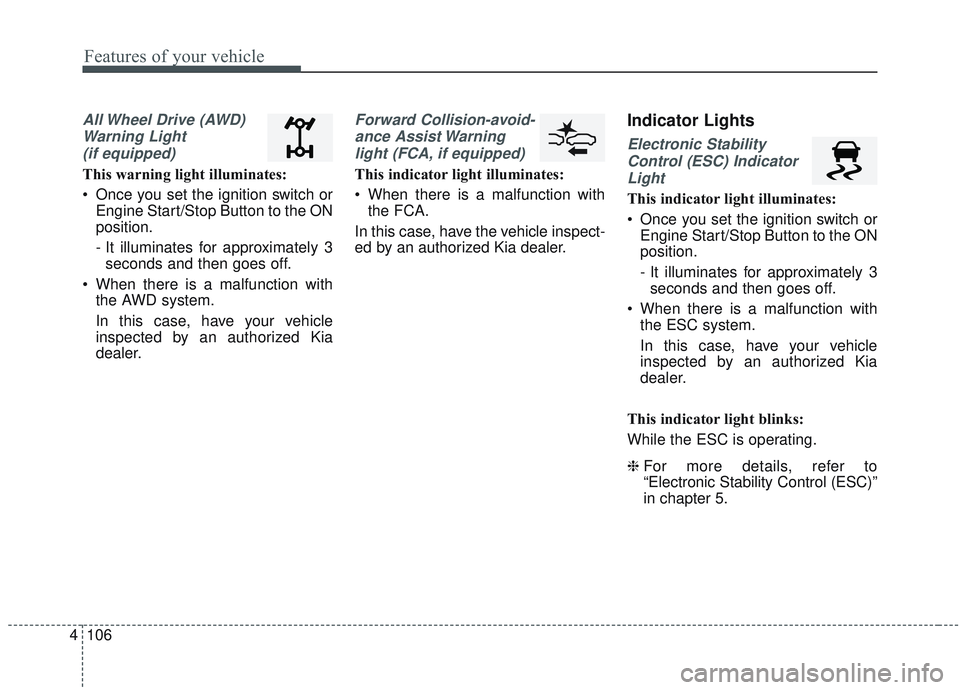
All Wheel Drive (AWD)
Warning Light (if equipped)
This warning light illuminates:
Once you set the ignition switch or Engine Start/Stop Button to the ON
position.
- It illuminates for approximately 3seconds and then goes off.
When there is a malfunction with the AWD system.
In this case, have your vehicle
inspected by an authorized Kia
dealer.
Forward Collision-avoid-
ance Assist Warninglight (FCA, if equipped)
This indicator light illuminates:
When there is a malfunction with the FCA.
In this case, have the vehicle inspect-
ed by an authorized Kia dealer.
Indicator Lights
Electronic Stability Control (ESC) IndicatorLight
This indicator light illuminates:
Once you set the ignition switch or Engine Start/Stop Button to the ON
position.
- It illuminates for approximately 3seconds and then goes off.
When there is a malfunction with the ESC system.
In this case, have your vehicle
inspected by an authorized Kia
dealer.
This indicator light blinks:
While the ESC is operating.
❈ For more details, refer to
“Electronic Stability Control (ESC)”
in chapter 5.
Page 197 of 573
4109
Features of your vehicle
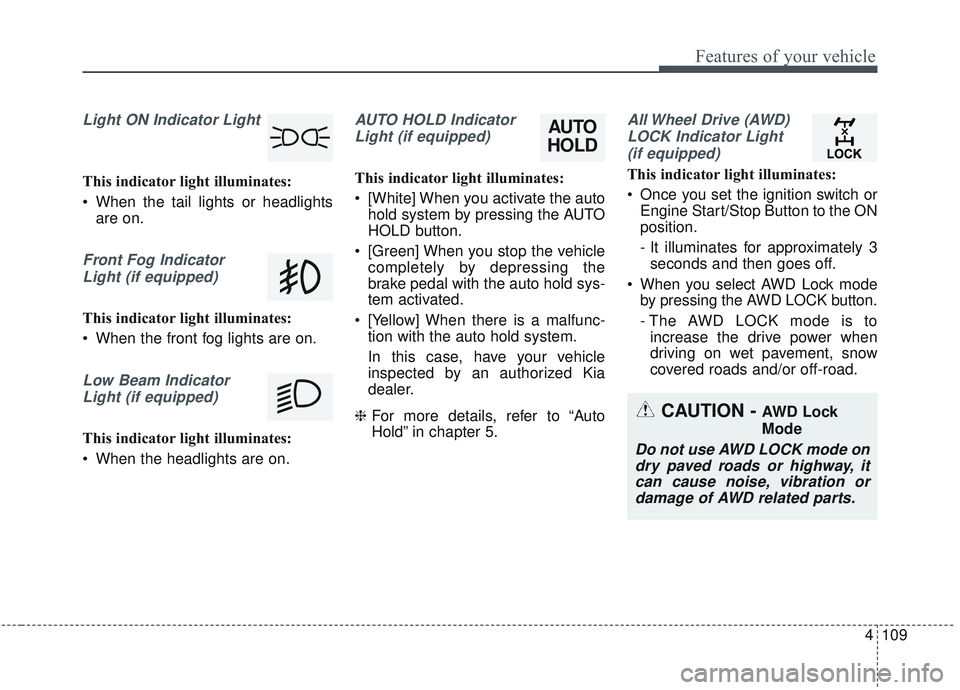
Light ON Indicator Light
This indicator light illuminates:
When the tail lights or headlightsare on.
Front Fog Indicator
Light (if equipped)
This indicator light illuminates:
When the front fog lights are on.
Low Beam IndicatorLight (if equipped)
This indicator light illuminates:
When the headlights are on.
AUTO HOLD IndicatorLight (if equipped)
This indicator light illuminates:
[White] When you activate the auto hold system by pressing the AUTO
HOLD button.
[Green] When you stop the vehicle completely by depressing the
brake pedal with the auto hold sys-
tem activated.
[Yellow] When there is a malfunc- tion with the auto hold system.
In this case, have your vehicle
inspected by an authorized Kia
dealer.
❈ For more details, refer to “Auto
Hold” in chapter 5.
All Wheel Drive (AWD)
LOCK Indicator Light (if equipped)
This indicator light illuminates:
Once you set the ignition switch or Engine Start/Stop Button to the ON
position.
- It illuminates for approximately 3seconds and then goes off.
When you select AWD Lock mode by pressing the AWD LOCK button.
- The AWD LOCK mode is toincrease the drive power when
driving on wet pavement, snow
covered roads and/or off-road.
CAUTION - AWD Lock
Mode
Do not use AWD LOCK mode ondry paved roads or highway, itcan cause noise, vibration ordamage of AWD related parts.
AUTO
HOLD
Page 232 of 573
Features of your vehicle
144
4
MAX A/C selection
To select the MAX A/C, turn the fan
speed control knob to the right then
press the MAX A/C button.
Air flow is directed toward the upper
body and face.
In this mode, the air conditioning and
the recirculated air position will be
selected automatically. Instrument panel vents
The outlet vents can be opened or
closed separately using the thumb-
wheel (if equipped).
Also, you can adjust the direction of
air delivery from these vents using
the vent control lever as shown.
Temperature control
The temperature control knob allows
you to control the temperature of the
air flowing from the ventilation system.
To change the air temperature in the
passenger compartment, turn the
knob to the right position for warm and
hot air or left position for cooler air.
OUMA048233OUM044152
OUM048151L
Page 244 of 573
Features of your vehicle
156
4
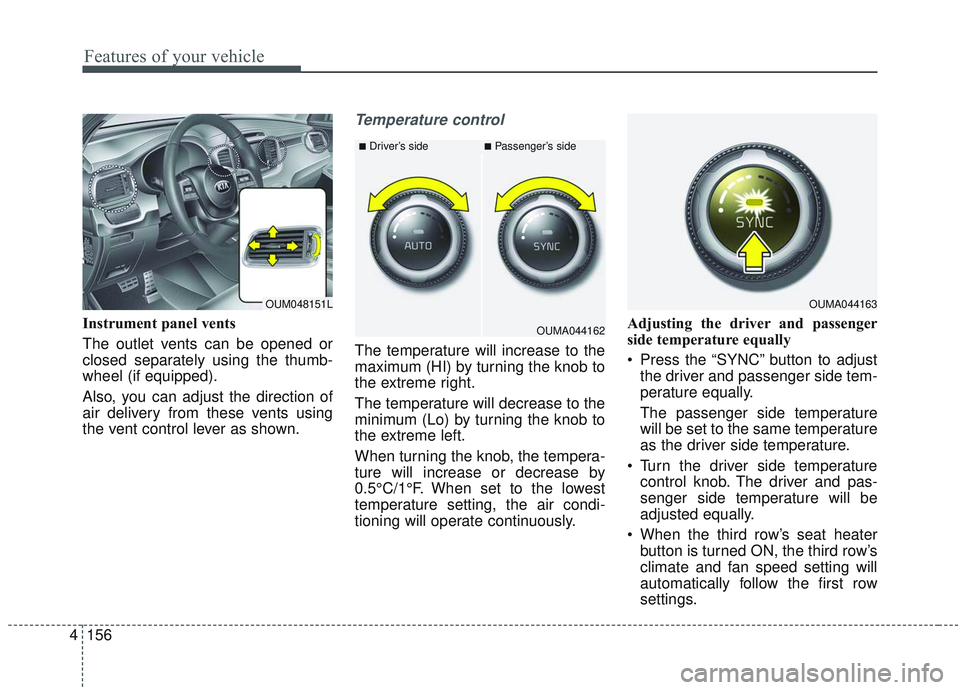
Instrument panel vents
The outlet vents can be opened or
closed separately using the thumb-
wheel (if equipped).
Also, you can adjust the direction of
air delivery from these vents using
the vent control lever as shown.
Temperature control
The temperature will increase to the
maximum (HI) by turning the knob to
the extreme right.
The temperature will decrease to the
minimum (Lo) by turning the knob to
the extreme left.
When turning the knob, the tempera-
ture will increase or decrease by
0.5°C/1°F. When set to the lowest
temperature setting, the air condi-
tioning will operate continuously. Adjusting the driver and passenger
side temperature equally
Press the “SYNC” button to adjust
the driver and passenger side tem-
perature equally.
The passenger side temperature
will be set to the same temperature
as the driver side temperature.
Turn the driver side temperature control knob. The driver and pas-
senger side temperature will be
adjusted equally.
When the third row’s seat heater button is turned ON, the third row’s
climate and fan speed setting will
automatically follow the first row
settings.
OUM048151L
■Driver’s side■Passenger’s side
OUMA044162
OUMA044163