2019 KIA SORENTO mirror
[x] Cancel search: mirrorPage 378 of 573

5101
Driving your vehicle
BLIND-SPOT COLLISION WARNING (BCW) (IF EQUIPPED)
The Blind-Spot Collision Warning
(BCW) system uses radar sensors in
the rear bumper to monitor and warn
the driver of an approaching vehicle
in the driver's blind spot area.
The system monitors the rear area of
the vehicle and provides information
to the driver with an audible alert and
a indicator on the outside rearview
mirrors(1) Blind spot area
The BCW range varies relative tovehicle speed. Note that if your
vehicle is traveling much faster
than the vehicles around you, the
warning will not occur.
(2) Closing at high speed The BCW-Closing at high speedfeature will alert you when a vehi-
cle is approaching in an adjacent
lane at a high rate of speed. If the
driver activates the turn signal
when the system detects an
oncoming vehicle, the system
sounds an audible alert. Distance
from approaching vehicle can be
seen differently according to the
relative speed. (3) RCCW (Rear Cross-Traffic
Collision Warning)
The RCCW feature monitors approaching cross traffic from the
left and right side of the vehicle
when your vehicle is in reverse.
The feature will operate when the
vehicle is moving in reverse
below about 10 km/h (6 mph). If
oncoming cross traffic is detected
a warning chime will sound.
Distance from approaching vehi-
cle can be seen differently
according to the relative speed.
OUM056176L
Page 379 of 573
Driving your vehicle
102
5
BCW (Blind-Spot Collision
Warning)
Operating conditions
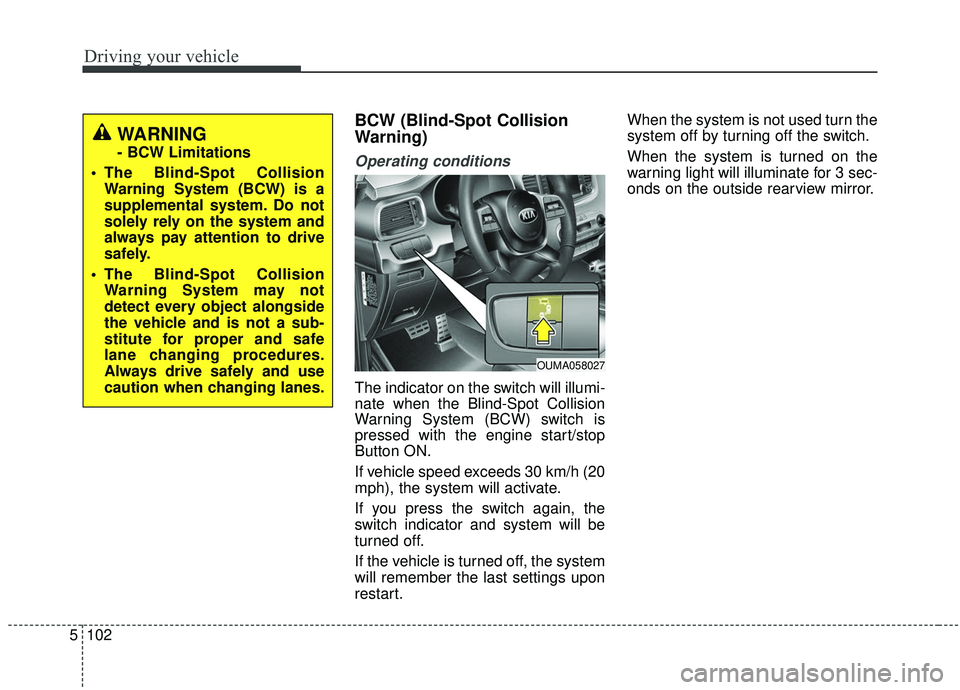
The indicator on the switch will illumi-
nate when the Blind-Spot Collision
Warning System (BCW) switch is
pressed with the engine start/stop
Button ON.
If vehicle speed exceeds 30 km/h (20
mph), the system will activate.
If you press the switch again, the
switch indicator and system will be
turned off.
If the vehicle is turned off, the system
will remember the last settings upon
restart. When the system is not used turn the
system off by turning off the switch.
When the system is turned on the
warning light will illuminate for 3 sec-
onds on the outside rearview mirror.
OUMA058027
WARNING
- BCW Limitations
The Blind-Spot Collision Warning System (BCW) is a
supplemental system. Do not
solely rely on the system and
always pay attention to drive
safely.
The Blind-Spot Collision Warning System may not
detect every object alongside
the vehicle and is not a sub-
stitute for proper and safe
lane changing procedures.
Always drive safely and use
caution when changing lanes.
Page 380 of 573
5103
Driving your vehicle
Warning type
The system will activate when:
1. The system is on.
2. Vehicle speed is above 30 km/h(20 mph).
3. Other vehicles are detected in the rear side.
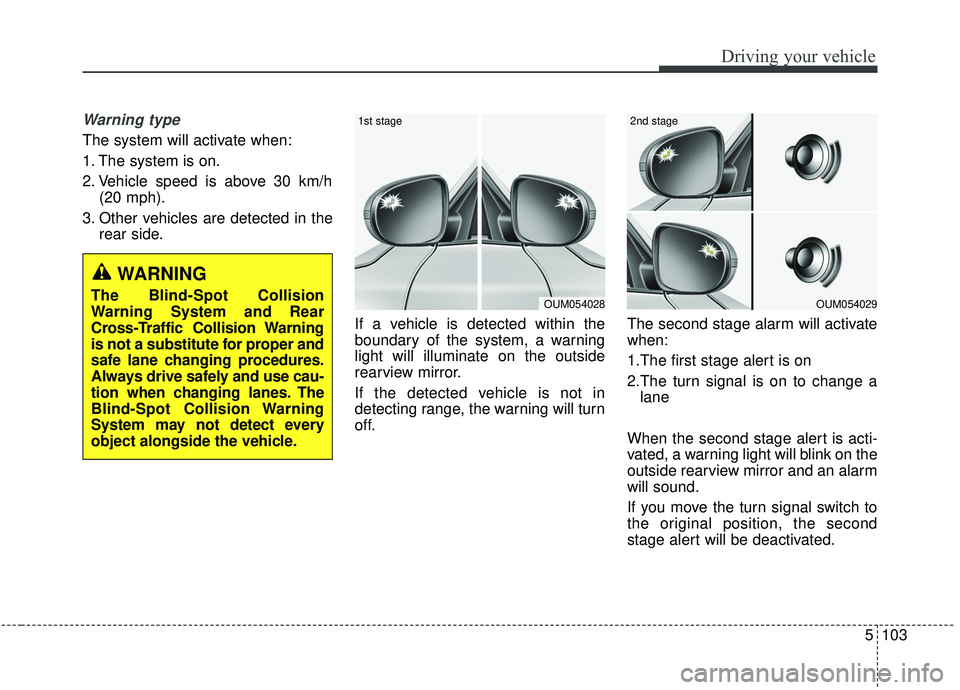
If a vehicle is detected within the
boundary of the system, a warning
light will illuminate on the outside
rearview mirror.
If the detected vehicle is not in
detecting range, the warning will turn
off. The second stage alarm will activate
when:
1.The first stage alert is on
2.The turn signal is on to change a
lane
When the second stage alert is acti-
vated, a warning light will blink on the
outside rearview mirror and an alarm
will sound.
If you move the turn signal switch to
the original position, the second
stage alert will be deactivated.
OUM054029
2nd stage
OUM054028
1st stage
WARNING
The Blind-Spot Collision
Warning System and Rear
Cross-Traffic Collision Warning
is not a substitute for proper and
safe lane changing procedures.
Always drive safely and use cau-
tion when changing lanes. The
Blind-Spot Collision Warning
System may not detect every
object alongside the vehicle.
Page 382 of 573

5105
Driving your vehicle
Operating conditions
Select RCCW (Rear Cross-TrafficCollision Warning) in “User
Settings” under “Driver Assistance”
on the instrument cluster. The sys-
tem will turn on and standby to
activate.
Select RCCW again, to turn the system off.
If the vehicle is turned off, the RCCW system will remember the
last settings upon restart. Always
turn the RCCW system off when
not in use.
The system operates when the vehicle speed is below 10 km/h (6
mph) with the shift lever in R
(Reverse).
The RCCW (Rear Cross-Traffic Collision Warning) detecting range
is 1.6 feet ~ 65 feet based on the
side direction. If the approaching
vehicle speed is
4 km/h (2.5 mph) ~ 36 km/h (22
mph) within sensing range, it is
detected. However, the system
sensing range can vary based on
conditions. Always pay attention to
your surroundings.
Warning type If the vehicle detected by sensorsapproaches your vehicle, the warn-
ing chime will sound and the warn-
ing light will blink on the outside
rearview mirror.
If the detected vehicle is out of detection range, moving away in the
opposite direction or moving slow,
or if the vehicle is right behind your
vehicle, if the direction of the other
vehicle is not heading towards your
vehicle, the warning is cancelled.
The system may not operate prop- erly due to other factors or circum-
stances. Always pay attention to
your surroundings.
OUM058312L
OYG056144L
OUM058311L
CAUTION
While other beeps such as theseat belt warning sound are inoperation and override theRCCW alarming system, RCCWbeeps may not occur.
Page 383 of 573

Driving your vehicle
106
5
\b If your vehicle's left or right side
bumper is blinded by a barrier or
vehicles, the system sensing abili-
ty may be deteriorated.
When the BCW system is being acti-
vated, the warning light on the out-
side rearview mirror will illuminate
whenever a vehicle is detected at the
rear side by the system. To avoid
accidents, do not focus only on the
warning light and neglect to see the
surrounding of the vehicle.✽ ✽
NOTICE
• The system may not work proper-
ly if the bumper has been replaced
or if repair work has been done
near the sensor.
• The detection area differs accord- ing to the road's width. If the road
is narrow the system may detect
other vehicles in the next lane.
• If the road is very wide the system may not detect other vehicles.
• The system may turn off due to strong electromagnetic interfer-
ence.
WARNING
The Blind-Spot Collision
Warning System and Rear
Cross-Traffic Collision
Warning is not a substitute for
proper and safe lane chang-
ing procedures. Always drive
safely and use caution when
changing lanes. The Blind-
Spot Collision Warning
System may not detect every
object alongside the vehicle.
(Continued)
(Continued)
Drive safely even though thevehicle is equipped with a BCW
(Blind-Spot Collision Warning)
system. Do not solely rely on
the system but check for your-
self before changing lanes.
The system may not alert the
driver in some conditions so
always check the surround-
ings while driving.
Page 385 of 573

Driving your vehicle
108
5
Non-operating condition
Outside rearview mirror may not
alert the driver when:
- The outside rearview mirror housing
is damaged or covered with debris.
- The window is covered with debris.
- The windows are severely tinted.
DRIVER’S ATTENTION
The driver must be cautious in the
below situations, because the sys-
tem may not detect other vehicles
or objects in certain circumstances.
- The vehicle drives on a curved road or through a tollgate.
- The sensor is polluted with rain, snow, mud, etc.
- The rear bumper, in which the sensor is located, is covered or
blocked with a foreign matter
such as a sticker, a bumper
guard, a bicycle stand, etc.
- The rear bumper is damaged, or the sensor is out of the original
default position.
- The vehicle height gets lower or higher due to heavy loading in a
liftgate, abnormal tire pressure,
etc.
- The vehicle drives in a bad weather such as heavy rain or
snow.
(Continued)(Continued)
- There is a fixed object near the
vehicle, such as a guardrail,
pedestrian, animal, tunnel, etc.
- A big vehicle is near such as a bus or truck.
- A motorcycle or bicycle is near.
- A flat trailer is near.
- If the vehicle has started at the same time as the vehicle next to
you and has accelerated.
- When the other vehicle passes at a very fast speed.
- While changing lanes.
- When going down or up a steep road where the height of the lane
is different.
- When the other vehicle approaches very close.
- When a trailer or carrier is installed.
- When the temperature of the rear bumper is very high or low.
(Continued)
Page 391 of 573

Driving your vehicle
114
5
✽ ✽
NOTICE
The Driver Attention Warning sys-
tem utilizes the camera sensor on the
front windshield for its operation.
To keep the camera sensor in the
best condition, you should observe
the followings:
- Do not disassemble camera tem-
porarily for tinted window or
attaching any types of coatings and
accessories. If you disassemble a
camera and assemble it again, take
your vehicle to an authorized Kia
dealer and have the system
checked to need a calibration.
- Do not locate any reflective objects (i.e. white paper, mirror)
over the dashboard. Any light
reflection may cause a mal-func-
tion of the Driver Attention
Warning (DAW) system.
- Pay extreme caution to keep the camera sensor out of water.
- Do not arbitrarily disassemble the camera assembly, nor apply any
impact on the camera assembly.
• Playing the vehicle audio system at high volume may offset the
Driver Attention Warning system
warning sounds
✽ ✽ NOTICE
The Driver Attention Warning sys-
tem may not properly operate with
limited alerting in the following situ-
ations:
• The lane detection performance is
limited. (For more information,
refer to “Lane Keeping Assist
System (LKA system)” in this
chapter.)
• The vehicle is violently driven or is abruptly turned for obstacle
avoidance (e.g. construction area,
other vehicles, fallen objects,
bumpy road).
• Forward drivability of the vehicle is severely undermined (possibly
due to wide variation in tire pres-
sures, uneven tire wear-out, toe-
in/toe-out alignment). (Continued)(Continued)
• The vehicle drives on a curvy road.
• The vehicle drives on a bumpy
road.
• The vehicle drives through a windy area.
• The vehicle is controlled by the fol- lowing driver assistance systems:
- Lane Keeping Assist System(LKA system)
- forward collision-avoidance assist (FCA) System.
- Smart Cruise Control (SCC) System
Page 397 of 573
Driving your vehicle
120
5
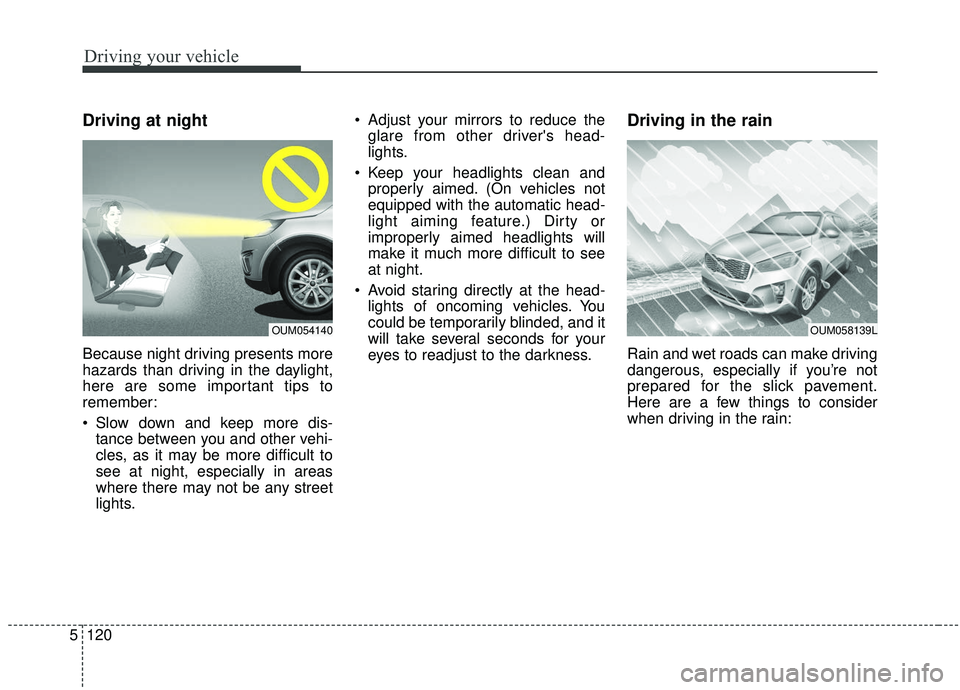
Driving at night
Because night driving presents more
hazards than driving in the daylight,
here are some important tips to
remember:
Slow down and keep more dis-
tance between you and other vehi-
cles, as it may be more difficult to
see at night, especially in areas
where there may not be any street
lights. Adjust your mirrors to reduce the
glare from other driver's head-
lights.
Keep your headlights clean and properly aimed. (On vehicles not
equipped with the automatic head-
light aiming feature.) Dirty or
improperly aimed headlights will
make it much more difficult to see
at night.
Avoid staring directly at the head- lights of oncoming vehicles. You
could be temporarily blinded, and it
will take several seconds for your
eyes to readjust to the darkness.
Driving in the rain
Rain and wet roads can make driving
dangerous, especially if you’re not
prepared for the slick pavement.
Here are a few things to consider
when driving in the rain:
OUM058139LOUM054140