2019 KIA SORENTO stop
[x] Cancel search: stopPage 333 of 573
Driving your vehicle
56
5
If the vehicle in front stops sudden-
ly, you may have less control of the
brake system.
Therefore, always keep safe dis-
tance between your vehicle and
the vehicle in front of you.
The FCA system may activate dur- ing braking and the vehicle may
stop suddenly. And the load in the
vehicle may endanger passengers.
Therefore, always be mindful of the
load volume in the vehicle.
The FCA system may not activate if the driver applies the brake pedal
to avoid risk of collision.
The FCA system does not operate when the vehicle is in reverse. In
these cases, you must maintain a
safe braking distance, and if nec-
essary, depress the brake pedal to
reduce the driving speed in order
to maintain a safe distance. The regular braking function will
operate normally even if There is a
problem with the FCA brake control
system or other functions. In this
case, the braking control will not
operate in the risk of a collision.
The FCA system may not activate according to driving condition, traf-
fic on the road, weather, road con-
dition, etc.
The FCA system may not activate to all types of vehicles.Limitation of the system
The FCA is an assistant system for a
driver in a certain risky driving condi-
tion and it does not take every
responsibility for all risks from driving
condition.
The FCA monitors the driving situa-
tions through the radar and the cam-
era sensor. Thus, for a situation out
of the sensing range, the FCA may
not operate normally. The driver
should use caution in the following
situations. The FCA operation may
be limited.
Page 337 of 573
Driving your vehicle
60
5
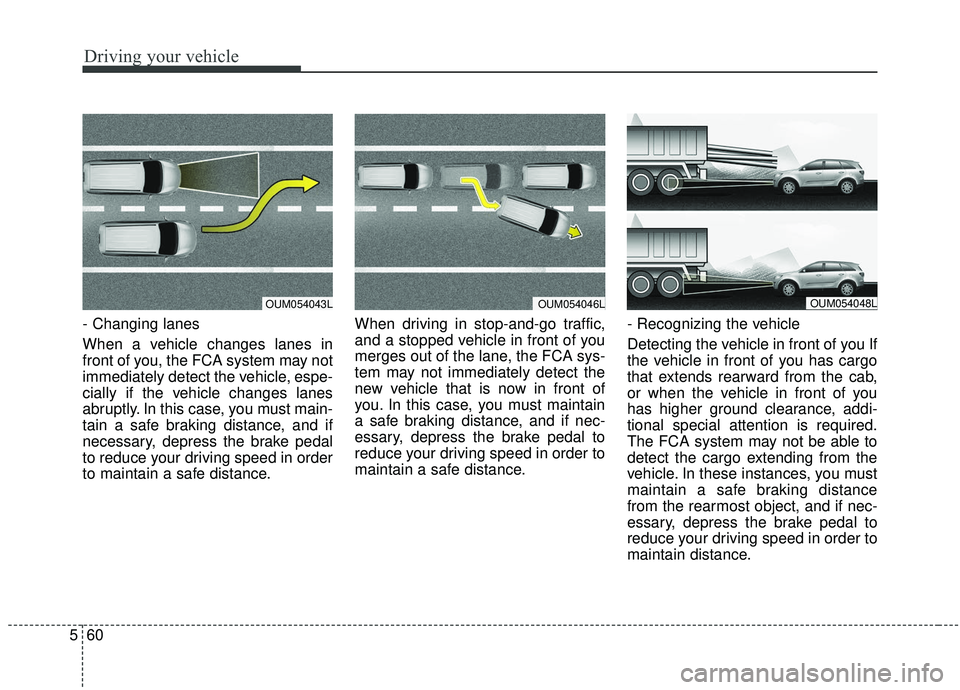
- Changing lanes
When a vehicle changes lanes in
front of you, the FCA system may not
immediately detect the vehicle, espe-
cially if the vehicle changes lanes
abruptly. In this case, you must main-
tain a safe braking distance, and if
necessary, depress the brake pedal
to reduce your driving speed in order
to maintain a safe distance. When driving in stop-and-go traffic,
and a stopped vehicle in front of you
merges out of the lane, the FCA sys-
tem may not immediately detect the
new vehicle that is now in front of
you. In this case, you must maintain
a safe braking distance, and if nec-
essary, depress the brake pedal to
reduce your driving speed in order to
maintain a safe distance.
- Recognizing the vehicle
Detecting the vehicle in front of you If
the vehicle in front of you has cargo
that extends rearward from the cab,
or when the vehicle in front of you
has higher ground clearance, addi-
tional special attention is required.
The FCA system may not be able to
detect the cargo extending from the
vehicle. In these instances, you must
maintain a safe braking distance
from the rearmost object, and if nec-
essary, depress the brake pedal to
reduce your driving speed in order to
maintain distance.
OUM054043LOUM054046LOUM054048L
Page 344 of 573
567
Driving your vehicle
SMART CRUISE CONTROL WITH STOP & GO SYSTEM (IF EQUIPPED)
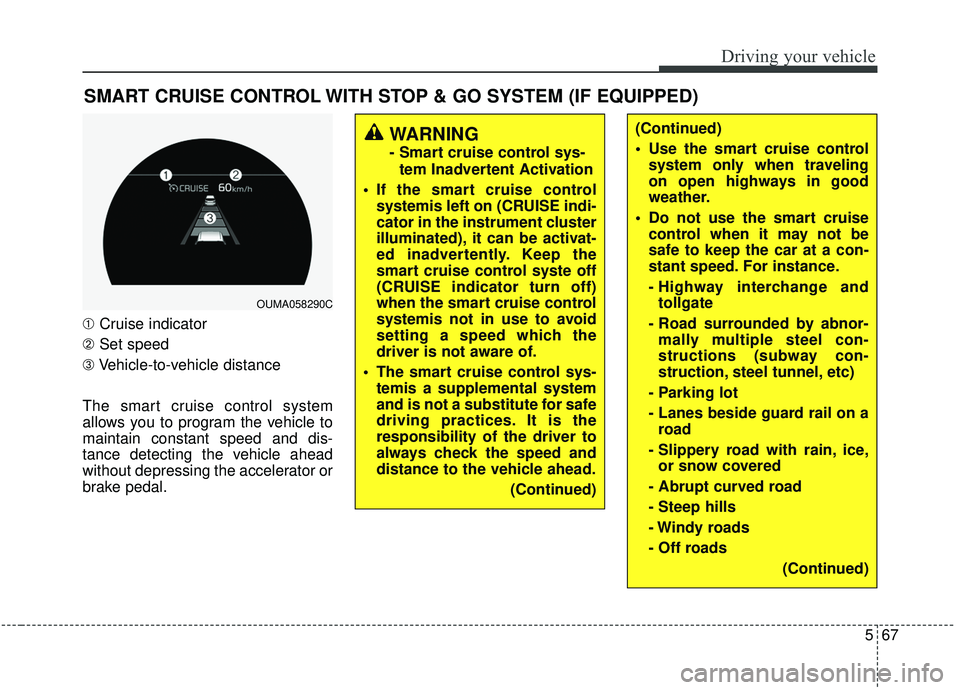
➀Cruise indicator
➁ Set speed
➂ Vehicle-to-vehicle distance
The smart cruise control system
allows you to program the vehicle to
maintain constant speed and dis-
tance detecting the vehicle ahead
without depressing the accelerator or
brake pedal.
WARNING
- Smart cruise control sys- tem Inadvertent Activation
If the smart cruise control systemis left on (CRUISE indi-
cator in the instrument cluster
illuminated), it can be activat-
ed inadvertently. Keep the
smart cruise control syste off
(CRUISE indicator turn off)
when the smart cruise control
systemis not in use to avoid
setting a speed which the
driver is not aware of.
The smart cruise control sys- temis a supplemental system
and is not a substitute for safe
driving practices. It is the
responsibility of the driver to
always check the speed and
distance to the vehicle ahead.
(Continued)
OUMA058290C
(Continued)
Use the smart cruise controlsystem only when traveling
on open highways in good
weather.
Do not use the smart cruise control when it may not be
safe to keep the car at a con-
stant speed. For instance.
- Highway interchange andtollgate
- Road surrounded by abnor- mally multiple steel con-
structions (subway con-
struction, steel tunnel, etc)
- Parking lot
- Lanes beside guard rail on a road
- Slippery road with rain, ice, or snow covered
- Abrupt curved road
- Steep hills
- Windy roads
- Off roads (Continued)
Page 345 of 573
Driving your vehicle
68
5
(Continued)
- Roads under construction
- Rumble strip
- When driving near crashbarriers
- When driving on a sharp curve
- When the vehicle sensing ability decreases due to
vehicle modification result-
ing level difference of the
vehicle's front and rear
- When driving in heavy traffic or when traffic conditions
make it difficult to drive at a
constant speed
- When driving on rainy, icy, or snow covered roads
- When driving with limited view (possibly due to bad
weather, such as fog, snow,
rain or sandstorm)
(Continued)(Continued)
The smart cruise control sys-tem cannot recognize a
stopped vehicle, pedestrians
or an oncoming vehicle.
Always look ahead cautiously
to prevent unexpected and
sudden situations from occur-
ring.
Pay particular attention to the driving conditions whenever
using the smart cruise control
system.
Be careful when driving downhill using the SCC.
Limited visibility (rain, snow, smog, etc.)
Cruise function should not be used when the vehicle is
being towed to prevent any
damage.
Always set the vehicle speed under the speed limit in your
country.
(Continued)(Continued)
Unexpected situations maylead to possible accidents.
Pay attention continuously to
road conditions and driving
even when the smart cruise
control system is being oper-
ated.
Page 348 of 573

571
Driving your vehicle
To temporarily accelerate with thecruise control on:
If you want to speed up temporarily
when the cruise control is on,
depress the accelerator pedal.
Increased speed will not interfere
with cruise control operation or
change the set speed.
To return to the set speed, take your
foot off the accelerator.
If you move the lever down (to SET-)
at increased speed, the cruising
speed will be set again.
✽ ✽ NOTICE
Be careful when accelerating tem-
porarily, because the speed is not
regulated automatically at this time
even if there is a vehicle in front of
you.
Smart cruise control system will
be temporarily canceled when:
Cancelled manually
The smart cruise control system is
temporarily canceled when the brake
pedal is depressed or the CANCEL
button is pressed. The speed and
vehicle to vehicle distance indicator
on the cluster will disappear and the
CRUISE indicator is illuminated con-
tinuously. Cancelled automatically
The driver's door is opened.
The shift lever is shifted to N
(Neutral), R (Reverse) or P(Parking).
The EPB (electronic parking brake) is applied.
The vehicle speed is over 190 km/h (120 mph)
The ESC, ABS or TCS is operat- ing.
The ESC is turned off.
The sensor or the cover is dirty or blocked with foreign matter.
The driver starts driving by pushing the lever up (RES +) or down
(SET -) or depressing the acceler-
ator pedal approximately 3 sec-
onds after the vehicle is stopped by
the smart cruise control system
with no other vehicle ahead or a
vehicle stopped far away in front.
The engine speed is in dangerous range.
OUM058349CN
Page 349 of 573
Driving your vehicle
72
5
The smart cruise control system
has malfunctioned.
The accelerator pedal is continu- ously depressed for long time.
When the braking control is operat- ed for Forward Collision-Avoidance
Assist(FCA)
The vehicle is stopped for more than 5 minutes.
The driver starts driving by pushing the toggle switch up (RES+)/down
(SET-) or depressing the accelera-
tor pedal, after the vehicle is
stopped by the Smart Cruise
Control system with no other vehi-
cle ahead.
The vehicle stops and goes repeat- edly for a long period of time.
When the parking brake is locked. Engine has some problems.
Each of these actions will cancel the
smart cruise control system opera-
tion. (The set speed and vehicle-to-
vehicle distance on the LCD display
will go off.)
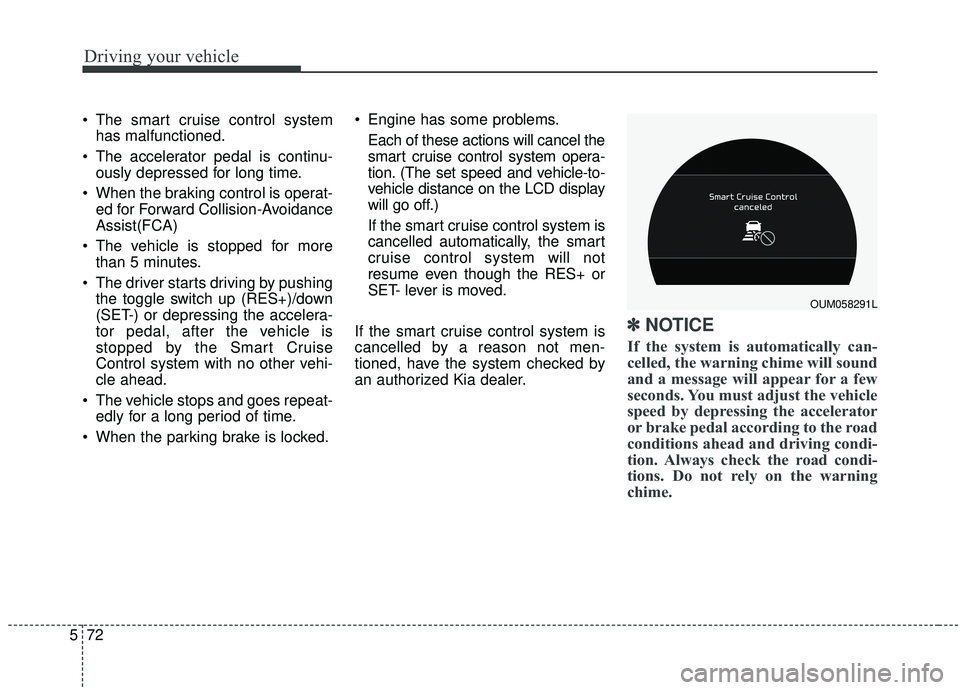
If the smart cruise control system is
cancelled automatically, the smart
cruise control system will not
resume even though the RES+ or
SET- lever is moved.
If the smart cruise control system is
cancelled by a reason not men-
tioned, have the system checked by
an authorized Kia dealer.
✽ ✽ NOTICE
If the system is automatically can-
celled, the warning chime will sound
and a message will appear for a few
seconds. You must adjust the vehicle
speed by depressing the accelerator
or brake pedal according to the road
conditions ahead and driving condi-
tion. Always check the road condi-
tions. Do not rely on the warning
chime.
OUM058291L
Page 353 of 573
Driving your vehicle
76
5
The vehicle will maintain the set
speed, when the lane ahead is
clear.
The vehicle will slow down or speed up within selected speed to
maintain the selected distance,
when there is a vehicle ahead of
you in the lane. (A vehicle will
appear in front of your vehicle in
the LCD display only when there is
an actual vehicle in front of you)
If the vehicle ahead speeds up, your vehicle will travel at a steady
cruising speed after accelerating to
the selected speed.
The warning chime sounds and LCD display blinks if it is hard to
maintain the selected distance to
the vehicle ahead.
If the warning chime sounds, actively adjust the vehicle speed by
depressing the brake pedal
according to the road condition
ahead and driving condition.
Even if the warning chime is not acti- vated, always pay attention to the
driving conditions to prevent danger-
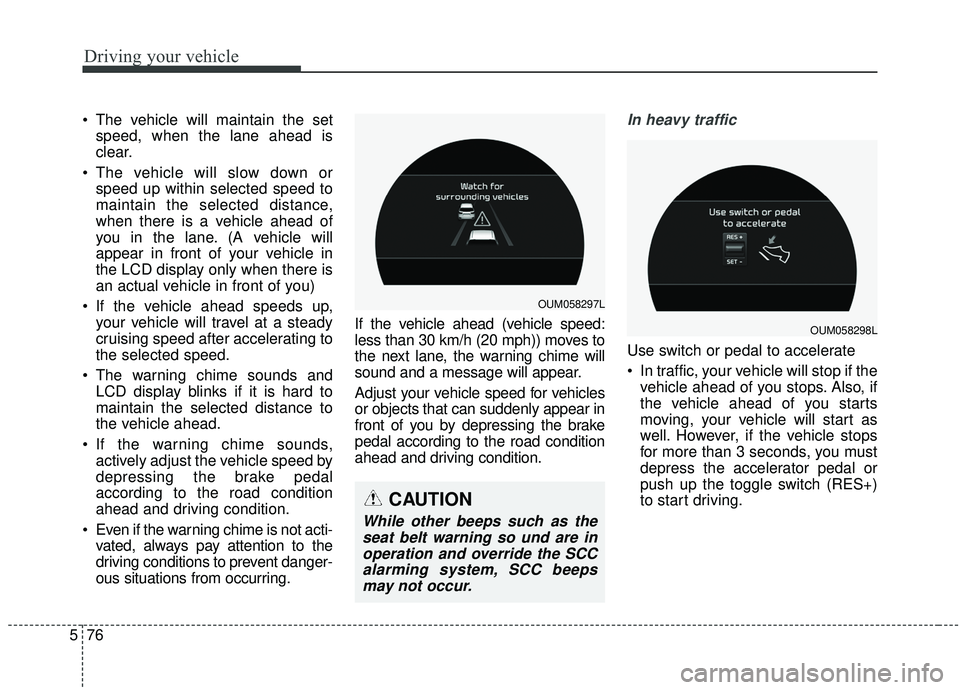
ous situations from occurring. If the vehicle ahead (vehicle speed:
less than 30 km/h (20 mph)) moves to
the next lane, the warning chime will
sound and a message will appear.
Adjust your vehicle speed for vehicles
or objects that can suddenly appear in
front of you by depressing the brake
pedal according to the road condition
ahead and driving condition.In heavy traffic
Use switch or pedal to accelerate
In traffic, your vehicle will stop if the
vehicle ahead of you stops. Also, if
the vehicle ahead of you starts
moving, your vehicle will start as
well. However, if the vehicle stops
for more than 3 seconds, you must
depress the accelerator pedal or
push up the toggle switch (RES+)
to start driving.
OUM058297L
OUM058298L
CAUTION
While other beeps such as theseat belt warning so und are inoperation and override the SCCalarming system, SCC beepsmay not occur.
Page 354 of 573
577
Driving your vehicle
If you push the smart cruise controltoggle switch (RES+ or SET-) while
Auto Hold and smart cruise control
is operating the Auto Hold will be
released regardless of accelerator
pedal operation and the vehicle will
start to move. The AUTO HOLD
indicator changes from green to
white. (if equipped with EPB
(Electronic Parking Brake))Radar to detect distance to the
vehicle ahead
The sensor detects distance to the
vehicle ahead.
If the sensor is covered with dirt or
other foreign matter, the vehicle to
vehicle distance control may not
operate correctly.
Always keep the sensor clean.
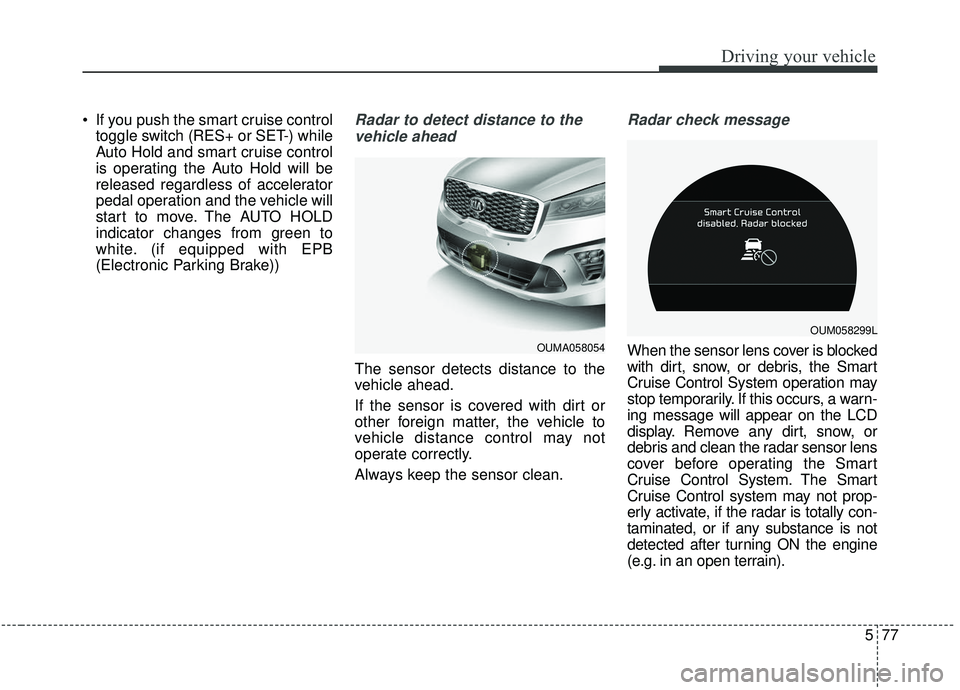
Radar check message
When the sensor lens cover is blocked
with dirt, snow, or debris, the Smart
Cruise Control System operation may
stop temporarily. If this occurs, a warn-
ing message will appear on the LCD
display. Remove any dirt, snow, or
debris and clean the radar sensor lens
cover before operating the Smart
Cruise Control System. The Smart
Cruise Control system may not prop-
erly activate, if the radar is totally con-
taminated, or if any substance is not
detected after turning ON the engine
(e.g. in an open terrain).OUMA058054
OUM058299L