Page 388 of 593

Driving your vehicle
74
5
Radar check message
When the sensor lens cover is blocked
with dirt, snow, or debris, the Smart
Cruise Control System operation may
stop temporarily. If this occurs, a warn-
ing message will appear on the LCD
display. Remove any dirt, snow, or
debris and clean the radar sensor lens
cover before operating the Smart
Cruise Control System. The Smart
Cruise Control system may not prop-
erly activate, if the radar is totally con-
taminated, or if any substance is not
detected after turning ON the engine
(e.g. in an open terrain).
Smart cruise control system mal-
function message
The message will appear when the
vehicle to vehicle distance control
system is not functioning normally.
Take your vehicle to an authorized
Kia dealer and have the system
checked. Always keep the sensor and
bumper clean.
Use only a genuine Kia sensor cover for your vehicle.
Do not install accessories around the sensor and do not replace the
bumper by yourself. It may interfere
with the sensor performance.
Impact damage to the sensor or sensor area may cause the sensor
to move slightly off position and
result in the smart cruise control
system not operating correctly
without any warning or indicator
from the cluster. If this occurs, have
your vehicle checked by an author-
ized Kia dealer as soon as possi-
ble.
Use only a genuine Kia sensor cover for your vehicle. Do not paint
anything on the sensor cover.
If the front bumper becomes dam- aged in the area around the radar
sensor, the Smart Cruise Control
System may not operate properly.
OYP058201NOYP058231N
OYP058230N
■ Type A
■Type B
Page 397 of 593
583
Driving your vehicle
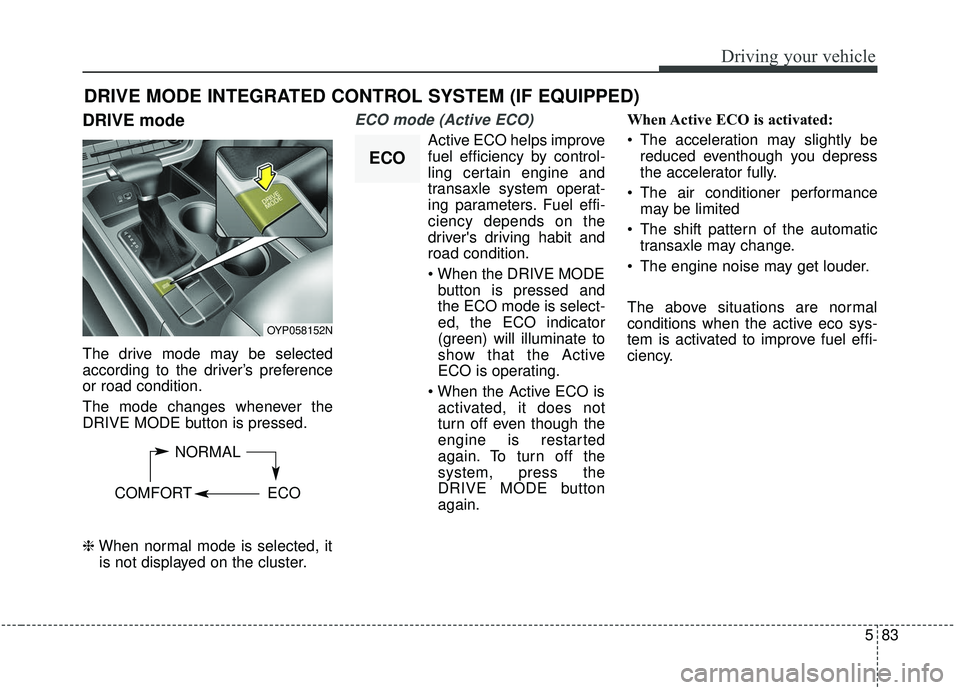
DRIVE mode
The drive mode may be selected
according to the driver’s preference
or road condition.
The mode changes whenever the
DRIVE MODE button is pressed.
\bWhen normal mode is selected, it
is not displayed on the cluster.
ECO mode (Active ECO)
Active ECO helps improve
fuel efficiency by control-
ling certain engine and
transaxle system operat-
ing parameters. Fuel effi-
ciency depends on the
driver's driving habit and
road condition.
button is pressed and
the ECO mode is select-
ed, the ECO indicator
(green) will illuminate to
show that the Active
ECO is operating.
activated, it does not
turn off even though the
engine is restarted
again. To turn off the
system, press the
DRIVE MODE button
again. When Active ECO is activated:
The acceleration may slightly be
reduced eventhough you depress
the accelerator fully.
The air conditioner performance may be limited
The shift pattern of the automatic transaxle may change.
The engine noise may get louder.
The above situations are normal
conditions when the active eco sys-
tem is activated to improve fuel effi-
ciency.
DRIVE MODE INTEGRATED CONTROL SYSTEM (IF EQUIPPED)
OYP058152N
NORMAL
COMFORT ECO
ECO
Page 402 of 593
Driving your vehicle
88
5
- The second stage alarm may be
deactivated.
To activate the alarm: Go to the User Settings Mode →
Driver Assistance and select
“Blind-Spot Collision Warning” on
the LCD display.
To deactivate the alarm: Go to the User Settings Mode →
Driver Assistance and deselect
“Blind-Spot Collision Warning” on
the LCD display.
✽ ✽
NOTICE
The alarm function helps alert the
driver. Deactivate this function only
when it is necessary
Detecting sensor
The sensors are located inside of the
rear bumper.
Always keep the rear bumper clean
for the system to work properly.
RCCW (Rear Cross-Traffic
Collision Warning)
When your vehicle moves backwards
from a parking position, the sensor
detects approaching vehicles to the
left or right side direction and gives
information to the driver.
OYP058025N
OYP054026K
CAUTION
While other beeps such as the
seat belt warning sound are inoperation and override the BCWalarming system, BCW beepsmay not occur.
Page 408 of 593
Driving your vehicle
94
5
The Driver Attention Warning (DAW),
system is to warn the driver with any
hazardous driving situations upon
detecting the driver's fatigue level or
inattentive driving practices.System setting and activation
System setting
To turn ON the Driver Attention
Warning system, turn on the
engine, and then select 'User
Settings →Assist →Driver
Attention Warning →Normal/Early'
on the LCD display.
The driver can select the Driver Attention Warning system mode.
- Off : The Driver Attention Warningsystem is deactivated.
- Normal : The Driver Attention Warning system alerts the driver
of his/her fatigue level or inatten-
tive driving practices.
- Early : The Driver Attention Warning system alerts the driver
of his/her fatigue level or inatten-
tive driving practices faster than
Normal mode.
The set-up of the Driver Attention Warning system will be main-
tained, as selected, when the
engine is re-started.
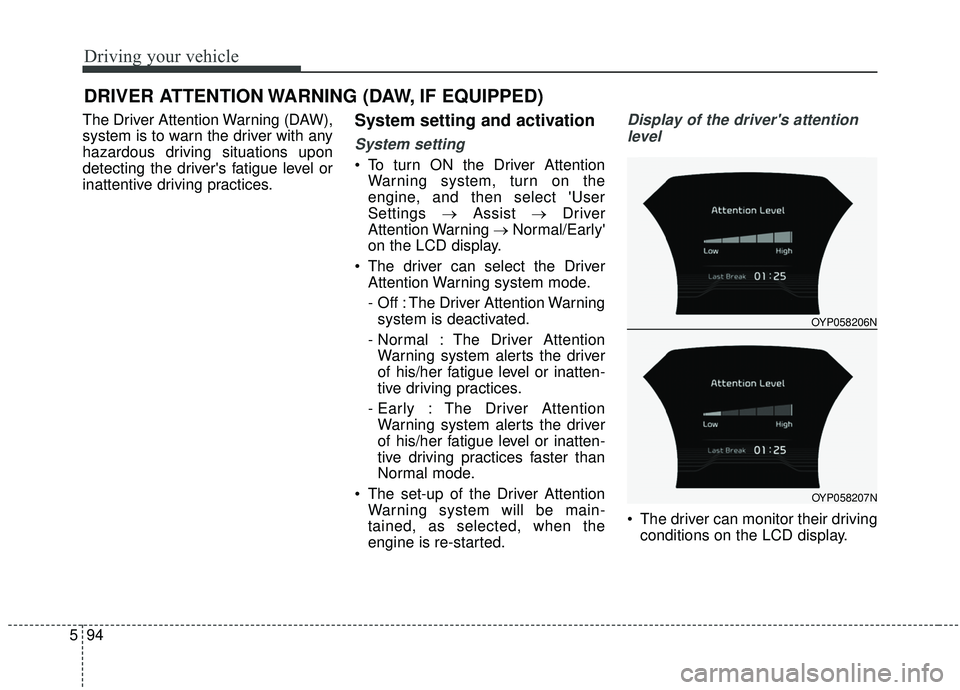
Display of the driver's attention
level
The driver can monitor their driving conditions on the LCD display.
DRIVER ATTENTION WARNING (DAW, IF EQUIPPED)
OYP058206N
OYP058207N
Page 409 of 593
595
Driving your vehicle
- Select 'User Settings Mode' andthen 'Assist' on the LCD display.
(For more information, refer to
"LCD Display" in chapter 4.)
The driver's attention level is dis- played on the scale of 1 to 5. The
lower the number is, the more inat-
tentive the driver is.
The number decreases when the driver does not take a break for a
certain period of time.
The number increases when the driver attentively drives for a cer-
tain period of time.
When the driver turns on the sys- tem while driving, it displays ‘Last
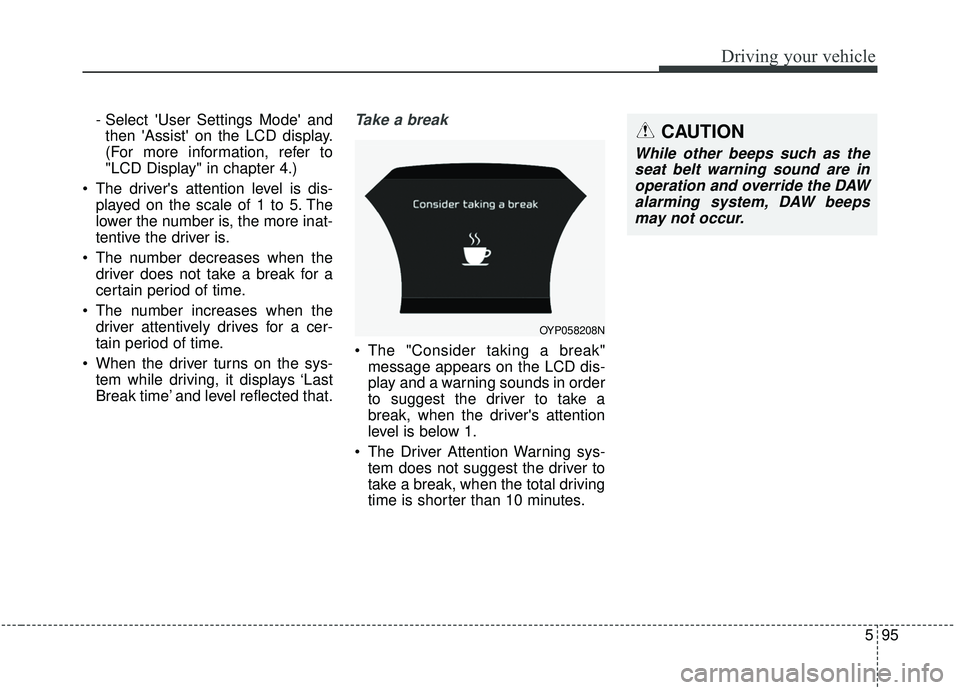
Break time’ and level reflected that.Take a break
The "Consider taking a break"message appears on the LCD dis-
play and a warning sounds in order
to suggest the driver to take a
break, when the driver's attention
level is below 1.
The Driver Attention Warning sys- tem does not suggest the driver to
take a break, when the total driving
time is shorter than 10 minutes.
OYP058208N
CAUTION
While other beeps such as theseat belt warning sound are inoperation and override the DAWalarming system, DAW beepsmay not occur.
Page 410 of 593

Driving your vehicle
96
5
Resetting the system
The last break time is set to 00:00
and the driver's attention level is
set to 5 (very attentive) when the
driver resets the Driver Attention
Warning system.
The driver attention warning sys- tem resets in the following situa-
tions.
- The engine is turned OFF.
- The driver unfastens the seat beltand then opens the driver’s door.
- Stop lasting more than 10 min- utes.
The driver attention warning sys- tem operates again, when the driv-
er restarts driving.
System standby
The Driver Attention Warning system
enters the ready status and displays
the ‘Standby’ screen in the following
situations.
- The camera sensor keeps failing todetect the lanes.
- Driving speed remains under 110 kph (40 mph) or over 177 kph (110
mph).
System malfunction
When the “Check Driver Attention
Warning (DAW) system” warning
message appears, the system is not
working properly. In this case, have
the vehicle inspected by an author-
ized Kia dealer.
OYP058209NOYP058210N
Page 413 of 593
599
Driving your vehicle
LDW Operation
To activate/deactivate the LDW:
With the ignition switch in the ON
position, press the LDW button locat-
ed on the instrument panel on the
lower left hand side of the driver.
The indicator in the cluster display
will initially illuminate white.
If the indicator(white) activated in the
previous ignition cycle, the system
turns on without any control.
If you press the LDW button again,
the indicator on the cluster display
will go off.The color of indicator will change
depend on the condition of LDW.
- White : Sensor does not detect the
lane marker or vehicle speed is
less than 64kph (40mph).
- Green : Sensor detects the lane marker.
If the vehicle leaves the lane when
the LDW operates and vehicle speed
exceeds 64 kph (40 mph), the warn-
ing is issued as follows:
OYP058234N
OYP058235N
OYP058234N
■When the sensor detects the lane line
■When the sensor doesn’t detect the lane line
Page 414 of 593
Driving your vehicle
100
5
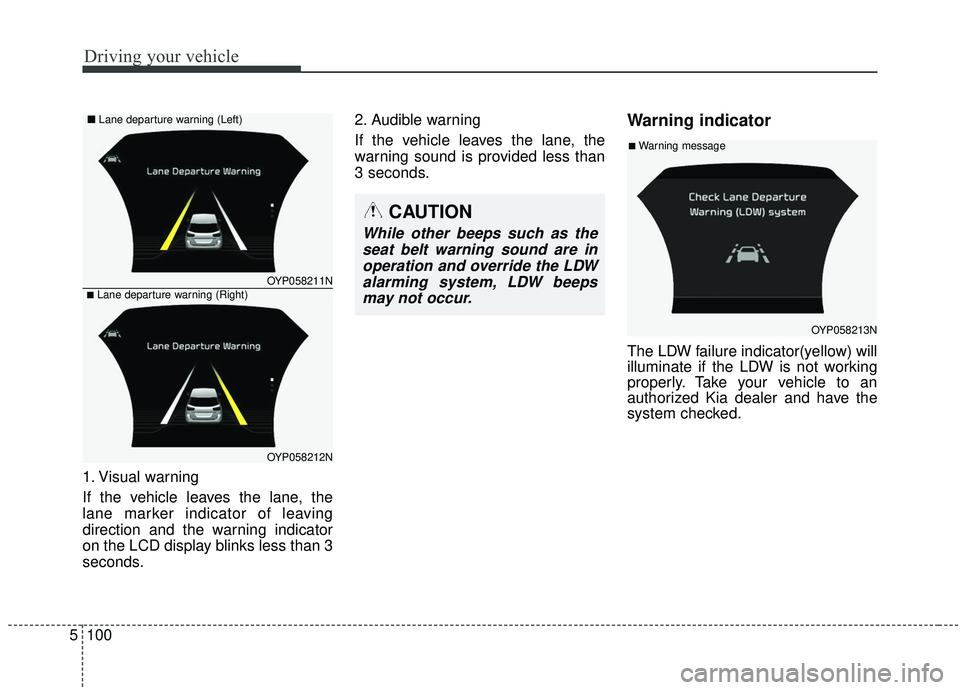
1. Visual warning
If the vehicle leaves the lane, the
lane marker indicator of leaving
direction and the warning indicator
on the LCD display blinks less than 3
seconds. 2. Audible warning
If the vehicle leaves the lane, the
warning sound is provided less than
3 seconds.
Warning indicator
The LDW failure indicator(yellow) will
illuminate if the LDW is not working
properly. Take your vehicle to an
authorized Kia dealer and have the
system checked.
OYP058211N
OYP058212N
■Lane departure warning (Right)
■
Lane departure warning (Left)
OYP058213N
■Warning message
CAUTION
While other beeps such as the
seat belt warning sound are inoperation and override the LDWalarming system, LDW beepsmay not occur.