Page 299 of 553

617
Driving your vehicle
Shift lock system
For your safety, the automatic
transaxle has a shift lock system
which prevents shifting the transaxle
from P (Park) into R (Reverse)
unless the brake pedal is depressed.
To shift the transaxle from P (Park)
into R (Reverse):
1. Depress and hold the brake pedal.
2. Start the hybrid system or turn theignition switch to the ON position.
3. Move the shift lever.
If the brake pedal is repeatedly
depressed and released with the
shift lever in the P (Park) position, a
chattering noise & vibration near the
shift lever may be heard. It is a nor-
mal condition. Shift-lock override
If the shift lever cannot be moved
from the P (Park) position into R
(Reverse) position with the brake
pedal depressed, continue depress-
ing the brake, then do the following:
1. Place the engine start/stop button
in the OFF position.
2. Apply the parking brake.
3. Carefully remove the cap (1) cov- ering the shift-lock release access
hole.
4. Insert a tool (e.g. flathead screw- driver) into the access hole and
press down on the tool.WARNING- Shifting from
park
Always fully depress the brake
pedal before and while shifting
out of the P (Park) position into
another position to avoid inad-
vertent motion of the vehicle
which could injure persons in
or around the vehicle.
OJFA055013
Page 306 of 553

Driving your vehicle
24
6
To release EPB (electronic parking
brake) automatically:
Shift lever in P (Park)
With the engine running depress
the brake pedal and shift out of P
(Park) to R (Reverse) or D (Drive).
Shift lever in N (Neutral) With the engine running depress
the brake pedal and shift out of N
(Neutral) to R (Reverse) or D
(Drive).
Automatic Transaxle 1. Start the engine.
2. Fasten the driver's seat belt.
3. Close the driver's door, engine hood and trunk.
4. Depress the accelerator pedal while the shift lever is in R (Rear),
D (Drive) or Sports mode.
Make sure the brake warning light
goes off.✽ ✽ NOTICE
• For your safety, you can engage
the EPB even though the engine
stop/start button is in the OFF
position, but you cannot release it.
• For your safety, depress the brake pedal and release the parking
brake manually with the EPB
switch when you drive downhill or
when backing up the vehicle.
Do not follow the above procedure
when driving on a flat level ground.
The vehicle may suddenly move for-
ward.
✽ ✽ NOTICE
If the parking brake warning light is
still on even though the EPB has
been released, have the system
checked by an authorized Kia dealer.
EPB (electronic parking brake) may
be automatically applied when:
The EPB is overheated
Requested by other systems
The hybrid system is turned off
with the EPB applied
✽ ✽ NOTICE
For EPB equipped vehicles with the
AUTO HOLD function used while
driving, if the ignition button has
been turned OFF, the EPB will be
engaged automatically. Therefore,
the AUTO HOLD function should
be turned off before the ignition but-
ton is turned OFF.
CAUTION
Do not drive your vehicle with
the EPB applied. It may causeexcessive brake pad and brakerotor wear.
Page 325 of 553
643
Driving your vehicle
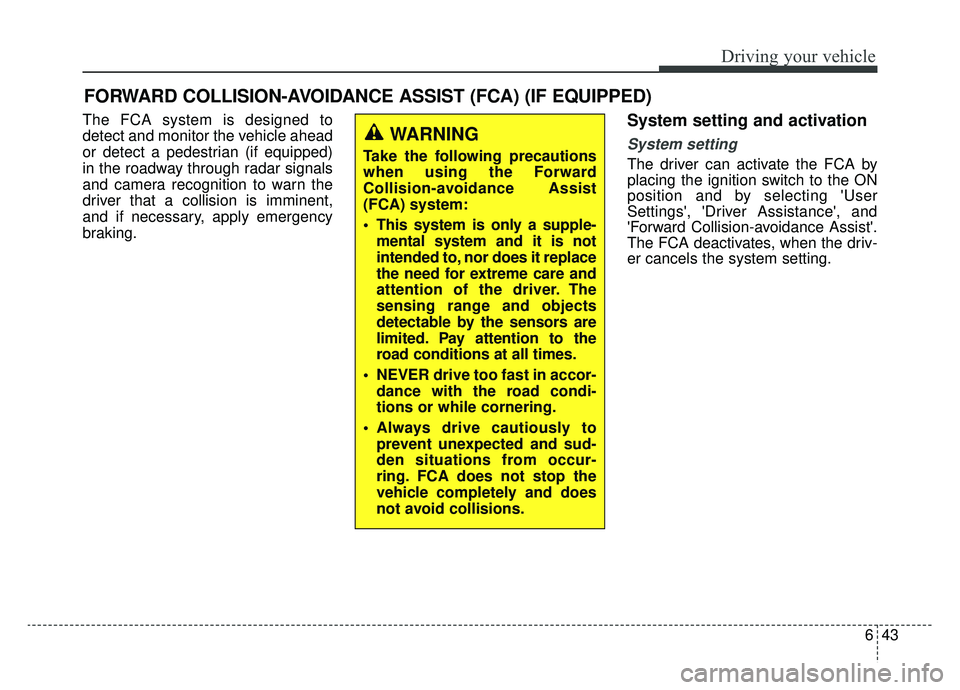
The FCA system is designed to
detect and monitor the vehicle ahead
or detect a pedestrian (if equipped)
in the roadway through radar signals
and camera recognition to warn the
driver that a collision is imminent,
and if necessary, apply emergency
braking.System setting and activation
System setting
The driver can activate the FCA by
placing the ignition switch to the ON
position and by selecting 'User
Settings', 'Driver Assistance', and
'Forward Collision-avoidance Assist'.
The FCA deactivates, when the driv-
er cancels the system setting.
FORWARD COLLISION-AVOIDANCE ASSIST (FCA) (IF EQUIPPED)
WARNING
Take the following precautions
when using the Forward
Collision-avoidance Assist
(FCA) system:
This system is only a supple-mental system and it is not
intended to, nor does it replace
the need for extreme care and
attention of the driver. The
sensing range and objects
detectable by the sensors are
limited. Pay attention to the
road conditions at all times.
NEVER drive too fast in accor- dance with the road condi-
tions or while cornering.
Always drive cautiously to prevent unexpected and sud-
den situations from occur-
ring. FCA does not stop the
vehicle completely and does
not avoid collisions.
Page 344 of 553

Driving your vehicle
62
6
SMART CRUISE CONTROL WITH STOP & GO SYSTEM (IF EQUIPPED)
➀ Cruise indicator
➁ Set speed
➂ Vehicle-to-vehicle distance
The Smart Cruise Control system
allows you to program the vehicle to
maintain constant speed and dis-
tance behind the vehicle ahead with-
out depressing the accelerator or
brake pedal.
✽ ✽ NOTICE
To activate Smart Cruise Control,
depress the brake pedal at least once
after turning the ignition switch to
the ON position or starting the
engine. This is to check if the brake
switch, which is an important part
to cancelling smart cruise control, is
in normal condition.WARNING
For your safety, please read the
owner's manual before using the
Smart Cruise Control system.
OJFA055089
WARNING
-
Smart cruise control sys-
tem Limitations
The smart cruise control system
is a supplemental system and is
not a substitute for safe driving
practices. It is the responsibility
of the driver to always check the
speed and distance to the vehi-
cle ahead.
Page 369 of 553

687
Driving your vehicle
BCW (Blind-Spot Collision
Warning) / LCA (Lane Change
Assist)
Operating conditions
The indicator on the switch will illumi-
nate when the BCW (Blind-Spot
Collision Warning) system switch is
pressed with the ignition switch ON.
If the vehicle speed exceeds 20 mph
(30 km/h), the system will activate.
If you press the switch again, the
switch indicator and system will be
turned off.If the ignition switch is turned OFF
and ON the system returns to the
previous state.
When the system is not used turn the
system off by pressing the switch.
When the system is turned on the
warning light will illuminate for 3 sec-
onds on the outside rearview mirror.
WARNING
Always check the road condi-
tion while driving for unex-
pected situations even though
the BCW (Blind-Spot Collision
Warning) system is operating.
BCW (Blind-Spot Collision Warning) system is a system
made for convenience. Do not
solely rely on the system but
always pay attention to drive
safely.
Distance from the approach- ing vehicle can be seen differ-
ently according to the relative
speed.
OJFHP056098N
Page 380 of 553
Driving your vehicle
98
6
LDW operation
To operate the LDW, press the switch
with the ignition in the ON position.
The indicator illuminates white on the
cluster.
To cancel the LDW, press LDW but-
ton again. The indicator on the clus-
ter will go off.
If your vehicle leaves the lane when
the LDW is operating and vehicle
speed exceeds around 40 mph (64
km/h), the warning operates as fol-
lows:
1. Visual warning
If you leave a lane, the lane you
cross will blink (yellow) and LDW
indicator will blink green on LCD dur-
ing 3 seconds.
OJFHP058481N
OJFHP058482N
OJFHP058483N
■Left lane departure warning
■Right lane departure warning
Page 392 of 553

Driving your vehicle
110
6
The use of chains may adversely
affect vehicle handling.
Do not exceed 20 mph (30 km/h) or the chain manufacturer’s recom-
mended speed limit, whichever is
lower.
Drive carefully and avoid bumps, holes, sharp turns, and other road
hazards, which may cause the
vehicle to bounce.
Avoid sharp turns or locked-wheel braking.Use high quality ethylene gly-
col coolant
Your vehicle is delivered with high
quality ethylene glycol coolant in the
cooling system. It is the only type of
coolant that should be used because
it helps prevent corrosion in the cool-
ing system, lubricates the water
pump and prevents freezing. Be sure
to replace or replenish your coolant
in accordance with the maintenance
schedule in chapter 8. Before winter,
have your coolant tested to assure
that its freezing point is sufficient for
the temperatures anticipated during
the winter.
Check battery and cables
Winter puts additional burdens on
the battery system. Visually inspect
the battery and cables as described
in chapter 8. The level of charge in
your battery can be checked by an
authorized Kia dealer or a service
station.
Change to "winter weight" oil
if necessary
In some climates it is recommended
that a lower viscosity "winter weight"
oil be used during cold weather. See
chapter 9 for recommendations. If
you aren't sure what weight oil you
should use, consult an authorized
Kia dealer.
Check spark plugs and ignition
system
Inspect your spark plugs as
described in chapter 8 and replace
them if necessary. Also check all
ignition wiring and components to be
sure they are not cracked, worn or
damaged in any way.CAUTION- Snow chains
Chains that are the wrong size or improperly installed candamage your vehicle's brakelines, suspension, body andwheels.
Stop driving and retighten the chains any time you hear themhitting the vehicle.
Page 400 of 553
What to do in an emergency
27
ROAD WARNING
Hazard warning flasher
The hazard warning flasher serves
as a warning to other drivers to exer-
cise extreme caution when
approaching, overtaking, or passing
your vehicle.
It should be used whenever emer-
gency repairs are being made or
when the vehicle is stopped near the
edge of a roadway.Depress the flasher switch with the
ignition switch in any position. The
flasher switch is located in the center
facia panel. All turn signal lights will
flash simultaneously.
• The hazard warning flasher oper-
ates whether your vehicle is run-
ning or not.
The turn signals do not work when the hazard flasher is on.
Care must be taken when using the hazard warning flasher while
the vehicle is being towed.
OJFH065001L

