2019 KIA NIRO warning light
[x] Cancel search: warning lightPage 405 of 611
669
Driving your vehicle
BSD (Blind Spot Detection) /
LCA (Lane Change Assist)
Operating conditions
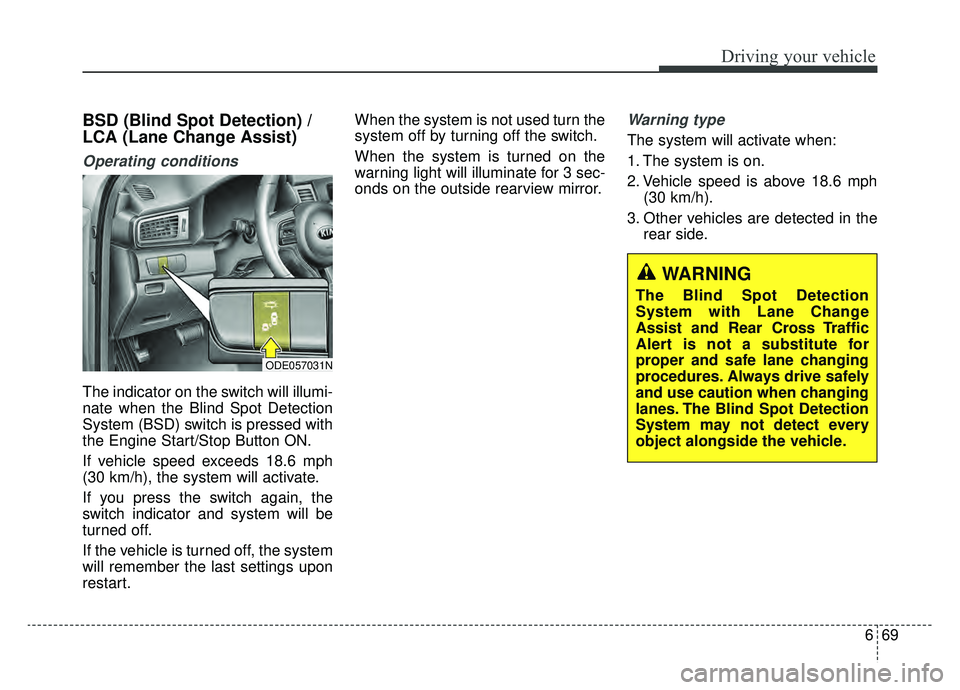
The indicator on the switch will illumi-
nate when the Blind Spot Detection
System (BSD) switch is pressed with
the Engine Start/Stop Button ON.
If vehicle speed exceeds 18.6 mph
(30 km/h), the system will activate.
If you press the switch again, the
switch indicator and system will be
turned off.
If the vehicle is turned off, the system
will remember the last settings upon
restart.When the system is not used turn the
system off by turning off the switch.
When the system is turned on the
warning light will illuminate for 3 sec-
onds on the outside rearview mirror.
Warning type
The system will activate when:
1. The system is on.
2. Vehicle speed is above 18.6 mph
(30 km/h).
3. Other vehicles are detected in the rear side.
WARNING
The Blind Spot Detection
System with Lane Change
Assist and Rear Cross Traffic
Alert is not a substitute for
proper and safe lane changing
procedures. Always drive safely
and use caution when changing
lanes. The Blind Spot Detection
System may not detect every
object alongside the vehicle.
ODE057031N
Page 406 of 611
Driving your vehicle
70
6
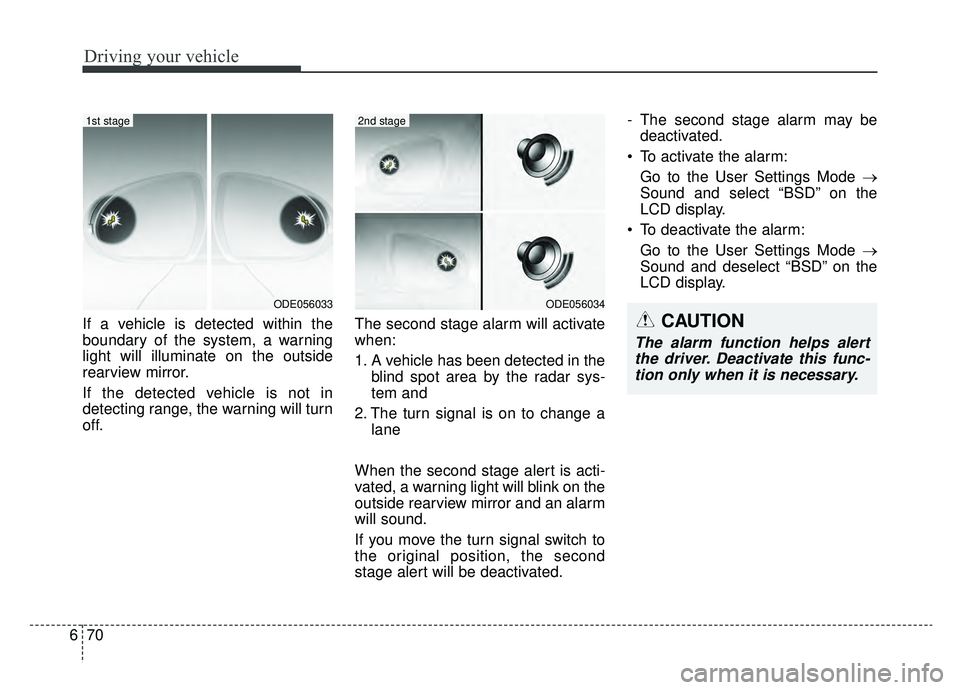
If a vehicle is detected within the
boundary of the system, a warning
light will illuminate on the outside
rearview mirror.
If the detected vehicle is not in
detecting range, the warning will turn
off. The second stage alarm will activate
when:
1. A vehicle has been detected in the
blind spot area by the radar sys-
tem and
2. The turn signal is on to change a lane
When the second stage alert is acti-
vated, a warning light will blink on the
outside rearview mirror and an alarm
will sound.
If you move the turn signal switch to
the original position, the second
stage alert will be deactivated. - The second stage alarm may be
deactivated.
To activate the alarm: Go to the User Settings Mode →
Sound and select “BSD” on the
LCD display.
To deactivate the alarm: Go to the User Settings Mode →
Sound and deselect “BSD” on the
LCD display.
ODE056034
2nd stage
ODE056033
1st stage
CAUTION
The alarm function helps alertthe driver. Deactivate this func-tion only when it is necessary.
Page 407 of 611

671
Driving your vehicle
Detecting sensor
The sensors are located inside of the
rear bumper.
Always keep the rear bumper clean
for the system to work properly.
Warning message
“Blind Spot Detection disabled tem-
porarily”
This message will appear to notify
the driver if one of the following
occurs. The light on the switch and
the system will turn off automatically.
- There are foreign substances on thesurface or inside the rear bumper or
it is hot near the rear bumper.
- When a trailer or carrier is installed.
- When driving in a wide area with few vehicles around.
- When driving in bad weather such as heavy rain or snow.
Remove the foreign substance on
the rear bumper.
After the foreign substance is
removed, if you drive for approxi-
mately 10 minutes, the system will
work normally. If the system does not work normally
even though the foreign substance is
removed, take your vehicle to an
authorized Kia dealer and have the
system checked.
If the system does not work properly,
a warning message (“Check BSD
System”) will appear and the light on
the switch will turn off. The system
will turn off automatically.
Have your vehicle inspected by an
authorized Kia dealer.
ODE056032
Page 409 of 611

673
Driving your vehicle
If the vehicle detected by sensorsapproaches your vehicle, the warn-
ing chime will sound and the warn-
ing light will blink on the outside
rearview mirror.
If the detected object is not in your way, move the vehicle away from
the detected object slowly; and the
warning will cancel once the object
has been safely cleared.
The system may not operate prop- erly due to other factors or circum-
stances. Always pay attention to
your surroundings.
❈ If your vehicle's left or right side
bumper is blinded by a barrier or
vehicles, the system sensing abili-
ty may be deteriorated.
WARNING
The Blind Spot Detection
System with Lane Change
Assist and Rear Cross Traffic
Alert is not a substitute for
proper and safe lane changing
procedures. Always drive safely
and use caution when changing
lanes. The Blind Spot Detection
System may not detect every
object alongside the vehicle.
CAUTION
The system may not work
properly if the bumper hasbeen replaced or if repair workhas been done near the sen-sor.
The detection area differs according to the road's width.If the road is narrow the sys-tem may detect other vehiclesin the next lane.
If the road is very wide the system may not detect othervehicles.
The system may turn off due to strong electromagneticinterference.
Page 412 of 611
Driving your vehicle
76
6
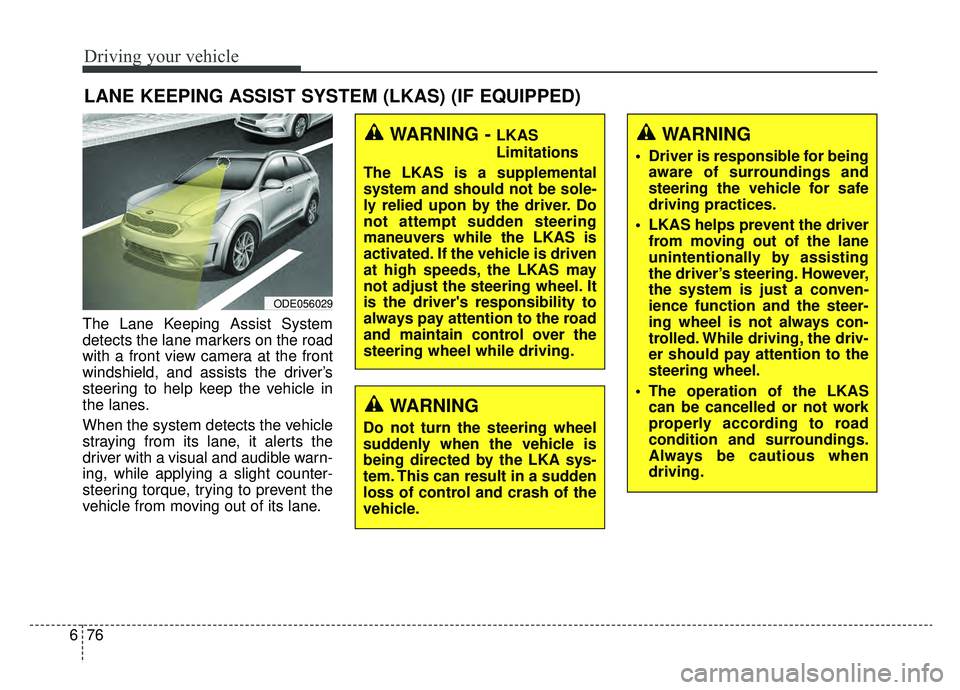
The Lane Keeping Assist System
detects the lane markers on the road
with a front view camera at the front
windshield, and assists the driver’s
steering to help keep the vehicle in
the lanes.
When the system detects the vehicle
straying from its lane, it alerts the
driver with a visual and audible warn-
ing, while applying a slight counter-
steering torque, trying to prevent the
vehicle from moving out of its lane.
LANE KEEPING ASSIST SYSTEM (LKAS) (IF EQUIPPED)
WARNING
Do not turn the steering wheel
suddenly when the vehicle is
being directed by the LKA sys-
tem. This can result in a sudden
loss of control and crash of the
vehicle.
ODE056029
WARNING - LKAS
Limitations
The LKAS is a supplemental
system and should not be sole-
ly relied upon by the driver. Do
not attempt sudden steering
maneuvers while the LKAS is
activated. If the vehicle is driven
at high speeds, the LKAS may
not adjust the steering wheel. It
is the driver's responsibility to
always pay attention to the road
and maintain control over the
steering wheel while driving.WARNING
Driver is responsible for being aware of surroundings and
steering the vehicle for safe
driving practices.
LKAS helps prevent the driver from moving out of the lane
unintentionally by assisting
the driver’s steering. However,
the system is just a conven-
ience function and the steer-
ing wheel is not always con-
trolled. While driving, the driv-
er should pay attention to the
steering wheel.
The operation of the LKAS can be cancelled or not work
properly according to road
condition and surroundings.
Always be cautious when
driving.
Page 413 of 611
677
Driving your vehicle
Do not disassemble a front viewcamera temporarily for tinted win-
dow or attaching any types of coat-
ings and accessories. If you disas-
semble the camera and assemble
it again, take your vehicle to an
authorized Kia dealer and have the
system checked to need a calibra-
tion.
When you replace the windshield glass, front view camera or related
parts of the steering, take your
vehicle to an authorized Kia dealer
and have the system checked to
need a calibration.
The system detects lane markers and controls the steering wheel by
a front view camera, therefore, if
the lane markers are hard to
detect, the system may not work
properly. Always be cautious when
using the system.
When the lane markers are hard to detect, please refer to “Driver’s
Attention”.
Do not remove or damage the related parts of LKAS. Do not place objects on the crash
pad that reflects light such as mir-
rors, white paper, etc. it may cause
malfunction of LKAS if the sunlight
is reflected.
You may not hear warning sound of LKAS because of the excessive
audio sound.
If you continue to drive with your hands off the steering wheel, the
LKAS will stop controlling the
steering wheel after the hands off
alarm. After then, if you drive with
your hands on the steering wheel,
the control will be activated again.
If the vehicle speed is high, steer- ing torque for assistance will not be
enough to keep your vehicle within
the lane. If so, the vehicle may
move out of its lane. Obey speed
limit when using LKAS.
If you attach objects to the steering wheel, the system may not assist
steering.
If you attach objects to the steering wheel, hands off alarm may not
work properly.LKAS operation
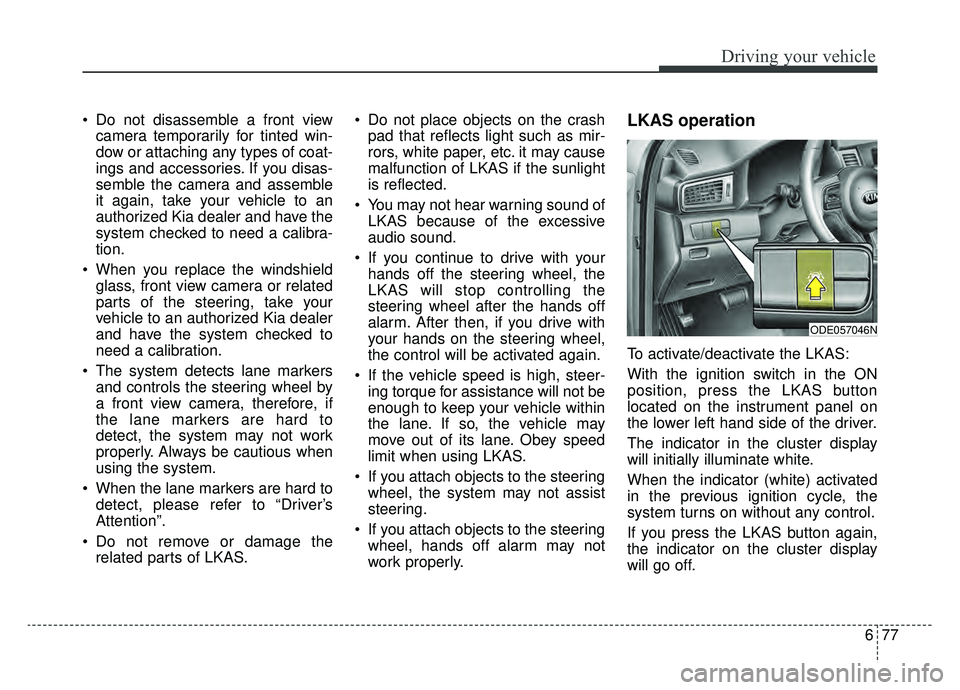
To activate/deactivate the LKAS:
With the ignition switch in the ON
position, press the LKAS button
located on the instrument panel on
the lower left hand side of the driver.
The indicator in the cluster display
will initially illuminate white.
When the indicator (white) activated
in the previous ignition cycle, the
system turns on without any control.
If you press the LKAS button again,
the indicator on the cluster display
will go off.
ODE057046N
Page 416 of 611
Driving your vehicle
80
6
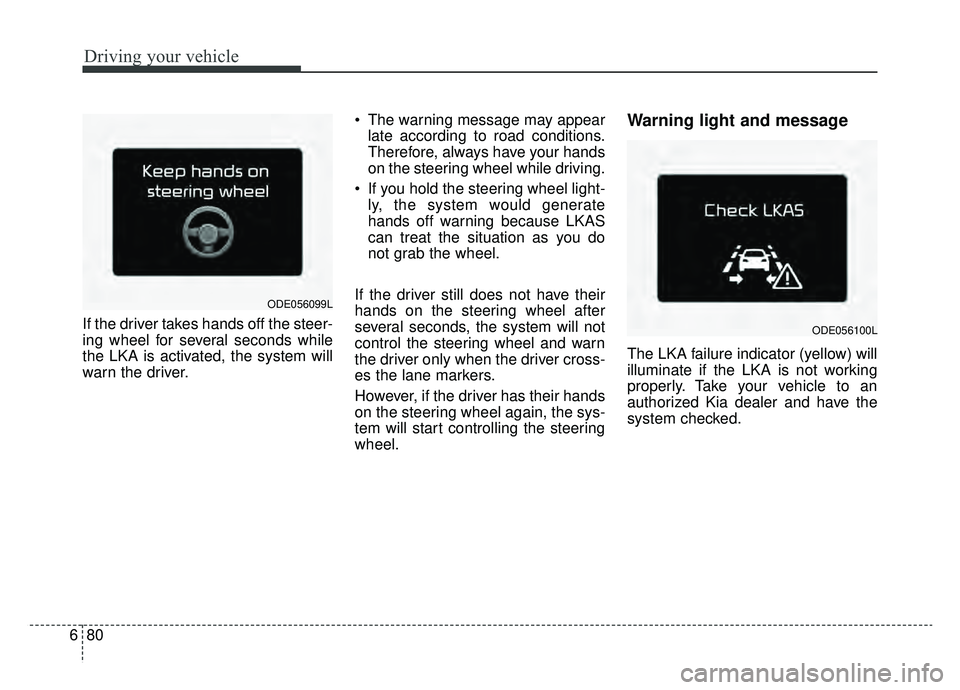
If the driver takes hands off the steer-
ing wheel for several seconds while
the LKA is activated, the system will
warn the driver. The warning message may appear
late according to road conditions.
Therefore, always have your hands
on the steering wheel while driving.
If you hold the steering wheel light- ly, the system would generate
hands off warning because LKAS
can treat the situation as you do
not grab the wheel.
If the driver still does not have their
hands on the steering wheel after
several seconds, the system will not
control the steering wheel and warn
the driver only when the driver cross-
es the lane markers.
However, if the driver has their hands
on the steering wheel again, the sys-
tem will start controlling the steering
wheel.
Warning light and message
The LKA failure indicator (yellow) will
illuminate if the LKA is not working
properly. Take your vehicle to an
authorized Kia dealer and have the
system checked.
ODE056099L
ODE056100L
Page 423 of 611

687
Driving your vehicle
WARNING
The Driver Attention Alertsystem is not a substitute for
safe driving practices, but a
supplemental system only. It
is the responsibility of the
driver to always drive cau-
tiously to prevent unexpected
and sudden situations from
occurring. Pay attention to the
road conditions at all times.
The system may suggest a break according to the dri-
ver’s driving pattern or habits
even if the driver doesn’t feel
fatigue.
The driver, who feels fatigued, should take a break, even
though there is no break sug-
gestion by the Driver
Attention Alert system.
CAUTION
The Driver Attention Alert sys-tem utilizes the camera sensoron the front windshield for itsoperation.
To prevent potential damage tothe camera and keep the camerasensor operating under optimalconditions, observe the follow-ings:
Do not disassemble camera temporarily for tinted windowor attaching any types of coat-ings and accessories. If youdisassemble a camera andassemble it again, take yourvehicle to an authorized Kiadealer and have the systemchecked for calibration.
Do not place any reflective objects (i.e. white paper, mir-ror) over the dashboard. Anylight reflection may cause amal-function of the DriverAttention Alert (DAA) system.
(Continued)
(Continued) Pay extreme caution to keep the camera sensor out ofwater.
Do not arbitrarily disassemble the camera assembly, norapply any impact on the cam-era assembly.
Playing the vehicle audio sys- tem at high volume may offsetthe Driver Attention Alert sys-tem warning sounds.